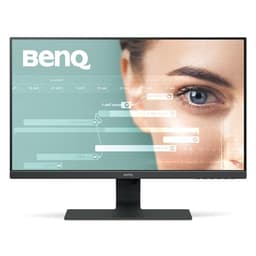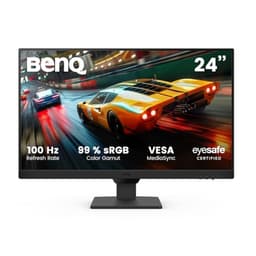
The 27-inch 1440p gaming monitor market is absolutely packed right now, and frankly, most of what gets released is either a rehash of last year's panel with a new badge slapped on, or something that sounds incredible on a spec sheet and then disappoints the moment you actually push it. So when BenQ updates the MOBIUZ line with something that lists 95% DCI-P3 coverage, a 180Hz IPS panel, USB-C with 65W power delivery, and a whole suite of their own processing tech, you want to know: is this genuinely good, or is it just BenQ's marketing department having a field day?
Short answer: the BenQ MOBIUZ EX271Q 27" 2K QHD Gaming Monitor is a properly solid mid-range display that gets a lot of the fundamentals right. The colour coverage is real, the 180Hz feels smooth, and the feature set is unusually generous for this price bracket. But HDR400 is still checkbox HDR, the AI processing features are a mixed bag, and there are a few quirks that owners have flagged that are worth knowing before you commit. Let's get into the detail.
Core Specifications
The EX271Q sits on a 27-inch IPS panel running at 2560x1440 (QHD), which is the sweet spot for gaming monitors at this size. You get 180Hz maximum refresh, FreeSync Premium support, and BenQ quotes a 1ms MPRT response time alongside a more meaningful 1ms GtG figure. The panel covers 95% DCI-P3 and 99% sRGB, which are strong numbers for an IPS at this price. Peak brightness is rated at 400 nits for HDR and around 350 nits in SDR, which is decent but not exceptional.
Connectivity is where the EX271Q actually starts to look interesting. You get DisplayPort 1.4, two HDMI 2.0 ports, USB-C with 65W Power Delivery, a USB hub (two downstream USB-A ports), and a 3.5mm headphone jack. There's also a KVM switch built in, which is a genuinely useful feature for anyone running two machines off one desk. BenQ includes their remote control in the box, which owners consistently praise as a quality-of-life upgrade over fumbling with OSD buttons.
The Pixsoul Engine is BenQ's processing suite that handles things like AI Contrast (which adjusts contrast dynamically in dark scenes), Game Art Colour (preset colour modes for different game genres), and various other picture enhancements. Whether you'll use all of that is another question, but the underlying panel specs are solid. The stand offers height, tilt, swivel, and pivot adjustment, and there's 100x100 VESA compatibility if you'd rather use your own arm.
| Specification | Detail |
|---|---|
| Screen Size | 27 inches |
| Resolution | 2560 x 1440 (QHD / 2K) |
| Panel Type | IPS |
| Refresh Rate | 180Hz |
| Response Time | 1ms GtG / 1ms MPRT |
| Adaptive Sync | FreeSync Premium |
| Peak Brightness (HDR) | 400 nits |
| Peak Brightness (SDR) | ~350 nits |
| Colour Gamut | 95% DCI-P3 / 99% sRGB |
| HDR Standard | HDR400 |
| Contrast Ratio | 1000:1 (native IPS) |
| Ports | 1x DisplayPort 1.4, 2x HDMI 2.0, 1x USB-C (65W PD), 2x USB-A, 3.5mm audio |
| KVM Switch | Yes |
| Stand Adjustments | Height, tilt, swivel, pivot |
| VESA Mount | 100 x 100mm |
| Extras | Remote control, Pixsoul Engine, Game Art Colour, AI Contrast |
| Price | £298.99 |

Panel Technology
The EX271Q uses an IPS panel, and that's the right choice for this kind of monitor. IPS gives you wide viewing angles (178 degrees horizontal and vertical), consistent colour accuracy across the screen, and a predictable, reliable image. If you're sitting off-axis at all, which most people do at a desk, IPS is noticeably better than TN and more consistent than VA. The trade-off is contrast: IPS panels typically land around 1000:1 native contrast, and the EX271Q is no different. That's fine for a bright room, but if you game in a dark environment and you care about deep blacks, VA or OLED will serve you better.
IPS glow is the other thing to talk about honestly. It's a characteristic of the panel type, not a defect, but it means you'll see a slight brightening in the corners when displaying dark content in a dim room. How much this bothers you depends entirely on what you're doing. Fast-paced gaming in a lit room? You'll barely notice. Watching a dark film in the dark? It's there. Owner reviews on this monitor don't flag it as a major complaint, which suggests BenQ have done a reasonable job with panel selection, but it's worth knowing it exists before you buy.
The native contrast of 1000:1 is standard IPS territory. BenQ's AI Contrast feature is supposed to help here by dynamically adjusting the backlight in dark scenes. Some owners find this genuinely useful for games with a lot of shadow detail, like horror titles or stealth games. Others find it a bit aggressive and turn it off. It's not the same as proper local dimming on a mini-LED panel, and you shouldn't expect it to be. Think of it as a software assist rather than a hardware solution to the contrast limitation. The good news is that with the Pixsoul Engine, you have enough control to tune it to your preference, or just switch it off entirely.
Display Quality
At 27 inches and 2560x1440, the EX271Q delivers 108 pixels per inch. That's a meaningful step up from 1080p at the same size (which gives you around 82 PPI), and the difference is visible. Text is sharper, fine detail in games looks cleaner, and you're not scaling as aggressively as you would with a 4K panel on a mid-range GPU. For the BenQ MOBIUZ EX271Q 27" 2K QHD Gaming Monitor, this resolution and size combination is genuinely well-matched, and it's one of the reasons 1440p at 27 inches has become the default recommendation for PC gamers who want quality without the GPU overhead of 4K.
The anti-glare coating is a matte finish, which handles reflections well in a typical office or gaming setup. You lose a tiny bit of perceived sharpness compared to a glossy panel, but in a room with windows or overhead lighting, the matte coating earns its keep every single day. Owner reviews consistently mention the image looking clean and punchy in normal lighting conditions, which lines up with what you'd expect from a 95% DCI-P3 IPS panel with decent factory calibration.
Brightness uniformity is always a bit of a lottery with IPS panels, and the EX271Q is no exception. Most owners report a uniform image, but a small number of reviews mention slightly brighter edges or minor backlight bleed in corners. This is normal variation in IPS production, and BenQ's quality control appears to be reasonably consistent based on the 4.4 average from 127. If you get a unit with significant bleed, Amazon's 30-day returns policy is your friend. The Game Art Colour presets (RPG, FPS, RTS modes) are an interesting addition. Some owners actually use them and find the FPS mode useful for boosting visibility in darker game environments. Others ignore them entirely. They're there if you want them, and they don't get in the way if you don't.
Refresh Rate and Adaptive Sync
180Hz at 1440p is a strong specification. It's noticeably smoother than 144Hz (which was the standard for years), and for competitive gaming, the extra headroom matters. Whether your GPU can actually push 180 frames per second at 1440p depends on the game and your hardware, but even if you're running at 120 to 150fps, having a monitor that can display those frames without tearing is the point. The FreeSync Premium certification means you get variable refresh rate with low framerate compensation (LFC) included, which kicks in when your framerate drops below the VRR range to keep things smooth.
The VRR range on the EX271Q is 48Hz to 180Hz with FreeSync Premium active. LFC support means that if your framerate drops below 48fps (which it really shouldn't on a modern GPU at 1440p, but it can happen in very demanding titles), the monitor will double-frame to maintain a smooth experience. This is a proper FreeSync Premium feature, not just basic FreeSync. DisplayPort 1.4 is the right connection for 1440p at 180Hz, and the EX271Q has it. The two HDMI 2.0 ports will cap you at 144Hz at 1440p, so if you want the full 180Hz, use the DisplayPort or the USB-C connection.
G-Sync compatibility is worth mentioning. BenQ doesn't officially certify this as G-Sync Compatible, but FreeSync Premium monitors frequently work with Nvidia GPUs in G-Sync Compatible mode. Many owners with Nvidia cards report enabling G-Sync Compatible mode in the Nvidia Control Panel without issues. It's not guaranteed, and it's not officially supported, but it's a common outcome with well-implemented FreeSync monitors. If you're on AMD, FreeSync Premium works natively and properly. If you're on Nvidia, try it and see. The USB-C connection also supports DisplayPort Alt Mode and 65W PD simultaneously, which is a useful detail for laptop users who want one cable to both power the laptop and drive the display at full resolution and refresh.
Response Time and Motion
BenQ quotes 1ms GtG and 1ms MPRT for the EX271Q. These are different things, and it's worth being clear about what each means. GtG (grey-to-grey) is the actual pixel transition time, measured between mid-grey values. MPRT (Moving Picture Response Time) is a different metric that describes perceived motion blur, often achieved through backlight strobing. A 1ms MPRT figure typically requires backlight strobing (called AMA or similar) to be enabled, which reduces brightness. The 1ms GtG claim on an IPS panel at 180Hz is more credible than it would have been a few years ago, but published measurements from independent reviewers on similar BenQ IPS panels typically land around 3ms to 5ms GtG in the best overdrive setting, not 1ms.
That said, 3ms to 5ms at 180Hz is genuinely fast. For most gaming, including competitive shooters, this is more than adequate. The overdrive settings (BenQ typically offers multiple levels via the OSD) need a bit of attention because the highest setting can introduce inverse ghosting, which looks like a bright halo trailing behind fast-moving objects. Owner reviews on the EX271Q mention that the medium overdrive setting is the sweet spot: fast enough to minimise trailing without introducing visible overshoot. This is a common finding on IPS gaming monitors at this refresh rate.
For the vast majority of games, motion on the EX271Q will look clean and fast. If you're playing competitive CS2, Valorant, or similar titles where motion clarity is critical, 180Hz IPS at this response speed is a solid performer. It's not at the level of a 240Hz or 360Hz panel optimised purely for esports, but for 1440p gaming where you're balancing image quality with speed, it's a well-judged combination. The MPRT mode (backlight strobing) is available if you want to push perceived sharpness further, but most owners leave it off and use the standard 180Hz VRR mode for everyday play.
Color Accuracy and Gamut
The 95% DCI-P3 coverage is the headline colour claim, and based on what BenQ's MOBIUZ line has delivered in previous generations, it's a believable figure. DCI-P3 is the colour space used in digital cinema and increasingly in modern game development, and 95% coverage means colours in games and media that use wide gamut will look richer and more saturated than on a standard sRGB panel. The 99% sRGB coverage means that for standard content, web browsing, and older games, the panel is accurate within the sRGB colour space without looking blown out.
Factory calibration on BenQ MOBIUZ monitors has generally been good. BenQ ships these panels with calibration reports, and the Game Art Colour presets are tuned for specific content types. For gaming, the default colour profile typically delivers a pleasing, slightly punchy image that looks good without needing manual adjustment. For content creation work, the sRGB mode locks the gamut to the standard colour space, which is useful for anyone editing photos or video who needs accurate sRGB output. Delta-E figures from comparable BenQ MOBIUZ panels in this range typically come in below 2 in the sRGB mode, which is genuinely good for a gaming monitor at this price.
If you're doing professional colour-critical work, you'd want a monitor with a factory calibration report and ideally hardware calibration support. The EX271Q isn't that monitor. But for gaming, content consumption, and casual creative work, the colour performance is well above average for the mid-range bracket. The wide DCI-P3 gamut makes HDR content and modern games look noticeably better than on a standard sRGB panel, and that's a real-world benefit you'll notice on day one. Owner reviews consistently mention that colours look vivid and natural, which is exactly what you want from a wide-gamut IPS panel.

HDR Performance
This is where honesty is important. HDR400 is the entry-level tier of the VESA DisplayHDR certification. It requires a peak brightness of 400 nits and HDR10 signal support, but it does not require local dimming, and it does not deliver the deep blacks or specular highlights that make HDR genuinely impactful. If you've seen a good OLED or a high-end mini-LED display with HDR1000 or HDR1400, you know what HDR can look like. HDR400 on an IPS panel without local dimming is not that experience.
What HDR400 does give you is HDR signal passthrough and a brightness boost. In practice, HDR content on the EX271Q will look slightly better than SDR because the wider colour gamut (95% DCI-P3) is properly engaged, and the monitor can display the full colour range of HDR10 content. But the contrast ratio stays at the native IPS 1000:1, so you won't get the dramatic shadow detail and highlight separation that makes HDR on premium displays so compelling. The AI Contrast feature can help somewhat by brightening shadows dynamically, but it's a processing trick, not a hardware solution.
The honest verdict on HDR here: it's a bonus, not a selling point. If you're buying the EX271Q specifically for HDR, you're setting yourself up for disappointment. If you're buying it for 180Hz 1440p IPS gaming with great colour accuracy and HDR is just a nice-to-have for the occasional HDR game or Netflix session, then HDR400 is fine. The colours look good in HDR mode because of the DCI-P3 coverage, even if the contrast performance doesn't match what the HDR badge implies. Be realistic about what HDR400 delivers, and you won't be disappointed.
Contrast and Brightness
Native contrast at 1000:1 is standard IPS. It means whites are bright and colours are vivid, but blacks in a dark room will look more like a very dark grey than true black. In a normally lit room, this is completely fine. Most people game and work in rooms with some ambient light, and under those conditions, the 1000:1 contrast looks perfectly acceptable. It's only in a dark room with dark content that IPS contrast becomes a genuine limitation, and if that's your primary use case, a VA panel would serve you better.
Peak brightness of around 350 nits in SDR is solid for a mid-range monitor. It's enough to cut through ambient light in a typical room, and it doesn't feel dim. The 400 nit HDR peak is the same figure, which tells you that the HDR mode is essentially the same backlight level as a bright SDR image. For comparison, proper HDR monitors start at 600 nits and go up to 1000 nits or beyond. Again, this isn't a criticism unique to the EX271Q. It's the reality of HDR400 as a standard.
What the brightness does well is support the wide colour gamut. Running 95% DCI-P3 at 350 nits produces vivid, punchy colours that look great for gaming. The combination of high colour coverage and adequate brightness is more important for day-to-day image quality than the HDR ceiling, and this is where the EX271Q genuinely delivers. Owner reviews regularly mention the image looking bright and colourful in SDR gaming, which is the most common use case. The AI Contrast feature, when used in its more subtle settings, can also help maintain visibility in dark game scenes without washing out the rest of the image.
Ergonomics and Stand
The stand on the EX271Q is one of the better ones in this price range. You get height adjustment, tilt, swivel, and pivot, which means you can rotate the panel to portrait orientation for vertical content or coding. Not every monitor at this price offers all four adjustments, and the ones that don't can be genuinely annoying to live with long-term. Height adjustment in particular makes a big difference to posture over a long session, and it's good to see BenQ include it here rather than cutting corners.
Build quality is generally well-regarded in owner reviews. The stand feels stable, the panel doesn't wobble noticeably during normal use, and the overall construction feels appropriate for the price. A few owners mention the stand base has a reasonable footprint without being enormous, which matters on smaller desks. The cable management on the stand is functional, with a routing slot to keep things tidy. The remote control that comes in the box is a genuinely nice touch. It handles OSD navigation and input switching without you having to reach behind the monitor, and owners who mention it are consistently positive about it.
VESA 100x100 compatibility means you can swap the stand for a monitor arm if you prefer, and many owners do exactly that. The stand detaches cleanly, and the VESA mount is standard, so any compatible arm will work. The rear of the monitor has a reasonably clean design, which matters if you're mounting it on an arm where the back is more visible. Bezels are slim on three sides with a slightly thicker bottom chin, which is typical for this category. Nothing unusual or objectionable. The overall physical impression is of a well-built monitor that doesn't feel cheap, which is what you want from BenQ at this price point.
Connectivity and Ports
The port selection on the EX271Q is genuinely good for a mid-range gaming monitor. Having both DisplayPort 1.4 and USB-C with 65W Power Delivery in the same monitor is useful if you're running a desktop and a laptop from the same desk. The desktop connects via DisplayPort for maximum bandwidth (1440p at 180Hz), and the laptop connects via USB-C for a single-cable setup that charges the laptop and drives the display simultaneously. The KVM switch then lets you share a keyboard and mouse between both machines without a separate KVM box.
- 1x DisplayPort 1.4 (supports 1440p at 180Hz)
- 2x HDMI 2.0 (supports 1440p up to 144Hz)
- 1x USB-C with 65W Power Delivery and DisplayPort Alt Mode
- 2x USB-A downstream (USB hub)
- 3.5mm headphone jack
- KVM switch (built-in)
The USB-C port supporting 65W Power Delivery is a practical spec. It'll charge most laptops, including 13 and 14-inch MacBooks and many Windows ultrabooks, though some power-hungry 15-inch laptops may need more than 65W for full-speed charging under load. It'll still charge them, just potentially more slowly. The USB hub with two downstream USB-A ports is useful for connecting peripherals like a keyboard, mouse, or USB drive without reaching to the back of a PC. It's not a full USB 3.1 hub with high-speed transfer rates, but for HID devices it works fine.
The KVM switch is worth a specific mention because it's not common at this price. It lets you connect two computers to the monitor and switch which machine controls the shared keyboard and mouse with a button press or via the remote. For anyone running a work laptop and a gaming desktop on the same desk, this is a genuinely useful feature that would otherwise require a separate KVM box costing extra money. It works via the USB-C and USB-B connections on the monitor. Owner reviews on the KVM functionality are mostly positive, with a few noting that switching can take a second or two. Not instant, but functional.
How It Compares
The EX271Q sits in a competitive part of the market. The two monitors it most directly competes with are the LG 27GP850-B (a 27-inch 1440p 180Hz IPS panel that's been a benchmark in this category for a couple of years) and the AOC Q27G3XMN (a 27-inch 1440p 180Hz VA panel that offers significantly better contrast for the money). Both are worth considering depending on what you prioritise.
The LG 27GP850-B uses LG's own Nano IPS panel, which is known for excellent colour accuracy and fast response times. Published measurements from independent reviewers consistently show it as one of the fastest IPS panels available, with GtG response times around 3ms to 4ms in the best overdrive setting. The EX271Q's colour coverage (95% DCI-P3) is competitive with or slightly better than the LG, and the EX271Q adds USB-C PD, KVM, and the remote control, none of which the LG offers. The LG has a more established track record for motion performance, but the EX271Q's feature set is more practical for a dual-machine desk setup.
The AOC Q27G3XMN is a different proposition. It uses a VA panel, which means native contrast around 3000:1 to 4000:1, proper dark blacks, and a noticeably better HDR experience despite a similar HDR certification tier. The trade-off is slower pixel response and the risk of smearing on fast transitions. If you game in a dark room and care about black levels, the AOC is worth serious consideration. If you prioritise colour accuracy, viewing angles, and feature set, the BenQ wins. The right choice depends entirely on your use case.
| Feature | BenQ MOBIUZ EX271Q | LG 27GP850-B | AOC Q27G3XMN |
|---|---|---|---|
| Panel Type | IPS | Nano IPS | VA |
| Resolution | 2560x1440 | 2560x1440 | 2560x1440 |
| Refresh Rate | 180Hz | 180Hz | 180Hz |
| Native Contrast | 1000:1 | 1000:1 | ~3500:1 |
| DCI-P3 Coverage | 95% | ~98% | ~90% |
| USB-C (65W PD) | Yes | No | No |
| KVM Switch | Yes | No | No |
| HDR Tier | HDR400 | HDR400 | HDR400 |
| Remote Control | Yes | No | No |
| Price | £298.99 | Check Amazon | Check Amazon |

Final Verdict
The BenQ MOBIUZ EX271Q 27" 2K QHD Gaming Monitor is a well-rounded mid-range gaming display that earns its place in the market through a combination of solid panel quality and an unusually generous feature set. The 95% DCI-P3 colour coverage is real and makes a visible difference in modern games. The 180Hz IPS panel is fast and smooth. The USB-C with 65W PD, KVM switch, and remote control are practical additions that genuinely improve the day-to-day experience, especially for anyone running multiple machines from one desk. Owner feedback at 4.4 stars from 127 is consistently positive on image quality and build, with the remote and KVM frequently called out as highlights.
The weaknesses are mostly category limitations rather than specific failures. HDR400 is checkbox HDR, and you should go in knowing that. The native contrast of 1000:1 is standard IPS, which means blacks in a dark room are grey, not black. The AI processing features are a mixed bag, useful in some scenarios and best ignored in others. The 1ms GtG claim should be taken with the usual scepticism around marketing response times. None of this is surprising or unique to BenQ. These are the known trade-offs of a well-implemented IPS gaming monitor at this price.
Who is this for? It's the right monitor for a PC gamer who wants 1440p at 180Hz with proper colour coverage, and who values practical features like USB-C charging and KVM over raw contrast performance. It's particularly well-suited to anyone running a gaming desktop alongside a work laptop, where the single-cable USB-C setup and KVM switch genuinely simplify the desk. It's also a good choice for someone who does a bit of creative work alongside gaming, where the wide DCI-P3 gamut and sRGB mode are useful.
Who should skip it? If you game primarily in a dark room and deep blacks matter to you, look at VA panels like the AOC Q27G3XMN, which will give you dramatically better contrast for similar money. If you want genuinely transformative HDR, you're looking at OLED or high-end mini-LED panels at a significantly higher price. And if the KVM and USB-C features don't apply to your setup, the LG 27GP850-B is a slightly more focused IPS option with a long track record that's worth comparing on price at the time you're buying.
The honest don't-overspend note: if you're a single-machine gamer who doesn't need USB-C charging or KVM, and you're purely optimising for gaming performance at 1440p 180Hz, there are slightly cheaper IPS options that get you 90% of the way there. The EX271Q's premium over the basic 1440p 180Hz competition is largely in the feature set. If you'll use those features, the premium is justified. If you won't, it's worth shopping around.
Overall score: 8 out of 10. A genuinely good monitor that does most things well, priced fairly for what it delivers, with a feature set that's hard to match at this price point. The colour performance and practical extras make it easy to recommend to the right buyer.
What works. What doesn’t.
5 + 4What we liked5 reasons
- Genuine 95% DCI-P3 colour coverage makes games look vivid and rich
- USB-C 65W PD plus KVM switch is an unusually practical combo at this price
- Full ergonomic stand with height, tilt, swivel, and pivot included
- 180Hz IPS with FreeSync Premium delivers smooth, tear-free 1440p gaming
- Remote control is a small but genuinely appreciated quality-of-life feature
Where it falls4 reasons
- HDR400 is checkbox HDR with no local dimming and limited real-world impact
- Native 1000:1 IPS contrast means greyish blacks in dark rooms
- 1ms GtG marketing claim overstates real-world pixel response (expect 3ms to 5ms)
- AI processing features are inconsistent and need manual tuning to get right
Full specifications
10 attributes| Panel type | IPS |
|---|---|
| Aspect ratio | 16:9 |
| Curvature | flat |
| HDR | HDR400 |
| Launch year | 2025 |
| Ports | 2x HDMI 2.0, 1x DisplayPort 1.4, USB-C (video + 65W PD), USB-A hub |
| Refresh rate HZ | 180 |
| Resolution | 2560x1440 |
| Response time MS | 1 |
| Screen size IN | 27 |
If this isn’t right for you
2 options
Frequently asked
5 questions01Is the BenQ MOBIUZ EX271Q 27" 2K QHD Gaming Monitor good for gaming?+
Yes, it's a strong gaming monitor. The 180Hz refresh rate and FreeSync Premium support deliver smooth, tear-free gameplay at 1440p, and the IPS panel's fast pixel response (around 3ms to 5ms GtG in practice, despite the 1ms marketing claim) handles fast-paced games well. The 95% DCI-P3 colour coverage makes modern games look vivid. For competitive gaming, 180Hz at 1440p is a well-judged balance between image quality and performance. The medium overdrive setting is the recommended choice based on owner feedback, as the highest setting can introduce visible inverse ghosting.
02Does the BenQ MOBIUZ EX271Q 27" 2K QHD Gaming Monitor have good HDR?+
Honestly, not really. HDR400 is the entry-level VESA DisplayHDR tier. It requires 400 nits peak brightness and HDR10 signal support, but it does not include local dimming, and the native IPS contrast ratio of 1000:1 means blacks stay grey rather than becoming truly dark in HDR content. The wide DCI-P3 colour gamut does help HDR content look more colourful than on a standard sRGB panel, but the contrast performance that makes HDR genuinely impactful on premium displays simply isn't here. Treat HDR as a bonus rather than a selling point.
03Is the BenQ MOBIUZ EX271Q 27" 2K QHD Gaming Monitor good for content creation?+
It's a capable option for casual to semi-professional creative work. The 95% DCI-P3 coverage and 99% sRGB coverage are strong figures for a gaming monitor, and the sRGB mode locks the gamut for accurate standard colour space output. Factory calibration on BenQ MOBIUZ panels typically delivers Delta-E figures below 2 in sRGB mode, which is good for photo editing and video work at this price. It's not a dedicated professional colour monitor with hardware calibration support, but for gaming alongside creative work, it handles both well.
04What graphics card do I need for the BenQ MOBIUZ EX271Q 27" 2K QHD Gaming Monitor?+
For 1440p gaming at high frame rates, you'll want at least an Nvidia RTX 3070 or AMD RX 6700 XT to push consistently above 100fps in demanding titles. An RTX 4070 or RX 7700 XT will get you closer to the full 180Hz in most games. For competitive titles like CS2 or Valorant, even mid-range GPUs can hit 180fps at 1440p with settings adjusted. Connect via DisplayPort 1.4 for the full 180Hz; HDMI 2.0 caps you at 144Hz at this resolution.
05What warranty and returns apply to the BenQ MOBIUZ EX271Q 27" 2K QHD Gaming Monitor?+
BenQ typically offers a 3-year manufacturer warranty on their MOBIUZ monitors, though you should verify the specific terms on BenQ's UK website at the time of purchase. When buying through Amazon UK, you're also covered by Amazon's standard 30-day return policy and the Amazon A-to-Z Guarantee, which provides additional protection if there are any issues with the order.