Manufacturers print response times on boxes the same way estate agents describe flats as "cosy". The number is technically connected to reality, but not in any way that helps you make a decision. The ASUS ZenScreen MB166CR lists a 5ms response time, which for a 60Hz portable IPS panel is about as relevant as knowing the thread count on your hotel bedsheets. What actually matters for a monitor like this is whether it solves the problem you actually have, and that problem is almost certainly this: you're working from a laptop, you're sick of squinting at one small screen, and you want a second display you can actually take with you.
The MB166CR is built around that exact frustration. One USB-C cable, no power brick, a 360-degree kickstand that props it up anywhere, and a 15.6-inch IPS panel that gives you a proper second screen without needing a bag dedicated to cables and adaptors. At the budget end of the portable monitor market, it sits in a crowded field, but some owners on Amazon have averaged it at ★★★★☆ (4.3) stars, which for a product this specific is a decent signal. So is it actually good? Mostly yes. With caveats. Let's get into it.
The honest framing here is this: the ASUS ZenScreen MB166CR review landscape is full of people who bought it for travel productivity and came away happy, and a smaller group who wanted it for something more demanding and came away disappointed. Which camp you fall into depends almost entirely on what you're expecting from a budget portable IPS panel at this price point.
Core Specifications
The MB166CR is a 15.6-inch viewable IPS panel (marketed as 16-inch, because apparently the bezel counts now) running at 1920x1080 Full HD. The refresh rate is 60Hz, which is standard for portable monitors in this bracket and not a surprise. There's no adaptive sync, no HDR certification, and no DisplayPort. What you do get is a single USB Type-C port that handles both power delivery and video signal, plus the 360-degree kickstand that ASUS has made a bit of a signature feature on the ZenScreen line.
The panel is IPS, which means decent viewing angles and acceptable colour reproduction for office work and general use. ASUS rates the brightness at 250 nits, the contrast at 700:1, and the colour gamut at 45% NTSC (which translates to roughly 63 to 65% sRGB, depending on how the measurement is taken). That's not a number that's going to excite anyone who does photo editing, but it's functional for productivity tasks. The anti-glare coating is a matte finish, which helps in mixed lighting environments even if it softens the image slightly compared to a glossy panel.
Weight is 780g, which is genuinely light. Dimensions without the stand are 360.4mm x 226.6mm x 7.8mm, making it thin enough to slide into a laptop bag alongside a 15-inch laptop without much fuss. The build uses a plastic chassis with a fabric-textured back, which feels more premium than the price suggests, according to multiple owners who mention it in their reviews.
| Specification | Detail |
|---|---|
| Screen Size | 15.6 inches viewable |
| Resolution | 1920 x 1080 (Full HD) |
| Panel Type | IPS |
| Refresh Rate | 60Hz |
| Response Time | 5ms (GtG) |
| Brightness | 250 nits |
| Contrast Ratio | 700:1 (typical) |
| Colour Gamut | 45% NTSC (approx. 63-65% sRGB) |
| Connectivity | USB Type-C (single port) |
| HDR | None |
| Adaptive Sync | None |
| Stand | 360-degree kickstand |
| Weight | 780g |
| Dimensions (without stand) | 360.4 x 226.6 x 7.8mm |
| Blue Light Filter | Yes (software-level) |
| Flicker Free | Yes (DC dimming) |
| Anti-Glare | Yes (matte coating) |
| Current Price | £104.99 · Details |

Panel Technology
IPS stands for In-Plane Switching, and it's the right panel choice for a portable productivity monitor. The alternative at this price would be a TN panel, which has faster pixel response but genuinely terrible viewing angles. On a portable monitor that you're going to prop up at various heights and angles depending on where you're sitting, TN would be a disaster. IPS gives you consistent colour and brightness whether you're looking at it straight-on or from the side, which matters when you're in a coffee shop or a hotel room and the monitor isn't positioned perfectly.
The contrast ratio of 700:1 is the main weakness of this panel technology choice. IPS panels generally sit between 700:1 and 1000:1 for native contrast, and the MB166CR is at the lower end of that. VA panels can hit 3000:1 or higher, which is why VA monitors look so much better in dark scenes and at night. But VA portable monitors are rare, and the trade-off is worse viewing angles and slower pixel response. For a monitor you're using for spreadsheets, documents, video calls, and the occasional YouTube video, 700:1 is liveable. For watching films in a dark room, it's less impressive.
IPS glow is a known characteristic of the technology, and the MB166CR is not immune to it. A handful of owners mention that the corners show some backlight bleed in dark content, which is typical for IPS at this price. It's not a defect, it's just physics. The matte anti-glare coating helps mask it slightly in normal lighting conditions, and in the bright environments where you're most likely to use a portable monitor, you won't notice it at all. Where it becomes visible is in a dim room with dark content on screen, which is not the primary use case for this monitor.
Display Quality
Full HD at 15.6 inches gives you a pixel density of around 141 PPI. That's not Retina territory, but it's sharp enough that you won't see individual pixels under normal viewing conditions. Text is clean, icons are crisp, and for productivity work it's perfectly adequate. If you're coming from a high-DPI laptop display like a MacBook's Retina screen, the step down in sharpness will be noticeable. If you're coming from a standard 1080p laptop panel, it'll look about the same.
The 250-nit peak brightness is the figure that limits this monitor most in real-world use. In a reasonably lit office or at home, 250 nits is fine. In a bright room near a window, or outdoors, it starts to struggle. The matte coating does help by reducing reflections rather than fighting them with raw brightness, so you're better off positioning it away from direct light sources rather than cranking the brightness. Several owners specifically mention it works well in their home office setup but found it a bit dim on a sunny day near a window, which is exactly what you'd expect from the specs.
The anti-glare matte coating is a double-edged thing. It kills reflections effectively, which is a genuine practical benefit. But matte coatings scatter light slightly, which means the image looks a touch less punchy than the same panel with a glossy finish. Colours look slightly washed compared to a glossy screen, and fine detail can appear slightly softer. For productivity work, most people prefer matte because reflections are more distracting than a tiny loss of vibrancy. For media consumption, glossy would look better. ASUS went with matte, which is the right call for the target use case.
Refresh Rate and Adaptive Sync
Sixty hertz. That's what you get, and for a portable productivity monitor in the budget bracket, it's what you should expect. The 60Hz refresh rate means the screen updates 60 times per second, which is perfectly smooth for office work, web browsing, video calls, and watching video content at standard frame rates. It is not suitable for competitive gaming or for anyone who has been spoiled by a 144Hz desktop monitor and expects the same smoothness from their portable second screen.
There's no adaptive sync here, which means no FreeSync and no G-Sync compatibility. For a 60Hz productivity monitor, this is not a meaningful omission. Adaptive sync matters when your GPU is pushing variable frame rates and you want to eliminate screen tearing. At 60Hz with a portable monitor connected via USB-C, you're not gaming at frame rates where tearing becomes a visible problem. The absence of adaptive sync is a consequence of the USB-C DisplayAlt Mode connection, which doesn't support the same signalling as a direct DisplayPort connection.
If you're planning to use this as a gaming monitor, even casually, the 60Hz ceiling will frustrate you quickly. Modern games running at 60fps on a portable monitor feel noticeably less fluid than on a 144Hz panel, and there's nothing you can do about it because the hardware simply doesn't support higher refresh rates. The MB166CR is not a gaming monitor. It's a productivity tool that happens to display games at 60fps if you need it to. Treat it as such and you won't be disappointed.
Response Time and Motion
The 5ms GtG (grey-to-grey) response time is a manufacturer figure, and like all manufacturer response time figures, it represents the best-case transition between specific grey shades under ideal conditions. Real-world pixel transitions on IPS panels at this price typically average somewhere between 8ms and 15ms across the full range of transitions. At 60Hz, the frame time is 16.7ms, which means even the slower transitions complete within a single frame. In practical terms, this means ghosting is not a significant problem for the content this monitor is designed for.
For office work, documents, and video calls, you will never notice the response time at all. For watching films and TV, motion blur is minimal and not distracting. Where it becomes more noticeable is in fast-paced games, particularly ones with dark environments where trailing artefacts show up more clearly. A few owners who mentioned gaming on the MB166CR noted some ghosting in darker scenes, which is a standard IPS characteristic at this panel speed. It's not severe, but it's there if you're looking for it.
There's no overdrive or response time mode adjustment on this monitor, which is typical for portable displays in this category. Overdrive circuitry adds cost and complexity, and at 60Hz the benefit is marginal anyway. The flicker-free backlight (DC dimming rather than PWM) is a more useful feature for the target audience, since people using this for extended work sessions will appreciate not having a flickering backlight contributing to eye strain. The blue light filter is a software-level adjustment that shifts the white point warmer, useful for evening use even if it's not a substitute for taking breaks.
Color Accuracy and Gamut
The 45% NTSC colour gamut figure is the one that needs translating. NTSC and sRGB use different reference points, so 45% NTSC doesn't mean 45% sRGB. The actual sRGB coverage from this panel works out to approximately 63 to 65%, based on the typical relationship between NTSC and sRGB measurements for panels in this category. The ASUS product page doesn't publish a specific sRGB percentage, which is itself a signal about how much ASUS wants to emphasise colour performance here.
Sixty-three percent sRGB is not good for colour-critical work. Full sRGB coverage is 100%, and most decent office monitors hit 99 to 100%. Budget portable panels like this one sacrifice gamut coverage to keep costs down, and the result is colours that look slightly muted compared to a well-calibrated desktop monitor. For spreadsheets and documents, you won't notice. For photo editing or graphic design where colour accuracy matters, this monitor will mislead you. The colours you see on screen won't match what prints or what other people see on better-calibrated displays.
ASUS doesn't publish a Delta-E figure for this panel, and there's no factory calibration report. Owner reviews don't flag obvious colour accuracy issues for general use, which suggests the out-of-box calibration is at least reasonable for non-critical tasks. The lack of colour modes or calibration options means what you see is what you get. For the target audience of remote workers and students who want a second screen for productivity, this is fine. For anyone who needs accurate colour reproduction, look at a monitor with a proper sRGB or DCI-P3 specification and ideally a factory calibration certificate.

HDR Performance
There is no HDR on the MB166CR. No HDR10, no HDR400, no HDR600. Nothing. This is not a criticism; it's just the reality of the price point and the panel. Genuine HDR requires peak brightness well above 400 nits and ideally some form of local dimming to make dark areas actually dark while bright areas stay bright. The MB166CR tops out at 250 nits with a static backlight, which means even if it accepted an HDR signal, it couldn't render it meaningfully.
Some portable monitors in this bracket advertise HDR10 support, but what that actually means is they can accept an HDR10 signal and tone-map it down to SDR display levels. The result looks no better than SDR, and sometimes worse because the tone-mapping can wash out midtones. ASUS not bothering to slap an HDR badge on the MB166CR is, if anything, more honest than competitors who do. You're getting an SDR monitor. It works as an SDR monitor. That's fine.
If HDR is something you care about, you're looking at a completely different product category. OLED portable monitors are starting to appear at higher price points and they deliver genuine HDR performance through per-pixel illumination rather than a bright backlight. But those cost significantly more and are heavier, which defeats much of the purpose of a portable monitor. For the use cases the MB166CR targets, HDR is irrelevant. Nobody is grading film in a coffee shop on a 15.6-inch portable panel.
Contrast and Brightness
The 700:1 native contrast ratio puts the MB166CR at the lower end of IPS performance. In practice, this means blacks look more like dark greys in normal room lighting. On a bright desktop background or in a well-lit document, you won't care. On a dark-themed UI or watching content with dark scenes, the lack of depth in the blacks becomes apparent. It's not offensive, but it's a reminder that this is a budget IPS panel rather than a premium one.
The 250-nit peak brightness is adequate for indoor use in controlled lighting. Typical office environments are around 200 to 300 lux of ambient light, and 250 nits handles that comfortably. The problem comes in brighter environments. Near a window on a sunny day, 250 nits starts to feel insufficient, and the matte coating can only compensate so much. The monitor doesn't support automatic brightness adjustment, so you're manually dialling it up when you move environments. Several owners mention this as a minor frustration when working in mixed lighting conditions.
Brightness uniformity is something ASUS doesn't specify, and at this price point it's reasonable to expect some variation across the panel. Owner reviews don't report severe uniformity issues, with most complaints limited to the standard IPS corner glow mentioned earlier. The centre of the panel is consistently brighter than the edges, which is normal. For reading documents and working in productivity apps, this has no practical impact. It only becomes noticeable when you display a solid mid-grey or dark colour across the full screen, which is not a typical use pattern.
Ergonomics and Stand
The 360-degree kickstand is the feature that differentiates the MB166CR from cheaper portable monitors that rely on a basic fold-out leg or require a separate stand. The kickstand wraps around the back of the monitor and can be positioned at almost any angle, which means you can set the monitor up in portrait or landscape orientation, prop it at a shallow angle for a desk setup, or angle it more steeply for a higher viewing position. In practice, the range of adjustment is genuinely useful when you're working in environments where you can't control exactly where you place the monitor.
The kickstand mechanism feels sturdy enough based on owner reports, though a handful of reviews mention that the hinge can feel slightly stiff initially and loosens with use. The monitor doesn't wobble once positioned, which is more than can be said for some cheaper portable monitors where the stand shifts when you touch the screen. There's no VESA mount on the MB166CR, which means you can't attach it to a monitor arm or wall mount. For a portable monitor, this is expected and not a real-world limitation.
There's no height adjustment, no swivel, and no tilt range beyond what the kickstand provides. For a portable monitor, this is standard. The 780g weight means you can pick it up and reposition it easily without it being a chore. The fabric-textured back that several owners mention positively does two things: it makes the monitor feel less plasticky, and it provides some grip when the monitor is flat on a surface. Build quality for the price is generally well-regarded in the owner reviews, with most people reporting it feels more solid than they expected.
Connectivity and Ports
The MB166CR has one port. One USB Type-C port. That's it. This is either the monitor's greatest strength or its biggest limitation, depending on your setup. The single-cable design is the whole point: plug a USB-C cable from your laptop into the monitor, and you get both video signal and power delivery in one connection. No separate power brick, no HDMI cable, no adaptor required. For a laptop user who wants a second screen with minimal faff, this is genuinely convenient.
The catch is that your laptop needs to support USB-C with DisplayPort Alt Mode for video output. Most modern laptops do, including MacBooks (though Apple Silicon MacBooks officially only support one external display without workarounds), recent ThinkPads, Dell XPS machines, and most USB-C equipped Windows laptops from the last four years or so. Older laptops with USB-C ports that only support charging or data transfer won't work. If your laptop only has USB-A ports, you'll need a USB-C hub with DisplayPort Alt Mode support, which adds cost and a cable to the equation.
There's no HDMI port, no DisplayPort, and no USB-A hub built into the monitor. For a portable monitor, the lack of a USB hub is a minor inconvenience since you lose a port to the monitor connection. Some competing portable monitors in this price range include a USB-A passthrough port, which is a nice touch the MB166CR lacks. The USB-C connection supports up to 65W power delivery from the monitor to the laptop if you're using an external power source, though the monitor itself draws power from the laptop rather than supplying it. In normal use, the monitor draws around 7 to 10W from the laptop's battery, which is a meaningful but not catastrophic drain on a modern laptop battery.
How It Compares
The two most relevant competitors to the ASUS ZenScreen MB166CR in the UK portable monitor market are the Acer PM161Q and the Samsung Space Monitor (though the Samsung is a different category entirely). More directly comparable is the Lepow Z1 Gamut, which sits at a similar price and targets the same audience. The Acer PM161Q is probably the most direct like-for-like comparison: same 15.6-inch size, same Full HD IPS panel, same USB-C single-cable setup.
So what's better, an Acer or an ASUS monitor in this category? The Acer PM161Q has a slightly higher rated brightness at 300 nits versus 250 nits, which gives it a small edge in bright environments. The ASUS MB166CR counters with the 360-degree kickstand, which is more versatile than the Acer's fold-out leg, and the build quality is generally rated slightly higher by owners. Colour coverage is similar on both. The ASUS is typically a few pounds more expensive. For most people, the kickstand versatility tips it in the ASUS's favour.
Is ASUS better than Samsung monitors? That question doesn't have a clean answer because Samsung doesn't really compete in the budget portable monitor space. Samsung's monitor range focuses on home and office desktop monitors, and their portable options are limited. Where Samsung does compete, like in the mid-range desktop monitor space, they use their own panel technology and generally produce well-regarded displays. But for a portable USB-C monitor under £150, ASUS's ZenScreen range is a more established and better-supported option than anything Samsung currently offers in the same category.
| Feature | ASUS ZenScreen MB166CR | Acer PM161Q | Lepow Z1 Gamut |
|---|---|---|---|
| Screen Size | 15.6 inches | 15.6 inches | 15.6 inches |
| Resolution | 1920x1080 | 1920x1080 | 1920x1080 |
| Panel | IPS | IPS | IPS |
| Refresh Rate | 60Hz | 60Hz | 60Hz |
| Brightness | 250 nits | 300 nits | 300 nits |
| Connectivity | USB-C only | USB-C + micro HDMI | USB-C + mini HDMI |
| Stand | 360-degree kickstand | Fold-out leg | Fold-out leg |
| Weight | 780g | 900g | 800g |
| Flicker Free | Yes | Yes | Yes |
| Price | £104.99 · Details | Similar bracket | Slightly lower |
The Lepow Z1 Gamut is worth a look if you want a second connectivity option, since it includes a mini HDMI port alongside USB-C. That's genuinely useful if your laptop's USB-C doesn't support DisplayPort Alt Mode. The Lepow is typically a bit cheaper than the ASUS, but the build quality and stand are less impressive. If the 360-degree kickstand isn't important to you and you want maximum connectivity flexibility at the lowest price, the Lepow is a reasonable alternative. If you want the best portable monitor in the UK for under £150 that prioritises build quality and stand versatility, the ASUS MB166CR makes a strong case.
Final Verdict
The ASUS ZenScreen MB166CR review verdict is straightforward: this is a good portable monitor for the specific problem it's designed to solve. If you're a remote worker, student, or frequent traveller who wants a lightweight second screen that connects to a modern laptop with one cable and can be propped up anywhere, this does that job well. The 360-degree kickstand is genuinely better than the fold-out legs on most competitors. The build quality feels solid. The 780g weight disappears in a laptop bag. And some owners rating it positively suggests real-world satisfaction is high.
The disadvantages of using a portable laptop monitor like this are real and you should go in with eyes open. The 250-nit brightness is limiting in bright environments. The 700:1 contrast makes dark content look flat. The 63 to 65% sRGB coverage rules it out for any colour-sensitive work. There's no HDMI port, so if your laptop doesn't support USB-C DisplayPort Alt Mode, you'll need to check compatibility before buying. Battery drain is a consideration on longer sessions. And 60Hz is 60Hz, so leave your gaming expectations at the door.
The colour gamut limitation is the one that catches people out most often. If you're a photographer or designer thinking this would make a useful travel monitor for checking your work, it won't give you accurate colour. The image will look fine in a general sense but the colours won't be trustworthy. For that use case, you'd want a portable monitor that explicitly quotes 100% sRGB or better, and those cost more.
For everyone else, the MB166CR hits the brief. It's not the cheapest portable monitor you can buy, but it's built better than the cheapest options and the kickstand alone justifies the small premium over a basic fold-leg alternative. If you genuinely don't need the kickstand versatility and your laptop has a spare HDMI or mini HDMI port, the Lepow Z1 Gamut at a lower price point does a similar job. But for a single-cable, no-fuss portable second screen that you'll actually want to carry around, the ASUS ZenScreen MB166CR earns its place in the budget bracket.
What works. What doesn’t.
5 + 4What we liked5 reasons
- 360-degree kickstand is genuinely more versatile than fold-out leg competitors
- Single USB-C cable setup is genuinely convenient for modern laptops
- 780g weight disappears in a laptop bag
- Flicker-free DC dimming backlight for extended work sessions
- Build quality feels more solid than the price suggests
Where it falls4 reasons
- 250-nit peak brightness struggles in bright rooms near windows
- 63 to 65% sRGB coverage rules it out for colour-sensitive work
- No HDMI port limits compatibility with older laptops
- No USB hub means you lose a port to the monitor connection
Full specifications
11 attributes| Panel type | IPS |
|---|---|
| Aspect ratio | 16:9 |
| Curvature | flat |
| HDR | none |
| Launch year | 2023 |
| Ports | 1x USB-C (DP Alt Mode) |
| Refresh rate HZ | 60 |
| Resolution | 1920x1080 |
| Response time MS | 5 |
| Screen size IN | 15.6 |
| Vesa compatible | false |
If this isn’t right for you
2 options

Frequently asked
8 questions01Is the ASUS ZenScreen MB166CR good for gaming?+
Not really. The 60Hz refresh rate and 5ms GtG response time are adequate for casual gaming, but anyone used to a 144Hz desktop monitor will find it noticeably less fluid. There's no adaptive sync, so screen tearing is possible in games where frame rates fluctuate. Ghosting is reported in dark scenes by some owners, which is typical for IPS panels at this speed. It will display games at 60fps without major issues, but it's a productivity monitor pressed into gaming service rather than a gaming monitor.
02Does the ASUS ZenScreen MB166CR have HDR?+
No. There is no HDR support of any kind on the MB166CR. The 250-nit peak brightness is well below the 400-nit minimum for HDR400 certification, and there's no local dimming. Some competing portable monitors advertise HDR10 badge support, but at this brightness level it's effectively meaningless. The MB166CR is an SDR monitor and performs well as one. If HDR matters to you, you need a different product entirely.
03Is the ASUS ZenScreen MB166CR good for content creation?+
Only for basic content creation tasks. The approximately 63 to 65% sRGB colour coverage means colours are noticeably less saturated than on a properly calibrated monitor, and the panel isn't suitable for photo editing or graphic design where colour accuracy matters. For video editing at a rough cut level, writing, or general creative productivity work that doesn't depend on precise colour, it's fine. For anything where the colours on screen need to match what prints or what other people see on calibrated displays, look elsewhere.
04What do I need to connect the ASUS ZenScreen MB166CR to my laptop?+
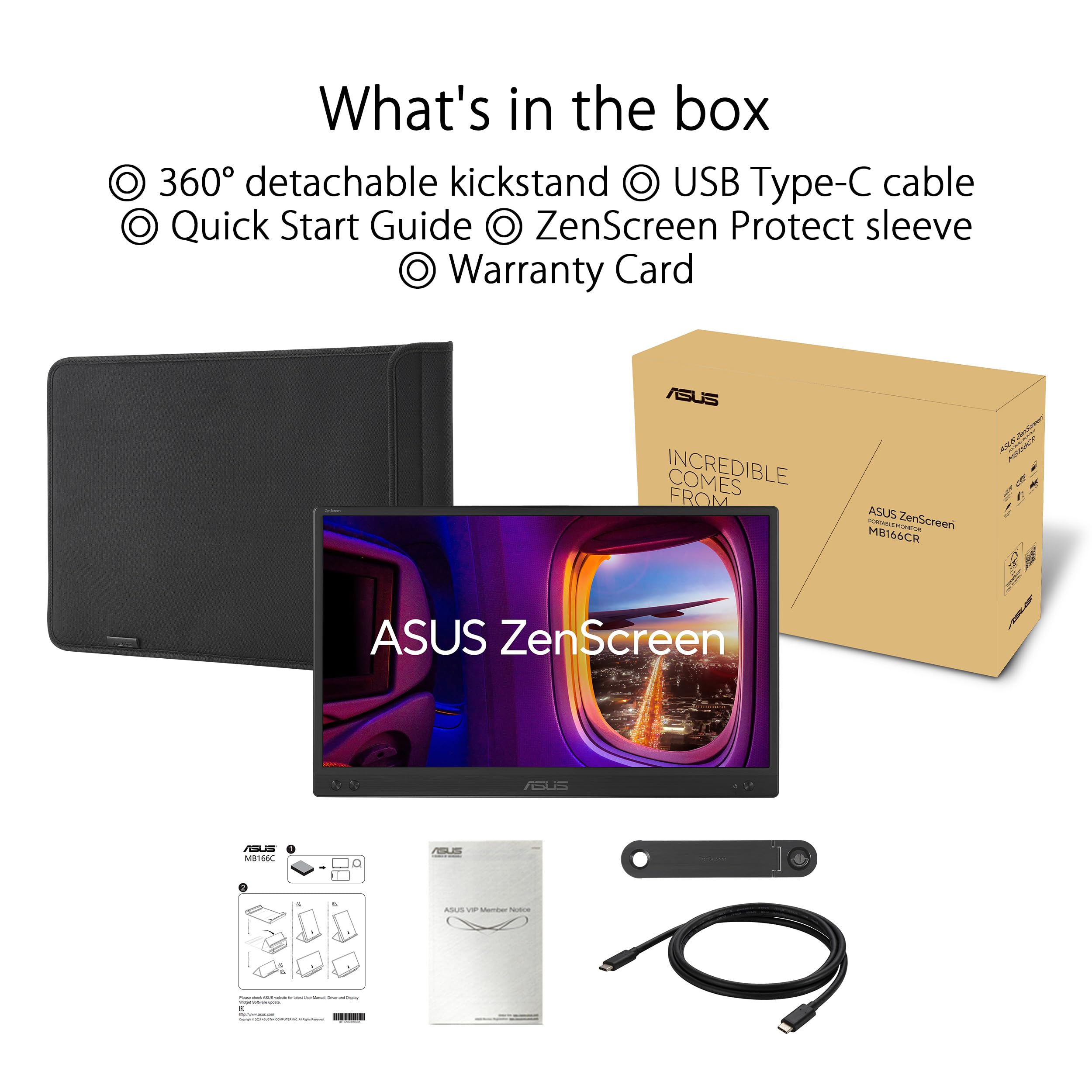
Your laptop needs a USB-C port that supports DisplayPort Alt Mode for video output. Most modern Windows laptops and MacBooks from the last four years support this. The monitor comes with a USB-C to USB-C cable. If your laptop's USB-C port only supports charging or data transfer and not video output, the monitor won't display an image. If your laptop only has USB-A ports, you'll need a USB-C hub with DisplayPort Alt Mode support. Check your laptop's spec sheet under USB-C capabilities before buying.
05What warranty and returns apply to the ASUS ZenScreen MB166CR?+
ASUS offers a standard manufacturer warranty on the ZenScreen range; check the ASUS UK support pages for current terms as these can vary. When buying through Amazon, you're also covered by Amazon's standard 30-day return window and the A-to-Z Guarantee, which provides a reasonable safety net if the monitor arrives damaged or doesn't work as described.
06Is the ASUS ZenScreen portable monitor good?+
Yes, for the right use case. The MB166CR is a solid portable monitor for remote workers and travellers who want a lightweight USB-C second screen. The 360-degree kickstand, single-cable setup, and 780g weight make it genuinely convenient. The limitations are the 250-nit brightness (struggles in bright rooms) and limited colour coverage (not suitable for colour-sensitive work). For general productivity use, most owners are happy with it, which is reflected in the 4-out-of-5 average from some Amazon reviews.
07What are the disadvantages of using a portable laptop monitor?+
Several practical trade-offs come with portable monitors as a category. Battery drain is real: the MB166CR draws power from your laptop's USB-C port, reducing battery life by a meaningful amount on longer sessions. Brightness is typically lower than desktop monitors, making them harder to use in bright environments. Colour coverage is often limited on budget portable panels. Most portable monitors, including the MB166CR, have only one or two ports and no USB hub, so you lose a port to the connection. And 60Hz is the standard refresh rate, which rules them out for serious gaming.
08What is the best portable monitor in the UK?+
It depends on your budget and use case. In the budget bracket under £150, the ASUS ZenScreen MB166CR is one of the stronger options for USB-C single-cable convenience and build quality. The Acer PM161Q offers slightly higher brightness at a similar price with the addition of a micro HDMI port. For colour-accurate work, you'd need to step up to monitors with verified 100% sRGB coverage, which typically cost more. For gaming, portable monitors with 120Hz or higher refresh rates exist but sit at higher price points. The MB166CR is a very good budget portable monitor, not the best portable monitor regardless of price.