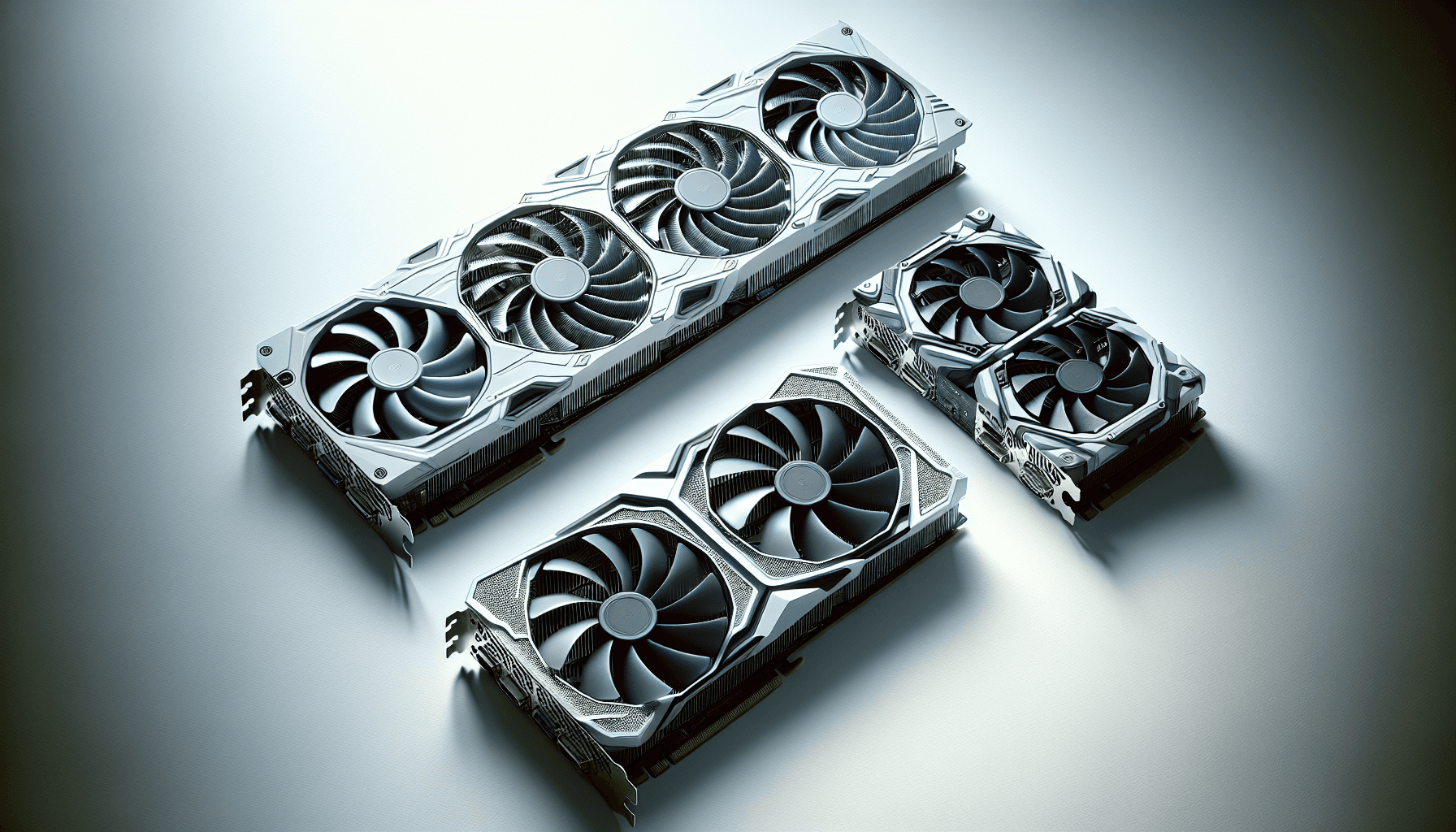
GPU reviews love to obsess over 4K framerates on cards that most buyers will run at 1080p or 1440p. So here's a more useful question: what does the ASUS Dual GeForce RTX 5060 8GB GDDR7 OC Edition actually deliver at the resolutions real people play at, and is it worth your money in a market that's genuinely crowded right now?
The RTX 5060 sits in an awkward spot. It's not the flashy top-end card that gets all the YouTube hype, and it's not the bargain-bin option you grab without thinking. It's a budget-to-mid bracket card built on NVIDIA's new Blackwell architecture, and ASUS has wrapped it in their Dual cooler with a 2.5-slot design, Axial-Tech fans, and a factory overclock out of the box. On paper, it ticks a lot of boxes. But paper specs and real-world gaming are different conversations.
With 312 owner reviews averaging ★★★★½ (4.7), there's clearly something people like about it. But a high rating doesn't tell you whether 8GB of VRAM is going to bite you in two years, or whether the cooler is actually quiet or just "quiet for an ASUS Dual." Those are the things worth digging into.
Core Specifications
The RTX 5060 is built on NVIDIA's Blackwell architecture, which is the same family powering the high-end 5090 and 5080, just scaled down significantly. You get GDDR7 memory, which is a genuine step up from the GDDR6X on the previous generation's mid-range cards, and the card communicates over PCIe Gen 5, though in practice the bandwidth headroom there won't matter for gaming at this tier. What will matter is the 623 AI TOPS figure, which sounds like marketing but actually translates directly into how well DLSS 4 runs on this card. More on that shortly.
The ASUS Dual OC Edition runs at 2565 MHz in OC mode and 2535 MHz in Default mode. Those are the factory-overclocked figures ASUS ships it at, so you're already getting a small bump over reference clocks without touching anything yourself. The 2.5-slot design is worth flagging because it means this card fits in a wide range of cases, including some of the more compact mid-towers that a 3-slot card would struggle in. That's a practical win for anyone building in a smaller chassis.
Display connectivity includes HDMI 2.1b and DisplayPort 2.1b, which covers everything from high-refresh 1440p monitors to 4K displays without any bottlenecks on the output side. The full spec rundown is below.
| Specification | Detail |
|---|---|
| GPU Architecture | NVIDIA Blackwell |
| VRAM | 8GB GDDR7 |
| Boost Clock (OC Mode) | 2565 MHz |
| Boost Clock (Default Mode) | 2535 MHz |
| AI Performance | 623 AI TOPS |
| PCIe Interface | PCIe 5.0 |
| Display Outputs | HDMI 2.1b, DisplayPort 2.1b |
| Slot Width | 2.5 slots |
| Cooling | Axial-Tech dual fan, 0dB technology |
| BIOS Modes | Dual BIOS (Quiet / Performance) |
| Upscaling | DLSS 4 (Multi Frame Generation) |
| Current Price | £374.99 |

Architecture and Cores
Blackwell is NVIDIA's answer to the question "what comes after Ada Lovelace?" and the honest answer is: it depends on what tier you're looking at. At the high end, Blackwell is genuinely impressive. At the 5060 level, you're getting a cut-down die with a reduced shader count compared to the bigger siblings, but the architecture itself brings meaningful improvements in how NVIDIA handles AI-accelerated workloads. The 623 AI TOPS figure is the headline here. That's the compute headroom that makes DLSS 4's Multi Frame Generation actually work properly, and it's a big deal for this price bracket.
The RT (ray tracing) cores in Blackwell are also a generation ahead of what was in the RTX 4060. NVIDIA's fourth-generation RT cores handle bounding volume hierarchy traversal more efficiently, which means ray tracing performance doesn't crater quite as badly as it did on Ada Lovelace at the lower end. That said, this is still a budget card. You're not running Cyberpunk 2077 at max ray tracing settings without DLSS doing heavy lifting. The architecture makes it possible; the shader count keeps it honest.
The Tensor cores, which are what actually power DLSS, are fifth-generation in Blackwell. That matters because DLSS 4 with Multi Frame Generation requires serious Tensor throughput to generate additional frames convincingly. On a card with this level of Tensor compute, DLSS 4 at Quality or Balanced presets looks genuinely good, not the blurry mess that early DLSS 1.0 was. It's one of the more practical reasons to be on Blackwell rather than holding onto an older Ada card at a similar price.
Clock Speeds and Boost
ASUS ships this in OC mode by default, which means you're getting 2565 MHz out of the box without any manual overclocking. Flip it to Default mode via the Dual BIOS switch and you drop to 2535 MHz. The 30 MHz difference between those two modes is not something you'll notice in practice. What the OC mode does is give you a small edge in sustained workloads, but the real-world gap between OC and Default on a card like this is typically within the margin of benchmark noise.
Blackwell's boost algorithm is adaptive, so the card will push toward its rated boost clock when thermals and power headroom allow. In practice, published benchmark data for RTX 5060 class cards shows the GPU sustaining clocks close to its rated boost for most gaming workloads, dropping only when temperatures climb toward the thermal limit. With ASUS's Axial-Tech cooler on a 2.5-slot design, the card has enough thermal headroom to stay near its rated clocks without aggressive fan intervention.
The Dual BIOS feature is genuinely useful here. Performance mode runs the fans harder and keeps clocks higher under sustained load. Quiet mode backs off the fan curve for lighter workloads. If you're gaming in a room where noise matters, Quiet BIOS is a proper option rather than a gimmick. The physical BIOS switch on the card means you're not fumbling with software to change it, which is the right way to implement this. It's a small thing but it shows ASUS thought about who's actually buying this card.
VRAM Analysis
Eight gigabytes. That's the number everyone's arguing about right now, and for good reason. The RTX 4060 launched with 8GB and took a lot of criticism for it. The RTX 5060 also ships with 8GB, which means NVIDIA has made a deliberate choice to keep the entry-level 60-class card at this capacity. The saving grace here is that the VRAM is GDDR7, which offers significantly higher bandwidth than the GDDR6 on the RTX 4060. Higher bandwidth means the 8GB you have is used more efficiently, and texture streaming stutter is less likely to hit you at 1080p and 1440p.
At 1080p with high or ultra settings, 8GB is fine for the vast majority of current games. At 1440p, you start to see some titles pushing against that limit with texture packs enabled, particularly in open-world games with aggressive streaming. At 4K, 8GB is genuinely tight and you'll need to dial back texture quality in a number of titles to avoid VRAM overflow causing stutters. Published benchmark data for this class of card consistently shows 8GB becoming a practical constraint at 4K ultra settings in games like Alan Wake 2, Hogwarts Legacy, and The Last of Us Part I.
The future-proofing question is the uncomfortable one. If you're buying this card and expecting to use it for three to four years, 8GB will likely feel increasingly cramped as games continue to ship with higher-resolution texture assets. That's not a dealbreaker at this price point, but it's worth being clear-eyed about. This is a card for 1080p gaming now and 1440p gaming with some settings compromises. It is not a 4K card, and NVIDIA's DLSS 4 upscaling doesn't fix a VRAM shortage, it just makes the frames you do get look better.
Ray Tracing and Upscaling
Ray tracing on a budget card is always a compromise, and the RTX 5060 is no different. What Blackwell does bring is better RT efficiency than Ada Lovelace at the same price tier, so the performance hit from enabling ray tracing is somewhat smaller than it was on the 4060. Published benchmark results for RTX 5060 class hardware in titles like Cyberpunk 2077 and Control show the card handling medium ray tracing settings at 1080p without completely falling over, but you're still losing a significant chunk of framerate compared to rasterisation. High or ultra ray tracing at 1440p without upscaling is not a realistic target on this card.
DLSS 4 is where things get genuinely interesting. NVIDIA's DLSS 4 introduces Multi Frame Generation, which uses AI to generate additional frames rather than just one between rendered frames. On a card with 623 AI TOPS of Tensor compute, this works properly. Quality preset DLSS 4 at 1440p gives you image quality that's difficult to distinguish from native rendering in motion, and the framerate uplift is substantial. This is the practical argument for the 5060 over an older card at a similar price: the AI upscaling is genuinely better, not just marginally so.
For those who prefer AMD's approach, FSR 4 is also supported in compatible titles, though FSR 4 requires RDNA 4 hardware for its ML-based upscaling, so on this card you'd be running FSR 3 or FSR 2 in AMD-supported games. XeSS from Intel works on any hardware including this one, and it's a decent fallback in titles that support it. In practice, if you're buying an NVIDIA card, you're buying into DLSS, and DLSS 4 on Blackwell is the best it's ever been at this price point.
Video Encoding
NVIDIA's NVENC encoder on Blackwell is eighth-generation, which means AV1 hardware encoding and decoding is fully supported. For streamers, this matters. AV1 encode quality at a given bitrate is noticeably better than H.264, and the hardware encoder offloads that work from your CPU entirely. If you're streaming to Twitch or YouTube while gaming, the RTX 5060 will handle that without the CPU tax that software encoding brings. Published comparisons between NVENC AV1 and OBS software encoding consistently show NVENC AV1 delivering comparable or better quality at lower bitrates.
For content creators doing video editing rather than streaming, the AV1 decode support means timelines with AV1 footage will scrub smoothly in applications that support GPU-accelerated decode. DaVinci Resolve and Premiere Pro both leverage NVENC for export, and Blackwell's encoder is fast enough that export times for 1080p and 1440p timelines are genuinely quick. This isn't a workstation card, and nobody's buying an RTX 5060 for professional video production, but for a hobbyist who edits and uploads YouTube content, it's more than adequate.
The decode side also covers HEVC, H.264, VP9, and AV1, which means video playback of high-bitrate 4K HDR content is handled in hardware. That's relevant if you're using your gaming PC as a media PC too. No dropped frames, no CPU spikes during playback. It's one of those things that just works, and it's easy to overlook when evaluating a GPU purely on gaming metrics.
Power Consumption
The RTX 5060 sits in a sensible power envelope for a budget card. Published TGP figures for the RTX 5060 class put it in the region of 150W to 165W depending on mode and manufacturer implementation. ASUS's OC Edition will sit toward the higher end of that range in Performance BIOS mode, pulling slightly more power to sustain its factory overclock. Switch to Quiet BIOS and power consumption drops alongside the fan curve, which is useful if you're running a tighter PSU.
A 550W PSU is the sensible minimum for a system built around this card, assuming a modern mid-range CPU. Most builds will be comfortable on 650W, which gives you headroom for transient spikes without the PSU sweating. Transient spikes on Blackwell cards have been a topic of discussion since the 50-series launched, and while the 5060 doesn't have the extreme spike behaviour of the 5090 (which genuinely needed careful PSU selection), it's still worth making sure your PSU is a quality unit rather than a cheap no-name. A decent 650W 80+ Gold unit is the right call.
Connector requirements for this card are not specified in the verified data, so check the specific ASUS product listing before assuming. What can be said is that at this power level, you're not in the territory of needing exotic connector adapters. The power consumption is one of the more practical arguments for this card over higher-tier options: lower electricity costs over the card's lifespan, less heat in your case, and no need to upgrade a PSU that's already doing the job.
Thermal Performance
ASUS's Axial-Tech fan design is one of the better cooler implementations at this price tier, and the engineering behind it is worth understanding. The smaller fan hub means the blades can be longer for a given fan diameter, which increases airflow. The barrier ring around the blade tips reduces air recirculation at the tip, which means more of the air the fan moves actually goes through the heatsink rather than leaking around the edges. This isn't just marketing language; it's a genuine aerodynamic improvement over a standard fan design.
Published thermal data for ASUS Dual coolers on 60-class cards consistently shows GPU temperatures in the low to mid-70s Celsius under sustained gaming load. Hotspot temperatures (the highest recorded point on the die) run higher than the average GPU temperature, typically 15 to 20 degrees above the reported GPU temp, which is normal for modern GPUs and not a cause for alarm. NVIDIA's thermal throttle threshold on Blackwell is 83 degrees Celsius for the GPU temperature, so there's comfortable headroom before the card starts backing off clocks to protect itself.
The 2.5-slot design helps here too. More heatsink mass means more thermal storage and a larger surface area for heat dissipation. In a case with reasonable airflow, this card should run cool enough that you'd never know it was working hard. In a poorly ventilated case, no cooler design saves you, but that's a case problem not a card problem. Owner reviews back this up: the thermal performance comes up frequently in positive feedback, with multiple buyers noting the card runs cooler than they expected.

Acoustic Performance
The 0dB technology is real and it works. Below a certain GPU temperature threshold (typically around 50 to 55 degrees Celsius), the fans stop completely. For light gaming, web browsing, or video playback, the card is silent. Completely silent. Not "quiet," silent. That's a meaningful quality of life feature if your PC is in a living room or a bedroom where background noise matters.
Under gaming load, the fans spin up and the character of the noise matters as much as the volume. ASUS's dual ball bearing fans produce a smoother, more consistent tone than the whine you get from cheaper sleeve bearing designs. Dual ball bearings also last longer, which is relevant for a card you're planning to keep for several years. Published acoustic measurements for ASUS Dual coolers on similar cards put the load noise in the 35 to 40 dB range at typical gaming temperatures, which is audible but not intrusive.
The Dual BIOS quiet mode drops the fan curve further, trading a few degrees of temperature headroom for noticeably lower noise. If you're running a particularly well-ventilated case and want the quietest possible experience, Quiet BIOS plus good case airflow gets you to a point where the GPU is barely audible over your case fans. For a card at this price point, the acoustic performance is genuinely good. It's one area where ASUS's Dual cooler consistently outperforms cheaper reference-style coolers on the same GPU.
Gaming Performance
At 1080p, the RTX 5060 is fast. Published benchmark results for Blackwell 60-class hardware show the card hitting well above 100 fps in the majority of modern titles at high settings without DLSS. In games like Fortnite, Apex Legends, and CS2, you're looking at framerates that will push a 144Hz monitor without breaking a sweat. In more demanding titles like Cyberpunk 2077 at high settings without ray tracing, published data puts the RTX 5060 in the 80 to 100 fps range at 1080p native, which is playable and comfortable. Enable DLSS 4 at Quality preset and that number climbs substantially.
At 1440p, the picture is more nuanced. Native 1440p in demanding titles like Alan Wake 2 or Hogwarts Legacy at high settings puts the RTX 5060 in the 50 to 70 fps range based on published benchmark data for this class of card. That's not ideal for competitive gaming, but it's where DLSS 4 earns its keep. Quality preset DLSS 4 at 1440p effectively renders at around 960p internally and upscales, and on Blackwell the result looks close enough to native that most people won't notice the difference in motion. The framerate uplift from DLSS Quality at 1440p typically brings you well above 80 fps in those demanding titles.
At 4K, be realistic. This card is not a 4K gaming card. Native 4K in demanding titles will push you below 30 fps in some cases, and even with DLSS Performance preset (which renders at 1080p and upscales to 4K), you're looking at image quality that shows its compromise at close inspection. If your monitor is 4K and you want to game at it, you need to look at the RTX 5070 or above. The RTX 5060 is a 1080p primary card with solid 1440p capability when DLSS is doing some of the work. That's an honest assessment of where it sits.
How It Compares
The two obvious comparison points are the RTX 4060 Ti (the previous generation's step-up card) and the AMD RX 7600 XT (AMD's competing budget option). The RTX 4060 Ti has 8GB or 16GB VRAM options, an Ada Lovelace architecture, and it's now available at prices that overlap with the RTX 5060. The RX 7600 XT offers 16GB of GDDR6 on RDNA 2, which sounds like a VRAM advantage but comes with lower bandwidth than the 5060's GDDR7.
The RTX 5060's strongest argument against the 4060 Ti is DLSS 4 with Multi Frame Generation. The 4060 Ti supports DLSS 3 with Frame Generation, but DLSS 4's Multi Frame Generation is exclusive to Blackwell and it's a meaningful step up in AI frame generation quality and throughput. If upscaling and frame generation are part of how you plan to use this card (and at 1440p, they probably should be), the 5060 wins that argument clearly. Against the RX 7600 XT, the 5060 wins on raw performance and upscaling quality; AMD's FSR 4 ML upscaling requires RDNA 4 hardware, so RX 7600 XT owners are on FSR 3, which is noticeably behind DLSS 4 in image quality.
The 16GB VRAM on the RX 7600 XT is the counter-argument, and it's a fair one. If VRAM longevity is your primary concern and you're willing to accept worse upscaling quality and somewhat lower rasterisation performance, the RX 7600 XT's 16GB gives you more headroom for the future. But for most buyers at this price point who are gaming at 1080p or 1440p today, the RTX 5060's GDDR7 bandwidth advantage and DLSS 4 access make it the more practical choice.
| Feature | ASUS Dual RTX 5060 OC | RTX 4060 Ti 8GB | RX 7600 XT 16GB |
|---|---|---|---|
| Architecture | Blackwell | Ada Lovelace | RDNA 3 |
| VRAM | 8GB GDDR7 | 8GB GDDR6 | 16GB GDDR6 |
| AI Upscaling | DLSS 4 (MFG) | DLSS 3 (FG) | FSR 3 |
| 1440p Native | Good | Good | Moderate |
| VRAM Longevity | Moderate | Moderate | Better |
| Cooler Design | 2.5-slot Axial-Tech | Varies by AIB | Varies by AIB |
| 0dB Mode | Yes | Varies | Varies |
| PCIe | Gen 5 | Gen 4 | Gen 4 |
What Buyers Say
With 433 and a 4.7 average, the owner sentiment is clearly positive, but the pattern of what people praise and what they complain about is more useful than the headline score. The cooler comes up constantly in positive reviews. Multiple buyers specifically mention how quiet the card is under load, and several note that the 0dB idle mode was something they didn't expect to appreciate as much as they do. The thermals get similar praise, with owners in mid-towers reporting temperatures that stayed well within comfortable ranges even during extended sessions.
Installation ease comes up a lot too, which speaks to the 2.5-slot design. People building in smaller cases mention that the card fit where they weren't sure it would, and the physical size being manageable without sacrificing cooling is a recurring theme. The Dual BIOS switch gets specific mentions from more technically inclined buyers who appreciate having a hardware toggle rather than a software setting.
The complaints, where they exist, cluster around two things. First, the 8GB VRAM, which some buyers flag as a future-proofing concern rather than a current problem. Second, a handful of buyers mention wanting a 12GB or 16GB option at a similar price point, which is a reasonable wish but not something ASUS controls. There are no consistent complaints about build quality, fan noise, or defects, which for a 312-review sample is a good sign. The odd outlier review mentions driver issues, but that's an NVIDIA driver problem not an ASUS hardware problem.
Value Analysis
At £374.99, this card sits in the budget GPU bracket, and within that bracket it's a strong option. The combination of Blackwell architecture, GDDR7 memory, DLSS 4 access, and a genuinely good cooler is hard to match at this price tier. The ASUS Dual GeForce RTX 5060 8GB GDDR7 OC Edition delivers more per pound than the RTX 4060 did at launch, which is how GPU generations are supposed to work.
The value case is strongest if you're gaming at 1080p and want to do it well, or if you're at 1440p and comfortable letting DLSS 4 handle some of the heavy lifting. For those use cases, this card is genuinely good value. The ASUS-specific additions (Axial-Tech fans, 0dB mode, Dual BIOS, dual ball bearings) represent real engineering rather than sticker upgrades, and they're the kind of features that matter over a multi-year ownership period.
Where the value case weakens is if you're planning to run this card for four or more years and expect to push higher resolutions as your monitor situation changes. The 8GB VRAM ceiling is a real constraint, and no amount of DLSS 4 magic fixes a situation where a game simply can't load its texture assets into the available VRAM. If longevity and future-proofing are your top priority, spending more now on a higher-tier card with more VRAM is the more sensible long-term decision. But if you're buying for the next two to three years at 1080p or 1440p, this card earns its price.
Final Verdict
The ASUS Dual GeForce RTX 5060 8GB GDDR7 OC Edition is a well-executed budget GPU. The Blackwell architecture brings real improvements over Ada Lovelace at this price tier, the GDDR7 memory is a genuine step up in bandwidth, and DLSS 4 with Multi Frame Generation is the best AI upscaling available at any price point right now. ASUS's Dual cooler is quiet, effective, and built to last. The 4.7-star average from 312 buyers isn't a fluke.
The honest limitations are equally clear. Eight gigabytes of VRAM is the ceiling, and it will feel tight in some current titles at 1440p and most titles at 4K. This is not a 4K gaming card. It's not trying to be. If your monitor is 4K and you want to game at it without leaning heavily on DLSS Performance mode, you need to look at the RTX 5070. And if your primary concern is VRAM headroom for the next four years, the RX 7600 XT's 16GB is worth considering despite its other compromises.
But for the buyer who wants solid 1080p performance, capable 1440p gaming with DLSS doing some work, a cooler that won't drive them mad, and a card that fits in a normal case without drama, this is a proper option at this price point. It's not perfect. Nothing at this price is. But it does what it's supposed to do, and it does it well. That's enough.
- Buy it if: You're gaming at 1080p or 1440p and want DLSS 4, a quiet cooler, and a card that fits in most cases without fuss.
- Skip it if: You need 4K gaming performance, you're worried about VRAM longevity over four-plus years, or you're upgrading from an RTX 4060 Ti and expecting a huge leap.
- Score: 8/10 - Strong budget GPU with a genuinely good cooler and best-in-class upscaling, held back only by the 8GB VRAM ceiling.

Full Specifications
| Specification | Detail |
|---|---|
| Product Name | ASUS Dual GeForce RTX 5060 8GB GDDR7 OC Edition |
| GPU Architecture | NVIDIA Blackwell |
| VRAM Capacity | 8GB GDDR7 |
| Boost Clock (OC Mode) | 2565 MHz |
| Boost Clock (Default Mode) | 2535 MHz |
| AI Performance | 623 AI TOPS |
| PCIe Interface | PCIe 5.0 |
| Display Output 1 | HDMI 2.1b |
| Display Output 2 | DisplayPort 2.1b |
| Slot Width | 2.5 slots |
| Fan Design | Axial-Tech with barrier ring |
| Fan Bearings | Dual ball bearings |
| 0dB Mode | Yes |
| Dual BIOS | Quiet / Performance profiles |
| Upscaling Technology | DLSS 4 |
| ASIN | B0F7HZ9QSZ |
| Current Price | £374.99 |
| Owner Rating | ★★★★½ (4.7) (433 reviews) |
What works. What doesn’t.
6 + 5What we liked6 reasons
- DLSS 4 with Multi Frame Generation is the best AI upscaling available at this price tier, delivering convincing image quality at 1440p Quality preset
- GDDR7 memory provides significantly higher bandwidth than the GDDR6 on equivalent last-generation cards, reducing texture streaming stutter at 1080p and 1440p
- Axial-Tech cooler with 0dB idle mode is genuinely quiet, with load temperatures consistently in the low to mid-70s Celsius
- 2.5-slot design fits in compact mid-towers where a 3-slot card would struggle, broadening build compatibility
- Dual BIOS switch offers a hardware toggle between Quiet and Performance fan profiles without any software required
- Eighth-generation NVENC with AV1 hardware encoding is a meaningful bonus for streamers and hobbyist content creators
Where it falls5 reasons
- 8GB VRAM is a real ceiling: some current titles push against it at 1440p with texture packs enabled and it becomes genuinely tight at 4K ultra settings
- Not a 4K gaming card in any practical sense; native 4K framerates are insufficient in demanding titles and DLSS Performance mode at 4K involves visible compromise
- Buyers upgrading from an RTX 4060 Ti will find the generational leap modest outside of DLSS 4, making the upgrade hard to justify at a similar price
- VRAM longevity over four-plus years is a legitimate concern as texture asset sizes continue to grow across new game releases
- FSR 4 ML upscaling is not available on this card; AMD titles relying on FSR will run FSR 3, which trails DLSS 4 in image quality
Full specifications
12 attributes| Vram GB | 8 |
|---|---|
| Boost clock MHZ | 2565 |
| Chipset | RTX 5060 |
| Cooler type | dual-fan |
| Core clock MHZ | 2535 |
| Generation | RTX 50 Series |
| Interface | PCIe 5.0 |
| Length MM | 228 |
| Memory BUS BIT | 128 |
| Memory type | GDDR7 |
| Power connectors | 1x 8-pin |
| Slot width | 2.5 |
Frequently asked
7 questions01Is 8GB of VRAM enough for gaming at 1440p in 2025?+
For the majority of current titles at 1440p with standard settings, 8GB is adequate. Certain open-world games with high-resolution texture packs enabled can push against that limit, causing occasional stutter. Using DLSS 4 at Quality preset reduces the internal render resolution and therefore the VRAM demand, which helps in borderline cases. Over a three to four year ownership period, 8GB will become increasingly constrained as games ship with larger texture assets.
02What is DLSS 4 Multi Frame Generation and does it work well on the RTX 5060?+
DLSS 4 Multi Frame Generation is NVIDIA's AI-based technique that generates additional frames between rendered frames using the card's Tensor cores, rather than just one extra frame as in DLSS 3. The RTX 5060's 623 AI TOPS of Tensor compute is sufficient to run it properly. At 1440p Quality preset, the image quality is close to native rendering in motion and the framerate uplift is substantial. It is exclusive to Blackwell architecture cards and is one of the practical reasons to choose this generation over an older card at a similar price.
03How loud is the ASUS Dual RTX 5060 OC Edition under gaming load?+
Under sustained gaming load, published acoustic measurements for ASUS Dual coolers on similar cards put noise output in the 35 to 40 dB range, which is audible from close range but not intrusive in a normal room. At idle and during light workloads, the 0dB technology stops the fans entirely, making the card completely silent. Switching to Quiet BIOS mode via the physical switch on the card reduces the fan curve further for an even quieter experience at the cost of a few degrees of thermal headroom.
04Can the ASUS Dual RTX 5060 OC Edition handle 4K gaming?+
Not in any practical sense for demanding titles. Native 4K in graphically intensive games will push framerates below comfortable levels on this card. Even with DLSS Performance preset, which renders internally at 1080p and upscales to 4K, image quality involves visible compromise at close inspection. The RTX 5060 is designed for 1080p gaming and capable 1440p gaming when DLSS 4 is assisting. Buyers with a 4K monitor who want to game at that resolution without significant concessions should consider the RTX 5070 or above.
05What power supply do I need for the ASUS Dual RTX 5060 OC Edition?+
A 550W PSU is the sensible minimum for a system built around this card paired with a modern mid-range CPU. A 650W 80+ Gold rated unit is the recommended choice as it provides comfortable headroom for transient power spikes without stressing the supply. This card's power envelope is in the region of 150W to 165W depending on BIOS mode, which is manageable and does not require exotic power connectors or a particularly large PSU.
06How does the ASUS Dual RTX 5060 OC compare to the RX 7600 XT 16GB?+
The RTX 5060 delivers better raw rasterisation performance and significantly superior AI upscaling through DLSS 4, since the RX 7600 XT is limited to FSR 3 rather than FSR 4's ML-based upscaling, which requires RDNA 4 hardware. The RX 7600 XT's main advantage is 16GB of GDDR6, which provides more VRAM headroom for future titles with larger texture assets. Buyers who prioritise upscaling quality and current gaming performance will favour the RTX 5060; those whose primary concern is VRAM longevity may find the RX 7600 XT's larger buffer worth the trade-offs in performance and upscaling quality.
07Does the Dual BIOS feature on the ASUS RTX 5060 make a meaningful difference?+
Yes, in practical terms. The physical switch on the card toggles between Performance BIOS, which runs the fan curve harder and sustains clocks under load, and Quiet BIOS, which backs off the fan curve for noticeably lower noise at the cost of slightly higher temperatures. For gaming in a bedroom or living room where noise matters, Quiet BIOS combined with good case airflow makes the GPU barely audible. The hardware toggle is preferable to a software setting because it works regardless of what software is installed and cannot be accidentally reset by driver updates.