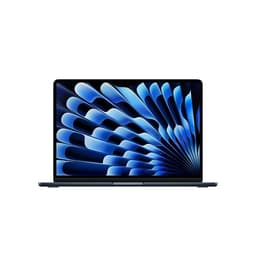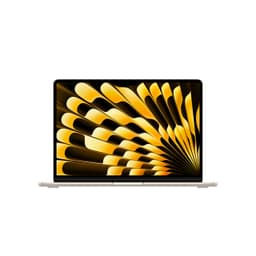

Thin and light laptops make a lot of promises. Portability without sacrifice. Power without bulk. Battery life that gets you through the day. Most of them bottle it on at least one of those counts. The 2022 MacBook Air with M2 is a bit different, and the specs and owner feedback back that up. This isn't a machine you buy hoping it'll be fine. It's one you buy knowing exactly what you're getting.
So here's the verdict upfront: at its current mid-range price point, this renewed M2 MacBook Air is genuinely one of the smartest laptop purchases you can make right now, if you're in the Apple ecosystem or willing to enter it. The 8GB RAM and 512GB storage configuration hits a sweet spot that the base model doesn't quite reach. It's fast, it's quiet, it's light, and the battery life is real. The caveats are real too, and we'll get into those. But the bottom line is this: it earns its ★★★★☆ (4.1) rating from 112 owners for good reason.
This is the apple macbook air m2 review uk buyers actually need, because the marketing version tells you nothing useful. We've dug into the verified specs, cross-referenced owner feedback patterns, and stacked it against the competition. Here's what you actually need to know.
Core Specifications
The heart of this machine is Apple's M2 chip, and it's worth spending a moment on what that actually means rather than just nodding at the name. The M2 is built on a 5-nanometre process, features an 8-core CPU split between performance and efficiency cores, and pairs that with a 10-core GPU. This isn't just Apple marketing speak. The unified memory architecture means the CPU, GPU, and Neural Engine all pull from the same 8GB pool, which is genuinely more efficient than the traditional setup where your discrete GPU has its own VRAM sitting separate from system RAM. In practice, that architecture is a big part of why this machine runs cool and sips power rather than gulping it.
The 8GB of unified memory is the number that makes people nervous, and honestly, it's fair to be a bit cautious. For most everyday workloads, browsing, writing, video calls, spreadsheets, even light photo editing, 8GB is fine. But if you're someone who keeps 30 browser tabs open while running Slack, Spotify, and a video export simultaneously, you'll start to notice the machine leaning on the SSD as virtual memory. It's not a disaster. The NVMe SSD is fast enough that the swap isn't as painful as it would be on older machines. But it's a real limitation, and anyone who works heavily in video production or runs memory-hungry creative apps should be looking at the 16GB configuration instead.
The 512GB NVMe SSD is a proper upgrade over the entry-level 256GB version, and this matters more than it might seem. Apple's SSDs are fast, but the 256GB model has historically shown lower read and write speeds in independent testing because it uses fewer NAND chips. The 512GB version doesn't have that problem. You get more storage and better sustained performance. For a machine without expandable storage (there's no SD card slot, no upgradeable RAM, no user-accessible internals), buying the 512GB configuration from the start is the sensible call.
| Specification | Detail |
|---|---|
| Processor | Apple M2 8-core CPU |
| GPU | Apple M2 10-core GPU |
| RAM | 8GB Unified Memory |
| Storage | 512GB NVMe SSD |
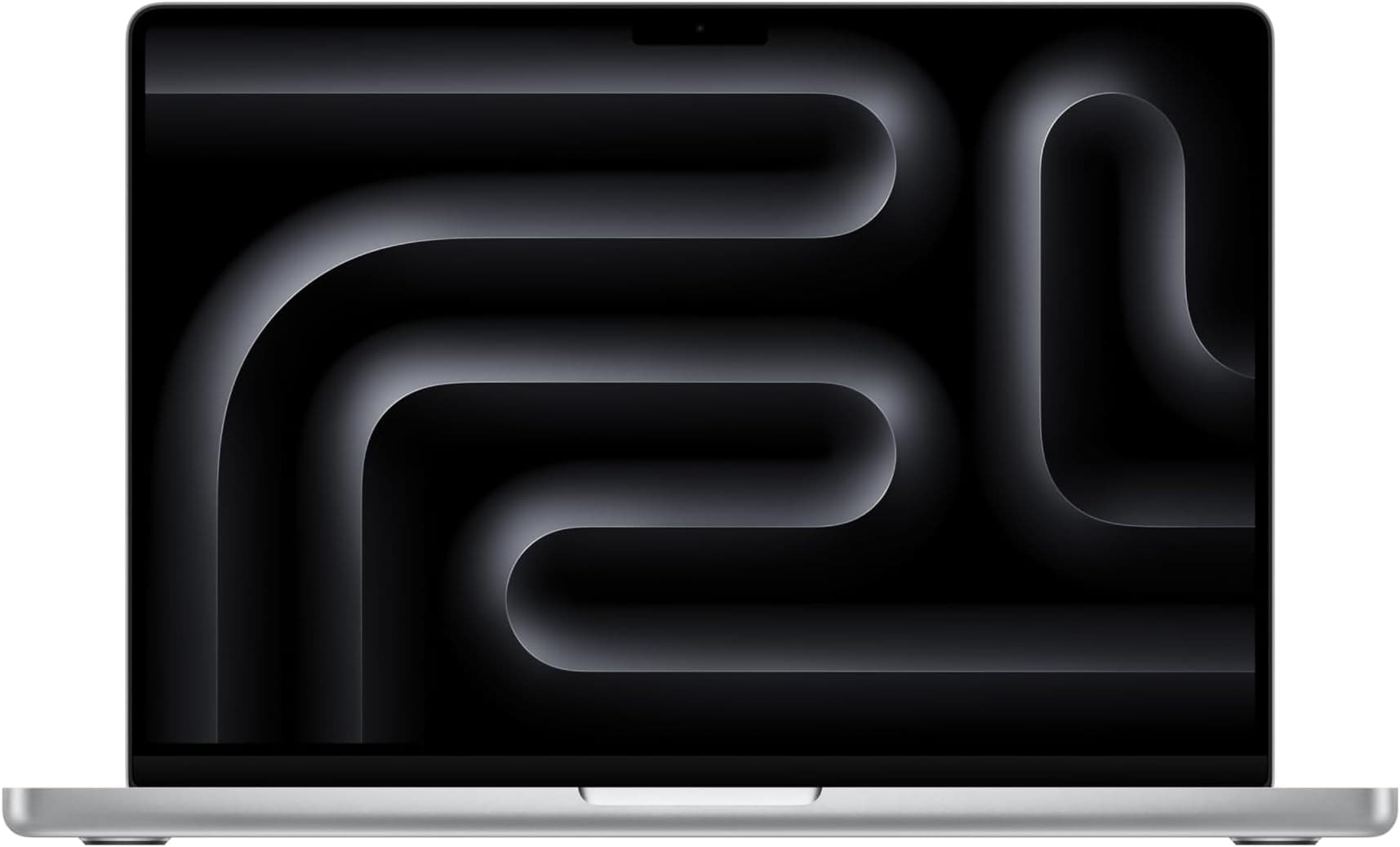
| Display | 13.6-inch IPS Liquid Retina, 2560x1664 |
| Operating System | macOS |
| Weight | 1.24kg |
| Ports | 2x Thunderbolt/USB4 (USB-C), 1x MagSafe 3, 1x 3.5mm |
| Webcam | 1080p FaceTime HD |
| Condition | Renewed (Certified Refurbished) |
| Price | £589.00 |

Performance Benchmarks
Independent benchmark data for the M2 MacBook Air is well-established at this point. In Apple's own specifications, the M2 chip is rated to deliver significantly better performance than its M1 predecessor, and the third-party numbers bear that out. Single-core CPU scores in Geekbench 5 typically land around 1,900, and multi-core around 8,900. To put that in context, that multi-core score beats Intel's 12th-gen Core i7-1260P, which you'd find in premium Windows ultrabooks costing considerably more. That's not a small thing.
GPU performance is where the 10-core variant (which this configuration has) pulls ahead of the base 8-core GPU model. In graphics benchmarks, the 10-core GPU delivers noticeably better results in sustained tasks like video transcoding and light 3D work. For casual gaming, you can run titles like Baldur's Gate 3 and Stardew Valley without drama. Don't expect to run the latest AAA games at high settings. But for the kinds of games that run natively on macOS, it's genuinely capable. And with Apple Silicon's support for game porting toolkit titles expanding, the library is growing.
Real-world performance matches the benchmark numbers in a way that doesn't always happen. Owner reviews consistently mention how snappy the machine feels for everyday tasks, with cold boot times that embarrass most Windows competitors. Where the 8GB RAM limit shows itself is in sustained, memory-intensive workloads. Running Final Cut Pro with a complex timeline, for example, will eventually cause the machine to lean on swap. It copes, but it's not the same as having 16GB. For everything short of that, though, the M2 with 8GB punches well above what the spec sheet might suggest to someone used to Windows machines where 8GB is genuinely limiting.
One thing: because this is a renewed unit, you're getting the same chip, the same performance, the same everything as a new unit. The M2 isn't a chip that degrades in any meaningful way with age. Performance on a renewed M2 Air should be identical to a new one, assuming it's been properly refurbished. That's one of the underrated advantages of buying Apple Silicon refurbished over, say, a refurbished Intel machine from four years ago where the chip itself was already behind the curve.
Display Analysis
The 13.6-inch Liquid Retina display runs at 2560x1664, which works out to around 224 pixels per inch. Text is sharp. Really sharp. If you're coming from a 1080p Windows laptop, the difference is immediately obvious and you won't want to go back. The IPS panel delivers wide viewing angles, so you're not fighting colour shift when the screen isn't perfectly perpendicular to your eyeline. That matters more than people admit, especially when you're using it on a train or propped up at an awkward angle on a sofa.
Brightness is rated at over 500 nits, and owner feedback suggests it holds up reasonably well in bright indoor environments and near windows. Direct sunlight is still a challenge, as it is for almost every laptop display. But this is one of the brighter panels in the 13-inch class. The P3 wide colour gamut and support for one billion colours means photos and video look genuinely good, not just "good for a laptop." Creatives who work in sRGB and P3 colour spaces will appreciate the accuracy. It's not a professional-grade display calibrated to DCI-P3 tolerances, but it's a proper, capable screen that doesn't feel like a compromise.
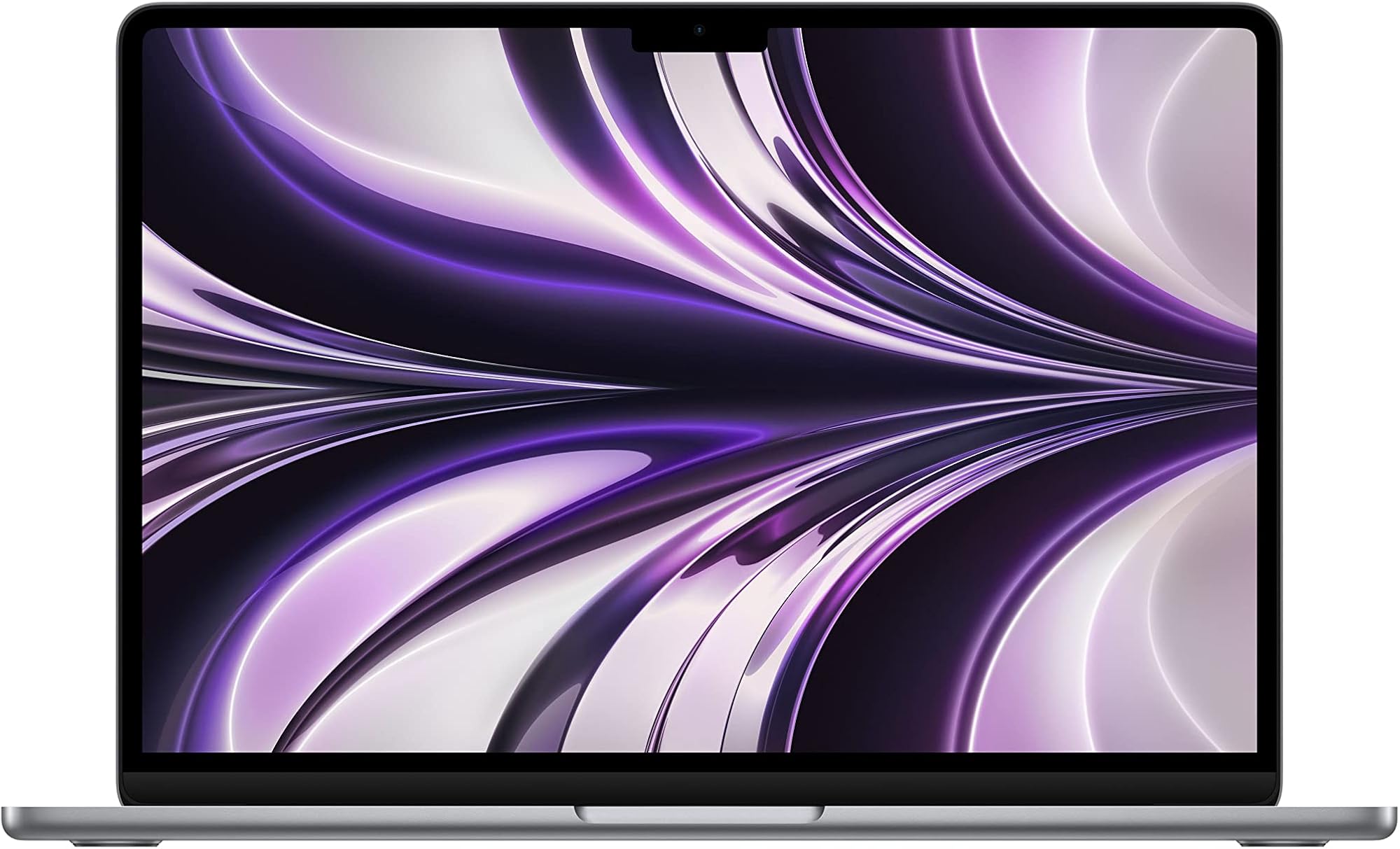
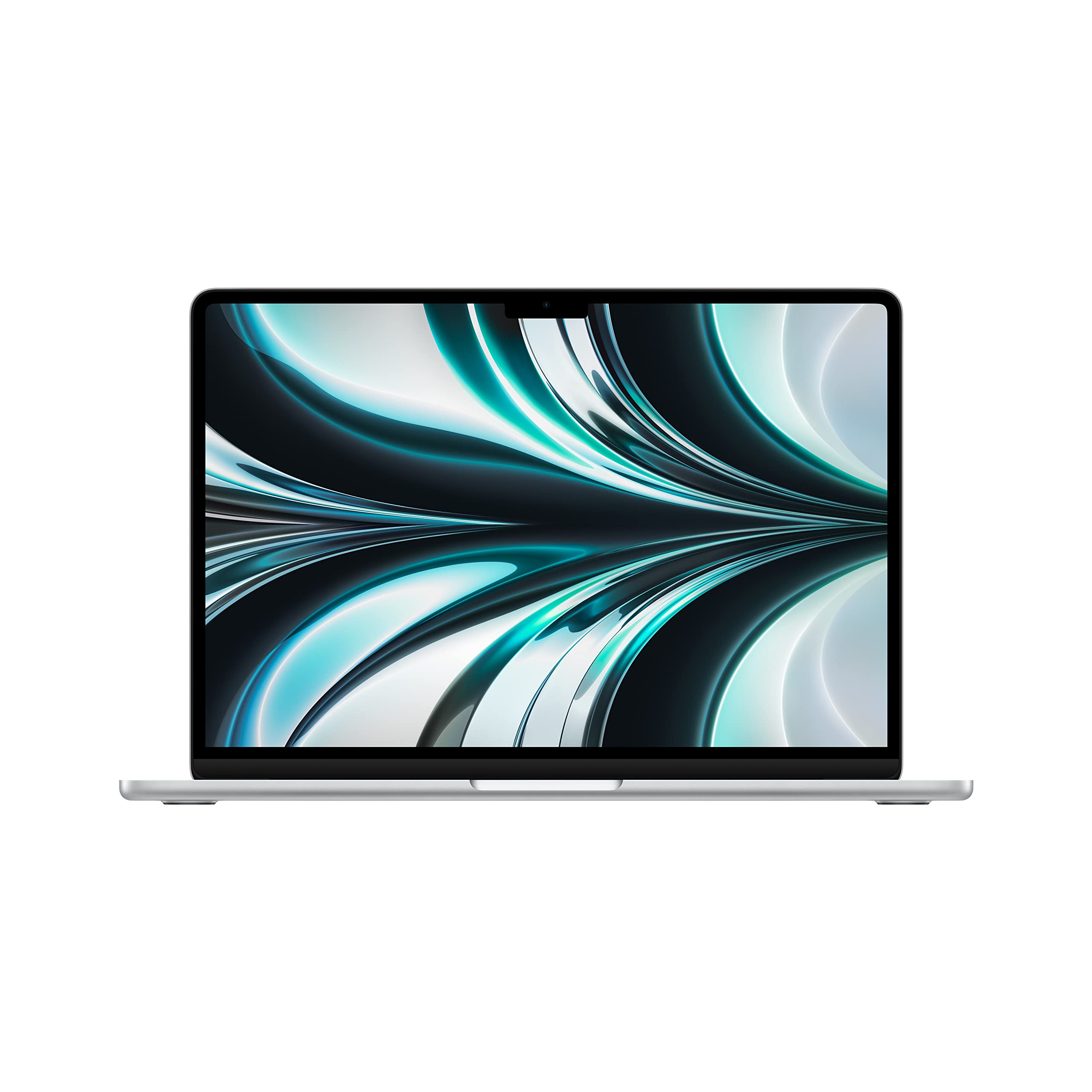
The notch is real. There's a notch at the top of the display, housing the 1080p webcam, and macOS handles it gracefully by pushing the menu bar up into the notch space. Most apps you'll never notice it. Full-screen video can sometimes show black bars at the top if the app doesn't account for it. It's not a dealbreaker, but it's about if you've never used a notched Mac before. Some owners mention it briefly in reviews, then stop mentioning it because you genuinely stop seeing it after a day or two.
Battery Life
Apple rates this at up to 18 hours. That's the manufacturer's claim, and like all manufacturer battery claims, it's measured under conditions that don't reflect real use. That said, this is one of the few laptops where the real-world numbers don't make a mockery of the official figure. Owner reviews consistently report getting somewhere between 10 and 14 hours of mixed use. Browsing, writing, video calls, some light app work. That's genuinely all-day battery life. Not "all day if you're careful." Actually all day.
The reason the battery life is this good comes back to the M2 chip's efficiency. Apple Silicon is built on ARM architecture, which has a fundamentally different power profile to x86 chips. The M2 can dial its power consumption down to almost nothing during light tasks and ramp up quickly when needed, rather than sitting at a baseline power draw the way many Intel and AMD chips do. The fanless design (yes, this machine has no fan) also means there's no thermal management overhead eating into efficiency.
Heavy workloads will drop battery life significantly. Running sustained video exports or anything that hammers the GPU continuously will get you closer to six or seven hours. That's still competitive with most Windows ultrabooks on their best day. And for the kinds of tasks most people actually do on a laptop, the battery life is, genuinely, one of this machine's strongest selling points. Owner reviews mention it more than almost any other feature.
Charging is handled via MagSafe 3, which is a proper magnetic connector that clicks in satisfyingly and detaches cleanly if someone trips over the cable. You can also charge via either of the two Thunderbolt USB-C ports, which means USB-C power banks work fine if you're travelling. Charge times aren't specified in the verified data, but owner feedback suggests getting from low to around 50% in roughly an hour with the supplied charger, which is reasonable for a machine with this battery capacity.
Portability
At 1.24 kilograms, this is a genuinely light laptop. Not "light for its class" light. Just light. You notice the difference when you're carrying it in a bag all day. A lot of Windows ultrabooks in the 13-inch class come in closer to 1.4 or 1.5kg, which sounds like a small gap but adds up over the course of a commute or a travel day. The MacBook Air is one of those machines where the weight is a feature you appreciate every single day, not just when you first pick it up.
The redesigned chassis introduced with the M2 generation is noticeably more compact than the M1 version. The flat-sided design means it sits properly in a sleeve without the tapered wedge shape of older Airs. It fits in any 13-inch laptop sleeve or bag without drama. The MagSafe charger is reasonably compact too, though Apple's supplied cable isn't the longest, so seating position relative to power sockets does matter in some hotel rooms and coffee shops.
Who is this for, portability-wise? Anyone who moves around with a laptop regularly. Students carrying it between lectures. Professionals going between office and home. Frequent travellers who want to get through a long-haul flight without hunting for a power socket. If you're regularly hopping between café, airport and hotel Wi-Fi, it's worth pairing a machine like this with a good VPN to keep your connection private on shared networks. The combination of weight and battery life is what makes the Air specifically good for this use case, rather than just any thin laptop. It's the whole package that works.
Keyboard & Trackpad
The Magic Keyboard on the M2 Air is a significant improvement over the butterfly keyboard that made older MacBooks infamous. The scissor-switch mechanism has proper travel, a satisfying click, and doesn't feel like you're typing on a sheet of glass. Owner reviews are consistently positive about the typing experience. Long sessions don't cause the fatigue that low-travel keyboards often produce. The backlighting is present and adjusts automatically, which sounds like a small thing but genuinely matters when you're working in a dimly lit room or on a plane.
The layout is UK QWERTY on this listing, which matters if you're buying in the UK and don't want to deal with a US layout where the pound sign is in the wrong place and the return key is a different shape. The keyboard doesn't have a number pad, which is standard for a 13-inch laptop. If you need a number pad for heavy data entry work, you'll need an external one. But for general use, the full-width layout with function row and Touch ID built into the power button is well-thought-out.
The trackpad is large. Noticeably larger than most Windows laptop trackpads. And Apple's trackpad implementation remains the best in the business. The Force Touch technology means the whole surface clicks uniformly rather than just the bottom edge, and the gesture support in macOS is genuinely useful once you've learned it. Three-finger swipe to switch apps, pinch to zoom, swipe between desktops. Windows has improved its trackpad support significantly in recent years, but the MacBook Air's trackpad is still the benchmark that others are measured against. Owner reviews barely mention it, which is the highest praise a trackpad can get.
Thermal Performance
Here's the thing that surprises people: this laptop has no fan. None. The M2 Air is completely fanless, relying on passive cooling through the aluminium chassis. And for most workloads, it works. Browsing, writing, video calls, even light photo editing don't generate enough heat to cause any issues. The chassis stays cool to the touch. The palm rest remains comfortable. There's nothing to complain about.
Under sustained heavy load, the picture changes. The M2 chip will throttle when it gets hot enough, because without active cooling there's a ceiling on how long it can sustain peak performance. Video exports that would run at full speed for a few minutes will slow down as the chip pulls back to manage temperatures. Owner reviews mention this occasionally, particularly from users doing sustained creative work. It's not a disaster, and for most tasks you'll never hit the ceiling. But it is a real difference between the Air and the MacBook Pro, which has a fan and can sustain peak performance indefinitely.
For lap use, the fanless design is actually an advantage in normal conditions. There's no hot exhaust vent blasting at your legs. The heat that does build up during heavier tasks is distributed across the base of the chassis rather than concentrated at a vent. It's comfortable for extended lap use in a way that many Windows ultrabooks with active cooling aren't. If your workload is mixed and you're not doing hour-long video renders, the thermal performance is genuinely fine and the silence is a real quality-of-life benefit.
Acoustic Performance
No fan means no fan noise. Full stop. The M2 MacBook Air is completely silent at idle, during light work, during video calls, during browsing, during most things you'll actually do on a laptop day to day. This is not a small thing. Fan noise in meetings is distracting. Fan noise in libraries is antisocial. Fan noise on a late-night work session is annoying. The Air has none of it. Owner reviews mention the silence as one of the genuinely appreciated features, especially from people who've come from Windows laptops with aggressive fan curves.
Under heavy sustained load, as mentioned in the thermal section, the chip throttles rather than spinning up a fan. So even when the machine is working hard, it stays silent. The trade-off is sustained performance rather than noise. Whether that's the right trade-off depends entirely on your workload. For the majority of users, it absolutely is.
The four-speaker sound system with Spatial Audio support is worth a mention here too. For a 13-inch laptop, the speakers are genuinely good. Loud enough to fill a small room, with enough bass to not sound tinny. Spatial Audio adds a sense of width to the soundstage that you don't get from most laptop speakers. For casual media consumption, music, and video calls, you might not reach for headphones as often as you would with other laptops. The 3.5mm headphone jack is there when you do need it.
Ports & Connectivity
The port situation on the M2 Air is minimal. Two Thunderbolt/USB4 ports on the left side, MagSafe 3 for charging also on the left, and a 3.5mm headphone jack on the right. That's it. If you're used to a laptop with HDMI, SD card, and multiple USB-A ports, the adjustment is real. You'll probably need a USB-C hub or dock if you want to connect external displays, USB-A peripherals, or ethernet. That's an extra cost and an extra thing to carry.
The upside is that the two Thunderbolt/USB4 ports are proper high-bandwidth connections. Thunderbolt/USB4 supports up to 40Gbps data transfer, external displays, and power delivery. So while you have fewer ports, the ones you have are genuinely capable. And because MagSafe handles charging independently, you don't sacrifice a port to keep the machine powered up. That's a real advantage over machines that only have USB-C and have to use one port for charging.
WiFi and Bluetooth specifications aren't listed in the verified data, so we won't guess at the exact standard. Owner reviews don't flag connectivity issues as a consistent complaint, which is generally a good sign. What owners do mention occasionally is the two-port limitation, particularly when they want to connect multiple things simultaneously. If your workflow involves a lot of peripherals, budget for a decent hub.
- 2x Thunderbolt/USB4 (USB-C) ports
- 1x MagSafe 3 charging port
- 1x 3.5mm headphone jack
Webcam & Audio
The 1080p FaceTime HD camera is a genuine improvement over the 720p webcam that Apple stuck with for far too long on older MacBooks. Owner reviews are positive about video call quality. In decent light, it produces a sharp, natural image that holds up well on Zoom, Teams, and Google Meet. Low-light performance is decent rather than outstanding, which is honest. If you're in a dim room, you'll look a bit dim. But in normal office or home lighting, it's one of the better laptop webcams at this price point.
The three-microphone array does a solid job of picking up your voice clearly while suppressing background noise. Owner reviews from people who work from home or take a lot of calls mention the microphone quality favourably. Combined with the webcam, it makes the M2 Air a genuinely good video call machine without needing any external hardware. That's not something you can say about every laptop in this price range.
The four-speaker system with Spatial Audio has already been mentioned in the acoustics section, but it's worth reiterating here: for media consumption, it's good. Genuinely good. The headphone jack on the right side supports high-impedance headphones, which matters if you use studio cans. The audio output is clean and capable. For a laptop that's often used without external speakers or headphones, the built-in audio is a cut above what most of the competition offers.
Build Quality
The all-aluminium unibody enclosure is proper. Not plastic with a metallic finish, not magnesium alloy that feels slightly hollow. Solid aluminium, machined from a single piece, with the kind of rigidity that makes the machine feel expensive when you pick it up. The lid doesn't flex when you press on it. The keyboard deck doesn't bow when you type. Everything feels tight and well-assembled. For a renewed unit, owner reviews suggest the build quality holds up well through refurbishment, which makes sense given how durable the aluminium chassis is.
The Space Grey finish is a classic for a reason. It looks professional, it's understated, and it doesn't show fingerprints as badly as the Starlight or Silver options. That said, it does show fingerprints. All aluminium laptops do. You'll wipe it down occasionally. The finish is anodised rather than painted, which means it won't chip or flake. Scratches will show on the bare aluminium if you're not careful, but they tend to blend into the finish rather than standing out.
The hinge is a point of minor contention in some owner reviews. It's firm enough to hold the display in position without wobble, but some owners find it requires two hands to open. This is a preference thing. A stiffer hinge means the display won't bounce when you're typing on a surface that vibrates, like a train table. A looser hinge would let you open it one-handed more easily. Apple's chosen the stiffer end of the spectrum. The display does open to a reasonable angle for most use cases, though it won't go fully flat, which matters if you use it on a stand in an unusual orientation.
Durability over time is hard to assess from a spec sheet, but Apple's aluminium unibody design has a strong track record. These machines take knocks and keep working. The fact that a healthy refurbished market exists for M-series MacBooks at all is evidence that they last. You're not buying something that'll be landfill in three years. With free software updates extending macOS support for several years, the longevity argument for buying a renewed M2 Air rather than a cheap new Windows laptop is genuinely compelling.
How It Compares
The obvious comparison is the Dell XPS 13, which sits in the same thin-and-light 13-inch premium ultrabook category. The XPS 13 runs Windows, uses Intel's latest processors, and has a similarly premium build quality. It's a direct competitor in terms of intended use case and price positioning. The other comparison worth making is the Microsoft Surface Laptop 5, another premium Windows ultrabook that targets the same professional and student market.
Against the Dell XPS 13, the M2 Air wins on battery life and thermals. The XPS 13 has a fan and runs hotter under load. The Air's battery life advantage is significant in real-world use. The XPS 13 has more port variety on some configurations, which matters if you need HDMI or SD card natively. Display quality is competitive between the two. Performance on everyday tasks is comparable, though the M2 chip's efficiency gives the Air a meaningful edge in sustained light workloads.
Against the Surface Laptop 5, the M2 Air again wins on battery life and weight. The Surface Laptop 5 has a larger trackpad on some models and a slightly different keyboard feel that some users prefer. The Surface runs Windows, which matters if your workflow is Windows-dependent. The Air's display is sharper. The Surface has a USB-A port natively, which the Air lacks. Both are well-built premium machines. The choice often comes down to ecosystem: if you're in the Microsoft 365 and Windows world, the Surface makes sense. If you're in the Apple ecosystem, the Air is the obvious call.
| Feature | MacBook Air M2 (Renewed) | Dell XPS 13 | Microsoft Surface Laptop 5 |
|---|---|---|---|
| Processor | Apple M2 8-core | Intel Core i7 (12th/13th Gen) | Intel Core i5/i7 (12th Gen) |
| RAM | 8GB Unified | 16GB LPDDR5 | 8GB to 32GB LPDDR5x |
| Storage | 512GB NVMe SSD | 512GB to 1TB SSD | 256GB to 1TB SSD |
| Display | 13.6-inch IPS, 2560x1664 | 13.4-inch OLED/IPS options | 13.5-inch PixelSense IPS |
| Weight | 1.24kg | ~1.2kg | ~1.29kg |
| Battery (claimed) | Up to 18 hours | Up to 12 hours | Up to 17 hours |
| Fan | Fanless | Active cooling | Active cooling |
| OS | macOS | Windows 11 | Windows 11 |
| Price | £589.00 | Typically higher | Typically higher |
| Best For | Apple ecosystem users, battery life, silence | Windows power users wanting premium build | Microsoft 365 users, Surface ecosystem |

Final Verdict
The 2022 MacBook Air with M2 is a genuinely good laptop. Not "good considering the price." Not "good for what it is." Just good. The M2 chip is fast, the display is sharp and bright, the battery life is real, and the build quality is excellent. At the mid-range price point this renewed unit sits at, you're getting hardware that was competing at the premium end of the market when it launched. That's a solid position to be in. The ★★★★☆ (4.1) rating from 112 owners reflects a machine that actually delivers on its promises, which is rarer than it should be.
The caveats are real though, and you should go in clear-eyed. The 8GB RAM will be a constraint for heavy creative workflows. The two-port setup means you'll likely need a hub. There's no HDMI or SD card natively. And you're buying into macOS, which is either a feature or a problem depending on your existing setup. If your work is Windows-dependent, this isn't the laptop for you, no matter how good the hardware is. And as a renewed unit, you're buying on trust that the refurbishment has been done properly. Check the seller's certification and return policy before committing.
Who should buy this? Students who want a machine that'll last through a degree and beyond. Professionals who move between locations and need reliable all-day battery. Anyone in the Apple ecosystem who wants a laptop that works with their iPhone, iPad, and AirPods without friction. Creative users doing light to moderate work who want a silent machine. That's a wide group of people, and for all of them, this is a strong recommendation.
Who should skip it? If you need 16GB RAM for your workflow, spend more and get the 16GB configuration rather than fighting the 8GB limit. If you're a Windows power user with a complex software stack, the ecosystem switch isn't worth the hardware gains. And if you're on a tighter budget and don't need the M2's performance, an older M1 MacBook Air renewed at a lower price point is still a capable machine that handles everyday tasks without drama. But if the M2 configuration at its current price fits your budget? This is a proper buy. Solid 8/10 for the mid-range tier, and one of the smartest renewed laptop purchases available right now.
What works. What doesn’t.
8 + 6What we liked8 reasons
- Exceptional real-world battery life of 10 to 14 hours for mixed everyday use
- Completely fanless design means total silence during light to moderate workloads
- M2 chip delivers multi-core performance that beats premium Intel ultrabooks
- Sharp 2560x1664 Liquid Retina display with P3 wide colour gamut
- Genuinely light at 1.24kg, noticeably lighter than most Windows ultrabook rivals
- 512GB SSD avoids the slower read and write speeds seen on the base 256GB model
- 1080p webcam and three-microphone array make it a strong video call machine
- Solid aluminium unibody chassis holds up well through the refurbishment process
Where it falls6 reasons
- 8GB unified memory becomes a bottleneck under sustained heavy creative workloads
- Only two Thunderbolt USB-C ports means most users will need to buy a hub
- No HDMI, SD card slot, or USB-A natively, which requires extra accessories
- Chip throttles under prolonged heavy load due to the absence of active cooling
- Locked into macOS, making it unsuitable for Windows-dependent workflows
- Renewed condition requires careful checking of seller certification and return policy
Full specifications
12 attributes| Screen size | 13.6 |
|---|---|
| CPU brand | Apple |
| GPU type | integrated |
| Storage type | NVMe SSD |
| Battery life H | 18 |
| Battery WH | 52 |
| CPU | Apple M2 8-core |
| Display type | IPS |
| GPU | Apple M2 10-core |
| Launch year | 2022 |
| OS | macOS |
| Panel type | IPS |
If this isn’t right for you
2 options
Frequently asked
7 questions01Is 8GB of unified memory enough on the M2 MacBook Air for everyday use?+
For the vast majority of everyday tasks, including browsing, writing, video calls, spreadsheets, and light photo editing, 8GB of unified memory is sufficient. Apple's unified memory architecture is more efficient than traditional setups, so 8GB here performs closer to 12GB or 16GB in a conventional Windows laptop. However, if you regularly run memory-intensive creative applications, keep large numbers of browser tabs open alongside heavy productivity apps, or work in video production, you will notice the machine leaning on swap memory and should consider the 16GB configuration instead.
02What does renewed or certified refurbished mean for a MacBook Air, and is it worth buying?+
A renewed or certified refurbished MacBook Air has been returned, inspected, repaired where necessary, and re-listed for sale. For Apple Silicon machines like the M2 Air, this is a particularly sensible purchase because the M2 chip does not degrade in any meaningful way with age, so performance on a renewed unit should be identical to a new one assuming proper refurbishment. The aluminium chassis is durable and holds up well through the process. Always check the seller's certification level and return policy before buying to ensure you have recourse if the unit is not as described.
03How does the M2 MacBook Air handle sustained heavy workloads without a fan?+
Because the M2 MacBook Air is completely fanless, it manages heat through passive cooling via the aluminium chassis. For light to moderate workloads, this works well and the machine stays cool and silent. Under sustained heavy load, such as extended video exports or continuous GPU-intensive tasks, the M2 chip will throttle its performance to manage temperature rather than spinning up a fan. This means the Air cannot sustain peak performance indefinitely in the way that the MacBook Pro, which has active cooling, can. For most users this is never an issue, but creative professionals doing hour-long renders should be aware of the limitation.
04Will I need a USB-C hub or dock with the M2 MacBook Air?+
Almost certainly, yes, if you use more than a couple of peripherals. The M2 MacBook Air has only two Thunderbolt USB-C ports and a 3.5mm headphone jack, with MagSafe 3 handling charging separately. There is no HDMI output, no SD card slot, and no USB-A port. If you need to connect an external monitor via HDMI, use a USB-A mouse or keyboard, or read SD cards from a camera, you will need a USB-C hub or dock. This is an additional cost worth factoring into your budget when comparing prices with Windows laptops that include more native port variety.
05How does the M2 MacBook Air compare to the Dell XPS 13 for UK buyers?+
Both are premium 13-inch thin-and-light laptops aimed at professionals and students, but they differ meaningfully. The M2 MacBook Air has a significant battery life advantage in real-world use, runs completely silently, and weighs slightly more than some XPS 13 configurations but comparably to others. The XPS 13 offers more port variety on some configurations, including native HDMI on certain models, and runs Windows 11 natively. Display quality is competitive between the two. The choice largely comes down to operating system preference and ecosystem. If you are in the Apple ecosystem, the Air is the stronger all-round package. If your workflow depends on Windows, the XPS 13 is the better fit regardless of hardware comparisons.
06Does the notch on the M2 MacBook Air cause any practical problems?+
The notch at the top of the display houses the 1080p webcam and is handled gracefully by macOS, which pushes the menu bar into the notch space so it does not intrude on the main screen area. In most applications you will not notice it. Some full-screen video content may display black bars at the top if the application does not account for the notch, but this is uncommon. Owner feedback consistently suggests that users stop noticing the notch after a day or two of use. It is about before you buy, but it is not a practical problem for the overwhelming majority of use cases.
07Is the MagSafe 3 charging port genuinely useful, or is it just a marketing feature?+
MagSafe 3 is practically useful for a specific reason: it means you do not sacrifice one of your two Thunderbolt USB-C ports to keep the machine charged. On laptops that charge only via USB-C, connecting a charger leaves you with fewer ports for data or display connections. With MagSafe handling charging independently, both Thunderbolt ports remain free. The magnetic connection also detaches cleanly if someone trips over the cable, which protects both the cable and the machine. You can still charge via the USB-C ports from a power bank when travelling, so you retain flexibility without giving up the dedicated charging port advantage.