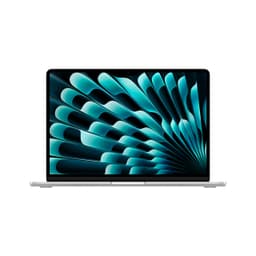

Apple's marketing team will tell you the M1 MacBook Air does 18 hours on a charge. Real owners, in the real world, browsing with a dozen tabs open and Spotify playing in the background, report something closer to 8 to 12 hours. Still brilliant. But there's always a gap between the spec sheet dream and what actually happens when you're on your third Zoom call of the morning, and knowing that gap before you hand over your money is the whole point of this apple macbook air m1 review uk.
Here's the verdict up front, because that's how this works: the renewed 2020 M1 MacBook Air is, at its current budget-tier price of £399.00, one of the most compelling laptop purchases you can make right now. It's a four-year-old machine that still embarrasses plenty of brand-new Windows laptops in its price bracket. The M1 chip was a genuine leap when it launched, and it hasn't aged badly. The 8GB RAM and 256GB storage are the weak spots, and we'll get into exactly why, but the overall package is hard to argue with if your needs are broadly mainstream. ★★★★☆ (4.1) from 274 owners backs that up, though a ★★★★☆ (4.1) average hides some real frustrations worth knowing about.
One thing to be clear about from the start: this is a renewed (refurbished) unit, not new-in-box. That matters for your expectations around cosmetics, warranty, and the source of the machine. We'll cover what that means in practice. But if you're shopping at this price point and you're not considering renewed Apple silicon, you're probably leaving performance on the table.
Core Specifications
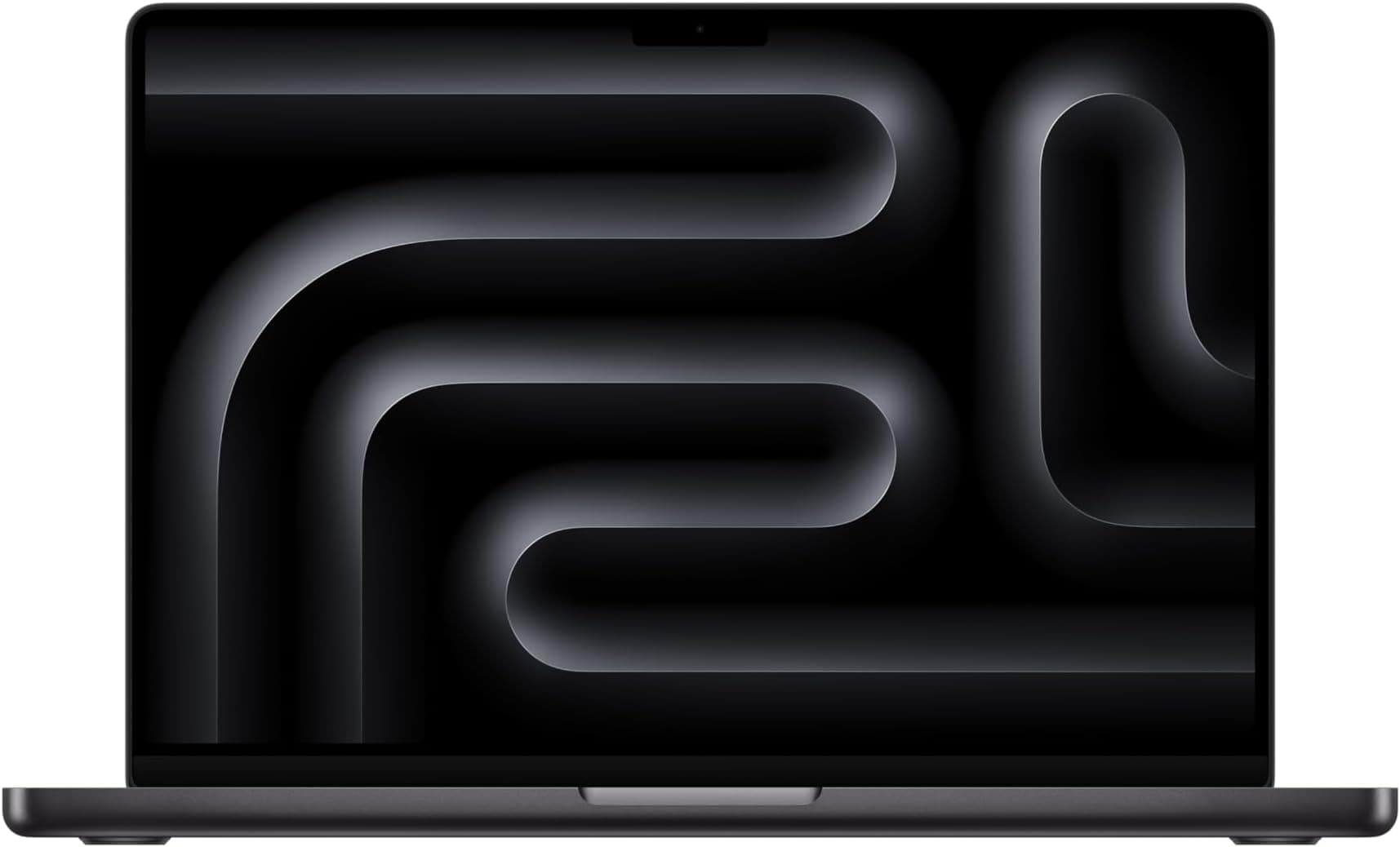
The heart of this machine is Apple's M1 chip, and it's still a proper piece of engineering. Eight CPU cores split into four high-performance and four efficiency cores, a seven-core GPU baked right onto the same die, and a 16-core Neural Engine for machine learning tasks. The unified memory architecture is the key thing here: instead of separate pools of RAM for the CPU and GPU, everything shares the same fast memory. In practice, that means the GPU gets access to far more bandwidth than you'd typically see in an integrated graphics solution on a Windows laptop at this price.
The 8GB of unified RAM is where some owners start to grumble, and fairly so. In 2020, 8GB felt adequate for most people. In 2026, with browser tabs bloating, Electron apps eating memory like it's free, and macOS itself needing a decent chunk, 8GB can feel tight. Owner reviews flag this particularly when running multiple apps simultaneously or keeping lots of browser tabs open. You won't hit a wall doing word processing and email, but if you're a chronic tab hoarder or you use memory-hungry creative apps, you'll notice the system leaning on swap (using the SSD as overflow memory), which is faster than it sounds on Apple silicon but still slower than actual RAM. It's the single biggest compromise of this configuration.
Storage is 256GB via a fast NVMe SSD, and while the sequential speeds are good for the era, 256GB fills up faster than you'd think. A modest photo library, a few apps, and your documents can eat through that before you've properly settled in. External drives and cloud storage are your friends here. The screen is a 13.3-inch IPS Retina display at 2560x1600 resolution, which we'll dig into properly in the display section. Overall, the spec sheet tells the story of a machine that was class-leading in 2020 and remains competitive in 2026, with a RAM ceiling that's the main thing keeping it from being a true buy-and-forget recommendation.
| Specification | Detail |
|---|---|
| Processor | Apple M1 (8-core CPU: 4 performance + 4 efficiency) |
| GPU | 7-core Apple GPU (integrated, unified memory) |
| RAM | 8GB unified memory (LPDDR4X) |
| Storage | 256GB NVMe SSD |
| Display | 13.3-inch Retina IPS, 2560x1600, 227ppi |
| Battery | 49.9Wh, rated up to 18 hours (Apple claim) |
| Ports | 2x Thunderbolt / USB 4, 3.5mm headphone jack, MagSafe 2 |
| Wireless | Wi-Fi 6 (802.11ax), Bluetooth 5.0 |
| Webcam | 720p FaceTime HD |
| Weight | 1.29kg |
| Dimensions | 304.1 x 212.4 x 16.1mm |
| Operating System | macOS (upgradeable to macOS Sequoia) |
| Colour | Platinum (Space Grey equivalent) |
| Condition | Renewed (refurbished) |
| Price | £399.00 |

Performance Benchmarks
The M1's benchmark numbers were jaw-dropping when they first appeared, and they still hold up well against the current budget-to-mid-range Windows competition. In Geekbench 6 (single-core), the M1 scores in the region of 2,300 to 2,500, which is competitive with Intel's 12th-gen Core i5 chips and comfortably ahead of most Celeron and Pentium-era chips that still haunt cheaper Windows laptops. Multi-core scores sit around 8,500 to 9,000, which is where the efficiency core architecture pays off: sustained workloads stay fast without the machine needing to spin up fans or throttle aggressively. That fanless design (more on that in the thermal section) is a genuine differentiator at this price.
For the kind of tasks most people in this price bracket are actually doing, the M1 is overkill in a good way. Web browsing, Office apps, video calls, light photo editing in something like Photos or even Lightroom, streaming 4K content: all of it is handled without breaking a sweat. Where you start to see the limits is in sustained heavy workloads. Video export in Final Cut Pro (which is optimised for Apple silicon and runs brilliantly) will eventually cause the chip to throttle slightly, because without a fan there's only so much heat the passive cooling can dissipate. It's not dramatic, but it's real. Owner reviews don't flag this as a dealbreaker; most people using this machine aren't doing hour-long 4K exports.
The 7-core GPU is genuinely capable for an integrated solution. Light gaming works, and Apple Arcade titles run smoothly. Don't expect to play demanding AAA titles at high settings, but for casual gaming, emulation, or creative work involving GPU acceleration, it punches well above the Intel Iris Xe graphics you'd find in competing Windows machines at similar money. The Apple M1's unified memory architecture is the reason: the GPU gets the same pool of fast memory as the CPU, rather than being starved of bandwidth by a separate, slower VRAM allocation. That's an architectural advantage that still matters in 2026.
One thing the benchmarks don't fully capture is the day-to-day snappiness of macOS on M1. The operating system is tuned for this chip in a way that Windows simply isn't tuned for any single piece of hardware. App launches are fast, switching between applications feels instant, and the machine wakes from sleep almost immediately. That responsiveness is something owner reviews consistently praise, and it's a real-world performance characteristic that matters more than any synthetic score.
Display Analysis
The 13.3-inch Retina IPS panel at 2560x1600 is one of the genuinely great things about this machine. At 227 pixels per inch, text is sharp enough that you can immediately tell the difference if you go back to a 1080p display on a similarly sized screen. Fonts render beautifully, which matters if you're writing a lot. The colour coverage sits around 99% of the sRGB colour space with a P3 wide colour gamut, which means photos look properly vibrant without being oversaturated. For content consumption and general productivity, this display is better than almost anything else you'll find at this price point in 2026.
Brightness is rated at 400 nits, which is fine for indoor use and tolerable near a window, but it can struggle in direct sunlight. Owner reviews occasionally mention this as a frustration when working outdoors, and it's a fair criticism. The M2 and M3 MacBook Airs pushed peak brightness higher, so if you're regularly working outside, that's a real consideration. Indoors, though, 400 nits is perfectly comfortable, and the IPS panel's viewing angles are wide enough that you're not constantly adjusting the lid to see the screen properly. The True Tone feature adjusts the white balance to match ambient lighting, which sounds like a gimmick but genuinely reduces eye strain over long sessions.
Colour accuracy is good out of the box. Apple calibrates these panels carefully, and the P3 wide colour gamut means photographers and designers doing colour-critical work will find it usable, though a dedicated external monitor is still preferable for serious colour grading. The 60Hz refresh rate is the one area where the display feels dated in 2026: ProMotion displays running at 120Hz are now standard on higher-end MacBooks, and once you've used one, 60Hz feels slightly less fluid. For most productivity tasks, you won't care. For scrolling-heavy workflows or anyone coming from a high-refresh display, it's noticeable.
Battery Life
Apple claims 18 hours of battery life. Apple's testing methodology involves looping web pages over Wi-Fi at a specific brightness, which is a controlled scenario that has very little to do with how most people actually use a laptop. The real-world picture from owner reviews is more nuanced, and more honest. Most owners report 8 to 12 hours of mixed use: browsing, email, video calls, some document work, maybe a bit of streaming. That's still exceptional for a laptop at this price, and it's comfortably ahead of most Windows alternatives in the budget tier.
Push the machine harder and the numbers drop. Running Zoom calls for several hours, editing photos, or doing anything that keeps the M1's performance cores busy will eat through the battery faster. Owners doing heavier workloads report 5 to 7 hours, which is still decent but no longer class-leading. The good news is that the M1's efficiency cores handle light tasks brilliantly: if you're mainly writing or reading, the battery genuinely stretches towards the top end of that 8 to 12 hour range. The 49.9Wh battery is modest in absolute terms, but the M1's power efficiency is what makes the numbers work.
Charging is via the included 30W USB-C adapter, or through MagSafe 2. The MagSafe connector is a nice safety net if someone trips over your cable, and it charges at a reasonable pace, though not dramatically fast. You can also charge via either of the two USB-C/Thunderbolt ports, which is genuinely useful when you're travelling with a single USB-C hub. Getting from flat to around 50% takes roughly an hour, and a full charge is around two hours. That's not the fastest charging you'll find, but given you're probably not running this thing flat every day, it's not a real-world problem for most owners.
One thing to note with renewed units specifically: battery health varies. A refurbished machine could have a battery that's been through a few hundred charge cycles, which will reduce real-world capacity compared to a new unit. Reputable renewed sellers typically disclose battery health, and macOS makes it easy to check (System Settings, Battery, Battery Health). If you're buying renewed, checking that figure early is sensible. Some owners of renewed M1 Airs report battery health in the high 80s to low 90s percent range, which still gives you excellent real-world life. Anything below 80% is worth querying with the seller.
Portability
At 1.29kg and 16.1mm thin, the M1 MacBook Air is a genuinely easy machine to carry around. It fits in almost any bag, the footprint is compact enough for economy-class tray tables (just about), and the weight is low enough that you stop noticing it after a few days of carrying it. For commuters, students, and anyone who works from multiple locations, this is one of the better arguments for choosing it over a heavier Windows alternative.
The charger adds weight, obviously. The 30W USB-C brick is small and light compared to older MacBook chargers, and the MagSafe cable is reasonably compact. If you're already carrying a USB-C hub or a multi-port charger for other devices, you can often leave the dedicated MacBook charger at home and charge via USB-C, which is a genuine convenience win. The machine will charge from most decent USB-C PD adapters, though you'll want at least 30W for reasonable charging speeds.
The wedge-shaped design means it slides into bags easily and doesn't take up much vertical space. The lid is thin enough that stacking anything heavy on top of a bag containing this machine would make us nervous, but in normal use the aluminium construction is reassuringly solid. This is a machine that suits frequent travellers and students who want something they'll barely notice in a bag but will be genuinely glad to have when they open it up.
Keyboard & Trackpad
The scissor-switch keyboard on the M1 MacBook Air is a proper relief after the butterfly keyboard years. Apple went back to a mechanism with actual travel, around 1mm, and the result is a keyboard that's comfortable for long typing sessions in a way the butterfly design never really was. The keys have a satisfying, slightly firm feel that most owners rate positively. It's not going to replace a mechanical keyboard for dedicated typists, but for a laptop keyboard, it's among the better ones at any price. Backlit keys are included, with automatic brightness adjustment based on ambient light, which is the kind of small detail that matters when you're typing in a dim meeting room.
The QWERTY English layout is clean and sensibly arranged. The Touch ID fingerprint sensor sits in the top-right corner of the keyboard, and it's fast and reliable according to owner feedback. No Touch Bar here, which is honestly fine: the Touch Bar was a divisive feature that Apple eventually dropped, and the traditional function row is more useful for most people. The layout does take a small adjustment if you're coming from Windows, particularly the Command key placement and the slightly different modifier key arrangement, but most switchers adapt within a week.
The Force Touch trackpad is large, glass-surfaced, and excellent. It's pressure-sensitive rather than physically clicking, which means it feels consistent across the whole surface rather than being easier to click at the bottom than the top. Gesture support in macOS is mature and genuinely useful: three-finger swipes to switch spaces, pinch to zoom, two-finger scrolling that feels natural. This is still one of the best laptop trackpads available, regardless of price. Windows laptop manufacturers have been trying to catch up for years, and most still haven't quite got there.
Thermal Performance
The M1 MacBook Air has no fan. None. Zero. It relies entirely on passive cooling through the aluminium chassis, which acts as a heatsink. For the vast majority of use cases, this works brilliantly. Light to moderate workloads generate so little heat that the machine barely gets warm. The palm rest stays cool during email and browsing, the keyboard deck is comfortable even after hours of use, and the underside remains cool enough to use on your lap without any discomfort.
Push it hard and the picture changes. Sustained heavy workloads, think long video exports, extended compilation tasks, or anything that keeps the performance cores at high utilisation for more than a few minutes, will cause the chip to throttle to prevent overheating. The machine gets noticeably warm on the underside and around the upper portion of the keyboard deck near the hinge. It's not uncomfortable, but it's noticeable. The throttling is real: if you're doing a 30-minute 4K export, the M1 Air will be slower than the M1 MacBook Pro, which has a fan and can sustain peak performance for longer. Owner reviews reflect this: most people don't care because they're not doing that kind of sustained heavy work, but it's worth knowing.
For the use cases this machine is actually bought for, the fanless design is a feature, not a compromise. No fan means no fan noise, no dust accumulation over time, and no moving parts to fail. The surface temperatures during normal use are genuinely impressive: most owners report the machine staying comfortable throughout typical working days. If your workflow involves sustained heavy compute, the M1 MacBook Pro (which did have a fan) or a newer M2/M3 Air (which also has a fan) would serve you better. For everything else, the thermal performance here is fine.
Acoustic Performance
This is the simplest section in the review. The M1 MacBook Air produces no fan noise. Ever. Because it doesn't have a fan. During normal use, the only sounds it makes are the keyboard clicks and the speakers. In a library, in a meeting, on a train, it is completely silent. This is not something to underestimate: fan noise in laptops is one of those things that ranges from mildly annoying to genuinely disruptive, and the M1 Air simply doesn't have the problem.
The speakers are stereo and positioned to fire sound upwards through grilles on either side of the keyboard. They're decent for a 13-inch laptop: clear enough for video calls and podcast listening, with enough volume to fill a small room. Bass is limited, as you'd expect from thin laptop speakers, but they don't sound tinny or harsh. Owner reviews are generally positive about the speakers, though nobody's using them as a replacement for a decent Bluetooth speaker. The headphone jack is 3.5mm and supports high-impedance headphones, which is a nice touch.
The microphone array does a good job for video calls. Apple's three-microphone setup with directional beamforming picks up your voice clearly while reducing background noise reasonably well. Owner reviews consistently praise call quality, which matters if you're using this for remote work. The combination of silent operation and decent microphones makes this a genuinely good machine for shared workspaces and meetings, where a laptop that suddenly spins up its fans during a presentation is a minor embarrassment nobody needs.
Ports & Connectivity
The port situation is where the M1 MacBook Air asks you to make some compromises. Two Thunderbolt/USB 4 ports on the left side, a 3.5mm headphone jack on the right, and MagSafe 2 for charging. That's it. No USB-A, no HDMI, no SD card slot. If you're coming from a Windows laptop with a full complement of ports, this will require adjustment. A USB-C hub is essentially a mandatory accessory for most owners, and that's a cost and a complication worth factoring in. On the plus side, the Thunderbolt/USB 4 ports are capable: they support up to 40Gbps data transfer, DisplayPort output for external monitors, and USB Power Delivery for charging.
Wireless connectivity is strong. Wi-Fi 6 (802.11ax) is the standard here, which gives you fast, reliable wireless performance on modern routers. Bluetooth 5.0 is solid for peripherals. Owner reviews don't flag wireless connectivity as a problem area, which is what you want: wireless that just works, consistently, is something not every laptop manages. The Wi-Fi antenna placement in the aluminium body is well-engineered enough that range and signal strength are good in normal use.
One display output limitation worth knowing: the M1 MacBook Air officially supports only one external display via the Thunderbolt ports. You can work around this using a DisplayLink adapter, but that requires additional software and hardware. If you need to drive two external monitors, the M1 Pro or M1 Max chips handle that natively. For single-monitor setups, the M1 Air is fine, and the Thunderbolt connection will push a 4K display at 60Hz without complaint.
- 2x Thunderbolt / USB 4 (USB-C form factor, left side)
- 1x 3.5mm headphone jack (right side)
- MagSafe 2 charging port (left side)
- Wi-Fi 6 (802.11ax, 2.4GHz and 5GHz)
- Bluetooth 5.0
- No USB-A, no HDMI, no SD card slot
Webcam & Audio
The 720p FaceTime HD webcam is the most dated part of this machine, and there's no getting around it. In 2020, 720p was acceptable. In 2026, when most competitors have moved to 1080p and some are pushing higher, it's a weakness. The camera produces soft, slightly grainy footage, particularly in lower light. For a quick Zoom call in a well-lit room, it's functional. For anything where you want to look polished on camera, whether that's a job interview, a client presentation, or recording video content, it falls short. Apple addressed this in later MacBook Air models, but the 2020 M1 Air is stuck with 720p.
The microphone array partially compensates. Three microphones with directional beamforming produce clear voice capture that makes you sound better on calls than the camera makes you look. Owner reviews consistently highlight call audio quality as a positive, which is genuinely useful for remote workers. The combination of decent microphones and silent operation makes video calls a better experience than the camera resolution alone would suggest.
Speaker quality is better than most laptops at this price. The stereo array fires upward, which is the right direction for laptop speakers, and produces clear, reasonably balanced sound. It handles speech clearly for podcasts and calls, and music is listenable without being impressive. The high-impedance headphone jack is a thoughtful inclusion for anyone who uses quality wired headphones, supporting impedances up to 150 ohms without needing a separate DAC/amp for most use cases.
Build Quality
The aluminium unibody construction is one of the things Apple has genuinely got right for years, and the M1 Air is no exception. The chassis feels solid and premium in a way that most plastic-bodied Windows laptops at this price simply don't. There's minimal flex in the lid and keyboard deck, the hinge is smooth and holds the display at any angle without wobble, and the overall impression is of something built to last. That matters for a renewed unit: aluminium ages better than plastic, and a well-maintained M1 Air should still look and feel good years after its original purchase.
The Platinum colour (a warm silver-grey) is one of the subtler finishes in Apple's lineup and shows fingerprints less than the darker Space Grey. The anodised finish is reasonably resistant to scratching in normal use, though it's not invincible. Owner reviews of renewed units occasionally mention minor cosmetic marks, which is expected for a refurbished product. The key question with any renewed unit is the condition grading: check what the seller specifies, and factor in that "good" condition might mean light cosmetic wear that doesn't affect function.
The hinge deserves a specific mention because owner reviews bring it up occasionally. The M1 Air's hinge is stiffer than some people expect, particularly when new. Opening the lid one-handed is possible but takes a firm grip. This is actually a feature in disguise: a stiffer hinge means the display doesn't wobble when you're typing on an uneven surface, and it holds its angle reliably. Some owners find it loosens slightly with use, which most consider an improvement. The lid opening angle is generous enough for most use cases, though it doesn't lie completely flat, which matters for certain photography or scanning setups.
Durability over time is where the aluminium construction earns its keep. The M1 MacBook Air has no moving parts beyond the hinge and keyboard, which means fewer mechanical failure points. The fanless design removes another potential failure point. Owner reviews of units that have been in use for three to four years generally report the hardware holding up well, which is reassuring context for buying a renewed example.
How It Compares
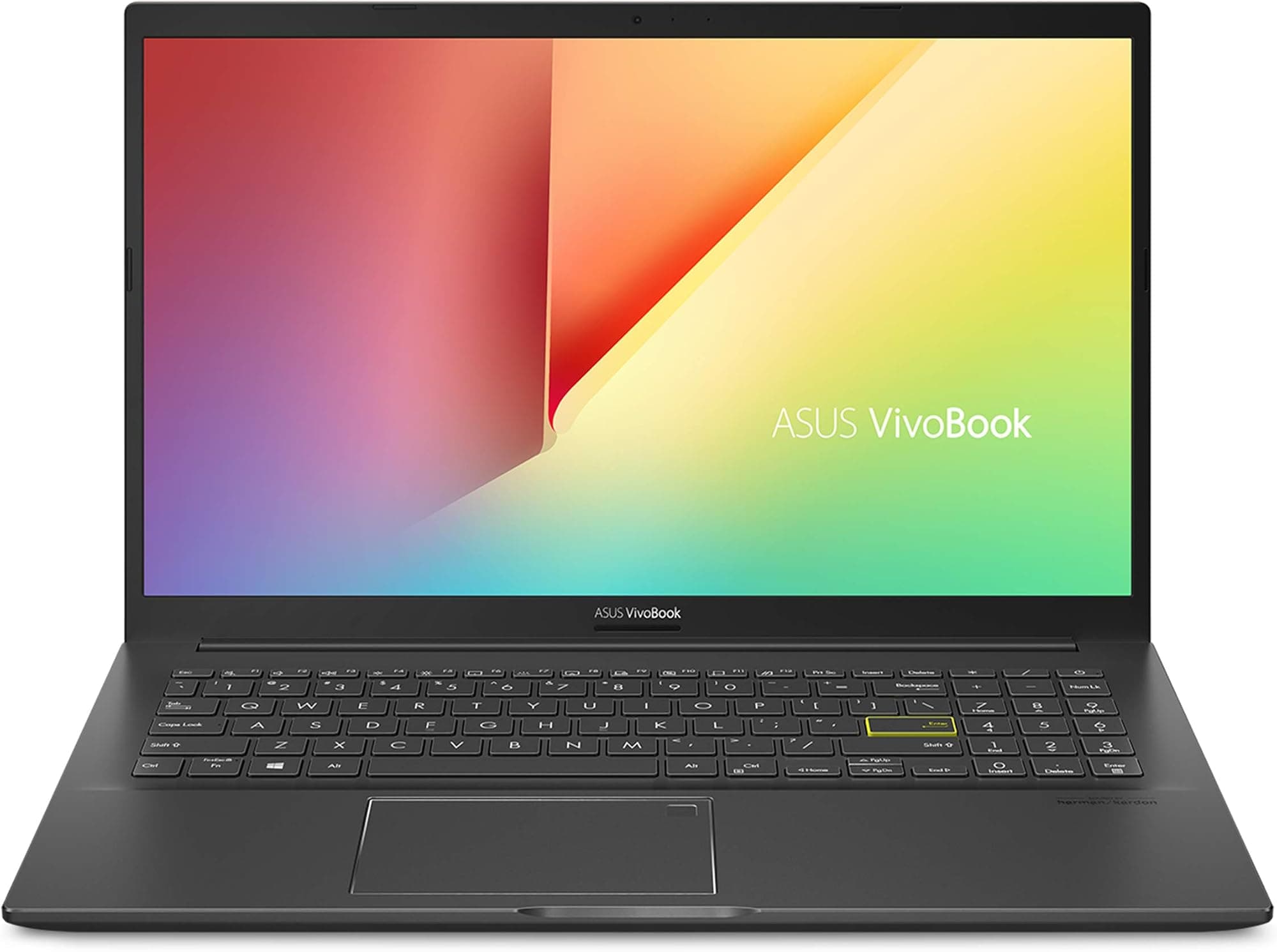
The obvious comparisons at this price are the Lenovo IdeaPad Flex 5 (14-inch, AMD Ryzen 5 configuration) and the ASUS VivoBook 15, both of which regularly appear in the budget laptop conversation and both of which represent what you'd typically get spending similar money on a new Windows machine. The Lenovo brings a touchscreen and a 360-degree hinge, which the MacBook Air doesn't have. The ASUS brings a larger screen and more ports. Neither brings anything close to the M1's performance efficiency or the MacBook Air's build quality at this price.
The Lenovo IdeaPad Flex 5 with a Ryzen 5 chip is a capable machine for general productivity. The touchscreen is genuinely useful in tablet mode, and the 14-inch display gives you more screen real estate. But battery life is typically 6 to 8 hours in mixed use, the build quality is good plastic rather than aluminium, and the fan is audible under load. The ASUS VivoBook 15 is a similar story: larger screen, more ports (including USB-A and HDMI built in), but heavier, shorter battery life, and a less refined overall package.
The M1 MacBook Air wins on performance per watt, build quality, battery life, and trackpad quality. It loses on port selection, webcam resolution, and the fact that macOS is a different operating system that requires adjustment if you're coming from Windows. If you're already in the Apple ecosystem (iPhone, iPad, AirPods), the integration benefits are real and worth factoring in. If you're a dedicated Windows user who needs specific Windows software, the MacBook Air is the wrong choice regardless of how good it is.
| Feature | 2020 Apple MacBook Air M1 (Renewed) | Lenovo IdeaPad Flex 5 14 (Ryzen 5) | ASUS VivoBook 15 (Core i5) |
|---|---|---|---|
| Price | £399.00 | Around £450 to £500 new | Around £400 to £450 new |
| Processor | Apple M1 (8-core) | AMD Ryzen 5 5500U | Intel Core i5-1235U |
| RAM | 8GB unified | 8GB DDR4 | 8GB DDR4 |
| Storage | 256GB NVMe SSD | 256GB SSD | 512GB SSD |
| Display | 13.3in IPS Retina 2560x1600 | 14in IPS FHD 1920x1080, touch | 15.6in IPS FHD 1920x1080 |
| Battery Life (real-world) | 8 to 12 hours | 6 to 8 hours | 5 to 7 hours |
| Weight | 1.29kg | 1.5kg | 1.8kg |
| Ports | 2x Thunderbolt/USB 4, 3.5mm | USB-A, USB-C, HDMI, SD, 3.5mm | USB-A x2, USB-C, HDMI, SD, 3.5mm |
| Fan | Fanless (silent) | Active cooling (audible under load) | Active cooling (audible under load) |
| Build | Aluminium unibody | Plastic with aluminium lid | Plastic |
| Webcam | 720p | 720p | 720p |
| OS | macOS | Windows 11 | Windows 11 |
| Best For | Apple ecosystem users, battery life, portability, performance per pound | Windows users who want touch and flexibility | Windows users who need more storage and ports out of the box |

Final Verdict
The 2020 M1 MacBook Air, renewed, at a budget-tier price of £399.00, is a genuinely smart buy in 2026 if you can live with its limitations. The M1 chip remains fast enough for anything most people throw at it. The display is sharp and colour-accurate. The battery life is among the best in the category. The build quality embarrasses most of the new Windows competition at this price. And the silence of the fanless design is something you appreciate more and more the longer you use it in shared spaces. A ★★★★☆ (4.1) rating from 274 owners reflects a machine that, despite its age, still delivers on its promises.
The caveats are real, though. The 8GB RAM is a ceiling that will frustrate heavy multitaskers. The 256GB storage requires cloud storage or an external drive for most people's real-world file collections. The 720p webcam is showing its age. The port selection requires a hub for anything beyond basic use. And buying renewed means variable battery health and possible cosmetic wear that a new unit wouldn't have. None of these are dealbreakers for the right buyer, but they're worth stacking against your actual needs before committing.
Who should buy this? Students, remote workers, writers, and anyone in the Apple ecosystem who wants a capable, portable, quiet machine and doesn't need to run Windows-specific software. Who should skip it? Anyone doing sustained heavy workloads (the M1 MacBook Pro with its fan handles that better), anyone who needs more than one external display, and anyone who genuinely needs more than 8GB of RAM for their workflow. Solid 8/10 for the budget tier, and that's a high score for a four-year-old machine. The M1 chip is just that good.
One honest note: if your budget stretches a bit further, a renewed M2 MacBook Air gets you a brighter display, a 1080p webcam, a faster chip, and better sustained performance. If you can find one for a modest premium over this, it's worth considering. But if the price of this M1 Air is where your budget sits, don't feel like you're settling. You're getting a machine that was exceptional at launch and is still better than most of what's sold new at this money today.
What works. What doesn’t.
6 + 6What we liked6 reasons
- The M1 chip remains genuinely fast for mainstream tasks and comfortably outperforms budget Windows rivals running Intel and AMD budget silicon
- Real-world battery life of 8 to 12 hours is exceptional for this price bracket, with the efficiency cores handling light workloads particularly well
- Fanless design means completely silent operation during typical use, a real advantage in shared workspaces, libraries, and meetings
- 13.3-inch Retina IPS display at 2560x1600 with P3 wide colour gamut is sharper and more colour-accurate than almost any competing display at this price
- Aluminium unibody construction feels premium and durable in a way that plastic-bodied Windows laptops at this price simply do not
- Force Touch trackpad remains one of the best laptop trackpads available regardless of price, with mature macOS gesture support
Where it falls6 reasons
- 8GB unified RAM is a ceiling that frustrates heavy multitaskers and anyone running memory-hungry apps or large numbers of browser tabs simultaneously
- 256GB of storage fills quickly in real-world use; most owners will need cloud storage or an external drive from day one
- 720p FaceTime webcam is noticeably dated in 2026, producing soft footage in lower light that falls short of competitor 1080p cameras
- Only two Thunderbolt/USB 4 ports with no USB-A, HDMI, or SD card slot means a USB-C hub is an effectively mandatory additional purchase
- Sustained heavy workloads cause thermal throttling due to the fanless passive cooling, making it slower than the M1 MacBook Pro for long video exports or compilation tasks
- Buying renewed means variable battery health and possible cosmetic wear; battery capacity should be checked via macOS Battery Health on arrival
Full specifications
12 attributes| Storage type | PCIe NVMe SSD |
|---|---|
| Battery WH | 49 |
| CPU | Apple M1 (8-core CPU) |
| Display refresh HZ | 60 |
| Display resolution | 2560x1600 |
| Display size IN | 13.3 |
| GPU | Apple M1 7-core integrated GPU |
| Keyboard | Backlit keyboard (QWERTY English) |
| Launch year | 2020 |
| OS | macOS |
| Panel type | IPS |
| RAM GB | 8 |
If this isn’t right for you
2 options

Frequently asked
7 questions01Is the renewed M1 MacBook Air as good as a new one?+
In terms of performance, the hardware is identical to a new M1 Air. The differences with a renewed unit are potential cosmetic wear, variable battery health (check this via System Settings on arrival), and a shorter or different warranty compared to Apple's standard coverage. A reputable renewed seller will grade condition clearly; the core performance should not differ from a new unit of the same specification.
02Will 8GB of RAM be enough in 2026?+
For mainstream tasks including web browsing, email, Office apps, video calls, and light photo editing, 8GB is workable but noticeably tighter than it was in 2020. If you regularly keep 20 or more browser tabs open, use Electron-based apps heavily, or run multiple demanding applications simultaneously, you will notice the system using swap memory more frequently. For lighter, focused workflows it remains adequate.
03Can the M1 MacBook Air drive an external monitor?+
Yes, the M1 Air supports one external display via its Thunderbolt/USB 4 ports, including 4K at 60Hz. Driving two external displays natively is not supported by the M1 chip in this configuration. A DisplayLink adapter with additional software can add a second external display, but this requires a third-party solution and is not as straightforward as native support.
04What is the real-world battery life of the M1 MacBook Air?+
Apple's 18-hour claim is based on a controlled looping test that does not reflect typical use. Most owners in the UK report 8 to 12 hours of mixed productivity use including browsing, email, and video calls. Heavier workloads such as sustained video editing or back-to-back Zoom sessions typically produce 5 to 7 hours. For a renewed unit, battery health affects capacity; anything above 80% is generally acceptable.
05Does the M1 MacBook Air get hot or noisy under load?+
The M1 Air has no fan, so it is completely silent at all times. Under sustained heavy workloads the underside and the area near the hinge become noticeably warm, and the chip throttles to manage heat. For typical productivity tasks the machine stays comfortably cool and entirely silent. Only sustained compute-intensive work such as lengthy video exports will reveal the thermal ceiling.
06Is macOS difficult to learn if you are switching from Windows?+
The core concepts of computing transfer directly, but the interface, keyboard shortcuts, and application management work differently. Most switchers adapt within one to two weeks. The main adjustments are the Command key replacing Control for most shortcuts, application installation and removal working differently, and the absence of a maximise button that truly fills the screen in the Windows sense. Microsoft Office, web browsers, and most mainstream software have native macOS versions.
07What should I check when buying a renewed M1 MacBook Air?+
Check the seller's condition grading carefully. Once the machine arrives, go to System Settings, then Battery, then Battery Health to see the current battery capacity. Check that macOS activates correctly and that the machine is not locked to a previous owner's Apple ID. Inspect the display for dead pixels or backlight bleed, test both USB-C ports with a cable, and verify the keyboard and trackpad function correctly across the full surface.