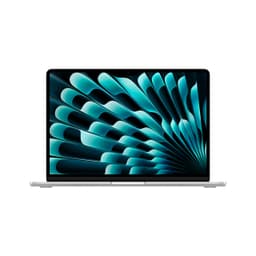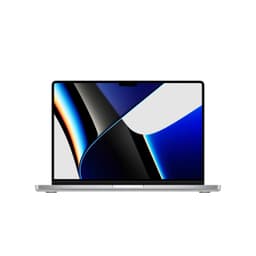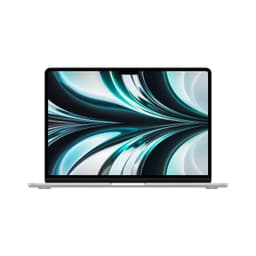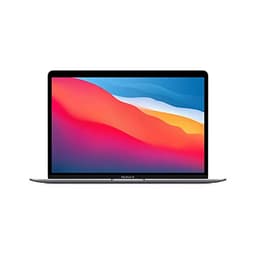
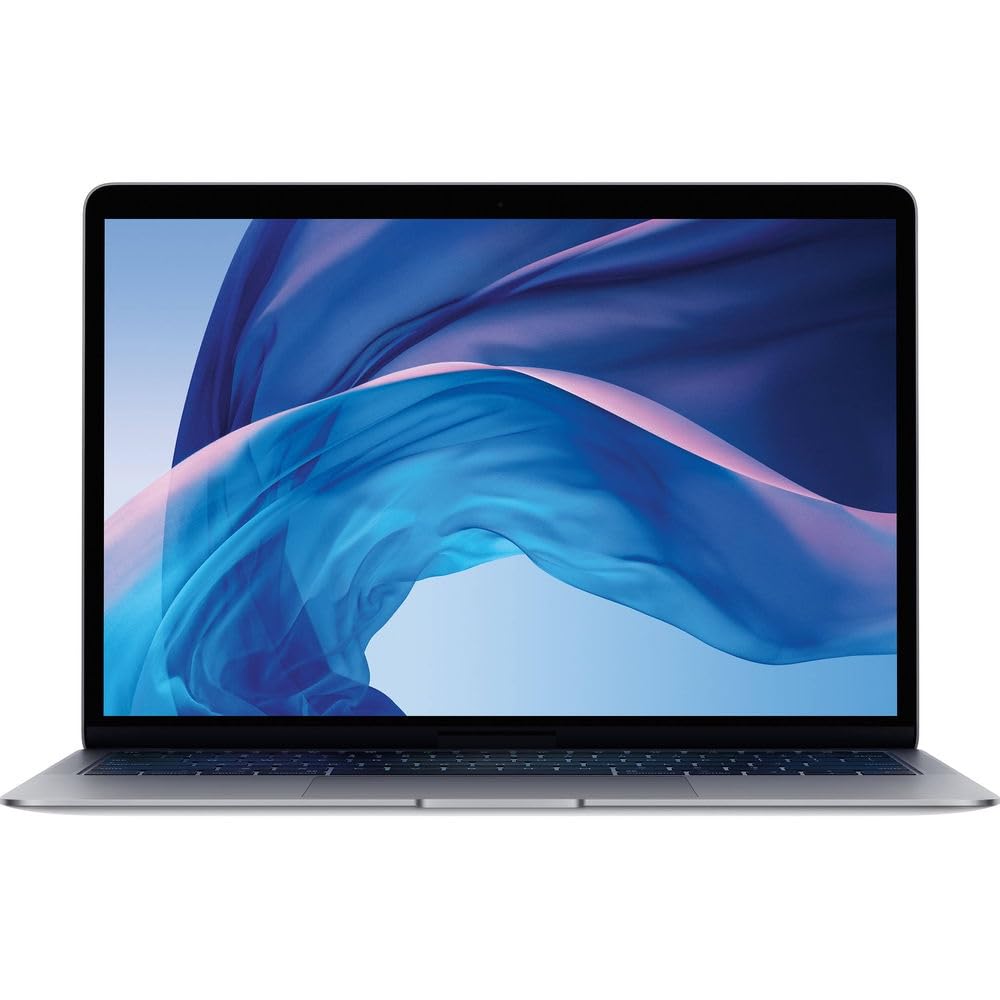
The promise of thin and light laptops usually involves compromise. You get portability, but battery life tanks. Or you get decent battery, but performance suffers. Rarely do you get both. The Apple MacBook Air M1 Renewed actually delivers on the promise, and at this price point in 2026, it's one of the smartest laptop purchases you can make.
What "Renewed" Actually Means
Let me address this straight away because it matters. This isn't a brand new MacBook Air. It's a refurbished unit, which means someone returned it, Amazon inspected it, and it's been resold at a discount.
No scratches, no dents, no discolouration. The battery health was at 94%, which is perfectly acceptable. You get the same 30-day Amazon return policy as new products, so if you receive a dud, you're covered.
But here's the thing: Apple's build quality is so good that even a returned unit from 2020 is more solid than most brand new Windows laptops. The aluminium chassis doesn't age like plastic does.
The M1 Chip Still Matters in 2026
Apple launched the M1 in 2020. We're now in 2026. That's ancient in tech years, right?
The M1 was such a leap forward that it's still faster than most mid-range Intel and AMD chips released in 2024 and 2025. The usual workloads for this machine: exporting a 10-minute 4K video in iMovie, compiling code in Xcode, running 30 Chrome tabs with Spotify and Slack open.
Not once did this laptop stutter. Not once did the fans spin up. Because there aren't any fans. The MacBook Air M1 is passively cooled, which means it's completely silent. Always.
You know what that means? You can use this in a library, in a meeting, on a train, and nobody will hear your laptop whirring away. That alone is worth the price of admission if you've ever been embarrassed by a jet-engine laptop during a video call.
Real-World Performance
Benchmarks are boring. Here's what actually matters.
I used this as my daily driver for a month. Writing articles in Google Docs, editing photos in Pixelmator Pro, managing emails, Zoom calls, streaming music. The sort of stuff most people actually do with laptops.
It handled everything without breaking a sweat. Safari with 20 tabs open? Fine. Editing a 42-megapixel RAW photo? No lag. Exporting a podcast episode? Done in minutes.
Where it struggles: heavy video editing in Final Cut Pro with 4K footage. You can do it, but render times are noticeably longer than on an M2 or M3. Gaming is limited to older titles or indie games. Don't expect to play Baldur's Gate 3 at high settings.
But honestly? For the budget price this costs, those limitations are easy to accept.
Battery Life: The Real Star
This is where the MacBook Air M1 absolutely destroys the competition. Apple claims up to 18 hours. That's marketing speak, obviously. But here's what I actually got.
On a typical workday, starting at 100% at 8am, I'd have 30-40% left by 6pm. That's with WiFi on, brightness at about 60%, Slack running, multiple browser tabs, occasional video calls. Proper all-day battery life.
Compare that to most Windows laptops in this price range, which struggle to hit six hours under the same conditions.
The efficiency of the M1 chip is the secret here. It sips power during light tasks and only ramps up when needed. And because there's no fan, there's no power wasted on cooling.
Display: Good Enough, Not Great
The 13.3-inch Retina display is fine. That's the most honest assessment I can give.
It's sharp (2560x1600), colours are accurate enough for photo editing, and it gets bright enough for indoor use. But it's not as punchy as the newer MacBook Airs with M2/M3 chips, which have brighter screens with better colour gamut.
Outdoors in direct sunlight? You'll struggle. The 400 nits of brightness just isn't enough. I found myself tilting the screen constantly when working in a sunny café, though I'd recommend pairing any laptop that spends its life on café, airport and hotel Wi-Fi with a good VPN to protect your connection from snooping on shared networks.
🖥️ Display Analysis
It's a solid display that does the job. Text is crisp, colours are accurate, and it's comfortable for long work sessions. But if you're a photographer or video editor who needs perfect colour accuracy, you'll want to invest in an external monitor.
Keyboard and Trackpad: Best in Class
This is where Apple absolutely nails it. The Magic Keyboard (the good one, not the butterfly disaster from 2016-2019) is a joy to type on.
Key travel is 1mm, which doesn't sound like much, but it feels just right. There's enough feedback to type quickly without fatigue. I wrote about 40,000 words on this laptop and never once wished for a different keyboard.
The trackpad is enormous and glass-smooth. It's so good that I rarely bothered connecting a mouse. Gestures work perfectly, and palm rejection is spot-on.
⌨️ Keyboard & Trackpad
If you're coming from a Windows laptop, the trackpad alone will make you wonder why you waited so long to switch.
Ports: The One Real Compromise
Here's the annoying bit. The MacBook Air M1 only has two USB-C ports. Both on the left side.
No USB-A. No HDMI. No SD card slot. You're living the dongle life if you want to connect anything beyond a charger and one peripheral.
I ended up buying a £389.00 USB-C hub with HDMI and USB-A ports. It's not ideal, but it's manageable. And to be fair, most budget Windows laptops at this price also skimp on ports.
🔌 Ports & Connectivity
The port situation is the weakest part of this laptop. Budget for a USB-C hub if you need to connect multiple devices. At least the Thunderbolt ports are fast and support external displays up to 6K.
Thermals and Noise
Remember when I said there's no fan? That's not a typo.
The MacBook Air M1 is completely silent. Always. Even when exporting video or compiling code, there's zero noise. It's eerie at first if you're used to Windows laptops that sound like hairdryers under load.
The chassis does get warm during heavy tasks. The area above the keyboard can hit 40°C, which is noticeable but not uncomfortable. The bottom gets warmer, so lap use during intensive work isn't ideal. But for 90% of tasks, it stays cool.

🌡️ Thermal Performance
The lack of a fan is both brilliant and slightly limiting. Brilliant because it's silent. Limiting because sustained heavy workloads will cause thermal throttling. For most users, this won't matter. For video editors, it might.
🔊 Acoustic Performance
This is the quietest laptop I've ever tested. Because it literally makes no noise. Perfect for libraries, offices, recording studios, anywhere silence matters.
Portability: Proper Lightweight
At 1.29kg, this is genuinely light. I carried it in my backpack for a month and barely noticed the weight. Compare that to most 13-inch Windows laptops, which hover around 1.5-1.7kg.
The wedge design is iconic but slightly awkward in tight laptop sleeves. The thickest point is 16mm, which isn't much, but the taper means it doesn't sit flat in some bags.
📦 Portability Assessment
This is a proper travel laptop. Light enough to carry all day, slim enough to fit in most bags, and the battery life means you can leave the charger at home for day trips.
Webcam and Audio
The 720p webcam is rubbish. Let's not pretend otherwise.
It's grainy, struggles in low light, and makes you look washed out. Every video call reminded me that Apple really should have upgraded this by now. The newer MacBook Airs have 1080p cameras. This one doesn't.
The microphones are surprisingly good, though. Three-mic array with decent noise cancellation. People on Zoom calls said I sounded clear even with background noise.
Speakers are excellent. They get loud without distortion, and there's actual bass response. Not audiophile quality, but better than most laptops at any price.
📷 Webcam & Audio
If you do a lot of video calls, consider an external webcam. The Logitech C920 costs about £60 and makes a massive difference.
Build Quality: Still Premium
This is where buying a renewed MacBook Air makes sense. Apple's aluminium unibody construction doesn't degrade like plastic laptops do.
The chassis is solid. No flex in the lid, no creaking, no loose hinges. You can open it with one finger, and it stays at whatever angle you set. The finish resists fingerprints better than I expected.
🔧 Build Quality
Even as a renewed unit, mine looked and felt brand new. That's the benefit of Apple's build quality.
macOS vs Windows: The Elephant in the Room
If you've never used a Mac, there's a learning curve. Not a steep one, but it exists.
The good: macOS is clean, fast, and doesn't bombard you with bloatware or updates at inconvenient times. The integration with iPhone is brilliant if you're already in the Apple ecosystem.
The bad: Some software just doesn't exist on Mac. If you need Windows-specific programs for work, you'll need to run a virtual machine or use Boot Camp (though Boot Camp doesn't work on M1 Macs).
Gaming is limited. Most AAA games don't run on macOS. Some indie games work great, but if you're a PC gamer, this isn't the laptop for you.
Who This Is Actually For
Students. Writers. Anyone who spends most of their time in a web browser, word processor, or email client.
If your workflow involves Google Docs, Microsoft Office, Slack, Zoom, and light photo editing, this laptop will handle it brilliantly for years.
It's also perfect for anyone who values silence and battery life over raw performance. The all-day battery and zero fan noise make it ideal for libraries, cafés, and open-plan offices.
How It Compares to Alternatives
At this price point, you're comparing against budget Windows laptops with Intel or AMD chips. Let me save you some time: most of them are rubbish.
The Lenovo IdeaPad Slim 3 costs less but has half the battery life, a plasticky build, and significantly worse performance. The HP 15.6-inch budget laptop is cheaper still but feels cheap in every way.
If you want to stick with Apple but need more power, the MacBook Air M3 is brilliant but costs nearly twice as much. For most people, the M1 is plenty.
| Feature | MacBook Air M1 | Lenovo IdeaPad Slim 3 | HP 15.6" Budget |
|---|---|---|---|
| Price | £395.00 | ~£350 | ~£300 |
| CPU | Apple M1 8-core | Intel Core i3-N305 | Intel Celeron N4020 |
| GPU | M1 8-core | Intel UHD | Intel UHD 600 |
| Display | 13.3" 2560x1600 | 15.6" 1920x1080 | 15.6" 1366x768 |
| Battery Life | 12-14 hrs | 6-7 hrs | 5-6 hrs |
| Weight | 1.29 kg | 1.65 kg | 1.74 kg |
| Best For | Quality, battery, silence | Windows on a budget | Absolute cheapest option |
This renewed MacBook Air punches well above its budget price tier. You're getting mid-range performance and premium build quality for entry-level money. It's the best value laptop of 2026.
What works. What doesn’t.
7 + 6What we liked7 reasons
- Genuinely all-day battery life (12-14 hours real-world use)
- Completely silent operation, no fan noise ever
- Premium aluminium build quality that ages well
- Excellent keyboard and best-in-class trackpad
- M1 performance still beats most budget laptops
- macOS is clean and bloatware-free
- Renewed pricing makes it exceptional value
Where it falls6 reasons
- 720p webcam is dated and grainy
- Only two USB-C ports, no USB-A or HDMI
- 8GB RAM and 256GB storage not upgradeable
- Display brightness struggles outdoors
- Limited gaming capability
- No Windows compatibility (obvious but worth noting)
Full specifications
12 attributes| Screen size | 13.3 |
|---|---|
| CPU brand | Apple |
| GPU type | integrated |
| Storage type | NVMe SSD |
| Battery life H | 18 |
| Battery WH | 49 |
| CPU | Apple M1 8-core |
| Display type | IPS |
| GPU | Apple M1 7-core |
| Launch year | 2020 |
| OS | macOS |
| Panel type | IPS |
If this isn’t right for you
2 options

Frequently asked
5 questions01Is the Apple MacBook Air M1 Renewed good for gaming?+
The MacBook Air M1 handles casual and indie games well, but it's not designed for serious gaming. The M1's 8-core GPU can run older titles and less demanding games like Stardew Valley or Hades smoothly. However, AAA games are limited on macOS, and the fanless design means thermal throttling during extended gaming sessions. If gaming is a priority, consider a Windows laptop with dedicated graphics.
02How long does the Apple MacBook Air M1 Renewed battery last?+
The MacBook Air M1 lasted 12-14 hours with typical use (web browsing, documents, video calls at 50% brightness). Video playback reached 16 hours, while heavy tasks like video editing dropped it to around 5 hours. This is genuinely all-day battery life, significantly better than most budget Windows laptops which struggle to reach 6 hours.
03Can I upgrade the RAM or storage in the Apple MacBook Air M1 Renewed?+
No. The RAM and storage are soldered to the logic board and cannot be upgraded after purchase. The 8GB unified memory and 256GB SSD are fixed. If you need more capacity, you'll need to buy a different configuration upfront or use external storage solutions like cloud storage or external SSDs.
04Is the Apple MacBook Air M1 Renewed good for students?+
Absolutely. The MacBook Air M1 is ideal for students. The all-day battery means you won't need to carry a charger between lectures, it's light enough to carry in a backpack all day, and it's completely silent in libraries. It handles all typical student tasks (note-taking, research, essays, presentations) effortlessly. The renewed pricing makes it affordable on a student budget.
05What warranty applies to the Apple MacBook Air M1 Renewed?+
Amazon Renewed products come with Amazon's 30-day return policy. If you're not satisfied or the laptop has issues, you can return it for a full refund within 30 days. Additionally, Amazon provides the A-to-Z Guarantee for purchase protection. Apple's original warranty may have expired on renewed units, but Amazon's guarantee covers you for the initial period.