Numbers on a spec sheet are easy to print. Whether those numbers translate into something you'd actually want to stare at for eight hours a day is a different question entirely. The Acer EK271G promises 120Hz, 1ms, IPS, and 99% sRGB at a budget price point. That's a lot of boxes ticked. But specs without context are just marketing, so the real question is whether this monitor actually holds up when you're using it for work, casual gaming, or binge-watching something on a rainy Tuesday evening.
At the budget end of the monitor market, you're always making trade-offs. The question isn't whether compromises exist, it's whether the ones here matter for how you'll actually use the screen. With 128 owner reviews averaging ★★★★½ (4.6), there's clearly something going right. But high average ratings at this price tier can sometimes reflect low expectations as much as genuine quality, so it's worth digging into what people are actually praising and what they're quietly putting up with.
This is a 27-inch 1080p IPS panel with a 120Hz refresh rate, AdaptiveSync support, and connectivity that covers the basics. It's aimed squarely at home workers, students, and casual gamers who want something bigger than a laptop screen without spending serious money. Whether it earns its place on your desk depends on the details, and that's exactly what this review is for.
Core Specifications
The Acer EK271G is a 27-inch monitor with a 1920x1080 (Full HD) IPS panel running at 120Hz. The headline response time claim is 1ms, colour coverage is quoted at 99% sRGB, and the monitor supports AdaptiveSync for variable refresh rate use. Connectivity is straightforward: one HDMI port, one VGA port, and a 3.5mm audio output. There's no USB hub, no DisplayPort, and no USB-C, but at this price tier that's not surprising and not necessarily a dealbreaker depending on your setup.
The 27-inch screen size at 1080p gives you a pixel density of around 82 PPI. That's noticeably lower than a 27-inch 1440p panel, which sits closer to 109 PPI, and the difference is visible if you sit close. For desk use at a normal viewing distance, most people won't find it distracting, but if you're coming from a high-DPI laptop screen or a 1440p monitor, the step down in sharpness is real. For the target audience, though, 1080p at 27 inches is a practical, affordable choice that works well for everyday tasks and gaming alike.
The stand offers 25 degrees of tilt adjustment, and the monitor is also VESA compatible, so you can swap it onto an aftermarket arm if you want more flexibility. There's no height adjustment or pivot on the stock stand, which is pretty standard for budget monitors but worth knowing upfront. Below is the full spec breakdown.
| Specification | Detail |
|---|---|
| Screen Size | 27 inches |
| Resolution | 1920x1080 (Full HD) |
| Panel Type | IPS |
| Refresh Rate | 120Hz |
| Response Time | 1ms (marketing figure) |
| Colour Coverage | 99% sRGB |
| Adaptive Sync | Yes (AdaptiveSync) |
| Ports | 1x HDMI, 1x VGA, 1x 3.5mm audio out |
| Stand Adjustment | Tilt (25 degrees) |
| VESA Mount | Yes |
| Price | £84.90 |
Panel Technology
IPS panels have a well-earned reputation for colour accuracy and wide viewing angles, and that's the main reason to pick one over a TN or VA at this price. IPS technology works by aligning liquid crystals in a way that maintains colour consistency across a wide horizontal and vertical range, typically around 178 degrees in both directions. In practice, that means someone sitting next to you at an angle won't see colours shift or wash out, which matters if you're sharing your screen or just like having your monitor slightly off-centre on your desk.
The trade-off with IPS is contrast. Native contrast ratios on IPS panels typically land around 1000:1, which is noticeably lower than VA panels that can hit 3000:1 or higher. What that means in real-world terms is that blacks on an IPS panel look more like very dark grey in a dim room, and IPS glow (a slight brightening in the corners of the screen when displaying dark content) is a known characteristic of the panel type. It's not unique to Acer, it's just physics. If you're watching a lot of dark films in a blacked-out room, VA would technically give you deeper blacks. But for general office work, web browsing, and gaming in a normally lit room, IPS holds up well.
TN panels, the other common budget option, are faster in raw pixel response terms but have noticeably worse viewing angles and colour reproduction. Acer choosing IPS for the EK271G is the right call for a monitor aimed at home and office use. You get consistent colours, decent brightness, and the kind of image quality that doesn't make you wince when you're looking at photos or doing anything colour-sensitive. VA would have been better for contrast, but IPS is the more versatile choice here, and at this price, getting a proper IPS panel rather than a TN is a genuine win.
Display Quality
At 82 PPI, the Acer EK271G isn't the sharpest 27-inch panel on the market. That title goes to 1440p monitors, which pack significantly more pixels into the same screen real estate. But 1080p at 27 inches is far from unusable. Text is readable, images look fine at normal viewing distances (roughly 60 to 80cm), and for gaming the lower resolution actually has a practical upside: it's much easier to push high frame rates on modest hardware when you're not rendering at 1440p. If your GPU is a mid-range card or older, 1080p at 120Hz is a realistic target. At 1440p, that same GPU might struggle to break 60fps consistently.
The 99% sRGB colour coverage figure is the headline display quality claim, and it's a meaningful one. Most budget IPS panels in this bracket hit somewhere between 95% and 99% sRGB, so the EK271G is at the top of that range on paper. The sRGB colour space is the standard for web content, most streaming platforms, and general-purpose computing, so a monitor that covers it well will reproduce colours accurately for the vast majority of everyday use cases. Owner feedback consistently mentions that colours look vivid and natural, which aligns with what you'd expect from a well-implemented IPS panel at this coverage level.
The anti-glare matte coating on IPS panels at this tier does its job in most rooms. It diffuses reflections rather than eliminating them, so in a room with windows directly behind you, you'll notice some scatter, but it won't be the mirror-like glare you'd get from a glossy panel. For home office use with typical overhead lighting, it's fine. Brightness uniformity across the panel is generally solid on IPS at this size, though budget panels can occasionally show slight backlight bleed at the edges, particularly in the corners. Owner reviews don't flag this as a widespread issue on the EK271G, which suggests Acer's quality control is reasonable on this model.
Refresh Rate and Adaptive Sync
120Hz is a genuine step up from 60Hz, and if you've never used a high-refresh monitor before, the difference is immediately obvious. Desktop navigation feels smoother, scrolling through long web pages or documents is noticeably less jarring, and in games the motion clarity improvement is real and significant. Going from 60Hz to 120Hz is a bigger perceptual jump than going from 120Hz to 144Hz, so the EK271G sits at a sweet spot where most users will feel the benefit without needing to spend more for a 144Hz or 165Hz panel.
AdaptiveSync support means the monitor can sync its refresh rate to your GPU's output frame rate, reducing or eliminating screen tearing without the input lag penalty of traditional V-Sync. Variable refresh rate technology has become standard across AMD FreeSync and compatible Nvidia setups, and AdaptiveSync is the generic implementation of that standard. In practical terms, if your game is running between roughly 48fps and 120fps, the monitor will keep up without tearing. Drop below that lower threshold and you may see some tearing, but for most gaming scenarios at 1080p on modern hardware, staying in the VRR range shouldn't be a problem.
It's worth being clear about what 120Hz doesn't do. It doesn't make a slow GPU fast. If your machine is pushing 45fps in a demanding game, AdaptiveSync will smooth that out to some extent, but you'll still feel the lower frame rate. The 120Hz ceiling is most useful when your hardware can actually reach it, which at 1080p is achievable on a wide range of GPUs including budget and mid-range options. For casual gaming and esports titles, this is a genuinely capable setup at a price that doesn't require a second mortgage.
Response Time and Motion
The "1ms" response time claim needs some unpacking, because it's one of those figures that looks great in a spec table and means almost nothing without context. When monitor manufacturers quote 1ms on an IPS panel, they're typically referring to MPRT (Moving Picture Response Time), which is a measurement of perceived motion blur rather than actual pixel transition speed. The actual grey-to-grey (GtG) response time on an IPS panel at this price tier is typically in the 4ms to 6ms range, which is still perfectly usable for gaming but is not the same thing as a genuine 1ms pixel transition.
In practical terms, what does that mean? At 120Hz, each frame is displayed for roughly 8.3 milliseconds. A 4ms to 6ms GtG response time means pixels are transitioning within the frame window, which is what you want. You're not going to see significant trailing or ghosting in normal gaming scenarios. Fast-paced shooters and racing games will feel responsive and clean. Where you might notice issues is in very dark scenes with fast motion, where IPS panels can occasionally show some inverse ghosting if overdrive settings are pushed too aggressively. Most users won't hit this in practice, but it's worth knowing if you're particularly sensitive to motion artefacts.
Owner feedback on the EK271G doesn't flag motion handling as a problem, which is reassuring. The 4.5-star average across 166, with gaming use mentioned positively, suggests that real-world motion performance is meeting expectations. That tracks with what you'd expect from a properly implemented 120Hz IPS panel. It's not going to match a dedicated 240Hz gaming monitor with a fast TN or OLED panel, but for the price and the intended use case, the motion performance here is genuinely good rather than just technically acceptable.
Colour Accuracy and Gamut
The 99% sRGB coverage claim puts the EK271G at the top of what you'd realistically expect from a budget IPS monitor. For context, the sRGB colour space covers roughly 72% of the wider DCI-P3 gamut used in cinema and HDR content, so a monitor that covers 99% of sRGB is doing its job well for web, office, and standard gaming use, but it's not a wide-gamut panel in the professional sense. If you're doing serious colour grading, photo editing for print, or anything requiring DCI-P3 or Adobe RGB coverage, you'd want a more specialised (and more expensive) display. But for the vast majority of users, 99% sRGB is more than sufficient.
Factory calibration on budget monitors is rarely precise, and the EK271G is unlikely to ship with Delta-E values below 2 straight out of the box. Delta-E is the measure of colour accuracy, where values below 2 are considered good and below 1 is excellent. Budget panels typically measure somewhere between 2 and 4 Delta-E without calibration, which means colours are close to accurate but not perfect. For gaming and general use, you won't notice. For professional colour work, you'd want to calibrate, but at this price point that's not really the target audience anyway.
Owner reviews consistently mention that colours look good and natural, with no widespread complaints about colour casts or obvious inaccuracies. That's a decent indicator that Acer's panel selection and out-of-box settings are reasonable. The IPS panel type also means you're not fighting the colour shift issues that plague TN panels when viewed at an angle, so whatever colour accuracy you get from the factory will at least be consistent across the screen rather than varying depending on where you're sitting. For everyday use, that consistency matters more than a perfect Delta-E figure.
HDR Performance
The EK271G does not carry an official VESA DisplayHDR certification, and that's honestly the most honest thing about it. Budget monitors that slap "HDR" on their marketing without the brightness or local dimming to back it up are doing buyers a disservice, and Acer's EK1 series doesn't make that claim. The absence of HDR certification here is a straightforward acknowledgment that the panel isn't equipped for meaningful HDR performance.
What that means practically is that if you're watching HDR content on this monitor, you'll be watching it in a tone-mapped SDR mode rather than genuine HDR. The colours won't pop the way they do on a proper HDR display, and the contrast between bright highlights and dark shadows won't be as dramatic. For gaming, most competitive and casual titles look great in SDR anyway, and the 99% sRGB coverage means you're getting good colour reproduction within the standard dynamic range. The lack of HDR is only a real limitation if HDR content was a priority for you, in which case you'd need to spend considerably more money on a monitor with genuine HDR capability.
There's no point pretending this is an HDR monitor, because it isn't. But that's not a knock on the EK271G specifically. It's simply outside the scope of what a budget 1080p panel can realistically deliver. The honest framing is this: if you want real HDR, budget monitors aren't the place to look. If you're happy with SDR and want the other specs this monitor offers at this price, the lack of HDR is a non-issue rather than a meaningful compromise.
Contrast and Brightness
IPS panels at this tier typically deliver native contrast ratios around 1000:1, and the EK271G is unlikely to deviate significantly from that figure. A 1000:1 contrast ratio means the brightest white the panel can produce is 1000 times brighter than the darkest black it can display. In a well-lit room, that's perfectly adequate. In a dark room, blacks will look more like a very dark grey, and IPS glow in the corners of the screen becomes more noticeable. This is an IPS characteristic, not an Acer-specific flaw, but it's worth knowing if you're planning to use this monitor in a dim environment.
Brightness on budget IPS panels in this class typically sits somewhere in the range of 250 to 300 nits peak. That's enough for comfortable use in most home and office environments, but if your desk is in direct sunlight or you're in a particularly bright room, you might find the screen harder to read than a higher-brightness panel. For typical indoor use, it's fine. The anti-glare coating helps manage reflections, so you're not fighting the screen to see what's on it in normal lighting conditions.
Owner reviews don't flag brightness as a significant issue, which suggests the panel performs well enough in the environments people are actually using it in. The lack of local dimming (which is standard on budget IPS panels) means the contrast ratio is fixed rather than dynamic, but for everyday work and gaming this doesn't cause practical problems. Where contrast really matters is in dark, cinematic content, and for that kind of use case a VA panel would be a better choice. For everything else, the EK271G's contrast performance is what you'd expect from a well-implemented budget IPS panel.
Ergonomics and Build
The stand on the EK271G offers 25 degrees of tilt adjustment, which covers the range most people actually need to get a comfortable viewing angle. What it doesn't offer is height adjustment, swivel, or pivot, and that's a limitation worth being upfront about. If you're tall, or if you like to work with your monitor at a specific height, the fixed-height stand might leave you reaching for a monitor riser or a stack of books within the first week. It's a budget stand, and it behaves like one.
The good news is that VESA compatibility is included, which means you can ditch the stock stand and mount the monitor on an aftermarket arm. A decent monitor arm costs anywhere from £20 to £50 and gives you full height, tilt, swivel, and even pivot adjustment, transforming the ergonomic situation completely. If you're setting up a proper home office and you care about posture and positioning, budgeting for a VESA arm alongside this monitor is a smart move. The monitor itself supports it, so there's no obstacle there.
Build quality on budget monitors is always a conversation about expectations. The EK271G uses plastic construction throughout, which is standard at this price. The stand feels stable enough for normal desk use without wobble, and the bezels are reasonably slim without being the ultra-thin frameless style you'd get on more expensive panels. Owner reviews don't flag build quality as a concern, and Acer's EK1 series has a reputation for being solidly put together for the money. It's not going to feel premium, but it shouldn't feel cheap either. Functional is the right word.
Connectivity and Ports
The port selection on the EK271G is minimal but practical. You get one HDMI port, one VGA port, and a 3.5mm audio output. That's it. No DisplayPort, no USB-C, no USB hub. For the majority of users connecting a single PC or laptop via HDMI, this is perfectly fine. The HDMI port will carry both video and audio, and the 3.5mm audio out lets you pass audio to speakers or headphones if you prefer that to your PC's own audio output.
The VGA port is there for legacy compatibility, and it's more useful than it might sound. Older laptops, some business desktops, and certain docking stations still use VGA, and having the option means you're not stuck if HDMI isn't available on your source device. VGA is an analogue connection, so it won't carry audio and the image quality is technically lower than HDMI, but for basic office use it does the job. Most people with a modern setup will use HDMI and ignore the VGA entirely, but its presence doesn't hurt anything.
What's absent is worth noting without overstating. No DisplayPort means you can't daisy-chain monitors or access some of the higher bandwidth features that DP offers, but at 1080p 120Hz, HDMI 1.4 or 2.0 handles the bandwidth without issue. No USB-C means you can't use this as a single-cable docking solution for a laptop, which is a genuinely useful feature on more expensive monitors. And no USB hub means no convenient ports on the monitor itself for peripherals. These are real omissions if those features matter to you, but they're also features that add cost, and the EK271G is priced accordingly. Know what you need before you buy.
- 1x HDMI
- 1x VGA
- 1x 3.5mm audio output
How It Compares
The budget 27-inch 1080p monitor space is competitive, and the EK271G has real alternatives to contend with. Two worth considering are the AOC 27G2SP and the LG 27MK400H. The AOC 27G2SP is a 27-inch IPS monitor with 165Hz refresh rate and AMD FreeSync Premium support, typically priced similarly to the EK271G. The LG 27MK400H is a 27-inch TN panel at 75Hz, often slightly cheaper, and a common comparison point for buyers trying to decide between panel types and refresh rates at the budget end.
The AOC 27G2SP is the more direct competitor. It offers a higher refresh rate ceiling (165Hz vs 120Hz), which is a meaningful difference if you're gaming and your GPU can push high frame rates. Both are IPS panels with similar colour coverage claims. The EK271G's advantage, if it has one, is typically price. If the Acer comes in meaningfully cheaper, the 45Hz refresh rate difference is the trade-off you're making. If the prices are similar, the AOC's higher refresh rate is harder to ignore for gaming use.
The LG 27MK400H comparison is more about panel type than refresh rate. TN panels have faster pixel response times in raw terms but significantly worse viewing angles and colour reproduction than IPS. For pure competitive gaming where response time is the priority above everything else, TN has a historical argument. But for mixed use (work, casual gaming, media), IPS is the better all-rounder, and the EK271G's 120Hz is a big step up from the LG's 75Hz. Most buyers choosing between these two would be better served by the Acer unless they have a very specific reason to prefer TN.
| Feature | Acer EK271G | AOC 27G2SP | LG 27MK400H |
|---|---|---|---|
| Screen Size | 27 inches | 27 inches | 27 inches |
| Resolution | 1920x1080 | 1920x1080 | 1920x1080 |
| Panel Type | IPS | IPS | TN |
| Refresh Rate | 120Hz | 165Hz | 75Hz |
| Adaptive Sync | Yes | FreeSync Premium | FreeSync |
| Colour Coverage | 99% sRGB | 99% sRGB | 72% NTSC |
| VESA Mount | Yes | Yes | Yes |
| Price | £84.90 | Check current price | Check current price |
What Buyers Say
With 166 and a 4.5-star average, the EK271G is clearly landing well with the people who've bought it. The praise is consistent across a few key themes. Colour quality comes up repeatedly, with buyers noting that the picture looks vivid and clear out of the box without needing to fiddle with settings. The screen size gets positive mentions from people upgrading from smaller monitors or laptop screens, and several reviewers specifically call out the 120Hz refresh rate as making a noticeable difference to their day-to-day experience. Easy setup and clean aesthetics are also common positives.
On the negative side, the most predictable complaint is the stand. Buyers who care about ergonomics note the lack of height adjustment, and a few mention that the tilt range, while adequate, doesn't go as far as they'd like. This is consistent with what you'd expect from a budget stand and isn't unique to Acer. A smaller number of reviews mention wanting more ports, particularly DisplayPort, which again is a predictable budget trade-off rather than a manufacturing flaw. There are no widespread complaints about dead pixels, backlight bleed, or panel defects, which is a good sign for quality control.
The overall picture from owner feedback is that this monitor does exactly what it says it will do, without nasty surprises. That might sound like a low bar, but in the budget monitor space it genuinely isn't. Monitors at this price point can disappoint in ways that aren't visible in the spec sheet, and the EK271G's review pattern suggests it's delivering on its promises reliably. The 4.5-star average isn't inflated by a handful of enthusiastic early reviews either; with 166 it's a meaningful sample size. People are happy with it, and that matters.
Value Analysis
In the budget bracket (under £150), the Acer EK271G is doing something genuinely useful: it's combining IPS panel quality with 120Hz refresh rate and AdaptiveSync in a package that doesn't ask you to sacrifice one for the other. At this price tier, that combination is not guaranteed. Plenty of budget monitors offer 120Hz on a TN panel, or IPS at 60Hz, and the EK271G's willingness to deliver both is its main value proposition. Add 99% sRGB colour coverage and you've got a monitor that punches above its weight for mixed-use scenarios.
The compromises are real but manageable. The stand is basic, the port selection is minimal, and the pixel density at 1080p on a 27-inch screen is lower than a 1440p equivalent. None of these are deal-breakers for the target audience, but they're worth knowing. If you need height adjustment, budget for a VESA arm. If you need DisplayPort or USB-C, this isn't the monitor for you. If you're a student, a home worker, or a casual gamer who wants a proper upgrade from a 60Hz or laptop screen without spending a lot of money, the EK271G makes a strong case for itself.
The 4.5-star owner rating across a meaningful number of reviews is the most honest validation of the value here. People who've actually spent their money on this monitor are largely happy with it, and the complaints that do surface are about budget limitations rather than product failures. At this price point, that's the best outcome you can realistically hope for. It's not perfect, but it's genuinely good for the money, and "genuinely good for the money" is exactly what budget buyers are looking for.
Final Verdict
The Acer EK271G is a budget monitor that actually delivers on its headline specs. The 120Hz IPS combination is the real selling point here, and it holds up. Colours look good, motion is smooth, and the AdaptiveSync support means you're getting a tear-free gaming experience without needing to spend more. For home workers, students, and casual gamers who want a big, capable screen without a big price tag, this is a genuinely solid choice.
The limitations are predictable and manageable. The stand is basic, the port selection is minimal, and 1080p at 27 inches isn't the sharpest image you can get. But none of those things are hidden or surprising; they're the expected trade-offs of buying at this price tier. What matters is that the core panel quality and performance are there, and the owner review data backs that up. A 4.5-star average from 128 buyers isn't a fluke.
Who should skip it? If you need 1440p sharpness, proper HDR, USB-C connectivity, or a flexible stand without buying an arm separately, you'll need to spend more. If you're a competitive gamer who wants every possible Hz and the fastest pixel response, there are 165Hz and 240Hz options worth considering. But for the majority of buyers in the budget bracket, the EK271G hits the right notes. It's not trying to be something it isn't, and that honesty is refreshing at any price point.
Score: 8 out of 10. Strong value for money, well-implemented specs, minor ergonomic compromises that a VESA arm sorts immediately. For the budget bracket, it's one of the better options on the market right now.
Full Specifications
| Spec | Detail |
|---|---|
| Model | Acer EK271G |
| Screen Size | 27 inches |
| Resolution | 1920x1080 (Full HD) |
| Panel Type | IPS |
| Refresh Rate | 120Hz |
| Response Time | 1ms (MPRT) |
| Colour Coverage | 99% sRGB |
| Adaptive Sync | AdaptiveSync |
| HDR | Not specified |
| Ports | 1x HDMI, 1x VGA, 1x 3.5mm audio out |
| Stand Adjustment | Tilt up to 25 degrees |
| VESA Mount | Yes |
| Series | EK1 |
| Intended Use | Home and office |
| Current Price | £84.90 |
| Rating | ★★★★½ (4.6) (166 reviews) |
Review research completed 24 July 2026. Published 8 August 2026. Pricing and availability subject to change. This article contains affiliate links. As an Amazon Associate, vividrepairs.co.uk earns from qualifying purchases.
What works. What doesn’t.
6 + 5What we liked6 reasons
- IPS panel delivers wide viewing angles and consistent colour reproduction across the screen
- 120Hz refresh rate is a noticeable, real-world improvement over 60Hz for gaming and everyday use
- 99% sRGB colour coverage sits at the top of what budget IPS panels typically offer
- AdaptiveSync eliminates screen tearing without the input lag associated with traditional V-Sync
- VESA compatibility means the limited stock stand can be replaced with an aftermarket arm
- Owner review data across 128 buyers suggests reliable quality control with no widespread panel defects
Where it falls5 reasons
- Stock stand offers tilt only, with no height, swivel, or pivot adjustment
- 1080p at 27 inches gives approximately 82 PPI, noticeably softer than 1440p alternatives
- Port selection is minimal, with no DisplayPort, USB-C, or USB hub onboard
- No HDR capability, so HDR content is rendered in tone-mapped SDR mode
- IPS contrast ratio around 1000:1 means blacks appear as dark grey in dim viewing conditions
Full specifications
10 attributes| Panel type | IPS |
|---|---|
| Aspect ratio | 16:9 |
| Curvature | flat |
| HDR | none |
| Launch year | 2024 |
| Ports | 1x HDMI, 1x VGA, 1x 3.5mm audio out |
| Refresh rate HZ | 120 |
| Resolution | 1920x1080 |
| Response time MS | 1 |
| Screen size IN | 27 |
If this isn’t right for you
2 options 7.5 / 10
ZZA Gaming Monitor 27 Zoll, 180Hz, 1ms Response Time, Curved Monitor FHD 1920x1080, 90% DCI-P3, 100% sRGB,PC Gaming Monitor Adaptive Sync, HDMI, DisplayPort
£111.76 · ZZA
 7.5 / 10
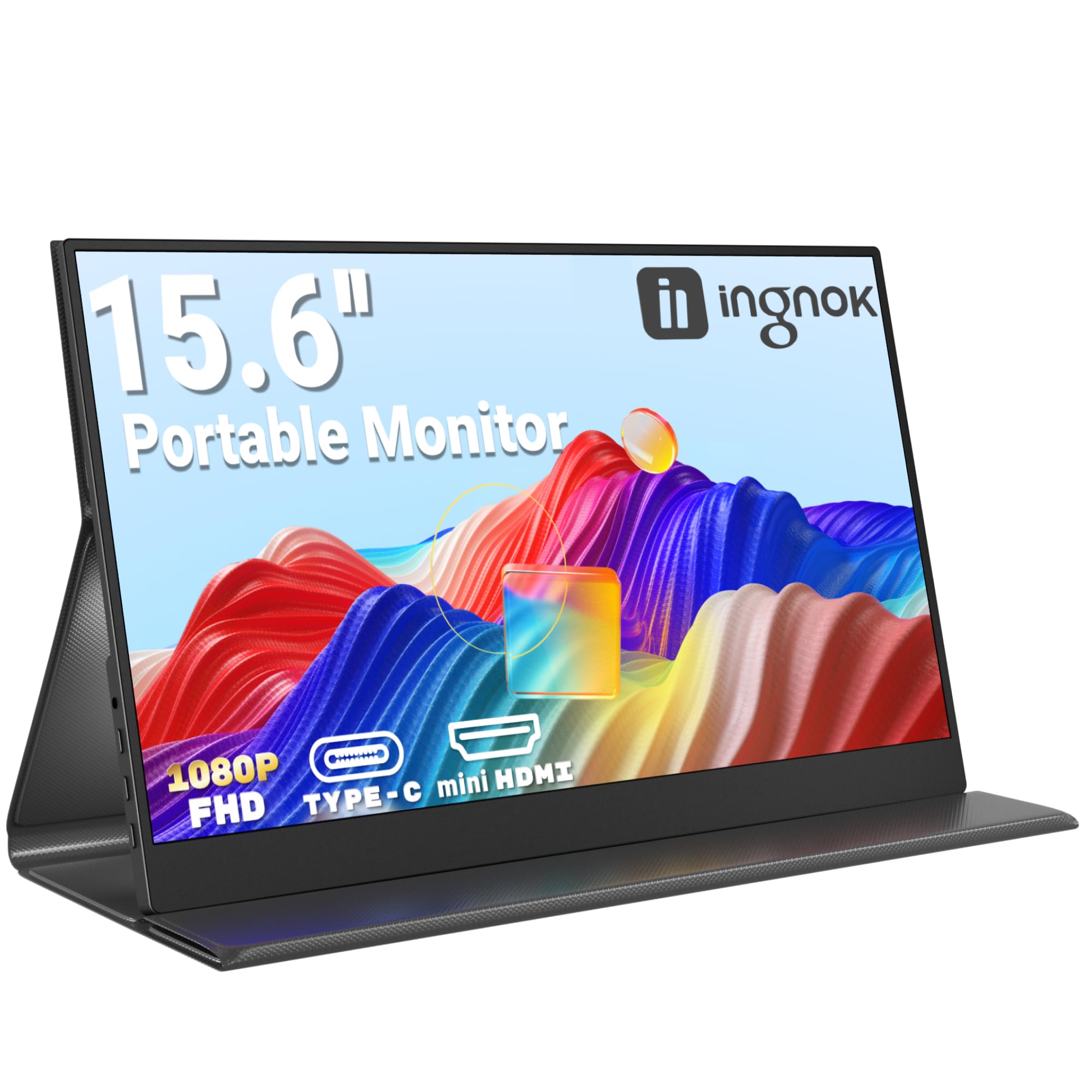
Ingnok Portable Monitor 15.6" FHD 1080P IPS Portable Screen with Magnetic Smart Cover, Ultra-Slim Second Screen for Laptop/PC/Mac/PS3/4/5/Xbox - USB C & HDMI,Valentine's Day Gifts
£85.99 · Ingnok
Frequently asked
7 questions01Is the Acer EK271G suitable for gaming?+
Yes, for casual and mid-level gaming it performs well. The 120Hz refresh rate and AdaptiveSync support reduce screen tearing and improve motion clarity compared to a standard 60Hz panel. At 1080p resolution, most mid-range GPUs can push high frame rates comfortably. It is not aimed at competitive esports players who want 165Hz or higher, but for everyday gaming it is a capable choice.
02What does the 1ms response time claim actually mean on this monitor?+
The 1ms figure refers to MPRT (Moving Picture Response Time), which measures perceived motion blur rather than actual pixel transition speed. The real grey-to-grey pixel response on an IPS panel at this tier is typically between 4ms and 6ms, which is still fast enough for gaming at 120Hz without significant ghosting or trailing in most scenarios.
03Can I use an aftermarket monitor arm with the Acer EK271G?+
Yes, the EK271G is VESA compatible, so you can remove the stock stand and mount it on any standard VESA monitor arm. This is a practical upgrade if you need height adjustment, swivel, or pivot functionality that the stock stand does not provide. A decent monitor arm typically costs between £20 and £50.
04Does the Acer EK271G support HDR?+
No, the EK271G does not carry a VESA DisplayHDR certification and is not equipped for meaningful HDR performance. HDR content will display in a tone-mapped SDR mode rather than true HDR. For genuine HDR output you would need a monitor with significantly higher peak brightness and ideally local dimming, which sits at a higher price point.
05What is the pixel density on a 27-inch 1080p screen, and does it matter?+
A 27-inch 1080p display gives approximately 82 pixels per inch (PPI). This is noticeably lower than a 27-inch 1440p panel, which sits around 109 PPI. The difference is visible if you sit close to the screen or are used to a high-DPI laptop display. At a typical desk viewing distance of 60 to 80 centimetres, most users find it acceptable for everyday work and gaming, but it is a genuine compromise compared to higher-resolution alternatives.
06Is the Acer EK271G better than a TN panel monitor at a similar price?+
For most users, yes. IPS panels offer wider viewing angles and more accurate colour reproduction than TN panels. TN displays have faster raw pixel response times, which historically benefited competitive gamers, but the gap has narrowed significantly. For mixed use including work, media, and casual gaming, the IPS panel in the EK271G is a better all-round choice than a TN alternative at a comparable price.
07What ports does the Acer EK271G have?+
The EK271G has one HDMI port, one VGA port, and a 3.5mm audio output. There is no DisplayPort, no USB-C, and no USB hub. For most users connecting a single PC via HDMI, this is sufficient. The VGA port adds legacy compatibility for older devices. If you need DisplayPort, USB-C, or onboard USB ports, you will need to consider a different monitor.