Best Build Quality
Curved gaming monitors that don't blow past £200 usually force a compromise somewhere, and the trick is spotting which corners the manufacturer cut. The MSI MAG 274CXF makes a strong case for the competitive crowd, running a genuinely quick 280Hz on a Rapid VA panel with a 0.5ms minimum response. That's the kind of spec sheet you'd expect to cost more. At high frame rates in shooters, the difference shows up where it matters: motion stays clean, and your aim feels more connected to what's on screen. But raw numbers only tell you so much. Below, we'll break down where this panel earns its place in the September 2026 lineup, where it stumbles, and whether it's the right fit for how you actually play.
The reason it wins Best Build Quality is the chassis. MSI's MAG series feels a cut above, with a robust metal-footed stand, tidy cable routing and a menu system that's genuinely pleasant to use. It slots just under budget too, which for a 280Hz screen is impressive.
The compromise is resolution. To hit 280Hz affordably MSI stayed at 1080p, so on a 27 inch panel the pixel density is lower than the 1440p picks. If you sit close you'll notice softer text. But that's the trade competitive players happily make: frames over pixels. If esports is your priority and build quality matters to you, this is the one. We go deeper in our MSI MAG series review.
Pros
- 280Hz with 0.5ms response
- Excellent build and stand
- Great for competitive shooters
Cons
- 1080p looks soft on 27"
- Overkill refresh for casual play
Buy on Amazon£148.97Read full review
Reliable 1080p
Sometimes you just want a dependable screen from a name you know, and the AOC C27G42E fits that brief. It sits comfortably within the Best Curved Monitors Under £200 as a no-drama 27 inch 1080p screen at 180Hz. AOC's G4 series has a good reputation, and this carries the same solid feel down to a cheaper price.
You get 180Hz and a 0.5ms response with FreeSync Premium, so gaming is smooth and tear-free. The curve adds a bit of immersion, and the DisplayPort 1.4 plus HDMI 2.0 combo covers PC and console alike. For everyday gaming, streaming and browsing, it just works.
It's 1080p, so it won't match the 1440p picks for sharpness, and there's nothing fancy in the feature set. But that's fine. This is the sensible, boring-in-a-good-way choice for someone who wants a reliable branded screen without paying more. If the MSI 27CQ6F is out of budget, this is the fallback.
Pros
- Reliable AOC build
- 180Hz, 0.5ms, FreeSync Premium
- DisplayPort and HDMI
Cons
- 1080p only
- No standout features
Buy on Amazon£122.10
Best Under £100 (spec value)
If you don't want the width of an ultrawide but you do want proper sharpness, this is the smart buy among the Best Curved Monitors Under £200. The MSI MAG 27CQ6F pairs a 27 inch 1440p panel with 180Hz and a Rapid VA panel that MSI has tuned to keep pixel response quick. Around £150 for QHD at 180Hz is genuinely strong value.
The jump from 1080p to 1440p on a 27 inch screen is the single biggest quality upgrade you can make in this bracket. Text gets crisp, game detail sharpens up, and you gain usable desktop space. The 1500R curve is subtle enough that it never distorts work. Adaptive Sync keeps tearing away across both AMD and Nvidia cards.
MSI's on-screen menu and CEC support make it easy to live with, and the stand feels sturdier than most budget rivals. Owners note the anti-glare coating handles bright rooms well. It's not perfect. Colours are good rather than spectacular, and like all VA panels there's a whisper of smear in the darkest tones. But for the price this is the all-rounder most people should buy. We covered the wider range in our MSI MAG 27CQ6F review.
Pros
- 1440p sharpness at 180Hz for around £150
- Rapid VA keeps motion clean
- Sturdy stand and easy menu
Cons
- Colour is good, not amazing
- Faint VA dark-tone smear
Buy on Amazon£168.98Read full review
Cheapest 27"
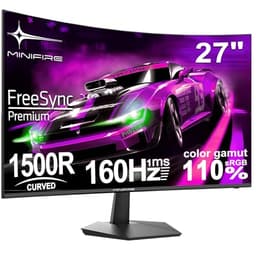
Rounding out the Best Curved Monitors Under £200 is the Minifire, one of the cheapest 27 inch curved screens you'll find that still ships with modern ports. You get a 27 inch 1080p curve at 160Hz with both HDMI and DisplayPort, plus Adaptive Sync. That's a lot of screen for the money.
The 130% sRGB claim suggests the colour is a touch livelier than the very cheapest panels, and 160Hz keeps motion smooth for casual and even semi-serious gaming. VESA mounting means you can swap the basic stand for a monitor arm down the line.
This is a lesser-known brand, so the honest expectation is variable quality control and minimal after-sales support compared to AOC, MSI or Samsung. Owner feedback is generally positive for the price, but you're buying on value, not reputation. If you want the biggest cheap curved screen with current connectivity and you accept the risk that comes with a smaller brand, the Minifire delivers.
Pros
- 27" curved 160Hz on a tight budget
- HDMI and DisplayPort plus Adaptive Sync
- 130% sRGB colour claim
Cons
- Lesser-known brand support
- Variable quality control
Buy on Amazon£95.99
Esports refresh
ASUS brings its TUF Gaming pedigree to the budget curved space here. The VG27VQM1B is a 27 inch 1080p screen running 280Hz with ELMB (Extreme Low Motion Blur), which reduces the ghosting you get at high frame rates. For fast shooters and competitive play, that clarity in motion is exactly what you want from the Best Curved Monitors Under £200.
The 90% DCI-P3 colour coverage is better than most 1080p budget panels, so games look a bit richer, and ASUS bundles its DisplayWidget Center software for tweaking settings from the desktop. FreeSync Premium keeps tearing away. The TUF build reputation carries through with a sturdy chassis.
The compromise mirrors the MSI 274CXF: 1080p on 27 inches means lower sharpness than the 1440p picks. This is a screen built around refresh rate, not pixel density. If your games are competitive and your GPU can push high frame rates, it's a strong choice. If you mainly play single-player and want detail, look at the 1440p options instead. Full breakdown in our ASUS TUF VG27VQM1B review.
Pros
- 280Hz with ELMB motion clarity
- 90% DCI-P3 colour
- Trusted TUF build
Cons
- 1080p on a 27" panel
- High refresh wasted on casual play
Buy on Amazon£179.00Read full review
Budget 27"
This is the more modern KOORUI, and a step up from the sub-£50 27N5CA. Sitting in the low bracket of the Best Curved Monitors Under £200, it brings a 27 inch 1080p curve at 180Hz with proper current connectivity: dual HDMI plus DisplayPort, and Adaptive Sync to keep things smooth.
The dual HDMI is genuinely useful if you run a console and a PC, letting you keep both plugged in. The 1500R VA panel gives good contrast for the money, and 180Hz feels fast and responsive in everyday gaming. At around £110 it undercuts the branded 27 inch screens while covering the same basics.
You're still getting a budget panel with average colour accuracy and a tilt-only stand. It won't wow anyone on image quality, and there's a hint of VA smear in dark scenes. But as an honest, affordable 27 inch 180Hz screen with sensible ports, it does what it promises. More detail in our KOORUI 27 inch 180Hz review.
Pros
- 180Hz with Adaptive Sync
- Dual HDMI plus DisplayPort
- Good value at around £110
Cons
- Average colour
- Tilt-only stand
Buy on Amazon£112.99Read full review
Small desks
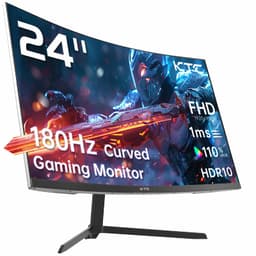
Not everyone has room for a 27 inch or ultrawide screen. If your desk is tight, this KTC 24 inch is the compact pick among the Best Curved Monitors Under £200. At 24 inches the 1080p resolution actually looks sharp, since the pixels are packed into a smaller area, which is a neat side benefit of going small.
It runs 180Hz on a 1500R VA panel with Adaptive Sync, HDR10 and 110% sRGB coverage. Console players get a mention here too, with the panel listed as PS5 and Xbox friendly. For a bedroom setup, a smaller room, or a second gaming screen, the size works in its favour.
The trade is simply screen real estate. 24 inches feels small if you've used bigger, and there's less immersion from the curve at this size. HDR10 on a budget panel is mild, as always. But for tight spaces and tight budgets, it's a tidy, sharp little gaming screen.
Pros
- Compact, sharp 1080p
- 180Hz VA with Adaptive Sync
- Console friendly
Cons
- Small screen, less immersion
- Mild budget HDR
Best Under £50
Every budget roundup needs a genuine bargain, and this KOORUI is it. For the price of a takeaway or two you get a 27 inch curved 1080p screen running 144Hz. Among the Best Curved Monitors Under £200 this is the entry point, and honestly for casual gaming and everyday desktop work it does the job.
144Hz feels noticeably smoother than a standard 60Hz office monitor, so scrolling, cursor movement and casual gaming all get that fluid feel. The curve adds a touch of immersion at a size that fills your view nicely. For a first monitor, a second screen, or a kid's gaming setup, the value is hard to argue with.
Now the honest bit. This is where the compromises show. Connectivity is dated, with VGA alongside HDMI, and there's no DisplayPort or Adaptive Sync in the mix on this older model. The panel is basic, colours are average and the stand only tilts. Don't expect esports-grade motion or accurate colour work. But as the cheapest way onto a curved 144Hz screen, it earns its place. We break it down in our KOORUI 27N5CA review.
Pros
- Astonishingly cheap
- 144Hz on a 27" curve
- Fine for casual play and desktop
Cons
- Dated VGA connectivity
- Basic panel and colour
- Tilt-only stand
Buy on AmazonRead full review
Cheap ultrawide
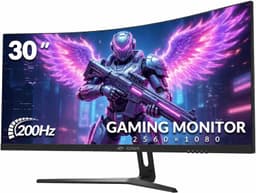
Want the ultrawide experience for even less than the AOC? The CRUA 30 inch is the budget doorway into 21:9. It runs 2560x1080 (WFHD) at up to 200Hz, so you get the extra width without needing a powerful GPU to drive it. That lower resolution keeps frame rates high even on modest hardware, which is a clever bit of value engineering.
For immersion in racing and open-world games, the width does the heavy lifting. The 1500R VA panel gives solid contrast, and 120% sRGB coverage means colours look better than you'd expect at this price. It's wall-mountable and works fine as a productivity screen with two windows side by side.
The honest catch is that 2560x1080 stretched across 30 inches isn't super sharp. Text and fine detail look softer than a 1440p screen. It's the trade you make for cheap ultrawide immersion and high frame rates. For gaming-first buyers on a tight budget who want that wide feel, it's genuinely fun. See our CRUA 30 inch review for the full picture.
Pros
- Cheapest route to ultrawide
- Up to 200Hz on modest GPUs
- 120% sRGB, decent contrast
Cons
- Low sharpness at 30"
- WFHD isn't as immersive as WQHD ultrawide
Buy on Amazon£159.99Read full review
Best for Beginners
New to curved screens and want a brand you can trust? The Samsung Odyssey G5 is the safe first buy in this roundup of the Best Curved Monitors Under £200. Samsung's warranty support and quality control are a step above the no-name brands, which matters if this is your first big monitor purchase.
You get a 27 inch QHD panel at 165Hz with a tight 1000R curve, which is the tightest here. That aggressive wrap really pulls you into single-player games and makes the whole screen feel like it's in your field of view. HDR10 support adds a bit of pop to compatible content, though as with all budget HDR it's more of a bonus than a headline feature.
The 1440p resolution keeps everything sharp, and 165Hz is plenty for anything short of competitive esports. The setup is beginner-friendly with a clear menu and Samsung's Game Bar overlay. The stand only tilts, no height adjustment, so a VESA arm is a worthwhile add-on later. If you want reliability and a name you recognise, start here. See our full Samsung Odyssey G5 review for the deeper dive.
Pros
- Trusted brand and warranty
- Sharp QHD at 165Hz
- Immersive 1000R curve
Cons
- Tilt-only stand
- Budget HDR is mild
Buy on Amazon£139.00Read full review
Best colour ultrawide
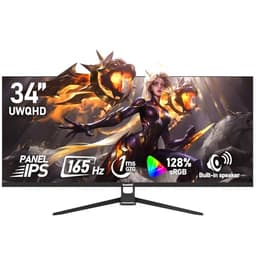
An IPS ultrawide under £200 is a rare thing, and the Gawfolk delivers exactly that. Most of the Best Curved Monitors Under £200 use VA panels, so if colour and viewing angles matter to you, this stands out. The 128% sRGB coverage gives punchy, accurate colour that VA panels struggle to match, and IPS keeps consistency across the whole wide panel.
You get the full 3440x1440 ultrawide canvas at 165Hz, which is superb for immersion in games and brilliant for multitasking with two windows side by side. Built-in speakers cover basic audio needs, handy if you don't have desk speakers yet.
Where it saves money is the fit and finish. The stand is basic and a little wobbly, the speakers are tinny, and IPS brings a bit of backlight glow in dark scenes that VA avoids. But you're getting IPS colour on a 34 inch ultrawide for budget money, and that's a genuinely different flavour to everything else here. If you edit photos casually or just want nicer colour, it's a smart pick.
Pros
- IPS colour on a 34" ultrawide
- 128% sRGB, 165Hz
- Built-in speakers
Cons
- Wobbly basic stand
- IPS glow in dark scenes