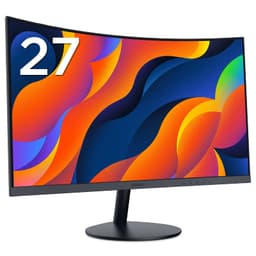
Best Overall Value
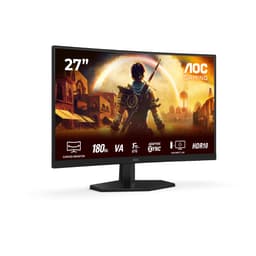
Curved monitors under £400 used to mean compromise: either a big panel with a sluggish refresh rate, or a fast screen that felt cramped. That trade-off has quietly disappeared. Take the AOC 34 inch ultrawide sitting at the top of this list, a 3440x1440 panel running at 180 Hz with FreeSync Premium and a 1ms response claim, and it's priced under £300. As of September 2026, you've got genuine choice at this budget, which means the hard part is working out what actually matters for how you use a screen. Below I've picked the monitors worth your money, explained where each one shines, and flagged the corners that get cut so you can buy without regret.
The ultrawide 21:9 shape is where the curve really earns its keep. In racing sims and open-world games the extra horizontal space wraps into your peripheral vision, and the gentle curve keeps the edges pointed at your eyes. Owners consistently mention how immersive it feels versus a flat 16:9 screen. And because it's a VA panel you get that deep, inky contrast that curved gaming displays are known for.
There's a built-in USB hub too, which is rare at this money and genuinely handy for plugging in a headset dongle or keyboard. The stand offers height and tilt adjustment. The only honest gripes: HDR is nominal rather than real, and like most VA panels there's a touch of dark smearing if you go hunting for it in shadowy scenes. For the price, nobody sensible is complaining.
Pros
- 34 inch 3440x1440 ultrawide at 180 Hz for under £300
- Built-in USB hub, rare at this price
- Strong VA contrast and immersive curve
Cons
- HDR is nominal, not proper local dimming
- Slight dark smearing in fast dark scenes
Buy on Amazon£257.53
Best for Productivity
If your day is more spreadsheets and video calls than 180 Hz shooters, this is the ultrawide to get. The MSI Modern MD342CQPW gives you the same 34 inch 3440x1440 canvas as our top pick but leans hard into productivity. The headline feature is the KVM switch, which lets you run one keyboard and mouse across two machines (say a work laptop and a home PC) and flick between them. PIP/PBP means you can show two sources side by side too.
The 1500R curve is gentle enough that straight lines in documents don't look weird, and the wide colour gamut plus the 3-way adjustable stand (height, tilt, swivel) make it a comfortable all-day monitor. There are built-in speakers, which won't blow you away but save a bit of desk clutter.
What you give up is refresh rate. This isn't a fast gaming panel, so competitive players should look elsewhere on this list. For everyone else who wants one of the Best Curved Monitors Under £400 as a work-and-relax hybrid, it's superb value. We covered this in our MSI Modern MD342CQPW review.
Pros
- Built-in KVM switch for two-machine desks
- PIP/PBP and 3-way adjustable stand
- Huge 34 inch workspace for the price
Cons
- Not a high refresh gaming panel
- Speakers are functional at best
Buy on Amazon£238.00Read full review
Best 1440p Sweet Spot
The Philips Evnia is the good-looking one of the bunch. That clean white finish stands out from the usual black-and-red gamer aesthetic, and it's a properly capable 27 inch 1440p panel underneath. At 180 Hz with a 1ms GtG claim and FreeSync Premium, it hits the sweet spot a lot of people actually want: sharp enough for detail, fast enough for competitive play, and not so big it dominates the room.
27 inch at 1440p is the resolution most gamers should be targeting in 2026. The pixel density is crisp without needing a monster GPU to drive it, and the curve at this size is subtle but adds a bit of focus. Colour out of the box gets good marks from owners, so it's fine for a bit of photo tweaking or Netflix as well as gaming.
You get dual HDMI 2.0 plus DisplayPort 1.4, so hooking up a console alongside your PC is easy. Among the Best Curved Monitors Under £400 this is the one I'd suggest if design matters to you and you want a balanced all-rounder. See our full Philips Evnia 27M2C5501 review for the deeper dive.
Pros
- Smart white design that stands out
- 1440p at 180 Hz, the ideal gaming balance
- Dual HDMI plus DisplayPort for consoles too
Cons
- White finish shows dust more easily
- Priced a little above the fast 27 inch crowd
Buy on Amazon£169.00Read full review
Best Value
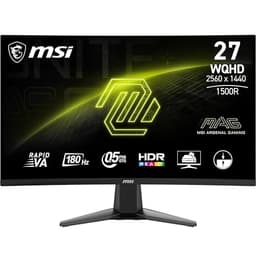
Here's where pound-for-pound value peaks on this list. The MSI MAG 27CQ6F gives you 27 inch 1440p at 180 Hz using MSI's Rapid VA panel, and it lands around £150. That's a ridiculous amount of monitor for the money. Rapid VA is MSI's tuned VA tech that cuts the smearing VA is usually criticised for, so you get the contrast benefits without as much of the downside.
For gaming this is a brilliant middle ground. 1440p sharpens up every game noticeably over 1080p, the 180 Hz refresh keeps fast action smooth, and Adaptive-Sync stops tearing with both AMD and Nvidia cards. The 1500R curve is comfortable for long sessions. Owners repeatedly flag the value angle, with plenty saying they can't believe the price for the spec.
It's a no-frills package, mind. The stand is tilt-only, there's no USB hub, and HDR is entry-level. But if you want the best curved monitor under £400 measured purely by bang for buck, this is it. We go deeper in our MSI MAG 27CQ6F review.
Pros
- 1440p and 180 Hz for around £150
- Rapid VA cuts typical VA smearing
- Works with both AMD and Nvidia sync
Cons
- Tilt-only stand, no height adjustment
- No USB hub
Buy on Amazon£180.00Read full review
Best for Esports
If your priority is frames, not pixels, this MSI is built for you. The MAG 274CXF drops the resolution to 1080p but cranks the refresh rate to a blistering 280 Hz with a 0.5ms minimum response. For competitive shooters like Valorant, CS2 or Apex, that responsiveness matters more than raw sharpness, and this panel delivers it cheaply.
The Rapid VA panel again keeps smearing in check better than standard VA, which is important at these speeds. The 1500R curve at 27 inch and 1080p means the image feels big and enveloping, and lower resolution has the bonus of being easy to push to high frame rates even on a modest GPU. Adaptive Sync is there for tear-free play.
The trade is obvious: 1080p across 27 inches isn't the sharpest, and you'll notice it on the desktop and in slower single-player games. But for anyone who lives in ranked lobbies and wants one of the Best Curved Monitors Under £400 tuned for speed, this is a smart buy. More detail in our MSI MAG review.
Pros
- 280 Hz for silky esports play
- 0.5ms response minimises blur
- Easy to drive on modest hardware
Cons
- 1080p looks soft on a 27 inch screen
- DP 1.2a rather than 1.4
Buy on Amazon£148.97Read full review
Cheapest Ultrawide
Want the full 34 inch ultrawide experience for the absolute least money? The LXZ is your route in. It's a 3440x1440 panel running at 165 Hz with FreeSync, and it undercuts most branded ultrawides while offering nearly identical core specs on paper. For an immersive wraparound gaming setup on a tight budget, that's genuinely tempting.
The panel itself pulls its weight. Owners report sharp 1440p ultrawide clarity and smooth 165 Hz motion, and the 1500R curve gives you that immersion the shape is famous for. Plug it in via DisplayPort and you've got a big, panoramic canvas for gaming and multitasking alike.
Now the honesty part. LXZ is a lesser-known brand, so warranty and after-sales support are more of an unknown than with AOC or MSI. The stand is basic and the on-screen menu is fiddly by most accounts. If you're comfortable with a value-brand gamble to get an ultrawide cheaply, it's a strong pick among the Best Curved Monitors Under £400. If you want peace of mind, spend a little more on the AOC.
Pros
- Cheapest way into 3440x1440 ultrawide
- 165 Hz with FreeSync
- Immersive 1500R curve
Cons
- Lesser-known brand, uncertain support
- Basic stand and clunky menus
Best Build Quality
ASUS TUF gear has a reputation for feeling solid, and the VG27VQM1B carries that through at a keen price. It's a 27 inch 1080p curved gamer running at 280 Hz with ELMB (ASUS's motion blur reduction) and FreeSync Premium. Around £120, it's one of the better-built options here for the money.
The 90% DCI-P3 colour coverage is a nice touch and better than you'd expect at this price, so games look punchy and it's not a bad screen for casual media. The 280 Hz refresh puts it firmly in esports territory alongside the MSI 274CXF, and ELMB helps sharpen fast motion further. The DisplayWidget Center software makes tweaking settings from your desktop painless.
Same caveat as the other 1080p 27 inch panels applies: at this size the pixels aren't the tightest, so you trade sharpness for speed. But if build quality and brand trust rank high on your list of what makes the Best Curved Monitors Under £400, ASUS earns its spot. Full thoughts in our ASUS TUF VG27VQM1B review.
Pros
- Solid ASUS TUF build feel
- 280 Hz with ELMB motion clarity
- 90% DCI-P3 colour, generous at the price
Cons
- 1080p on 27 inches isn't the sharpest
- Only 1080p resolution limits desktop detail
Buy on Amazon£179.00Read full review
Best Trusted Brand Budget
The AOC C27G42E is the safe, sensible 27 inch 1080p option. It runs 180 Hz with a 0.5ms response and FreeSync Premium, and it comes from a brand with a solid track record for reliable, affordable gaming panels. If you want a curved monitor that just works and won't cause headaches, AOC is a name you can lean on.
At 180 Hz it's fast enough for the vast majority of players who aren't chasing 240 Hz-plus in competitive titles. The curve adds immersion, the VA panel gives good contrast, and FreeSync Premium keeps things smooth. It's a straightforward, do-everything gaming screen with no nasty surprises.
The 1080p resolution is the compromise, as with the other 27 inch FHD panels here. It's the right choice if you're on a budget GPU or just want easy high frame rates. Among the Best Curved Monitors Under £400, this is the one I'd hand to someone who wants zero drama and a brand they've heard of.
Pros
- Trusted AOC brand and support
- 180 Hz with fast 0.5ms response
- Reliable, hassle-free all-rounder
Cons
- 1080p only
- Basic stand, tilt adjustment only
Buy on Amazon£122.10
Best for Work
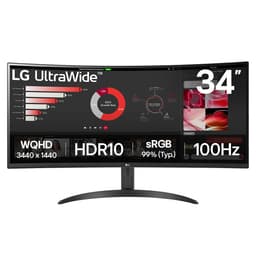
LG's 34WR50QK is a 34 inch 3440x1440 ultrawide from a genuine tier-one brand, and that pedigree shows in the panel quality and the way it's put together. The catch, and it's a big one for gamers, is that it tops out at 100 Hz. That's fine for work and casual play but a long way behind the 165 to 180 Hz ultrawides elsewhere on this list.
So think of this as a work monitor first. The wide 21:9 canvas is brilliant for having documents, browser windows and a video call all open at once, and LG's colour tuning is dependable for light content and photo viewing. Smart Energy Saving trims running costs a touch. The curve makes the wide expanse easier on the eyes across a long working day.
If gaming is a big part of your plans, the AOC CU34G2XPD gives you the same size and resolution at nearly double the refresh for less money, so it's the obvious call. But for a home-office ultrawide from a brand you trust, this LG holds a valid place among the Best Curved Monitors Under £400.
Pros
- Tier-one LG brand and panel quality
- 34 inch 1440p ultrawide for productivity
- Energy-saving features
Cons
- Only 100 Hz, weak for fast gaming
- Pricier than faster ultrawide rivals
Buy on Amazon£330.00
Best Budget 1080p
KOORUI has built a name selling capable panels for very little, and this 27 inch 1080p 180 Hz model is a good example. At around £110 you get a curved VA panel with 1ms response, Adaptive Sync and a 1500R curve. For a first gaming monitor or a second screen, it covers the basics without fuss.
The spec sheet reads well for the money: 180 Hz keeps games fluid, the dual HDMI plus DisplayPort gives you room for a console and a PC, and it's VESA compatible so you can wall-mount or arm-mount it. Owner reviews are broadly positive on the image, with the usual VA contrast strengths on show.
You are buying to a price, though. The stand is tilt-only, build materials feel budget, and the HDR and eye-care claims are marketing rather than standout features. Still, for anyone wanting an affordable curved monitor under £400 that leaves plenty in the wallet, it's a sound choice. See our KOORUI 27 inch 180Hz review for more.
Pros
- 180 Hz curved VA for around £110
- Dual HDMI plus DisplayPort
- VESA compatible for mounting
Cons
- Budget build quality
- Tilt-only stand
Buy on Amazon£112.99Read full review
Best Small Desk
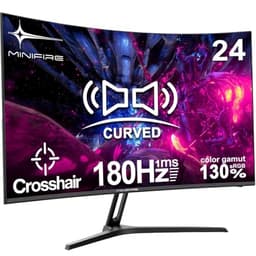
Sometimes 27 or 34 inches is simply too much for the space you've got. The Minifire MFG24C1 is a compact 24 inch curved panel, and at that size 1080p actually looks nice and sharp rather than soft. It runs 180 Hz with FreeSync, has a 1500R curve, and even throws in built-in speakers and a crosshair overlay, which is handy for shooters.
For a bedroom desk, a dorm, or a tight setup, the smaller footprint is the whole appeal. sRGB 130% coverage means colours are lively for the money, and the frameless design keeps it looking modern. The speakers are basic but save you buying a set if you're short on room.
It's the most niche entry here. Most buyers will want a bigger screen given the choice, and the HDR claim is nominal. But if desk space is your constraint and you still want a curved gaming feel, the Minifire is a tidy little option among the Best Curved Monitors Under £400.
Pros
- Compact 24 inch fits tight desks
- 180 Hz with FreeSync and crosshair
- Built-in speakers included
Cons
- 24 inch is small for many users
- HDR is nominal, speakers basic
Buy on Amazon£87.99
Best Under £100
The cheapest curved monitor on this list, and it does the fundamentals for under £85. The KOORUI 27N5CA is a 27 inch 1080p panel at 144 Hz, which is a genuinely usable gaming refresh rate, wrapped in a curved shell. If your budget is truly tight, this proves you don't need to spend much to get on the curved ladder.
144 Hz is smooth for most games, and at this size and resolution it's easy for even entry-level graphics cards to drive. There's a VGA port alongside HDMI, which tells you this is aimed partly at older systems and budget office setups as well as gaming, a rare bit of legacy connectivity.
Expectations should be set accordingly. It's tilt-only, the build is very much budget, and there's no DisplayPort or fancy sync branding to shout about. But as the entry point to the Best Curved Monitors Under £400, it's honest value that gets a curved 144 Hz screen onto your desk for the price of a game or two. Our KOORUI 27N5CA review has the full picture.
Pros
- Under £85 for a curved 144 Hz panel
- 27 inch screen at a tiny price
- VGA port for older systems
Cons
- No DisplayPort
- Very basic build and stand
Buy on AmazonRead full review