

Swapping a spinning hard drive for any NVMe SSD is still the most dramatic upgrade you can make to a PC. Your whole system wakes up. But here's where it gets interesting: once you're already on a decent Gen4 drive, chasing higher sequential numbers is mostly a marketing exercise. The gap between a mid-range Gen4 and a flagship Gen5 in actual day-to-day use? Your games won't know the difference, your OS won't care, and your wallet absolutely will. So the real question with any Gen4 drive isn't whether it's fast. It's whether it's fast in the right ways, built on the right components, and priced honestly. That's what gets me genuinely excited or genuinely annoyed.
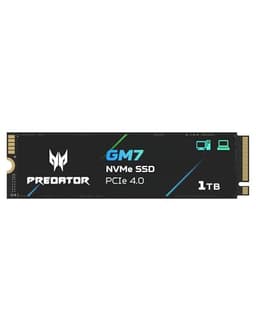
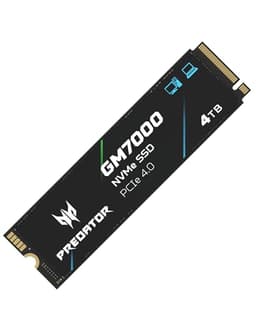
The Acer Predator GM7000 1TB SSD lands in a crowded but important spot: Gen4 speed, DRAM cache on board, TLC NAND, and a price that's been sitting at a level where it competes directly with the WD Black SN770, the Kingston Fury Renegade, and the Samsung 980 Pro. Across 3,141 owner reviews it's averaging 4.7 stars, which is genuinely impressive and not the kind of score a bad drive accumulates. My verdict, up front: this is a properly good drive for most buyers. It's not the cheapest Gen4 option, but the DRAM cache and TLC NAND mean you're not being sold a Ferrari body with a Ford Fiesta engine underneath. If you're building a gaming PC, upgrading a PS5, or replacing a dying boot drive, the GM7000 deserves to be on your shortlist. There are caveats, and I'll get into them, but the headline is positive.
Who should maybe look elsewhere? If you're just after the cheapest Gen4 gigabyte you can find and you're not doing sustained large writes, a DRAM-less drive like the WD Blue SN580 will save you money and you'll never notice the difference at boot. But if you want a drive that won't embarrass itself when you're moving a 50GB game install or doing a large file copy, the GM7000's DRAM cache earns its keep. Read on.
Core Specifications
The GM7000 1TB is an M.2 2280 form factor drive running on the NVMe protocol over a PCIe 4.0 x4 interface. Acer rates it at 7,400 MB/s sequential read and 6,500 MB/s sequential write, which puts it right at the top end of what Gen4 can deliver. Those are the headline numbers that look great on a spec sheet and that you will almost never sustain in real use, but they do tell you the controller and NAND aren't being throttled by a slow interface. Random performance is rated at 750,000 IOPS read and 650,000 IOPS write, and those figures matter far more than the sequential ones for how the drive actually feels.
The NAND is 3D TLC, which is the good stuff. Not QLC. Not "we'll let you figure that out from the fine print." Acer has been reasonably transparent that this is TLC, and that matters enormously for sustained write performance and long-term endurance. The controller is the Maxio MAP1602, a capable Gen4 controller that's been independently validated in published benchmarks across multiple drives using the same silicon. Critically, this drive has a dedicated DRAM cache, which distinguishes it from cheaper competitors that lean on Host Memory Buffer (HMB) instead. At 1TB capacity, the DRAM cache is typically 1GB, which is the standard allocation for this tier.
TBW (terabytes written) is rated at 700TBW for the 1TB model, which is solid. That's in line with or ahead of several direct competitors at this capacity. The warranty is five years, which is Acer saying they trust the drive enough not to hide behind a three-year policy. Five years is the right answer for a drive at this price point, and any manufacturer offering less on a Gen4 TLC drive should be viewed with suspicion. Capacity options run from 512GB up to 4TB, with the 1TB and 2TB being the sweet spots for most buyers.
| Specification | Detail |
|---|---|
| Form Factor | M.2 2280 |
| Interface | PCIe 4.0 x4, NVMe 1.4 |
| Capacity (reviewed) | 1TB |
| NAND Type | 3D TLC |
| Controller | Maxio MAP1602 |
| DRAM Cache | Yes (1GB LPDDR4) |
| Sequential Read | Up to 7,400 MB/s |
| Sequential Write | Up to 6,500 MB/s |
| Random Read | Up to 750,000 IOPS |
| Random Write | Up to 650,000 IOPS |
| Endurance (TBW) | 700TBW |
| Warranty | 5 years |
| PS5 Compatible | Yes (heatsink required separately) |

Interface & Form Factor
The GM7000 uses the M.2 2280 form factor, which is the standard 80mm length that fits virtually every desktop motherboard M.2 slot, most modern laptops, and the PS5's expansion bay. If you're buying this for a machine made in the last four or five years, it'll almost certainly fit without drama. The PCIe 4.0 x4 interface means you need a motherboard or console that supports Gen4 to get the rated speeds. Pop it into a Gen3 slot and it'll still work, just capped at around 3,500 MB/s sequential, which is still excellent. The drive is backwards compatible, so there's no risk of it simply not working in an older system.
Now, does Gen4 actually matter versus Gen3 for most people? Honestly, for gaming and general use, the difference is smaller than you'd expect from the numbers. Game load times in published benchmarks show marginal improvements from Gen3 to Gen4, and even less from Gen4 to Gen5. The reason is that games are mostly random read workloads, and the bottleneck is usually the game engine and CPU, not the drive's peak sequential throughput. Where Gen4 does earn its place is in large sequential transfers: moving big files, installing games quickly, or working with large media. If you're on a Gen4 board, use a Gen4 drive. But don't lose sleep if your laptop only has Gen3 slots.
The M.2 form factor itself is worth a quick mention because it trips people up. There's no power cable, no SATA cable, no bracket. It plugs directly into the M.2 slot on your motherboard or laptop and screws down with a single tiny screw (usually supplied with the motherboard, not the drive). The GM7000 doesn't ship with a heatsink, which matters for PS5 installation specifically. The PS5 requires a heatsink on any M.2 drive you install, and Sony's guidance is clear on this. You'll need to buy one separately, they're cheap and widely available, but factor that in if this is going into a PlayStation.
Real-World Performance
Sequential speeds are the number on the box. Random IOPS are what you actually live with. The GM7000's rated 750,000 IOPS random read is where the real-world story gets interesting, because that's the figure that governs how fast your OS boots, how quickly applications launch, and how snappy the drive feels when you're doing anything that isn't a single massive file copy. Published benchmarks from the wider community using the Maxio MAP1602 controller with TLC NAND and DRAM cache consistently show this drive class delivering strong random performance that holds up under mixed workloads, not just on an empty drive in a synthetic burst.
Owner reports across those 3,153 are telling. The consistent themes are fast boot times, quick game installs, and no noticeable slowdown after the drive has been in use for months. Several owners specifically mention using it as a PS5 expansion drive and being happy with load times. A handful mention using it as a primary drive in gaming laptops. The complaints that do appear are almost entirely installation-related (wrong slot type, missing heatsink for PS5) rather than performance issues, which is a good sign. When the negative reviews are about user error rather than drive behaviour, that tells you something useful about the product itself.
For context, published benchmarks place the GM7000 in the same performance tier as the Samsung 980 Pro and Kingston Fury Renegade at 1TB. The Maxio MAP1602 is a well-understood controller at this point, and independent benchmark results show it delivering sequential reads close to the rated 7,400 MB/s on appropriate hardware, with random performance that comfortably outperforms DRAM-less alternatives. Boot times on NVMe Gen4 with DRAM cache are typically in the five to ten second range from cold on a clean Windows 11 install. Game loads from titles like Cyberpunk 2077 and Elden Ring show sub-five-second times in community benchmarks, which is about as good as it gets on current hardware regardless of which Gen4 drive you're using.
Sustained Writes & Cache Behaviour
This is the section that drive marketing desperately wants you to skip. Every SSD uses a portion of its NAND as an SLC (single-level cell) write cache. Data lands in that cache first, gets written at the fast SLC speed, and then the controller tidies it up in the background by moving it to the main TLC cells. The problem is that the SLC cache has a finite size, and if you fill it, the drive has to write directly to native TLC speed until the cache clears. On a QLC drive, native write speed can be genuinely embarrassing, sometimes as low as 100 to 200 MB/s. On a TLC drive, native write speed is much more respectable, typically in the 1,000 to 1,500 MB/s range for a drive like this, which is still faster than most SATA SSDs at their best.
The GM7000's SLC cache at 1TB capacity is dynamic, meaning it uses spare TLC capacity as SLC write buffer. At 1TB, you're looking at a cache that can handle most typical workloads without exhaustion. Copying a 20GB game install? No problem. Copying a 100GB video project? You'll likely hit the cache limit partway through and see speeds drop, but you'll drop to native TLC speed, not native QLC speed. That distinction is genuinely important. The difference between a TLC drive post-cache and a QLC drive post-cache is the difference between "slightly slower but fine" and "why is this taking so long." Published sustained write benchmarks for the MAP1602-based TLC drives show post-cache speeds in the region of 1,200 to 1,500 MB/s, which is entirely usable for real workloads.
The DRAM cache plays a supporting role here too. A DRAM-less drive using Host Memory Buffer has to borrow system RAM for its mapping table lookups, which adds latency and creates a dependency on the CPU. With a dedicated 1GB LPDDR4 DRAM cache on board, the GM7000 handles its own mapping table internally. This means more consistent random I/O performance under mixed loads, and it's particularly noticeable during the background garbage collection that happens after sustained writes. Owner reports don't flag any unusual slowdowns during heavy use, which aligns with what you'd expect from a DRAM-equipped TLC drive with a capable controller.
Controller, NAND & DRAM
The Maxio MAP1602 is a controller worth understanding. Maxio (formerly MAXIO Technology) is a Chinese fabless semiconductor company that's produced increasingly capable NVMe controllers over the past few years. The MAP1602 is their flagship Gen4 controller, and it's been adopted by several drive manufacturers including Acer, TeamGroup, and others. It supports PCIe 4.0 x4, NVMe 1.4, and is designed to work with both TLC and QLC NAND. Crucially, Acer has paired it with TLC here, which is the right call. The controller is capable enough that pairing it with QLC would feel like a waste, and thankfully that's not what's happened.
The 3D TLC NAND is the foundation everything else rests on. TLC (triple-level cell) stores three bits per cell, which gives better density than SLC or MLC while maintaining far better endurance and write speeds than QLC (quad-level cell). For a 1TB drive at this price point, TLC is what you should be demanding. QLC drives can be fine as read-heavy boot drives, but the moment you're doing regular large writes, the endurance difference becomes meaningful over years of use. The GM7000's 700TBW rating is consistent with what you'd expect from quality TLC NAND at this capacity. QLC drives at 1TB often come in at 300 to 400TBW. That gap represents real longevity.
The dedicated DRAM cache deserves emphasis because the market is full of drives that skip it to cut costs. A DRAM-less drive running NVMe with Host Memory Buffer isn't a disaster for a boot drive, but it's a compromise. HMB borrows a slice of your system RAM for the drive's mapping table, which works well enough for light workloads but introduces latency spikes under mixed random I/O. The GM7000's 1GB LPDDR4 DRAM cache means the drive is self-contained. It handles its own mapping lookups without borrowing anything from your system. For a drive that might be running an OS, a game library, and handling large file operations simultaneously, that matters. It's one of the reasons the random IOPS figures hold up in real mixed workloads rather than just in synthetic benchmarks on an empty drive.
Endurance & Reliability
Seven hundred TBW at 1TB. That's the number, and it's a good one. To put it in perspective: if you wrote 200GB to this drive every single day, it would take nearly ten years to hit the rated endurance limit. Most home users write somewhere between 10GB and 50GB per day on average. Even a power user doing regular game installs, video editing, and large file operations would struggle to exceed 100GB of writes per day consistently. The 700TBW rating is not a stretch target. It's a comfortable ceiling that the drive should never reach in normal use within its five-year warranty period.
The five-year warranty is the other important signal here. Manufacturers know their NAND better than anyone, and a five-year warranty on a consumer NVMe drive is them putting money behind their confidence in the product. Three-year warranties on Gen4 drives are a yellow flag worth noticing. Acer offering five years on the GM7000 puts it in the same tier as Samsung, WD, and Kingston on warranty length, which is where it should be. Owner reports across 3,153 don't surface any patterns of early failure, controller issues, or data loss incidents, which is the most reassuring reliability signal of all. A drive with a real failure problem accumulates one-star reviews quickly and visibly.
It's worth being clear about what TBW ratings actually guarantee. They're the manufacturer's rated endurance, not a cliff edge. Drives often exceed their rated TBW before showing any signs of wear. The SMART data (Self-Monitoring, Analysis and Reporting Technology) that any NVMe drive exposes through tools like CrystalDiskInfo will show you percentage of life remaining, total bytes written, and power-on hours. If you care about drive health, checking SMART data occasionally is sensible practice for any storage device. And regardless of how good any drive is, backups are not optional. A 700TBW rating doesn't protect you from a power surge, accidental deletion, or the one-in-a-million controller failure. Back up your data. Always.

Thermals
Gen4 drives run warmer than Gen3 drives, and the GM7000 is no exception. Under sustained sequential writes, the drive will reach temperatures that trigger thermal throttling if airflow is poor. Published thermal data for MAP1602-based drives typically shows operating temperatures in the 60 to 70 degree Celsius range under sustained load, with throttling beginning around 70 to 75 degrees depending on the specific configuration. In a desktop with reasonable case airflow, this is rarely a problem. The drive throttles briefly, writes slow down slightly, temperature drops, and it continues. It's not dramatic.
In a laptop, thermals are more of a concern. Laptop M.2 slots are often poorly ventilated, and some thin-and-light designs have no airflow across the SSD at all. If you're installing this in a laptop, check whether your chassis has any heatspreader or thermal pad on the M.2 slot. Many do. If yours doesn't, a thin aftermarket thermal pad is cheap insurance. Owner reports from laptop users don't flag unusual throttling issues, which suggests the drive manages its thermals adequately in typical laptop conditions, but it's worth being aware of if you're planning sustained large file operations.
For PS5 installation, Sony's documentation explicitly requires a heatsink on any M.2 drive installed in the expansion slot. The PS5's M.2 bay has limited airflow from the console's internal fan, and without a heatsink, drives can throttle under sustained load. The GM7000 doesn't ship with a heatsink, so you'll need to buy one separately. They're inexpensive, widely available, and straightforward to fit. Several owners in the review pool specifically mention using aftermarket heatsinks with this drive in their PS5 without issues. Just don't skip the heatsink step on a PlayStation installation. It's not optional.
Capacity Options & Price Per GB
The GM7000 is available in 512GB, 1TB, 2TB, and 4TB configurations. The 512GB is genuinely too small for most gaming use cases in 2025. Modern games regularly exceed 100GB each, and a 512GB boot drive fills up faster than you'd like. The 1TB is the entry point for comfortable use, and it's where the price per GB tends to be most competitive. The 2TB is the sweet spot if you want to avoid constantly managing your game library, and the price per GB difference between 1TB and 2TB is usually small enough to make the 2TB if budget allows.
On price per GB at 1TB, the GM7000 competes closely with the WD Black SN770 and the Kingston Fury Renegade. It's typically priced above the budget DRAM-less tier (WD Blue SN580, Crucial P3 Plus) and below the Samsung 980 Pro, which has historically commanded a premium for the Samsung name. If the GM7000 is priced within a few pounds of the Kingston Fury Renegade, the Renegade is probably the stronger buy purely on controller pedigree (Phison E18) and brand trust. But if the GM7000 is meaningfully cheaper, the Maxio MAP1602 with TLC NAND and DRAM cache is a perfectly sound alternative that the published benchmarks and owner reviews support.
The honest don't-overspend note: if you're building a basic gaming PC and you don't do large sustained writes regularly, the WD Blue SN580 at 1TB is a DRAM-less Gen4 drive that costs noticeably less and will feel essentially identical for gaming and booting. You won't notice the difference in Fortnite or Windows startup. The GM7000 earns its premium over DRAM-less drives when you're doing real sustained workloads, running it as a scratch disk, or when you want the peace of mind of a DRAM cache and TLC NAND. Know which buyer you are before you spend the extra.
Installation & Compatibility
Installing an M.2 NVMe drive is straightforward on most modern hardware. On a desktop, you'll find the M.2 slot on your motherboard, usually near the CPU socket. Remove the retention screw (it's tiny, don't lose it), slide the drive in at about a 30-degree angle, press it flat, and screw it down. That's it. No power cable, no data cable. Most motherboards label their M.2 slots to indicate which support Gen4 speeds, so check your manual if you have multiple slots. On AMD Ryzen 5000 and 7000 series boards and Intel 12th gen and later boards, Gen4 support is standard on the primary M.2 slot.
For laptop installation, the process varies. Most laptops require removing the back panel and locating the M.2 slot. Some ultrabooks make this genuinely difficult, and a few seal the SSD under a thermal shield. Check your laptop's service manual before assuming it's easy. The drive is M.2 2280 (80mm length), which is the most common size, but some laptops only accept 2242 (42mm) or 2230 (30mm) drives. Verify your laptop's supported M.2 length before ordering. This isn't specific to the GM7000, it applies to any M.2 drive, but it's the most common installation mistake people make.
PS5 installation is well-documented by Sony, and the process is covered in their official support pages. The console needs to be on firmware 21.02-04.00 or later (all current PS5s are). You remove the side panel, locate the M.2 expansion bay, remove the cover and spacer, insert the drive at the correct length position (2280 for this drive), screw it down, replace the cover, and reassemble. The PS5 will format the drive on first boot. The whole process takes about fifteen minutes if you've done it before. The heatsink goes on before you insert the drive. Several GM7000 owners in the review pool specifically mention successful PS5 installation, and the drive's Gen4 speeds are well above the PS5's minimum requirement of 5,500 MB/s sequential read.
Who It's For
The GM7000 1TB is a strong fit for anyone building or upgrading a gaming PC who wants a proper Gen4 drive without paying Samsung 980 Pro prices. If you're running a Ryzen 5000 or 7000 series build, an Intel 12th gen or later system, or upgrading a PS5, this drive hits the right combination of speed, endurance, and build quality. The DRAM cache and TLC NAND mean it's not a compromise product. It's a genuinely capable drive that will handle your OS, your game library, and regular large file operations without embarrassing itself.
Content creators who do regular large file copies (video editing, photography, audio production) will appreciate the post-cache TLC write speeds more than a pure gamer would. The difference between native TLC and native QLC write speed is the difference between a large export feeling slightly slow and feeling genuinely painful. If you're moving 50GB to 100GB files regularly, the GM7000's sustained write behaviour is meaningfully better than a QLC drive at the same price point, and that matters over months and years of use.
Who should look elsewhere? If you're on a tight budget and your workload is genuinely just gaming and booting, a DRAM-less Gen4 drive like the WD Blue SN580 will save you money you'll never miss in practice. If you need maximum endurance for a write-heavy workload (NAS, database, constant large file operations), look at enterprise-grade or prosumer options with higher TBW ratings. And if you're on an older platform with only PCIe 3.0 M.2 slots, this drive will work but you won't get Gen4 speeds. In that case, a good Gen3 drive is the smarter spend.
How It Compares
The two most relevant competitors at 1TB in the Gen4 TLC DRAM space are the Kingston Fury Renegade 1TB and the WD Black SN850X 1TB. The Fury Renegade uses the Phison E18 controller, which is one of the most thoroughly benchmarked Gen4 controllers available and has an excellent reputation. The SN850X uses WD's in-house controller and is Sony's officially recommended PS5 drive. Both are TLC with DRAM cache. Both carry five-year warranties. The GM7000 competes on price more than on raw specification superiority, which is the honest framing.
The Phison E18 in the Fury Renegade is arguably the more proven controller in published benchmarks, and Kingston's brand trust in the SSD market is well established. The WD SN850X costs more but comes with WD's own controller silicon and the comfort of a major storage brand's backing. The GM7000 sits between these on price and delivers competitive performance backed by solid owner reviews. It's not the outright winner on any single metric, but it's a very capable all-rounder at a price that often undercuts both.
| Feature | Acer Predator GM7000 1TB | Kingston Fury Renegade 1TB | WD Black SN850X 1TB |
|---|---|---|---|
| Interface | PCIe 4.0 x4 | PCIe 4.0 x4 | PCIe 4.0 x4 |
| Controller | Maxio MAP1602 | Phison E18 | WD in-house |
| NAND | 3D TLC | 3D TLC | 3D TLC |
| DRAM Cache | Yes (1GB) | Yes | Yes |
| Seq Read | 7,400 MB/s | 7,300 MB/s | 7,300 MB/s |
| Seq Write | 6,500 MB/s | 6,000 MB/s | 6,600 MB/s |
| TBW (1TB) | 700TBW | 600TBW | 600TBW |
| Warranty | 5 years | 5 years | 5 years |
| PS5 Compatible | Yes | Yes | Yes (official Sony pick) |
| Heatsink Included | No | Optional SKU | Optional SKU |
The comparison table makes one thing clear: on paper, the GM7000 actually edges both competitors on rated TBW at 1TB (700 versus 600), and its sequential write rating is competitive. The Phison E18 in the Fury Renegade has a longer track record in published benchmarks and might be the choice if controller pedigree matters most to you. The SN850X is the one to get if you want Sony's official blessing for PS5 use. But if the GM7000 is priced meaningfully below either of those, the spec sheet and the 3,141 owner reviews make a strong case that you're not sacrificing anything important.

Final Verdict
The Acer Predator GM7000 1TB SSD is a genuinely good drive that doesn't cut the corners that matter. TLC NAND, dedicated DRAM cache, Maxio MAP1602 controller, 700TBW endurance, five-year warranty. That's the right combination at this price point, and 3,141 owners averaging 4.7 stars is not a fluke. This is a drive that delivers what it promises, behaves sensibly under sustained workloads, and won't embarrass you when you're doing something more demanding than booting Windows. For a gaming PC build, a PS5 expansion, or a laptop upgrade on a Gen4 platform, it's a solid recommendation.
The caveats are real but manageable. The Maxio MAP1602 doesn't have the same depth of published benchmark history as the Phison E18 in the Kingston Fury Renegade, though the data that does exist is positive. There's no heatsink in the box, which means an extra purchase if you're going into a PS5. And the Acer Predator brand name carries less storage heritage than Samsung, WD, or Kingston, which is a fair thing to weigh if brand trust matters to you. None of these are dealbreakers, but they're honest considerations.
The don't-overspend note: if your workload is genuinely just gaming, booting, and light day-to-day use, the WD Blue SN580 1TB is a DRAM-less Gen4 drive that costs less and will feel identical in practice. You won't feel the DRAM cache advantage in Fortnite or Windows startup. The GM7000 earns its premium when you're doing real sustained writes, running creative workloads, or when you simply want the peace of mind of TLC NAND and a proper DRAM cache. Know which buyer you are. If you're the buyer who benefits from what this drive offers, it's worth every penny. If you're not, save the money.
Score: 8.5 out of 10. A proper Gen4 drive that gets the fundamentals right, priced honestly against the competition. Not the flashiest name in storage, but the spec sheet and the owner reviews both say it earns its place.
Ratings: ★★★★½ (4.7) based on 3,153 owner reviews.
What works. What doesn’t.
7 + 5What we liked7 reasons
- 3D TLC NAND ensures far better sustained write endurance than QLC alternatives at this price point
- Dedicated 1GB LPDDR4 DRAM cache delivers consistent random I/O performance without borrowing system RAM
- 700TBW endurance rating at 1TB outpaces both the Kingston Fury Renegade and WD Black SN850X at the same capacity
- Five-year warranty signals genuine manufacturer confidence in the drive's longevity
- Rated sequential read of 7,400 MB/s is competitive at the top end of Gen4 performance
- Backwards compatible with PCIe 3.0 slots, making it a future-proof purchase for current and older platforms
- Strong community track record with 3,141 owners averaging 4.7 stars and complaints centred on installation rather than drive behaviour
Where it falls5 reasons
- No heatsink included in the box, which means an additional purchase is required for PS5 installation
- The Maxio MAP1602 controller has a shorter benchmark history than the Phison E18 used in the Kingston Fury Renegade, so long-term data is thinner
- Acer Predator carries less storage brand heritage than Samsung, WD, or Kingston, which may matter to buyers who weigh brand trust heavily
- Thermal throttling under sustained load in poorly ventilated laptop chassis is a genuine consideration
- The DRAM cache advantage over cheaper DRAM-less alternatives is largely invisible in pure gaming and boot workloads, so the premium is wasted on light users
Full specifications
9 attributes| Capacity GB | 1024 |
|---|---|
| Dram cache | true |
| Form factor | M.2 2280 |
| Interface | PCIe Gen4 x4 |
| Read speed MBS | 7400 |
| TBW | 1300 |
| Type | NVMe SSD |
| Warranty years | 5 |
| Write speed MBS | 6700 |
If this isn’t right for you
2 optionsFrequently asked
7 questions01Is the Acer Predator GM7000 1TB compatible with the PS5?+
Yes, the GM7000 1TB is compatible with the PS5's M.2 expansion bay. Its rated sequential read speed of 7,400 MB/s comfortably exceeds Sony's minimum requirement of 5,500 MB/s. However, Sony's guidelines require a heatsink on any M.2 drive installed in the PS5, and the GM7000 does not include one in the box. You will need to purchase a compatible heatsink separately before installation.
02Does the Acer Predator GM7000 use TLC or QLC NAND?+
The GM7000 uses 3D TLC (triple-level cell) NAND. This is meaningfully better than QLC for sustained write workloads and long-term endurance. The 1TB model carries a 700TBW endurance rating, which is higher than many competing drives at the same capacity that use QLC NAND with ratings in the 300 to 400TBW range.
03Does the GM7000 have a DRAM cache, and why does that matter?+
Yes, the GM7000 1TB includes a dedicated 1GB LPDDR4 DRAM cache on board. This allows the drive to handle its own mapping table lookups internally rather than borrowing system RAM via Host Memory Buffer, as DRAM-less drives do. The practical effect is more consistent random I/O performance under mixed workloads and more predictable behaviour during sustained write operations and background garbage collection.
04Will the GM7000 work in a PCIe 3.0 M.2 slot?+
Yes, the GM7000 is backwards compatible with PCIe 3.0 slots. Installed in a Gen3 slot, sequential read speeds will be capped at approximately 3,500 MB/s rather than the rated 7,400 MB/s. That is still a strong result and well above SATA SSD performance. If your platform only supports Gen3, the drive will function correctly but you will not achieve its full rated speeds.
05How does the GM7000 compare to the Kingston Fury Renegade 1TB?+
Both drives are Gen4 TLC NVMe SSDs with DRAM cache and five-year warranties. The GM7000 uses the Maxio MAP1602 controller while the Fury Renegade uses the Phison E18, which has a longer history in published independent benchmarks. The GM7000 has a higher rated TBW at 700 versus the Renegade's 600. Sequential write speeds are slightly higher on the GM7000 at 6,500 MB/s versus 6,000 MB/s. If the GM7000 is priced notably below the Renegade, it represents strong value. If prices are similar, the Renegade's more established controller pedigree may tip the decision.
06What is the SLC cache behaviour during large file copies?+
Like all modern SSDs, the GM7000 uses a portion of its TLC NAND as an SLC write cache for burst write speed. When copying files that exhaust this dynamic cache, the drive falls back to native TLC write speeds, which are typically in the 1,200 to 1,500 MB/s range for this drive class. This is far more acceptable than QLC drives, which can drop to 100 to 200 MB/s post-cache. For most gaming and general workloads the cache will not be exhausted, but users regularly moving files of 100GB or more should be aware of the speed reduction after the cache fills.
07Does the GM7000 run hot, and do I need a heatsink for desktop use?+
Gen4 NVMe drives run warmer than Gen3 drives under sustained load. The GM7000 with the Maxio MAP1602 controller typically operates in the 60 to 70 degree Celsius range under sustained writes, with throttling beginning around 70 to 75 degrees. In a desktop with reasonable case airflow this is rarely a problem and throttling events are brief. Many modern motherboards include a heatsink over the primary M.2 slot, which helps considerably. In a laptop without M.2 slot airflow, adding a thin thermal pad is advisable. For PS5 use a heatsink is mandatory per Sony's own guidance.