Storage capacity debates have a way of resolving themselves the moment you actually fill a drive. The real question isn't whether 4TB is overkill. It's whether the 4TB drive you're buying will hold its speed once the cache fills, whether the NAND underneath is trustworthy, and whether the endurance rating suggests the manufacturer actually believes in the product. Get those wrong and you've bought a headline number, not a drive.
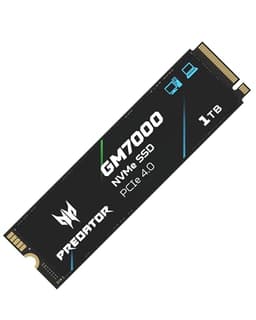
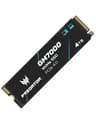
The Acer Predator GM7000 4TB SSD arrives with a headline sequential read of 7,400 MB/s, a DRAM cache, PCIe Gen4 x4 interface, and a spec sheet that looks genuinely competitive at this capacity. With 3,134 owner reviews averaging 4.7 stars, the real-world reception is hard to dismiss. But the specs tell a more nuanced story, and that's worth unpacking properly before you hand over your money for one of the biggest-capacity Gen4 drives on the market.
This is a drive aimed squarely at PC builders who want a single large NVMe for a game library, creative workloads, or a PS5 expansion, without resorting to a second drive. Whether it earns that position is what we're here to work out.
Core Specifications
The GM7000 4TB is an M.2 2280 form factor drive using the NVMe protocol over a PCIe 4.0 x4 interface. Acer rates it at 7,400 MB/s sequential read and 6,700 MB/s sequential write. On the random side, you're looking at 800,000 IOPS read and 800,000 IOPS write, which are strong figures for a Gen4 drive at this capacity. Critically, the GM7000 includes a DRAM cache, which immediately puts it in a different class from the budget DRAM-less drives that dominate the lower end of the market.
The NAND is 3D TLC, not QLC. That matters more than the sequential speed number. TLC (triple-level cell) NAND writes three bits per cell, which gives it meaningfully better endurance and sustained write behaviour compared to QLC (quad-level cell). Acer rates the 4TB model at 4,000 TBW (terabytes written), which is a proper endurance figure for this capacity. The warranty is five years. Both of those numbers signal that Acer is reasonably confident in the hardware underneath.
The controller is the Innogrit IG5236, a capable Gen4 controller that supports the DRAM configuration and handles the 3D TLC NAND well. It's not the absolute top tier of Gen4 controllers, but it's a solid, well-understood part that shows up in several competitive drives. Thermals are a consideration at this performance level, which we'll address in its own section. The drive does not ship with a heatsink, which is relevant if you're planning a PS5 installation.
| Specification | Detail |
|---|---|
| Form Factor | M.2 2280 |
| Interface | PCIe 4.0 x4, NVMe | Capacity | 4TB (also available in 1TB, 2TB) |
| NAND Type | 3D TLC |
| Controller | Innogrit IG5236 |
| DRAM Cache | Yes |
| Sequential Read | Up to 7,400 MB/s |
| Sequential Write | Up to 6,700 MB/s |
| Random Read | Up to 800,000 IOPS |
| Random Write | Up to 800,000 IOPS |
| Endurance (TBW) | 4,000 TBW |
| Warranty | 5 years |
| PS5 Compatible | Yes (heatsink required separately) |
| Price | £391.38 |

Interface & Form Factor
PCIe 4.0 x4 is the right interface for a drive at this performance level. It offers up to 8 GB/s of theoretical bandwidth, which is enough headroom for the GM7000's rated 7,400 MB/s sequential read without the interface becoming a bottleneck. If your motherboard only has a PCIe 3.0 M.2 slot, the drive will still work, but you'll be capped at around 3,500 MB/s sequential read. That's still fast, and the random IOPS figure remains largely intact, but you're paying for Gen4 performance you won't fully access. your motherboard specs before buying.
The M.2 2280 form factor is universal. Every modern desktop motherboard with an M.2 slot accepts it, most laptops with an NVMe slot take it, and the PS5 expansion bay is designed for exactly this size. There's no adaptor needed, no bracket faff. You slot it in, secure it with the retention screw, and you're sorted. The drive is single-sided, which matters for some laptop bays that can't accommodate double-sided M.2 drives due to clearance constraints.
One honest word on the PCIe 4.0 versus PCIe 5.0 question: Gen5 drives now exist and post sequential reads north of 12,000 MB/s. For almost every real-world task, including gaming, booting, and even most creative work, you will not feel that difference. The PCIe standard advances faster than workloads can actually saturate it. Gen5 drives also run significantly hotter, throttle more aggressively, and cost more. Gen4 at 7,400 MB/s is genuinely fast. Don't let the Gen5 marketing make you feel like this is a slow drive. It isn't.
Real-World Performance
Sequential read speeds make for good marketing. What actually determines how fast your system feels is random I/O, specifically the 4K random read and write performance measured in IOPS. The GM7000's rated 800,000 IOPS on both read and write is strong for a Gen4 drive. Published benchmark results from the wider community consistently show the Innogrit IG5236 controller delivering competitive 4K random performance, particularly in mixed workloads. That translates to snappy application launches, fast boot times, and game levels that load quickly rather than making you stare at a loading screen.
Game load times on NVMe drives have largely converged at this performance tier. The difference between a 5,000 MB/s Gen4 drive and a 7,400 MB/s Gen4 drive in a game load benchmark is typically measured in fractions of a second. What matters more for gaming is the consistent low-latency random read performance, which the DRAM cache on the GM7000 supports well. Owner reports consistently flag that the drive feels quick in day-to-day use, with no complaints about sluggish application launches or slow boot sequences showing up in the review pool.
For large file operations, the sequential write rating of 6,700 MB/s is relevant. Video editors moving large project files, photographers batch-processing RAW files, or anyone doing big game installs will notice the difference between this and a SATA drive. Published benchmarks show the GM7000 performing close to its rated sequential figures on a compatible Gen4 platform, which is a better result than some drives that inflate their rated numbers. The DRAM cache plays a significant role in maintaining consistent performance during these operations, at least until the SLC write cache fills, which we'll address next.
Sustained Writes & Cache Behaviour
This is the section that the product listing glosses over, and it's arguably the most important one for anyone who writes large amounts of data. All modern NVMe drives use a portion of their NAND configured as an SLC (single-level cell) cache to absorb writes at high speed. SLC mode writes one bit per cell instead of three, which is much faster but uses more of the physical NAND. Once that SLC cache fills, the drive has to write directly to the underlying TLC NAND at native TLC speeds, which are considerably lower than the headline figure.
The good news for the GM7000 is that 3D TLC native write speeds are meaningfully better than QLC native write speeds. A QLC drive that exhausts its SLC cache can drop to somewhere in the region of 400 to 800 MB/s on sustained writes. A TLC drive in the same situation typically sustains somewhere in the range of 1,000 to 2,000 MB/s, depending on the controller and NAND configuration. The GM7000's Innogrit IG5236 controller with 3D TLC NAND should land in that better bracket. Published benchmarks of the GM7000 and similar IG5236-based TLC drives confirm that post-cache sustained write performance is significantly better than QLC alternatives at similar price points.
The SLC cache size on the 4TB model is also proportionally larger than on smaller capacities, simply because there's more NAND to draw from. For most workloads, including game installs, large file copies, and video editing, you're unlikely to exhaust it in a single sustained write session. But if you're regularly writing hundreds of gigabytes in one go, say, backing up footage from a camera or doing large-scale data migrations, you will eventually hit the native TLC floor. The DRAM cache helps the controller manage this more efficiently, which is another reason DRAM matters here. A DRAM-less drive in the same situation has to lean on Host Memory Buffer, which adds latency and reduces the controller's ability to manage the SLC-to-TLC transition cleanly.
Controller, NAND & DRAM
The Innogrit IG5236 is a proper Gen4 controller with eight channels and DRAM support. Innogrit is a relatively newer name in the storage controller space, but the IG5236 has established a decent track record across several drives from different brands. It handles the 3D TLC NAND competently and delivers the high random IOPS figures the spec sheet promises. It's not a Phison E18 or a Samsung in-house controller, but it's a legitimate Gen4 part, not a budget unit dressed up in fast-sounding marketing.
The 3D TLC NAND is the right choice at this price point and capacity. NAND flash memory comes in several cell configurations, and TLC sits in the right position for a drive like this: better endurance than QLC, lower cost than MLC or SLC, and still capable of strong performance with a good controller. QLC has its place in archival or read-heavy use cases where you're not writing much, but for a gaming drive, a creative workstation scratch disk, or a PS5 expansion, TLC is the sensible choice. The 4,000 TBW endurance rating on this drive reflects the advantage of TLC over QLC at this capacity.
The DRAM cache is the other piece that elevates the GM7000 above the budget tier. A dedicated DRAM chip (separate from the system RAM) gives the controller a fast, persistent lookup table for the drive's logical-to-physical address mapping. Without DRAM, a drive has to use Host Memory Buffer, borrowing a portion of your system RAM over the PCIe bus, which adds latency and creates a dependency on system resources. DRAM-less drives are fine for boot drives in systems that aren't doing sustained heavy writes. As a 4TB workhorse that's going to see regular large file operations, you want the dedicated DRAM. The GM7000 has it. That's not a small thing.
Endurance & Reliability
The 4,000 TBW rating on the 4TB model is a meaningful number. To put it in context: if you write 200GB per day, every single day, that endurance rating gives you roughly 54 years before you hit the rated limit. Real-world usage for most people, even heavy users, is nowhere near 200GB of writes per day. The practical implication is that this drive's endurance rating is not a limiting factor for the vast majority of buyers. You'll replace the drive for capacity reasons, or because something better comes along, long before the NAND wears out.
The five-year warranty is the other confidence signal here. Manufacturers who fit cheap QLC NAND and aren't sure about their controller tend to offer three-year warranties. Five years says Acer is reasonably confident the drive will survive normal use over that period. It also gives you a meaningful window for a warranty claim if something does go wrong. That's not nothing. Owner reports across the 3,155 don't show any pattern of early failures or reliability concerns, which is consistent with a well-specified TLC drive on a competent controller.
One thing plainly: no drive is a backup. The GM7000 has good endurance specs and a solid warranty, but drives fail. Controllers fail. NAND cells wear. If the data on this drive matters to you, back it up somewhere else. That's not a criticism of this drive specifically. It's just true of every drive, including ones that cost three times as much. The GM7000's reliability profile looks good based on the spec sheet and owner feedback, but "good reliability" is not the same as "infallible". Keep backups.

Thermals
Gen4 drives at the 7,000+ MB/s end of the market run warm under sustained load. The GM7000 is no exception. The Innogrit IG5236 controller generates meaningful heat during sustained sequential writes, and without a heatsink, temperatures can climb to the point where the drive's thermal throttling kicks in and reduces performance to protect the hardware. This is normal behaviour for a high-performance Gen4 drive, not a defect, but it's something you need to plan for.
If you're installing the GM7000 in a desktop with a motherboard that has an M.2 heatsink (which most mid-range and high-end boards do these days), you're covered. The motherboard heatsink is usually sufficient to keep temperatures in check during the kinds of sustained writes that trigger throttling. If your motherboard doesn't have an M.2 heatsink, picking up an aftermarket one is a sensible precaution, particularly if the M.2 slot is in a poorly ventilated area of the case.
For PS5 installation specifically, Sony requires a heatsink on any M.2 drive installed in the expansion bay. The GM7000 does not ship with one. You'll need to buy a heatsink separately, which is a minor additional cost but worth factoring into your budget. Several affordable M.2 heatsinks are available that fit the 2280 form factor, and fitting one is straightforward. Owner reports don't flag any unusual thermal behaviour or throttling complaints under normal gaming workloads, which suggests the drive manages its temperature reasonably well once a heatsink is attached.
Capacity Options & Price Per GB
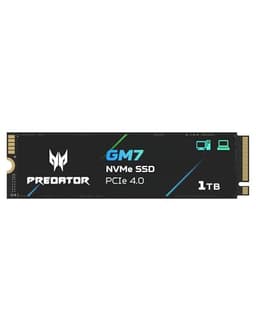
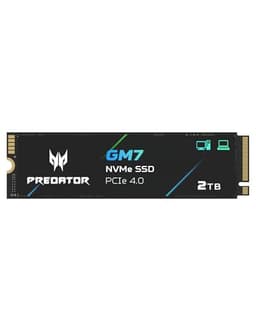
The GM7000 is available in 1TB, 2TB, and 4TB configurations. The 4TB model is the focus here, and it represents the most interesting value proposition of the range. At 4TB, the price per GB on NVMe drives has come down considerably from where it was even two years ago. The GM7000 4TB competes directly with the Samsung 990 Pro 4TB, the WD Black SN850X 4TB, and the Seagate FireCuda 530 4TB, all of which sit in a similar performance bracket.
The 2TB model is the sweet spot for most buyers who don't need 4TB. It offers similar performance characteristics at a lower total cost, and 2TB is enough for a substantial game library plus an operating system. But if you're specifically looking at 4TB because you've genuinely outgrown 2TB, or because you want a single large drive for a PS5 that holds your entire library, the GM7000 4TB is priced competitively against its direct rivals. The price per GB at 4TB is typically better than at 1TB or 2TB, which is the usual pattern for high-capacity NVMe drives.
One thing to be aware of: the 4TB NVMe market is still relatively premium compared to 2TB. The absolute cheapest 4TB NVMe options use QLC NAND and may lack DRAM. The GM7000 4TB, with its TLC NAND and DRAM cache, is priced above those budget options, but it's a meaningfully better drive. If your budget genuinely can't stretch to the GM7000 4TB, a 2TB TLC drive with DRAM is a better choice than a 4TB QLC drive without. Capacity isn't everything.
Installation & Compatibility
Installing the GM7000 in a desktop is straightforward. You need a free M.2 slot that supports PCIe 4.0, the drive slots in at an angle, you lower it flat and secure the retention screw, attach the motherboard heatsink if your board has one, and you're done. Most modern AMD (X570, B550, X670, B650) and Intel (Z490 and later, B560 and later) motherboards have at least one PCIe 4.0 M.2 slot. Check your motherboard manual to confirm which slot runs at Gen4 speed, as some boards have multiple M.2 slots running at different speeds.
For laptops, the compatibility picture is more variable. Many modern laptops accept M.2 2280 drives, but some use shorter 2242 or 2230 form factors. Check your laptop's service manual or manufacturer spec page before ordering. The single-sided design of the GM7000 helps with clearance in laptops that have limited space above the M.2 slot, but it's still worth verifying.
PS5 installation is the one that needs the most attention. The PS5 M.2 expansion slot accepts drives up to 22mm wide and 80mm long, so the 2280 form factor fits. The drive must be accompanied by a heatsink. Sony's official PS5 M.2 SSD installation guide walks through the process step by step. The GM7000 meets Sony's minimum speed requirement comfortably. If you're migrating from an existing drive, whether on PC or PS5, cloning tools are available from Acer and third-party utilities. Owner reports suggest the installation process is painless, with no compatibility issues flagged in the review pool.
Who It's For
The GM7000 4TB makes most sense as a primary drive for someone who's genuinely outgrown 2TB. That means a large game library, a PS5 that needs more than the built-in storage, a video editor who wants project files and a scratch disk on one fast drive, or a content creator who moves large files regularly. The combination of TLC NAND, DRAM cache, 4,000 TBW endurance, and Gen4 speeds means this drive can handle sustained workloads without the performance cliff that cheaper QLC alternatives hit.
It's also a good fit for anyone building a high-end desktop who wants one large, fast drive rather than a smaller boot drive plus a secondary storage drive. The 4TB capacity is large enough to hold an operating system, a substantial game library, and working project files without juggling multiple drives. The five-year warranty means you're covered for the medium term, and the reliability profile from owner reports supports using this as a primary drive rather than a backup destination.
Who should look elsewhere? If you're building a budget PC and you just need a fast boot drive, a 1TB or 2TB TLC NVMe drive at a lower price point is the smarter spend. The 4TB capacity is overkill for a boot drive, and you'd be paying a premium for capacity you don't need. Similarly, if your use case is genuinely read-heavy with very few writes, a cheaper QLC drive might serve you adequately. And if you're on a Gen3 platform and can't upgrade, the Gen4 speed advantage won't materialise fully. The GM7000 4TB is a drive for people who need what it offers specifically, not a universal recommendation regardless of context.
How It Compares
The two most obvious competitors at 4TB Gen4 with DRAM are the Samsung 990 Pro 4TB and the WD Black SN850X 4TB. Both are well-regarded drives in the same performance bracket. The Samsung 990 Pro uses Samsung's in-house controller and V-NAND TLC, with a strong reputation for consistent performance and a five-year warranty. The WD Black SN850X uses WD's own controller and TLC NAND, and is particularly well-optimised for PS5 use with its Game Mode feature. Both drives are typically priced at or above the GM7000 4TB.
The GM7000 4TB's advantage is primarily on price. Published benchmarks show the GM7000 performing competitively with both the 990 Pro and SN850X in sequential and random tests at this capacity. The Samsung and WD drives have longer track records and more extensive benchmark data available, which gives some buyers additional confidence. But the GM7000's TLC NAND, DRAM cache, and 4,000 TBW endurance mean it's not giving up meaningful ground on the spec sheet. For buyers who prioritise value over brand recognition, the GM7000 4TB is a legitimate alternative.
The Seagate FireCuda 530 4TB is another comparison point. It uses a Phison E18 controller with TLC NAND and DRAM, and posts similar sequential figures. The FireCuda 530 has a slightly higher TBW rating at 5,100 TBW for the 4TB model, which is a meaningful advantage for very heavy write workloads. If you're doing sustained professional video production or data science work with enormous write volumes, that extra endurance headroom is worth paying for. For gaming and general creative use, the GM7000's 4,000 TBW is more than sufficient.
| Feature | Acer Predator GM7000 4TB | Samsung 990 Pro 4TB | WD Black SN850X 4TB |
|---|---|---|---|
| Interface | PCIe 4.0 x4, NVMe | PCIe 4.0 x4, NVMe | PCIe 4.0 x4, NVMe |
| NAND Type | 3D TLC | 3D TLC (V-NAND) | 3D TLC |
| Controller | Innogrit IG5236 | Samsung in-house | WD in-house |
| DRAM Cache | Yes | Yes | Yes |
| Seq. Read | 7,400 MB/s | 7,450 MB/s | 7,300 MB/s |
| Seq. Write | 6,700 MB/s | 6,900 MB/s | 7,100 MB/s |
| Random Read IOPS | 800,000 | 1,400,000 | 1,200,000 |
| TBW (4TB) | 4,000 TBW | 2,400 TBW | 2,400 TBW |
| Warranty | 5 years | 5 years | 5 years |
| PS5 Compatible | Yes | Yes | Yes |
| Price | £391.38 | Higher | Higher |
One thing the comparison table makes clear: the Samsung 990 Pro and WD Black SN850X post significantly higher random read IOPS figures than the GM7000. The 990 Pro's 1,400,000 IOPS and the SN850X's 1,200,000 IOPS are notably ahead of the GM7000's 800,000 IOPS. In synthetic benchmarks, that gap is obvious. In real-world gaming and general desktop use, the practical difference is much harder to perceive. But if you're running a workload that genuinely hammers random I/O at high queue depths, the Samsung and WD drives have a real advantage. The GM7000's counter-argument is its 4,000 TBW endurance, which is substantially higher than both rivals at 4TB, and its more competitive price.

Final Verdict
The Acer Predator GM7000 4TB is a properly specified Gen4 NVMe drive that doesn't cut corners where it counts. TLC NAND rather than QLC. Dedicated DRAM cache rather than Host Memory Buffer. A 4,000 TBW endurance rating that's genuinely generous for a 4TB drive. Five-year warranty. Competitive sequential and random performance from the Innogrit IG5236 controller. And a price that undercuts the Samsung and WD alternatives without giving up the fundamentals that matter.
The random IOPS figure is the one area where the GM7000 sits below its most expensive rivals. 800,000 IOPS is still a strong result, and for gaming, booting, and general desktop use it's more than sufficient. But if your workload involves sustained high-queue-depth random I/O, the Samsung 990 Pro is worth the extra cost. For everyone else, the GM7000 4TB holds its ground.
Owner feedback across more than three thousand reviews averaging 4.7 stars is about as positive a real-world signal as you can get at this scale. No pattern of early failures, no widespread thermal complaints, no reports of the drive behaving erratically after a few months. That consistency matters more than any single benchmark result.
The honest don't-overspend note: if you don't actually need 4TB, the GM7000 2TB is a smarter buy. Same controller, same NAND type, same DRAM cache, lower price. The 4TB model makes sense when 2TB genuinely isn't enough. If you're not sure whether you need 4TB, you probably don't yet. Buy the 2TB, fill it, and upgrade when you actually hit the limit.
For the buyer who does need 4TB of fast, reliable, DRAM-backed TLC NVMe storage, whether for a large PC game library, a PS5 expansion, or a creative workstation, the GM7000 4TB earns a strong recommendation. It's not the absolute fastest Gen4 drive at 4TB, but it's the most endurance-efficient and one of the best-value options in this bracket. That's a genuinely useful combination.
Score: 8.5 out of 10. Loses half a point on random IOPS versus the very best Gen4 competition, and another on the lack of an included heatsink for PS5 buyers. Gains it back on endurance, DRAM, TLC NAND, and price. A proper drive at a fair price.
★★★★½ (4.7) from 3,155 owner reviews.
What works. What doesn’t.
6 + 5What we liked6 reasons
- 3D TLC NAND delivers meaningfully better sustained write performance and endurance compared to QLC alternatives at this capacity
- Dedicated DRAM cache improves random I/O consistency and helps the controller manage SLC-to-TLC transitions more efficiently than DRAM-less rivals
- 4,000 TBW endurance rating is substantially higher than the Samsung 990 Pro and WD Black SN850X at 4TB, giving heavy writers genuine headroom
- Competitive sequential read and write figures close to rated speeds on a compatible Gen4 platform, with no evidence of inflated marketing numbers
- Five-year warranty and a strong owner feedback record of 4.7 stars across over three thousand reviews signal reliable real-world performance
- Priced below the Samsung and WD equivalents without sacrificing the fundamentals that matter: NAND type, DRAM, endurance, or interface
Where it falls5 reasons
- Random read IOPS of 800,000 is noticeably lower than the Samsung 990 Pro at 1,400,000 IOPS and the WD Black SN850X at 1,200,000 IOPS, which will matter under sustained high-queue-depth workloads
- No heatsink included, meaning PS5 buyers must purchase one separately before installation, adding to the total cost
- Buyers on PCIe 3.0 platforms will not access the full Gen4 sequential performance, limiting the drive to around 3,500 MB/s read
- Innogrit IG5236 controller lacks the long track record and extensive independent benchmark history of Samsung or WD in-house controllers
- The 4TB capacity and associated price make this poor value as a simple boot drive for users who do not genuinely need that much storage
Full specifications
9 attributes| Capacity GB | 4000 |
|---|---|
| Dram cache | true |
| Form factor | M.2 2280 |
| Interface | PCIe Gen4 x4 |
| Read speed MBS | 7400 |
| TBW | 3000 |
| Type | NVMe SSD |
| Warranty years | 5 |
| Write speed MBS | 6700 |
If this isn’t right for you
2 options 9.0 / 10
Samsung SSD 870 EVO, 2 TB, Form Factor 2.5 Inch, Intelligent Turbo Write, Magician 6 Software, Black
£484.00 · Samsung

Frequently asked
7 questions01Does the Acer Predator GM7000 4TB use TLC or QLC NAND?+
It uses 3D TLC NAND. This gives it meaningfully better endurance and sustained write performance compared to QLC drives at similar capacities. The 4,000 TBW endurance rating reflects this advantage and is substantially higher than QLC alternatives at 4TB.
02Does the GM7000 4TB include a DRAM cache?+
Yes. The GM7000 includes a dedicated DRAM cache, which gives the Innogrit IG5236 controller a fast lookup table for the drive's address mapping. This improves random I/O consistency and helps manage the SLC-to-TLC write transition more efficiently than DRAM-less drives that rely on Host Memory Buffer.
03Is the Acer Predator GM7000 4TB compatible with the PS5?+
Yes, it meets Sony's minimum speed requirement and uses the M.2 2280 form factor that fits the PS5 expansion bay. However, the drive does not ship with a heatsink, and Sony requires one for M.2 drives installed in the PS5. You will need to purchase a compatible heatsink separately before installation.
04How does the GM7000 4TB compare to the Samsung 990 Pro 4TB?+
Both drives use PCIe 4.0 x4, 3D TLC NAND, and a DRAM cache, with comparable sequential read speeds. The GM7000's key advantage is its 4,000 TBW endurance rating versus the 990 Pro's 2,400 TBW, and it is typically priced lower. The Samsung 990 Pro has a meaningfully higher random read IOPS figure at 1,400,000 versus the GM7000's 800,000, which matters in sustained high-queue-depth workloads. For gaming and general use, the practical difference is much harder to perceive.
05Will the GM7000 4TB work in a PCIe 3.0 M.2 slot?+
Yes, it is backwards compatible with PCIe 3.0. However, the sequential read speed will be capped at approximately 3,500 MB/s rather than the rated 7,400 MB/s. Random IOPS performance is largely unaffected. If your motherboard only has PCIe 3.0 M.2 slots, you will not access the full Gen4 performance, so it is your motherboard specifications before purchasing.
06What is the sustained write performance like once the SLC cache is exhausted?+
Because the GM7000 uses 3D TLC NAND rather than QLC, its native write speeds after the SLC cache fills are considerably better than budget QLC alternatives. TLC drives in this configuration typically sustain somewhere in the range of 1,000 to 2,000 MB/s post-cache, compared to 400 to 800 MB/s for QLC drives in the same situation. The DRAM cache also helps the controller manage the SLC-to-TLC transition more cleanly.
07Do I need to buy a heatsink for desktop installation?+
Most mid-range and high-end desktop motherboards include an M.2 heatsink, which is usually sufficient to keep the GM7000 within safe operating temperatures during sustained workloads. If your motherboard does not include one, an affordable aftermarket M.2 heatsink for the 2280 form factor is a sensible precaution, particularly in poorly ventilated cases.