The bits that actually determine whether a keyboard is good or rubbish rarely make it onto the box. Switch actuation distance, stabiliser rattle, polling rate, whether the software is a nightmare or just works. Most quick reviews skim straight past all of that and land on "feels nice to type on" which tells you precisely nothing. So when something like the TECKNET Wireless Ergonomic Keyboard lands in the budget bracket, the real question isn't whether it looks the part in product photos. It's whether the fundamentals are sorted, or whether you're buying a pretty paperweight.
The verdict? This is a genuinely decent ergonomic keyboard for office and productivity use at a budget price point, and the 1,446 owner reviews averaging 4.3 stars back that up more convincingly than any marketing copy could. But, and this is important, it is absolutely not a gaming keyboard in any meaningful sense. It's listed under gaming keyboards on Amazon, which is baffling. There's no mechanical switches, no high polling rate, no N-key rollover spec worth shouting about. If you're after a proper gaming board, stop here and look elsewhere. If you're after a comfortable, wireless, split-layout keyboard for long days at a desk, this is worth your attention.
The TECKNET sits in the budget tier, priced under £50, and at that level the competition is mostly flat membrane boards with no ergonomic thought put into them whatsoever. The split layout and included wrist rest here are genuinely unusual for this price. That's the headline. Everything else is context.
Core Specifications
The TECKNET Wireless Ergonomic Keyboard is a full-size split membrane keyboard with dual wireless connectivity: 2.4GHz via USB dongle and Bluetooth. It's rechargeable via USB, which means no swapping out AA batteries every few weeks, and it comes bundled with an attached fabric-covered wrist rest. The layout is designed around a natural, slightly tented split that keeps your wrists in a more neutral position compared to a flat slab keyboard. The keycap legends appear to be laser-etched or pad-printed on ABS plastic, which is standard for this price bracket.
What the spec sheet doesn't shout about is what's missing. There's no polling rate figure advertised, which for a membrane wireless keyboard in the productivity space isn't a scandal, but it does confirm this isn't built for gaming. Polling rate matters enormously in competitive gaming because it determines how often the keyboard reports your keystrokes to the PC. Budget wireless keyboards typically operate at 125Hz, which is fine for typing and completely inadequate for anything requiring fast, precise input in a game. There's no mention of N-key rollover either, so don't expect to hammer six simultaneous keys during a raid and have all of them register cleanly.
The stain-resistant fabric on the wrist rest is a nice touch that you genuinely don't see often at this price. Owner reviews consistently mention it holds up well and doesn't look grim after a few months of use, which is a real problem with foam wrist rests that absorb everything. The overall build is aimed squarely at Windows users, though Bluetooth compatibility extends to tablets and laptops. Here's the full picture:
| Specification | Detail |
|---|---|
| Switch Type | Membrane |
| Layout | Full-size ergonomic split |
| Connectivity | 2.4GHz USB dongle + Bluetooth |
| Polling Rate | Not specified (likely 125Hz) |
| N-Key Rollover | Not specified |
| Battery | Built-in rechargeable (USB) |
| Wrist Rest | Included, stain-resistant fabric |
| Keycaps | ABS membrane |
| RGB | None |
| OS Compatibility | Windows (primary), Bluetooth devices |
| Brand | TECKNET |
| ASIN | B0DRFNPZVD |
| Price | £31.44 |
| Rating | ★★★★☆ (4.3) (1,547 reviews) |

Switch Type and Feel
Right, so this is a membrane keyboard. Full stop. If you came here hoping for tactile bumps, linear smoothness, or the satisfying click of a proper mechanical switch, you're going to be disappointed. Membrane keyboards use a pressure pad system underneath the keycaps rather than individual switches, which means the feel is softer, mushier, and less precise than anything mechanical. That's not necessarily a dealbreaker for productivity use. Plenty of people actually prefer a quieter, softer key action when they're typing documents all day. But it's important to be clear-eyed about what you're getting.
The actuation force and travel distance aren't published by TECKNET, which is frustrating but typical for membrane boards in this bracket. Based on the owner review patterns, the consensus is that the keys feel soft and comfortable for extended typing sessions, with no complaints about excessive stiffness or keys requiring too much force. A few owners note the keys feel a bit light, which can cause accidental presses if you're used to a heavier mechanical board. That's the classic membrane trade-off: accessible and quiet, but lacking the tactile feedback that helps you know when a keypress has registered without bottoming out every time.
What the split ergonomic layout does do is change the angle at which your fingers approach the keys, which genuinely reduces the pronation (inward rotation) of your forearms. That's the whole point of ergonomic split keyboards and it can make a real difference if you spend hours at a keyboard daily. The membrane feel, combined with the ergonomic positioning, means this is designed for comfortable, sustained typing rather than rapid, precise gaming input. For that purpose, the switch feel is adequate. For gaming? Not a chance.
Keycap Quality and Layout
The keycaps are ABS plastic, which is the budget standard and comes with the usual caveats. ABS keycaps develop a shine over time as the oils from your fingers gradually polish the surface. It's not a question of if, it's a question of when. On heavy-use boards, ABS legends can look greasy and worn within six months. The legends here are unlikely to be double-shot (where two layers of plastic are moulded together so the legend can never wear off), so expect some fading eventually if you're a heavy typist. That said, at this price point, PBT keycaps with dye-sublimated legends are simply not on the menu. You'd need to spend significantly more to get there.
The layout is where things get more interesting. This is a full-size split design, meaning you get all the keys you'd expect on a standard full-size keyboard, including the numpad, but the board is physically divided into two halves with a slight outward angle. The split is fixed rather than fully adjustable, which means you can't tent the two halves independently or adjust the angle to your specific shoulder width. More advanced ergonomic keyboards like the Kinesis Advantage or the Logitech ERGO K860 offer more adjustability, but they also cost several times more. For a fixed-split design at this price, the geometry is sensibly chosen and most owners report it feeling natural within a short adjustment period.
Owner reviews are positive about the key spacing and size. No complaints about cramped keys or awkward key placement, which is a genuine concern with some ergonomic boards that sacrifice key size in pursuit of a smaller footprint. The function row is present, the arrow keys are in their standard positions, and the numpad is fully functional. A few owners who switched from a standard flat keyboard mention the adjustment period takes a day or two, which is completely normal for any split layout. After that, the consensus is that going back to a flat board feels wrong. That's a good sign.
Build Quality
TECKNET is a budget brand, and the build quality reflects that, but not in a catastrophically cheap way. The case is plastic throughout, which you'd expect at this price. There's no aluminium plate, no steel backplate, nothing that adds meaningful weight or rigidity. The keyboard is relatively light, which makes it easy to position on a desk but means it can shift around during heavy typing sessions if you're not using the wrist rest to anchor it. A few owner reviews mention this, recommending a non-slip mat underneath if your desk surface is smooth.
The wrist rest is the build highlight. It's attached (not detachable) and covered in the stain-resistant fabric that TECKNET makes a point of advertising. Owner reviews consistently back up this claim, with multiple people specifically mentioning that the wrist rest still looks clean after months of daily use. That's genuinely impressive for a budget accessory. Foam wrist rests at this price usually absorb sweat and skin oils and start looking grim fairly quickly. The fabric covering here seems to resist that, and it's soft enough that owners report it comfortable for long sessions without creating pressure points on the wrists.
The overall construction feels solid enough for an office environment. Nothing about the reported owner experience suggests keys wobbling, the case flexing dramatically, or the USB dongle receiver feeling flimsy. One thing worth noting: the keyboard is designed primarily for Windows use, and the key labelling reflects that. The function keys have Windows-specific shortcuts printed on them. Mac users can make it work via Bluetooth but will find some key functions don't map cleanly without remapping software. The build quality is appropriate for its price tier. Don't expect it to survive being dropped repeatedly or to last a decade of heavy abuse, but for normal office use it seems genuinely durable based on what owners report.
RGB and Lighting
There is no RGB on this keyboard. None. Zero. Not even a single-colour backlight. This is a completely unlit keyboard, which is worth being absolutely clear about if you work in a dim environment or like to type in the dark. The lack of backlighting is a deliberate design choice for a productivity-focused ergonomic board, and honestly it's the right call for the target audience. RGB adds cost, drains battery faster, and most people using an ergonomic keyboard for all-day office work aren't sitting in a darkened gaming den.
If you genuinely need to see your keys in low light, this keyboard isn't for you. That's not a criticism, it's just a fact. The alternative is to get a board with backlighting, which at this price tier usually means a dim, single-colour LED underneath ABS keycaps that looks underwhelming anyway. The TECKNET's decision to skip lighting entirely and put that cost saving into the wrist rest and wireless functionality is a reasonable trade-off for the intended use case.
For completeness: there are no lighting zones, no software-controlled effects, no per-key RGB, and no on-board lighting profiles to configure. If you're reviewing this because you want a lit-up desk setup, look at something like the Logitech MX Keys or spend more on a mechanical board with proper per-key RGB. For everyone else who types in a normally lit office, the absence of RGB is genuinely irrelevant and probably a net positive for battery life.
Software and Customisation
TECKNET doesn't ship dedicated software with this keyboard, and there's no mention of a companion app in the product listing or owner reviews. What you see is what you get. The function keys have pre-assigned shortcuts for things like volume control, media playback, and screen brightness, but you can't remap keys, create macros, or adjust anything beyond what the hardware provides out of the box. For a productivity keyboard at this price, that's entirely expected and not really a problem for most users.
The Bluetooth pairing is handled via dedicated keys on the keyboard itself, which is the standard approach for multi-device wireless keyboards. No software required, which is actually a point in its favour. Software dependency is a genuine annoyance on keyboards where the companion app stops working after a Windows update or gets abandoned by the manufacturer. TECKNET sidesteps that entirely by keeping everything hardware-level. Simple, but functional.
If you need deep customisation, macro support, or the ability to remap keys, this keyboard simply isn't built for that. You'd need to look at something with proper software support, like the Logitech G series or a mechanical board running QMK firmware, which is the open-source keyboard firmware that's become the gold standard for customisable mechanical keyboards. The TECKNET is a plug-and-play device in the truest sense. Connect the dongle or pair via Bluetooth, and it works. That's the entire software story.

Connectivity
Dual wireless connectivity is one of the stronger selling points here. The 2.4GHz USB dongle gives you a stable, low-latency wireless connection for your primary machine, while Bluetooth lets you pair to a second device (a laptop, tablet, or phone) without needing to plug anything in. Switching between the two is handled via a dedicated button on the keyboard. Owner reviews are generally positive about this, with people using the 2.4GHz connection for their desktop and Bluetooth for a work laptop, switching between the two throughout the day.
The 2.4GHz connection is the more reliable of the two for sustained use. 2.4GHz wireless at this kind of HID (human interface device) level is well-understood technology and the connection should be stable within a normal desktop range of around ten metres. A handful of owner reviews mention occasional dropout in environments with heavy 2.4GHz interference (busy offices with lots of WiFi devices), which is a known characteristic of the frequency band rather than a specific TECKNET problem. If interference is a concern, keeping the USB dongle close to the keyboard rather than plugged into the back of a tower helps significantly.
Bluetooth performance is reported as solid for typing use, though a small number of owners note the initial pairing process can be slightly fiddly. Once paired, it reconnects reliably. Worth being clear again: neither connection method is going to give you the sub-millisecond latency of a wired gaming keyboard. The 2.4GHz connection is perfectly adequate for typing and general productivity. For gaming, wired is always the right answer, and this keyboard doesn't offer a wired mode at all. The USB port is for charging only, not data.
Battery Life
TECKNET advertises a rechargeable built-in battery, which is a meaningful upgrade over keyboards that require you to keep a stock of AA batteries. The specific battery capacity and rated hours aren't prominently published in the listing, which is a bit annoying. However, owner reviews give a useful picture: the general consensus is that battery life is good for daily office use, with most people reporting they charge it infrequently, some mentioning weeks between charges under normal use patterns.
The absence of backlighting is a significant contributor to battery longevity here. RGB and even single-colour backlighting can cut wireless keyboard battery life dramatically. Without any lighting draw, the power budget goes entirely to the wireless radio and the keyboard controller, which is why unlit wireless keyboards tend to outlast their lit counterparts by a considerable margin. This is a practical advantage for an office keyboard where you don't want to be hunting for a USB cable every few days.
Charging is via USB, though the specific connector type (USB-C or Micro-USB) isn't clearly specified in the listing. This is worth checking before purchase if you've standardised on USB-C across your desk setup. A few owner reviews mention the charging cable, but without consistent detail on the connector type. The keyboard can't be used while charging in wireless mode (there's no wired data mode), so if the battery does run flat mid-session, you'll need to wait or switch to a different input device. That said, given the reported battery longevity, running it completely flat in normal use seems unlikely.
Typing and Gaming Experience
For typing, this keyboard gets genuinely good marks from its owner base. The ergonomic split layout reduces wrist strain over long sessions, and the soft membrane action means it's quiet enough for shared office environments without the clickety-clack of a mechanical board annoying your colleagues. Multiple owners specifically mention using this after switching from a flat keyboard to address RSI or wrist pain, and reporting improvement. That's not a universal cure and individual ergonomics vary, but a consistent pattern across many reviews is worth taking seriously.
The typing sound profile is soft and muted, as you'd expect from a membrane board. No satisfying thock, no tactile click, just a quiet pad of keys. For some people that's ideal. For enthusiasts who've been spoiled by the sound of a well-built mechanical board with POM plate and lubed switches, it'll feel like a step backwards. But that's comparing apples to something completely different. The TECKNET isn't trying to be a premium mechanical board. It's trying to be a comfortable, quiet, wireless productivity keyboard, and on those terms the typing experience is well-regarded.
Gaming performance is where this falls apart, and it's important to be direct about that. The keyboard is listed in the gaming category on Amazon, which creates a misleading impression. There's no published polling rate (almost certainly 125Hz), no N-key rollover confirmation, no anti-ghosting spec, and the wireless-only connectivity adds latency compared to a wired connection. For casual gaming where you're not pressing multiple keys simultaneously and where reaction time isn't critical, it'll work. For anything competitive, anything requiring rapid simultaneous inputs, or anything where input latency matters, this keyboard will hold you back. Buy a proper gaming keyboard instead. This is a productivity board that happens to work with games, not a gaming keyboard.
Compatibility
Windows compatibility is the primary focus and the keyboard is clearly designed with Windows in mind. The function key shortcuts are Windows-specific, the layout matches a standard Windows full-size keyboard, and the plug-and-play 2.4GHz connection works without drivers on any modern Windows system. Owner reviews are overwhelmingly from Windows users and report no compatibility issues out of the box.
macOS use is possible via Bluetooth, but with caveats. The key labelling won't match macOS conventions, and some function key shortcuts won't work as labelled. The Command and Option keys don't have dedicated keycaps, so you'll be using the Windows and Alt keys in their place, which works functionally but requires some mental remapping. A handful of owner reviews mention using it successfully with MacBooks via Bluetooth for basic typing, which is fine if you're not relying on the function row shortcuts. It's not ideal for a Mac-primary setup though.
Bluetooth compatibility extends to tablets and smartphones, which is a genuine bonus for people who move between a desktop and a tablet throughout the day. iPads, Android tablets, and phones all pair via standard Bluetooth HID, so the keyboard works as a general-purpose Bluetooth input device. Linux compatibility via the 2.4GHz dongle should work without issues since it presents as a standard HID device, though TECKNET doesn't explicitly support Linux and there's no software to install anyway. Console gaming keyboards this is not, and there's no mention of compatibility with PlayStation or Xbox.
How It Compares
The most obvious direct competitor at a similar price is the Microsoft Sculpt Ergonomic Keyboard, which has been the go-to recommendation for budget ergonomic keyboards for years. The Sculpt uses a similar fixed-split design with a cushioned wrist rest, runs on batteries rather than a built-in rechargeable, and uses a 2.4GHz dongle. The TECKNET's rechargeable battery is a genuine advantage over the Sculpt's battery dependency. The Sculpt has the benefit of Microsoft's longer track record in the ergonomic space and slightly more refined key feel according to most owner comparisons, but it typically costs more and the battery situation is genuinely annoying.
The Logitech ERGO K860 is the premium alternative in this category. It offers a more pronounced split and tent angle, better build quality, proper Logitech software support, and a more refined typing experience. It also costs significantly more, putting it in an entirely different budget bracket. If you're serious about ergonomics and can stretch the budget, the K860 is the better long-term investment. But if the budget tier is where you need to be, the TECKNET is a more credible option than most people would expect.
For gaming keyboards at a similar price point, something like the Redragon K552 or the Tecware Phantom offers actual mechanical switches (usually Outemu Blue or Red clones), proper anti-ghosting, and polling rates of 1000Hz, all for a similar budget outlay. Those are the right choice if gaming is the priority. They're flat, wired, and not ergonomic, but they're actually built for gaming in a way the TECKNET simply isn't.
| Feature | TECKNET Wireless Ergonomic | Microsoft Sculpt Ergonomic | Logitech ERGO K860 |
|---|---|---|---|
| Switch Type | Membrane | Membrane | Membrane |
| Layout | Full-size split | Full-size split | Full-size split |
| Connectivity | 2.4GHz + Bluetooth | 2.4GHz only | 2.4GHz + Bluetooth |
| Battery | Built-in rechargeable | AA batteries | Built-in rechargeable |
| Wrist Rest | Included, fabric | Included, foam | Included, fabric |
| Software | None | None | Logi Options+ |
| RGB | No | No | No |
| Price Tier | Budget (under £50) | Budget to mid | Mid to premium |
| Gaming Suitability | Poor | Poor | Poor |

Final Verdict
The TECKNET Wireless Ergonomic Keyboard is a solid budget productivity board that's been misclassified as a gaming keyboard on Amazon. That misclassification is going to send the wrong people to this product and the right people away from it, which is a shame. Because for what it actually is, it's genuinely good. A wireless, rechargeable, full-size split ergonomic keyboard with a stain-resistant fabric wrist rest at a budget price point is a real proposition. The 1,446 owner reviews averaging 4.3 stars aren't lying. People who bought this for the right reasons are happy with it.
The switch feel is soft membrane, quiet, and comfortable for long typing sessions. The build quality is plastic throughout but holds up well in normal office use. The dual wireless connectivity (2.4GHz plus Bluetooth) is a genuine feature that owners use and appreciate. The wrist rest is better than it has any right to be at this price. And the ergonomic split layout, while fixed rather than fully adjustable, is sensibly designed and owners consistently report it reducing wrist strain after a short adjustment period.
The weaknesses are real but predictable. ABS keycaps will shine over time. No backlighting means working in low light is awkward. No software means no remapping or macros. And the gaming performance is, to be blunt, not something you should be thinking about with this keyboard. The polling rate is almost certainly 125Hz, the wireless-only connection adds latency, and there's no N-key rollover spec to speak of. This is not a gaming keyboard.
Who should buy this? Anyone who spends long hours typing at a desk, is starting to feel wrist or forearm discomfort from a flat keyboard, wants wireless flexibility without the battery faff, and doesn't need RGB or software customisation. Remote workers, office workers, writers, coders who don't need gaming performance. That's a big audience and this serves them well at a fair price.
Who should skip it? Gamers. Anyone who needs per-key RGB. Anyone who wants mechanical switches. Anyone who types primarily on a Mac and relies on function key shortcuts. Anyone who needs deep customisation or macro support.
And the honest don't-overspend line: if you just want a cheap wireless keyboard and don't actually have wrist issues or ergonomic needs, a standard flat membrane wireless keyboard from Logitech or Microsoft will cost less and serve you just as well. The ergonomic premium here is only worth paying if the ergonomics are actually what you need. But if they are, this is one of the better-value ways to get there without spending on the Logitech ERGO K860.
At this price in the budget bracket, the TECKNET Wireless Ergonomic Keyboard earns a solid 7 out of 10 for productivity use. As a gaming keyboard, it scores a 3, and only that high because it technically registers keypresses. Buy it for the right reasons and you'll be happy. Buy it thinking it's a gaming board and you'll be sending it back.
What works. What doesn’t.
5 + 6What we liked5 reasons
- Dual wireless connectivity via 2.4GHz dongle and Bluetooth gives genuine multi-device flexibility
- Built-in rechargeable battery removes the ongoing cost and inconvenience of disposable AA batteries
- Stain-resistant fabric wrist rest outperforms foam alternatives typically found at this price point
- Fixed split ergonomic layout is sensibly angled and owners consistently report reduced wrist strain after a short adjustment period
- Quiet membrane action suits shared office environments where a clicking mechanical keyboard would irritate colleagues
Where it falls6 reasons
- ABS keycaps will develop a greasy shine over time and legends may fade with heavy use
- No backlighting of any kind makes the keyboard awkward to use in low-light conditions
- No dedicated software means zero key remapping, macro creation, or customisation beyond the fixed hardware layout
- Polling rate is almost certainly 125Hz and there is no N-key rollover specification, making this completely unsuitable for gaming
- Split angle is fixed rather than adjustable, limiting how precisely you can match the layout to your shoulder width
- USB port is for charging only with no wired data mode, so a flat battery mid-session means waiting or switching devices
Full specifications
5 attributes| Switch type | scissor switch |
|---|---|
| Layout | full-size split |
| Battery life H | 200 |
| HOT swappable | false |
| Switch actuation | tactile |
If this isn’t right for you
2 options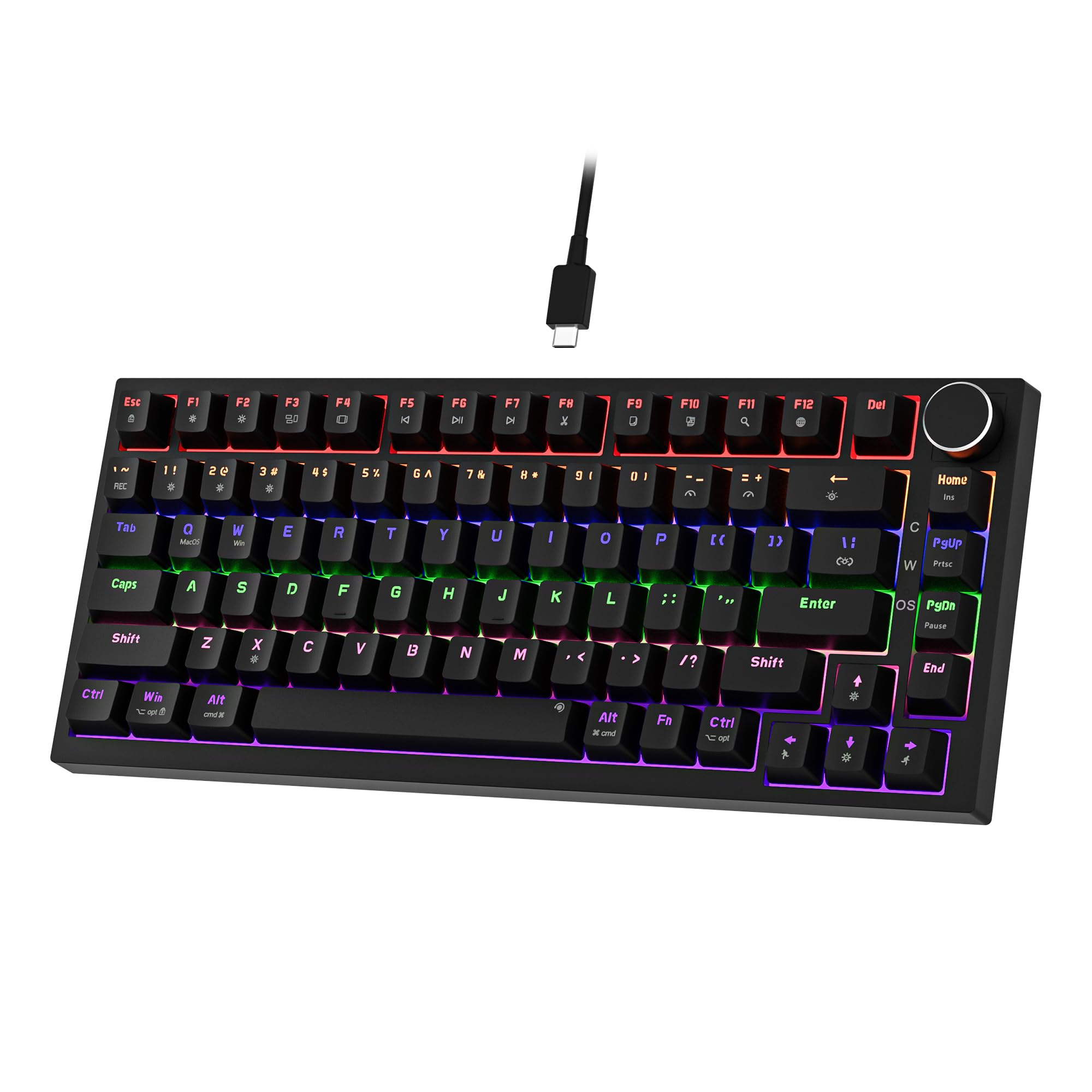 7.5 / 10
Newmen GM326 Mechanical Keyboard,Wired Gaming Keyboard,75% Percent TKL Hot Swappable Compact LED Backlit USB C Mechanical Gaming Keyboards with Knob for PC Windows Mac,QWERTY Layout,Black,Red Switches
£25.26 · NEWMEN
 7.5 / 10
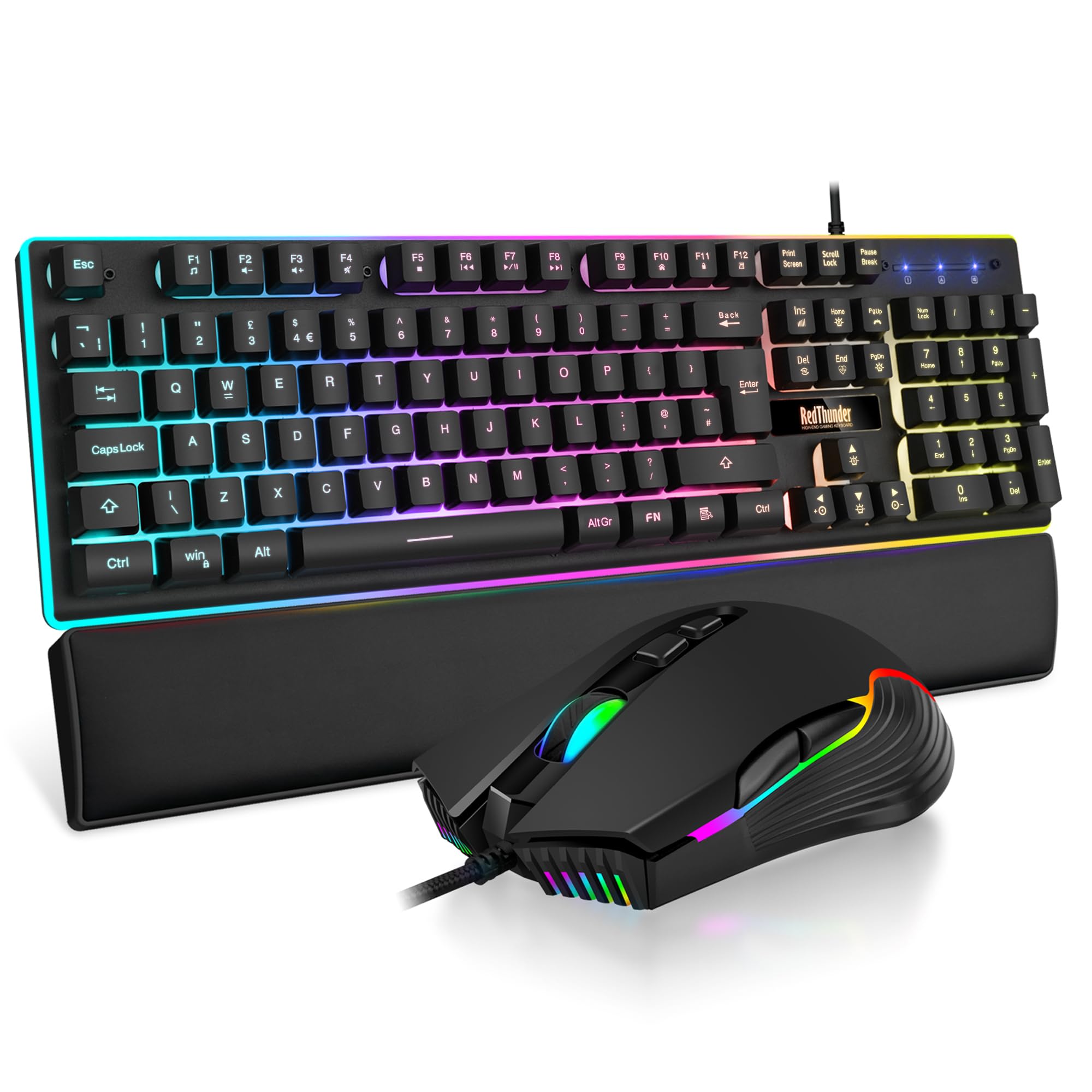
RedThunder K10 Wired Gaming Keyboard and Mouse Combo, UK Layout, True RGB Backlight, Soft Leather Wrist Rest, Mechanical Feel Ergonomic Anti-Ghosting Keyboard + 7D 7200 DPI Mouse for PC Mac (Black)
£33.99 · RedThunder
Frequently asked
6 questions01Is the TECKNET Wireless Ergonomic Keyboard suitable for gaming?+
No. Despite being listed under gaming keyboards on Amazon, this board is not suitable for gaming in any meaningful sense. The polling rate is not specified but is almost certainly 125Hz, there is no confirmed N-key rollover, and the wireless-only connection adds latency compared to a wired board. For casual gaming where simultaneous key presses and reaction time are not critical it will function, but for competitive or fast-paced gaming you should buy a dedicated gaming keyboard with a 1000Hz polling rate and proper anti-ghosting.
02Does the TECKNET Wireless Ergonomic Keyboard work with Mac?+
It can connect to a Mac via Bluetooth and will work for basic typing, but it is not ideal for Mac-primary use. The key legends are Windows-specific, so function row shortcuts will not map correctly to macOS, and there are no dedicated Command or Option keycaps. You will be using the Windows and Alt keys in their place, which works functionally but requires mental adjustment. If you rely on macOS function key shortcuts regularly, a Mac-specific keyboard would serve you better.
03What is the battery life like and how does it charge?+
Owner reviews report good battery longevity, with most people charging infrequently and some mentioning weeks between charges under normal daily use patterns. The absence of any backlighting contributes significantly to this, as lighting draws are eliminated entirely. The keyboard charges via USB, though the specific connector type (USB-C or Micro-USB) is not clearly specified in the product listing and is worth confirming before purchase. The USB port is for charging only and does not support wired data mode, so the keyboard cannot be used while charging.
04Can the split angle be adjusted to suit different shoulder widths?+
No. The split is fixed, meaning the two halves cannot be tented independently or repositioned relative to each other. More advanced and significantly more expensive ergonomic keyboards such as the Logitech ERGO K860 or the Kinesis Advantage offer greater adjustability. For most people the fixed geometry of the TECKNET is a reasonable compromise at this price, and owner reviews generally report the angle feels natural after a short adjustment period of a day or two.
05Does the TECKNET Wireless Ergonomic Keyboard require any software to set up?+
No software is required or provided. The 2.4GHz connection is plug-and-play on any modern Windows system with no drivers needed. Bluetooth pairing is managed via dedicated keys on the keyboard itself. This simplicity is a genuine advantage as it avoids reliance on companion apps that can break after operating system updates or become unsupported over time. The trade-off is that there is no way to remap keys, create macros, or adjust any settings beyond what the hardware provides out of the box.
06How does the wrist rest compare to others at this price?+
It is notably better than most. The wrist rest is attached to the keyboard and covered in a stain-resistant fabric rather than the bare foam found on most budget competitors. Owner reviews consistently report that it remains clean and presentable after months of daily use, which is a real problem with foam alternatives that absorb oils and sweat. The wrist rest is not detachable, which means you cannot remove it if you prefer typing without one, but the material quality is a genuine highlight of the overall package at this price point.