DPI numbers are basically meaningless marketing at this point. You know that, right? Most competitive players sit somewhere between 800 and 1600 DPI regardless of what's printed on the box, and a mouse claiming 4800 DPI is not automatically better than one claiming 1600. What actually matters is whether the sensor tracks cleanly, whether the shape suits your hand, and whether the thing doesn't fall apart after three months. So when TECKNET slaps "4800DPI" on the box of a budget wireless mouse, the sensible question isn't "is that enough DPI?" It's "does the rest of it hold up?"
The TECKNET Wireless Gaming Mouse 2.4G Optical USB Computer Mice, 8 Buttons, 4800DPI Nano Receiver sits in a crowded corner of the market where every brand is fighting for the same tenner or so. Over 12,000 owners have rated it on Amazon, landing at a 4.3 average. That's not nothing. Budget mice often scrape 3.8 or 3.9 because the cheap ones really are that bad, so 4.3 from a big sample suggests TECKNET is doing something right here. The question is what, exactly, and whether it matters for how you actually use a mouse.
This review is grounded in the verified spec sheet, the owner feedback patterns from those 12,623, and a clear-eyed comparison against what else you can get at this price point. No lab testing, no "after three weeks with it" waffle. Just the specs, what real owners consistently report, and an honest answer to whether this is worth your money.
Core Specifications
The headline numbers here are pretty straightforward. You get a 2.4GHz wireless optical mouse with a nano USB receiver, five DPI steps (800, 1200, 1600, 2400, and 4800), eight buttons, and a 500Hz polling rate. The weight comes in at 86 grams. That polling rate is worth flagging because most budget wireless mice ship at 125Hz, which is noticeably laggy if you're used to anything better. 500Hz is a genuine step up and puts this closer to mid-range territory in terms of responsiveness.
The wireless range is quoted at up to 10 metres, which is plenty for any desk setup and then some. Connection is plug-and-play via the nano receiver with no driver required, which is either a blessing or a limitation depending on how much you like tweaking things (more on that in the software section). The 20 million click lifespan claim on the switches is a standard marketing figure, but it does at least suggest TECKNET isn't using the absolute cheapest switches they could find.
Compatibility covers Windows 11 all the way back to XP and Mac, though notably, upfront that the side buttons don't function on Mac OS. If you're on a Mac and you want those extra buttons, this isn't the one. Windows users get the full eight-button experience without installing a single thing, which is genuinely convenient for office machines, work laptops, or any setup where you don't have admin rights to install software.
| Specification | Detail |
|---|---|
| Connectivity | 2.4GHz wireless, USB nano receiver |
| DPI Range | 800 / 1200 / 1600 / 2400 / 4800 (5 levels) |
| Polling Rate | 500Hz |
| Buttons | 8 |
| Weight | 86g |
| Wireless Range | Up to 10 metres |
| Switch Lifespan | Up to 20 million clicks |
| Compatibility | Windows 11/10/8/7/Vista/XP, Mac (side buttons inactive on Mac) |
| Driver Required | No |
| Price | £17.99 |

Shape and Ergonomics
TECKNET hasn't published precise dimensions for this mouse, which is a bit annoying when you're trying to figure out if it'll fit your hand. From the product imagery and owner reports, this is a right-handed ergonomic shape with a pronounced thumb rest on the left side and a mid-rear hump that sits comfortably under a palm grip. It's not a symmetrical design, so left-handers should look elsewhere immediately.
The shape reads as targeting medium to large hands in a palm or relaxed claw grip. The hump position and the overall profile suggest this isn't built for fingertip grippers, who tend to prefer a lower, flatter mouse they can control from the fingertips without the back of the shell forcing their palm down. If you've got smaller hands and prefer fingertip grip, the shape will likely feel a bit awkward. But for someone with medium-to-large hands who just wants to rest their palm on something comfortable for a long office session or a casual gaming stretch, this should feel natural pretty quickly.
The side buttons sit on the left side, positioned for thumb access. Owner feedback generally suggests the placement is fine for most hand sizes, though a few reviewers with smaller hands mention having to shift their grip slightly to reach them cleanly. The scroll wheel sits in a fairly standard position. Nothing revolutionary about the ergonomics here, but nothing obviously wrong either. It's a sensible, inoffensive shape that'll suit a lot of people without wowing anyone.
Sensor Performance
TECKNET doesn't specify the exact sensor model in this mouse, which is pretty common at this price point. Budget manufacturers often use generic or house-branded optical sensors rather than the PixArt chips you'd find in mid-range and premium mice. That matters because a PixArt PAW3395 or PAW3370 will give you near-flawless tracking with minimal lift-off distance and essentially zero spin-out risk, while cheaper unbranded sensors can introduce inconsistent tracking, higher lift-off distance, and occasional jitter at higher DPI settings.
What we can say from the spec sheet is that the sensor tops out at 4800 DPI across five steps. As mentioned, the DPI ceiling is irrelevant for most use cases. The 800 and 1200 settings are where most office users will live, and 1600 is a reasonable starting point for gaming. The 500Hz polling rate is genuinely useful because it means the mouse is reporting its position to your PC 500 times per second rather than the 125 times per second you'd get from a cheaper wireless mouse. That translates to noticeably smoother cursor movement, especially if you're used to budget peripherals. It won't match a 1000Hz or 8000Hz gaming mouse, but it's a real step above the budget baseline.
Owner reviews at the 4.3 average level don't flag widespread tracking complaints, which is a decent signal. When a sensor is genuinely bad, it shows up in reviews pretty quickly. Owners mention the cursor feeling responsive and accurate for everyday use and light gaming. For competitive FPS play where you need the absolute tightest tracking and lowest lift-off distance, you'd want a known-good sensor and a higher polling rate. But for the use cases this mouse is actually aimed at, the sensor appears to do its job without causing frustration.
Weight and Glide
At 86 grams, this sits in what most people would call the medium weight category. Ultralight mice these days are pushing under 60 grams, lightweight sits roughly 60 to 80 grams, medium covers 80 to 100 grams, and anything over 100 grams starts feeling heavy in extended sessions. So 86 grams is perfectly normal. Not a featherweight, but not a brick either. For office use and casual gaming, most people won't notice the weight at all.
Where it gets more relevant is for extended gaming sessions, particularly in fast-paced games where you're flicking the mouse around constantly. Competitive FPS players who've moved to ultralight mice in the 50 to 65 gram range will notice the extra weight here. It's not uncomfortable, but it's a different feel. For the target audience of this mouse, though, 86 grams is completely fine. Office workers, casual gamers, and multi-screen users are not going to find this tiring.
The mouse feet (skates) aren't specified in detail by TECKNET, which is pretty typical at this price. Budget mice often ship with basic plastic feet rather than proper PTFE skates, and that affects glide quality on different mousepads. Owners don't flag the feet as a major complaint in the reviews, which suggests they're at least adequate. On a standard cloth mousepad, 86 grams with decent feet should glide reasonably well. If you're on a hard surface pad, your experience may vary, but that's true of most mice in this category.
Buttons and Switches
Eight buttons is genuinely useful and it's one of the things that sets this above a lot of basic office mice. You get the standard left and right main clicks, a scroll wheel click, a DPI toggle button (usually positioned near the scroll wheel), and two side buttons on the left side for thumb access. That accounts for six. The remaining two are typically additional side or scroll functions depending on the exact layout. For web browsing, the side buttons for forward and back page navigation are a proper quality-of-life feature once you're used to them.
The main switches are rated to 20 million clicks. TECKNET doesn't name the switch manufacturer, which is again typical for this price bracket. You're not getting Omron D2FC-F-7N or Kailh GM 8.0 switches here. What owners report is that the clicks feel reasonably crisp rather than mushy, which is the main thing you want. Mushy main clicks are genuinely annoying over time and a common complaint on cheaper mice. The fact that this doesn't come up much in the 12,623 is encouraging.
The side buttons are flagged as non-functional on Mac OS, which TECKNET is upfront about in the product listing. On Windows, they work out of the box for browser navigation without any driver. For anything more complex, like remapping them to specific in-game functions, you'd need software support, which this mouse doesn't have (no companion app). So what you get is what you get. For most people that's fine. If you need per-button macro programming, this isn't the right tool.
Build Quality
Budget wireless mice live or die on build quality, and this is where TECKNET's 4.3 average from 12,623 does a lot of the talking. A mouse with genuinely bad build quality accumulates one-star reviews about creaking shells, wobbly buttons, and scroll wheels that die after a month. The overall score here suggests that's not a widespread pattern. That said, 4.3 doesn't mean perfect, and at this price point you should have realistic expectations.
The shell is plastic, obviously. There's no rubberised coating or premium texture here. Owner reports mention the surface is smooth and reasonably comfortable, though some note it can get a bit slippery after extended use with sweaty hands. That's a common budget mouse problem. The shell doesn't appear to flex significantly under grip pressure based on owner feedback, which is a good sign. Flex and creak are the two most common build complaints on cheap mice, and neither comes up consistently in the reviews here.
The scroll wheel gets a mixed mention in some reviews. A few owners flag it as feeling a bit light or imprecise compared to more expensive mice. That's fairly typical at this price. The wheel itself appears functional and the click registers, but if you use scroll wheel click heavily in games (grenades in CS, abilities in MMOs), you might find it less satisfying than a Logitech or Razer equivalent. The overall impression from owner feedback is a mouse that feels solid enough for its price, won't embarrass you, but isn't pretending to be premium.
Connectivity
The TECKNET Wireless Gaming Mouse 2.4G Optical USB Computer Mice uses 2.4GHz wireless with a USB nano receiver. Plug the receiver in, the mouse connects automatically. No pairing process, no software, no fuss. That's the plug-and-play promise and it appears to deliver based on owner reports, with very few people flagging connection issues or dropouts in the reviews.
The 2.4GHz wireless standard is well established at this point. Modern 2.4GHz gaming mice from brands like Logitech (with their LIGHTSPEED technology) have essentially closed the latency gap with wired mice entirely. At the budget end, the implementation matters more than the standard itself. The 500Hz polling rate here helps, and the 10-metre range is more than enough for any typical desk setup. Owners in the reviews don't report significant lag or dropout complaints, which is the main thing you want to know about any wireless mouse.
There's no Bluetooth option here, just the single nano receiver. That means you're using up one USB port permanently, which is fine for most setups but worth noting if you're on a laptop with limited ports. There's no mention of receiver storage in the mouse body, so keep track of that nano receiver because losing it means the mouse is useless. TECKNET does offer a 36-month support period for registered products, which is a reasonable safety net if something goes wrong with the receiver or the mouse itself.
Battery Life
TECKNET doesn't publish a specific battery life figure in hours for this mouse, which is a bit frustrating when you're comparing options. The mouse runs on batteries rather than a built-in rechargeable cell, which is actually a practical advantage for some users. AA or AAA batteries (the specific type isn't confirmed in the spec sheet) mean you can carry spares and swap them in seconds rather than waiting for a charging cable. No dead mouse mid-session if you've got a spare set in the drawer.
The flip side is that you're buying batteries ongoing, and a rechargeable mouse like the Logitech G305 will eventually pay back its higher upfront cost in battery savings. For occasional and casual users, though, a set of batteries in a mouse like this can last months. Owner feedback doesn't flag battery life as a major complaint, which suggests it's at least decent. Budget wireless mice that eat batteries too fast tend to get hammered in reviews for exactly that reason.
There's no RGB lighting on this mouse, which actually helps battery life. RGB is a known battery drain on wireless mice, and its absence here means more of the battery goes towards actually running the sensor and wireless chip. For anyone who's ever watched a wireless RGB mouse die mid-game because the lights ate the battery, this is genuinely a practical upside rather than a downside.
Software and Customisation
There is no companion software for this mouse. None. What you see is what you get. The five DPI levels are cycled through a physical button on the mouse, and that's your lot in terms of customisation. You can't remap buttons, you can't create macros, you can't adjust the polling rate, and you can't set custom DPI values outside the five presets. For a lot of people, that's completely fine. Plug it in, it works, no bloatware to deal with.
The five DPI presets (800, 1200, 1600, 2400, 4800) cover a sensible range. Most users will pick one and leave it there. The DPI button lets you cycle through them on the fly, which is useful if you want to drop to 800 for precise work and bump up to 1600 for general browsing. The lack of DPI indicator LEDs on the mouse means you might lose track of which setting you're on, which is a minor annoyance some owners mention in reviews.
The 500Hz polling rate is fixed. You can't change it. For the target audience, that's fine. For competitive gamers who want 1000Hz or higher, this mouse isn't the right choice anyway. The no-driver, no-software approach is actually a selling point for certain use cases: shared office computers, work laptops where you can't install software, school or university machines, or just anyone who wants a peripheral that simply works without faffing around. TECKNET has made a deliberate choice here and it suits the audience this mouse is aimed at.

Gaming Experience
For casual gaming, this mouse is genuinely capable. The 500Hz polling rate means cursor movement feels responsive rather than laggy, and the five DPI settings give you enough flexibility to find something comfortable for different game types. 1600 DPI is a solid starting point for most casual FPS play, and the mouse should track well enough for games like Fortnite, Valorant at lower ranks, or any of the battle royale titles where you're not playing at a level where sensor precision is the limiting factor in your performance.
For serious competitive FPS play, though, you'd want more. The unknown sensor is the main concern. Dedicated FPS players care deeply about lift-off distance (how high you can lift the mouse before tracking stops), spin-out behaviour (whether the sensor loses tracking during fast flicks), and absolute tracking accuracy. These are things you can verify with known sensors like the PixArt PAW3395 or PAW3370, but you can't verify them for an unspecified budget sensor. The 4.3 owner rating suggests nothing catastrophically wrong, but "fine for casual play" and "competitive FPS ready" are different standards.
For MMO and strategy games, the eight buttons are a genuine asset. Having two thumb buttons for ability keybinds or inventory shortcuts makes a real difference in games where you'd otherwise be reaching for keyboard keys mid-action. The DPI toggle is also handy for dropping to a lower sensitivity for precise ability targeting. The mouse won't fatigue you over a long session at 86 grams, and the palm-friendly shape means you can rest comfortably between pulls or matches. For this style of gaming, the value proposition is strong.
How It Compares
The budget wireless mouse market is genuinely crowded right now. At a similar price, you're looking at the Logitech M185 and the Logitech M510 as the obvious competition. The M185 is Logitech's entry-level wireless mouse, lighter on features but backed by Logitech's reliability reputation and their proven optical sensor. The M510 steps up with a more ergonomic shape and a longer battery life claim, but fewer buttons than the TECKNET and a lower polling rate.
The TECKNET's main advantage over the M185 is the button count (eight versus three) and the higher polling rate. If you want side buttons for browser navigation or light gaming, the TECKNET wins that comparison at the same price tier. The Logitech M510 is a closer fight, but the TECKNET's 500Hz polling rate is a genuine differentiator. Most mice in this price bracket ship at 125Hz. That polling rate advantage is probably the single most underrated spec in the TECKNET's favour.
Where Logitech wins is brand trust and sensor pedigree. Logitech's budget sensors are well-documented and consistently reliable. TECKNET's sensor is unspecified, which introduces uncertainty. For office use, that uncertainty barely matters. For gaming, it matters more. The 12,623 at 4.3 stars suggest the TECKNET holds up in practice, but if you're buying purely for gaming and sensor quality is your priority, the Logitech G305 (at a higher price point) gives you a known-excellent PixArt sensor in a wireless package. It's a different budget conversation, but worth knowing the G305 exists if gaming performance is your priority.
| Feature | TECKNET 4800DPI Wireless | Logitech M185 | Logitech G305 |
|---|---|---|---|
| Connectivity | 2.4GHz nano receiver | 2.4GHz nano receiver | 2.4GHz LIGHTSPEED |
| Polling Rate | 500Hz | 125Hz | 1000Hz |
| Weight | 86g | ~75g | ~99g |
| Buttons | 8 | 3 | 6 |
| Max DPI | 4800 | 1000 | 12000 |
| Sensor | Unspecified optical | Logitech optical | PixArt HERO |
| Software | None | None | Logitech G HUB |
| Target Use | Office / casual gaming | Office | Competitive gaming |
What Buyers Say
With 12,623 averaging 4.3 stars, the TECKNET Wireless Gaming Mouse 2.4G Optical USB Computer Mice has a bigger feedback pool than most mice in this price bracket. The patterns in the praise are consistent: buyers mention easy setup, the responsive wireless connection, and the button count as highlights. A lot of reviewers specifically call out that it just works without any driver installation, which clearly matters to people buying this for office machines or shared computers.
The gaming-focused reviewers in the mix tend to mention it's good for casual play but not for serious competitive use. That's an honest and accurate assessment. Several owners mention using it across multiple screens for work and finding the DPI steps useful for switching between a high-res monitor and a standard one. The side buttons for browser navigation get consistent praise. The plug-and-play wireless is mentioned again and again as a genuine selling point.
On the complaint side, a handful of owners mention the scroll wheel feeling less precise than expected, and a few note that the lack of DPI indicator makes it easy to lose track of which setting you're on. Some Mac users are frustrated by the non-functional side buttons, though TECKNET does flag this in the product listing. A small number of reviews mention the mouse feeling a bit light or plasticky in the hand, which is fair at this price. Nothing in the complaint patterns suggests a systematic quality control problem, which is reassuring for a budget product.
Value Analysis
At the price this mouse sells for, the value case is pretty clear. You're getting a wireless mouse with a 500Hz polling rate, eight buttons, plug-and-play setup, and a 10-metre wireless range. The polling rate alone puts this above most budget wireless mice, which typically ship at 125Hz. If you're comparing this to a basic wired office mouse at a similar price, the wireless convenience is a genuine upgrade and the button count is a bonus.
The value comparison gets more interesting when you stack it against the Logitech M185, which often costs a similar amount. The TECKNET wins on polling rate and button count. Logitech wins on brand trust and sensor documentation. For pure office use, both are fine. For light gaming, the TECKNET's 500Hz polling rate is a real advantage. The value proposition here is strongest for someone who wants a wireless mouse with more than three buttons and doesn't want to spend G305 money to get it.
The 36-month support period for registered products is worth mentioning in a value context. Budget mice often come with minimal warranty, and knowing TECKNET will support the product for three years (if you register) is a reasonable safety net. Combined with Amazon's standard return policy, the purchase risk is low. If it doesn't suit you, you can return it. If it dies early, you've got support options. At this price point, that's a decent package.
£17.99 | ★★★★☆ (4.3) from 12,623 reviews
Pros and Cons
- 500Hz polling rate is well above the budget wireless baseline of 125Hz
- Eight buttons including side buttons for browser navigation and light gaming
- Plug-and-play with no driver required, works on Windows and Mac out of the box
- 86 grams is a comfortable medium weight for long office sessions
- 4.3 stars from 12,623 is a strong signal for a budget product
- 36-month registered support gives you a safety net
- Sensor unspecified, which introduces uncertainty for gaming use
- No software means no button remapping or custom DPI settings
- Side buttons inactive on Mac OS, which limits the feature set for Apple users
- Scroll wheel gets mixed reviews for precision and feel
Final Verdict
The TECKNET Wireless Gaming Mouse 2.4G Optical USB Computer Mice, 8 Buttons, 4800DPI Nano Receiver is a genuinely decent budget wireless mouse that punches above its weight in a couple of specific areas. The 500Hz polling rate is the standout spec. At this price, most competitors are shipping at 125Hz, and the difference in cursor smoothness is noticeable. Eight buttons at this price is also unusual. Most budget mice give you three buttons and call it a day. TECKNET gives you side buttons that work immediately on Windows without any setup, which is useful for browsing and light gaming.
The honest caveats are real but not deal-breakers for the target audience. The sensor is unspecified, which matters if you're a serious competitive gamer but barely at all if you're using this for work, web browsing, and casual gaming. The lack of software means you can't remap buttons or dial in custom DPI values, which is a limitation but also means no bloatware and no compatibility headaches. Mac users lose the side buttons entirely, which is a meaningful downgrade. And the scroll wheel isn't going to impress anyone who's used a Logitech MX Master.
For the right buyer, this is a solid pick. Office workers who want wireless convenience and side buttons without spending a lot. Casual gamers who want something better than a basic three-button wireless mouse without stepping up to G305 prices. Multi-screen workers who need DPI flexibility. Students. Anyone setting up a secondary machine. The 4.3 average from over 12,000 owners backs up the value case. Score: 7 out of 10. Not a gaming mouse for serious players, but a very capable everyday wireless mouse that happens to handle light gaming without complaint.
Not Right For You?
If you're a competitive FPS player who needs a verified sensor, sub-80 gram weight, and 1000Hz polling, look at the Logitech G305. It's more expensive but uses the proven PixArt HERO sensor, hits 1000Hz, and has a well-documented performance profile. Alternatively, if you're a Mac user who needs all eight buttons to work, you'll need to look elsewhere entirely since the side buttons are inactive on Mac OS. And if you want full button remapping and macro support, you'll need a mouse with companion software, which this doesn't have.

Full Specifications
| Specification | Detail |
|---|---|
| Brand | TECKNET |
| ASIN | B01GBINQGE |
| Connectivity | 2.4GHz wireless, USB nano receiver |
| DPI Levels | 800 / 1200 / 1600 / 2400 / 4800 |
| Polling Rate | 500Hz |
| Button Count | 8 |
| Weight | 86g |
| Wireless Range | Up to 10m |
| Switch Lifespan | Up to 20 million clicks |
| Driver Required | No |
| OS Compatibility | Windows 11/10/8/7/Vista/XP, Mac (side buttons inactive on Mac) |
| In the Box | 1x Mouse, 1x Nano Receiver |
| Support Period | 36 months (registered products) |
| Current Price | £17.99 |
What works. What doesn’t.
5 + 4What we liked5 reasons
- 500Hz polling rate is well above the 125Hz budget wireless baseline
- Eight buttons including side buttons for browsing and light gaming
- Plug-and-play on Windows with zero driver installation needed
- Solid 4.3 star average from over 12,000 verified owners
- 36-month registered support period is a good safety net at this price
Where it falls4 reasons
- Sensor model unspecified, limiting confidence for competitive gaming use
- No companion software means no button remapping or custom DPI values
- Side buttons are inactive on Mac OS
- Scroll wheel feel gets mixed reviews compared to pricier mice
Full specifications
8 attributes| Buttons | 8 |
|---|---|
| Connectivity | 2.4GHz wireless, USB nano receiver |
| DPI MAX | 4800 |
| MAX DPI | 4800 |
| RGB | false |
| Sensor type | optical |
| Shape | ergonomic |
| Weight | 86 |
If this isn’t right for you
2 options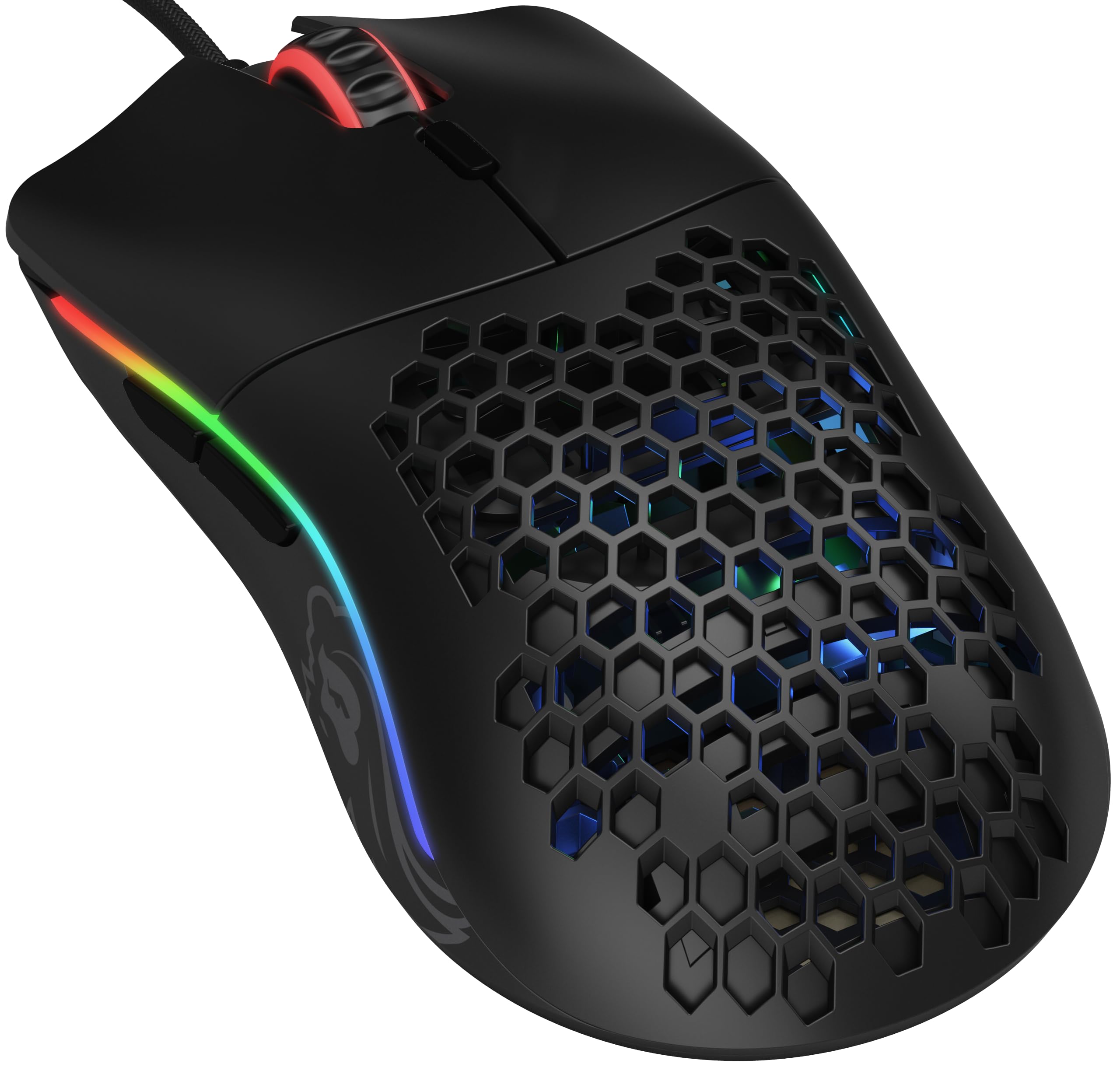

Frequently asked
5 questions01Is the TECKNET Wireless Gaming Mouse 2.4G Optical USB Computer Mice, 8 Buttons, 4800DPI Nano Receiver for Win11, Win10, Win8, Win7, Windows XP, Vista, MAC good for FPS games?+
For casual FPS gaming it holds up reasonably well. The 500Hz polling rate is better than most budget wireless mice, giving smoother cursor movement. The sensor is unspecified, which introduces some uncertainty around tracking precision and lift-off distance. For casual play at lower competitive levels, it should be fine. For serious ranked or competitive FPS where sensor accuracy is critical, you'd want a mouse with a verified PixArt sensor and 1000Hz polling, like the Logitech G305.
02What grip style works best with the TECKNET Wireless Gaming Mouse 2.4G Optical USB Computer Mice, 8 Buttons, 4800DPI Nano Receiver for Win11, Win10, Win8, Win7, Windows XP, Vista, MAC?+
The right-handed ergonomic shape with a mid-rear hump is best suited to palm grip and relaxed claw grip for medium to large hands. Fingertip grip users typically prefer a flatter, lower-profile mouse and may find this shape forces their palm down uncomfortably. Left-handed users should also look elsewhere as this is a right-handed ergonomic design.
03How much does the TECKNET Wireless Gaming Mouse 2.4G Optical USB Computer Mice, 8 Buttons, 4800DPI Nano Receiver for Win11, Win10, Win8, Win7, Windows XP, Vista, MAC weigh?+
It weighs 86 grams, which puts it in the medium weight category. Ultralight mice sit under 60 grams, lightweight is roughly 60 to 80 grams, medium covers 80 to 100 grams, and heavy is over 100 grams. At 86 grams, most users will find it comfortable for long office sessions and casual gaming without fatigue.
04Is the TECKNET Wireless Gaming Mouse 2.4G Optical USB Computer Mice, 8 Buttons, 4800DPI Nano Receiver for Win11, Win10, Win8, Win7, Windows XP, Vista, MAC wired or wireless?+
It is wireless, using 2.4GHz technology with a USB nano receiver. The connection is plug-and-play with no driver required. The wireless range is up to 10 metres. It does not have a wired mode or Bluetooth. The 500Hz polling rate means wireless latency is well above the budget baseline, though it does not match the 1000Hz of dedicated gaming wireless mice.
05What warranty and returns apply to the TECKNET Wireless Gaming Mouse 2.4G Optical USB Computer Mice, 8 Buttons, 4800DPI Nano Receiver for Win11, Win10, Win8, Win7, Windows XP, Vista, MAC?+
Amazon offers 30-day returns on most items. TECKNET provides 36 months of support for registered products, which is a solid safety net for a budget mouse. You are also covered by Amazon's A-to-Z guarantee for additional purchase protection.