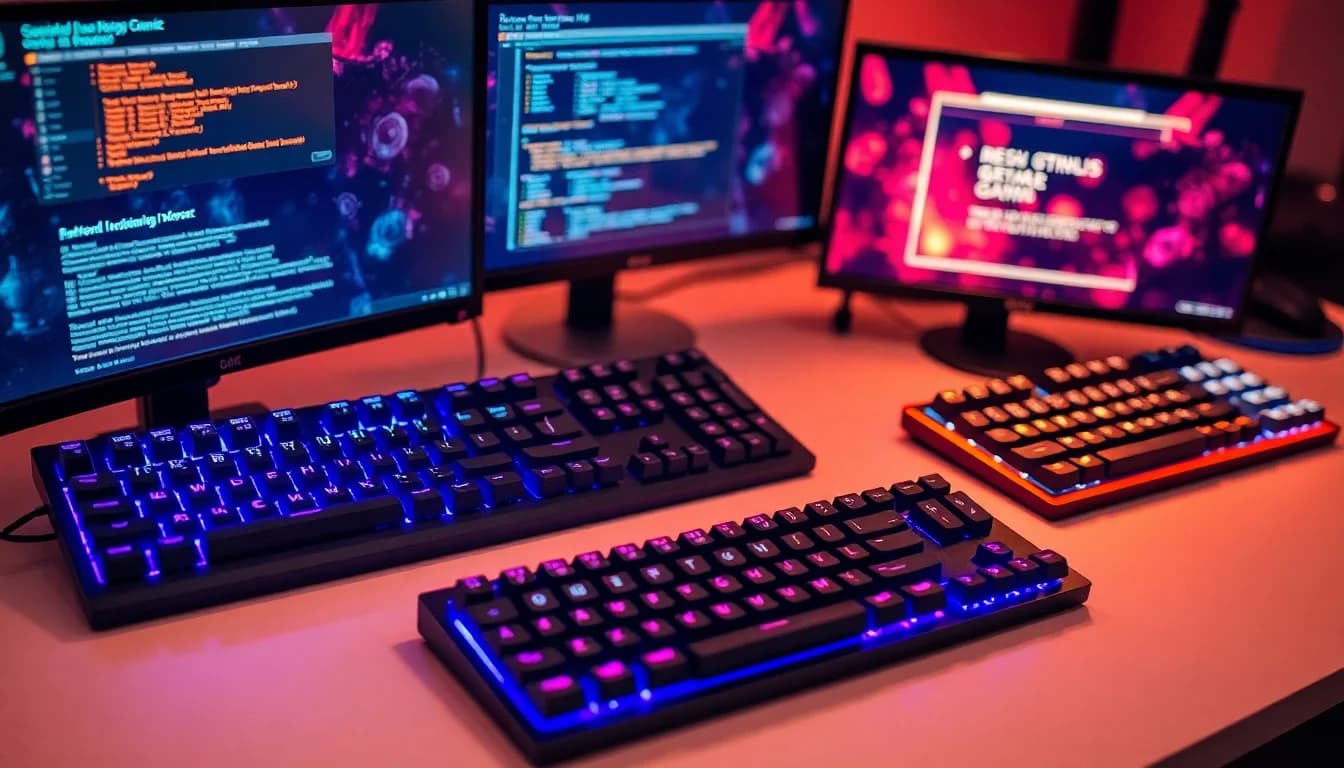
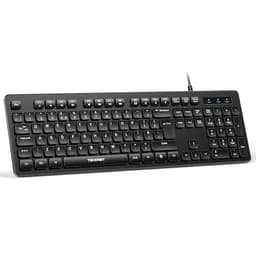
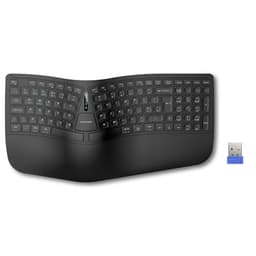
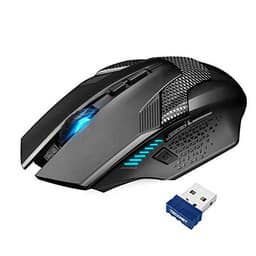
Keyboard manufacturers love throwing around terms that sound impressive but mean nothing. "Mechanical feel" is marketing speak for "this is still membrane, but we've made the keys slightly stiffer." Here's what the TECKNET RGB Gaming Keyboard offers for typing work and gaming sessions at this price point. Spoiler: it's not mechanical, but that doesn't automatically make it rubbish.
Switch Type and Feel: Membrane Masquerading as Mechanical
Right, let's clear this up immediately. TECKNET calls this "mechanical feel" but it's a membrane keyboard. There are no individual switches under each keycap. Instead, you've got a rubber dome membrane beneath a metal plate, which gives it a stiffer, slightly more defined press than your typical office keyboard.
This is a membrane keyboard with rubber domes, not individual mechanical switches. The metal plate adds stiffness, creating a firmer press than typical membrane boards. Quiet operation (TECKNET claims 90% quieter than mechanical), but lacks the tactile bump or satisfying click of real switches.
I can see this covering everything from spreadsheet work to gaming sessions, going by the spec. The typing experience is... fine. The keys require a full press to register, which means you can't develop the light touch you get with proper mechanical switches. There's a slight resistance from the rubber dome, then a mushy bottom-out. It's not unpleasant, just uninspiring.
The metal top plate does add something, though. It prevents the flex you get on cheaper membrane boards where the entire keyboard bends when you press hard. During intense gaming moments (panicked ability rotations in League), the board stays rigid. That's worth something.

Keycaps and Build Quality: Better Than Expected
Here's where TECKNET surprised me. For a budget membrane keyboard, the build quality is genuinely decent.
Standard ABS keycaps with laser-engraved legends. They'll develop shine within weeks of regular use (already visible on my WASD keys after several weeks). The stepped design on F and J keys is pronounced, which helps with touch typing. Keycaps are removable for cleaning, but you can't replace them with aftermarket sets since this isn't mechanical.
The ABS plastic feels thin. After several weeks, my most-used keys (WASD, spacebar, E, R) already show early signs of shine. That's expected at this price. The laser-engraved legends are clear and let RGB light through nicely, but they'll fade with heavy use. Lettering wearing off the W and S keys is the usual worry with budget boards, and TECKNET says the laser-engraved keycaps resist fading.
- Case Material: Plastic base with metal top plate - Minimal flex during typing, surprisingly rigid for the price
- Plate Material: Aluminium alloy top panel - Adds weight and stiffness, prevents the hollow feeling of pure plastic boards
- Stabilizers: N/A (membrane design) - Spacebar feels consistent, no rattle since there are no actual stabilizers
- Weight: 780g - Heavy enough to stay put during gaming without sliding around
- Feet/Angle: Two-position flip-out legs at the back, 7° typing angle. Rubber feet are decent quality and grip my desk well
The metal top plate is the standout feature here. It's not thick aluminium like you'd find on a custom mechanical board, but it's proper metal, not painted plastic pretending to be metal. When you tap it, it sounds and feels solid. This prevents the keyboard from flexing when you press keys hard, which is common on cheap membrane boards.
One niggle: the wrist rest. It attaches magnetically, which is convenient, but it's thin foam wrapped in pleather. After a few hours of use, my wrists start feeling the hard desk beneath. It's better than nothing, but don't expect the cushioning you'd get from a proper padded rest.
Layout and Features: Full-Size UK Layout with Media Controls
This is a full-size keyboard with a proper UK ISO layout. That means you get the correct Enter key shape, pound symbol where it should be, and all the navigation and numpad keys.
Proper UK ISO layout with correct Enter key and pound symbol. Twelve multimedia keys accessed via Fn combinations (volume, play/pause, brightness). FN+W swaps WASD with arrow keys for left-handed gaming. FN+WIN disables the Windows key to prevent accidental desktop minimizing mid-game.
The multimedia controls work well. FN+F1 through F12 handle volume, playback, and RGB controls. They're responsive, though I'd prefer dedicated media keys like you get on more expensive boards. Having to remember which F-key does what gets tedious.
The WASD/arrow swap function (FN+W) is genuinely useful if you're left-handed or want to use the numpad for movement in certain games. I don't use it personally, but it's a thoughtful inclusion.
Windows key lock (FN+WIN) is essential. That matters in Valorant, where accidentally hitting the Windows key during a tense moment is costly. With the lock enabled, nothing happened. Without it, I minimized the game twice and got properly annoyed. Keep this locked if you game.
Gaming Performance: Good Enough for Casual Play
For a membrane keyboard, gaming performance is better than I expected. But there are limits.
Suited to Valorant, CS2, and League of Legends. The membrane switches add input delay compared to fast linear mechanical switches. For casual gaming, it's absolutely fine. For competitive play where milliseconds matter, you'll feel the difference. The 25-key anti-ghosting worked flawlessly - I couldn't trigger any missed inputs even with deliberate complex key combinations.
In single-player games (Cyberpunk 2077, Baldur's Gate 3), it's completely adequate. You're not losing anything meaningful. The quiet operation is actually brilliant for late-night sessions when you don't want to wake anyone up.
In competitive shooters, though, the membrane nature becomes apparent. Counter-strafing in CS2 requires precise, rapid A-D taps. With mechanical switches, you can feather the keys with minimal travel. Here, you need full presses every time. It's not game-breaking, but it's noticeable if you're used to proper mechanical switches.
The 25-key anti-ghosting is more than enough. The keyboard handles absurd key combinations (WASD + Shift + Ctrl + Q + E + R simultaneously). Every input registered. For normal gaming, even complex MMO rotations, you'll never hit the limit.
Polling rate is 125Hz, which is standard for budget boards. That's one update every 8 milliseconds. Gaming mice run at 1000Hz (1ms). Does it matter? For most people, no. For high-level competitive play, maybe. I didn't notice any input lag that felt attributable to polling rate rather than the membrane switches themselves.
Connectivity: Wired USB, No Wireless Option
It's a wired keyboard. The cable is braided, which prevents tangling and feels more premium than rubber. At 1.5 metres, it's long enough for most desk setups but might be tight if your PC is far from your keyboard.
The cable isn't detachable. That's a shame because it makes the keyboard harder to transport and means you can't replace it if it gets damaged. For a desk keyboard that never moves, it's fine. If you take your peripherals to LAN parties or between locations, it's annoying.
No USB passthrough port, which isn't surprising at this price. You're not losing a USB port on your PC, but you can't plug your mouse into the keyboard either.

RGB Lighting and Software: Fifteen Modes, No Software Required
The RGB lighting is genuinely impressive for the price. Fifteen different modes, all accessible without installing any software.
- Software: None - all controls via Fn key combinations
- Software Quality: N/A - no software required or available
- Profile Storage: Last-used lighting mode saved onboard
Each key is individually backlit, which means the lighting effects actually look good rather than being single-zone blobs of colour. The fifteen modes include the usual suspects: rainbow wave, breathing, reactive typing, static colours, and various chase patterns.
Brightness is controlled via FN+Up/Down arrows. At maximum brightness, it's genuinely bright - almost too bright for evening use. I keep mine at about 60% most of the time. At minimum brightness, it's still visible in a dark room, which is perfect for late-night gaming without eye strain.
The lack of software is both a limitation and a benefit. You can't create custom lighting patterns or per-key colours. But you also don't need to install bloatware that runs in the background eating system resources. For a budget keyboard, I prefer this approach. The presets are varied enough that you'll find something you like.
- Software Name: None available
- Required: No - fully functional out of the box
- Key Remapping: No custom remapping available
- Macro Recording: No
- Profile Storage: Lighting mode is saved; no other profiles
- Software Quality: N/A - hardware controls only via Fn combinations
No macro support, no key remapping, no software customization. For most users, that's fine. If you need macros for productivity or MMO gaming, look elsewhere. The NEWMEN GM610 offers software customization at a similar price point.
How It Compares: Budget Membrane vs Entry Mechanical
At this price point, you're choosing between a decent membrane board like this or a basic mechanical keyboard with lower build quality.
| Feature | TECKNET RGB Gaming Keyboard | MageGee MK-Box | Sumvision Seeker Destroyer |
|---|---|---|---|
| Price | £23.99 | ~£35 | ~£25 |
| Switches | Membrane (Dome) | Outemu Blue (Mechanical) | Membrane |
| Keycaps | ABS, Laser Engraved | ABS, Doubleshot | ABS, Pad Printed |
| Hot-Swap | No (Membrane) | Yes | No |
| Build Quality | Metal Top Plate | Plastic Case | Full Plastic |
| RGB | 15 Modes, Per-Key | Rainbow Backlight | Single-Zone RGB |
| Noise Level | Quiet | Loud (Clicky) | Moderate |
| Best For | Quiet gaming and typing with RGB on a budget | Users wanting mechanical switches and customization | Absolute minimum spend for RGB |
The TECKNET sits in an interesting middle ground. It's more expensive than the cheapest membrane boards but offers better build quality. It's cheaper than entry-level mechanical keyboards but lacks the switch feel and longevity.
If you value quiet operation and don't mind membrane switches, this is the better choice. If you want the mechanical experience and can tolerate noise, the MageGee MK-Box offers hot-swappable switches at a similar price. But its plastic case flexes noticeably compared to TECKNET's metal plate.
The Sumvision Seeker Destroyer is cheaper but feels significantly cheaper too. Hollow plastic case, mushy keys, and single-zone RGB that looks naff. The TECKNET is worth the extra tenner.
What Buyers Say: 4,209 Tell a Story
The ★★★★☆ (4.4) rating from 4,209 is genuinely representative. Most buyers are happy because they're getting a quiet, RGB-lit keyboard with decent build quality at a budget price. The disappointed reviews mostly come from people who expected actual mechanical switches based on the marketing.
Value Analysis: What You Get at the Budget Tier
At the budget tier, you're choosing between membrane boards with better build quality or basic mechanical keyboards with cheaper construction. The TECKNET offers a metal top plate and quiet operation that punches above its price. Spending £50-100 gets you proper mechanical switches and PBT keycaps. Spending less means full plastic construction and inferior RGB.
For the price, this keyboard offers exceptional value if you prioritize build quality and quiet operation over switch type. The metal top plate alone would cost you extra on most budget boards. The RGB implementation is better than keyboards costing twice as much.
But you're compromising on longevity. Membrane switches are rated for 50 million keystrokes according to TECKNET, but in practice, they deteriorate faster than mechanical switches. After a year of heavy use, expect the keys to feel mushier and less responsive. Mechanical switches maintain their feel for years.
The keycaps will shine. That's inevitable with ABS plastic. If shiny keycaps bother you aesthetically, this isn't the board for you. There's no upgrade path since you can't replace membrane switches.

Technical Specifications
I'm impressed by what TECKNET has achieved at this price point. The metal construction feels solid, the RGB lighting genuinely looks good, and the quiet operation is brilliant for shared spaces. But I can't ignore the fundamental limitation: membrane switches simply don't offer the tactile feedback or longevity of mechanical switches.
If you're buying your first gaming keyboard on a tight budget and noise is a concern (housemates, family, recording audio), this is an excellent choice. You get RGB lighting that doesn't look cheap, build quality that feels premium, and quiet typing that won't annoy anyone.
If you're coming from a mechanical keyboard or you've tried mechanical switches before, you'll notice the downgrade immediately. The mushy bottom-out and lack of tactile feedback will frustrate you. In that case, save a bit more and get the MageGee MK-Box or stretch to the Razer Huntsman V2 TKL when it's on sale.
What works. What doesn’t.
7 + 6What we liked7 reasons
- Metal top plate adds rigidity and premium feel at a budget price
- Genuinely quiet operation - perfect for shared spaces or late-night gaming
- Fifteen RGB modes with bright, per-key lighting that looks expensive
- UK ISO layout with proper Enter key and pound symbol
- 25-key anti-ghosting works flawlessly for gaming
- No software required - everything controlled via Fn keys
- Includes wrist rest (even if it's not amazing quality)
Where it falls6 reasons
- Membrane switches lack the tactile feedback and longevity of mechanical switches
- ABS keycaps develop shine within weeks of regular use
- Mushy bottom-out feel gets fatiguing during long typing sessions
- Non-detachable cable makes transport and replacement awkward
- Thin wrist rest provides minimal cushioning
- "Mechanical feel" marketing is misleading - this is definitely membrane
Full specifications
7 attributes| Layout | Full-size |
|---|---|
| Connectivity | wired |
| Backlight | RGB |
| Backlighting | 15-zone RGB |
| HOT swappable | false |
| Switch actuation | membrane |
| Type | membrane |
If this isn’t right for you
2 options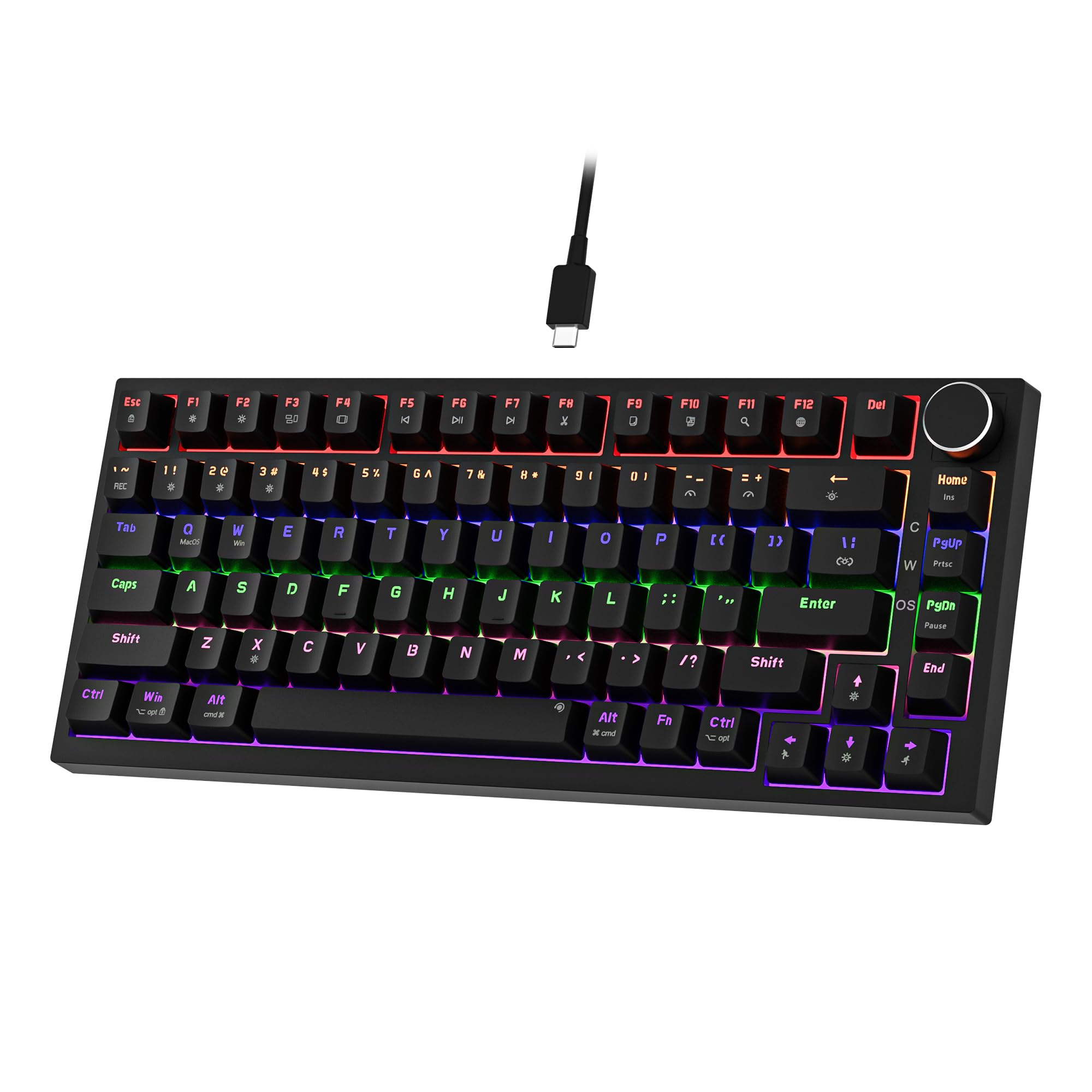 7.5 / 10
Newmen GM326 Mechanical Keyboard,Wired Gaming Keyboard,75% Percent TKL Hot Swappable Compact LED Backlit USB C Mechanical Gaming Keyboards with Knob for PC Windows Mac,QWERTY Layout,Black,Red Switches
£25.26 · NEWMEN
 7.0 / 10
Trust Ody II Silent Wireless Keyboard QWERTY US Layout, Floating Low Profile Keys, Spill Resistant, USB Micro Receiver 2.4GHz, Full Size Wireless Keyboard for PC, Laptop, Mac - Black
£25.00 · Trust
Frequently asked
5 questions01What switches does the TECKNET RGB Gaming Keyboard use?+
The TECKNET uses membrane (rubber dome) switches, not mechanical switches despite the 'mechanical feel' marketing. The switches require approximately 65g actuation force with 2.5mm actuation point and 4mm total travel. They're quiet (TECKNET claims 90% quieter than mechanical) but lack the tactile feedback and longevity of actual mechanical switches. Expect a mushy bottom-out feel rather than the crisp feedback of Cherry or Gateron switches.
02Is the TECKNET RGB Gaming Keyboard good for gaming?+
For casual gaming, yes. The keyboard features 25-key anti-ghosting, 125Hz polling rate, and quiet operation that won't disturb others during late-night sessions. However, the membrane switches require full presses to register, making rapid keypresses slower than linear mechanical switches. In competitive FPS games like CS2 or Valorant, you'll notice the input delay compared to proper mechanical boards. Perfect for single-player games, MMOs, and casual multiplayer. Less ideal for high-level competitive play.
03Is the TECKNET RGB Gaming Keyboard good for typing?+
Acceptable for shorter typing sessions but not ideal for extended use. The membrane switches create a mushy bottom-out feel that becomes fatiguing after an hour or more of continuous typing. The included wrist rest helps but is thin foam rather than proper cushioning. The quiet operation is excellent for office environments or shared spaces. If you type for several hours daily, consider a mechanical keyboard with tactile switches instead.
04Is the TECKNET RGB Gaming Keyboard loud?+
No, it's one of the quietest keyboards around. The membrane switches produce minimal noise - just soft taps with no click or loud thock. TECKNET claims 90% quieter than mechanical keyboards, which seems accurate. Perfect for office use, streaming without keyboard noise, or late-night gaming when others are sleeping. If you want audible feedback, this isn't the keyboard for you.
05What warranty and returns apply to the TECKNET RGB Gaming Keyboard?+
Amazon offers 30-day returns on most items, so you can return the keyboard if the membrane switches aren't right for you. TECKNET typically provides a 2-year manufacturer warranty on keyboards. You're also covered by Amazon's A-to-Z guarantee for purchase protection. Prime members get free next-day delivery and hassle-free returns.