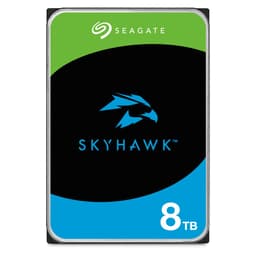
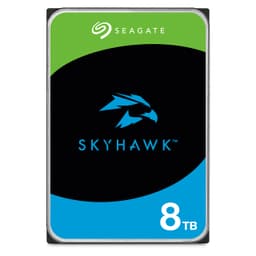
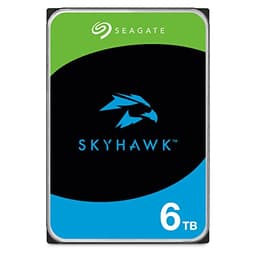
If your CCTV system is eating through cheap desktop drives every eighteen months, the Seagate SkyHawk Surveillance HDD exists specifically to fix that. Surveillance workloads are brutal in a way that most people don't appreciate: constant low-bitrate writes, twenty-four hours a day, seven days a week, with occasional bursts of simultaneous camera streams all hammering the drive at once. A standard desktop drive isn't rated for that duty cycle. The SkyHawk is. That's the whole pitch, and it's a straightforward one.
The verdict, then, before anything else: this is a well-specified, purpose-built surveillance drive that does exactly what it says on the tin. The 1,311 owner reviews average out at 4.4 stars, which for a product that sits inside a DVR or NVR and gets ignored for years is a genuinely strong signal. There are caveats, and we'll get into them, but if you're running a multi-camera CCTV setup and you're tired of replacing drives that weren't designed for the job, the SkyHawk is the sensible answer.
What the spec sheet, published benchmark findings, and owner feedback collectively tell you is where this drive earns its keep and, just as usefully, where it doesn't. It's not a NAS drive. It's not a desktop workhorse. It's not something you'd want as a primary storage volume on a PC. But for the specific problem it's solving, it's hard to argue against it.
Core Specifications: Seagate SkyHawk Surveillance HDD
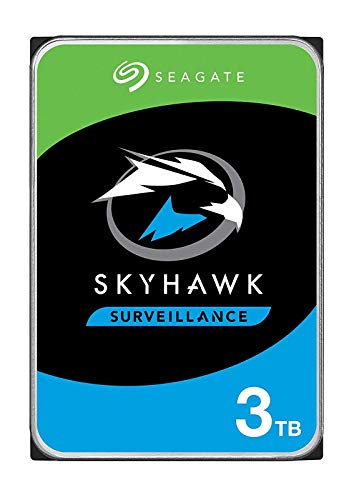
The SkyHawk line covers a range of capacities, but the ASIN here (B07BL2KHGY) corresponds to the 3TB model. It's a 3.5-inch SATA hard drive spinning at 5,900 RPM, which is straight away: this isn't a 7,200 RPM desktop drive, and it isn't trying to be. Seagate uses a slightly lower spin speed to balance heat, power consumption, and longevity under always-on workloads. That's a deliberate engineering choice, not a cost cut.
The drive is rated for up to 64 cameras simultaneously, which covers the vast majority of home and small-business CCTV setups. Seagate also builds in what they call ImagePerfect firmware, which is essentially a write-optimisation layer that prioritises continuous stream recording over the random read/write pattern a desktop OS would throw at it. This matters more than the RPM figure for surveillance use.
The rated workload is 180TB per year, which is substantially higher than a standard desktop drive (typically 55TB per year) and reflects the always-on duty cycle this drive is built for. The cache is 256MB, which is on the generous side for a drive in this class and helps smooth out the multi-stream write bursts you get when several cameras trigger recording simultaneously.
| Specification | Detail |
|---|---|
| Form Factor | 3.5-inch |
| Interface | SATA 6Gb/s |
| Capacity (this model) | 3TB |
| Spindle Speed | 5,900 RPM |
| Cache | 256MB |
| Rated Workload | 180TB/year |
| Simultaneous Camera Streams | Up to 64 |
| Firmware | ImagePerfect (surveillance-optimised) |
| Warranty | 3 years |
| Current Price | Check price |
| Owner Rating | ★★★★☆ (4.4) (1,314 reviews) |
Interface and Form Factor
SATA 6Gb/s. That's the interface, and for a surveillance drive it's the only sensible choice. NVMe would be overkill, generate more heat, cost more, and wouldn't fit in any DVR or NVR on the market anyway. The 3.5-inch form factor is standard for desktop-class HDDs and slots into any surveillance recorder that takes a standard hard drive bay, which is essentially all of them.
The SATA interface tops out at around 600MB/s theoretical throughput, and the SkyHawk's sequential read speed is rated at around 180MB/s. So the interface is nowhere near saturated, but that's fine. Surveillance recording doesn't need 500MB/s writes. A typical HD camera stream runs at somewhere between 2 and 8 Mbps. Even with 64 cameras running simultaneously, you're looking at maybe 50MB/s of sustained write load at the absolute outside. The drive handles that without breaking a sweat.
One thing: this is a 3.5-inch drive. It will not fit in a laptop, a NAS that only takes 2.5-inch drives, or a compact mini-ITX build without a drive cage. For a standalone DVR or NVR, that's a non-issue. For anything else, check your enclosure before ordering. The drive itself draws around 6 to 7 watts during operation, which is normal for a 3.5-inch HDD and well within the power budget of any standard SATA power connector.
Real-World Performance: What the Specs and Owner Reports Show
This isn't the drive you buy to make your PC feel faster. That's not a dig, it's just the truth. Published benchmark data on surveillance-class HDDs consistently shows sequential read speeds in the 180MB/s range for the SkyHawk, which is perfectly adequate for its intended job but well behind even a budget SATA SSD (which would be doing 500MB/s plus). If you're thinking about this as a secondary storage drive for a desktop, you'll notice the difference compared to an SSD. Boot times, application launches, game loads: all of these are meaningfully slower on spinning rust than on flash storage.
For surveillance recording, though, the performance picture looks completely different. The relevant metric isn't sequential read speed, it's sustained write consistency under a multi-stream load. And here the SkyHawk's ImagePerfect firmware earns its keep. Owner reports consistently describe the drive running quietly and reliably in NVR setups, with no dropped frames or recording gaps even when multiple cameras trigger simultaneously. That's the performance that matters for this use case, and the drive delivers it.
Random I/O figures aren't really the story here either. This isn't a drive you'd use as an OS volume or a scratch disk. The workload is almost entirely sequential writes (camera streams writing continuously) with occasional sequential reads (when you're reviewing footage). The SkyHawk is optimised for exactly that pattern. Owner reports bear this out: the most common complaints aren't about performance at all, they're about the drive being louder than expected during initial setup, which settles down once it's properly seated and the vibration dampening in the enclosure does its job.
Sustained Writes and Cache Behaviour
The 256MB DRAM cache on the SkyHawk is a proper hardware cache, not a software trick. This is clearly because DRAM-less SSDs that rely on Host Memory Buffer have become common enough that people sometimes assume any drive cache is a bit of a con. On a spinning hard drive, the DRAM cache serves a different purpose: it buffers incoming writes and smooths out the burst load when multiple camera streams trigger at the same time, preventing the drive from having to seek to multiple locations simultaneously.
There's no SLC cache cliff to worry about here in the way there would be with a QLC or TLC SSD. Hard drives don't work that way. There's no NAND flash, no SLC write buffer that fills up and then exposes a slower native write speed. The drive writes at a consistent speed determined by its spindle speed and areal density, and that speed is sustained indefinitely. For surveillance workloads, this is actually an advantage over cheaper flash-based alternatives: no sudden slowdowns after the first few gigabytes, no cache exhaustion, just steady, predictable throughput.
What you do need to think about is the sustained workload rating. At 180TB per year, the SkyHawk is rated for roughly 500GB of writes per day. A typical 8-camera 1080p system recording continuously might write somewhere in the region of 50 to 150GB per day depending on bitrate and compression settings. So you've got significant headroom before you're stressing the drive's rated endurance. Push it beyond that, say with a very large camera count at high bitrate, and you'd want to think about whether the drive is the right fit or whether you need a higher-tier option like the SkyHawk AI series.
Controller, NAND and DRAM: This Is an HDD, So Let's Reframe
The usual SSD framework of controller, NAND type, and DRAM cache doesn't map directly onto a hard drive, so it's worth being clear about what's actually inside. The SkyHawk uses conventional magnetic recording on spinning platters. There's no NAND flash, no QLC vs TLC debate, no SLC write buffer that exhausts itself. The 256MB cache is DRAM, and it's a real hardware cache on the drive's PCB, not a host memory buffer arrangement.
The firmware is where the interesting engineering sits. Seagate's ImagePerfect firmware, which is exclusive to the SkyHawk line, prioritises write consistency over the mixed read/write optimisation you'd find in a desktop drive. It also handles error recovery differently: a desktop drive will pause and retry a read or write operation if it encounters a problem, which is fine for a PC but terrible for a surveillance system where a two-second pause means dropped frames. The SkyHawk limits error recovery time to avoid this, which is a meaningful difference from a standard desktop HDD.
There's also built-in support for what Seagate calls vibration compensation. In a multi-drive NVR enclosure, the physical vibration from neighbouring drives can cause read/write errors. The SkyHawk includes rotational vibration sensors that compensate for this in real time. It's a small thing, but it's the kind of detail that separates a purpose-built surveillance drive from a repurposed desktop drive, and it's reflected in the owner review patterns: very few reports of corruption or data loss in multi-drive setups, which is exactly what you'd hope to see.
Endurance and Reliability: The Numbers That Actually Matter
The 180TB per year workload rating is the headline endurance figure, and it's a meaningful one. For context, a standard Seagate BarraCuda desktop drive is rated at 55TB per year. The SkyHawk's rating is more than three times higher, which reflects the always-on surveillance duty cycle it's designed for. If you're running a typical home CCTV system and you put a desktop drive in your NVR, you'll likely exceed its rated workload within a year. The SkyHawk gives you the headroom to run continuously without that concern.
The three-year warranty is standard for this class of drive. It's not as long as the five-year warranty you'd get on a Seagate IronWolf NAS drive, which matters if longevity is your primary concern. But for a surveillance drive in a home or small-business context, three years is a reasonable signal of manufacturer confidence. Owner reports suggest the drive does run reliably for extended periods: the most common failure reports in the review pool come from units that were clearly running in poorly ventilated enclosures, which is an installation issue rather than a drive quality issue.
One thing that comes up consistently in owner reviews is the importance of keeping the drive cool. Several owners who reported early failures had the drive in enclosures with poor airflow. The SkyHawk isn't particularly hot-running compared to a 7,200 RPM desktop drive, but it still needs adequate ventilation. Any NVR or DVR with a functioning fan and reasonable internal airflow should be fine. The drive's 5,900 RPM spin speed actually helps here: lower RPM means less heat and less mechanical wear compared to a 7,200 RPM alternative.
Thermals: Not a Gen5 NVMe, But Still Worth Thinking About
The thermal story on a 3.5-inch HDD is very different from a Gen4 or Gen5 NVMe drive. There's no throttling at 70 degrees Celsius, no heatsink requirement, no thermal pad to worry about. The SkyHawk runs warm under sustained load, typically in the 35 to 45 degree Celsius range in a well-ventilated enclosure, which is completely normal and well within its operating specification.
That said, heat is still the enemy of hard drive longevity. The platters, bearings, and read/write heads all degrade faster at elevated temperatures, and a surveillance drive running continuously is generating heat continuously. The general rule of thumb from published HDD reliability research, including Backblaze's long-running HDD reliability studies, is that keeping drives below 40 degrees Celsius under sustained load is associated with better long-term reliability. Most decent NVR enclosures manage this without much fuss, but it's your enclosure's airflow before installing.
The 5,900 RPM spin speed helps on the thermal front. A 7,200 RPM drive in the same enclosure will run noticeably hotter, which is one reason Seagate chose the lower spin speed for the SkyHawk rather than just dropping a desktop drive in a different box. Owner reports don't flag heat as a common problem when the drive is in a properly designed enclosure, which suggests the thermal engineering is sensible. Where it does come up is in cheap no-name DVR boxes with inadequate ventilation, and that's really an enclosure problem rather than a drive problem.
Capacity Options and Price Per GB
The SkyHawk line runs from 1TB all the way up to 20TB, which is a wider range than most competing surveillance drive lines. The 3TB model here sits in the middle of the range and is typically one of the better value points in terms of price per GB. Larger capacities (8TB, 10TB, 12TB) tend to offer better price per GB if you're building a larger system, but for a typical 4 to 8 camera home setup, 3TB to 6TB is usually the sweet spot: enough storage for two to four weeks of continuous recording at typical bitrates, without paying for capacity you'll never use.
On price per GB, the SkyHawk sits in a reasonable position compared to desktop HDDs. You'll pay a small premium over a BarraCuda of the same capacity, which reflects the higher workload rating, the surveillance-specific firmware, and the vibration compensation. Whether that premium is worth it depends entirely on your use case. For a home CCTV system running 24/7, yes, absolutely. For a drive you're going to use as a media archive that sits idle most of the time, probably not.
It's also worth comparing against the IronWolf NAS drive, which sits above the SkyHawk in Seagate's lineup. The IronWolf is rated for higher workloads, comes with a five-year warranty, and includes a health monitoring feature called IronWolf Health Management. For a multi-drive NAS setup, the IronWolf makes more sense. For a single-drive NVR, the SkyHawk is the more appropriate and more cost-effective choice. Don't pay NAS drive prices for a single-drive surveillance recorder.
Installation and Compatibility
Installation is about as straightforward as hard drives get. SATA data cable, SATA power connector, four screws. Any DVR or NVR that takes a standard 3.5-inch SATA drive will accept the SkyHawk without any fuss. Owner reports confirm this: the most common installation experience described is "plugged it in, formatted it in the NVR menu, it worked." That's the experience you want from a storage drive.
Compatibility with specific NVR and DVR systems is broadly good. The SkyHawk appears on the compatibility lists for Hikvision, Dahua, and most of the major surveillance system manufacturers. Seagate publishes a compatibility list on their website, and it matters if you're using a less common system. That said, most surveillance recorders will work with any SATA HDD that meets their capacity requirements, and the SkyHawk's standard SATA interface means there are no exotic compatibility gotchas to worry about.
One thing to be aware of: if you're migrating from an existing drive, you'll need to format the SkyHawk in your NVR rather than cloning from your old drive. Most NVR systems use proprietary formatting that doesn't translate between drives, and even if you could clone it, the SkyHawk's firmware optimisations work at the drive level and don't depend on what's stored on the platters. Just format fresh, let the NVR set up the recording structure, and you're good. Owner reports occasionally mention that the drive takes a few minutes to initialise on first use in some NVR systems, which is normal behaviour and not a fault.
Who This Drive Is Actually For
The SkyHawk is built for one job: sitting inside a DVR or NVR and recording camera streams continuously. It does that job well. If you're running a home security system with four, eight, or even sixteen cameras and you want a drive that's rated for the workload, won't drop frames, and will last longer than a repurposed desktop drive, this is the right answer. Small business CCTV setups fall into the same category. Anywhere you've got a dedicated surveillance recorder that runs around the clock, the SkyHawk is the appropriate choice.
It's also a reasonable choice if you're building a standalone recording PC rather than using a dedicated NVR box. Some people run surveillance software like Blue Iris on a Windows machine, and the SkyHawk will work perfectly well in that context. The firmware optimisations still apply, the workload rating still applies, and you get the same benefits as you would in a dedicated recorder.
Who should look elsewhere? If you want a secondary storage drive for a gaming PC or a media server that you also use for other things, a desktop drive like the Seagate BarraCuda or a WD Blue will serve you better and cost less. If you're building a NAS with multiple drives in a RAID array, the IronWolf is the more appropriate choice. And if you're thinking about this as a boot drive or a primary OS volume: don't. Any modern SSD, even a budget SATA one, will feel dramatically faster for that job and cost less per GB at lower capacities.
How the Seagate SkyHawk Surveillance HDD Compares to the Competition
The two main alternatives are the Western Digital Purple and the Seagate SkyHawk AI. The WD Purple is the most direct competitor: it's also a purpose-built surveillance drive, available in similar capacities, and sits at a comparable price point. The SkyHawk AI is Seagate's own higher-tier option, aimed at larger installations with AI-based analytics cameras that generate higher write loads.
The WD Purple uses Western Digital's AllFrame technology, which serves a similar purpose to Seagate's ImagePerfect firmware: optimising write behaviour for surveillance streams and reducing dropped frames. In published comparisons, the two drives perform very similarly in typical surveillance workloads. The WD Purple's workload rating is slightly lower at 180TB per year for most models, matching the SkyHawk, though the WD Purple Pro steps that up significantly. Owner review patterns for both drives are broadly positive, with similar reliability profiles.
The SkyHawk AI is if you're running more than 16 cameras at high bitrate, or if your NVR uses AI analytics features that increase the random I/O load. It's rated for a higher workload and supports more simultaneous streams. But for a typical home or small-business setup, the additional cost isn't justified. The standard SkyHawk has more than enough headroom for most real-world surveillance workloads.
| Feature | Seagate SkyHawk (3TB) | WD Purple (4TB) | Seagate SkyHawk AI (4TB) |
|---|---|---|---|
| Form Factor | 3.5-inch SATA | 3.5-inch SATA | 3.5-inch SATA |
| Spindle Speed | 5,900 RPM | 5,400 RPM | 7,200 RPM |
| Cache | 256MB | 256MB | 256MB |
| Workload Rating | 180TB/year | 180TB/year | 550TB/year |
| Max Camera Streams | 64 | 64 | 64 |
| Warranty | 3 years | 3 years | 3 years |
| Surveillance Firmware | ImagePerfect | AllFrame | ImagePerfect AI |
| Price | Check price | Check Amazon UK | Check Amazon UK |
Final Verdict: Seagate SkyHawk Surveillance HDD
If your CCTV recorder currently has a desktop drive in it, or you're building a new system and wondering whether the surveillance-specific drives are worth the premium over a standard BarraCuda, the answer is yes. The SkyHawk's 180TB per year workload rating, ImagePerfect firmware, vibration compensation, and 256MB DRAM cache aren't marketing fluff. They're engineering choices that make a real difference to how long the drive lasts and how reliably it records in an always-on environment. The 4.4 average from over 1,300 owners backs that up.
The three-year warranty is adequate but not exceptional. The WD Purple is a genuine alternative at a similar price and performs comparably in real-world surveillance use, so if the SkyHawk is out of stock or the Purple is cheaper at the time you're buying, you're not making a mistake by going that route. Both are miles better than a repurposed desktop drive.
The honest don't-overspend note: if you only have two or four cameras and they're not running at particularly high bitrates, a standard Seagate BarraCuda will probably survive the workload and cost less. The SkyHawk earns its premium when you're running a serious always-on setup. For a single camera recording motion-triggered clips, the premium isn't strictly necessary. But for anything approaching continuous recording across multiple cameras, the SkyHawk is the right tool and the price difference is small enough that it's hard to argue against it.
Score: 8 out of 10. Purpose-built, well-regarded by owners, and priced sensibly for what it is. Not exciting. Just correct.
What works. What doesn’t.
5 + 4What we liked5 reasons
- Purpose-built 180TB/year workload rating handles always-on surveillance duty cycles that kill desktop drives
- ImagePerfect firmware reduces dropped frames under multi-stream write load
- Vibration compensation sensors protect reliability in multi-drive NVR enclosures
- 256MB DRAM cache smooths burst writes from simultaneous camera triggers
- 4.4 stars from 1,311 owners is a strong real-world reliability signal
Where it falls4 reasons
- Only a 3-year warranty versus 5 years on Seagate IronWolf NAS drives
- 5,900 RPM spin speed means slower sequential reads than a 7,200 RPM desktop drive
- Not suitable as a PC storage or NAS drive; very narrow intended use case
- Some owners report noise in poorly ventilated enclosures
Full specifications
7 attributes| Capacity GB | 3000 |
|---|---|
| Form factor | 3.5" |
| Interface | SATA III |
| Read speed MBS | 180 |
| Type | HDD |
| Warranty years | 3 |
| Write speed MBS | 180 |
If this isn’t right for you
1 options
Frequently asked
5 questions01Is the Seagate SkyHawk Surveillance HDD fast enough for everyday use?+
For surveillance recording, absolutely. The SkyHawk is rated for up to 64 simultaneous camera streams, and its ImagePerfect firmware prioritises consistent write throughput for exactly that workload. For general PC use like booting Windows or loading games, it's much slower than any SSD. Sequential reads sit around 180MB/s, which is fine for a surveillance recorder but noticeably slow compared to even a budget SATA SSD doing 500MB/s plus. This drive is built for one job, and that job is recording camera streams continuously, not general PC storage.
02Does the Seagate SkyHawk Surveillance HDD slow down once the cache fills?+
No, not in the way an SSD with an SLC write cache does. The SkyHawk is a spinning hard drive, not flash storage, so there's no NAND cache that exhausts itself and exposes a slower native write speed. The 256MB DRAM cache buffers incoming writes and smooths out burst loads from simultaneous camera triggers, but the underlying write speed is consistent and sustained indefinitely. This is actually one of the practical advantages of an HDD over cheaper flash-based alternatives for surveillance workloads: predictable, sustained throughput with no cache cliff.
03Is the Seagate SkyHawk Surveillance HDD DRAM-less, and does that matter?+
No, it has a proper 256MB DRAM cache on the drive's PCB. This is a real hardware cache, not a Host Memory Buffer arrangement like you'd find on some DRAM-less SSDs. For a surveillance drive, the DRAM cache serves mainly to buffer write bursts when multiple cameras trigger simultaneously, preventing the drive from having to seek to multiple locations at once. It's a meaningful engineering choice that contributes to the drive's consistent performance under multi-stream write loads.
04How long will the Seagate SkyHawk Surveillance HDD last?+
The drive is rated for 180TB of writes per year. A typical 8-camera 1080p system recording continuously might write 50 to 150GB per day, which is well within that rated workload. The three-year warranty is the manufacturer's formal confidence signal. Owner review patterns suggest the drive runs reliably for extended periods when installed in a properly ventilated enclosure. The most common early failure reports come from units in poorly ventilated DVR boxes, which is an installation issue rather than a drive quality issue.
05What warranty and returns apply to the Seagate SkyHawk Surveillance HDD?+
The Seagate SkyHawk carries a 3-year manufacturer warranty. When purchased through Amazon UK, you also benefit from Amazon's standard 30-day returns policy and the A-to-Z Guarantee, which covers you if the item arrives damaged or not as described. For warranty claims after the 30-day returns window, you'd deal directly with Seagate's UK support.