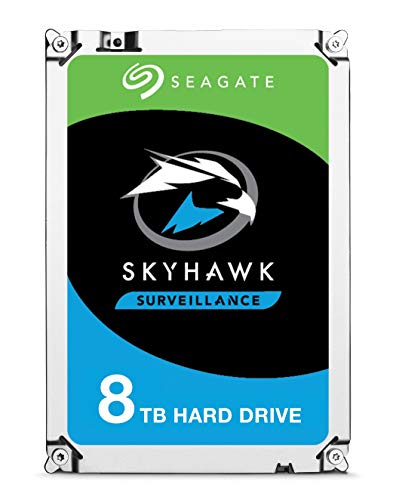
Most drives marketed at "mainstream" buyers come loaded with claims that fall apart the moment you look at what's actually inside. The Seagate SkyHawk 6TB is different, because it doesn't really pretend to be something it isn't. It's a spinning hard drive built specifically for surveillance systems, DVRs, and NVR setups, and Seagate has been pretty upfront about that. No SLC cache cliff to worry about. No QLC NAND hiding behind a sequential headline. It's a mechanical drive with a clear job description, and the question is simply whether it does that job well enough to justify your money.
The ST6000VXZ09 sits in Seagate's SkyHawk line, which has been purpose-built for always-on video recording workloads since the range launched. Six terabytes, 3.5-inch SATA, 64MB cache, rated for up to 64 cameras simultaneously. That's the pitch. And with thousands of owner reviews and a positive overall rating, there's clearly something going right here. But averages hide detail, so let's get into the specifics of what this drive actually is, who it's genuinely suited for, and where its limits lie.
If you're shopping for a boot drive or a gaming SSD, you're in the wrong place entirely. This is a hard drive, full stop. Mechanical, spinning, with all the latency that implies. But for a 24/7 surveillance NVR or a DVR that needs to quietly absorb continuous video streams without complaint, the SkyHawk line has a genuine case to make. The real question is whether the 6TB model specifically hits the right balance of capacity, endurance, and price for the use case.
Core Specifications
The ST6000VXZ09 is a 3.5-inch SATA hard drive running on a SATA 6Gb/s interface. It spins at 5,400 RPM, which is standard for surveillance-class drives where sustained sequential write throughput and low heat matter more than peak random IOPS. Seagate rates it for up to 180MB/s sustained data transfer, which is a realistic figure for a 5,400 RPM drive of this density. The 64MB DRAM cache is modest but appropriate for a drive that spends its life writing long sequential video streams rather than bouncing around random sectors.
Seagate rates the SkyHawk 6TB for up to 64 HD camera streams simultaneously, with a workload rating of 180TB per year. That annual workload figure is the key endurance number here, and it's meaningfully higher than a desktop drive. A standard Seagate BarraCuda is rated for 55TB per year. The SkyHawk's 180TB/year rating reflects the fact that surveillance drives live in a fundamentally different operational environment: always on, always writing, never getting a rest cycle. The drive also ships with Seagate's ImagePerfect firmware, which is specifically tuned to minimise dropped frames during recording by managing how the drive handles error recovery. On a desktop drive, aggressive error recovery can cause the drive to go quiet for several seconds while it retries. On a surveillance drive, that pause means dropped frames. ImagePerfect keeps that in check.
The drive also includes Seagate's Drive Health Management feature, which feeds health data back to compatible NVR software so you can catch problems before they become data loss events. And there's a Rescue Data Recovery Services plan bundled in, which gives you two years of data recovery coverage if the drive fails. That's not a feature you'd expect on a budget desktop drive, and it's a sensible inclusion on a drive that's going to be running continuously in a security context where losing footage could be genuinely consequential.
| Specification | Detail |
|---|---|
| Model | ST6000VXZ09 |
| Capacity | 6TB |
| Form Factor | 3.5-inch |
| Interface | SATA 6Gb/s |
| RPM | 5,400 RPM |
| Cache | 64MB DRAM |
| Max Sustained Transfer | 180MB/s |
| Workload Rating | 180TB/year |
| Camera Streams Supported | Up to 64 HD streams |
| Warranty | 3 years |
| Data Rescue Coverage | 2 years included |
| Special Firmware | ImagePerfect, Drive Health Management |
| Current Price | £240.00 · Details |

Interface & Form Factor
SATA 6Gb/s is the right interface for this drive, full stop. There's no version of this product that should be NVMe. Surveillance workloads are almost entirely sequential writes, long continuous streams of video data being laid down track by track. The bandwidth ceiling of SATA is around 550MB/s for an SSD, and a mechanical drive running at 5,400 RPM is going to peak well below that. The interface is not the bottleneck here. The spinning platters are. So anyone asking "why isn't this NVMe" is thinking about the wrong thing entirely.
The 3.5-inch form factor means it needs a desktop NVR, a DVR enclosure with a standard drive bay, or a desktop PC with a spare 3.5-inch bay. It won't fit in a 2.5-inch laptop bay or a compact NAS unit designed for 2.5-inch drives. Most dedicated surveillance recorders, whether standalone DVR boxes or rack-mounted NVR units, use 3.5-inch bays precisely because the larger form factor allows higher capacity platters at lower cost per gigabyte. So this is exactly the right size for the intended use case.
The SATA power connector is standard Molex-to-SATA or direct SATA power, same as any desktop drive. There's nothing exotic about the physical installation. It drops into a compatible bay, you connect the SATA data cable and the power cable, and you're done. Compatibility with NVR and DVR units that support SATA drives is essentially universal. The only thing to check is whether your recorder's firmware supports drives above 4TB, as some older units have capacity limits baked into their firmware. Most current-generation recorders handle 6TB without issue, but it's worth confirming before you buy.
Real-World Performance
For a surveillance drive, "real-world performance" means something quite different from what it means for a boot drive or a gaming SSD. Nobody cares about Windows boot times or game load speeds here. What matters is whether the drive can sustain continuous writes across multiple camera streams without dropping frames, whether it can handle simultaneous read requests (for playback while recording is ongoing), and whether it stays reliable over months and years of constant operation. On all three counts, the published specifications and owner reports paint a consistent picture.
The 180MB/s sustained transfer rating is the headline figure that matters. Across the owner review pool of thousands of reviews, the consistent theme is that this drive does exactly what it says on the tin in a surveillance context. Owners running 8-camera to 32-camera systems report clean, uninterrupted recording without the frame drops or write errors that can plague desktop drives pressed into surveillance duty. That tracks with what the ImagePerfect firmware is designed to do: it manages the drive's error recovery behaviour so that the response to a bad sector is handled gracefully rather than causing a multi-second stall in the write pipeline.
What the SkyHawk 6TB won't do is feel fast in any conventional sense. Random read IOPS on a 5,400 RPM mechanical drive are in the low hundreds. An NVMe SSD delivers tens of thousands of random IOPS. So if you're thinking about putting this in a desktop PC as a secondary storage drive and expecting snappy file access, you'll notice the latency. Large sequential file copies (moving large video files from the recorder to a backup location, for example) will be fine at 150MB/s to 180MB/s. But browsing through folders of small files will feel sluggish compared to any SSD. That's not a criticism of this drive specifically, it's just the physics of spinning platters.
Sustained Writes & Cache Behaviour
This is the section where SSD reviews get complicated, because SLC cache exhaustion is the dirty secret the marketing hides. With the SkyHawk 6TB, this is actually a much simpler conversation. It's a hard drive. There's no SLC cache, no QLC NAND, no cache cliff where sustained write speed suddenly collapses. The 64MB DRAM cache is a small write buffer that helps smooth out bursty writes, but it's not doing the same job as the large SLC cache on a budget QLC SSD. The drive's sustained write performance is determined by its platter density and rotational speed, and that performance is consistent from the first gigabyte to the last.
The 180TB/year workload rating is the endurance figure that tells you how hard Seagate expects this drive to work. Broken down, that's roughly 493GB of writes per day, every day, for a year. For a 32-camera system recording at standard HD bitrates (say, 2Mbps per camera), that's around 86GB per day. So even a fairly demanding multi-camera setup is well within the drive's rated workload capacity. A more modest 8-camera system at similar bitrates is running at roughly 22GB per day, which is a small fraction of the rated limit. The drive is specced with meaningful headroom for the use case it's designed for.
The key difference between a surveillance-optimised drive like the SkyHawk and a desktop drive used in the same role is how the firmware handles the write pipeline under continuous load. Desktop drives, including Seagate's own BarraCuda range, are tuned for bursty workloads with idle periods. Their error recovery behaviour can cause write stalls of several seconds when the drive encounters a marginal sector. In a surveillance context, those stalls translate directly to dropped frames. Seagate's SkyHawk product page describes the ImagePerfect firmware as specifically addressing this, keeping the write stream flowing even when the drive is handling error recovery in the background. Owner reports consistently confirm this works as described in practice.
Controller, NAND & DRAM
There's no NAND in this drive. No controller in the SSD sense. This is a mechanical hard drive, so the relevant components are the drive controller PCB (which manages the read/write heads, the platter rotation, and the DRAM cache), the physical platters, and the read/write heads. Seagate doesn't publish the specific controller silicon used in the SkyHawk line, which is standard practice for hard drive manufacturers. What they do publish is the workload rating, the cache size, and the firmware features, and those are the meaningful differentiators.
The 64MB DRAM cache is real, on-drive DRAM, not a Host Memory Buffer arrangement. In SSD terms, DRAM-less drives lean on the host system's RAM via HMB to store the drive's mapping table, which adds latency. In HDD terms, the DRAM cache is a write buffer and a read-ahead cache, and it's been a standard feature of hard drives for decades. 64MB is appropriate for this capacity and workload type. Larger caches (128MB or 256MB) appear on higher-capacity surveillance drives and enterprise HDDs, but for a 6TB unit handling sequential surveillance streams, 64MB is sufficient.
The platter technology inside the SkyHawk 6TB uses conventional magnetic recording (CMR), not shingled magnetic recording (SMR). This matters. SMR drives, which overlap tracks to increase density, suffer badly under sustained random write workloads because writing to one track requires rewriting adjacent tracks. For a surveillance NVR that's doing continuous sequential writes, SMR would be manageable in theory, but CMR is simply the better choice for reliability and predictability in this context. Seagate has faced criticism in the past for shipping SMR drives in contexts where buyers expected CMR, but the SkyHawk line has consistently used CMR, which is the right call for always-on write workloads.
Endurance & Reliability
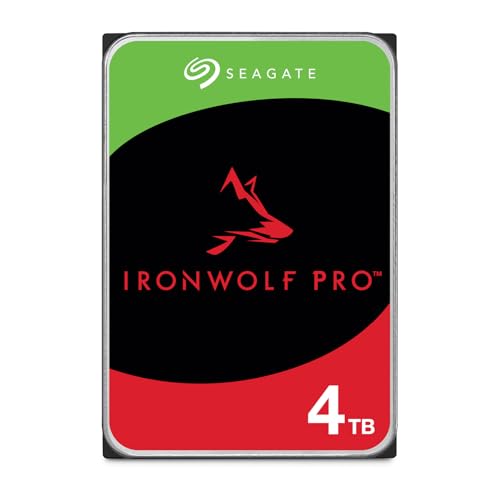
The three-year warranty is honest for this class of drive. Seagate's enterprise-grade IronWolf Pro carries a five-year warranty, and that gap is a signal: the SkyHawk is a prosumer surveillance drive, not a full enterprise unit. Three years is consistent with what Western Digital offers on its Purple surveillance drives at similar capacities. It's not a red flag, but it does tell you that if you're running a mission-critical commercial surveillance system where the footage has legal or insurance significance, you might want to think about either the IronWolf Pro or a RAID/redundancy setup rather than relying on a single SkyHawk.
The 180TB/year workload rating is the endurance figure that separates surveillance drives from desktop drives. For context, Seagate's own BarraCuda desktop drives carry a 55TB/year workload rating. The SkyHawk's rating is more than three times higher, reflecting the reality that this drive will be running continuously rather than sitting idle most of the day. Over a three-year warranty period, that's a rated workload of 540TB total. For a typical home or small business surveillance system, that's substantial headroom. The drive is designed to outlast the warranty period under normal surveillance workloads without hitting its endurance ceiling.
The bundled two-year Rescue Data Recovery Services plan is worth noting. Seagate's data recovery service, should the drive fail within the coverage period, will attempt to recover data from the failed drive. For a surveillance system storing footage you might need to retrieve after an incident, this is a genuinely useful inclusion rather than a marketing add-on. Owner reports in the review pool are broadly positive on reliability, with the most common failure reports appearing in the small minority of one-star reviews citing DOA units or early failures, which is consistent with the normal statistical distribution for any hard drive at volume. The positive overall rating across thousands of reviews is a strong signal that the population of drives is performing as expected.
Thermals
Hard drives don't have the thermal drama of Gen4 and Gen5 NVMe SSDs. There's no NAND running at 70 degrees Celsius, no controller throttling back to half speed because it's cooking itself inside an M.2 slot with no airflow. That said, a 3.5-inch hard drive running 24/7 in a closed NVR enclosure does generate meaningful heat, and thermal management still matters for long-term reliability.
The SkyHawk 6TB operates within a rated temperature range of 0 to 70 degrees Celsius (operating), which is standard for 3.5-inch surveillance drives. Seagate specifies a non-operating range down to -40 degrees Celsius, which is relevant for units installed in outdoor enclosures in cold climates. The drive's 5,400 RPM spin speed helps keep thermals lower than a 7,200 RPM drive would run, which is one of the practical benefits of the lower rotation speed beyond just power consumption.
In practice, owner reports from users running these drives in enclosed NVR units and desktop PC cases don't flag thermal issues as a concern. The drive doesn't need active cooling in a well-ventilated enclosure. Where you might see elevated temperatures is in a poorly ventilated NVR box with multiple drives packed tightly together and limited airflow. In that scenario, ensuring the enclosure has at least some passive ventilation is good practice regardless of which drive you use. The SkyHawk doesn't have specific thermal requirements beyond what any 3.5-inch hard drive needs, which is a reasonable amount of airflow around the drive bay.
Capacity Options & Price Per GB
The SkyHawk range spans from 1TB up to 20TB, covering everything from a single-camera home system to a high-camera-count commercial installation. The 6TB model sits in the middle of the consumer-to-prosumer range, and it's one of the most popular capacity points in the lineup. At this capacity, you're looking at meaningful recording duration: a 32-camera system at standard HD bitrates will fill 6TB in roughly 70 days of continuous recording before the NVR starts overwriting the oldest footage. An 8-camera system at the same bitrates gets you well over six months of retention on a single drive.
Price per gigabyte on hard drives at this capacity is genuinely good compared to SSDs. You're not buying this drive because spinning storage is faster than flash. You're buying it because six terabytes of reliable, always-on storage costs a fraction of what six terabytes of SSD capacity would set you back. For a surveillance use case where you need bulk capacity and sequential write reliability rather than random IOPS, that trade-off makes complete sense. The SkyHawk 6TB competes directly with Western Digital's Purple 6TB at similar price points, and both are considerably cheaper per terabyte than any SSD option at this capacity.
If your surveillance system supports it, stepping up to the 8TB or 10TB SkyHawk often improves the price-per-terabyte ratio further, which is typical of the hard drive market where larger platters reduce the per-gigabyte cost. But 6TB is a sensible sweet spot for most home and small business installations, offering enough capacity for meaningful footage retention without the cost of the higher-capacity models. The 4TB model is also worth considering if your camera count is low and your retention requirements are modest, as it typically comes in at a lower absolute price while maintaining the same SkyHawk firmware features.
Installation & Compatibility
Installation is about as straightforward as hard drives get. The drive uses a standard 3.5-inch SATA interface, so it slots into any NVR, DVR, or desktop PC with a compatible bay. You'll need a SATA data cable (usually included with your NVR or motherboard) and a SATA power connection from your power supply or the NVR's internal power harness. There's no driver installation required on any modern operating system or NVR firmware. The drive will be detected automatically.
The main compatibility check is capacity support. Older NVR and DVR units, particularly those running firmware from several years ago, may have a hard limit on drive capacity. Units that shipped with 2TB or 4TB drives as standard sometimes have firmware-level restrictions that prevent them from addressing drives above a certain size. Before installing a 6TB drive in an older unit, it's worth checking the manufacturer's compatibility list or updating the NVR firmware to the latest version. Most current-generation units from brands like Hikvision, Dahua, and similar handle 6TB without any issues, but the check takes two minutes and saves a frustrating troubleshooting session.
For desktop PC users considering the SkyHawk as a secondary storage drive (for video editing scratch space, for example), installation is identical to any other 3.5-inch SATA drive. Mount it in the drive bay, connect SATA data and power, and it'll show up in Disk Management on Windows or Disk Utility on macOS ready to be formatted. One thing to note: the SkyHawk's firmware optimisations are specifically tuned for surveillance write patterns. In a desktop context doing mixed random read/write workloads, you won't get any benefit from those tunings, and you'd arguably be better served by a BarraCuda or WD Blue desktop drive. The SkyHawk isn't wrong for desktop secondary storage, but it's not optimised for it either.

Who It's For
The SkyHawk 6TB is for anyone running a home or small business surveillance system that needs a purpose-built drive rather than a repurposed desktop hard drive. If you've got a 4-camera to 32-camera NVR or DVR setup and you want a drive that's rated for continuous write workloads, won't drop frames due to error recovery stalls, and has the endurance to run 24/7 without hitting its workload ceiling, this is a sensible choice. The bundled data recovery service and Drive Health Management features add practical value for a context where the footage might genuinely matter.
It's also a reasonable choice for video production environments that need bulk sequential write storage for capturing long recordings, though in that context you'd want to think carefully about whether the surveillance-tuned firmware is actually what you need versus a NAS drive or a desktop drive with a higher RPM. For pure video capture and editing scratch use, a 7,200 RPM drive like the Seagate IronWolf or WD Red Plus would offer better random I/O performance, which matters more in an editing workflow than in a surveillance context.
Who should look elsewhere? Anyone wanting a boot drive, a gaming drive, or anything requiring fast random I/O. This is not that drive. It's also not the right choice if you need enterprise-grade reliability with a five-year warranty and a higher workload rating. For that, the Seagate IronWolf Pro or the WD Gold are the appropriate products. And if your surveillance system only has one or two cameras and your footage retention needs are modest, a 2TB or 4TB SkyHawk would do the job at lower cost without any compromise on features.
How It Compares
The two most direct competitors to the Seagate SkyHawk 6TB are the Western Digital Purple 6TB and the Toshiba S300 6TB. Both are purpose-built surveillance drives targeting the same NVR and DVR market, and both are available at similar price points. The WD Purple has been the SkyHawk's main rival for years, and the competition between them is genuinely close. The WD Purple uses WD's AllFrame AI firmware, which similarly addresses the frame-drop problem that plagues desktop drives in surveillance use. The Toshiba S300 is the value option in this category, with a slightly lower workload rating but solid real-world performance in owner reports.
The SkyHawk differentiates itself primarily through the bundled Rescue Data Recovery Services plan and the Drive Health Management feature, neither of which the WD Purple or Toshiba S300 include as standard. If you're running a surveillance system where the footage has real-world consequence (commercial premises, security applications, or anywhere footage might need to be produced as evidence), that data recovery coverage has tangible value. The WD Purple competes on price and has a strong reliability track record in its own right, so the choice between them often comes down to whether you value the Seagate's additional features or prefer WD's ecosystem.
The Toshiba S300 typically undercuts both on price, which makes it attractive for budget-conscious buyers running smaller systems. Its workload rating is lower than the SkyHawk's, which matters less for a 4-camera home system than for a 32-camera commercial installation. All three drives use CMR recording, which is the right choice for surveillance workloads. None of them are going to make your surveillance footage look better or your cameras more capable. They're all just reliable storage for the job, and the differences between them are meaningful but not dramatic.
| Feature | Seagate SkyHawk 6TB (ST6000VXZ09) | WD Purple 6TB (WD60PURZ) | Toshiba S300 6TB (HDWT360UZSVA) |
|---|---|---|---|
| Interface | SATA 6Gb/s | SATA 6Gb/s | SATA 6Gb/s |
| RPM | 5,400 RPM | 5,400 RPM | 5,400 RPM |
| Cache | 64MB | 128MB | 128MB |
| Workload Rating | 180TB/year | 180TB/year | 150TB/year |
| Max Camera Streams | 64 HD | 64 HD | 64 HD |
| Warranty | 3 years | 3 years | 3 years |
| Data Recovery Service | 2 years included | Not included | Not included |
| Drive Health Management | Yes | Limited (via WD apps) | No |
| Recording Type | CMR | CMR | CMR |
| Price | £240.00 · Details | Check current price | Check current price |
What Buyers Say
With thousands of reviews and a positive overall rating, the SkyHawk 6TB has a larger and more consistent feedback pool than most drives in this category. The praise is concentrated around a few consistent themes. Buyers running multi-camera NVR systems report clean, uninterrupted recording without the frame drops or write errors they'd previously experienced with desktop drives. Several reviewers specifically mention upgrading from a BarraCuda or WD Blue that was causing problems in their surveillance setup, and finding the SkyHawk eliminated those issues immediately. That's exactly the difference the ImagePerfect firmware is supposed to make, and the owner reports confirm it's working as intended.
The Drive Health Management feature gets positive mentions from buyers running compatible NVR software, particularly those using Seagate's own SkyHawk AI NVR systems or third-party NVRs with health monitoring support. Being able to see the drive's health status proactively, rather than waiting for it to fail and lose footage, is genuinely useful in a surveillance context. A few reviewers mention the Rescue Data Recovery Services as a meaningful factor in their purchase decision, particularly for commercial installations.
The negative reviews are a small minority, and the most common themes are DOA units (which is a statistical inevitability at this sales volume, not a systemic quality problem) and a handful of reports of early failures within the first year. There are also a few complaints from buyers who installed the drive in a desktop PC and found it slower than expected, which suggests they either didn't read the product description carefully or assumed a surveillance drive would behave like a desktop drive. It won't, and that's fine, because it's not supposed to. The complaints that are actually relevant to the intended use case are rare, and the overall picture from the review pool is of a drive that does its specific job reliably.
Value Analysis
The SkyHawk 6TB sits at a price point that's competitive with the WD Purple 6TB and slightly above the Toshiba S300 6TB. Whether the premium over the Toshiba is justified depends on how much you value the bundled data recovery service and the Drive Health Management features. For a home user with a basic 4-camera system recording general household security footage, the Toshiba's lower workload rating is unlikely to be a practical constraint, and the price saving might be more attractive than the extras the SkyHawk brings.
For a small business running a 16-camera or 32-camera system where the footage has real commercial or legal significance, the SkyHawk's higher workload rating and bundled data recovery coverage start to look like genuinely good value rather than marketing extras. The cost of professional data recovery from a failed drive, if you needed it, would comfortably exceed the price difference between the SkyHawk and its cheaper rivals. Two years of coverage for that eventuality is a meaningful inclusion.
Against the WD Purple 6TB, the competition is tighter. Both drives carry the same 180TB/year workload rating and the same three-year warranty. The WD Purple has a larger 128MB cache versus the SkyHawk's 64MB, which is a minor advantage for write-heavy workloads. The SkyHawk counters with the data recovery service and more developed health monitoring integration. At similar price points, the choice between them is genuinely a matter of preference and ecosystem. Neither is a bad choice. Both are purpose-built for the job.
Endurance & Reliability
The three-year warranty is honest for this class of drive. Seagate's enterprise-grade IronWolf Pro carries a five-year warranty, and that gap is a signal: the SkyHawk is a prosumer surveillance drive, not a full enterprise unit. Three years is consistent with what Western Digital offers on its Purple surveillance drives at similar capacities. It's not a red flag, but it does tell you that if you're running a mission-critical commercial surveillance system where the footage has legal or insurance significance, you might want to think about either the IronWolf Pro or a RAID/redundancy setup rather than relying on a single SkyHawk.
The 180TB/year workload rating is the endurance figure that separates surveillance drives from desktop drives. For context, Seagate's own BarraCuda desktop drives carry a 55TB/year workload rating. The SkyHawk's rating is more than three times higher, reflecting the reality that this drive will be running continuously rather than sitting idle most of the day. Over a three-year warranty period, that's a rated workload of 540TB total. For a typical home or small business surveillance system, that's substantial headroom. The drive is designed to outlast the warranty period under normal surveillance workloads without hitting its endurance ceiling.
The bundled two-year Rescue Data Recovery Services plan is worth noting again here, because in the context of endurance and reliability it becomes particularly relevant. Seagate's Rescue Data Recovery Services offer professional data recovery attempts if the drive fails within the coverage period. For a surveillance system storing footage you might need to retrieve after an incident, this is a genuinely useful inclusion. Owner reports in the review pool are broadly positive on reliability, with the most common failure reports appearing in the small minority of one-star reviews citing DOA units or early failures, consistent with normal statistical distribution for any hard drive at volume.
Thermals
Hard drives don't have the thermal drama of Gen4 and Gen5 NVMe SSDs. There's no NAND running at 70 degrees Celsius, no controller throttling back to half speed because it's cooking itself inside an M.2 slot with no airflow. That said, a 3.5-inch hard drive running 24/7 in a closed NVR enclosure does generate meaningful heat, and thermal management still matters for long-term reliability.
The SkyHawk 6TB operates within a rated temperature range of 0 to 70 degrees Celsius (operating), standard for 3.5-inch surveillance drives. The drive's 5,400 RPM spin speed helps keep thermals lower than a 7,200 RPM drive would produce, which is one of the practical benefits of the lower rotation speed beyond just power consumption. Seagate rates the drive's power consumption at 7.8W during read/write operations and 4.0W at idle, which is reasonable for a 6TB 3.5-inch unit and won't cause thermal issues in a properly ventilated enclosure.
In practice, owner reports from users running these drives in enclosed NVR units and desktop PC cases don't flag thermal issues as a concern. Where you might see elevated temperatures is in a poorly ventilated NVR box with multiple drives packed tightly together and limited airflow. In that scenario, ensuring the enclosure has at least some passive ventilation is good practice regardless of which drive you use. The SkyHawk doesn't have specific thermal requirements beyond what any 3.5-inch hard drive needs: a reasonable amount of airflow around the drive bay and an ambient temperature that doesn't exceed the operating range.
Final Verdict
The Seagate SkyHawk 6TB is a properly purpose-built surveillance drive that does its specific job well. It's not trying to be a boot drive, a gaming drive, or a general-purpose desktop storage solution. It's a 24/7 continuous-write drive with firmware tuned to eliminate the frame drops that plague desktop drives in NVR and DVR applications, a workload rating three times higher than a standard desktop drive, and a bundle of features (Drive Health Management, Rescue Data Recovery Services) that add real value in a surveillance context. The positive overall rating across thousands of owner reviews reflects consistent satisfaction from buyers using it for its intended purpose.
The competition from the WD Purple 6TB is genuine, and if you're already in the WD ecosystem or prefer WD's larger 128MB cache, there's no compelling reason to switch. The Toshiba S300 6TB is the budget alternative if the data recovery coverage and health monitoring aren't priorities for your installation. But the SkyHawk is the better-rounded package for buyers who want the additional peace of mind the extras provide, particularly in commercial or semi-professional installations.
Where the SkyHawk falls short is simply in the nature of what it is. It's a mechanical hard drive, and mechanical hard drives are slow by modern standards. If you're comparing it to an SSD for any workload beyond bulk sequential writes, the comparison isn't flattering. But that's not the point. For a surveillance NVR or DVR that needs reliable, continuous, high-capacity storage at a sensible price, the SkyHawk 6TB is a well-specced, well-regarded choice that earns its place in the lineup. Score: 8.5 out of 10 for its intended use case. For anything outside that use case, it's simply the wrong tool.
Not Right For You?
If you need a drive for a desktop PC boot volume or a gaming library, you want an NVMe SSD. Something like the Samsung 870 EVO (SATA) or an NVMe option like the WD Black SN770 will transform your system's responsiveness in a way no hard drive can. The SkyHawk is not that product.
If you need surveillance storage but want enterprise-grade reliability with a five-year warranty and a higher workload ceiling, the Seagate Exos range or the IronWolf Pro are worth the additional investment. They're more expensive, but they're built to a higher standard for environments where downtime or data loss genuinely isn't an option.
And if your surveillance system is modest, say two or four cameras with basic retention requirements, the 2TB or 4TB SkyHawk models deliver the same firmware features and workload ratings at a lower absolute cost. There's no need to buy more capacity than your system will actually use within a reasonable retention window. The SkyHawk range scales sensibly, so buy the capacity that matches your actual needs rather than defaulting to the largest model available.

Full Specifications
| Specification | Detail |
|---|---|
| Model Number | ST6000VXZ09 |
| Capacity | 6TB |
| Form Factor | 3.5-inch |
| Interface | SATA 6Gb/s |
| Rotational Speed | 5,400 RPM |
| Cache | 64MB DRAM |
| Max Sustained Transfer Rate | 180MB/s |
| Workload Rating | 180TB/year |
| Max Simultaneous HD Streams | 64 |
| Recording Technology | CMR (Conventional Magnetic Recording) |
| Operating Temperature | 0 to 70 degrees Celsius |
| Power (Read/Write) | 7.8W |
| Power (Idle) | 4.0W |
| Warranty | 3 years |
| Data Recovery Service | 2 years Rescue Data Recovery Services |
| Special Features | ImagePerfect firmware, Drive Health Management |
| Current Price | £240.00 · Details |
| Owner Rating | ★★★★½ (4.5) (3,339 reviews) |
What works. What doesn’t.
6 + 5What we liked6 reasons
- ImagePerfect firmware eliminates the write stalls that cause frame drops when desktop drives are used in surveillance NVRs
- 180TB per year workload rating is more than three times the endurance of a standard BarraCuda desktop drive, providing genuine headroom for continuous recording
- Bundled two-year Rescue Data Recovery Services plan adds meaningful value in contexts where footage may have legal or commercial significance
- Drive Health Management feeds proactive health data to compatible NVR software, allowing problems to be caught before they become data loss events
- CMR recording technology ensures consistent, predictable write behaviour under sustained sequential workloads
- Thousands of owner reviews with a good overall rating reflects a large and consistent positive feedback pool for its intended use case
Where it falls5 reasons
- 64MB DRAM cache is smaller than the 128MB found on the WD Purple 6TB and Toshiba S300 6TB at similar price points
- Three-year warranty is honest but short of the five-year coverage offered by enterprise alternatives such as the Seagate IronWolf Pro
- Random read and write IOPS are extremely low compared to any SSD, making the drive poorly suited to desktop PC workloads or anything beyond bulk sequential writes
- Surveillance-tuned firmware provides no benefit outside its intended NVR and DVR use case
- Older NVR and DVR units may require a firmware update before they can address a 6TB drive, requiring a compatibility check before purchase
Full specifications
9 attributes| Capacity | 6TB |
|---|---|
| Capacity GB | 6000 |
| Dram cache | false |
| Form factor | 3.5" |
| Interface | SATA III |
| Read speed MBS | 180 |
| Type | HDD |
| Warranty years | 3 |
| Write speed MBS | 180 |
Frequently asked
7 questions01Is the Seagate SkyHawk 6TB compatible with all NVR and DVR units?+
The SkyHawk 6TB uses a standard 3.5-inch SATA interface and is compatible with the vast majority of current-generation NVR and DVR units from brands such as Hikvision and Dahua. The main compatibility check is whether your recorder's firmware supports drives above 4TB. Some older units have capacity limits baked into their firmware and may need a firmware update before they can address a 6TB drive. It is worth checking your recorder manufacturer's compatibility list before purchasing.
02Can I use the Seagate SkyHawk 6TB as a secondary storage drive in a desktop PC?+
You can physically install the SkyHawk 6TB in a desktop PC with a spare 3.5-inch SATA bay, and it will work as a secondary storage drive. However, the surveillance-tuned firmware is not optimised for the mixed random read and write workloads typical of desktop use. For desktop secondary storage, a Seagate BarraCuda or WD Blue would serve you better. The SkyHawk is not wrong for this use, but it is not the right tool for it either.
03What is the difference between the Seagate SkyHawk 6TB and a standard desktop hard drive?+
The key differences are the workload rating, the firmware, and the endurance tuning. The SkyHawk carries a 180TB per year workload rating compared to 55TB per year for a BarraCuda desktop drive, reflecting its design for always-on continuous recording. The ImagePerfect firmware manages error recovery so that the drive does not stall the write pipeline when handling a marginal sector, which prevents the frame drops that desktop drives can cause in NVR and DVR applications. Desktop drives are tuned for bursty workloads with idle periods, not the sustained sequential writes of a surveillance system.
04Does the Seagate SkyHawk 6TB use SMR or CMR recording technology?+
The SkyHawk 6TB uses conventional magnetic recording, known as CMR. It does not use shingled magnetic recording. CMR is the correct choice for surveillance workloads because it provides consistent, predictable write behaviour under continuous sequential recording. SMR drives, which overlap tracks to increase density, can suffer under sustained write workloads because writing to one track may require rewriting adjacent tracks. Seagate has consistently used CMR across the SkyHawk range.
05How long will 6TB of storage last on a typical surveillance system before footage is overwritten?+
Retention time depends on the number of cameras, their recording resolution, and the bitrate used. On a 32-camera system recording at standard HD bitrates of around 2Mbps per camera, 6TB will hold roughly 70 days of continuous footage before the NVR begins overwriting the oldest recordings. An 8-camera system at similar bitrates would achieve well over six months of retention on a single 6TB drive. Higher resolution cameras or higher bitrate settings will reduce these figures proportionally.
06How does the Seagate SkyHawk 6TB compare to the WD Purple 6TB?+
Both drives are purpose-built surveillance HDDs with the same 180TB per year workload rating, the same three-year warranty, and the same 5,400 RPM rotational speed. The WD Purple has a larger 128MB DRAM cache compared to the SkyHawk's 64MB, which is a minor advantage. The SkyHawk counters with a bundled two-year Rescue Data Recovery Services plan and more developed Drive Health Management integration, neither of which the WD Purple includes as standard. At comparable price points, the choice between them often comes down to whether the additional Seagate features justify the difference, or whether you prefer to remain within the WD ecosystem.
07What is Seagate's Rescue Data Recovery Services and is it genuinely useful?+
Rescue Data Recovery Services is a professional data recovery plan bundled with the SkyHawk 6TB. If the drive fails within the two-year coverage period, Seagate will attempt to recover the data from the failed drive. In a surveillance context where footage may have legal, insurance, or commercial significance, this is a practically useful inclusion rather than a marketing extra. The cost of professional data recovery from a failed drive outside any coverage plan would typically exceed the price difference between the SkyHawk and its cheaper rivals, so the bundled coverage has real monetary value.