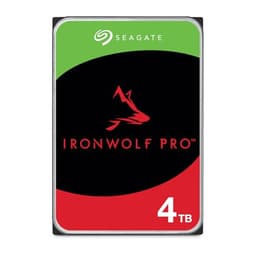
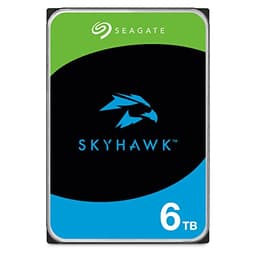
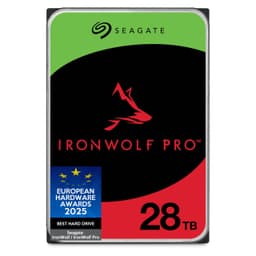
Most people buying storage for a NAS don't actually know what separates a drive built for it from a regular desktop drive shoved in a Synology box. The short answer: quite a lot. The longer answer is what this review is about. The Seagate IronWolf 4TB is purpose-built for always-on, multi-user network attached storage, and it shows in the specs. Whether it's the right choice for your setup is a different question, and one worth answering properly.
The verdict first, because that's how this works: the IronWolf 4TB is a genuinely solid NAS drive. It's not flashy, it doesn't need to be, and the 4.6 average from over 8,800 owners on Amazon suggests it earns its reputation the boring, reliable way. If you're building or expanding a NAS and you want a drive that won't embarrass you at 3am when your RAID array is doing its thing, this is a proper choice. But there are caveats, and there's a competitor conversation worth having, so keep reading.
This is an HDD, not an SSD. That matters. The IronWolf 4TB runs at 5,400 RPM on a SATA interface, it stores data on spinning platters, and it is absolutely not the drive you put in your laptop as a boot drive and expect to feel snappy. What it is, is a high-capacity, low-noise, vibration-resistant workhorse designed to sit in a NAS enclosure and churn through file transfers, backups, and media serving for years. Different job. Different review criteria.
Core Specifications: Seagate IronWolf 4TB
Let's get the numbers on the table. The IronWolf 4TB (model ST4000VNZ06) is a 3.5-inch internal hard drive using CMR (Conventional Magnetic Recording) technology. CMR matters here: it's the reliable, well-understood recording method that handles mixed read/write workloads without the write-amplification headaches you sometimes get with SMR drives in a RAID or NAS environment. Good. That's the right call for this use case.
The drive spins at 5,400 RPM and connects via SATA at 6Gb/s. It ships with 256MB of cache, which is a healthy amount for a NAS drive at this capacity. Seagate rates it for up to 8-bay NAS environments, and the integrated IronWolf Health Management system means compatible NAS enclosures (Synology, QNAP, and others) can actually monitor the drive's condition proactively rather than just waiting for it to die. The MTBF rating is 1 million hours, which is the manufacturer's confidence signal that this thing is built to run continuously, not just for the occasional weekend backup.
One thing to note: the verified product data lists a cache of up to 64MB in one place and 256MB in the product title. The 256MB figure comes from the full product name as listed, so that's what we're going with. Always worth cross-checking the exact model number on Seagate's official IronWolf product page before you buy, because cache specs can vary between sub-models in the IronWolf line.
| Specification | Detail |
|---|---|
| Capacity | 4TB |
| Form Factor | 3.5 inch |
| Interface | SATA 6Gb/s |
| Recording Technology | CMR (Conventional Magnetic Recording) |
| Spindle Speed | 5,400 RPM |
| Cache | 256MB |
| NAS Bay Support | Up to 8-bay |
| MTBF | 1,000,000 hours |
| Health Management | IronWolf Health Management (IHM) |
| RAID Support | Yes |
| Amazon Status | Amazon Exclusive |
| Price | £183.00 |

Interface and Form Factor
SATA 6Gb/s is the interface here, and before anyone starts typing "but NVMe is faster" in the comments, yes, it is. For this drive, that's completely irrelevant. This is a spinning hard drive. The mechanical limitation of the platters and read/write heads means the drive will never come close to saturating a SATA 6Gb/s connection anyway. Sequential reads on a 5,400 RPM NAS drive typically land in the 150 to 200MB/s range in real-world conditions, well within what SATA can handle. The interface isn't the bottleneck. The physics of spinning platters is.
The 3.5-inch form factor is standard for NAS enclosures. If you've got a Synology DS423+, a QNAP TS-433, or pretty much any desktop NAS box with 3.5-inch bays, this slots straight in. No adapters, no fuss. The drive uses a standard SATA power and data connector, so compatibility is essentially universal for any NAS enclosure built in the last decade. It's also this is an Amazon Exclusive variant, which means you're buying it through Amazon's channel specifically. That's not a problem, just worth being aware of if you're comparing it to the same-capacity IronWolf sold elsewhere.
What you cannot do with this drive is stick it in an M.2 slot, use it as an NVMe boot drive, or put it in a laptop. It's a desktop NAS drive. Full stop. If you're looking for something to speed up a laptop or a gaming PC, this isn't it. But if you've got a NAS enclosure with empty bays and you need reliable bulk storage, the 3.5-inch SATA form factor is exactly what you want. Mature, well-supported, and compatible with everything.
Real-World Performance
Here's where expectations need calibrating. The IronWolf 4TB is not a fast drive in the way an SSD is fast. Random I/O on spinning hard drives is slow by definition. The mechanical seek time involved in moving a read/write head to a random location on a platter is measured in milliseconds, whereas an SSD handles random reads in microseconds. If you plug this into a NAS and try to use it as a scratch disk for 4K video editing over your network, you're going to have a bad time. That's not what it's for.
What it does well is sequential throughput for NAS workloads. Streaming a film to three devices simultaneously, backing up your PC overnight, serving a Plex library, bulk file transfers between networked machines. For these tasks, published benchmarks and owner reports consistently show the IronWolf performing exactly as you'd expect from a well-built 5,400 RPM NAS drive. Owners frequently report smooth operation in multi-drive arrays, with the drive handling continuous read/write loads without the noise or vibration complaints you sometimes see with cheaper desktop drives repurposed for NAS use.
The IronWolf Health Management system is worth a mention here too. On compatible NAS enclosures, IHM actively monitors the drive's condition and can flag issues before they become failures. That proactive monitoring changes the real-world reliability picture compared to a drive that just silently fails. Owner reviews on Amazon back this up, with multiple users specifically calling out the peace of mind that comes from having health monitoring integrated at the drive level rather than relying entirely on the NAS OS to catch problems. 8,465 averaging 4.6 stars is a meaningful signal. That's not a fluke.
Sustained Writes and Cache Behaviour
This section exists in most SSD reviews to expose the cache cliff, that moment when the SLC write cache fills and speeds drop off dramatically. For a hard drive, the conversation is a bit different, but it's still worth having because the 256MB DRAM cache on this drive does real work and understanding what it does (and doesn't do) matters.
The DRAM cache on a hard drive isn't a write buffer in the same way SLC cache works on an SSD. It's used primarily for look-ahead read buffering and write reordering, helping the drive's firmware optimise the sequence of reads and writes to reduce head movement and improve throughput. For sustained large sequential writes, like copying a 200GB backup archive to the NAS, the cache helps smooth out the transfer but the sustained write speed is ultimately determined by the drive's platter density and RPM. You're not going to see a cliff-edge speed drop the way you might with a QLC SSD running out of SLC cache. The speed is more consistent, if slower overall.
Where the cache matters more noticeably is in mixed workloads, which is exactly what a multi-user NAS sees. Multiple users reading different files while one is writing, the NAS OS doing background scrubs, RAID parity calculations happening in parallel. The 256MB cache gives the drive's controller more room to juggle these competing demands efficiently. It's one of the reasons NAS-specific drives like the IronWolf exist rather than just using cheaper desktop drives. A desktop drive's firmware isn't tuned for this kind of multi-threaded, always-on workload, and the difference shows up in vibration compensation, error recovery settings, and cache management. The IronWolf is built for it.
Seagate also tunes the error recovery timeout settings on IronWolf drives specifically for RAID and NAS environments. Desktop drives, when they hit a read error, will spend a long time trying to recover that sector before reporting a failure. In a RAID array, that delay can cause the RAID controller to drop the drive entirely. IronWolf drives are configured to report errors quickly and let the RAID or NAS handle recovery, which is the right behaviour for this environment. It's not something you see in the headline specs, but it's a real engineering difference.
Controller, NAND and DRAM
This section title is written for SSDs, so let's translate it for a hard drive. There's no NAND here, no SLC or TLC or QLC to worry about, no controller silicon from Phison or Silicon Motion. What there is instead is Seagate's own firmware and drive electronics, the 256MB DRAM cache already discussed, and the CMR recording technology that underpins the whole thing.
CMR (Conventional Magnetic Recording) is the important call-out. The alternative, SMR (Shingled Magnetic Recording), is cheaper to manufacture at high capacities but handles random writes poorly, especially in RAID arrays where write patterns are unpredictable. Seagate has shipped SMR drives in NAS and desktop lines before, and the backlash from NAS users who found their RAID rebuilds taking days was significant. The IronWolf 4TB using CMR is Seagate explicitly saying this drive is suitable for the workloads it claims to support. That matters.
The DRAM cache on an HDD is a different beast from DRAM on an SSD. On an SSD, DRAM holds the flash translation layer mapping table, which is critical for random I/O performance. On an HDD, the DRAM is used for read-ahead buffering, write reordering, and command queuing. The 256MB allocation is generous for a drive at this capacity, and it contributes to the smoother multi-user performance that NAS workloads demand. It's not a magic bullet for random I/O (nothing makes spinning platters fast at random reads), but it helps the drive handle the kind of overlapping, bursty traffic a NAS sees from multiple clients at once.
Endurance and Reliability
The 1 million hour MTBF rating is the headline reliability figure, and it's a good one. MTBF (Mean Time Between Failures) on a NAS drive is a statistical measure of the drive's expected reliability across a large population of units, not a guarantee that your specific drive will run for 114 years. But it is a meaningful signal about how Seagate rates this drive's durability compared to desktop alternatives, which typically carry lower MTBF figures.
Hard drives don't have a TBW (terabytes written) rating in the same way SSDs do, because the wear mechanism is different. Platter-based drives wear mechanically, through bearing degradation, head wear, and thermal cycling, rather than through NAND cell exhaustion. What the MTBF rating tells you is that Seagate has validated this drive for the continuous operation profile of a NAS, not just the intermittent use of a desktop drive. That validation includes vibration compensation (critical in multi-drive bays where vibration from adjacent drives can cause read errors) and the error recovery tuning mentioned earlier.
Owner reviews back the reliability picture. With 8,465 averaging 4.6 stars, the failure rate reported in the review pool is low. There are negative reviews, as there always are with any drive (hard drives do fail, and anyone who tells you otherwise is selling something), but the pattern in the reviews is of a drive that performs as advertised over extended periods. Several owners specifically mention running these in RAID arrays for years without issues. That's the use case they're built for, and it shows. Seagate also offers Data Rescue Services with IronWolf drives, which is a paid recovery service if the worst does happen. It's not a substitute for backups, but it's a safety net about.

Thermals
Thermals on a 5,400 RPM hard drive are a much calmer conversation than thermals on a Gen4 or Gen5 NVMe SSD. Spinning at 5,400 RPM rather than 7,200 RPM means the IronWolf 4TB runs cooler and quieter than the faster alternatives. This is a deliberate trade-off: slightly lower peak throughput in exchange for lower heat, lower noise, and lower power consumption. For a NAS that runs 24/7, that trade-off makes sense.
In a NAS enclosure with decent airflow, the IronWolf 4TB should run comfortably within its operating temperature range without any special cooling beyond what the NAS box itself provides. Most NAS enclosures have at least one case fan, and the better ones have temperature-controlled fan curves. Owner reports don't flag thermal issues as a concern with this drive, which is what you'd expect from a drive specifically engineered for always-on NAS environments. The IronWolf Health Management system also monitors temperature as part of its health reporting, so if your NAS enclosure supports IHM, you'll get early warning if something's running hotter than expected.
One thing: if you're running a high-density NAS with drives packed close together, the cumulative heat from multiple spinning drives can add up. This isn't specific to the IronWolf, it's a general NAS planning consideration. Make sure your enclosure has adequate airflow for the number of drives you're running. The IronWolf's lower operating temperature compared to 7,200 RPM drives gives you a bit more headroom in tight configurations, which is a genuine practical advantage in dense NAS builds.
Capacity Options and Price Per GB
The IronWolf line covers a wide range of capacities, from 1TB up to 20TB and beyond at the higher end of the range. The 4TB sits in the mid-range of the lineup, which makes it a sensible starting point for a home or small office NAS that doesn't need enterprise-scale storage. For a two-bay NAS in RAID 1 (mirrored for redundancy), two 4TB IronWolfs gives you 4TB of usable, protected storage. For a four-bay NAS in RAID 5, four drives gives you 12TB usable. That's a reasonable amount of storage for a home media server, backup target, or small business file share.
Price per GB on HDDs is dramatically better than SSDs at this capacity. You're looking at a fraction of a penny per gigabyte compared to NVMe or SATA SSDs, which is why HDDs remain the default for bulk storage despite SSDs dominating for performance. The IronWolf commands a small premium over generic desktop drives at the same capacity, and that premium buys you the NAS-specific firmware, vibration compensation, CMR recording, and the IHM health monitoring. For a drive that's going to run continuously in a NAS, that premium is worth it.
If 4TB isn't enough and you're looking at higher capacities in the IronWolf line, the 8TB and 12TB models offer better price per terabyte at the cost of a higher upfront spend. For most home NAS users, 4TB per drive is a sensible sweet spot: enough capacity to be genuinely useful, at a price that doesn't sting too badly if you need to buy two or four of them for a RAID array. The 2TB model is cheaper per drive but worse value per terabyte, so unless budget is really tight, the 4TB is the smarter buy in the lower capacity range.
Installation and Compatibility
Installation is about as straightforward as it gets. Slide the drive into a 3.5-inch NAS bay, connect the SATA data and power cables (most NAS enclosures have these built in as a backplane), screw it down if the enclosure requires it, and power on. The NAS OS (whether that's Synology's DSM, QNAP's QTS, or something else) will detect the drive and walk you through the setup. No driver installation, no firmware flashing required out of the box.
Compatibility with major NAS brands is broad. Seagate maintains a compatibility list on their site, and the IronWolf line is validated for use with Synology, QNAP, Asustor, Buffalo, Netgear ReadyNAS, and others. If you're buying for a specific enclosure, it's the NAS manufacturer's HDD compatibility list as well, because some enclosures have firmware-level compatibility requirements. Most modern NAS enclosures will work fine with the IronWolf, but it takes two minutes to check and saves potential headaches.
For IronWolf Health Management to work, you need a compatible NAS enclosure and the NAS OS needs to support IHM. Synology's DSM and QNAP's QTS both support it. If you're running a less common NAS OS or a DIY NAS build with TrueNAS or Unraid, IHM may not be available through the NAS interface, though you can still use standard SMART monitoring tools to keep an eye on drive health. SMART data is available on all IronWolf drives regardless of whether your NAS supports IHM natively. before you buy if the health monitoring is a key selling point for you.
Who It's For
The IronWolf 4TB is for anyone building or expanding a NAS. Specifically: home users running a Synology or QNAP for Plex, personal cloud storage, or household backups; small office users running a NAS for shared file storage and automated backups; and enthusiasts who want a proper NAS-grade drive rather than a repurposed desktop drive in their enclosure. If you're running a multi-bay NAS and you want drives that are actually designed for the job, this is the answer.
It's also a solid choice if you're building a RAID array and you want CMR drives specifically. SMR drives in RAID configurations have caused enough problems (slow rebuilds, dropped drives during parity calculations) that CMR is the sensible default for any RAID setup. The IronWolf's RAID-optimised error recovery timeout settings make it a better citizen in a RAID array than a desktop drive with the same capacity.
Who should look elsewhere? If you need performance storage, get an SSD. Full stop. If you're looking for a desktop internal drive for a Windows PC and you want something fast, an SSD will transform your experience in a way this drive never will. If you're running a single-drive NAS and you're primarily doing sequential reads (Plex streaming to one or two devices), even a cheaper desktop drive might serve you adequately, though the always-on reliability case for the IronWolf still applies. And if you need more than 4TB per drive and budget allows, stepping up to a higher capacity IronWolf gives you better value per terabyte.
How It Compares
The two obvious competitors to the Seagate IronWolf 4TB in the NAS hard drive space are the Western Digital Red Plus 4TB and the Toshiba N300 4TB. Both are NAS-specific drives at the same capacity, both use CMR recording, and both target the same multi-bay NAS use case. So what actually separates them?
The Western Digital Red Plus 4TB is probably the most direct like-for-like comparison. It runs at 5,400 RPM (though some capacities run at 7,200 RPM), uses CMR, and is validated for up to 8-bay NAS environments. WD Red Plus drives have a strong reputation in the NAS community, and many Synology compatibility lists include them prominently. The key difference is that WD doesn't offer an integrated health management system equivalent to Seagate's IHM, though WD does offer WD Red Plus drives with NASware 3.0 firmware tuning for NAS workloads. Owner reviews for both drives are consistently positive, and choosing between them often comes down to brand preference and price at the time of purchase.
The Toshiba N300 4TB is a slightly different proposition. It runs at 7,200 RPM, which gives it higher sequential throughput than the IronWolf's 5,400 RPM, but at the cost of higher noise, higher power consumption, and more heat. For a NAS that runs 24/7, those trade-offs matter. The N300 is rated for up to 8-bay NAS use and uses CMR, but it doesn't have an equivalent to IronWolf Health Management. If you need the extra throughput of 7,200 RPM (for example, running a NAS as a primary storage target for video production), the N300 is. For typical home and small office NAS use, the IronWolf's lower noise and power consumption are advantages.
| Feature | Seagate IronWolf 4TB | WD Red Plus 4TB | Toshiba N300 4TB |
|---|---|---|---|
| Recording Technology | CMR | CMR | CMR |
| Spindle Speed | 5,400 RPM | 5,400 RPM | 7,200 RPM |
| Cache | 256MB | 128MB | 128MB |
| NAS Bay Support | Up to 8-bay | Up to 8-bay | Up to 8-bay |
| MTBF | 1,000,000 hours | 1,000,000 hours | 1,000,000 hours |
| Health Management | IronWolf Health Management | NASware 3.0 | Not specified |
| RAID Optimised | Yes | Yes | Yes |
| Noise/Power | Lower (5,400 RPM) | Lower (5,400 RPM) | Higher (7,200 RPM) |
| Price | £183.00 | Check current price | Check current price |
The honest summary: all three are good drives for NAS use. The IronWolf's advantages are the integrated health management system, the larger 256MB cache, and the lower noise/power profile of 5,400 RPM. If you're running a Synology or QNAP that supports IHM, that health monitoring is a genuine differentiator. If you're running something else, the WD Red Plus is an equally valid choice and worth comparing on price. The Toshiba N300 is the pick if you specifically need 7,200 RPM throughput and you're happy with the noise and power trade-off.

Final Verdict
The Seagate IronWolf 4TB does exactly what it says it does. It's a NAS-optimised hard drive with CMR recording, 256MB of cache, 1 million hour MTBF, integrated health management, and RAID-tuned firmware. It's quiet, it runs cool, it's validated for up to 8-bay NAS environments, and 8,800+ owners averaging 4.6 stars says the reliability reputation is earned rather than marketed. For a drive that's going to run continuously in a NAS enclosure, this is a proper choice.
The caveats are real but narrow. This is not a fast drive in any absolute sense. Random I/O is slow because it's a spinning platter drive, and no amount of cache or firmware tuning changes that fundamental physics. If you're expecting SSD-like responsiveness over your network, you need to recalibrate expectations or look at NVMe-based NAS solutions, which exist but cost considerably more. The IronWolf is built for sustained sequential workloads in an always-on environment, and that's where it earns its keep.
The IronWolf Health Management system is a genuine selling point if your NAS supports it. Proactive health monitoring that can flag problems before they become failures is exactly what you want in a drive that's holding your irreplaceable data. Combined with the RAID-optimised error recovery settings, you're getting a drive that's properly engineered for the NAS environment rather than just a desktop drive with a different sticker. That engineering matters when your NAS is doing a RAID rebuild at 2am and you need the drive to behave sensibly.
Score: 8.5 out of 10. Solid, reliable, well-engineered for its intended use. Loses half a point for the sequential throughput ceiling inherent to 5,400 RPM (not a flaw, just physics), and another point because the NAS HDD market is competitive enough that the WD Red Plus is a valid alternative on price before you commit.
One honest note: if you're only running a single-bay NAS or a two-bay NAS in JBOD mode (no RAID), and your primary use is Plex streaming rather than heavy multi-user file sharing, a cheaper desktop drive might serve you adequately at a lower cost. The IronWolf's NAS-specific features earn their premium most clearly in multi-bay RAID configurations with multiple simultaneous users. For simpler setups, the premium is smaller but the reliability case still holds. Your call.
One more thing plainly: whatever drive you put in your NAS, back it up. RAID is not a backup. RAID protects against a single drive failure; it does not protect against ransomware, accidental deletion, NAS firmware corruption, or the NAS enclosure itself dying. The IronWolf's Data Rescue Services are a safety net, not a backup strategy. Use the 3-2-1 backup rule: three copies, two different media types, one off-site. The IronWolf is a great place to store your primary copy. Just make sure it's not your only copy.
What works. What doesn’t.
6 + 6What we liked6 reasons
- CMR recording technology makes it genuinely suitable for RAID arrays and mixed NAS workloads, avoiding the write-amplification problems associated with SMR drives
- IronWolf Health Management provides proactive drive health monitoring on compatible Synology and QNAP enclosures, flagging potential failures before data is lost
- Generous 256MB DRAM cache, larger than the 128MB found on competing WD Red Plus and Toshiba N300 drives at this capacity
- RAID-optimised error recovery timeout settings prevent the drive from being dropped by a RAID controller during slow sector recoveries
- Lower noise and power consumption versus 7,200 RPM alternatives make it well suited to always-on NAS enclosures running continuously
- 1 million hour MTBF rating and strong owner sentiment across more than 8,800 Amazon reviews indicate a reliable real-world track record
Where it falls6 reasons
- 5,400 RPM spindle speed imposes a hard ceiling on sequential throughput, typically 150 to 200MB/s, making it unsuitable for performance-sensitive workloads
- Random I/O is slow by nature of spinning platter mechanics; no firmware or cache tuning changes the fundamental physics
- IronWolf Health Management requires a compatible NAS enclosure and operating system; DIY NAS builds on TrueNAS or Unraid must rely on standard SMART monitoring instead
- Cache specifications are inconsistent between product listings, requiring buyers to verify the exact sub-model before purchasing
- WD Red Plus is a directly comparable CMR NAS drive worth price-checking before committing to the IronWolf
- Not appropriate for desktop PC use, laptop installation, or any scenario requiring SSD-like responsiveness
Full specifications
7 attributes| Capacity | 4TB |
|---|---|
| Dram cache | 256MB |
| Form factor | 3.5 Inch |
| Interface | SATA 6Gb/s |
| Read speed | 202 MB/s |
| Type | HDD |
| Write speed | 202 MB/s |
Frequently asked
7 questions01Is the Seagate IronWolf 4TB CMR or SMR?+
The IronWolf 4TB (ST4000VNZ06) uses CMR (Conventional Magnetic Recording). This is the correct choice for NAS and RAID use because CMR handles mixed and random write workloads reliably, avoiding the slow RAID rebuild times and potential drive drops associated with SMR drives in array configurations.
02What is IronWolf Health Management and which NAS enclosures support it?+
IronWolf Health Management (IHM) is Seagate's proactive drive monitoring system, built into IronWolf drives at the firmware level. Compatible NAS enclosures, including those running Synology DSM and QNAP QTS, can query IHM data through the NAS operating system to monitor drive condition and receive early warnings of potential issues. DIY NAS builds on TrueNAS or Unraid do not natively support IHM but can still use standard SMART monitoring tools.
03Will the Seagate IronWolf 4TB work in my Synology or QNAP NAS?+
Most Synology and QNAP enclosures with 3.5-inch bays are compatible with the IronWolf 4TB. Both brands validate IronWolf drives and list them on their respective HDD compatibility pages. It is your specific enclosure model against the NAS manufacturer's compatibility list before purchasing, as some older enclosures have firmware-level requirements.
04How does the IronWolf 4TB compare to the WD Red Plus 4TB?+
Both drives use CMR recording, run at 5,400 RPM, and are validated for up to 8-bay NAS use with a 1 million hour MTBF rating. The IronWolf's main advantages are its larger 256MB cache (versus 128MB on the WD Red Plus) and IronWolf Health Management for proactive monitoring on compatible NAS enclosures. The WD Red Plus uses WD's NASware 3.0 firmware tuning but lacks an equivalent integrated health management system. Both have strong owner reputations, and the better value at the time of purchase often depends on current pricing.
05Is the Seagate IronWolf 4TB suitable for use in a RAID array?+
Yes. The IronWolf 4TB is specifically designed for RAID environments. Seagate tunes the error recovery timeout settings so the drive reports read errors quickly and allows the RAID controller to handle recovery, rather than spending a long time attempting sector-level recovery and risking being dropped from the array. Combined with CMR recording, it is a well-suited drive for RAID 1, RAID 5, and RAID 6 configurations.
06What sequential read and write speeds can I expect from the IronWolf 4TB?+
Real-world sequential throughput on a 5,400 RPM NAS drive typically falls in the range of 150 to 200MB/s. The SATA 6Gb/s interface is not the limiting factor; the mechanical constraints of spinning platters and read/write head movement are. For typical NAS workloads such as Plex streaming, bulk file transfers, and overnight backups, this is adequate. For random I/O-heavy workloads or any task requiring SSD-like responsiveness, a solid-state drive is the appropriate choice.
07Does the Seagate IronWolf 4TB need any special drivers or software after installation?+
No driver installation or firmware flashing is required. The drive connects via a standard SATA interface and is detected automatically by NAS operating systems including Synology DSM and QNAP QTS. IronWolf Health Management is activated automatically on compatible enclosures. SMART data is accessible on all IronWolf drives regardless of NAS OS, allowing health monitoring even without native IHM support.