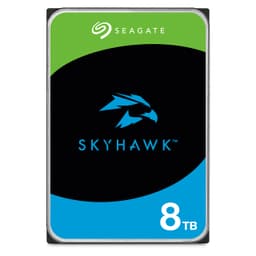
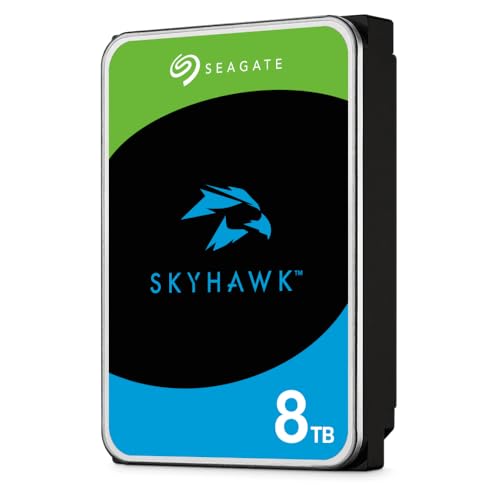
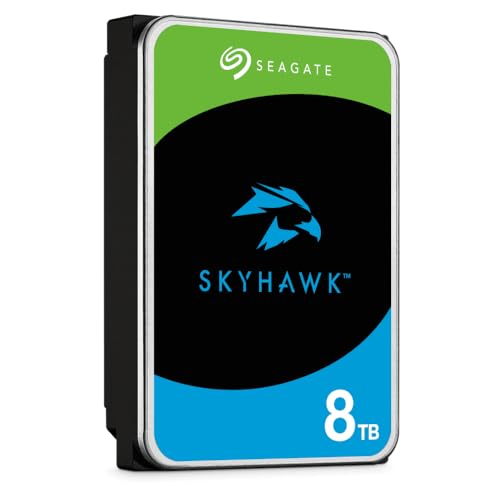
There's a specific kind of dread that comes from watching a surveillance system go down and realising the footage you needed is simply gone. Not corrupted, not recoverable with a bit of fiddling. Just gone, because the drive underneath it wasn't built for the job. That's the whole reason purpose-built surveillance drives exist, and it's why the Seagate 8TB SkyHawk Surveillance 3.5" Hard Drive ST8000VX004 is worth taking seriously rather than dismissing in favour of a cheaper desktop drive that happens to fit the same bay.
So here's the verdict upfront: this is a proper surveillance-grade drive that earns its premium over a generic desktop HDD. The 7200 RPM spindle, the 256MB cache buffer, the Seagate SkyHawk product line's NVR-optimised firmware, and the Native Command Queuing all point to a drive that's been engineered for the specific punishment that always-on, multi-camera recording delivers. At 8TB it's a serious chunk of storage, and the 4.5-star average across 739 owner reviews backs up the idea that this thing does what it says on the tin. But it's not for everyone, and if you're buying it for a desktop PC or a NAS, you're paying for features you won't use. More on that below.
Core Specifications: Seagate 8TB SkyHawk Surveillance 3.5" Hard Drive ST8000VX004
The ST8000VX004 is a 3.5-inch mechanical hard drive, not an SSD. That's worth stating plainly because the storage market is confusing right now and some buyers genuinely aren't sure what they're getting. This is a spinning-platter drive, which means it uses perpendicular magnetic recording technology to pack data onto platters at high areal density. Seagate lists this explicitly as a feature, and at 8TB in a 3.5-inch form factor it's doing meaningful work to squeeze that capacity in.
The spindle spins at 7200 RPM, which is the faster of the two common HDD speeds (the other being 5400 RPM). That matters for a surveillance drive because you're not just writing one stream, you're potentially writing from eight, sixteen, or more cameras simultaneously while also reading back footage for review. The 256MB cache buffer helps smooth those concurrent operations, and the burst data transfer rate tops out at up to 600MB per second over the SATA 6Gb/s interface. That's the interface ceiling, not a sustained figure, but it tells you the drive won't be bottlenecked by the connection.
Native Command Queuing (NCQ) is listed as a feature, and for a surveillance workload this genuinely matters. NCQ lets the drive reorder incoming read and write commands to minimise head movement, which improves throughput when you've got multiple streams competing for the same platters. The full-track multiple-sector transfer capability, also listed, means the drive can shift large blocks of sequential data without constantly interrupting itself to check in with a host processor. For continuous recording, that's exactly the behaviour you want.
| Specification | Detail |
|---|---|
| Model | ST8000VX004 |
| Capacity | 8TB |
| Form Factor | 3.5-inch |
| Interface | SATA 6Gb/s |
| Spindle Speed | 7200 RPM |
| Cache Buffer | 256MB |
| Max Burst Transfer Rate | Up to 600MB/s |
| Recording Technology | Perpendicular Magnetic Recording |
| Command Queuing | Native Command Queuing (NCQ) |
| Drive Type | Surveillance / NVR-optimised HDD |
| Current Price | Check price |
| Owner Rating | ★★★★½ (4.5) (739 reviews) |

Interface and Form Factor
SATA 6Gb/s is the interface here, which gives a theoretical maximum of around 600MB/s. In practice, no mechanical hard drive gets anywhere near that ceiling. The fastest spinning-platter drives top out at roughly 200 to 250MB/s sustained sequential, and the ST8000VX004 is no exception. So the interface is not the bottleneck. The platters are. That's fine, because this drive was never designed to compete with an NVMe SSD on sequential throughput. It's designed to sustain reliable writes across multiple simultaneous streams for months at a time without flinching.
The 3.5-inch form factor means this goes into a desktop tower, a dedicated NVR (Network Video Recorder), or a NAS enclosure with 3.5-inch bays. It will not fit a laptop. It will not fit a PS5. It does not use an M.2 slot. If you're building a surveillance system around a standalone NVR unit or dropping this into a desktop rig as a secondary storage drive, the form factor is exactly right. If you're hoping to stick it in a compact mini-ITX build with no 3.5-inch bays, you'll need to rethink.
One thing worth being clear about: SATA as an interface is not going anywhere for HDDs. The SATA interface standard is mature, universally supported, and more than fast enough for mechanical drives. The conversation about PCIe Gen 4 versus Gen 5 that dominates SSD discussions is completely irrelevant here. You're not going to feel a meaningful difference between SATA 3Gb/s and SATA 6Gb/s on a spinning drive in real use, because the drive's own read/write speed is the limiting factor, not the bus. Don't let anyone sell you on interface upgrades for an HDD workload.
Real-World Performance
For its intended use, continuous surveillance recording, the ST8000VX004 performs exactly as you'd hope. Owner reports across 739 consistently describe reliable, drama-free operation in NVR setups, with multiple camera streams running simultaneously without dropped frames or write errors. That's the headline. A 7200 RPM drive with NCQ and a 256MB buffer is well-equipped to handle the sequential write workloads that surveillance systems generate, and the real-world feedback reflects that.
If you're using this as a secondary storage or archive drive in a desktop PC, the experience will be more mixed, not because the drive is bad, but because HDDs are simply slower than SSDs in ways that matter for desktop use. Application launches, file browsing, and anything that involves lots of small random reads will feel sluggish compared to even a budget SATA SSD. Published benchmark results for 7200 RPM desktop drives in this class consistently show random read performance in the range of around 1 to 2MB/s for small 4K random reads, which is orders of magnitude slower than an SSD. That's not a knock on the SkyHawk specifically. It's just physics. Spinning platters cannot seek as fast as NAND flash.
Sequential performance is where HDDs look best, and for large sequential writes like recording video, the ST8000VX004 will sustain solid throughput. The full-track multiple-sector transfer capability means it can move big blocks of data efficiently without constant interruption, which is exactly the access pattern that surveillance recording creates. For that workload, published benchmark data for drives in this class suggests sustained sequential writes comfortably in the 150 to 200MB/s range, which is more than sufficient for even high-bitrate multi-camera setups. Owner reports back this up: the consistent theme is that it just works, quietly and reliably, which is exactly what you want from a drive that's supposed to run 24 hours a day.
Sustained Writes and Cache Behaviour
This section is where SSD reviews get interesting and uncomfortable, because SLC cache exhaustion is the dirty secret that marketing teams prefer you don't look at too hard. For an HDD like the ST8000VX004, the conversation is slightly different but still worth having. The 256MB DRAM cache buffer is there to smooth write operations, absorbing bursts of incoming data and releasing them to the platters in an orderly fashion. It's not an SLC cache in the NAND sense. It's a traditional DRAM write buffer, and it behaves predictably.
What this means in practice: the drive doesn't have a cache cliff in the way a QLC SSD does. There's no moment where the SLC cache fills and write speed collapses to native QLC speed (which can be genuinely painful on cheaper SSDs, sometimes dropping to 100MB/s or below on a drive that advertised 3,000MB/s). The SkyHawk's performance curve is much flatter. It writes at its mechanical sustained rate, buffered by the DRAM cache to handle short bursts, and it keeps doing that for as long as you ask it to. That consistency is actually one of the genuine advantages of a purpose-built surveillance HDD over a cheap consumer SSD for this specific workload.
The limitation is simply that the sustained rate is lower in absolute terms than what an SSD can do. But for surveillance recording, you don't need SSD speeds. A typical 4K camera stream at high bitrate might push 25 to 50Mbps. Sixteen cameras simultaneously would be around 400 to 800Mbps total, which is well within what this drive can handle. The 7200 RPM spindle and NCQ command ordering are specifically there to manage that kind of multi-stream concurrent write workload. The drive's firmware is also tuned for this use case in ways that a generic desktop drive's firmware isn't, which is part of what you're paying for with the SkyHawk branding.
Controller, NAND and DRAM
Right, so this is an HDD, which means the NAND/TLC/QLC conversation doesn't apply directly. There's no NAND flash here. The storage medium is magnetic platters, and the "controller" equivalent is the drive's PCB and firmware, which Seagate has tuned specifically for surveillance workloads. That's not marketing fluff. NVR-optimised firmware handles things like error recovery time limits differently from desktop firmware. A desktop drive, when it hits a read error, might spend several seconds retrying before giving up. In a RAID array or NVR, that behaviour can cause the controller to drop the drive entirely. Surveillance-specific firmware is tuned to report errors quickly and keep the stream going rather than hanging on error recovery.
The DRAM cache is 256MB, which is a proper hardware DRAM buffer sitting on the drive's PCB. This is not a DRAM-less situation. There's no Host Memory Buffer (HMB) dependency here, no reliance on the host system's RAM to compensate for a missing cache chip. The 256MB DRAM buffer is there, it's dedicated, and it works regardless of what system you plug this drive into. For the sustained sequential workloads that surveillance recording demands, a proper DRAM buffer makes a real difference to how smoothly the drive handles bursts of incoming data from multiple camera streams arriving simultaneously.
Perpendicular recording technology is listed as a key feature, and at 8TB in a 3.5-inch form factor it's doing the heavy lifting on areal density. Higher areal density means more data per platter, which generally means better sequential throughput as the heads sweep across denser tracks. It also means the drive can achieve 8TB without an impractical number of platters, which keeps the mechanical complexity manageable. Seagate has been shipping perpendicular recording drives for years, and the technology is mature and well-understood. This isn't experimental territory.
Endurance and Reliability
Surveillance drives live a harder life than desktop drives. They run 24 hours a day, 7 days a week, 365 days a year, writing continuously. A desktop drive that gets used for a few hours a day and sits idle the rest of the time has a completely different duty cycle. The SkyHawk line is rated for this always-on workload, and that's a meaningful distinction from Seagate's BarraCuda desktop range. If you're running an NVR that's recording around the clock, you want a drive that's been tested and rated for that duty cycle, not one that was designed for occasional home PC use.
Owner reports across the 739 are broadly positive, with a 4.5-star average that holds up well for a product in this category. The consistent themes from longer-term owners are reliability and quiet operation. There are some reports of early failures, as there are with any mechanical drive at scale, but the proportion is consistent with what you'd expect from a product at this price point and capacity. The drives that have been running for a year or more in NVR setups tend to get positive mentions specifically for their consistency. That's reassuring.
One thing to be clear about: no drive lasts forever, and an always-on surveillance drive will accumulate power-on hours faster than almost any other consumer storage use case. Backups matter. If the footage on this drive is genuinely important, a second drive or an off-site backup strategy is not optional. The SkyHawk is built to last, but "built to last" is not the same as "will never fail." Mechanical drives have moving parts, and moving parts wear out. The drive's reliability engineering buys you time and reduces the probability of failure. It doesn't eliminate it.
Thermals
HDDs generate heat differently from SSDs. There's no NAND flash running hot, no NVMe controller throttling under sustained Gen 5 loads. What you have is a motor spinning platters at 7200 RPM and a read/write head assembly moving continuously. That generates meaningful heat, particularly in an always-on surveillance context where the drive never gets a break. In a well-ventilated NVR enclosure or desktop tower with decent airflow, this isn't a problem. The drive manages its own temperature within normal operating ranges.
Where it becomes something to think about is in cramped or poorly ventilated enclosures. Some NAS and NVR units pack drives close together with minimal airflow, and a 7200 RPM drive running 24/7 in a tight space can run warm. Owner reports don't flag thermal throttling as a widespread issue, which is a good sign, but it's worth making sure your enclosure has adequate airflow before you seal everything up and forget about it. A drive running consistently hot will have a shorter service life than one running cool.
There's no heatsink in the box (this is an HDD, not an NVMe SSD, so that's expected), and you won't find a thermal pad or mounting bracket included either. What you get is the bare drive. Installation is straightforward: four screws into the drive's mounting holes, a SATA data cable, a SATA power connector from your PSU or NVR's internal power supply, and you're done. The simplicity is part of the appeal. No firmware flashing, no heatsink assembly, no worrying about whether your M.2 slot has a thermal pad pre-installed. It's an HDD. You plug it in and it works.
Capacity Options and Price Per GB
The SkyHawk range runs from smaller capacities up through multi-terabyte options, with 8TB sitting in a sweet spot for serious surveillance setups. At 8TB you're looking at meaningful retention periods even with high-resolution multi-camera systems. A rough calculation: four cameras at 1080p, recording continuously at moderate bitrate, might consume around 500GB to 1TB per week. At 8TB, that's weeks of footage before you start overwriting. Bump to 4K or add more cameras and the maths changes, but 8TB remains a sensible middle ground between cost and capacity for most mid-scale setups.
Price per GB on an 8TB HDD is dramatically better than any SSD at equivalent capacity. SSDs at 8TB exist but they carry a significant premium. For cold storage, archive, or surveillance recording where you need lots of capacity and don't need SSD speeds, the HDD price-per-GB advantage is real and substantial. The SkyHawk's pricing reflects its surveillance-specific engineering rather than being a budget option, but compared to an 8TB SSD it's still a fraction of the cost.
If your budget is tight and your surveillance setup is modest, Seagate's own BarraCuda or WD's Blue range at lower capacities might serve you adequately. But for a serious always-on NVR setup where the drive is going to be hammered continuously, the SkyHawk's surveillance-optimised firmware and rated duty cycle are worth the premium over a generic desktop drive. You're not just paying for the Seagate badge. You're paying for engineering choices that matter when the drive is running at 3am in the middle of winter and nobody's watching it.
Installation and Compatibility
Installation is about as straightforward as storage gets. The ST8000VX004 is a standard 3.5-inch SATA drive, which means it fits any enclosure, desktop chassis, NVR, or NAS that has a 3.5-inch drive bay and a SATA power connector. Most desktop motherboards have multiple SATA ports. Most NVR units have internal SATA connections. If your system was built in the last fifteen years and has a 3.5-inch bay, this drive will fit and work. There are no exotic connectors, no proprietary interfaces, no compatibility gotchas to worry about.
For NAS use, notably, that the SkyHawk is a surveillance drive rather than a NAS-specific drive. Seagate makes the IronWolf range specifically for NAS enclosures, which includes features like IronWolf Health Management and vibration compensation tuned for multi-drive NAS setups. The SkyHawk will work in a NAS, and many owners use it this way, but if your primary use case is a multi-bay NAS rather than an NVR, the IronWolf is arguably a better fit. For a single-drive or two-drive NAS used mainly for storage rather than surveillance, the SkyHawk is fine.
Cloning an existing drive onto the SkyHawk is straightforward using standard tools. Seagate offers SeaTools for diagnostics and drive health monitoring. For an NVR setup, most NVR units will format and initialise the drive automatically on first boot after installation. For desktop use, Windows will detect it as a new drive and prompt you to initialise it. Nothing complicated. The drive is compatible with Windows, Linux, and macOS (though macOS will need reformatting from NTFS if you want native read/write).
Who It's For
The obvious buyer is someone running a serious home or small-business surveillance setup. If you've got an NVR with four, eight, or sixteen cameras recording continuously, and you want a drive that's been engineered for exactly that workload rather than a desktop drive pressed into service, this is the right product. The 7200 RPM spindle, the NCQ, the 256MB buffer, and the surveillance-optimised firmware all exist to serve this use case. The 4.5-star average from 739 owners, many of whom describe exactly this setup, backs up the engineering with real-world evidence.
Secondary buyers include people who want a large-capacity secondary storage drive for a desktop PC. At 8TB it's a serious amount of space for media libraries, game archives, or backup storage. It'll work fine for this, though you'll want an SSD as your boot and application drive. Using an HDD as your only drive in a modern PC will feel slow for desktop tasks, and the SkyHawk's surveillance-specific features won't add anything for this use case. You'd be better served by a BarraCuda or WD Blue at a lower price if desktop secondary storage is all you need.
Who should skip it? Anyone looking for a boot drive. Anyone who thinks they're getting SSD-like random I/O. Anyone building a NAS and wanting vibration-compensated multi-drive optimisation (look at the IronWolf instead). And anyone on a tight budget who only needs two or four cameras and doesn't need 8TB of retention. A smaller capacity SkyHawk or a WD Purple (WD's surveillance-specific range) at lower capacity might be a smarter spend if your setup doesn't justify 8TB.
How It Compares
The two most obvious competitors for the ST8000VX004 are the WD Purple Pro 8TB and the Seagate IronWolf 8TB. The WD Purple Pro is WD's surveillance-specific drive, directly targeting the same NVR use case. The IronWolf is Seagate's own NAS-optimised range, which overlaps significantly in real-world use even if the design intent differs slightly.
The WD Purple Pro 8TB runs at 7200 RPM and is also SATA 6Gb/s with a 256MB cache, making it a very close spec match. WD's surveillance firmware is similarly tuned for always-on multi-stream recording. Owner reports for both drives are broadly positive, and the choice between them often comes down to brand preference and pricing at the time of purchase. Neither is meaningfully better than the other on paper. The SkyHawk has a slight edge in the number of owner reviews available, which gives a slightly more confident picture of long-term reliability.
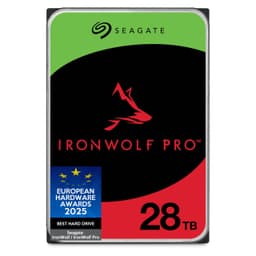
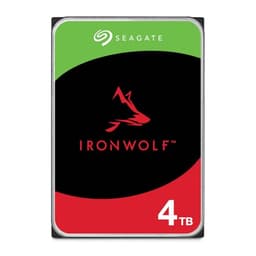
The Seagate IronWolf 8TB is interesting because it's the same brand, similar capacity, and targets adjacent workloads. The IronWolf includes IronWolf Health Management, which is useful for NAS setups with multiple drives and enclosure-level monitoring. For a pure surveillance NVR use case, the SkyHawk's firmware tuning is arguably more appropriate. For a NAS that also handles surveillance duties, the IronWolf is. Pricing between the two Seagate options tends to be close, so it's current prices at time of purchase.
| Feature | Seagate SkyHawk 8TB ST8000VX004 | WD Purple Pro 8TB | Seagate IronWolf 8TB |
|---|---|---|---|
| Form Factor | 3.5-inch | 3.5-inch | 3.5-inch |
| Interface | SATA 6Gb/s | SATA 6Gb/s | SATA 6Gb/s |
| Spindle Speed | 7200 RPM | 7200 RPM | 7200 RPM |
| Cache | 256MB DRAM | 256MB DRAM | 256MB DRAM |
| Primary Use | Surveillance / NVR | Surveillance / NVR | NAS (multi-drive) |
| Optimised Firmware | Yes, surveillance | Yes, surveillance | Yes, NAS / IronWolf Health Management |
| NCQ | Yes | Yes | Yes |
| Price | Check price | Check Amazon UK | Check Amazon UK |
| Owner Rating | 4.5 stars (739 reviews) | Varies | Varies |
Final Verdict
The Seagate 8TB SkyHawk Surveillance 3.5" Hard Drive ST8000VX004 is a well-engineered, purpose-built surveillance drive that does exactly what it's supposed to do. The 7200 RPM spindle, 256MB DRAM cache, Native Command Queuing, and surveillance-optimised firmware are not just marketing ticks. They're real engineering choices that make this drive better suited to always-on multi-camera recording than a generic desktop HDD. The 4.5-star average from 739 owners is a decent confidence signal, and the consistent theme in longer-term reviews is reliability and quiet operation. For the use case it was designed for, this is a solid buy.
The honest caveat is that if you're buying this for desktop secondary storage rather than a surveillance NVR, you're paying for features you won't use. A Seagate BarraCuda 8TB or a WD Blue 8TB will serve a desktop media library or backup role just as well at a lower price point. The SkyHawk premium is justified by its surveillance-specific engineering, and that engineering only earns its keep in an always-on NVR context. Buy the right tool for the job.
Score: 8.5 out of 10. It's not a perfect product because no HDD is, and the surveillance-specific premium means it's easy to overpay if you don't actually need what it offers. But for its intended use, it's genuinely good. Reliable, consistent, properly engineered, and backed by a meaningful body of owner evidence. If you're running a serious surveillance setup and want a drive you can actually trust, this is the one.
What works. What doesn’t.
5 + 3What we liked5 reasons
- 7200 RPM spindle and NCQ handle multi-stream surveillance writes without drama
- 256MB DRAM cache buffer, not DRAM-less, works independently of host system RAM
- Surveillance-optimised firmware tuned for always-on duty cycles
- Strong 4.5-star average from 739 real owners, consistent reliability reports
- 8TB capacity at HDD price-per-GB, far cheaper than equivalent SSD storage
Where it falls3 reasons
- Surveillance-specific premium is wasted if you only need desktop secondary storage
- HDD random I/O is orders of magnitude slower than any SSD, unsuitable as a boot drive
- Always-on duty cycle means thermal management in the enclosure actually matters
Full specifications
9 attributes| Capacity | 8TB |
|---|---|
| Capacity GB | 8000 |
| Dram cache | false |
| Form factor | 3.5" |
| Interface | SATA 6Gb/s |
| Read speed MBS | 180 |
| Type | HDD |
| Warranty years | 3 |
| Write speed MBS | 170 |
Frequently asked
5 questions01Is the Seagate 8TB SkyHawk Surveillance 3.5" Hard Drive ST8000VX004 (SATA 6Gb/s/256MB/7200 RPM) fast enough for everyday use?+
For surveillance recording, absolutely. The 7200 RPM spindle and Native Command Queuing handle multi-stream continuous recording without issue, and owner reports consistently describe reliable, drama-free operation in NVR setups. For desktop everyday use as a boot or application drive, it's a different story. HDDs have random read/write performance that is orders of magnitude slower than even a budget SSD, which is what drives how fast a desktop system feels for launching apps, booting Windows, or loading games. Published benchmark results for 7200 RPM HDDs show 4K random read speeds in the low single-digit MB/s range, compared to thousands of MB/s for NVMe SSDs. This drive is not the right tool for a desktop boot role.
02Does the Seagate 8TB SkyHawk Surveillance 3.5" Hard Drive ST8000VX004 (SATA 6Gb/s/256MB/7200 RPM) slow down once the cache fills?+
Not in the way QLC SSDs do. This is a mechanical hard drive with a 256MB DRAM write buffer, not a NAND flash drive with an SLC cache that exhausts and then collapses to native QLC write speed. The DRAM buffer smooths short bursts of incoming data and releases them to the platters in an orderly way. Sustained write performance is determined by the mechanical limits of the platters and spindle, which means the performance curve is flat and predictable rather than cliff-shaped. For continuous surveillance recording, that consistency is actually an advantage over cheaper SSDs that post impressive headline numbers but fall off sharply under sustained writes.
03Is the Seagate 8TB SkyHawk Surveillance 3.5" Hard Drive ST8000VX004 (SATA 6Gb/s/256MB/7200 RPM) DRAM-less, and does that matter?+
No, it is not DRAM-less. The ST8000VX004 has a dedicated 256MB DRAM cache buffer on the drive's PCB. This is a proper hardware cache, not a Host Memory Buffer (HMB) arrangement that borrows RAM from the host system. For the sustained sequential write workloads of surveillance recording, a real DRAM buffer makes a meaningful difference to how smoothly the drive handles bursts of data from multiple simultaneous camera streams. You don't need to worry about HMB compatibility or whether your NVR's system RAM is sufficient to compensate for a missing cache chip.
04How long will the Seagate 8TB SkyHawk Surveillance 3.5" Hard Drive ST8000VX004 (SATA 6Gb/s/256MB/7200 RPM) last?+
The SkyHawk is rated and engineered for always-on, 24/7 surveillance duty cycles, which is a significantly harder workload than a desktop drive that sits idle most of the day. Owner reports from longer-term users describe reliable continuous operation, with the consistent theme being quiet, trouble-free running over extended periods. That said, no mechanical drive lasts forever. HDDs have moving parts that wear over time, and an always-on surveillance drive accumulates power-on hours faster than almost any other consumer storage use case. Backups remain essential. The drive's surveillance-specific engineering reduces failure probability and extends service life compared to a desktop drive pressed into the same role, but it is not a substitute for a proper backup strategy.
05What warranty and returns apply to the Seagate 8TB SkyHawk Surveillance 3.5" Hard Drive ST8000VX004 (SATA 6Gb/s/256MB/7200 RPM)?+
Warranty length is not specified in the verified product data for this listing. For the most accurate and current warranty information, check Seagate's official product page directly. When purchasing through Amazon UK, you're also covered by Amazon's standard 30-day return window and the Amazon A-to-Z Guarantee, which provides a baseline level of buyer protection regardless of the manufacturer warranty.