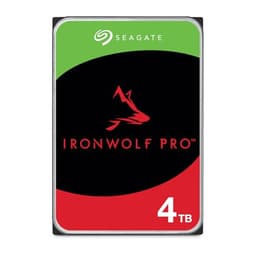
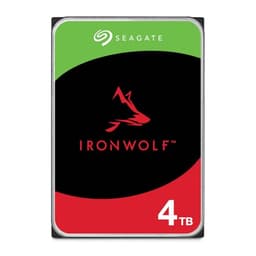
Seagate IronWolf Pro 28TB NAS Drive
The choice we'd make at this price band. Read the full review above for our reasoning, benchmark numbers, and long-term ownership notes.

As an Amazon Associate we may earn from qualifying purchases. Our ranking stays independent.
All-CMR recording: no SMR write penalties, safe for RAID rebuilds
Premium per-terabyte cost versus the 20TB and 24TB tiers in the same range
550TB/year workload rating and 2.5M hour MTBF for always-on NAS use
If your NAS is full and you're staring down the barrel of either buying more boxes or upgrading to the biggest drives on the market, the Seagate IronWolf Pro 28TB NAS Drive is probably already on your shortlist. At 28TB per spindle, it's one of the highest-capacity consumer-accessible NAS drives available right now, and for anyone running a Synology, QNAP, or similar multi-bay enclosure as a home media server, small business backup target, or creative archive, that headline number genuinely matters. More capacity per bay means fewer drives, less power draw, less noise, and a simpler RAID rebuild if something goes wrong.
The verdict, upfront: this is a proper workhorse drive for anyone who needs serious NAS capacity and can't afford for it to fall over. The 550TB/year workload rating, 2.5 million hour MTBF, five-year warranty, and three years of bundled Rescue Data Recovery Services are not marketing fluff at this tier. They're the actual reason you'd spend premium money on an IronWolf Pro over a desktop drive that happens to fit the same bay. That said, it's expensive per terabyte compared to the 20TB and 24TB tiers, and if your NAS is light-duty home use, you genuinely don't need to spend this much. More on that shortly.
Owner feedback across 1,982 sits at ★★★★½ (4.5), which for a high-capacity spinning drive in NAS service is about as good as it gets. The complaints that do appear are largely what you'd expect from any mechanical drive at scale: a small number of early failures (which exist in every HDD line and are why the Rescue service exists), and the occasional note about noise in quiet enclosures. Nothing that suggests a systematic problem. The signal-to-noise ratio in those reviews is solidly positive.
This is a 3.5-inch SATA hard drive, not an SSD. That's plainly because the storage market has trained everyone to think in NVMe terms, and a 28TB spinning platter drive operates on entirely different logic. The interface is SATA, which is the right choice for NAS enclosures. Virtually every multi-bay NAS unit on the market uses SATA bays. NVMe slots in NAS units exist but they're for caching, not bulk storage. So the interface here is correct for the job, full stop.
Seagate specifies this as an all-CMR drive. Conventional Magnetic Recording matters because SMR (Shingled Magnetic Recording) drives, which overlap tracks to squeeze more data onto platters, have serious write performance penalties under sustained load and are notoriously bad in RAID arrays. CMR doesn't have those problems. Every drive in the IronWolf Pro portfolio is CMR, which is exactly what you want for NAS use where RAID rebuilds can hammer a drive for hours at a time.
The IronWolf Health Management system is worth a mention here too. It's a firmware-level monitoring and diagnostics layer that integrates with compatible NAS operating systems (Synology DSM, QNAP QTS, and others) to give you early warning of potential issues rather than just logging a SMART error after something's already gone wrong. Prevention, intervention, recovery: that's the pitch, and for a drive sitting in an always-on box that you're not physically babysitting, having that layer of intelligence matters.
| Specification | Detail |
|---|---|
| Capacity | 28TB |
| Form Factor | 3.5-inch |
| Interface | SATA |
| Recording Technology | All-CMR (Conventional Magnetic Recording) |
| Workload Rating | Up to 550TB/year |
| MTBF | 2.5 million hours |
| Warranty | 5-year limited |
| Data Recovery | 3-year Rescue Data Recovery Services (complimentary) |
| NAS Features | AgileArray, TLER, RV sensors, dual-plane balancing |
| Health Monitoring | IronWolf Health Management |
| Price | £1,146.69 |
| Rating | ★★★★½ (4.5) (1,982 reviews) |

SATA on a 3.5-inch drive. That's the whole story for compatibility purposes. If you have a NAS enclosure with 3.5-inch bays (which is essentially all of them, from a two-bay desktop unit up to a rack-mounted 24-bay enterprise box), this drive fits. The SATA interface runs at 6Gb/s, which is the current SATA standard and has been for well over a decade. You're not going to saturate it with a spinning platter drive anyway. The physical read/write speed of a mechanical drive tops out well below what SATA can carry, so the interface is not a bottleneck here.
Don't confuse this with an NVMe drive. There's no PCIe lane involved, no M.2 slot, no heat concerns from a controller running at 70 degrees. This is a traditional spinning hard drive, and in the context of a NAS, that's exactly right. You buy NVMe for speed-sensitive workloads on a PC. You buy a high-capacity CMR HDD for a NAS because you need terabytes of reliable, always-on storage that your enclosure's RAID controller can manage safely. The two products serve completely different purposes and shouldn't be compared on sequential speed figures.
One practical note: at 3.5 inches, this won't fit a 2.5-inch bay without an adapter bracket. That's not a real-world concern for NAS use, but if you had some notion of cramming it into a laptop caddy, forget it. It's also your NAS enclosure's maximum supported capacity before buying. Most modern units from Synology and QNAP support 28TB drives, but older firmware versions sometimes have capacity limits. A quick check of your NAS manufacturer's compatibility list before ordering will save you a headache.
This is a NAS drive, so the performance conversation is different from what you'd have about an SSD. Nobody's booting Windows from this. The relevant performance questions are: how fast does it transfer large files across the network to and from the NAS, how does it handle simultaneous access from multiple users or services, and how does it behave during a RAID rebuild? Those are the workloads that matter.
For sequential transfers across a gigabit or 2.5GbE network connection, a drive at this capacity tier is not the limiting factor. Your network link will cap out before the drive does. If you're running 10GbE (which is increasingly common in serious home NAS setups), the drive's sustained sequential performance becomes more relevant, and the CMR design means it doesn't have the write penalty issues that SMR drives show under sustained load. Owner reports consistently describe solid, stable throughput in multi-drive RAID configurations, which is exactly what you'd expect from a drive with TLER (Time-Limited Error Recovery) built in.
TLER is specifically designed for RAID environments. A desktop drive that encounters a read error will spend a long time trying to recover it, which can cause a RAID controller to drop the drive from the array entirely. A drive with TLER limits that error recovery window so the RAID controller stays in charge and the array keeps running. It's a small thing that makes a big difference in practice, and it's one of the concrete reasons you buy a NAS-rated drive rather than a desktop drive at a similar capacity. The AgileArray firmware layer adds dual-plane balancing for vibration management in multi-drive enclosures, which is another genuine engineering difference rather than just a badge.
Hard drives don't have SLC cache in the way SSDs do. There's no cache cliff to worry about in the same sense. What spinning drives do have is a write cache buffer (typically DRAM on the drive's own PCB) that smooths out small writes before committing them to platters. The sustained write performance of a mechanical drive is fundamentally limited by the physical rotation speed and areal density of the platters, not by a cache that fills and then drops you to a slower native speed.
What this means practically: a 28TB drive at this platter density will have excellent sustained sequential write performance by HDD standards. You're not going to see the kind of performance cliff that ruins a cheap QLC SSD when you're copying a large archive. The performance is more predictable and more consistent across a long write operation. For NAS use, where you might be running a backup job that writes hundreds of gigabytes overnight, that consistency matters far more than a peak sequential figure.
The 550TB/year workload rating is the relevant endurance figure here, and it's a high one. For context, many desktop-grade drives carry workload ratings of 55TB/year or 180TB/year. The IronWolf Pro's 550TB/year rating is explicitly designed for always-on, multi-user NAS environments where drives are working continuously. If your NAS is doing nightly backups, streaming media to multiple devices, and running a Plex server simultaneously, that workload rating gives you headroom. A desktop drive in the same scenario would be operating well outside its design envelope within months.
This is a mechanical hard drive, so the NAND/DRAM/controller conversation that dominates SSD reviews doesn't apply directly. But the equivalent questions for HDDs are: what recording technology is used, how are the platters engineered, and what's the firmware doing? On all three counts, the IronWolf Pro 28TB is doing the right things.
The all-CMR recording technology is the headline. Seagate has been explicit that the entire IronWolf Pro portfolio uses conventional magnetic recording, which means no SMR compromises. SMR drives pack more data onto platters by overlapping tracks, but writing to them requires rewriting entire bands of data, which creates severe performance penalties in random write scenarios and can make RAID rebuilds genuinely dangerous (a rebuild that takes long enough gives another drive time to fail). CMR doesn't have this problem. Reads and writes happen to independent tracks, performance is predictable, and RAID rebuild times are manageable.
The rotational vibration (RV) sensors are a hardware-level feature worth understanding. In a multi-drive enclosure, the vibration from one spinning drive can interfere with the read/write accuracy of adjacent drives. RV sensors detect this vibration and allow the drive's firmware to compensate in real time. It's the kind of feature that makes no difference in a single-drive external enclosure and makes a real difference in a densely packed eight-bay or twelve-bay NAS. The dual-plane balancing in AgileArray works alongside the RV sensors to keep the drive operating accurately even in a chassis full of spinning metal.
The 2.5 million hour MTBF figure is the manufacturer's statistical reliability rating, and at this tier it's one of the highest in the consumer NAS space. MTBF (Mean Time Between Failures) is a population-level statistic rather than a guarantee for any individual drive, but it's a meaningful signal of how the drive is engineered and tested. Higher MTBF ratings at this capacity tier indicate more conservative head and platter tolerances, better vibration management, and more thorough quality control at the factory.
The five-year warranty is the practical reliability signal that actually affects your buying decision. A manufacturer that puts a five-year warranty on a drive at this price is betting real money that it won't fail within that window. Desktop drives at lower price points often carry two or three-year warranties. The IronWolf Pro's five-year coverage means that if a drive fails in year four, Seagate replaces it. For a drive that might be holding your entire business archive or years of irreplaceable media, that warranty length is not a trivial consideration.
The bundled three-year Rescue Data Recovery Services is something that deserves more attention than it usually gets. If the drive fails and the data on it isn't backed up elsewhere (which, yes, you should have a backup, but real life is complicated), Seagate's Rescue service will attempt physical data recovery at no additional cost for the first three years. Professional data recovery from a failed hard drive typically costs hundreds to thousands of pounds. Having that service bundled into the purchase price of the drive is a genuine financial safety net, not just a marketing line. Owner reports confirm the service exists and functions, though the quality of outcome naturally depends on the failure type.
Hard drives generate heat through motor friction and head movement, not through a processor running at high frequency. The thermal profile of a 3.5-inch NAS drive is fundamentally different from a Gen4 or Gen5 NVMe SSD. You're not going to see thermal throttling in the way an overheating SSD throttles. What you will see is a drive that runs warm in a poorly ventilated enclosure, and sustained heat over time is one of the factors that affects long-term reliability.
The IronWolf Pro is rated for 24/7 operation, which means it's designed to handle continuous heat generation without issue. The key variable is your NAS enclosure's cooling. A well-ventilated enclosure with decent fan airflow keeps drives at a stable operating temperature. A cramped enclosure with inadequate airflow will run drives hotter, and over years of continuous operation, that matters. Owner reports from people running IronWolf Pro drives in Synology and QNAP enclosures generally describe normal operating temperatures within the expected range for drives of this type, provided the enclosure's fans are running properly.
One thing: high-capacity drives with many platters can run slightly warmer than lower-capacity drives in the same enclosure, simply because there's more spinning mass generating friction. If you're replacing older, lower-capacity drives in an existing enclosure, Your enclosure's fan configuration is adequate for the new drives' thermal output. Most modern NAS operating systems display drive temperature via SMART data, and IronWolf Health Management adds an additional layer of monitoring on top of that. Set temperature alerts and you'll know before it becomes a problem.
The IronWolf Pro line runs from 2TB up to 28TB, covering essentially the full range of what a NAS buyer might need. The 28TB sits at the top of the stack, and as with any product at the capacity frontier, you pay a premium per terabyte compared to the sweet-spot capacities in the middle of the range. The 20TB and 24TB IronWolf Pro drives typically offer better value per terabyte if you don't specifically need 28TB per bay. That's not a knock on the 28TB: it's just how capacity pricing works at the high end.
Whether the 28TB makes sense depends on your NAS configuration. If you're running a four-bay NAS in RAID 5 or RAID 6, moving from 20TB to 28TB drives adds meaningful usable capacity without adding bays or enclosures. If you're near the limit of what your enclosure can hold and you need more raw storage, stepping up to 28TB drives is often cheaper than buying a new enclosure. That's the calculation that makes the premium per-terabyte cost worthwhile for a specific set of buyers.
Compared to the Western Digital Gold and Toshiba MG series at similar capacities, the IronWolf Pro is competitive on price and broadly comparable on specifications. The differentiating factors are the bundled Rescue Data Recovery service (which WD and Toshiba don't include), the IronWolf Health Management software integration, and Seagate's NAS ecosystem compatibility. If you're already invested in a Synology or QNAP setup that uses Seagate's health monitoring tools, the IronWolf Pro has genuine ecosystem advantages over the alternatives.

Installation is straightforward for anyone who's put a drive in a NAS before. The 3.5-inch form factor fits standard NAS bays with the drive trays that ship with every major enclosure brand. Most NAS units use tool-less trays or simple screw mounts. The SATA data and power connectors are standard. There's nothing unusual here mechanically.
The compatibility question that matters more is whether your NAS firmware supports 28TB drives. Seagate maintains a compatibility list on their website, and the major NAS manufacturers (Synology, QNAP, Asustor, Terramaster) have their own compatibility databases. A quick check before ordering is sensible. Most enclosures released in the last three to four years support drives at this capacity, but older units with older firmware may have limits. Updating your NAS firmware to the latest version before installing new drives is good practice regardless.
If you're adding this drive to an existing RAID array, you'll need to follow your NAS operating system's expansion procedure rather than just swapping a drive in cold. Synology's SHR and RAID expansion tools, and QNAP's equivalent, will guide you through the process of adding capacity to a running array without data loss. It's not complicated, but it does require reading the documentation rather than just assuming it'll sort itself out. Owner reports suggest the process works as expected with IronWolf Pro drives in both Synology DSM and QNAP QTS environments.
The IronWolf Pro 28TB is for people who run a NAS seriously. That means it's for small businesses using a NAS as a primary file server or backup target, creative professionals archiving large video or photo libraries, home users with a high-bay enclosure who want to maximise capacity per bay, and anyone who's had a drive fail and lost data and never wants to feel that again. The combination of CMR recording, TLER, RV sensors, 550TB/year workload rating, five-year warranty, and bundled data recovery service is specifically engineered for always-on, multi-drive, multi-user environments.
It's not for someone who wants a large external drive for occasional backups. A desktop drive or even a consumer-grade IronWolf (non-Pro) would do that job at a lower price. It's not for someone building a gaming PC who needs a secondary storage drive. An HDD in that role doesn't need NAS-grade reliability features, and you'd be paying for things you don't need. And it's definitely not for someone who needs fast random access performance for a database or virtual machine workload. That's an SSD job.
The buyer who gets full value from this drive is running a NAS with four or more bays, needs the maximum storage density they can get per bay, and relies on that NAS for data that would be genuinely painful or costly to lose. If that's you, the IronWolf Pro 28TB is one of the most capable drives available for the job. If that's not you, there's a cheaper drive that's a better fit.
The two most direct competitors at this capacity tier are the Western Digital Gold 28TB and the Toshiba MG10 Series at comparable capacities. Both are enterprise-oriented NAS drives with CMR recording and multi-year warranties. The comparison is genuinely close on headline specs, so the differences come down to ecosystem, bundled services, and specific feature sets.
The Western Digital Gold drives are solid. WD's enterprise HDD engineering is well-regarded, and the Gold series carries comparable MTBF ratings and workload specifications. What WD doesn't bundle is anything equivalent to Seagate's Rescue Data Recovery service. You get the drive, the warranty, and WD's own health monitoring tools, but there's no physical data recovery safety net included in the purchase price. For a buyer who's confident in their backup strategy, that might not matter. For someone who wants belt-and-braces protection, the IronWolf Pro's Rescue service is a concrete differentiator.
The Toshiba MG series is the more enterprise-focused option, often found in data centre configurations rather than prosumer NAS setups. Toshiba's NAS ecosystem integration is less mature than Seagate's for home and small business users. The IronWolf Health Management integration with Synology and QNAP platforms gives the IronWolf Pro a practical advantage for the buyer who's running one of those enclosures and wants proactive health monitoring rather than just SMART data.
| Feature | Seagate IronWolf Pro 28TB | Western Digital Gold 28TB | Toshiba MG10 Series (20TB) |
|---|---|---|---|
| Recording Technology | All-CMR | CMR | CMR |
| Workload Rating | 550TB/year | 550TB/year | 550TB/year |
| MTBF | 2.5M hours | 2.5M hours | 2.5M hours |
| Warranty | 5 years | 5 years | 5 years |
| Data Recovery Service | 3-year Rescue included | Not included | Not included |
| NAS Health Monitoring | IronWolf Health Management | WD Device Analytics | Standard SMART |
| RV Sensors | Yes | Yes | Yes |
| TLER | Yes | Yes | Yes |
| Price | £1,146.69 | Check Amazon | Check Amazon |
The five-year warranty is the anchor of the long-term ownership story here. Seagate's warranty process for IronWolf Pro drives follows a standard RMA model: you register the drive, report the failure, and Seagate arranges a replacement. UK buyers have the additional protection of the Consumer Rights Act 2015, which provides statutory rights beyond the manufacturer warranty for the first six years of ownership in cases where a fault was present at the time of purchase. In practice, a drive that fails within the five-year warranty window is handled through Seagate's process, and that process is generally reported as functional by owners who've had to use it, though turnaround times vary.
The three-year Rescue Data Recovery service runs concurrently with the warranty and covers physical data recovery attempts if the drive fails and you need the data back. This is not a backup service: it doesn't protect data that was deleted or overwritten. But for mechanical failure, head crashes, or electronics failures, Seagate's Rescue labs will attempt recovery at no cost within the three-year window. The value of this depends entirely on whether you have a robust backup strategy. If you're running a proper 3-2-1 backup (three copies, two different media, one offsite), you may never need Rescue. If you're running the NAS as your primary and only copy of certain data (which you shouldn't be, but people do), that service is worth real money.
Long-term resale value for high-capacity NAS drives follows a predictable curve. A 28TB drive that's two to three years old and still within warranty will retain reasonable value in the second-hand market, particularly as storage capacity needs grow and 28TB becomes a more common target for buyers who can't justify new pricing. By the three to four year mark, newer drives at higher capacities will have arrived at competitive prices, and resale value drops more steeply. The practical implication: if you buy this drive and your storage needs change in year two or three, you can likely recover a meaningful fraction of the purchase price. By year five, you're largely holding it to the end of its useful life rather than selling it on.
The upgrade path from a 28TB drive is straightforward in concept but requires planning in practice. The next generation of drives above 28TB is already emerging in enterprise configurations, and consumer-accessible drives at 30TB and beyond will arrive within the next two to three years. When that happens, the sensible upgrade path for a NAS user is sequential drive replacement within an existing RAID array rather than a wholesale swap. Replace one drive at a time, let the array rebuild, repeat. This preserves data continuity and spreads the cost. The IronWolf Pro's five-year warranty means you're covered through the period when the next capacity tier becomes affordable.
The sticker price includes UK VAT, and at this capacity tier you're looking at a significant per-drive investment. But the total cost of ownership calculation for a NAS drive is more nuanced than the purchase price alone. Running costs for a 3.5-inch NAS HDD are dominated by power consumption. A drive of this type typically draws around 7 to 9 watts during active operation and drops to 1 to 2 watts in standby. At the UK average electricity rate of roughly 27p per kWh, a drive running 24/7 at 8 watts active costs approximately 19 to 20 pounds per year in electricity. Over five years, that's around 95 to 100 pounds in running costs per drive, on top of the purchase price.
If you're running a four-drive NAS, multiply those figures by four for the drives alone, then add the NAS enclosure's own power draw (typically 20 to 40 watts for the unit itself, including fans and the NAS processor). A four-bay NAS with four IronWolf Pro 28TB drives running continuously will cost somewhere in the region of 100 to 150 pounds per year in electricity at current UK rates. That's a real cost that most NAS buyers underestimate when they're focused on the drive purchase price.
The co-purchase considerations are minimal compared to, say, building a GPU workstation. You need a compatible NAS enclosure (if you don't already have one), network cabling appropriate for your connection speed, and potentially a UPS (uninterruptible power supply) if your NAS is holding critical data. A UPS is genuinely worth having for any always-on storage system: a sudden power cut during a write operation is one of the more reliable ways to corrupt a RAID array or damage a drive. Budget a couple hundred pounds for a decent UPS if you're not already running one, and treat it as part of the total system cost rather than an optional extra.
Factoring in the five-year warranty, the bundled Rescue service (which has a real market value if you were to buy it separately), and the per-bay capacity advantage over lower-capacity drives, the total cost of ownership picture for the IronWolf Pro 28TB is more competitive than the raw purchase price makes it look. Fewer drives in your enclosure means lower power draw, fewer potential failure points, and less complexity in your RAID configuration. The premium per-terabyte cost at 28TB is partially offset by the system-level savings from running fewer drives.
Every mechanical hard drive will eventually fail. That's not a criticism of the IronWolf Pro specifically: it's the physics of spinning platters and read/write heads operating in close proximity for years. The relevant questions are what the failure modes look like for this drive family, how early warning systems help you catch problems before data loss occurs, and what your options are if a drive does fail.
The IronWolf Pro line has a good reliability record in the NAS community. Owner reports over thousands of units and multiple years of deployment describe drives that run without issue for years in always-on NAS configurations. The failure modes that do appear in owner feedback are broadly consistent with what you'd expect from any high-capacity HDD: a small percentage of early failures (infant mortality, typically within the first few months), occasional head parking or read error issues that SMART monitoring catches before they become critical, and a longer-term wear-out pattern that the five-year warranty covers. There's no systematic or recurring defect specific to this drive family that appears consistently across owner reports.
UK consumer rights provide a meaningful safety net beyond the manufacturer warranty. Under the Consumer Rights Act 2015, goods must be of satisfactory quality and fit for purpose. A drive that fails within six years of purchase due to a manufacturing defect gives you statutory rights against the retailer (typically Amazon in this context) regardless of what the manufacturer's warranty says. Amazon's own 30-day return window is the first line of defence for drives that fail immediately on arrival or within the first month. After that, the five-year manufacturer warranty handles most failure scenarios. The Consumer Rights Act provides the backstop for anything that falls between the cracks.
Is it worth returning a drive for quality control issues? For a hard drive, the main early failure indicator is SMART data. Run a full SMART test immediately after installation and check the results. A drive that passes a full SMART test in the first week is overwhelmingly likely to be a good unit. A drive that shows reallocated sectors, pending sectors, or uncorrectable errors in the first few weeks is worth returning immediately. Unlike SSDs where coil whine or fan noise might be a quality-control lottery, the main quality-control concern for HDDs is early-life read/write reliability, and SMART data tells you what you need to know. The IronWolf Health Management layer adds additional diagnostic depth on top of standard SMART if your NAS supports it.

If you're running a serious NAS and you need maximum capacity per bay, the Seagate IronWolf Pro 28TB NAS Drive is one of the best options available right now. The all-CMR recording, 550TB/year workload rating, 2.5 million hour MTBF, five-year warranty, and bundled Rescue Data Recovery service aren't marketing decoration at this tier. They're the concrete engineering and support commitments that separate a proper NAS drive from a desktop drive wearing NAS clothes. The 4.6-star average across over 2,000 owner reviews confirms that the drive delivers in real deployments, not just on paper.
The price is high, and it should be. You're paying for the capacity frontier, for the reliability engineering, and for the peace of mind that comes with five years of warranty coverage and three years of physical data recovery insurance. If you can't justify that spend, the IronWolf Pro at 20TB or 24TB offers the same engineering at a lower per-drive cost and better value per terabyte. That's the honest alternative: don't buy the 28TB unless you specifically need the capacity, because the 20TB or 24TB tier is a smarter buy for most NAS users who aren't already bumping against their enclosure's bay limit.
For the buyer who does need 28TB per bay, this is the drive to buy. It's engineered for the job, backed properly, and has the track record in owner deployments to support the confidence Seagate is asking you to place in it. Score: 8.5 out of 10. The only reason it's not higher is the premium per-terabyte cost at this capacity tier, which is a market reality rather than a flaw in the product itself.
| Capacity GB | 28000 |
|---|---|
| Dram cache | false |
| Form factor | 3.5" |
| Interface | SATA III |
| Type | HDD |
| Warranty years | 5 |
For NAS use, yes. Sequential transfer speeds across a gigabit or 2.5GbE network are limited by your network connection before the drive becomes a bottleneck. For 10GbE setups, the drive's CMR design delivers consistent sustained throughput without the write penalty issues of SMR alternatives. This is not a drive for a PC boot volume or game library: it's engineered for always-on NAS storage, and in that context its performance is appropriate for the job.
Hard drives don't experience the SLC cache cliff that affects QLC and TLC SSDs. The IronWolf Pro's sustained write performance is determined by its platter rotation speed and areal density rather than a cache that fills and then drops to a slower native speed. Performance under long sustained writes is more consistent and predictable than a cache-dependent SSD, which makes it well-suited to the overnight backup jobs and large archive transfers that NAS drives typically handle.
This is a mechanical hard drive, not an SSD, so the DRAM-less versus DRAM-cache debate that applies to SSDs doesn't directly translate. Hard drives have their own onboard write cache buffer, and the IronWolf Pro's firmware (AgileArray) manages write caching and error recovery appropriately for NAS and RAID environments. The relevant reliability features here are TLER, RV sensors, and the CMR recording technology rather than the DRAM cache considerations that matter for SSD selection.
Seagate rates the IronWolf Pro at 2.5 million hours MTBF and a 550TB/year workload rating, with a five-year limited warranty. In practice, drives in this family running in always-on NAS environments regularly reach and exceed five years of continuous operation. The five-year warranty is the practical guarantee: if it fails within that window, Seagate replaces it. The bundled three-year Rescue Data Recovery service provides an additional safety net for physical data recovery if the drive fails within that period.
The drive carries a five-year limited warranty from Seagate, plus three years of complimentary Rescue Data Recovery Services as specified in the product listing. Amazon's standard 30-day return window applies for drives purchased through Amazon UK. UK buyers also have statutory rights under the Consumer Rights Act 2015, which provides protection against manufacturing defects for up to six years from purchase, independent of the manufacturer warranty.
The competition at a glance
The choice we'd make at this price band. Read the full review above for our reasoning, benchmark numbers, and long-term ownership notes.
Where it wins
Where it falls short
Where it wins
Where it falls short
Prices are approximate UK street prices at time of review. Live pricing on each retailer.
A properly engineered NAS drive for buyers who need 28TB per bay and want the reliability and warranty backing to match. Expensive per terabyte, but the five-year warranty and bundled data recovery service justify the premium for serious deployments.
Buy at Amazon UK · £1,146.69






More from