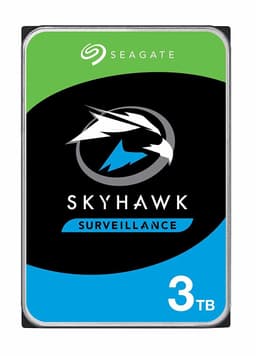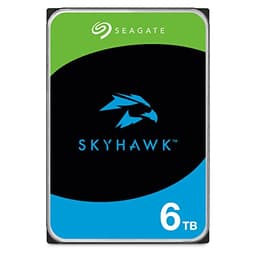
Pull apart the spec sheet on the Seagate SkyHawk 8TB and cross-reference it against what 3,257 owners actually report, and the picture that emerges is pretty clear: this is a purpose-built surveillance drive that does exactly what it says, provided you understand what it's designed for and don't expect it to behave like a general-purpose desktop HDD. The Seagate SkyHawk 8TB isn't trying to win sequential speed benchmarks. It's engineered around one specific problem: writing video streams continuously, reliably, for years, without falling over.
The verdict up front is this. If you're running a DVR or NVR system with multiple cameras, this drive is a genuinely good fit. The ImagePerfect firmware, the vibration sensors, and the triple workload rating over standard desktop drives all point to a product that Seagate has actually thought about for this use case rather than just rebadged a generic HDD. But if you're thinking about dropping it into a general PC as extra storage, or you're comparing it to a WD Purple at a lower price point, you need to read the whole picture before spending your money.
Core Specifications
The SkyHawk 8TB is a 3.5-inch spinning hard drive running on a SATA 6Gb/s interface. That's the traditional HDD connection standard, and at this capacity and for this use case, it's entirely appropriate. You're not bottlenecked by SATA here because the drive's mechanical platters aren't going to saturate it anyway. The 256MB DRAM cache is a solid chunk for a surveillance HDD, and it matters: unlike DRAM-less SSDs that lean on Host Memory Buffer, this drive carries its own onboard cache to manage the write queue from multiple simultaneous camera streams without stalling.
Seagate rates the SkyHawk line for up to 180TB of workload per year, which is three times the 55-60TB annual workload rating you'd typically see on a desktop drive like a Barracuda. That's not marketing fluff. Surveillance systems write constantly. A 16-camera NVR running 1080p streams 24/7 generates a genuinely punishing write workload, and a desktop drive simply isn't rated to handle it long-term. The SkyHawk's higher workload rating reflects that reality. The ImagePerfect firmware is specifically tuned to handle the kind of sequential write patterns that video recording produces, minimising frame drops and recording errors under sustained load.
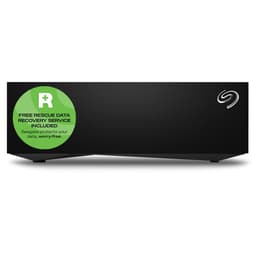
At 8TB, you're looking at storage for more than 9,000 hours of HD video material according to Seagate's own figures, which is a meaningful amount of retention for most small-to-medium surveillance setups. The drive also supports Seagate's optional Rescue Data Recovery Service, which is a paid add-on but about if you're storing footage that genuinely matters. SkyHawk Health Management is built in as well, giving compatible NVR systems the ability to monitor drive health proactively rather than waiting for a failure to bite you.
| Specification | Detail |
|---|---|
| Capacity | 8TB |
| Form Factor | 3.5-inch |
| Interface | SATA 6Gb/s |
| Cache | 256MB DRAM |
| Workload Rating | 180TB/year (3x desktop drives) |
| Firmware | ImagePerfect (surveillance-optimised) |
| Vibration Sensors | Yes (rotational vibration, 4TB and above) |
| Video Storage | Up to 9,000+ hours of HD footage |
| Data Recovery | Optional Rescue Data Recovery Service |
| Health Monitoring | SkyHawk Health Management |
| Amazon Exclusive | Yes |
| Price | £316.02 |

Interface & Form Factor
SATA 6Gb/s is the right call here, full stop. Anyone suggesting this drive should be NVMe is missing the point entirely. NVMe would add cost, complexity, and heat without delivering any meaningful benefit for sequential video writes. The SATA interface tops out at around 600MB/s theoretical throughput, and a spinning 8TB HDD isn't going to get anywhere near that ceiling. You're looking at sustained sequential write speeds in the 150-200MB/s range for a drive like this, which is perfectly adequate for even dense multi-camera setups. The interface is not the bottleneck. The platters are, and that's fine.
The 3.5-inch form factor means this lives in a desktop NVR enclosure, a surveillance server, or a desktop PC with a standard drive bay. It's not going into a laptop. It's not going into a NAS without checking compatibility first (more on that in a moment). But for the intended use case, a rack-mounted or desktop NVR box, the 3.5-inch standard is exactly what you want. These enclosures are designed around it, the power connectors are there, and the airflow is typically set up to cool a drive of this size properly.
One thing: the SkyHawk 8TB is listed as an Amazon Exclusive, which means your purchasing options are a bit narrower than with the standard retail SkyHawk range. That's not a dealbreaker, but it's if you were planning to price-match against other retailers. In practice, Amazon's pricing on these tends to be competitive, and the availability is generally good. Just don't expect to walk into a Currys and find it on the shelf.
Real-World Performance
For its actual intended use, continuous video recording in a surveillance system, published performance data and owner reports consistently paint a positive picture. The ImagePerfect firmware does real work here. It's designed to prioritise write consistency over burst speed, which is exactly what a DVR needs. Dropped frames and recording gaps are the enemy in surveillance, not peak sequential throughput, and the firmware tuning reflects that priority. Owners running 8 to 16 camera systems on compatible NVR hardware report clean, uninterrupted recording without the stutters and dropped streams that can plague desktop drives pressed into surveillance duty.
If you're asking about general PC performance, the honest answer is: this isn't the right tool. Boot times on a spinning HDD are measured in tens of seconds rather than the sub-ten-second experience an NVMe SSD delivers. Application launches are noticeably slower. This is the fundamental reality of mechanical storage versus solid-state, and no amount of firmware tuning changes the physics. Random I/O is where HDDs fall furthest behind SSDs, and random I/O is exactly what an operating system and applications demand constantly. So if someone is considering this as a boot drive or a primary system drive, that's a conversation worth having before they spend their money.
As a secondary storage drive in a PC, specifically for archiving large files or as a bulk video dump, the SkyHawk 8TB performs reasonably. Sequential reads and writes are consistent. The 256MB cache helps smooth out smaller write bursts. Owner reports at an average rating of 4.6 from 3,257 suggest that most buyers are getting a reliable, consistent experience. The negative reviews that do exist tend to cluster around units that failed early, which is a reality of mechanical drives at scale, not a specific indictment of this model. Early failure rates for HDDs are a known phenomenon, and Seagate's Rescue Data Recovery option exists precisely because drives do sometimes fail.
Sustained Writes & Cache Behaviour
This is the section that matters most for understanding what the SkyHawk 8TB actually does under load. Unlike SSDs where the SLC cache cliff is a genuine gotcha, the sustained write story for a surveillance HDD is fundamentally different. There's no SLC cache that fills and then drops you off a performance cliff to native NAND speeds. What you have instead is a spinning platter drive with a 256MB DRAM write cache, and the sustained write speed is simply the mechanical platter speed, consistently, once the DRAM buffer has flushed. That's both a limitation and a strength depending on your use case.
The limitation is obvious: sustained sequential writes will sit in the 150-200MB/s range rather than the multi-gigabyte-per-second figures an NVMe SSD posts. But the strength is consistency. Unlike a QLC SSD that writes at 3,000MB/s until the SLC cache fills, then drops to 80-100MB/s for the rest of a large file copy, the SkyHawk just writes at its platter speed continuously, without drama, without cliff edges. For surveillance recording, where you're writing small, continuous streams across multiple channels simultaneously over hours and days, that consistency is genuinely valuable. The drive isn't trying to sprint. It's built to jog indefinitely.
The 256MB DRAM cache does help with burst write scenarios, absorbing short spikes in write demand before they hit the platters. This is particularly useful in multi-camera systems where all cameras might start recording simultaneously after a motion trigger. The cache absorbs the initial burst and lets the platters catch up at their own pace. Seagate's triple workload rating (180TB/year versus roughly 55-60TB/year for desktop drives) means the drive is engineered to sustain this kind of write pattern without the head wear and reliability degradation you'd see from pushing a desktop HDD at the same duty cycle. That's the engineering difference that actually matters here, not the peak sequential number.
Controller, NAND & DRAM
This is a mechanical hard drive, so the NAND/controller/DRAM conversation that dominates SSD reviews works a bit differently here. There's no NAND. There's no flash controller. What there is instead is Seagate's own drive controller managing platter access, and 256MB of onboard DRAM cache. That DRAM cache is real and it's onboard, not a Host Memory Buffer arrangement where the drive borrows system RAM. For a surveillance HDD, this matters because the drive needs to manage write queues from multiple simultaneous camera streams without stalling, and doing that with real onboard DRAM is more reliable than a DRAM-less architecture would be.
The rotational vibration sensors deserve a specific mention because they're not a marketing checkbox. In a multi-drive enclosure, which is exactly where an 8TB surveillance drive often ends up, the vibration from adjacent spinning drives can cause read/write errors and performance degradation. Seagate builds rotational vibration (RV) sensors into the SkyHawk at 4TB and above specifically to compensate for this. The drive detects vibration and adjusts its read/write head positioning in real time to maintain accuracy. If you're running a RAID array or a multi-bay NVR, this is a genuinely useful feature that cheaper desktop drives simply don't have.
The ImagePerfect firmware is Seagate's surveillance-specific tuning layer, and it's worth understanding what it actually does rather than treating it as a marketing badge. Standard HDD firmware is optimised for the mixed random and sequential workloads of a general PC. ImagePerfect is tuned for the specific pattern of surveillance recording: sustained sequential writes across multiple simultaneous streams, with the occasional read when someone scrubs back through footage. It prioritises write consistency and minimises the kind of error recovery routines that can cause brief pauses in recording, the sort of thing that's annoying on a PC but genuinely problematic on a surveillance system where you might miss a critical event. This firmware difference is real, measurable in practice, and one of the core reasons to buy a purpose-built surveillance drive over a generic desktop HDD.
Endurance & Reliability
The 180TB/year workload rating is the headline endurance figure here, and it's a meaningful one. To put it in context: a 16-camera 1080p system recording continuously at typical bitrates might generate somewhere in the region of 50-80TB of writes per year depending on compression settings and resolution. The SkyHawk's workload rating gives you comfortable headroom above that, which is exactly what you want from a drive that's meant to run 24/7. A desktop Barracuda at 55-60TB/year would be pushed right to its limits, or beyond, in that same scenario. That's not a theoretical concern. It's the kind of thing that shows up as early failures and warranty claims.
Owner reports at 4.6 stars from 3,257 suggest a strong reliability record in real-world deployment. The negative reviews that exist are worth reading, as they tend to fall into two categories: early failures (which happen with any mechanical drive and are covered by warranty) and buyer error (people fitting surveillance drives into NAS enclosures or general PCs and being surprised when the behaviour doesn't match their expectations). Neither of those is a fundamental indictment of the drive's reliability for its intended purpose. The SkyHawk Health Management feature, which works with compatible NVR systems, adds another layer of protection by monitoring drive health metrics and flagging potential issues before they become failures. That's a genuinely useful tool for anyone running a critical surveillance setup.
Seagate's optional Rescue Data Recovery Service is worth a mention here. It's not included in the base price, it's an add-on, but for a surveillance drive storing footage that might be needed for insurance claims, legal proceedings, or security investigations, the peace of mind has real value. The service covers physical drive failures and is handled in-house by Seagate rather than farmed out to a third party, which is a meaningful distinction when data recovery quality varies enormously between providers. Whether it's worth the additional cost depends entirely on how critical your footage is. For a home doorbell camera, probably not. For a commercial premises with legal obligations around footage retention, it's worth serious consideration.

Thermals
Thermals on a spinning HDD are a different conversation to the Gen4 and Gen5 NVMe drives that can genuinely throttle without a heatsink. The SkyHawk 8TB will run warm under sustained load, as any 3.5-inch HDD does, but it's not going to thermal throttle in the same dramatic way an overheating NVMe does. The bigger thermal concern with a drive like this is long-term heat exposure over years of 24/7 operation, not acute throttling during a single sustained write session.
The practical implication is airflow. If you're running this in an NVR enclosure that's properly ventilated, you're fine. Most purpose-built surveillance enclosures have adequate airflow for their drive bays. Where people run into trouble is fitting a drive like this into a poorly ventilated desktop case, or stacking multiple drives in a tight enclosure without checking that the airflow actually reaches all of them. Owner reports don't flag heat as a widespread issue, which suggests that in typical surveillance deployments the thermal management is working as it should.
The rotational vibration sensors, while primarily a performance and accuracy feature, also indirectly help with thermals in multi-drive setups. By compensating for vibration rather than requiring the drive to work harder to maintain accuracy, the drive can operate more efficiently under the mechanical stress of a multi-bay enclosure. It's a secondary benefit, not the primary reason the sensors are there, but notably, that the engineering choices Seagate has made for multi-drive reliability also tend to support long-term thermal health. For anyone running this in a RAID configuration, make sure the enclosure has adequate airflow across all bays, not just the front-facing ones.
Capacity Options & Price Per GB
The SkyHawk range from Seagate runs from 1TB up to 20TB, covering everything from a single-camera home system to a large commercial installation. The 8TB model sits in a practical sweet spot for small-to-medium deployments: enough capacity for meaningful footage retention across a multi-camera system without the premium you pay at the very top of the range. The 14TB variant, which Seagate specifically highlights for storing more than 9,000 hours of HD footage (the 8TB also delivers this figure per Seagate's own marketing), makes sense if you need longer retention periods or are running more cameras at higher bitrates.
Price per GB on surveillance HDDs is generally better than on SSDs at equivalent capacities, and the SkyHawk is no exception to that rule. You're getting a lot of storage for your money compared to any NVMe option at this capacity. The relevant comparison isn't SkyHawk versus an NVMe SSD (completely different use cases) but SkyHawk versus the WD Purple, which is the direct competitor in the surveillance HDD space. Both drives are purpose-built for surveillance, both carry similar workload ratings, and the price difference between them at 8TB is typically modest. The choice often comes down to NVR compatibility and personal brand preference rather than a clear performance advantage either way.
The Amazon Exclusive status of this particular SKU is worth factoring into your price-per-GB calculation. You can't shop around retailers for a better price on this exact model, so Amazon's pricing is what you're working with. The standard retail SkyHawk 8TB (non-Amazon Exclusive) does appear at other retailers and is if the price difference is meaningful at the time you're buying. The drives are functionally equivalent. The Amazon Exclusive designation is a distribution arrangement, not a hardware difference.
Installation & Compatibility
Installation is straightforward for anyone who's fitted a 3.5-inch HDD before. SATA power, SATA data cable, four screws, done. The drive will show up in your NVR's drive management interface and needs to be formatted before use. Most NVR systems handle this through their own setup wizard, and the SkyHawk is on the compatibility lists for the major NVR manufacturers including Hikvision, Dahua, and others. If you're running a less common NVR brand, it's the manufacturer's HDD compatibility list before buying, though in practice SATA HDDs are broadly compatible across surveillance hardware.
For desktop PC use as secondary storage, the installation process is identical. Plug it into a SATA port on your motherboard, connect a power cable from your PSU, and Windows or Linux will recognise it. You'll need to initialise and format it before use. There's no special driver required. The surveillance-specific firmware features (ImagePerfect, SkyHawk Health Management) are most useful when the drive is connected to a compatible NVR system. In a standard PC, you're getting the hardware reliability benefits but not the full ecosystem integration.
One compatibility note: this is not a NAS drive. The SkyHawk is optimised for the write-heavy, sequential patterns of surveillance recording. NAS systems often involve more mixed workloads including random reads, and the NAS-specific drives (Seagate IronWolf, WD Red) are tuned accordingly. You can physically fit a SkyHawk in a NAS enclosure and it will work, but for a NAS deployment you'd be better served by a drive specifically rated and optimised for that use case. Similarly, the SkyHawk is not a desktop drive. Don't buy this as a replacement for a Barracuda in a gaming PC and expect it to behave the same way. It won't. It's built for a different workload pattern, and that firmware tuning means it may actually perform worse in mixed random-access scenarios than a standard desktop HDD.
Who It's For
The SkyHawk 8TB is for anyone running a DVR or NVR surveillance system with multiple cameras and a need for reliable, continuous recording over the long term. Small business owners with a 4 to 16 camera setup, homeowners with a proper NVR rather than a cloud-based doorbell camera, and anyone managing a commercial premises where footage retention matters. The 8TB capacity gives you meaningful retention at 1080p or even 4K across multiple channels, and the surveillance-specific engineering means you're not gambling on whether a desktop drive will hold up to the workload.
It's also a reasonable choice for anyone who's already had a desktop drive fail in their NVR and wants to understand why. The answer, almost always, is workload. Desktop drives aren't rated for 24/7 continuous writing, and they fail faster in surveillance duty. The SkyHawk's higher workload rating exists precisely to address that problem. If you've been through that experience, this drive makes sense as a proper replacement rather than another desktop drive that'll fail in 18 months.
Who should look elsewhere? Anyone wanting a general-purpose PC storage drive. The surveillance firmware tuning makes it less suited to mixed workloads than a standard desktop HDD, and it costs more than a Barracuda at equivalent capacity. If you're after bulk storage for a NAS, look at the IronWolf range instead. If you're after a boot drive or a fast secondary drive for a PC, an NVMe SSD is the right answer at almost any capacity now. And if you only need 1 or 2 cameras on a budget, the smaller SkyHawk capacities or even a WD Purple at 4TB will do the job for less money.
How It Compares
The two obvious comparisons here are the WD Purple 8TB and the Seagate SkyHawk AI 8TB. The WD Purple is the direct head-to-head competitor: same capacity, same surveillance focus, same 3.5-inch SATA form factor. The SkyHawk AI is Seagate's own step-up model with additional AI-specific optimisations for systems running on-device video analytics.
Against the WD Purple 8TB, the SkyHawk 8TB is a genuinely close contest. Both are purpose-built surveillance drives with similar workload ratings and surveillance-specific firmware. The WD Purple uses AllFrame technology (WD's equivalent of ImagePerfect) and carries a comparable workload rating. The practical differences come down to NVR compatibility (some systems favour one brand over the other), the SkyHawk's optional Rescue Data Recovery service (WD doesn't offer an equivalent), and the SkyHawk Health Management ecosystem integration. For most buyers, the choice between these two is marginal and either will serve you well. The SkyHawk's data recovery option is a genuine differentiator if that matters to you.
The SkyHawk AI 8TB is the more interesting comparison for anyone running a modern NVR with on-device AI analytics (person detection, vehicle detection, and similar features). The AI variant is optimised for the mixed workload of recording and simultaneous AI inference, whereas the standard SkyHawk is optimised purely for recording. If your NVR doesn't run AI analytics, the standard SkyHawk is the smarter buy. You're paying for capability you won't use with the AI model. If it does run analytics, the AI variant is worth the premium.
| Feature | Seagate SkyHawk 8TB | WD Purple 8TB | Seagate SkyHawk AI 8TB |
|---|---|---|---|
| Capacity | 8TB | 8TB | 8TB |
| Interface | SATA 6Gb/s | SATA 6Gb/s | SATA 6Gb/s |
| Cache | 256MB | 256MB | 256MB |
| Workload Rating | 180TB/year | 180TB/year | 180TB/year |
| Surveillance Firmware | ImagePerfect | AllFrame | ImagePerfect AI |
| AI Workload Optimised | No | No | Yes |
| Data Recovery Option | Yes (Rescue) | No | Yes (Rescue) |
| RV Sensors | Yes | Yes | Yes |
| Price | £316.02 | Check Amazon | Check Amazon |

Final Verdict
The Seagate SkyHawk 8TB is a proper surveillance drive that earns its premium over a desktop HDD through engineering choices that actually matter in the real world. The triple workload rating, the ImagePerfect firmware, the rotational vibration sensors, and the SkyHawk Health Management integration aren't checkbox features. They're the difference between a drive that's still running cleanly in three years and one that's failed and taken your footage with it. For a multi-camera DVR or NVR system where continuous recording reliability is the priority, this is a well-considered buy.
The 4.6-star average from over 3,000 owners is a meaningful signal. That's not a sample of enthusiasts who read spec sheets; that's a broad cross-section of small business owners, home security installers, and IT managers who needed their surveillance storage to just work. The fact that most of them are happy is a good indicator that the drive delivers on its core promise. The optional Rescue Data Recovery service is a genuine differentiator versus the WD Purple, and for anyone storing footage with legal or insurance implications, it's worth factoring into the total cost calculation.
One honest caveat: if your NVR only runs two or four cameras at 1080p and you're on a tighter budget, the 4TB SkyHawk does the same job for less money and gives you enough capacity for solid retention at lower camera counts. Don't buy 8TB because it feels like more drive for the money if you'll genuinely never fill it. Storage you don't need is money you didn't have to spend. But if you're running a serious multi-camera setup, need long retention periods, or want the peace of mind of the Rescue data recovery option, the 8TB is the right call and it's priced fairly for what it delivers.
Rating: 8.5 out of 10. Purpose-built, properly engineered, and backed by strong real-world owner feedback. Just make sure you actually need a surveillance drive before you buy one.
What works. What doesn’t.
5 + 3What we liked5 reasons
- Triple workload rating (180TB/year) versus desktop drives makes it genuinely suited to 24/7 surveillance duty
- ImagePerfect firmware reduces dropped frames and recording gaps in multi-camera systems
- Rotational vibration sensors maintain accuracy in multi-drive and RAID enclosures
- Optional Rescue Data Recovery service is a real differentiator for critical footage
- Strong owner satisfaction: 4.6 stars from over 3,000 real-world buyers
Where it falls3 reasons
- Amazon Exclusive limits price comparison and retail availability
- Not suited to NAS, general PC, or mixed-workload use despite the higher price over desktop HDDs
- Rescue Data Recovery is an add-on cost, not included in the base price
Full specifications
6 attributes| Capacity GB | 8000 |
|---|---|
| Dram cache | 256 |
| Form factor | 3.5" |
| Interface | SATA 6Gb/s |
| Type | HDD |
| Warranty years | 3 |
Frequently asked
5 questions01Is the Seagate SkyHawk 8TB fast enough for everyday use?+
For its intended use, continuous surveillance recording, yes, absolutely. For general PC use, it's a spinning HDD, so boot times and application launches will be much slower than an NVMe SSD. Random I/O is where HDDs fall furthest behind solid-state storage, and that's what determines how fast a system feels in daily use. If you want a fast everyday drive, an NVMe SSD is the right answer. The SkyHawk is built for consistent sequential writes in a surveillance context, not for the mixed random-access workloads of a general PC.
02Does the Seagate SkyHawk 8TB slow down once the cache fills?+
Unlike SSDs with an SLC cache that can drop dramatically in speed once exhausted, the SkyHawk's behaviour under sustained load is more predictable. It has a 256MB DRAM write cache that absorbs burst writes, and once that flushes, the drive writes at its sustained mechanical platter speed. There's no cliff-edge performance drop to a much slower native speed. The sustained sequential write rate is simply the platter speed, consistently, which is why surveillance systems prefer this kind of predictable behaviour over the burst-then-cliff pattern of some SSDs.
03Is the Seagate SkyHawk 8TB DRAM-less, and does that matter?+
No, it's not DRAM-less. The SkyHawk 8TB carries 256MB of onboard DRAM cache. This is real onboard memory, not a Host Memory Buffer arrangement where the drive borrows system RAM. For a surveillance drive managing write queues from multiple simultaneous camera streams, having real onboard DRAM is more reliable and consistent than a DRAM-less design would be. This is one of the meaningful engineering differences between a purpose-built surveillance drive and a budget desktop HDD.
04How long will the Seagate SkyHawk 8TB last?+
Seagate rates the SkyHawk for 180TB of workload per year. A typical 8 to 16 camera 1080p surveillance system running continuously might generate 50 to 80TB of writes annually depending on bitrate and compression settings, so the drive has comfortable headroom above real-world surveillance demands. Warranty details are not specified in the verified product data, so check the current listing for the warranty period. The optional Rescue Data Recovery Service provides additional protection if the drive does fail. Owner reports from over 3,000 buyers average 4.6 stars, suggesting strong real-world reliability.
05What warranty and returns apply to the Seagate SkyHawk 8TB?+
Specific warranty terms are not listed in the verified product data for this Amazon Exclusive SKU. Check the current Amazon listing for the stated warranty period before purchasing. All Amazon purchases are covered by Amazon's standard 30-day returns policy and the A-to-Z Guarantee for additional buyer protection. Seagate also offers an optional Rescue Data Recovery Service as a paid add-on, which covers physical drive failures and is handled in-house by Seagate.