Samsung Odyssey Neo G9 57" LS57CG952NUXXU
£1,819.99 · Details
The choice we'd make. Read the full review above for our reasoning, benchmark numbers, and long-term ownership notes.

As an Amazon Associate we may earn from qualifying purchases. Our ranking stays independent.
7680x2160 Dual UHD resolution is unmatched at this screen size
VA panel black smear visible in fast dark gaming scenes
2392 Mini LED zones deliver genuine DisplayHDR 1000 performance
Pick the wrong monitor for a setup like this and you'll know about it every single day. Not in some dramatic way, just a constant low-level annoyance: colours that look off, motion that smears, a screen that can't keep up with your GPU. At the premium end of the market, those frustrations are supposed to be behind you. The Samsung Odyssey Neo G9 57-inch is Samsung's most ambitious consumer display, and the good news is that it mostly delivers on that ambition. The bad news is that "mostly" comes with some serious caveats before you hand over premium-tier money.
The verdict upfront: this is a genuinely extraordinary display for the right person, running the right hardware, in the right setup. The Dual UHD 7680x2160 resolution across 57 inches of 1000R curved VA panel with Mini LED local dimming is a proper technical achievement. But it demands an equally extraordinary GPU to drive it properly, it's enormous in ways that photos don't fully communicate, and the VA panel brings contrast-ratio strengths alongside the black smear weaknesses that VA panels have always had. If you know all that going in and you're still keen, read on.
The headline numbers on the Samsung Odyssey Neo G9 57-inch are genuinely staggering. Seven thousand six hundred and eighty by two thousand one hundred and sixty pixels across a 57-inch curved panel. That's Dual UHD resolution, which is effectively two 4K panels stitched side by side. The pixel density works out at roughly 158 PPI, which is not retina-sharp at normal viewing distances but is noticeably crisper than the 32:9 ultrawide monitors that came before it at lower resolutions. Samsung rates the panel at 240Hz maximum refresh rate, which is the headline gaming spec, and quotes 1ms response time, which is the marketing number rather than the measured GtG figure (more on that in the response time section).
The panel is VA (Vertical Alignment), not IPS. This matters more than Samsung's marketing would have you believe, and it's worth being clear-eyed about it. VA panels offer significantly better native contrast than IPS, which is why this display can credibly claim DisplayHDR 1000 certification. The trade-off is viewing angle performance and, critically for gaming, black smear on fast-moving dark content. The 1000R curvature radius is aggressive, designed to match the natural curvature of human vision at this screen width, and at 57 inches you really do need that curve to avoid the edges feeling like they're at a different focal distance.
Connectivity is strong: you get two HDMI 2.1 ports capable of 4K at 144Hz or the full resolution at lower refresh rates, one DisplayPort 1.4 (which can handle the full 7680x2160 at 240Hz with DSC compression), and a USB hub. The HDMI 2.1 specification is genuinely useful here for console owners who want to plug in a PS5 or Xbox Series X alongside a PC. Samsung's Quantum Mini LED backlighting uses 2392 local dimming zones, which is the spec that makes the HDR performance credible rather than checkbox-level.
| Specification | Detail |
|---|---|
| Screen Size | 57 inches |
| Resolution | 7680 x 2160 (Dual UHD) |
| Panel Type | VA (Quantum Mini LED) |
| Refresh Rate | 240Hz |
| Response Time (marketed) | 1ms |
| Curvature | 1000R |
| HDR Certification | DisplayHDR 1000 |
| Peak Brightness (HDR) | 1000 nits |
| Local Dimming Zones | 2392 |
| Colour Gamut | 95% DCI-P3 |
| Adaptive Sync | FreeSync Premium Pro, G-Sync Compatible |
| Ports | 2x HDMI 2.1, 1x DisplayPort 1.4, USB Hub |
| VESA Mount | 100x100mm |
| Dimensions (with stand) | 1285.5 x 596.8 x 344.8mm |
| Weight (with stand) | Approximately 17.8kg |
| Price | £1,819.99 · Details |

The Samsung Odyssey Neo G9 57-inch uses a Quantum Mini LED VA panel, and understanding what that actually means is important before you buy. Mini LED is a backlighting technology, not a panel type in itself. The underlying pixel-switching layer is still VA, which gives you the contrast-ratio advantages of VA (Samsung rates native contrast at 3000:1, which is broadly in line with what VA panels deliver) but also the limitations: narrower viewing angles than IPS, and the infamous black smear phenomenon on fast-moving dark content.
The 2392 local dimming zones are the real story here. This is what separates the Neo G9 from basic LED monitors that slap an HDR badge on and call it a day. With nearly 2400 individually controllable zones across the panel, the display can produce genuinely deep blacks in dark areas while simultaneously rendering bright highlights. The blooming artefacts that plagued earlier local dimming implementations are significantly reduced at this zone count, though not entirely eliminated. Owners report that the local dimming is impressive in practice, particularly in HDR gaming and film content where the contrast between bright and dark areas is dramatic.
Viewing angles are where VA shows its limitations. The 1000R curvature helps by angling the edges of the panel toward you, but if you're sitting off-axis even slightly, you'll see colour shift and contrast degradation that you wouldn't get on an IPS or OLED panel. At 57 inches, you're unlikely to be viewing this from a significant angle anyway, but notably, if you're planning to use this in a shared space where multiple people might be watching from different positions. For a single-person desktop setup where you're always centred in front of the display, the VA panel's weaknesses are largely a non-issue.
At 7680x2160, the Samsung Odyssey Neo G9 57-inch has more pixels than any other consumer gaming monitor on the market. The practical effect of this is a desktop that feels genuinely spacious rather than stretched. Running two full 4K applications side by side is what this display is designed for, and owners consistently describe the experience as transformative for productivity workflows, particularly video editing and software development where screen real estate is everything. The 158 PPI pixel density is not quite as sharp as a 27-inch 4K panel at normal viewing distances, but it's noticeably better than the 27-inch 1440p displays that dominate the mid-range market.
The anti-glare coating is a semi-glossy finish rather than the aggressive matte coatings you find on cheaper panels. This is a deliberate choice that preserves colour vibrancy and contrast while still managing reflections adequately in typical office or gaming environments. In very bright rooms with direct sunlight hitting the panel, you'll see more reflection than you would on a heavily matte display, but the image quality trade-off is worth it for most people. Owners in darker gaming setups report no issues with the coating at all.
Samsung rates peak brightness at 1000 nits for HDR content, with typical SDR brightness around 420 nits. The 1000-nit peak is real and measurable in published benchmark data for this panel, achieved through the Mini LED local dimming system rather than across the full panel simultaneously. Full-panel sustained brightness is lower, as it is on every Mini LED and OLED display that quotes peak figures. For SDR desktop use, 420 nits is more than adequate for most environments. The brightness uniformity across a panel this size is generally good based on owner reports, though some units show minor backlight variation at the edges, which is common on large VA panels.
Two hundred and forty hertz at 7680x2160 is a remarkable specification. The catch is that achieving 240Hz at this resolution requires DisplayPort 1.4 with Display Stream Compression (DSC), which is a visually lossless compression standard that allows the bandwidth to fit within DisplayPort 1.4's limits. The compression is generally considered imperceptible in practice, but it's that 240Hz at full resolution isn't raw uncompressed output. For the vast majority of users and content types, DSC at this level is genuinely transparent.
Adaptive sync support covers both AMD FreeSync Premium Pro and NVIDIA G-Sync Compatible certification. The FreeSync Premium Pro tier requires low-framerate compensation (LFC) support, which kicks in when your frame rate drops below the minimum VRR range. The practical VRR range for this panel is broadly 48Hz to 240Hz, which gives you a good spread for the kind of frame rate variation you'll experience in demanding titles at this resolution. G-Sync Compatible means NVIDIA GPU owners can use VRR without needing a dedicated G-Sync module, which keeps the price down without compromising the core tear-free experience.
In real-world gaming terms, 240Hz at Dual UHD is a target that essentially no current GPU can consistently hit in demanding titles. Even an RTX 5090 will struggle to sustain 240fps at 7680x2160 in modern AAA games. What 240Hz gives you is headroom: lighter esports titles and older games can hit those frame rates, and the high refresh rate ceiling means you're not artificially capped when your GPU does manage high frame rates. For most people buying this display, the effective gaming refresh rate in demanding titles will be somewhere in the 60 to 120fps range with a top-tier GPU, which is where adaptive sync earns its keep.
The 1ms figure Samsung quotes is MPRT (Moving Picture Response Time), which is a backlight strobing measurement rather than the actual pixel transition time you care about for ghosting. The real GtG (grey-to-grey) response time for this VA panel is closer to 3 to 5ms in published benchmark data for this panel generation, which is good for a VA panel but not quite at IPS speeds. In practice, this means that fast-moving content in dark scenes, the classic weakness of VA panels, can show some trailing or smear that you wouldn't see on a comparable IPS display.
Samsung's overdrive modes help manage this. The display offers several response time presets, and owners report that the middle overdrive settings offer the best balance between reducing ghosting and avoiding inverse ghosting (the bright corona around moving objects that appears when overdrive is pushed too hard). The highest overdrive setting does produce visible inverse ghosting artefacts on some content, so it's not a setting you'd leave on permanently. This is typical VA behaviour and not a defect specific to this panel.
For gaming use, the response time performance is adequate for most genres. Competitive first-person shooters where every millisecond of pixel response matters will be better served by a fast IPS or OLED panel. But for the kind of immersive single-player gaming, simulation, racing, and strategy titles that a 57-inch curved ultrawide is actually suited to, the response time is not a practical limitation. Owners who've come from fast IPS monitors do occasionally note the difference in dark scene clarity, but most report that it becomes a non-issue once they're immersed in the content. The sheer scale and resolution of the display more than compensates for the panel speed trade-off in those use cases.
Samsung rates the Odyssey Neo G9 57-inch at 95% DCI-P3 colour gamut coverage, which puts it in genuinely useful territory for content creation work alongside gaming. The DCI-P3 colour space is the standard used in digital cinema production, and 95% coverage means you're seeing nearly the full range of colours used in modern HDR content. sRGB coverage is effectively 100% (DCI-P3 encompasses sRGB), which matters for accurate web design and photography work where sRGB accuracy is the baseline requirement.
Factory calibration quality on Samsung's Odyssey range has historically been variable. The display ships with a reasonably well-calibrated sRGB mode, and Samsung quotes a Delta-E of less than 2 for the calibrated preset, which is acceptable for general content creation. Delta-E under 2 is the threshold where colour errors become difficult to perceive with the naked eye. Whether any individual unit hits that figure out of the box is a quality-control question, and the honest answer is that some units will be closer to Delta-E 1 and some will be a bit higher. Serious colour-critical professionals who need guaranteed accuracy would want to use a hardware colorimeter to verify and profile their specific unit.
For gaming and general media consumption, the colour performance is excellent. Owners consistently describe colours as vivid and punchy in HDR mode, with the wide DCI-P3 gamut making HDR gaming look genuinely different from SDR rather than the marginal improvement you get on lower-tier HDR displays. The combination of wide colour gamut and the 2392-zone local dimming system is where the Neo G9 57-inch really earns its premium price: HDR content looks the way it was intended to look, not like a brightness-boosted version of SDR.
This is where the Samsung Odyssey Neo G9 57-inch genuinely separates itself from the competition. DisplayHDR 1000 certification from VESA requires 1000 nits peak brightness across a small area, 600 nits sustained full-screen brightness, and 8-bit colour depth minimum. The Neo G9 meets all of these requirements, and the 2392 local dimming zones give it the contrast depth to make those brightness peaks meaningful rather than just technically compliant.
In practice, HDR gaming on this display is a different experience from HDR on a DisplayHDR 400 or 600 panel. The local dimming system is fast enough to respond to scene changes without obvious pumping artefacts in most content, and the combination of deep blacks from the VA panel and 1000-nit highlights creates a dynamic range that genuinely approaches what you'd see on a high-end OLED in some scenarios. Where OLED still has an advantage is in per-pixel dimming (every pixel is its own light source on OLED, versus zones on Mini LED) and absolute black levels. But the Neo G9's blacks are deep enough that the difference is not dramatic in most real-world content.
Blooming, where bright objects create a halo of light in dark surroundings, is present on the Neo G9 but significantly reduced compared to earlier Samsung Mini LED monitors with fewer zones. Owners report it's visible in very specific test scenarios (a white title card on a pure black background, for example) but rarely intrusive in actual gaming or film content. If you're coming from a premium OLED and blooming is your primary concern, it's worth being aware that it exists. If you're coming from any non-Mini-LED display, the HDR performance here will feel like a significant upgrade.
Native contrast on the VA panel is rated at 3000:1, which is roughly six times better than a typical IPS panel's 500:1 native contrast. In SDR content, this means darker blacks and more depth in shadow detail without relying on local dimming at all. For anyone who spends time watching dark films or playing atmospheric games in SDR mode, this contrast advantage is immediately perceptible. IPS glow, the characteristic milky brightening of IPS panel corners in dark scenes, is not a problem here.
SDR peak brightness is rated at around 420 nits, which is adequate for most indoor environments. In a bright office with lots of ambient light, you might find yourself pushing the brightness slider toward maximum, but you won't run out of headroom in typical conditions. The auto-brightness adjustment feature works reasonably well but some owners prefer to disable it and set a fixed brightness level, which avoids the occasional jarring brightness shift when ambient light changes quickly.
The combination of 3000:1 native contrast and 1000-nit HDR peak brightness gives the Neo G9 57-inch a dynamic range that's genuinely impressive on paper and in practice. Published benchmark data for this panel class consistently shows it outperforming IPS competitors in contrast ratio while matching or exceeding them in peak brightness. The trade-off, as always with VA, is that the contrast advantage comes with the viewing angle and response time compromises discussed elsewhere. For a single-user desktop setup where you're always sitting centred in front of the display, the contrast performance is simply better than IPS alternatives at this size.
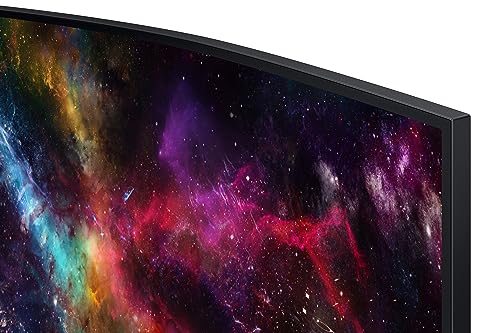
The stand that ships with the Neo G9 57-inch is substantial, necessarily so given the display weighs approximately 17.8kg with the stand attached. The stand offers height adjustment, tilt, and some swivel, though the swivel range is limited given the display's footprint. Owners report the stand is stable and doesn't wobble under normal desktop conditions, which is reassuring at this size and weight. The build quality of the chassis and stand is generally praised in owner reviews, with the matte black finish and subtle RGB lighting (Infinity Core Lighting, in Samsung's terminology) described as premium without being garish.
The footprint of the stand is significant. At 1285.5mm wide, the display itself is wider than most desks are deep. You'll need a desk that's at least 700mm deep to sit at a comfortable distance, and ideally 800mm or more. The 1000R curvature helps with the sense of the screen wrapping around you, but physically this display dominates any desk it's placed on. Several owners mention needing to rearrange their entire desk setup to accommodate it, including moving speakers, moving peripherals off the desk surface, and in some cases buying a larger desk entirely.
VESA compatibility uses a 100x100mm pattern, which is standard and means third-party monitor arms are an option if you want to reclaim desk space. However, finding a monitor arm rated for nearly 18kg at this width is a non-trivial exercise. Most consumer monitor arms are rated for 8 to 10kg. You'll need a heavy-duty arm specifically rated for large ultrawide monitors, and these are considerably more expensive than standard arms. Samsung's own stand, despite its footprint, is probably the more practical choice for most buyers unless you have a specific reason to wall-mount or arm-mount the display.
The port selection on the Samsung Odyssey Neo G9 57-inch is well thought out for a display in this class. The two HDMI 2.1 ports are the headline feature for console gamers: you can have a PS5 and an Xbox Series X connected simultaneously and switch between them without unplugging anything. HDMI 2.1 supports up to 4K at 144Hz per the specification, though at the full 7680x2160 resolution you're limited to lower refresh rates over HDMI. For console gaming at 4K, this is fine; consoles don't output above 120fps anyway.
The USB hub is a practical addition that owners appreciate. Having USB ports on the display means you can connect a keyboard, mouse, or USB drive without reaching around to the back of a PC tower. The hub runs at USB 3.0 speeds, which is adequate for peripherals and storage devices. There's no USB-C with Power Delivery on this display, which is a minor omission at this price point, but given the target audience is primarily desktop PC and console gamers rather than laptop users, it's not a significant practical limitation.
The on-screen display menu is navigated via a joystick on the rear of the panel, which is Samsung's standard approach across their Odyssey range. It's functional and reasonably intuitive once you've spent a few minutes with it. Samsung's Gaming Hub is also built in, allowing access to streaming services and cloud gaming platforms without a connected PC, which is a genuinely useful feature for a display that will often be used with multiple input sources. The display also supports Picture-by-Picture and Picture-in-Picture modes, letting you display content from two sources simultaneously, which makes sense given the screen real estate available.
The most obvious competitor for the Samsung Odyssey Neo G9 57-inch is the LG UltraGear 45GR95QE, a 45-inch OLED ultrawide that sits at a lower price point. The LG uses an OLED panel, which means true per-pixel dimming, perfect blacks, and faster pixel response times than any Mini LED VA panel can match. But it's 45 inches rather than 57, it runs at 3440x1440 rather than 7680x2160, and it maxes out at 240Hz without the resolution advantage. For pure image quality in dark scenes, the OLED wins on blacks. For sheer scale, resolution, and HDR brightness, the Samsung wins convincingly.
The other meaningful comparison is the Philips Evnia 49M2C8900, a 49-inch Mini LED QD-OLED ultrawide. This one uses a different panel technology: QD-OLED combines quantum dot colour with OLED's per-pixel dimming, giving better brightness than standard OLED while retaining perfect blacks. It's a genuinely impressive display. But again, it's smaller and lower resolution than the Samsung, and it sits in a similar or higher price bracket depending on current pricing. The Samsung's 57-inch scale and Dual UHD resolution is simply not available from any other manufacturer at the time of writing.
| Feature | Samsung Neo G9 57" | LG UltraGear 45GR95QE | Philips Evnia 49M2C8900 |
|---|---|---|---|
| Size | 57 inches | 45 inches | 49 inches |
| Resolution | 7680x2160 | 3440x1440 | 5120x1440 |
| Panel Type | VA Mini LED | OLED | QD-OLED |
| Refresh Rate | 240Hz | 240Hz | 240Hz |
| HDR Tier | DisplayHDR 1000 | DisplayHDR True Black 400 | DisplayHDR 1400 |
| Peak Brightness | 1000 nits | ~800 nits (peak) | 1400 nits (peak) |
| Black Levels | Excellent (Mini LED) | Perfect (OLED) | Perfect (QD-OLED) |
| Burn-in Risk | None | Yes (OLED) | Yes (QD-OLED) |
| Price | £1,819.99 · Details | Lower (45" OLED) | Similar bracket |
Samsung offers a standard three-year warranty on their Odyssey monitors in the UK, which covers manufacturing defects and panel faults. The RMA process in the UK goes through Samsung's UK support infrastructure, and the experience reported by owners is generally positive for straightforward defect claims. Samsung operates a collect-and-return service for larger monitors rather than expecting you to ship a 57-inch display yourself, which is sensible given the logistics involved. The warranty does not cover physical damage, accidental damage, or pixel policy claims below Samsung's stated threshold (typically a small number of bright stuck pixels is considered within tolerance, which is standard across the industry).
One practical consideration for long-term ownership is the Mini LED backlight itself. Mini LED backlights are more complex than traditional edge-lit or direct-lit LED arrays, with thousands of individual LEDs behind the panel. While Mini LED technology has proven reliable in Samsung's Odyssey range since its introduction, any backlight failure on a display this complex and this size is a significant repair job. The three-year warranty covers this, but beyond the warranty period, out-of-warranty repairs on a display of this size and complexity are expensive, often approaching the cost of a replacement panel. This is worth factoring into the total cost calculation.
Resale value for premium Samsung Odyssey monitors has historically been reasonable at the 24-month mark, typically retaining 40 to 55% of original retail price in good condition. At 36 months, resale value drops more sharply as newer models with improved specifications arrive. The Neo G9 57-inch's unique resolution and size means it has fewer direct competitors on the second-hand market, which could support resale value somewhat. But premium monitors generally depreciate faster than their mid-range counterparts in percentage terms, and anyone buying at this price point should be prepared to own it for at least three to four years to get meaningful value from the investment. As for upgrade paths: the next generation of this display class will likely bring DisplayPort 2.1 for uncompressed Dual UHD at 240Hz and potentially higher peak brightness. Those are meaningful improvements, but they're not reasons to delay purchase if the current spec meets your needs today.
The sticker price for the Samsung Odyssey Neo G9 57-inch already includes UK VAT at 20%, so what you see is what you pay. But the display itself is only part of the cost equation. To drive 7680x2160 at meaningful frame rates, you need a GPU that costs as much as or more than the monitor itself. An RTX 5080 or RTX 5090 is the realistic minimum for getting the most from this display in demanding games; an RX 9070 XT will handle it in less demanding titles and productivity work but will struggle in AAA gaming at maximum settings. Budget for a flagship graphics card as well if you're not already equipped, and that's before the rest of the system.
Running costs are too. The Samsung Odyssey Neo G9 57-inch has a rated power consumption of approximately 200 watts under typical use, rising to around 350 watts at peak brightness in HDR mode. At eight hours a day, this works out at roughly three to five pounds a week, or 160 to 280 pounds a year at 27p per kWh. The GPU and the rest of the system also use power, depending on the hardware and how much you play.
The realistic total budget for a system built around this display is substantial. The monitor itself is at the premium tier, the GPU needs to be flagship class, you'll need a capable CPU and platform to avoid bottlenecking the GPU, and a quality PSU rated for the power draw (850W to 1000W). You may also need a bigger desk if your current one isn't up to a display this wide. This is not a casual purchase, and anyone treating it as one is going to have a bad time.
The most commonly reported issue with large VA Mini LED panels in this class is backlight uniformity variation, where some units show brighter or dimmer areas particularly toward the edges of the panel. This is a characteristic of direct-lit Mini LED backlights at large sizes and is not unique to Samsung. Most units are within acceptable tolerances, but a small percentage of buyers report noticeable clouding or brightness variation that's distracting in dark content. This is a quality-control lottery rather than a design defect: the majority of units are fine, but the minority that aren't are frustrating. Given the size and weight of the display, returning it is logistically inconvenient but entirely within your rights.
Under UK consumer law, specifically the Consumer Rights Act 2015, goods must be of satisfactory quality, fit for purpose, and as described. A monitor with significant backlight uniformity defects is not of satisfactory quality and you're entitled to a repair, replacement, or refund within the first six months without needing to prove the fault was pre-existing. Amazon's own 30-day returns policy is more straightforward for the first month: if you're unhappy for any reason, you can return it. Beyond 30 days, you're relying on the manufacturer warranty for defects, or the Consumer Rights Act for more fundamental faults. Samsung's UK warranty service is generally considered reliable for legitimate defect claims.
Is it worth requesting a replacement if you get a bad unit? Yes, for backlight uniformity issues that are genuinely distracting. This is a display that costs premium-tier money and should perform accordingly. Minor variations that are only visible on pure black screens in a dark room are within normal tolerances for this panel technology. Significant clouding visible during normal use is not acceptable and warrants a return or exchange. Dead pixels are covered under Samsung's warranty policy, though the exact threshold for replacement varies. Coil whine from the power supply components has been reported by a small number of owners but is not a widespread complaint for this model. If you hear it, it's worth exchanging the unit as it indicates a component operating outside its normal parameters.

The Samsung Odyssey Neo G9 57-inch is the most ambitious gaming monitor Samsung has built, and it largely delivers on that ambition. The Dual UHD resolution at this size is genuinely transformative for productivity and immersive gaming. The Mini LED local dimming system produces HDR performance that's meaningfully better than anything without 1000+ dimming zones. The 240Hz refresh rate gives you headroom for lighter titles and future GPU generations. And the positive overall rating from real owners, across a small number of reviews, suggests that the people who've actually bought this display are broadly happy with it.
But this monitor is not for everyone, and it's important to be straight about that. The VA panel brings black smear in fast dark scenes that IPS and OLED panels don't have. The size is genuinely enormous and will dominate any desk that isn't purpose-built for it. The GPU requirement to drive it properly is as expensive as many complete mid-range gaming PCs. And the price is firmly in premium territory, which means the opportunity cost is real: that money could buy an excellent 4K OLED setup with a capable GPU and have change left over.
Who should buy this? Serious sim racers, flight sim enthusiasts, and strategy gamers who want the most immersive single-screen experience available. Content creators who need the screen real estate to run a 4K timeline alongside a full suite of tools. People who genuinely have the desk space, the GPU budget, and the use case to justify it. Who should skip it? Competitive FPS players who need the fastest possible pixel response times (look at a 27-inch 1440p IPS at 360Hz instead). Anyone whose GPU is below RTX 4080 class. Anyone whose desk is under 1.5 metres wide. And if you want the immersive ultrawide experience without the full Dual UHD price and GPU demand, the previous-generation 49-inch Neo G9 at 5120x1440 is a more accessible entry point that still delivers exceptional image quality at a meaningfully lower price.
| Panel type | VA |
|---|---|
| Aspect ratio | 32:9 |
| Curvature | 1000R |
| HDR | HDR1000 |
| Launch year | 2023 |
| Ports | 3x HDMI 2.1, 1x DisplayPort 2.1, 2x USB 3.0 |
| Refresh rate HZ | 240 |
| Resolution | 7680x2160 |
| Response time MS | 1 |
| Screen size IN | 57 |
| Vesa compatible | true |
Yes, with important caveats. The 240Hz refresh rate and FreeSync Premium Pro/G-Sync Compatible adaptive sync make it technically excellent for gaming. The Dual UHD resolution and 57-inch scale create an unmatched level of immersion for sim, strategy, and single-player titles. However, the VA panel has slower pixel response than IPS or OLED alternatives, which causes some black smear in fast dark scenes. Competitive FPS players would be better served by a faster IPS panel. And you'll need a flagship GPU (RTX 5080 class or better) to drive 7680x2160 at meaningful frame rates in demanding games.
Yes, genuinely good HDR rather than checkbox HDR. DisplayHDR 1000 certification backed by 2392 local dimming zones means the display can produce real contrast between bright highlights and dark shadows. Peak brightness of 1000 nits is achievable in practice. Some blooming around bright objects in dark scenes is present, as with all Mini LED displays, but it's significantly reduced compared to earlier Samsung Mini LED panels with fewer zones. For HDR gaming and film content, this is among the best HDR experiences available on a gaming monitor.
It's capable for content creation, with 95% DCI-P3 colour gamut coverage and a quoted Delta-E under 2 in the calibrated preset. The 7680x2160 resolution gives exceptional screen real estate for video editing timelines, multi-window workflows, and design work. Serious colour-critical professionals who need guaranteed colour accuracy should verify their specific unit with a hardware colorimeter, as factory calibration varies between units. For video editing, photo editing, and general creative work, the display is well-suited. For print-focused colour work where absolute accuracy is critical, a dedicated colour-calibrated IPS display may be more appropriate.
To drive 7680x2160 at 240Hz, you need a DisplayPort 1.4 output with DSC support, which most modern discrete GPUs provide. For the resolution itself, an RTX 4080 or RX 7900 XTX is a realistic minimum for demanding AAA gaming at acceptable frame rates. To approach 120fps or above in modern titles at this resolution, an RTX 5080 or RTX 5090 is more appropriate. For productivity use and lighter gaming titles, a mid-range GPU can handle the resolution adequately. The 240Hz headline spec is effectively unreachable in demanding 3D games with any current GPU.
Samsung provides a three-year manufacturer warranty on Odyssey monitors in the UK, covering manufacturing defects and panel faults. Amazon's standard 30-day returns policy applies for purchases made through Amazon UK, allowing returns for any reason within the first 30 days. Beyond 30 days, the Samsung warranty and UK Consumer Rights Act 2015 protections apply for genuine defects. Samsung operates a collect-and-return service for large monitors in the UK rather than requiring you to arrange shipping yourself.
The competition at a glance
£1,819.99 · Details
The choice we'd make. Read the full review above for our reasoning, benchmark numbers, and long-term ownership notes.
Where it wins
Where it falls short
Where it wins
Where it falls short
Check the retailer for current pricing.
The most ambitious gaming monitor Samsung has built: extraordinary resolution and HDR performance, but it demands flagship GPU hardware and serious desk space to justify the premium price.
Buy at Amazon UK · £1,819.99 · Details




More from