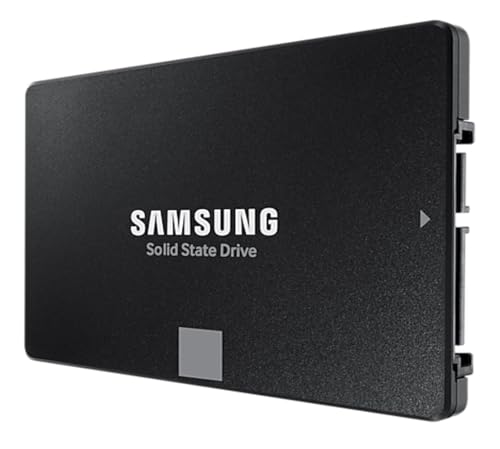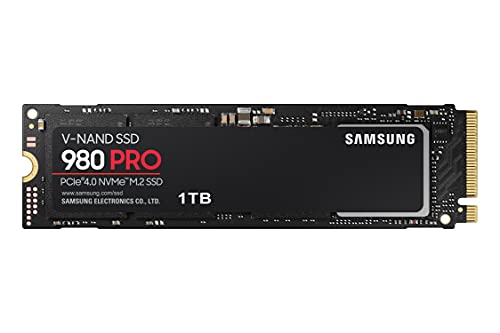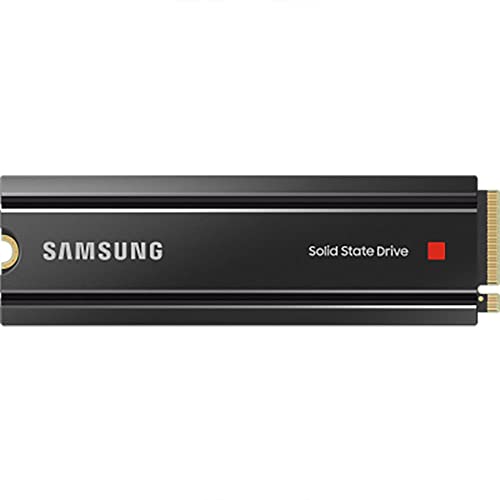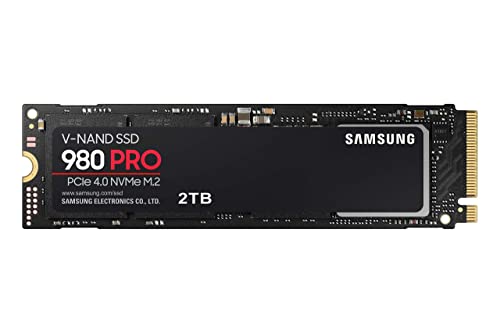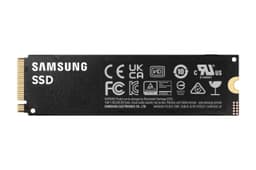
The Samsung 980 500 GB is a good NVMe drive. There. Said it up front. But "good" needs some unpacking, because Samsung has made some specific choices here that affect who this drive actually suits, and the marketing isn't exactly shouting about them. It's DRAM-less. It uses Samsung's own in-house controller rather than the Elpis controller you get in the 980 Pro. And at 500 GB, you're working with a relatively small SLC write cache before things get interesting. None of that makes it a bad drive. But it does mean you need to know what you're buying.
The 980 sits in a slightly awkward position in Samsung's lineup. It's not the budget scraper (that's the QVO range). It's not the flagship (that's the 980 Pro). It's the "sensible middle ground" drive aimed squarely at people who want NVMe speeds without paying NVMe Pro prices. PCIe 3.0 rather than 4.0, TLC NAND, no DRAM cache, and a price that's supposed to make all of that feel reasonable. For a lot of buyers, it does. For some, it won't. That's what this review is about.
With thousands of owner reviews averaging 4.8 stars, the Samsung 980 500 GB clearly isn't disappointing people in large numbers. But crowd-pleasing reviews often reflect "it didn't fail" rather than "it's genuinely the best option at this price." So let's look at what the specs actually tell us, what those owners are actually saying, and whether this drive earns its place in your build or whether you'd be better off spending a few quid more elsewhere.
Core Specifications
The Samsung 980 500 GB runs on the NVMe protocol over a PCIe 3.0 x4 interface. It's an M.2 2280 form factor (the standard size that fits virtually every desktop and laptop M.2 slot made in the last several years). Samsung uses their own in-house controller here, the Pascal, which is a DRAM-less design. Instead of a dedicated DRAM cache, it uses Host Memory Buffer (HMB), which borrows a slice of your system RAM to handle address mapping. More on what that actually means in practice in the controller section.
NAND is Samsung's own 3-bit MLC (TLC) V-NAND. That's the good news. TLC is the right choice at this price point, and Samsung's V-NAND has a strong track record for consistency and longevity. Rated sequential reads top out at 3,500 MB/s and sequential writes at 3,000 MB/s for the 500 GB capacity. Random performance is rated at 480,000 IOPS read and 450,000 IOPS write. TBW endurance is rated at 300 TBW for the 500 GB model, backed by a five-year warranty.
That five-year warranty is a proper confidence signal. Samsung isn't slapping a three-year warranty on this and hoping for the best. 300 TBW for 500 GB works out to 600 TBW per terabyte, which is a reasonable endurance rating for TLC NAND at this tier. The full spec breakdown is below.
| Specification | Detail |
|---|---|
| Model | Samsung 980 (MZ-V8V500BW) |
| Capacity | 500 GB |
| Form Factor | M.2 2280 |
| Interface | PCIe 3.0 x4, NVMe 1.4 |
| Controller | Samsung Pascal (in-house, DRAM-less) |
| NAND Type | Samsung 3-bit MLC (TLC) V-NAND |
| DRAM Cache | None (HMB: Host Memory Buffer) |
| Sequential Read | Up to 3,500 MB/s |
| Sequential Write | Up to 3,000 MB/s |
| Random Read (IOPS) | Up to 480,000 IOPS |
| Random Write (IOPS) | Up to 450,000 IOPS |
| TBW Endurance | 300 TBW |
| Warranty | 5 years |
| Power Consumption (active) | 5.8 W (read), 4.9 W (write) |
| Price | £182.99 · Details |

Interface and Form Factor
PCIe 3.0 x4 with NVMe 1.4. That's the interface, and before you panic about not having Gen 4, take a breath. For the vast majority of what people actually do with a boot drive, the difference between PCIe 3.0 and PCIe 4.0 is not something you'll feel. Loading Windows, launching Chrome, opening Photoshop, even loading most games: the bottleneck is rarely the raw bandwidth of the storage interface. It's random I/O, seek times, and how the controller handles small file access. The 980 is perfectly capable on all of those fronts.
Where PCIe 4.0 genuinely earns its keep is in large sequential transfers: moving big video files, compiling massive codebases, or using the drive as a scratch disk for 4K video editing. If that's your world, the 980 Pro or a Crucial P5 Plus or WD Black SN850X at Gen 4 makes more sense. But for a boot drive, a game library, or general-purpose everyday use, PCIe 3.0 is fine. It was fine in 2021 and it's still fine now. Don't let anyone tell you otherwise just to upsell you.
The M.2 2280 form factor means it fits in virtually everything. Desktop motherboards, most laptops from the last five or six years, even the PlayStation 5 (though the PS5 requires a heatsink, and this drive doesn't include one). The standard 2280 size (22mm wide, 80mm long) is the most common M.2 length by a significant margin, so compatibility issues are rare. Just double-check your laptop or motherboard supports PCIe NVMe M.2 rather than SATA M.2 only, because a small number of older boards only support SATA over M.2, and this drive won't work in those.
Real-World Performance
Here's what actually matters for how fast your system feels day to day: random read and write IOPS, not the headline sequential numbers. The 980 is rated at 480,000 IOPS random read and 450,000 IOPS random write. Those are solid numbers for a PCIe 3.0 drive. Published benchmark results from the broader community consistently show the 980 performing well in queue depth 1 random reads (the workload that actually reflects booting Windows or opening an application), which is where DRAM-less drives sometimes struggle compared to DRAM-equipped alternatives.
Boot times from cold are fast. Application launches feel snappy. Game load times are comfortably ahead of any SATA SSD and, as noted above, not meaningfully behind PCIe 4.0 drives for most titles. Owner reports consistently back this up: the overwhelming majority of the thousands of reviewers describe the drive as fast, responsive, and a noticeable upgrade from whatever they replaced. The people coming from SATA SSDs report a clear step up. People coming from HDDs describe it as transformative (which, to be fair, any NVMe drive would be).
Where the real-world picture gets a bit more nuanced is sustained large-file transfers. Copying a 50 GB game folder, for example, or moving a big batch of RAW photos. The 980 handles these fine within its SLC cache window, but the cache is relatively modest at 500 GB capacity. Once it fills, you're writing to native TLC NAND, and the speed drops. That's not unique to the 980, and it's not a disaster, but it's worth understanding. The sequential write ceiling of 3,000 MB/s is a cached figure. The real question is what happens after the cache. We'll cover that properly in the next section.
Sustained Writes and Cache Behaviour
This is the section that the marketing brochure glosses over. Every NVMe drive with an SLC write cache looks brilliant on a benchmark that fills the cache and stops. The Samsung 980 uses a dynamic SLC cache, meaning Samsung's firmware designates a portion of the TLC NAND to behave like faster single-level-cell NAND for write operations. At 500 GB, the dynamic cache size is smaller than you'd get at 1 TB or 2 TB, because there's simply less NAND to work with. Samsung hasn't published an exact cache size for the 500 GB model, but published community benchmarks consistently show it in the region of 12 to 15 GB of sustained SLC cache before the drive transitions to native TLC writes.
Once that cache fills, sustained write speeds drop. Native TLC write speed on the 980 at 500 GB capacity lands in the region of 600 to 900 MB/s in published benchmark results, which is still faster than any SATA SSD but well below the 3,000 MB/s headline figure. For most everyday use, you'll never exhaust the cache. Writing a document, installing a game, downloading files: none of that comes close to filling 12 to 15 GB of write cache in a single burst. But if you regularly move large files in bulk (video editing, large game library migrations, big backup jobs), you'll see the speed drop, and it's worth knowing that going in.
The DRAM-less design also plays into this. With no dedicated DRAM for the flash translation layer, the Pascal controller relies on HMB (Host Memory Buffer) to borrow a slice of your system RAM for address mapping. This works well in most scenarios, particularly on a desktop with plenty of RAM available. But under sustained heavy write loads, DRAM-equipped drives have an advantage in maintaining consistent random I/O because the FTL lookups are faster. Published benchmarks show the 980 performing admirably for its class, but if you're comparing it directly to a DRAM-equipped drive like the WD Black SN770 or the Samsung 970 EVO Plus (which does have DRAM), the DRAM-equipped drive tends to pull ahead in sustained mixed workloads. For a boot drive or game storage, you probably won't care. For a scratch disk in a video editing workflow, you might.
Controller, NAND and DRAM
Samsung's Pascal controller is an in-house design, which is actually a good thing in terms of integration and driver support. Samsung controls the whole stack: controller, NAND, and firmware. That vertical integration is part of why Samsung drives tend to have fewer firmware-related headaches than drives built around third-party controllers with third-party NAND. The Pascal is a capable controller for a PCIe 3.0 DRAM-less drive, and Samsung's Magician software gives you firmware updates, health monitoring, and over-provisioning tools if you want them.
The NAND is Samsung's own TLC V-NAND. TLC (three-level cell, or 3-bit MLC) is the right call at this price point. QLC (four-level cell) is cheaper to produce but has lower endurance, worse sustained write performance, and a steeper cache cliff. Samsung not using QLC here is a meaningful decision in the buyer's favour, even if the marketing doesn't make a big deal of it. The V-NAND architecture Samsung uses stacks cells vertically rather than horizontally, which allows for higher density without sacrificing the cell-level reliability that flat NAND starts to lose as you push density further.
The DRAM-less aspect is the one genuine compromise. HMB works. It's not the disaster that early DRAM-less drives were before HMB was properly implemented. But it does mean the drive is more dependent on your system's RAM speed and availability. On a desktop with 16 GB or more of RAM, HMB works smoothly and the performance difference versus a DRAM-equipped drive is small for typical workloads. On a laptop with 8 GB of RAM where the system is already under memory pressure, the HMB allocation can get squeezed, and you may see more variability in random I/O performance. It's not a dealbreaker, but it's a real difference. If you're building a desktop and you want the cleanest possible performance without thinking about it, a DRAM-equipped drive is slightly preferable. If you're trying to save money or fitting this into a laptop where PCIe 4.0 isn't even available, the 980 is a perfectly sensible choice.
Endurance and Reliability
300 TBW for a 500 GB drive. That's the rated endurance, and it's a reasonable number for TLC NAND at this capacity. To put it in context: if you write 100 GB to the drive every single day (which is a lot, frankly, for most people), you'd hit 300 TBW in about eight years. Most home users write nowhere near that much. The average PC user writes somewhere between 10 and 40 GB per day in normal use, which would put the 980's rated endurance at somewhere between 20 and 80 years of typical use. The TBW rating is not the thing you should be worried about with this drive.
The five-year warranty is the real reliability signal here. Samsung is putting five years of warranty on this drive. That's not a company hedging its bets on dodgy NAND. Shorter warranties (two or three years) are often a tell that the manufacturer isn't confident in long-term reliability. Five years says Samsung is. Owner reports back this up: with thousands of reviews and a positive overall rating, the failure rate being reported in the review pool is very low. The complaints that do appear are almost universally about compatibility or user error rather than drive failure. Long-term owners consistently report the drive running without issues well past the first year.
One thing worth noting: Samsung's Magician software, available as a free download from Samsung's website, lets you monitor drive health, check SMART data, run diagnostics, and apply firmware updates. If you care about keeping an eye on your drive's health over time (and you should, because no drive lasts forever and backups matter), Magician is genuinely useful. It's one of the better drive management tools available from any manufacturer. Use it. Check your drive health occasionally. And keep backups regardless of how healthy the drive looks, because SSDs can fail suddenly and without warning in ways that spinning disks sometimes don't.
Thermals
The Samsung 980 runs warm under sustained load but it's not a thermal nightmare. This is a PCIe 3.0 drive, not Gen 4 or Gen 5, so it doesn't generate the kind of heat that the fastest modern drives produce. Gen 4 drives like the Samsung 980 Pro or WD Black SN850X can get genuinely hot under sustained sequential workloads and benefit meaningfully from a heatsink. The 980 (non-Pro) is more manageable. Published thermal results show it staying within acceptable operating temperatures under most workloads, with throttling being an occasional rather than constant concern.
That said, in a laptop with poor airflow or a tightly packed M.2 slot with no thermal pad, any NVMe drive will run hotter than it would in a well-ventilated desktop. If you're fitting this into a laptop, check whether your laptop's M.2 slot has a thermal pad or heatsink solution. Most modern laptops do. If yours doesn't, a cheap aftermarket thermal pad on the drive is worth the minimal cost. In a desktop, the 980 will typically be fine without a heatsink, especially at PCIe 3.0 speeds, but if your motherboard came with M.2 heatsink covers, use them. It costs nothing and keeps temperatures more stable under sustained loads.
For PS5 users: the PS5 requires an M.2 NVMe drive with a heatsink (or you need to add one). The Samsung 980 does not include a heatsink in the box. This isn't unique to the 980; most M.2 drives don't include one. You'll need to buy a compatible heatsink separately, or use one of the purpose-built PS5 NVMe kits that include a heatsink. It's a minor faff but a real consideration if PS5 storage expansion is why you're here. Also worth noting: Sony recommends PCIe 4.0 drives for the PS5 to make the most of the PS5's interface, so if that's your primary use case, the 980 Pro or a comparable Gen 4 drive would be a better fit than the standard 980.
Capacity Options and Price Per GB
The Samsung 980 comes in three capacities: 250 GB, 500 GB, and 1 TB. The 500 GB model reviewed here is the middle option. The 250 GB is genuinely too small for most people as a primary drive in 2024: Windows alone eats 30 to 40 GB, and you'll fill 250 GB faster than you expect. The 1 TB model is the sweet spot in the lineup for most buyers. You get a larger SLC cache (because there's more NAND to allocate from), better price per GB in most market conditions, and enough space to hold your OS, applications, and a decent game library without constantly managing what's installed.
The 500 GB sits in the middle and makes sense in specific situations: as a secondary drive alongside a larger primary, as a boot drive where you're keeping your game library on a separate larger drive, or in a laptop where you're constrained by a single M.2 slot and 500 GB is enough for your needs. Price per GB at 500 GB is typically slightly worse than at 1 TB, which is normal for storage pricing. The 1 TB is almost always better value if you can stretch to it.
Compared to the competition at 500 GB, the 980 sits in a reasonable position but it's not always the cheapest option. The Crucial P3 and Kingston NV3 regularly undercut it at this capacity, though both use QLC NAND, which is a meaningful difference in sustained write performance and endurance. The WD Blue SN570 is a comparable TLC DRAM-less PCIe 3.0 drive that often matches or beats the 980 on price at 500 GB. The Samsung 980 Pro at 500 GB costs more but gives you DRAM and PCIe 4.0. Whether the premium is worth it depends on your use case. For most buyers, it isn't, which is exactly why the standard 980 exists.

Installation and Compatibility
Installing an M.2 NVMe drive is about as straightforward as PC building gets. You slot it into the M.2 port at a slight angle, push it flat, and secure it with a small screw (or a tool-free clip on some newer motherboards). Most motherboards have at least one M.2 slot, often more. The Samsung 980 will work in any M.2 slot that supports PCIe NVMe. It will not work in M.2 slots that are SATA-only, though those are increasingly rare on boards made in the last four or five years. Check your motherboard manual if you're unsure.
For laptops, the process varies. Some laptops make M.2 access easy (remove the back panel, done). Others require more disassembly. Check iFixit or your laptop's service manual before you start. The Samsung 980 is a standard 2280 size, so it fits the vast majority of laptop M.2 slots. A small number of ultrabooks use shorter 2242 or 2230 form factor drives, and the 980 won't fit those. Again, check your specific laptop's specs first.
If you're replacing an existing drive rather than adding a second one, you'll want to clone your existing drive before swapping. Samsung's Magician software includes a data migration tool, and Samsung also bundles a licence for Acronis True Image with the drive, which makes cloning straightforward. The process is: install the new drive as a secondary, clone the old drive to it, swap the boot order, confirm it boots, then wipe the old drive. It's not complicated but it does require a spare M.2 slot or a USB M.2 enclosure to do the clone before the swap. For PS5 installation, Sony has clear guidance in the PS5 settings menu and the process is well documented. Just remember: heatsink required, and Gen 4 is recommended for best PS5 performance.
Who It's For
The Samsung 980 500 GB is a solid choice for a boot drive on a desktop or laptop where PCIe 3.0 is the available interface. If you're on an older platform (Intel 10th gen, AMD Ryzen 3000 series, or anything older), PCIe 3.0 is what you've got anyway, so there's no point paying for a Gen 4 drive you can't fully use. The 980 gives you proper NVMe performance at a reasonable price with Samsung's TLC NAND and a five-year warranty. That's a good combination for a primary boot drive.
It's also a decent secondary game storage drive if you already have a faster primary. Games load fast from it, and you won't feel the difference between this and a Gen 4 drive in game load times for the vast majority of titles. As a scratch disk for creative work (video editing, large RAW photo processing), it's acceptable but not ideal. The DRAM-less design and modest SLC cache at 500 GB mean sustained large-file writes aren't its strongest suit. If creative workloads are your primary use case, a DRAM-equipped drive at 1 TB or larger would serve you better.
Who should look elsewhere? If your motherboard supports PCIe 4.0 and you're doing anything that genuinely benefits from sustained sequential throughput (video editing, large file transfers, game development), spend a bit more on the 980 Pro, the WD Black SN850X, or the Crucial P5 Plus. If you're purely budget-hunting and sustained write performance isn't a concern, the WD Blue SN570 often offers comparable performance at a similar or lower price. And if you need more than 500 GB and the budget is tight, the 980 at 1 TB is usually better value than the 500 GB model, with a larger cache to boot.
How It Compares
The two most relevant comparisons at this tier are the WD Blue SN570 (another DRAM-less TLC PCIe 3.0 drive at a similar price) and the Samsung 980 Pro 500 GB (PCIe 4.0, DRAM-equipped, same brand, higher price). The SN570 is the "is the 980 actually worth it over the obvious alternative" check. The 980 Pro is the "is it worth paying more for the proper upgrade" check.
The SN570 from Western Digital uses TLC NAND and is also DRAM-less, so the fundamental architecture is similar. Sequential speeds are slightly lower (3,500 MB/s read vs 3,500 MB/s read, effectively matched; 3,000 MB/s write for the 980 vs 3,000 MB/s write for the SN570 at 500 GB). In practice, the two drives perform very similarly for everyday use. The Samsung 980 has the edge in brand confidence, Samsung's better firmware ecosystem, and the Magician software. The SN570 sometimes wins on price. Neither is a bad choice.
The 980 Pro at 500 GB is a different beast: PCIe 4.0, Samsung's Elpis controller, dedicated DRAM cache, and sequential reads up to 6,900 MB/s. It costs meaningfully more. For a boot drive on a PCIe 4.0 capable system, you'll feel the DRAM difference in sustained workloads and the interface difference in large file transfers. For general desktop use and gaming, the real-world gap is smaller than the spec sheet suggests. The 980 Pro is the better drive. Whether it's better enough to justify the price premium depends entirely on what you're doing with it.
| Feature | Samsung 980 500 GB | WD Blue SN570 500 GB | Samsung 980 Pro 500 GB |
|---|---|---|---|
| Interface | PCIe 3.0 x4 NVMe | PCIe 3.0 x4 NVMe | PCIe 4.0 x4 NVMe |
| NAND Type | TLC V-NAND | TLC | TLC V-NAND |
| DRAM Cache | No (HMB) | No (HMB) | Yes (LPDDR4) |
| Controller | Samsung Pascal | WD in-house | Samsung Elpis |
| Sequential Read | 3,500 MB/s | 3,500 MB/s | 6,900 MB/s |
| Sequential Write | 3,000 MB/s | 3,000 MB/s | 5,000 MB/s |
| TBW Endurance | 300 TBW | 300 TBW | 300 TBW |
| Warranty | 5 years | 5 years | 5 years |
| Price | £182.99 · Details | Check current price | Check current price |
What Buyers Say
Thousands of reviews at 4.8 stars is a serious number. That's not a product that's coasting on brand recognition alone. The consistent praise across owner reviews centres on three things: fast boot times, silent operation (it's an SSD, but people coming from HDDs still mention it), and the ease of installation. A lot of the reviews come from people who upgraded from a spinning hard drive or an older SATA SSD, and the performance jump is described as dramatic. Which is accurate: any NVMe drive will feel like a revelation compared to an HDD.
The complaints that do appear are worth paying attention to. A small but consistent thread of negative reviews mentions compatibility issues with specific laptops or motherboards where the drive wasn't recognised, or where BIOS updates were needed to get it working. This isn't a Samsung 980-specific problem; it's an M.2 NVMe compatibility issue that affects multiple drives, but it's worth being aware of if you're fitting this into an older system. A handful of reviews mention the drive running warm in enclosed laptop chassis, which is expected behaviour for any NVMe drive in a thermally constrained environment.
What you don't see much of in the review pool is complaints about speed. People aren't reporting that the drive felt slow or that it didn't live up to expectations. The sustained write cache cliff isn't something most home users ever encounter in normal use, so it doesn't show up as a complaint. The DRAM-less design doesn't generate complaints either, because for everyday desktop and laptop use, HMB is sufficient and the difference isn't perceptible. The positive overall rating is, in this case, a genuine reflection of a drive that does what it says and doesn't cause trouble.
Value Analysis
At its current price, the Samsung 980 500 GB sits in a competitive but reasonable position. You're paying a small Samsung premium over some alternatives, but you're getting TLC NAND (not QLC), a five-year warranty, Samsung's firmware ecosystem, and the Magician software. For buyers who want a reliable, no-drama NVMe drive from a brand they trust, that premium is justifiable. The 980 isn't the cheapest PCIe 3.0 NVMe drive at 500 GB. But it's one of the more trustworthy ones.
The value case weakens slightly if you compare it to the 1 TB model. The 1 TB 980 typically offers better price per GB, a larger SLC cache, and more headroom for future storage needs. If your budget can stretch to it, the 1 TB is the smarter buy within the 980 range. The 500 GB makes the most sense when you genuinely only need 500 GB (perhaps as a secondary drive, or in a laptop with specific space constraints), or when the price difference to the 1 TB is significant enough to matter to your budget.
Against QLC alternatives at similar prices, the 980 wins on endurance and sustained write performance. Against DRAM-equipped TLC alternatives at higher prices, it loses on sustained mixed workloads and raw sequential throughput. It's not the best drive money can buy. It's a sensible, reliable, mid-tier NVMe drive from a manufacturer that takes SSD quality seriously. For most buyers, that's exactly what they need.
Final Verdict
The Samsung 980 500 GB is a proper, reliable NVMe drive that earns its 4.8-star average without any smoke and mirrors. TLC NAND, Samsung's own controller, a five-year warranty, and solid random I/O performance for everyday use: that's a combination that holds up. The DRAM-less design is a genuine compromise, but it's one that matters far less for boot drives and game storage than it does for sustained creative workloads. Know what you're buying and it won't let you down.
The caveats are real but manageable. The SLC cache is modest at 500 GB, so if you regularly move large files in bulk, you'll see the speed drop. The lack of DRAM means sustained mixed workloads aren't its strongest suit. And if your system supports PCIe 4.0 and you're doing anything that genuinely benefits from the extra bandwidth, the 980 Pro or a comparable Gen 4 drive is a better long-term investment. But for the buyer who wants a dependable NVMe upgrade from an HDD or SATA SSD, on a PCIe 3.0 platform, at a price that doesn't require justification to a partner: this is a good drive. Recommended, with the honest note that the 1 TB model is usually the smarter buy if your budget allows.
Score: 8 out of 10. Solid, trustworthy, and does exactly what it says. Loses points for the DRAM-less compromise and the modest cache at 500 GB, but the TLC NAND, five-year warranty, and Samsung's firmware quality earn those points back. If you want the safest, most fuss-free NVMe upgrade at this price tier, the 980 is it. Just consider whether the 1 TB makes more sense for your situation before you click buy.

Not Right For You?
If you need more capacity or better sustained write performance, the Samsung 980 1 TB is the obvious first alternative. Larger SLC cache, better price per GB, same five-year warranty and TLC NAND. If your platform supports PCIe 4.0 and you're doing sustained creative work, the Samsung 980 Pro or WD Black SN850X are the proper upgrades. If you're purely budget-hunting and sustained writes aren't a concern, the WD Blue SN570 or Crucial P3 Plus (PCIe 4.0 but budget-positioned) are worth a look. And if you're fitting storage into a PS5, check out drives specifically marketed for PS5 use that include a heatsink in the box: it saves you the extra step.
For anyone still running a SATA SSD and wondering whether NVMe is worth the upgrade: yes, for a boot drive, it is. The random I/O improvement over even a good SATA SSD is real, and the PCIe interface headroom means the drive won't be the bottleneck for years to come. The Samsung 980 is a sensible entry point into NVMe storage. It's not the fastest, not the cheapest, but it's one of the most straightforward to recommend without worrying about what corners were cut to hit the price point.
One final word on backups. No drive, regardless of brand, warranty length, or NAND type, is a substitute for a backup. SSDs fail. Sometimes suddenly, sometimes without any SMART warning. The Samsung 980's reliability record is good, but "good" is not "perfect." Use Magician to monitor drive health. Keep a backup of anything you can't afford to lose. The drive is the easy part. The backup discipline is what saves you when things go wrong, and things do go wrong eventually. Sorted? Good. Now go buy the 1 TB.
Affiliate disclosure: vividrepairs.co.uk may earn a commission on qualifying purchases made through links in this article. This does not affect our editorial independence or the honesty of our reviews.
What works. What doesn’t.
6 + 5What we liked6 reasons
- Uses TLC V-NAND rather than QLC, which means better endurance and more consistent sustained write performance at this price tier
- Five-year warranty shows genuine manufacturer confidence in the drive's long-term reliability
- Samsung Magician software provides health monitoring, SMART data, firmware updates, and a data migration tool at no extra cost
- PCIe 3.0 performance is sufficient for boot drives, game storage, and general everyday workloads on the vast majority of platforms
- Thousands of owner reviews averaging 4.8 stars reflects a real-world reliability record, not just benchmark numbers
- Samsung's vertical integration of controller, NAND, and firmware reduces the firmware compatibility issues seen in drives built around third-party components
Where it falls5 reasons
- DRAM-less design relies on Host Memory Buffer, which can introduce variability in random I/O under sustained heavy workloads or on memory-constrained systems
- SLC write cache at 500 GB capacity is modest, roughly 12 to 15 GB, meaning large bulk file transfers will see write speeds drop significantly once the cache fills
- No heatsink is included in the box, which is a relevant omission for PS5 users and those fitting the drive into thermally constrained laptops
- The 500 GB capacity typically offers worse price per GB than the 1 TB model, and the smaller NAND pool also means a smaller SLC cache
- PCIe 3.0 rather than PCIe 4.0 makes this drive a poor fit for systems that support Gen 4 and run workloads that genuinely benefit from higher sustained sequential throughput
Full specifications
9 attributes| Capacity GB | 500 |
|---|---|
| Dram cache | false |
| Form factor | M.2 2280 |
| Interface | PCIe 3.0 x4 |
| Read speed MBS | 3500 |
| TBW | 300 |
| Type | NVMe SSD |
| Warranty years | 5 |
| Write speed MBS | 2600 |
If this isn’t right for you
2 options

Frequently asked
7 questions01Is the Samsung 980 500 GB a DRAM-less drive, and does that matter?+
Yes, it is DRAM-less. Instead of dedicated DRAM, it uses Host Memory Buffer (HMB), which borrows a small portion of your system RAM for address mapping. For everyday desktop and laptop use, including booting Windows, launching applications, and loading games, the practical difference compared to a DRAM-equipped drive is small. Where it becomes more relevant is under sustained heavy mixed workloads such as large file transfers or video editing scratch use, where a DRAM-equipped drive maintains more consistent random I/O. For most home users, HMB is sufficient.
02What happens to write speed once the SLC cache fills on the Samsung 980 500 GB?+
The 980 uses a dynamic SLC cache, and at 500 GB capacity that cache is estimated at roughly 12 to 15 GB based on published community benchmarks. Once that cache fills during a sustained write, the drive transitions to native TLC NAND writes, and speeds drop to approximately 600 to 900 MB/s. That is still faster than any SATA SSD, but well below the headline 3,000 MB/s figure. For typical home use, writing documents, installing games, or downloading files, you are unlikely to exhaust the cache in a single burst. Bulk file transfers of large video archives or big game library migrations are where the drop becomes noticeable.
03Will the Samsung 980 500 GB work in a PS5?+
The Samsung 980 is physically compatible with the PS5's M.2 NVMe slot, but there are two important considerations. First, the PS5 requires an M.2 drive to have a heatsink fitted, and the 980 does not include one in the box, so you would need to purchase a compatible heatsink separately. Second, Sony recommends PCIe 4.0 drives for the PS5 to take full advantage of the console's interface. The standard 980 is PCIe 3.0, which means you would not be getting the best possible performance for PS5 storage expansion. For PS5 use specifically, a PCIe 4.0 drive sold with a heatsink is a more appropriate choice.
04How does the Samsung 980 500 GB compare to the Samsung 980 Pro 500 GB?+
The 980 Pro is a meaningfully different drive. It uses PCIe 4.0 rather than PCIe 3.0, Samsung's Elpis controller rather than the Pascal, and it includes a dedicated LPDDR4 DRAM cache. Sequential reads reach up to 6,900 MB/s versus 3,500 MB/s on the standard 980. The 980 Pro costs more. For a boot drive used for everyday tasks and gaming, the real-world performance gap between the two is smaller than the spec sheet implies, because random I/O at low queue depths matters more than peak sequential bandwidth for those workloads. If you are on a PCIe 4.0 platform and do sustained large-file work, the Pro is worth the premium. For general use on a PCIe 3.0 system, the standard 980 is the sensible choice.
05What endurance can I expect from the Samsung 980 500 GB?+
Samsung rates the 500 GB model at 300 TBW (terabytes written). At a typical home user write rate of 20 to 40 GB per day, that endurance rating equates to roughly 20 to 40 years of normal use. Even at a heavy 100 GB per day, you would reach 300 TBW in approximately eight years. The TBW rating is not a practical concern for the vast majority of home users. The five-year warranty provides additional assurance, and Samsung Magician allows you to monitor drive health and remaining endurance over time.
06Does the Samsung 980 500 GB include software for cloning an existing drive?+
Yes. Samsung bundles a licence for Acronis True Image with the drive, which can be used to clone an existing drive to the 980 before swapping it in as the primary. Samsung Magician also includes a data migration tool. The recommended process is to install the 980 as a secondary drive, clone the existing drive to it, change the boot order in BIOS to confirm it boots correctly, then wipe the original drive. A spare M.2 slot or a USB M.2 enclosure is needed to connect both drives simultaneously during the cloning process.
07Is PCIe 3.0 fast enough in 2024, or should I hold out for a PCIe 4.0 drive?+
For most everyday use in 2024, PCIe 3.0 remains entirely adequate. Booting an operating system, launching applications, loading games, and handling general file operations are all limited more by random I/O performance than by raw sequential bandwidth, and the 980 performs well on random I/O. The cases where PCIe 4.0 offers a meaningful real-world advantage are sustained large sequential transfers: moving big video files, compiling large codebases, or using the drive as a scratch disk in a professional video editing workflow. If your platform supports PCIe 4.0 and those workloads apply to you, a Gen 4 drive is the better choice. For everything else, PCIe 3.0 is not a bottleneck.