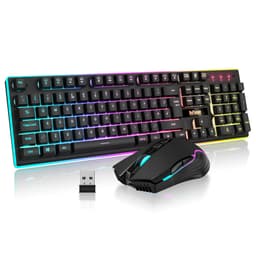
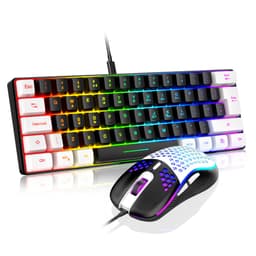
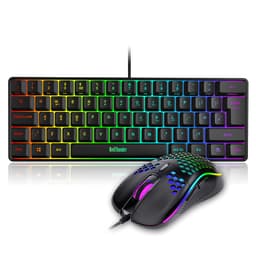
Budget gaming peripherals have a reputation problem. You buy the cheap combo, it arrives, and within a fortnight the keycaps are greasy, the mouse is skipping, and you're wondering why you didn't just spend a bit more. That cycle is real, and it's why most sensible advice in this bracket is "save up." But the RedThunder K10 Wired Gaming Keyboard and Mouse Combo keeps cropping up as an exception, and with over a thousand owners rating it ★★★★½ (4.5), it deserves a proper look rather than a dismissive shrug.
What makes or breaks a budget combo isn't the RGB (anyone can stick LEDs on anything) or the marketing copy about "professional gaming." It's whether the keyboard actually registers what you type, whether the mouse tracks reliably, and whether the whole thing holds together past the first month. Those are the questions worth answering here, grounded in what the spec sheet actually says and what owners consistently report after living with it.
This is a full-size, wired keyboard and mouse combo aimed squarely at people who want a proper UK layout, don't want to spend enthusiast money, and need something that covers both gaming and everyday typing without falling apart. The RedThunder K10 Wired Gaming Keyboard and Mouse Combo, UK Layout, True RGB Backlight, Soft Leather Wrist Rest, Mechanical Feel Ergonomic Anti-Ghosting Keyboard + 7D 7200 DPI Mouse for PC Mac (Black) is the full name, and yes, that's a mouthful. But the product underneath it is worth understanding properly.
Core Specifications
The K10 is a 104-key full-size keyboard, which means you get the full layout: function row, navigation cluster, and a numeric keypad. For anyone doing data entry, spreadsheet work, or just preferring a complete board, that matters. A lot of budget gaming keyboards trim the numpad to keep costs down, so keeping it here is a genuine plus. The layout is UK-specific, which sounds obvious but is actually worth calling out because a surprising number of "UK" keyboards on Amazon ship with US layouts and just relabel the keys.
The mouse ships alongside it with a 7200 DPI optical sensor, a 12000fps scan rate, 1000Hz polling rate, 40G acceleration tolerance, and 400IPS tracking speed. Those are not throwaway numbers. A 1000Hz polling rate means the mouse is reporting its position to the PC 1000 times per second, which is the same polling rate you'd expect from dedicated gaming mice costing significantly more. The 7200 DPI ceiling is more than enough for any desktop setup, and the 400IPS tracking speed means it won't lose tracking during fast swipes across a mousepad.
Connectivity is wired throughout. No wireless, no Bluetooth. That's a deliberate choice at this price point, and honestly the right one: wired means zero latency concerns, no batteries to charge, and no dongles to lose. The keyboard has been rated for 50 million keystrokes according to RedThunder's own figures, and the combo carries a 30-day money-back guarantee plus a 24-month warranty. That warranty length is better than you'd expect in this bracket.
| Specification | Detail |
|---|---|
| Keyboard Layout | 104-key full-size, UK layout |
| Switch Type | Mechanical feel (membrane with mechanical-style keycaps) |
| Anti-Ghosting | 26 keys |
| Keyboard Build | Steel plate internal, ABS keycaps, adjustable tilt legs |
| Wrist Rest | Faux leather with memory foam |
| Mouse DPI | Up to 7200 DPI |
| Mouse Scan Rate | 12000fps |
| Mouse Polling Rate | 1000Hz |
| Mouse Acceleration | 40G |
| Mouse Tracking Speed | 400IPS |
| Connectivity | Wired (USB) |
| RGB | Full keyboard per-key RGB, light bar, mouse side RGB |
| Compatibility | Windows 2000/XP/Vista/7/8/10, Mac, Linux, Chrome OS, Xbox, PS4 |
| Keystroke Rating | 50 million |
| Warranty | 24 months |
| Price | £33.99 |

Switch Type and Feel
Here's where you need to read carefully, because the marketing language is doing some heavy lifting. The K10 is described as having "mechanical feel" rather than being a mechanical keyboard. That distinction matters enormously. What you're getting is almost certainly a membrane keyboard with floating-style keycaps designed to look like a mechanical board. The keycaps sit higher off the base, giving the visual impression of a mechanical keyboard, but the underlying switch mechanism is membrane rather than individual mechanical switches.
What does that mean in practice? You won't get the crisp tactile bump of a proper mechanical switch like a Cherry MX Brown or Gateron Red. The actuation force and travel distance aren't specified in the product data, which is typical for membrane boards where those figures aren't standardised the way they are with named mechanical switches. What owners consistently report is that the keys feel reasonably responsive for gaming and comfortable enough for extended typing sessions, though people coming from a genuine mechanical board will notice the difference immediately.
For the target buyer, though, this is probably fine. If you've never used a proper mechanical keyboard, or if you're upgrading from a flat chiclet-style membrane board, the K10 will feel noticeably better. The floating keycap design gives more tactile feedback than a flat membrane, and the steel plate underneath adds some rigidity that prevents the mushy flex you get from cheaper all-plastic membrane boards. It's not a mechanical keyboard. But it's a decent membrane keyboard that doesn't pretend to be rubbish, and at this price point that's a reasonable trade.
Keycap Quality and Layout
The keycaps are curved ABS plastic. ABS is the standard material at this price point, and it has one well-known problem: it shines. After a few months of regular use, the most-used keys (WASD, the home row, space bar) will develop a greasy, reflective sheen where your fingers have worn the texture down. It's not a defect, it's just what ABS does. PBT keycaps resist this much better, but PBT costs more to produce and you won't find it on a combo in this price bracket.
The legends (the characters printed on the keys) are described as "exquisite in workmanship" in the product copy, which is the kind of phrase that tells you nothing. What matters is whether they're pad-printed, laser-etched, or double-shot. The product data doesn't specify, but at this price point they're almost certainly pad-printed, which means the legends can wear over time with heavy use. That's not a disaster for most people, and plenty of owners report the printing holding up fine in normal use, but it's worth knowing if you're a heavy typist planning to use this board for years.
The UK layout is properly implemented, which is the most important thing. You get the tall Enter key, the correct placement of the hash and backslash keys, and the pound sign where it should be. This sounds basic but it's genuinely worth checking on budget boards, where a "UK layout" label sometimes just means a US layout with a sticker. The full 104-key layout means nothing is missing: you've got your F-keys, your numpad, your dedicated arrow keys, and the full navigation cluster. For anyone who uses Excel regularly or does any kind of data entry, the numpad alone makes this a more practical daily driver than a TKL or compact board.
Build Quality
The keyboard has a steel plate built into the base, and that's genuinely meaningful. A lot of budget keyboards are entirely plastic, which means they flex noticeably under firm typing and feel hollow and cheap. The steel plate adds rigidity and gives the board a more solid feel underhand. It also adds a bit of weight, which helps with stability on the desk. Owners consistently mention that the keyboard doesn't slide around, which is partly down to the weight and partly down to rubber feet on the base.
The tilt legs are adjustable, which lets you raise the back of the keyboard to a more comfortable angle depending on your typing posture. This is standard on most full-size keyboards but worth confirming it's here. The mouse uses ABS plastic with a non-slip coating, and owners generally report a good grip. The side RGB strips on the mouse are a nice visual touch, though they add nothing to performance. The mouse has seven buttons (hence "7D" in the name), though the product data doesn't detail what all seven do beyond the obvious three.
The included wrist rest is probably the most pleasant surprise in this combo. It's faux leather over memory foam, and while it's not going to compete with a dedicated ergonomic wrist rest from a specialist brand, it's a proper wrist rest rather than a thin foam pad. Memory foam conforms to your wrist shape over time, and the faux leather surface is easy to wipe clean. Plenty of owners call this out specifically as better than expected. For long gaming or typing sessions, having wrist support built into the combo rather than being an afterthought is a real practical benefit.
RGB and Lighting
The RGB on the K10 covers three areas: every key on the keyboard, a light bar along the bottom side of the keyboard, and strips on the sides of the mouse. That's a lot of RGB for a budget combo. The effect is described as "rainbow-like" in the product copy, and based on owner photos and feedback, the lighting is bright and colourful rather than subtle or customisable in any sophisticated way. If you want a specific colour profile or per-key customisation to match your setup, you're likely limited by what the onboard firmware offers rather than having a full software suite to play with.
The floating keycap design helps the RGB here. Because the keycaps sit higher off the base, light bleeds around and underneath them more visibly than on a flat membrane board. The result looks more like a mechanical keyboard's lighting than you'd expect from a membrane board, which is probably part of the point. Owners who care about RGB consistently rate the lighting as good for the price, and it's one of the more frequently praised aspects in the review pool.
For people who don't care about RGB (and there are plenty of you), the lighting doesn't get in the way. You can presumably cycle through modes or turn it off, though the product data doesn't detail specific lighting mode counts. What's clear is that the lighting is present across keyboard and mouse, it's bright, and it's consistent between the two peripherals, which matters if you want a cohesive look on your desk. Whether you care about that is entirely your call.
Software and Customisation
The product data doesn't mention dedicated software for the K10, and that's typical for budget combos in this bracket. What you're likely getting is plug-and-play functionality with onboard controls for switching lighting modes and possibly adjusting DPI on the mouse. There's no mention of macro support, profile storage, or a companion app in the feature highlights, which means you should assume there isn't one unless RedThunder's own product page says otherwise.
For most people buying this combo, that's fine. If you need macro programming or per-key RGB customisation, you're in the wrong price bracket anyway. The K10 is aimed at people who want something that works straight out of the box without needing to install software, configure profiles, or update firmware. Plug it in, it lights up, it types, the mouse tracks. That's the value proposition, and it's a legitimate one for a large chunk of the market.
The mouse DPI is listed at 7200, and there are likely onboard DPI steps accessible via a button on the mouse itself, which is standard practice. But without a software suite, you're working with whatever preset steps the firmware offers rather than dialling in a specific DPI value. For gaming, the common sweet spots (400, 800, 1600 DPI) are almost certainly covered by whatever presets are built in. The 1000Hz polling rate is hardware-level and doesn't require software to activate, which is the important bit.
Connectivity
Both the keyboard and mouse connect via USB, and both are wired. There's no wireless option, no Bluetooth, and no 2.4GHz dongle. For a gaming setup, this is the right call. Wired peripherals have zero input latency beyond what the USB polling rate introduces, and with the mouse running at 1000Hz, that's a report every millisecond. Wireless gaming peripherals at this price point tend to have noticeably worse latency than their wired counterparts, so the wired-only approach is a practical advantage rather than a limitation.
The compatibility list is impressively broad. The K10 works with Windows 2000 through Windows 10, macOS, Linux, Chrome OS, Xbox, and PS4. That covers pretty much every platform anyone is likely to be using in 2026. The Xbox and PS4 compatibility is worth noting for anyone who wants to use a keyboard and mouse on console, though the experience on console depends heavily on the game and platform settings rather than the peripheral itself. The USB connection means there are no drivers required for basic functionality on any of these platforms.
The wired connection also means you never have to think about battery levels, charging cables, or the mild paranoia of a wireless peripheral cutting out mid-game. For desk setups where cable management isn't a major concern, wired is simply more reliable. The cable length isn't specified in the product data, but standard USB cables on full-size keyboards tend to run around 1.5 to 1.8 metres, which is enough for most desk setups without being excessively long.
Battery Life
There is no battery. Both the keyboard and mouse are wired, so battery life is not a consideration. You plug them in and they work. There's no charging required, no battery indicator to monitor, and no risk of running flat during a session. This is entirely by design and is the correct choice for a budget gaming combo where wired connectivity removes one of the most common failure points in wireless peripherals.
If you specifically need wireless peripherals, the K10 is not for you. But if you're working at a fixed desk and you don't need to move your peripherals around, the wired setup is genuinely preferable. You get consistent, low-latency input without any of the overhead of managing wireless connections or battery levels. For the target use case (a desktop gaming and work setup), this is a non-issue.
The flip side of wired connectivity is cable management. Two USB cables coming off the desk (one for keyboard, one for mouse) means you need two USB ports and some thought about routing the cables. Most modern desktops and monitors have enough USB ports to handle this without needing a hub. It's a minor practical consideration rather than a real problem, but worth mentioning for anyone working with a laptop that has limited ports.
Typing and Gaming Experience
The anti-ghosting spec is 26 keys, which means up to 26 simultaneous key presses are registered correctly. For gaming, this covers every realistic scenario: you're not going to be pressing 27 keys at once in any game. The 26-key anti-ghosting is a step below full N-key rollover (where every key on the board can be pressed simultaneously without any missed inputs), but for practical gaming purposes it's sufficient. The keys that matter for gaming (WASD, modifiers, function keys) will all register correctly in combination.
The mouse performance figures are where this combo genuinely punches above its weight. A 1000Hz polling rate, 12000fps scan rate, and 400IPS tracking speed are specs you'd find on dedicated gaming mice at higher price points. The polling rate in particular is the key number: 1000Hz means the cursor position updates every millisecond, which is the standard for competitive gaming mice. Combined with the 40G acceleration tolerance, the mouse should handle fast, aggressive movements without losing tracking, which is exactly what you need for FPS gaming.
For typing, the membrane-with-mechanical-feel design means it's quieter than a genuine mechanical keyboard. If you're in a shared space, on calls, or streaming, the K10 won't produce the clicky racket of a Cherry MX Blue board. Owners generally describe the typing feel as comfortable for extended sessions, and the memory foam wrist rest helps with fatigue over longer stints. It's not a board that's going to satisfy someone who specifically wants the tactile feedback of mechanical switches, but for someone who just needs a comfortable, functional keyboard for mixed gaming and work use, it does the job without drama.

Compatibility
The K10 is plug-and-play across a wide range of platforms. Windows compatibility runs from Windows 2000 through Windows 10, which covers every Windows version anyone is realistically running. macOS and Linux are both supported, as is Chrome OS. The Xbox and PS4 compatibility means this combo can serve double duty as a console keyboard and mouse setup, which is useful if you game across multiple platforms.
Because it's a standard USB HID device (Human Interface Device), it doesn't require custom drivers to function on any of these platforms. The operating system recognises it as a keyboard and mouse and it works. Any advanced features like lighting modes are likely handled by onboard firmware rather than OS-level drivers, which keeps the setup simple. This is the right approach for a budget combo: the last thing you want is a peripheral that requires a specific driver version to function correctly.
The broad compatibility also makes this a reasonable choice for shared computers or multi-boot setups. If you're running Windows and Linux on the same machine, or if you switch between a desktop and a Mac, the K10 will work on both without any configuration changes. For most buyers this will be irrelevant, but it's worth knowing the flexibility is there. The 24-month warranty and 30-day money-back guarantee apply regardless of which platform you're using it on.
How It Compares
The K10's main competition in the budget combo bracket comes from the Redragon S101 and the Logitech MK270. The Redragon S101 is a similarly priced wired gaming combo with a membrane keyboard and optical mouse, and it's been a popular choice in this bracket for a few years. The Logitech MK270 is a wireless combo from a brand with much stronger name recognition, though it sits at a higher price point and uses a 2.4GHz connection rather than being wired.
Against the Redragon S101, the K10 holds up well. The K10's mouse spec is stronger on paper, particularly the 1000Hz polling rate versus the S101's lower polling rate. The K10 also includes a wrist rest, which the S101 doesn't. The Redragon brand has a longer track record in the budget gaming peripheral space, which counts for something in terms of build consistency, but the K10's owner review count and rating suggest it's not far behind. The S101 has been around longer and has more reviews overall, but the K10's 4.5-star average across over a thousand reviews is a solid signal.
Against the Logitech MK270, the comparison is more nuanced. Logitech's brand reliability is real, and the MK270 is a genuinely solid wireless combo for office use. But it's not a gaming peripheral: the mouse polling rate is lower, there's no RGB, and the keyboard is a flat membrane design without the floating keycap aesthetic. If you're buying for gaming, the K10's mouse spec is meaningfully better. If you're buying for office use and want wireless, the MK270 is the more sensible choice. They're targeting slightly different buyers.
| Feature | RedThunder K10 | Redragon S101 | Logitech MK270 |
|---|---|---|---|
| Layout | 104-key, UK | 104-key | Full-size |
| Switch type | Mechanical feel membrane | Membrane | Membrane |
| Mouse polling rate | 1000Hz | Not specified | Not specified |
| Mouse DPI | 7200 | 3200 | 1000 |
| Connectivity | Wired | Wired | Wireless 2.4GHz |
| RGB | Full keyboard + mouse | Yes | No |
| Wrist rest | Yes (memory foam) | No | No |
| Anti-ghosting | 26 keys | Not specified | Not specified |
| Warranty | 24 months | 12 months | 3 years |
| Price tier | Budget (under £50) | Budget (under £50) | Budget to mid |
What Buyers Say
With 1,172 averaging ★★★★½ (4.5), the K10 has a strong and consistent signal from real owners. That's not a small sample size, and a 4.5 average at over a thousand reviews is harder to fake or fluke than a 4.8 average on fifty reviews. The praise in the review pool clusters around a few consistent themes: good value for money, better build quality than expected, and the wrist rest being a genuine bonus rather than a token inclusion.
The most common complaints follow predictable lines for a budget membrane combo. Some owners who came from mechanical keyboards found the typing feel underwhelming, which is exactly what you'd expect when the product is "mechanical feel" rather than actually mechanical. A smaller number of owners reported issues with specific keys or the mouse after extended use, which is normal variance in budget peripheral manufacturing. The 24-month warranty exists precisely for these cases, and RedThunder's customer service gets reasonably positive mentions in the reviews.
The UK layout gets specific positive mentions from UK buyers who've been burned before by boards that ship with US layouts. The wrist rest comes up repeatedly as a highlight, with owners noting that the memory foam actually conforms to the wrist rather than just being a flat foam block. The RGB lighting gets praise from buyers who care about it and no complaints from buyers who don't, which suggests it's present but not overbearing. Overall the owner feedback paints a picture of a product that delivers on its core promises without nasty surprises.
Value Analysis
At the budget end of the market (under £50), the K10 is offering a complete setup: keyboard, mouse, and wrist rest, all with RGB lighting and a proper UK layout. Buying those three things separately at this price point would typically mean compromising on at least one of them. The fact that the combo includes a memory foam wrist rest rather than a cheap foam pad is a real differentiator, and the mouse spec (particularly the 1000Hz polling rate) is better than you'd normally expect at this price.
The honest caveat is the switch type. If you want a mechanical keyboard, this isn't it. The "mechanical feel" marketing is doing what all peripheral marketing does, which is making the product sound as close to the aspirational thing as possible without technically lying. The floating keycap design and steel plate base do make it feel better than a flat membrane board, and for buyers who've never used a true mechanical keyboard, the distinction may not matter. But if switch feel is your priority, you need to either spend more or buy a keyboard-only product at this price rather than a combo.
The 24-month warranty is a genuine selling point. Most budget peripheral brands offer 12 months, and some offer less. Two years of cover on a combo that costs this little is a reasonable safety net, and the 30-day money-back means you can try it and return it if it's not what you expected. The 50-million-keystroke rating on the keyboard is a manufacturer figure rather than an independently verified one, but it's at least consistent with the kind of durability claims you'd expect from a board with a steel plate base.
Pros and Cons
- 1000Hz mouse polling rate is genuinely good for the price bracket
- Full UK layout properly implemented with 104 keys including numpad
- Memory foam wrist rest included, not an afterthought
- Steel plate keyboard base adds rigidity and prevents membrane flex
- 24-month warranty is better than most competitors in this bracket
- Broad compatibility including Mac, Linux, Xbox, and PS4
- Not a mechanical keyboard despite the "mechanical feel" marketing
- ABS keycaps will develop shine with heavy use over time
- 26-key anti-ghosting rather than full N-key rollover
- No software suite for macro programming or detailed customisation
RGB and Lighting Details
The full RGB implementation across keyboard and mouse is worth a dedicated mention because it's more complete than you'd expect at this price. Every key on the keyboard lights up individually, the light bar along the bottom edge of the keyboard adds an underglow effect, and the mouse has RGB strips on its sides. The three-zone lighting across both peripherals creates a cohesive look that's genuinely more polished than a single-colour backlight or partial RGB.
The floating keycap design is the reason the keyboard RGB looks as good as it does. On a flat membrane board, the LEDs shine through the legends and that's it. With floating keycaps, the light also bleeds around the sides of each key, creating the halo effect you associate with mechanical keyboards. It's a visual trick, but it works, and it's why owners who care about desk aesthetics tend to rate the lighting positively even knowing they're looking at a membrane board.
For streamers or content creators who want a visually interesting setup without spending serious money, the K10's lighting setup is hard to beat at this price. For everyone else, it's a nice extra that doesn't interfere with the practical use of the board. The lighting doesn't create any noticeable heat, doesn't affect typing feel, and the LEDs on budget boards like this tend to last the life of the product without dimming noticeably.
Software and Customisation Details
The K10 operates as a plug-and-play device with no required software installation. Lighting modes and DPI settings are controlled via onboard shortcuts rather than a companion app. This keeps the setup genuinely simple: you don't need to install anything, create an account, or worry about software updates. For buyers who've dealt with bloated peripheral software that causes more problems than it solves, this is actually a relief.
The trade-off is limited customisation. You can't remap keys, create macros, or set up custom lighting profiles beyond what the firmware offers. The DPI steps on the mouse are preset rather than freely adjustable. For competitive gaming where you might want to fine-tune sensitivity to a specific value, this is a limitation. For casual gaming and everyday use, the preset options are probably sufficient.
RedThunder's product page and the K10's Amazon listing don't mention any companion software, which is the clearest signal that there isn't one. If software customisation is important to you, this is worth knowing before you buy. If you just want something that works without fuss, the lack of software is a feature rather than a gap.
Final Verdict
The RedThunder K10 Wired Gaming Keyboard and Mouse Combo, UK Layout, True RGB Backlight, Soft Leather Wrist Rest, Mechanical Feel Ergonomic Anti-Ghosting Keyboard + 7D 7200 DPI Mouse for PC Mac (Black) is a solid budget combo that delivers meaningfully more than its price suggests, provided you go in with accurate expectations. The mouse is the standout: a 1000Hz polling rate and 400IPS tracking speed at this price point is genuinely unusual, and it means the mouse performs like a proper gaming peripheral rather than a budget afterthought. The keyboard is a good membrane board with a steel plate base and a proper UK layout, but it is a membrane board, and anyone expecting mechanical switch feel will be disappointed.
The included memory foam wrist rest tips the value calculation firmly in the K10's favour. Buying a comparable wrist rest separately would cost a meaningful chunk of the combo's total price. The 24-month warranty is another genuine differentiator. Over a thousand owners averaging 4.5 stars is a strong real-world endorsement, and the consistent praise around build quality and value suggests the product delivers on its core promises reliably.
Score: 7.5 out of 10. Recommended without hesitation for anyone wanting a complete, functional gaming and work setup at a budget price with a proper UK layout. Not recommended for anyone who specifically wants mechanical switches, macro programming, or wireless connectivity. For its target buyer, it's one of the better options in this bracket.

Not Right For You?
If you want genuine mechanical switches, you need to either spend more on a keyboard-only product or look at entry-level mechanical boards like the Redragon K552 or the Royal Kludge RK61. These won't come with a mouse or wrist rest, but they'll give you actual mechanical switches with defined actuation points and proper tactile or linear feedback.
If wireless is non-negotiable, the Logitech MK270 or MK295 are the sensible alternatives in the budget bracket. You'll sacrifice the gaming-oriented mouse spec and the RGB, but you'll get Logitech's reliability and the freedom of a cable-free desk. For office use where gaming performance isn't the priority, that trade is worth making.
If you're a competitive FPS player who needs full N-key rollover and a mouse with adjustable DPI software, you're outgrowing the budget combo category entirely. Something like the SteelSeries Apex 3 keyboard paired with a dedicated gaming mouse in the mid-range bracket will serve you better, though the cost is considerably higher. The K10 is the right answer for a specific buyer. Knowing whether you're that buyer is the whole point of this review.
What works. What doesn’t.
5 + 4What we liked5 reasons
- 1000Hz mouse polling rate is genuinely strong for the price bracket
- Full 104-key UK layout properly implemented with numpad
- Memory foam wrist rest included as standard
- Steel plate keyboard base adds real rigidity over all-plastic alternatives
- 24-month warranty beats most budget competitors
Where it falls4 reasons
- Membrane switches, not mechanical, despite the marketing language
- ABS keycaps will shine with heavy use over time
- No software suite for macro programming or DPI fine-tuning
- 26-key anti-ghosting rather than full N-key rollover
Full specifications
9 attributes| Switch type | membrane (mechanical feel) |
|---|---|
| Layout | full-size |
| Connectivity | wired |
| Backlight | RGB |
| Backlighting | multi-zone RGB |
| HOT swappable | false |
| Polling rate HZ | 1000 |
| Switch actuation | tactile |
| Type | membrane |
If this isn’t right for you
2 options 6.8 / 10
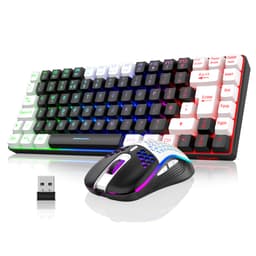
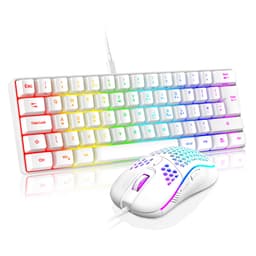
RedThunder 60% RGB Gaming Keyboard and Mouse Combo, UK Layout Ultra Compact Backlit Mini Keyboard, Lightweight 7200 DPI Cellular Optical Mouse, Portable Wired Gaming Set for PC PS5 Xbox Gamers (Black)
£33.24 · RedThunder
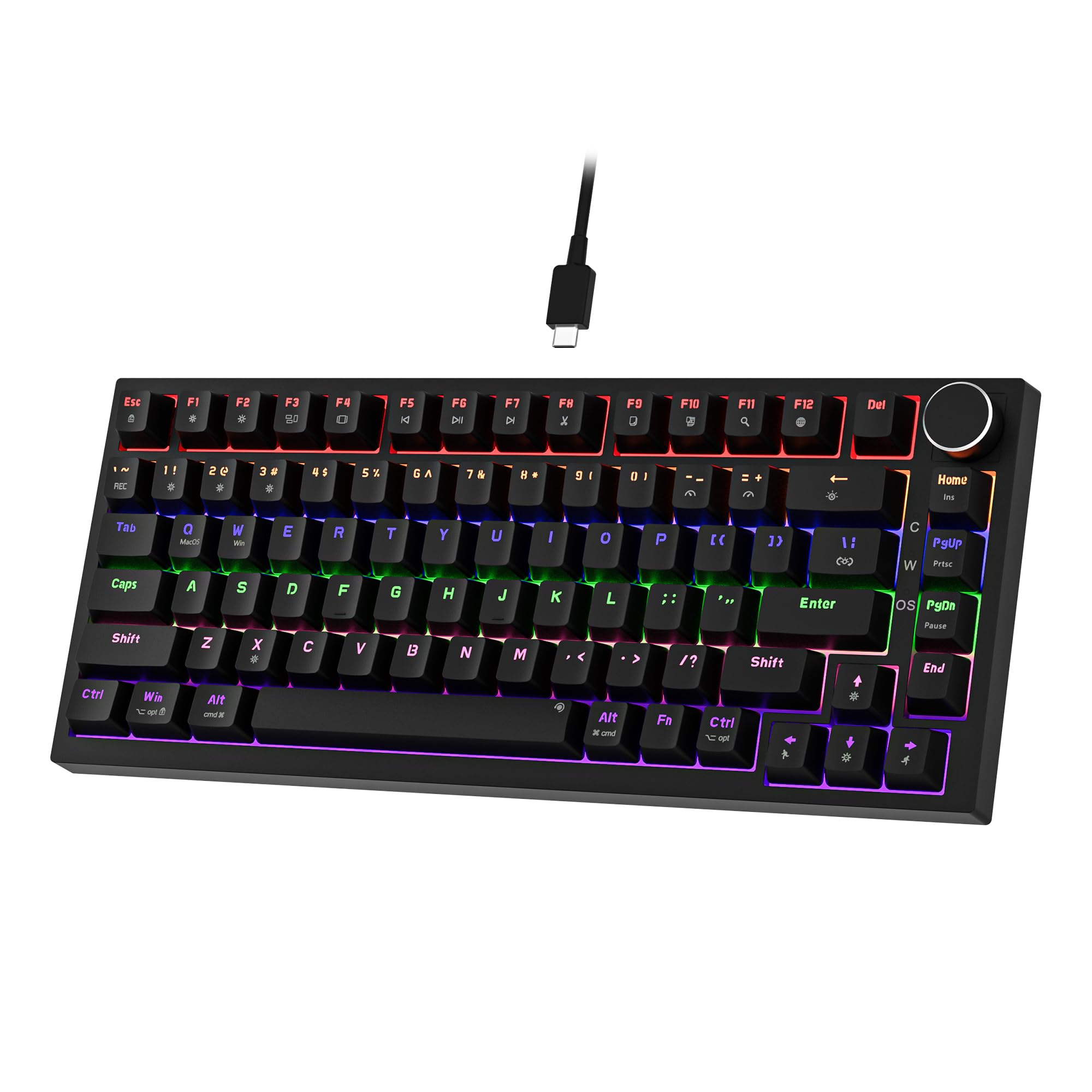 7.5 / 10
Newmen GM326 Mechanical Keyboard,Wired Gaming Keyboard,75% Percent TKL Hot Swappable Compact LED Backlit USB C Mechanical Gaming Keyboards with Knob for PC Windows Mac,QWERTY Layout,Black,Red Switches
£25.26 · NEWMEN
Frequently asked
5 questions01What switches does the RedThunder K10 Wired Gaming Keyboard and Mouse Combo use?+
The K10 uses a membrane switch design with floating-style keycaps that give a mechanical keyboard appearance. RedThunder describes this as 'mechanical feel' rather than claiming true mechanical switches. The steel plate base adds rigidity, making it feel more solid than a typical flat membrane board, but it does not use individual mechanical switches with defined actuation points like Cherry MX or Gateron switches.
02Is the RedThunder K10 Wired Gaming Keyboard and Mouse Combo good for gaming?+
The mouse is genuinely strong for gaming at this price: 1000Hz polling rate, 7200 DPI, 12000fps scan rate, and 400IPS tracking speed are competitive specs. The keyboard has 26-key anti-ghosting, which covers all realistic gaming key combinations. The wired connection means zero wireless latency. For casual to mid-level gaming, the K10 performs well. Competitive players who need full N-key rollover or software-adjustable DPI may want to look at higher-end options.
03Is the RedThunder K10 Wired Gaming Keyboard and Mouse Combo good for typing?+
It's a comfortable typing board for everyday use. The floating keycap design provides more tactile feedback than a flat membrane keyboard, the steel plate base prevents flex, and the included memory foam wrist rest helps with fatigue during long sessions. People coming from a genuine mechanical keyboard will notice the difference, but for general office and home use it's a solid performer. The ABS keycaps will develop shine over time with heavy use.
04Is the RedThunder K10 Wired Gaming Keyboard and Mouse Combo loud?+
The membrane switch design makes it quieter than a mechanical keyboard with clicky switches like Cherry MX Blues. If you're on calls, streaming, or working in a shared space, the K10 won't create the kind of noise complaints that a clicky mechanical board would. It's not silent, but it's well within acceptable noise levels for most environments.
05What warranty and returns apply to the RedThunder K10 Wired Gaming Keyboard and Mouse Combo?+
RedThunder provides a 24-month warranty on the K10 combo, which is better than most budget peripheral competitors who offer 12 months. There is also a 30-day money-back guarantee. Amazon's standard A-to-Z guarantee applies to purchases made through Amazon UK, providing additional buyer protection.