You know what nobody tells you when you're shopping for a budget wireless keyboard and mouse combo? The stuff that actually matters. Not the RGB colours or the marketing buzzwords on the box, but things like: what are the switches actually like to type on, will the wireless connection drop mid-game, and are the keycaps going to look like a greasy mess within three months? Those are the questions worth asking, and they're the ones this review tries to answer.
The RedThunder K10 Wireless Gaming Keyboard and Mouse Combo is aimed squarely at people who want a wireless gaming setup without spending serious money. And look, over 1,404 owners have rated it 4.2 stars on Amazon, which is genuinely decent for a budget combo. But a 4.2 average can hide a lot of sins, so it's worth pulling apart what people actually say, comparing it against what the spec sheet promises, and being honest about where this thing earns its score and where it doesn't.
Short version: for the price, this is a solid pick for casual gamers and home office workers who want wireless convenience and some RGB flair without breaking the bank. But if you're a serious competitive gamer or a heavy typist, you'll hit its limits quickly. The longer version is below.
Core Specifications: RedThunder K10 Wireless Gaming Keyboard and Mouse Combo
Before getting into the feel and the real-world stuff, here's what the K10 actually is on paper. It's a full-size UK layout keyboard with a 2.4GHz wireless connection, paired with a wireless mouse that shares the same USB receiver. The keyboard runs on a 3000mAh battery and the mouse on an 800mAh battery, both rechargeable. The keyboard uses what RedThunder calls a "mechanical feel" design, which is important to understand properly (more on that in the switch section below).
The build uses ABS keycaps with a two-colour injection moulding process, and the keyboard has a frosted metal cover on top. The mouse is listed as 7D with 3200 DPI. There's no mention of polling rate in the official specs, which is, and no software suite is listed for the combo. The RGB setup on the keyboard includes three groups of rainbow backlight effects with two breathing modes, three static modes, and four brightness levels. The mouse has a seven-colour cyclic gradual lighting effect.
Compatibility is genuinely wide: Windows 2000, XP, Vista, 7, 8, 10, macOS, Linux, Chrome OS, Xbox, and PS4 are all listed. Plug and play is the name of the game here, with no drivers needed. The keyboard's rated keystroke lifetime is 10 million presses, and RedThunder backs it with a 30-day money-back guarantee and a 12-month warranty. That's a reasonable safety net for a budget purchase.
| Specification | Detail |
|---|---|
| Layout | Full-size UK |
| Connection | 2.4GHz wireless (shared USB receiver) |
| Switch Type | Mechanical feel (membrane with mechanical-style actuation) |
| Keyboard Battery | 3000mAh lithium |
| Mouse Battery | 800mAh lithium |
| Battery Life (with RGB) | 8 hours continuous |
| RGB Modes (Keyboard) | 3 rainbow groups, 2 breathing, 3 static, 4 brightness levels |
| RGB Modes (Mouse) | 7-colour cyclic gradient |
| Mouse DPI | Up to 3200 DPI |
| Mouse Buttons | 7 |
| Keycap Material | ABS, two-colour injection moulded |
| Keyboard Cover | Frosted metal |
| Keystroke Lifetime | 10,000,000 |
| Auto Sleep | After 2 minutes of inactivity |
| Compatibility | Windows, macOS, Linux, Chrome OS, Xbox, PS4 |
| Warranty | 30-day money-back, 12-month warranty |
| Price | £49.99 |

Switch Type and Feel
This is the bit that needs the most honesty, because the product listing uses the phrase "mechanical feel" rather than just saying "mechanical keyboard." That's not an accident. The K10 uses a membrane-style mechanism designed to mimic the feel of mechanical switches, rather than actual individual mechanical switches with discrete spring and stem assemblies. Think of it like a membrane keyboard that's been tuned to feel a bit clicker and more responsive than your bog-standard office keyboard. It's not the same as a proper mechanical board, and anyone expecting Cherry MX or Gateron switches under those keycaps is going to be disappointed.
What that means in practice: the actuation will feel lighter and mushier than a true mechanical switch, with less defined tactile feedback. There's no hot-swap support, obviously, because there are no individual switches to swap. What you do get is something that feels noticeably better than a standard membrane keyboard, which is exactly what the budget end of the market often wants. Owner reviews back this up: plenty of people comment that it feels "surprisingly good" for the money, while others coming from proper mechanical boards find it lacking. Your expectations going in matter a lot here.
For gaming, the "mechanical feel" approach is fine for casual play. You're not getting the precision actuation of a 45g linear or the satisfying bump of a tactile switch, but the keys are responsive enough for most gaming scenarios. Where it'll frustrate you is in fast-paced competitive gaming where a missed or double-registered keypress matters. For slower-paced games, RPGs, strategy titles, or anything that doesn't demand sub-millisecond input precision, the K10 is perfectly usable. Typing on it for long sessions is comfortable enough, though heavy typists will miss the defined actuation point that real mechanical switches provide. It's a decent approximation. Just don't call it a mechanical keyboard at a LAN party.
Keycap Quality and Layout
The keycaps are ABS plastic with two-colour injection moulding. That second part is genuinely good news. Two-colour injection moulding (often called double-shot) means the legends, the letters and symbols on each key, are formed from a second layer of plastic rather than being printed or laser-etched on top. In practical terms, the legends won't fade. RedThunder specifically calls this out, and it's a real advantage over cheaper keyboards where the lettering rubs off within months of use. So on longevity of the legends, the K10 is solid.
The downside is the ABS material itself. ABS is the standard budget keycap plastic and it has one well-known problem: it gets shiny. Not immediately, but within a few months of regular use, the most-used keys (WASD, the spacebar, the common letter keys) will develop a greasy, polished look. It's not a structural problem, it just looks a bit grim. ABS plastic is inherently more prone to surface wear than PBT, which is the alternative material you'll find on more expensive keyboards. If you want keycaps that stay looking fresh for years, you'd need to spend more or buy replacement PBT keycaps, which somewhat defeats the purpose of a budget combo.
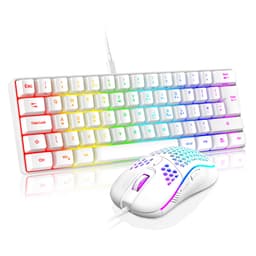
The layout is full-size UK, which is what most people in Britain actually need. UK layout means you get the proper pound sign, the correct placement of the at symbol and double quotes, and the big enter key rather than the horizontal US-style one. That matters more than it sounds if you're used to UK keyboards and keep hitting the wrong keys on a US layout. The full-size format means you've got a numpad, which is handy for spreadsheet work or any game that uses numpad bindings. The indicator light in the top-right corner does mean there's no surrounding RGB light in that corner, as RedThunder flags in the listing. Minor quirk, but before you expect perfectly uniform edge lighting.
Build Quality
For a budget combo, the build quality of the K10 is actually one of its stronger selling points. The keyboard has a frosted metal cover, which gives it more rigidity than the all-plastic keyboards you'd typically find at this price. Metal top plates resist flex and feel more premium under your hands, and the frosted finish is a nice touch that hides fingerprints reasonably well. Owner reviews frequently mention that it feels more solid than they expected for the money, and that tracks with what the spec sheet describes.
The chassis underneath is still plastic, which is fine and expected. The combination of a metal plate on top and a plastic base is common even in mid-range keyboards. What you won't find here is any meaningful flex or wobble in the plate itself, according to consistent owner feedback. The keyboard sits flat and stable. There's no mention of adjustable feet in the specs, so if you need a specific typing angle, that could be a limitation. The ABS keycaps sit on top of the metal plate, and the two-colour injection moulding means they're not going to crack or chip easily under normal use.
The mouse is described as ergonomic with anti-sweat and non-slip design. Seven buttons is a reasonable count for a gaming mouse at this price, and the palm-fit design should suit most hand sizes. The 800mAh battery in the mouse is smaller than the keyboard's 3000mAh, which makes sense given the size difference, but it does mean the mouse might need charging more frequently if you're using it without the auto-sleep function kicking in. One thing from the listing: the USB receiver is stored in the bottom of the mouse, which is a practical storage solution that means you're less likely to lose it. Small detail, genuinely useful.
RGB and Lighting
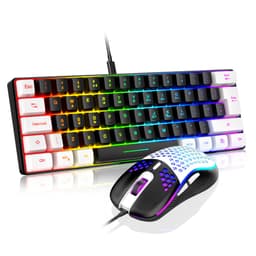
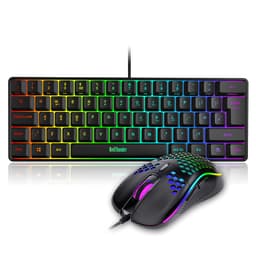
The RGB on the K10 is one of its headline features, and it's genuinely impressive for the price bracket. The keyboard has three groups of rainbow backlight effects, two breathing modes, three static modes, and four brightness levels. That's a decent range of options for a keyboard without dedicated software. The lighting covers the letters, the RedThunder logo, the gaps between keys, and the surround of the keyboard, which creates a more immersive look than just per-key lighting alone. The effect is described by owners as eye-catching and vibrant, particularly in a darker room.
The one caveat is the top-right corner. Because the indicator lights (for caps lock, num lock, etc.) sit in that corner, there's no surrounding RGB light there. It's a small asymmetry that you'll only notice if you're specifically looking for it, but it's worth being aware of if you're expecting perfectly uniform edge lighting all the way around. RedThunder is upfront about this in the listing, which is fair enough. It's a design compromise, not a defect.
The mouse has a seven-colour cyclic gradient lighting effect. It's not per-zone or software-controlled, just a continuous colour cycle, but it looks the part and matches the keyboard's energy. You can't sync the mouse and keyboard lighting to a specific colour because there's no software suite, so if colour coordination matters to you, you're at the mercy of whatever cycle both devices are on. For most people at this price point, that's absolutely fine. The overall lighting package is one of the K10's genuine strengths: it looks significantly more expensive than it is, and that matters if aesthetics are part of why you're buying it.
Software and Customisation
There isn't any. No software suite, no driver download, no companion app. The K10 is fully plug and play, which is either a feature or a limitation depending on what you need. For most people, particularly those who just want to plug in and get going without faffing about with software installs, this is genuinely convenient. The RGB modes and brightness levels are cycled through directly on the keyboard using key combinations, which works fine for the options available.
What you lose without software is macro programming, per-key RGB customisation, DPI adjustment on the mouse (beyond whatever hardware DPI cycling is available), and the ability to remap keys. If you're a competitive gamer who wants specific macros bound to side buttons, or a creative professional who needs custom key assignments, the K10 simply can't do that. There's no on-board memory to store profiles either, because there are no profiles to store. What you see is what you get, and the configuration options are limited to what's baked into the firmware.
The auto-sleep function is here because it's a software-adjacent feature that does affect daily use. After two minutes of inactivity, both the keyboard and mouse go to sleep automatically to preserve battery. You wake them up by pressing any key. In practice, owners report that the wake-up is quick enough not to be annoying, but there is a brief moment of lag when it wakes from sleep. For gaming, this shouldn't be an issue since you'll be actively using both devices. For office use where you might step away from your desk frequently, the two-minute timeout is short enough that you'll encounter the wake-up delay fairly often. It's a minor irritation rather than a dealbreaker.

Connectivity
The K10 uses 2.4GHz wireless via a single USB receiver that handles both the keyboard and mouse. This is a well-established wireless standard for peripherals, offering lower latency than Bluetooth and a stable connection over typical desktop distances. The shared receiver is a practical choice: one USB port for both devices rather than two, which matters on machines with limited USB availability. RedThunder specifically notes that the receiver is stored in the bottom of the mouse, so you won't misplace it.
The 2.4GHz connection is described as high-speed and stable in the listing, and owner reviews largely back this up. Interference issues are rare at typical desktop distances, and the connection handles fast gaming inputs without the dropout problems that can plague cheaper wireless peripherals. That said, 2.4GHz wireless in a busy RF environment (lots of other 2.4GHz devices, dense Wi-Fi networks) can occasionally cause issues, though this isn't specific to the K10 and affects all 2.4GHz peripherals to some degree.
There's no Bluetooth option, which means you can't pair the K10 to a phone or tablet directly, and you can't connect to a device without a USB-A port without an adapter. Multi-device pairing isn't a feature here either. It's a single-device, single-connection setup. For most desktop gamers, that's completely fine. If you want to switch between a PC and a laptop or use the keyboard with a tablet, you'd need to physically move the USB receiver each time, which is fiddly but doable. The connection reset procedure (if the pairing is ever lost) involves a simple re-pairing process rather than anything complicated, which is reassuring.
Battery Life
RedThunder rates the K10 combo at eight hours of continuous use with the RGB lighting on. The keyboard's 3000mAh battery and the mouse's 800mAh battery are both rechargeable, and the auto-sleep function (which kicks in after two minutes of inactivity) extends real-world battery life considerably beyond that eight-hour figure in normal use. If you're using the keyboard for a typical eight-hour work or gaming day with regular breaks, you'll likely get through multiple days on a single charge rather than needing to plug in every night.
The initial charge requirement is: RedThunder specifically recommends charging for eight hours before first use. That's a long first charge, and it's the kind of thing that catches people out when they want to use the combo straight out of the box. Plan ahead if you're buying this as a gift or setting it up on a specific day. After that initial charge, subsequent charges should be faster, though charge time specifics beyond the initial eight hours aren't stated in the official specs.
Owner reviews on battery life are generally positive. People report getting through full gaming sessions without needing to charge, and the auto-sleep function is credited with meaningfully extending the time between charges. The mouse's smaller 800mAh battery means it might need charging more frequently than the keyboard, particularly if you're a heavy mouse user. There's no battery indicator mentioned in the specs, which is a minor annoyance: you won't know the battery is low until the device starts behaving oddly or the RGB dims. That's a common budget combo limitation.
Typing and Gaming Experience
For typing, the K10 is comfortable enough for general use and light office work. The full-size UK layout means all your keys are where you expect them, and the mechanical-feel switches provide more feedback than a flat membrane keyboard. Long typing sessions are manageable, though heavy typists who spend hours writing every day will notice the lack of a defined actuation point compared to proper mechanical switches. The key travel feels adequate rather than exceptional. Owner reviews from people using it for work and study are largely positive, with complaints mostly coming from those who've used proper mechanical keyboards and find the feel lacking by comparison.
For gaming, the picture is similar. Casual gaming across most genres works well. The 2.4GHz connection keeps latency low, the keys register reliably, and the RGB setup makes the whole thing look the part on a gaming desk. Where the K10 starts to show its limits is in fast-paced competitive gaming. The polling rate isn't specified, which is a concern for serious gamers: higher-end gaming keyboards typically run at 1000Hz polling rates, and without a confirmed spec here, you're taking it on faith. The "mechanical feel" switches also don't offer the precise, consistent actuation that competitive gaming demands. For Fortnite ranked play or CS2 at a high level, you'd want something better. For Minecraft, Stardew Valley, or a casual Call of Duty session, the K10 is absolutely fine.
Anti-ghosting and N-key rollover aren't specified in the listing, which is another gap in the spec sheet. Budget combos at this price often have basic anti-ghosting rather than full N-key rollover, meaning there's a limit to how many simultaneous keypresses are registered. For most gaming scenarios this won't matter, but it's something competitive gamers should be aware of. The mouse at 3200 DPI is adequate for most gaming and productivity use, and seven buttons gives you enough for basic gaming macros without software support. The ergonomic design seems to work well for most hand sizes based on owner feedback, with the anti-sweat grip getting specific mentions as a genuine comfort feature during longer sessions.
Compatibility
The K10's compatibility list is genuinely impressive for a budget combo. Windows support goes all the way back to Windows 2000, which is either reassuring or a sign that nothing fancy is happening driver-side (it's the latter, but that's fine). Windows 7, 8, and 10 are all supported, as are macOS, Linux, and Chrome OS. The plug-and-play nature means no driver installation is needed on any of these platforms, which is a real convenience for people who switch between operating systems or use the combo on multiple machines.
Console compatibility is listed for Xbox and PS4, which is a nice bonus. Connecting a keyboard and mouse to a console for certain games (strategy titles, some shooters) is increasingly common, and the K10's plug-and-play setup makes this straightforward. The USB receiver just needs a USB-A port, which both the Xbox and PS4 have. Not every game on console supports keyboard and mouse input, but for those that do, the K10 works without any fuss.
The shared USB receiver is the one compatibility constraint. If your device doesn't have a USB-A port (modern MacBooks, some tablets, certain laptops), you'll need a USB-A to USB-C adapter or a hub. The combo doesn't support Bluetooth, so there's no wireless fallback if you're out of USB-A ports. For most desktop PC setups, this isn't an issue at all. For people using modern thin laptops as their primary machine, it's worth thinking about before buying. The 12-month warranty and 30-day money-back guarantee apply across all compatible platforms, which is reassuring regardless of what you're connecting it to.
How It Compares: RedThunder K10 Wireless Gaming Keyboard and Mouse Combo vs the Competition
The budget wireless keyboard and mouse combo market is genuinely competitive, and the K10 sits in an interesting spot. Its closest direct competitors are combos from brands like Redragon and Logitech's budget lines. The Redragon K552 is a popular alternative in the budget mechanical space, though it's typically wired and keyboard-only, meaning you'd need to add a mouse separately and lose the wireless convenience. Logitech's MK270 combo is another common comparison: it's cheaper, widely available, and has Logitech's reliability behind it, but it's a pure membrane setup with no RGB and a much more basic aesthetic.
What the K10 does better than most of its direct price-bracket rivals is the combination of wireless, RGB, and a metal top plate in a single package. Most combos at this price are either wired or wireless with minimal features. Getting all three (wireless, RGB, metal plate) together is genuinely good value. Where it falls behind is in the switch quality and the lack of a software suite. Redragon's keyboard-only options at a similar price often use actual mechanical switches, which feel significantly better for typing and gaming. Logitech's wireless options in the mid-range (like the MK850) add Bluetooth multi-device support and better build quality, but at a noticeably higher price.
The honest comparison is this: the K10 wins on aesthetics and wireless convenience at the budget price point. It loses on switch quality and software flexibility compared to anything with real mechanical switches. If you're choosing between this and a wired mechanical keyboard at a similar price, the wired mechanical will feel better to type and game on. If wireless is non-negotiable and you're not ready to spend more, the K10 is one of the better options in its bracket.
| Feature | RedThunder K10 | Redragon K552 (Wired) | Logitech MK270 |
|---|---|---|---|
| Connection | 2.4GHz Wireless | Wired USB | 2.4GHz Wireless |
| Switch Type | Mechanical feel (membrane) | Mechanical (Outemu) | Membrane |
| RGB | Yes (multi-mode) | Yes (red backlight) | No |
| Mouse Included | Yes (7D, 3200 DPI) | No | Yes (basic) |
| UK Layout | Yes | Yes (available) | Yes |
| Software | None (plug and play) | None | Logitech Options |
| Metal Plate | Yes (frosted) | Yes | No |
| Battery (Keyboard) | 3000mAh rechargeable | N/A (wired) | AAA batteries |
| Warranty | 12 months | 12 months | 24 months |
| Price Tier | Budget | Budget | Budget |

Final Verdict
The RedThunder K10 Wireless Gaming Keyboard and Mouse Combo is a genuinely decent budget wireless combo that does more than its price bracket usually promises. The frosted metal top plate, the two-colour injection-moulded legends, the multi-mode RGB, and the shared wireless receiver for both devices make it look and feel more expensive than it is. Over 1,400 owners giving it a 4.2-star average tells you that most people who buy it are happy with what they get, and that tracks with what the specs deliver.
But you need to go in with the right expectations. This is not a mechanical keyboard in the proper sense. The "mechanical feel" switches are a membrane approximation, and while they're better than a flat office membrane, they're not going to satisfy anyone who's used real mechanical switches. The ABS keycaps will shine over time. There's no software, no macro support, no Bluetooth, and no confirmed polling rate. For competitive gaming, those gaps matter. For casual gaming, home office use, and anyone who just wants a wireless RGB setup that looks good on their desk without spending a fortune, the K10 is a smart buy.
If you're genuinely not bothered about wireless and just want the best typing and gaming feel for the money, a wired keyboard with actual mechanical switches (Outemu or Gateron-based options from Redragon or similar) will serve you better at a similar or lower price. But if wireless is the priority and the budget is tight, the K10 earns its place. It's not perfect, but it's honest value for what it is.
Our editorial score: 7 out of 10. Recommended for casual gamers and home office users who want wireless convenience and RGB style without spending mid-range money. Not recommended for competitive gamers or serious typists who'll feel the limitations of the membrane-style switches within a week.
What works. What doesn’t.
5 + 4What we liked5 reasons
- Frosted metal top plate feels more premium than the price suggests
- Two-colour injection-moulded legends won't fade with use
- Single USB receiver handles both keyboard and mouse wirelessly
- Wide compatibility including Xbox, PS4, macOS, Linux, and Chrome OS
- Multi-mode RGB looks genuinely impressive for a budget combo
Where it falls4 reasons
- Membrane-style switches lack the precision of real mechanical switches
- ABS keycaps will develop shine with regular use over months
- No software, no macros, no per-key RGB customisation
- Polling rate not specified, a concern for competitive gamers
Full specifications
9 attributes| Switch type | membrane (mechanical feel) |
|---|---|
| Layout | full-size |
| Connectivity | wireless |
| Backlight | RGB |
| Backlighting | single-zone RGB |
| Battery life H | 8 |
| HOT swappable | false |
| Switch actuation | tactile |
| Type | membrane |
If this isn’t right for you
2 options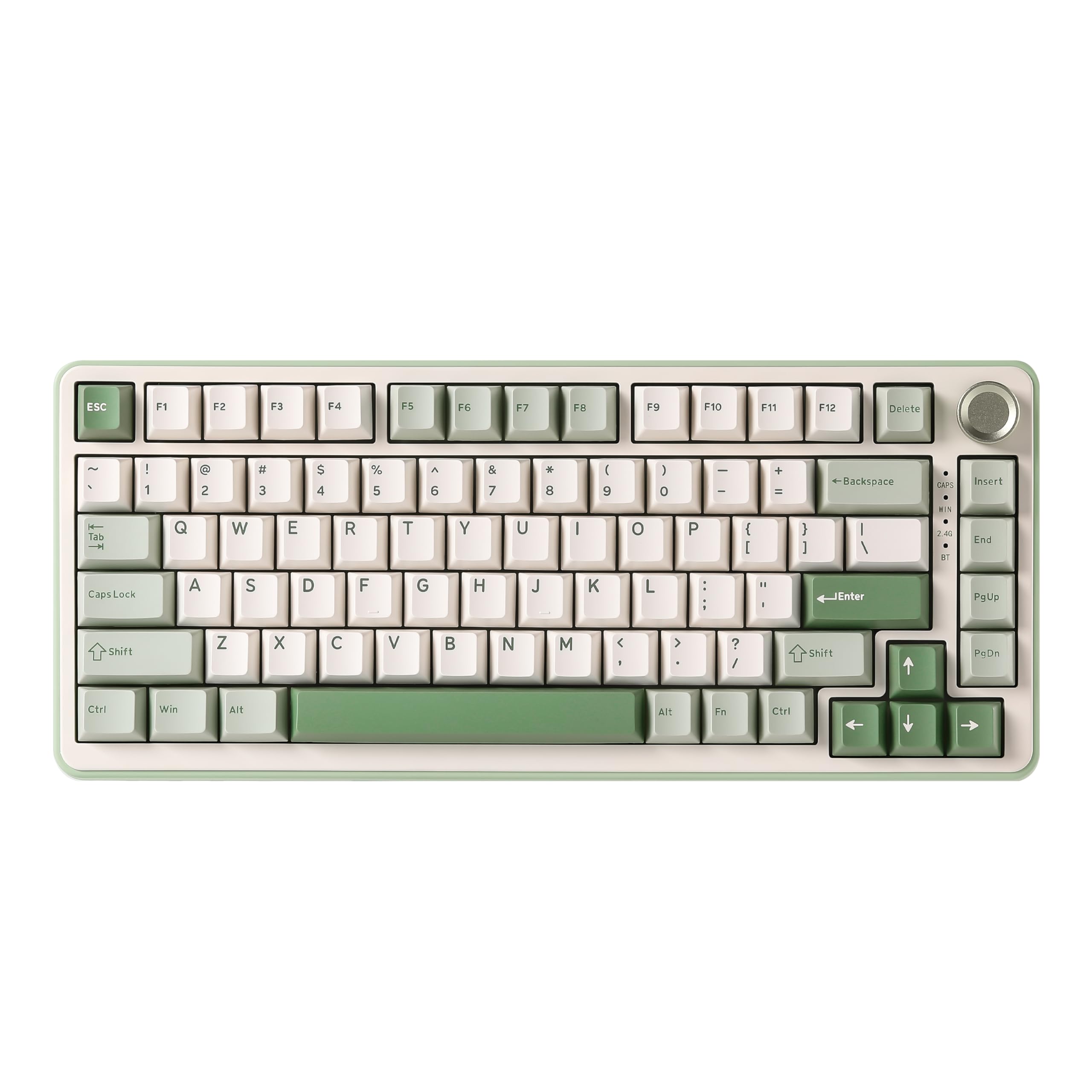 8.5 / 10
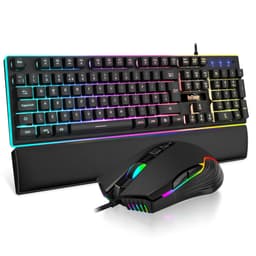
YUNZII B75 PRO Wireless Mechanical Keyboard,75% Gaming Keyboard Gasket Hot Swap Custom Keyboard with Knob,Pre-lubed Switches RGB,Bluetooth/Type-C/2.4G (Matcha Green, Milk Switch)
£66.29 · YUNZII
 8.0 / 10
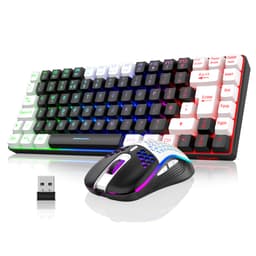
YUNZII B75 PRO MAX QMK/VIA Wireless Mechanical Keyboard,75% Layout whit Screen and Knob, Custom Hot Swap Gasket Structure, Creamy Pre-lubed Switches, RGB Backlit (Black, Candy Linear Switch)
£62.63 · YUNZII
Frequently asked
5 questions01What switches does the RedThunder K10 Wireless Gaming Keyboard and Mouse Combo use?+
The RedThunder K10 uses what the manufacturer describes as 'mechanical feel' switches rather than true mechanical switches. This means a membrane-based mechanism tuned to feel more responsive and tactile than a standard flat membrane keyboard, but without the individual switch assemblies, defined actuation points, or hot-swap capability of proper mechanical keyboards. It's noticeably better than a basic office membrane, but won't satisfy anyone coming from Cherry MX, Gateron, or similar genuine mechanical switches.
02Is the RedThunder K10 Wireless Gaming Keyboard and Mouse Combo good for gaming?+
For casual gaming across most genres, yes. The 2.4GHz wireless connection is stable and low-latency enough for everyday gaming, and the combo handles most gaming scenarios without issue. For competitive gaming at a high level, it's less suitable: the polling rate isn't specified, the switches lack the precise actuation of proper mechanicals, and there's no software for macro programming. Casual gamers playing RPGs, strategy titles, or relaxed shooters will be happy. Ranked competitive players will want something more capable.
03Is the RedThunder K10 Wireless Gaming Keyboard and Mouse Combo good for typing?+
It's decent for general typing and light office work. The full-size UK layout is correct for British users, and the mechanical-feel switches provide more feedback than a flat membrane keyboard. For occasional typing, emails, and general computer use, it's comfortable enough. For heavy typists who spend many hours writing daily, the lack of a defined actuation point compared to proper mechanical switches will become noticeable over time. The two-colour injection-moulded keycaps mean the legends won't fade, which is a genuine plus for longevity.
04Is the RedThunder K10 Wireless Gaming Keyboard and Mouse Combo loud?+
The exact sound profile isn't specified in the official data, but mechanical-feel membrane keyboards of this type are generally quieter than clicky mechanical switches (like Cherry MX Blue) and produce a softer, less sharp sound. Owner reviews don't flag noise as a significant issue, suggesting it's acceptable for home office use. It won't be silent, but it's unlikely to bother colleagues in a shared space the way a loud clicky mechanical would.
05What warranty and returns apply to the RedThunder K10 Wireless Gaming Keyboard and Mouse Combo?+
RedThunder offers a 30-day money-back guarantee and a 12-month worry-free warranty on the K10 combo. This is stated directly in the product listing. On top of that, Amazon's standard 30-day returns policy and A-to-Z guarantee apply to purchases made through Amazon UK, giving you additional buyer protection.