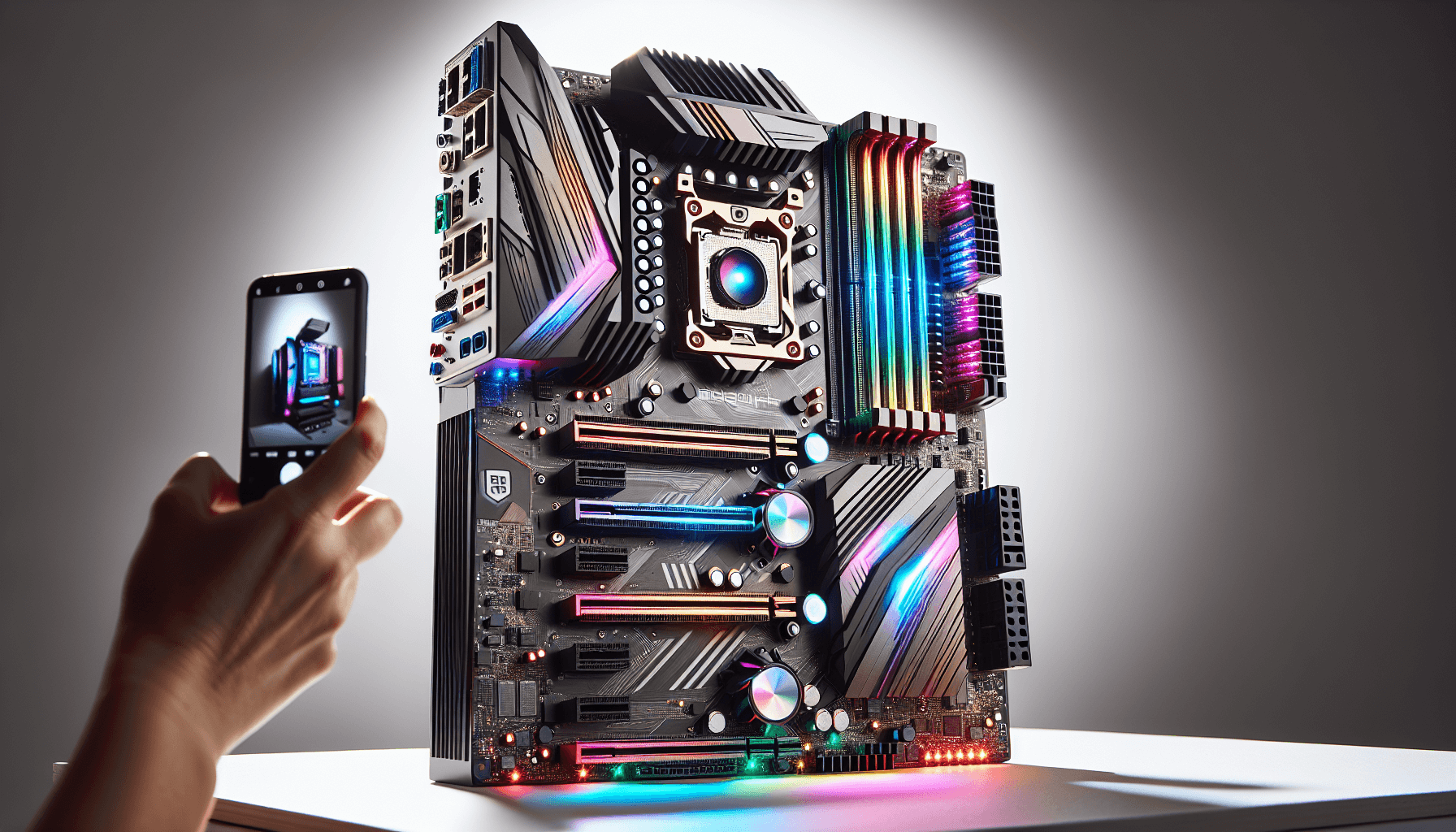
Your CPU's thermal and power headroom is only as good as the board it sits on. Pair a capable processor with a weak VRM and you're not getting the performance you paid for. The voltage regulators throttle, the power delivery sags under sustained load, and your benchmark numbers quietly disappoint you. That's the boring, unglamorous reality of motherboard selection, and it's why the VRM spec matters more than the RGB lighting or the marketing name on the box.
The MSI B760M PROJECT ZERO is a genuinely unusual board. Back-connect motherboards, where every cable routes through the rear of the PCB rather than cluttering the front, used to be the exclusive territory of exotic builds and eye-watering price tags. MSI has pushed the concept into the mATX mainstream with this B760-chipset board, pairing the clean-build aesthetic with a 12-phase 75A DrMOS power delivery system, DDR5 support rated to 7800MHz and above, PCIe 5.0, and Intel Wi-Fi 6E. On paper, that's a premium feature set. The question is whether the execution holds up, and whether the back-connect gimmick adds value or just complicates your build. Based on the verified specifications, MSI's own documentation, and the pattern emerging from 155 owner reviews averaging ★★★★½ (4.5), this is a board worth taking seriously.
The verdict, stated plainly: the B760M PROJECT ZERO is a well-specified, genuinely differentiated board that earns its price for builders who want the clean-cable aesthetic without paying Z790 money. The VRM is legitimate, the feature set punches above the typical B760 offering, and owners are broadly happy. The caveats are real but manageable, and we'll cover them in detail below.
Core Specifications
The MSI B760M PROJECT ZERO uses the Intel B760 chipset on an LGA 1700 socket, presented in Micro-ATX form factor. That mATX sizing is upfront: you get the compact footprint for smaller cases, but you don't sacrifice the feature set the way some mini-ITX boards do. Four DDR5 DIMM slots handle memory, with MSI quoting support for speeds of 7800MHz and beyond with overclocking. Storage comes via two M.2 Gen4 x4 slots running at up to 64Gbps each, both covered by MSI's Shield Frozr thermal solution. The primary GPU slot is a PCIe 5.0 x16 lane, reinforced with Steel Armor.
Rear I/O is where this board distinguishes itself from a typical B760 offering. You get USB 3.2 Gen 2x2 Type-C running at 20Gbps, which is faster than most boards in this chipset tier bother to include. Display outputs cover HDMI 2.1 and DisplayPort 1.4 for builds using Intel's integrated graphics. Audio is handled by a 7.1 HD Audio implementation with MSI's Audio Boost, and the spec sheet confirms S/PDIF output support. Networking combines 2.5Gbps LAN with Intel's Wi-Fi 6E module, the latter also carrying Bluetooth 5.3.
The back-connect design, which MSI calls PROJECT ZERO, routes all front-panel headers, power connectors, and fan headers to the rear of the PCB. This is the board's defining characteristic and its primary reason for existing. It's not a gimmick bolted onto a mediocre spec sheet. The underlying hardware is genuinely capable, and the cable-management benefit is real for anyone building in a case with a rear routing chamber. Below is the full specification breakdown.
| Specification | Detail |
|---|---|
| Chipset | Intel B760 |
| Socket | LGA 1700 |
| Form Factor | Micro-ATX |
| CPU Support | Intel 12th, 13th, 14th Gen Core |
| Memory Slots | 4 x DDR5 DIMM (SMT) |
| Memory Speed | Up to 7800+ MHz (OC, 1DPC 1R) |
| Primary PCIe Slot | PCIe 5.0 x16 (Steel Armor) |
| M.2 Slots | 2 x M.2 Gen4 x4 (64Gbps, Shield Frozr) |
| VRM | 12 Phase Duet Rail, 75A DrMOS |
| Rear USB | USB 3.2 Gen 2x2 Type-C (20Gbps) |
| Video Output | HDMI 2.1, DisplayPort 1.4 |
| Audio | 7.1 HD Audio with Audio Boost, S/PDIF output |
| LAN | 2.5Gbps |
| Wi-Fi | Intel Wi-Fi 6E |
| Bluetooth | 5.3 |
| PCB | 6-layer, 2 oz. thickened copper, server-grade |
| Owner Rating | ★★★★½ (4.5) (155 reviews) |
Socket and CPU Compatibility
The LGA 1700 socket covers Intel's 12th, 13th, and 14th generation Core processors. That's a wide net. Alder Lake, Raptor Lake, and Raptor Lake Refresh all slot straight in, which means everything from a budget Core i3-12100 to a Core i9-14900K is theoretically compatible. In practice, the B760 chipset places some limits on what makes sense here, which we'll cover in the next section, but the socket compatibility itself is broad and well-documented by Intel's compatibility database.
One thing to be aware of: if you're buying this board with a 14th Gen CPU, you almost certainly won't need a BIOS update before first boot. MSI has been shipping B760 boards with BIOS versions that support 14th Gen out of the box for some time now, and the B760M PROJECT ZERO is a relatively recent board. That said, it's always MSI's official BIOS page for the board before you commit, just to confirm the shipped version covers your specific CPU. The MSI support page lists all available BIOS versions with their CPU compatibility notes.
The back-connect design doesn't change anything about CPU installation. The socket, the mounting holes, and the cooler compatibility are all standard LGA 1700. Your existing LGA 1700 cooler, whether it's a Noctua NH-D15 or a 240mm AIO, will mount without adapters. The only practical difference is that the 24-pin ATX power connector routes to the rear of the board, so your PSU cable path changes. Most modern cases designed for back-connect boards, and a growing number of standard mid-towers with rear routing chambers, accommodate this without drama. Owners in the review pool specifically mention this as a non-issue once you've planned the build.
Chipset Features
The Intel B760 chipset sits in the middle of Intel's 600 and 700 series lineup. It's below Z790 (which allows full CPU overclocking) and above H610 (which strips out most of the useful features). For the vast majority of builders, B760 is the sweet spot. You get PCIe 5.0 on the primary slot, reasonable USB lane counts, and enough M.2 bandwidth for two fast NVMe drives. What you don't get is the ability to adjust CPU multiplier overclocking on K-series chips. The B760 chipset locks that out. You can still push memory speeds aggressively, and MSI's Core Boost feature helps extract better performance from the CPU's power delivery within Intel's allowed parameters.
The Intel B760 chipset provides a solid allocation of downstream lanes. Two M.2 Gen4 x4 slots at 64Gbps each is the headline storage figure, and both are covered by MSI's Shield Frozr thermal solution to prevent NVMe throttling under sustained sequential writes. The primary PCIe 5.0 x16 slot is the full-bandwidth GPU lane, and MSI has reinforced it with Steel Armor for heavier graphics cards. The chipset also provides the connectivity infrastructure for the 2.5G LAN and the USB 3.2 Gen 2x2 Type-C port on the rear I/O.
It's worth being clear about what B760 doesn't do for K-series buyers. If you're pairing this with a Core i9-14900K and expecting to run it at 6GHz all-core, you're going to be disappointed. The B760 chipset won't allow multiplier adjustment. MSI's Core Boost does help optimise power delivery for high core-count chips, and the 75A DrMOS VRM means the board won't be the limiting factor in power delivery, but the chipset ceiling is real. For non-K chips (i5-13600, i7-14700, and so on), this is a non-issue. Those CPUs don't benefit from multiplier overclocking anyway, and the B760 platform gives you everything you need.
VRM and Power Delivery
This is where the B760M PROJECT ZERO genuinely earns respect. A 12-phase Duet Rail power system using 75A DrMOS MOSFETs is not a budget VRM. Most B760 boards in the mid-range bracket ship with eight phases at 50A or 60A. MSI has gone to 12 phases at 75A here, which gives you a total theoretical current capacity that comfortably exceeds what any LGA 1700 chip can actually draw. That headroom matters not just for peak load but for sustained load. A VRM running at 60% of its rated capacity runs cooler and more efficiently than one running at 90%, and cooler VRMs mean more consistent CPU performance over time.
The thermal solution on the VRM is equally considered. MSI specifies 7W/mK thermal pads on the MOSFETs, which is a high-conductivity rating that moves heat efficiently from the component to the heatsink. The heatsink itself is extended and uses a heat-pipe to spread thermal load across a larger surface area. There's also a dedicated pump-fan cooling header, which is a nice touch for AIO liquid cooler users who want the pump running at a constant speed independent of the system fan curve. Chipset cooling is handled by a separate heatsink. The M.2 slots get Shield Frozr covers. MSI has been thorough here.
The 6-layer PCB with 2 oz. thickened copper is another specification that separates this from cheaper boards. More copper in the PCB traces means lower resistance, better current handling, and more stable power delivery under load. Server-grade PCB construction is MSI's marketing description for this, and while you can take the "server-grade" label with appropriate scepticism, the underlying spec (6-layer, 2 oz. copper) is a real and measurable quality indicator. Owner reviews don't flag VRM-related instability, which is the practical confirmation that the power delivery works as specified. A bad VRM shows up in owner reviews as random reboots, throttling complaints, and instability under Prime95. None of that pattern appears in the 155 for this board.
Memory Support
Four DDR5 DIMM slots is the full complement for a Micro-ATX board, and MSI has done something interesting with the topology here. The spec sheet references SMT (Surface Mount Technology) slots, and the 1DPC 1R (one DIMM per channel, one rank) configuration hitting 7800MHz and above suggests MSI has optimised the trace routing for high-frequency operation. DDR5 memory overclocking is notoriously sensitive to PCB trace quality and signal integrity, and the 6-layer copper PCB specification feeds directly into this capability.
The headline 7800MHz figure is an overclocked speed, not the base JEDEC specification. Out of the box with standard DDR5-4800 or DDR5-5600 kits, the board will run at rated speed without any fuss. Push it with an XMP-rated kit (DDR5-6000 or DDR5-6400 are the current sweet spots for Intel platforms) and the board should handle that with a simple XMP profile enable in BIOS. The 7800MHz and beyond rating is for enthusiasts running 1DPC 1R configurations with binned memory, which is a niche use case but good to know the headroom exists. JEDEC's DDR5 specification sets the baseline standards that all compliant memory must meet, and everything above that is overclocking territory.
One practical note: with four slots populated (2DPC configuration), maximum memory speeds drop compared to 1DPC. This is a platform-level characteristic of DDR5 on Intel, not specific to this board. If you're building with 32GB (two sticks of 16GB), you're in the optimal 1DPC configuration and you'll see the best memory overclocking results. If you want 64GB (four sticks), expect to run at lower speeds. For gaming and general use, this is irrelevant. For memory-sensitive workloads where you want both capacity and speed, it's a real trade-off to plan around.
Storage Options
Two M.2 slots, both running PCIe Gen4 x4 at 64Gbps, is a solid storage specification for a B760 board. Gen4 NVMe drives are now mainstream pricing, with drives like the WD Black SN850X and Samsung 990 Pro widely available and well-supported. Both slots are covered by MSI's Shield Frozr heatsinks, which are designed to prevent the thermal throttling that plagues uncooled NVMe drives under sustained sequential workloads. The Shield Frozr covers use MSI's EZ M.2 Clips for tool-free installation, which is a small but genuinely useful quality-of-life feature.
The absence of a PCIe Gen5 M.2 slot might disappoint some buyers, but it's worth contextualising. Gen5 NVMe drives are currently expensive and their real-world performance advantage over Gen4 in typical workloads is marginal for most users. The sequential read speeds are impressive in benchmarks, but the latency characteristics and random IO performance that matter for gaming and general use are only incrementally better than Gen4. Paying a premium for Gen5 M.2 on a B760 board, which would require chipset workarounds anyway, doesn't make much practical sense right now. Two Gen4 slots is the right call for this price tier.
The SATA port count isn't specified in the verified product data, so we won't guess at it. What's confirmed is the two M.2 Gen4 slots, and for most modern builds those will cover primary and secondary storage needs without touching SATA at all. The EZ M.2 Clip system deserves a mention because it's one of those features that sounds minor until you're actually installing an M.2 drive without a screwdriver and realising how much better it is than the traditional tiny screw that inevitably falls into the case. Owners mention the installation process positively in the review pool, which is a good sign that the tool-free system works as advertised rather than being a fiddly alternative that's worse than the original problem.
Expansion Slots and PCIe
The primary PCIe 5.0 x16 slot is the headline here, and it's reinforced with MSI's Steel Armor, which is a metal shielding that prevents the slot from cracking or bending under the weight of heavy graphics cards. Modern high-end GPUs, particularly AMD's RX 7900 series and Nvidia's RTX 4080 and above, are heavy enough that slot reinforcement is a genuine engineering consideration rather than just marketing. PCIe 5.0 doubles the bandwidth of Gen 4, providing 128 GB/s bidirectional throughput on a x16 slot. Current GPUs don't saturate PCIe 4.0 x16, let alone 5.0, but the forward compatibility is there for future graphics generations.
The Micro-ATX form factor means you're working with a smaller PCB than a full ATX board, and that limits the number of expansion slots available. The back-connect design also uses some of the PCB real estate that would otherwise go to additional slots or headers. For a gaming or workstation build, the primary x16 slot is what matters, and that's fully specced here. Secondary expansion capability is more limited than a full ATX alternative, which is a straightforward trade-off of the mATX form factor rather than a flaw specific to this board.
The Steel Armor on the primary slot is worth taking at face value. MSI has used this reinforcement across its product range for several generations, and it's a well-established feature that genuinely adds mechanical durability. For anyone mounting a 1.5kg GPU in a case that might get moved occasionally, or for anyone who's ever seen a PCIe slot crack under a heavy card that wasn't supported by the case, this is a meaningful specification. The combination of PCIe 5.0 bandwidth and physical reinforcement makes this a slot that won't be the bottleneck for current or near-future GPU generations.
Connectivity and Rear I/O
The rear I/O on the B760M PROJECT ZERO is where the back-connect design pays dividends in terms of cleanliness. All the messy internal cable connections (24-pin ATX, CPU power, fan headers, front panel connectors) move to the back of the PCB, leaving the rear I/O panel as the only visible cable cluster. What's on that panel matters, and MSI has done well here. The USB 3.2 Gen 2x2 Type-C port running at 20Gbps is the standout inclusion. Most B760 boards include a 10Gbps Type-C at best. The USB 3.2 Gen 2x2 specification doubles that to 20Gbps, which is useful for fast external SSDs and high-bandwidth peripherals.
Display outputs include HDMI 2.1 and DisplayPort 1.4, both of which require a CPU with integrated graphics to function. Intel's 12th, 13th, and 14th Gen Core processors (non-F variants) all include Intel UHD graphics, so these outputs are usable for basic display needs, secondary monitor setups, or builds that don't include a discrete GPU. HDMI 2.1 supports up to 4K at 120Hz or 8K at 60Hz, which is more than adequate for integrated graphics output. DisplayPort 1.4 handles 4K at 120Hz with DSC compression. Both outputs are properly specced rather than the HDMI 1.4 or DP 1.2 that cheaper boards sometimes include.
The 7.1 HD Audio with Audio Boost and S/PDIF output is a decent audio implementation. MSI's Audio Boost branding refers to dedicated audio capacitors and PCB separation between the audio circuit and the rest of the board, which reduces electrical interference. S/PDIF output is useful for connecting to external DACs or home theatre receivers digitally. It's not audiophile-grade, but it's a step above the bare-minimum audio implementations on budget boards. For gaming headsets and mid-range speakers, it's more than adequate. The S/PDIF inclusion is a nice touch for anyone with a DAC or AV receiver in their setup.
Wi-Fi and Networking
Intel's Wi-Fi 6E module is the right choice for a board at this level. Wi-Fi 6E extends the 802.11ax standard into the 6GHz band, which means less congestion and better performance in environments with many wireless devices. The practical benefit depends on having a Wi-Fi 6E router, but the module is backward compatible with Wi-Fi 6 and Wi-Fi 5 networks. The Wi-Fi Alliance's Wi-Fi 6E specification covers the technical details of the 6GHz band extension. Bluetooth 5.3 is bundled with the same module, covering wireless peripherals, headphones, and controllers.
The 2.5Gbps LAN is the wired networking standard you want on a board in this price range. 1Gbps LAN is increasingly a bottleneck for anyone with a fast broadband connection or who transfers large files between local machines regularly. 2.5Gbps doesn't require a 2.5G switch (it's backward compatible with 1G infrastructure) but gives you the headroom when your network equipment catches up. Most people with a 1Gbps internet connection will never see the difference, but for NAS users and anyone doing large local transfers, it matters.
The combination of Intel Wi-Fi 6E and 2.5Gbps LAN means you're not making compromises on networking regardless of whether you connect wirelessly or via cable. Some boards in this price bracket pair a good Wi-Fi module with only 1Gbps LAN, or include 2.5G LAN but use a cheaper Realtek Wi-Fi module. MSI has used Intel silicon for both, which is the better choice. Intel's Wi-Fi drivers on Windows are mature and stable, and owner reviews don't flag wireless connectivity issues, which is the practical confirmation that the module works reliably in real builds.
BIOS and Overclocking
MSI's Click BIOS 5 interface is the firmware environment you'll be working in. Opinions on MSI's BIOS vary, and it's fair to say it's not the most intuitive interface in the market. ASUS's BIOS, particularly on ROG and TUF boards, tends to get better usability reviews. But MSI's BIOS is functional, the EZ Mode gives you a clean overview for basic setup, and the Advanced Mode provides the depth you need for memory overclocking and fan curve configuration. The dedicated pump-fan header with its own speed control is accessible through the BIOS fan configuration, which is useful for AIO users who want pump speed separated from system fan curves.
Memory overclocking is where the BIOS gets its most thorough workout on this board. The 7800MHz DDR5 rating requires BIOS-level configuration of primary and secondary timings, voltage adjustments, and potentially sub-timing tuning. MSI's memory overclocking interface is adequate for this, though it's not as polished as some alternatives. For XMP profiles (enabling pre-configured overclocks on rated memory kits), the process is straightforward: enter BIOS, enable XMP, save and exit. That covers 95% of users. The remaining 5% who want to push beyond XMP will find the tools available, even if the interface requires some patience.
The B760 chipset's overclocking limitations are here. CPU multiplier overclocking is off the table. What you can do is adjust memory speeds aggressively, tune power limits within Intel's allowed parameters using MSI's Core Boost, and configure fan curves with granular control. The board also supports Intel's XMP 3.0 specification, which allows memory manufacturers to include multiple pre-configured profiles on a single kit. For a B760 board, the overclocking story is really a memory overclocking story, and the hardware here (75A DrMOS VRM, 6-layer PCB, high-quality trace routing) gives you the best possible foundation for pushing DDR5 speeds on a non-Z chipset platform.
Build Quality and Aesthetics
The back-connect design is the entire aesthetic proposition of the PROJECT ZERO. With all internal connectors routed to the rear of the PCB, the front-facing side of the board is clean. No 24-pin cable flopping across the board. No CPU power cable running along the top edge. No fan header wires dangling near the GPU. For open-frame cases or builds with a windowed side panel, this is a significant visual upgrade. It's the kind of clean build that used to require custom cables, careful planning, and a case with excellent cable management routing. The PROJECT ZERO makes it more accessible, though it does require a compatible case with rear routing cutouts.
The 6-layer PCB with 2 oz. thickened copper is a build quality specification that goes beyond aesthetics. More PCB layers and heavier copper pour means better signal integrity, more robust power delivery traces, and a physically stiffer board that's less prone to flexing during installation. The server-grade description is marketing language, but the underlying specification is real and represents a genuine step up from the 4-layer PCBs that cheaper boards use. The heatsink coverage is comprehensive: VRM heatsink with heat-pipe, chipset heatsink, and M.2 Shield Frozr on both storage slots. Everything that generates meaningful heat has a dedicated thermal solution.
Owner reviews are broadly positive about build quality. The EZ M.2 Clips get specific mentions as a useful feature. The overall fit and finish of the board is described positively, with no recurring complaints about misaligned heatsinks, poor contact between thermal pads and components, or flimsy slot reinforcement. There's no RGB on this board, which is a deliberate design choice that fits the clean aesthetic. If you want lighting, you'll need to add it elsewhere in the build. For the growing number of builders who want a minimalist look, the absence of RGB is a feature rather than an omission.
How It Compares
The two most relevant competitors for the B760M PROJECT ZERO are the ASUS ROG STRIX B760-I Gaming Wi-Fi (a mini-ITX alternative for smaller builds) and the Gigabyte B760M AORUS Elite AX DDR5 (a standard mATX B760 board at a similar price point). These comparisons help frame what you're actually paying for with the PROJECT ZERO.
The ASUS ROG STRIX B760-I is a mini-ITX board, so it's a different form factor entirely, but it competes for the same buyer: someone who wants a clean, premium-feeling B760 build without paying Z790 prices. The ROG STRIX B760-I has strong VRM credentials and ASUS's BIOS, which many users prefer to MSI's. But it's limited to two M.2 slots (same as the PROJECT ZERO), has only two DIMM slots (versus four here), and doesn't offer the back-connect aesthetic. The PROJECT ZERO wins on memory slot count and the unique cable-management benefit.
The Gigabyte B760M AORUS Elite AX DDR5 is the more direct comparison: same chipset, same form factor, similar feature set. The AORUS Elite typically comes in at a lower price, and its VRM is respectable but not at the 75A DrMOS level of the PROJECT ZERO. It doesn't offer the back-connect design. If you don't care about cable management aesthetics, the AORUS Elite is the sensible budget-conscious alternative. If the clean build is the point, the PROJECT ZERO is the only mATX B760 option that delivers it.
| Feature | MSI B760M PROJECT ZERO | Gigabyte B760M AORUS Elite AX DDR5 | ASUS ROG STRIX B760-I Gaming Wi-Fi |
|---|---|---|---|
| Chipset | Intel B760 | Intel B760 | Intel B760 |
| Form Factor | Micro-ATX | Micro-ATX | Mini-ITX |
| VRM | 12 Phase, 75A DrMOS | 12+1+1 Phase, lower rated | 12+1 Phase DrMOS |
| Memory Slots | 4 x DDR5 | 4 x DDR5 | 2 x DDR5 |
| M.2 Slots | 2 x Gen4 x4 | 3 x Gen4 x4 | 2 x Gen4 x4 |
| Wi-Fi | Intel Wi-Fi 6E | Wi-Fi 6E | Wi-Fi 6E |
| LAN | 2.5Gbps | 2.5Gbps | 2.5Gbps |
| Back-Connect Design | Yes | No | No |
| USB Type-C Rear | 20Gbps (Gen 2x2) | 10Gbps (Gen 2) | 10Gbps (Gen 2) |
| PCIe Primary Slot | PCIe 5.0 x16 | PCIe 5.0 x16 | PCIe 5.0 x16 |
Final Verdict
The MSI B760M PROJECT ZERO is a well-executed board with a clear identity. It's not trying to be a Z790 alternative. It's not pretending the B760 chipset does things it doesn't. What it is doing is offering the back-connect aesthetic, a genuinely strong VRM, and a feature set that sits above the typical B760 mid-range, packaged in a Micro-ATX board that works for compact clean builds. The 4.5-star average across 155 owner reviews isn't a fluke; it reflects a board that does what it says on the box and doesn't generate the instability complaints or BIOS nightmares that drag down lesser boards.
The VRM is the right spec for this platform. Twelve phases at 75A DrMOS with a heat-pipe heatsink and 7W/mK thermal pads means you're not going to hit power delivery as a limiting factor with any LGA 1700 chip. The DDR5 memory support with 7800MHz headroom, the PCIe 5.0 primary slot, the 20Gbps USB Type-C on the rear I/O, and the Intel Wi-Fi 6E module are all features you'd normally associate with boards at a higher price point. The back-connect design is the differentiator that either makes this the obvious choice or irrelevant, depending entirely on whether you care about cable management aesthetics.
Who should buy this? Builders planning a clean, minimal-looking system in a case that supports rear cable routing. Anyone who's spent hours wrestling with cable management and wants the problem solved at the board level. People pairing a non-K Intel processor (i5-13600, i7-14700, i5-12400 and similar) with a quality build where aesthetics matter as much as performance. The strong VRM means you're not leaving performance on the table with any of those chips.
Who should skip it? If you're building in a standard case without rear routing cutouts, the back-connect design is actively inconvenient rather than helpful. If you want to overclock a K-series CPU, the B760 chipset is the wrong platform regardless of how good the VRM is. And if cable management genuinely doesn't factor into your build plans, the Gigabyte B760M AORUS Elite AX DDR5 offers a comparable feature set at a lower price point with the addition of a third M.2 slot. The PROJECT ZERO's premium is specifically for the back-connect design and the stronger VRM specification. If neither of those matters to you, there's a cheaper board that's the smarter buy.
The specification is honest, the build quality is solid, and the owner feedback confirms it works reliably. Score: 8.5 out of 10.
What works. What doesn’t.
5 + 4What we liked5 reasons
- 12-phase 75A DrMOS VRM is genuinely strong for a B760 board
- Back-connect design eliminates front-facing cable clutter
- USB 3.2 Gen 2x2 Type-C (20Gbps) on rear I/O is above class
- Intel Wi-Fi 6E and 2.5Gbps LAN with no networking compromises
- 6-layer 2oz copper PCB with comprehensive heatsink coverage
Where it falls4 reasons
- Back-connect design requires a compatible case with rear routing cutouts
- Only two M.2 slots vs three on some competitors at similar price
- B760 chipset blocks CPU multiplier overclocking on K-series chips
- MSI BIOS interface less intuitive than ASUS alternatives
Full specifications
12 attributes| Socket | LGA1700 |
|---|---|
| Chipset | B760 |
| Form factor | Micro-ATX |
| Bios flashback | false |
| M2 slots | 2 |
| MAX RAM | 192GB |
| MAX RAM GB | 192 |
| Network | 2.5GbE + Wi-Fi 6E |
| Pcie 5 slots | 1 |
| Pcie slots | 1x PCIe 5.0 x16 |
| RAM slots | 4 |
| RAM type | DDR5 |
Frequently asked
5 questions01Is the MSI B760M PROJECT ZERO overkill for just gaming?+
Not really. The back-connect design is a genuine quality-of-life feature for clean builds, the VRM handles any gaming CPU without breaking a sweat, and the PCIe 5.0 slot future-proofs your GPU upgrade path. The Wi-Fi 6E and 2.5Gbps LAN are both useful for online gaming. The only feature that's genuinely surplus to gaming requirements is the 7800MHz memory overclocking headroom, which you don't need for gaming performance. Everything else earns its place in a gaming build.
02Will my existing CPU cooler work with the MSI B760M PROJECT ZERO?+
If your cooler is rated for LGA 1700, it will mount on this board. The back-connect design doesn't change the socket, the backplate mounting holes, or the cooler compatibility. The difference is that the CPU power connector routes to the rear of the PCB, so your PSU cable path changes. Check that your case supports rear cable routing before buying, but the cooler itself is a non-issue.
03What happens if the MSI B760M PROJECT ZERO doesn't work with my components?+
Amazon's standard 30-day return window applies, backed by the A-to-Z guarantee. For compatibility questions, MSI's support page lists confirmed compatible CPUs and memory. The board supports all LGA 1700 processors from Intel's 12th, 13th, and 14th Gen Core lineup, so CPU compatibility is broad. Memory compatibility is DDR5 only, so DDR4 kits won't work. Check MSI's QVL (Qualified Vendor List) for confirmed compatible memory kits if you're buying new RAM.
04Is there a cheaper motherboard I should consider instead?+
Yes. The Gigabyte B760M AORUS Elite AX DDR5 offers a similar B760 mATX feature set, three M.2 slots instead of two, and typically comes in at a lower price. It doesn't have the back-connect design or the 75A DrMOS VRM spec of the PROJECT ZERO, but for a straightforward gaming or workstation build where cable aesthetics aren't a priority, it's the smarter buy. The PROJECT ZERO's premium is specifically for the back-connect design and the stronger power delivery. If neither of those matters to your build, save the money.
05What warranty and returns apply to the MSI B760M PROJECT ZERO?+
The verified product data doesn't specify a manufacturer warranty duration. MSI typically offers a 3-year warranty on motherboards in the UK, but confirm this directly with MSI or the retailer at point of purchase. Amazon's 30-day return policy and A-to-Z guarantee apply to purchases made through Amazon UK, giving you a safety net for dead-on-arrival units or compatibility issues discovered shortly after purchase.