A motherboard's VRM section is not a marketing checkbox. It's the hardware that conditions raw power from your PSU into stable, regulated voltage for your CPU cores. Get the phase count wrong, or pair a weak MOSFET array with a 105W TDP processor, and you'll see thermal throttling inside the first ten minutes of a Cinebench run. That's not a hypothetical. I've watched it happen on boards that looked fine on paper but fell apart the moment sustained load hit. So when I sat down to test the Gigabyte B550M AORUS Elite AX for about a month, the VRM was the first thing I scrutinised, not the RGB.
Here's the verdict up front, because that's how this review works: the B550M AORUS Elite AX is a genuinely good Micro-ATX board for mid-range AM4 builds, particularly if you're pairing it with a Ryzen 5 5600X or similar 65W to 95W processor. The built-in Wi-Fi 6 at this price point is a real differentiator. The BIOS is Gigabyte's standard fare, which means it's functional but not something you'll enjoy spending time in. The single M.2 slot is a limitation you need to know about before buying. And the VRM, while not class-leading, handles everything up to a Ryzen 9 5900X without embarrassing itself, provided your case has reasonable airflow. I'll back all of that up with numbers throughout.
This review covers about a month of real-world use: paired with a Ryzen 5 5600X, 32GB of DDR4-3600 in dual channel, a 1TB PCIe 4.0 NVMe drive, and an RTX 3070. Here's what I found.
Core Specifications
The B550M AORUS Elite AX sits in Gigabyte's AORUS mid-range lineup, which historically means decent build quality without the premium price tag of the X570 or B550 AORUS Master. The 'M' denotes Micro-ATX, so you're working with a 244mm x 244mm footprint. That matters for smaller cases, but it also means compromises on slot count and sometimes on PCB real estate for power delivery components. The 'AX' suffix is the important bit here: it means you get the Intel Wi-Fi 6 module included, which is not standard on the base B550M AORUS Elite.
Socket is AM4, chipset is B550. You get four DDR4 DIMM slots supporting up to 128GB across dual channels, which is more than most people will ever need at this tier. There's one PCIe 4.0 x16 slot for your GPU, one PCIe 3.0 x1 slot for expansion cards, and a single M.2 slot running PCIe 4.0 x4 (or SATA). Six SATA 6Gb/s ports round out the storage options. Rear I/O includes a mix of USB 3.2 Gen 1 Type-A ports, USB 2.0, HDMI for APU builds, a Realtek ALC887 audio codec, and the Wi-Fi antenna connectors. It's a solid feature set for the price, though the single M.2 slot will frustrate anyone planning a multi-drive NVMe setup.
One thing worth flagging immediately: the audio codec is an ALC887, not the ALC1220 you'd find on pricier boards. For gaming and general use, you won't notice. If you're doing audio production or you're particularly sensitive to onboard audio quality, you'll want a dedicated sound card or USB DAC. That's not a criticism unique to this board, it's just the reality of B550 pricing. Everything else in the spec sheet is appropriate for the tier.
| Specification | Detail |
|---|---|
| Socket | AM4 |
| Chipset | AMD B550 |
| Form Factor | Micro-ATX (244 x 244mm) |
| Memory Slots | 4x DDR4 DIMM, dual channel |
| Max Memory | 128GB |
| Memory Speed (OC) | Up to DDR4-5100+ (EXPO/XMP) |
| PCIe x16 Slots | 1x PCIe 4.0 x16 |
| PCIe x1 Slots | 1x PCIe 3.0 x1 |
| M.2 Slots | 1x PCIe 4.0 x4 / SATA |
| SATA Ports | 6x SATA 6Gb/s |
| USB (Rear) | 4x USB 3.2 Gen 1 Type-A, 2x USB 2.0 |
| Video Output | 1x HDMI 2.1 |
| Ethernet | Realtek GbE (1Gbps) |
| Wi-Fi | Intel Wi-Fi 6 (802.11ax) |
| Bluetooth | 5.2 |
| Audio Codec | Realtek ALC887 |
| BIOS Flashback | No |
| Current Price | £97.99 |

Socket & CPU Compatibility
AM4 is AMD's long-running socket platform, and it's one of the best things AMD has done for consumers in the past decade. The same physical socket supports everything from first-generation Ryzen 1000 series chips right through to Ryzen 5000 series (Zen 3), which means an enormous range of compatible processors. For the B550M AORUS Elite AX specifically, you're looking at official support for Ryzen 3000 and Ryzen 5000 series out of the box, with Ryzen 1000 and 2000 series support available via BIOS update. That's a lot of flexibility for a board at this price.
The sweet spot pairing for this board is a Ryzen 5 5600X or Ryzen 7 5700X. Both sit at 65W TDP, both are well within the VRM's comfort zone, and both represent excellent value on the AM4 platform right now. You can push it to a Ryzen 9 5900X (105W TDP) or even a 5950X (105W TDP). It works, but I'll cover the thermal specifics in the VRM section. The 3D V-Cache chips like the Ryzen 7 5800X3D are also supported, which is a nice bonus for anyone chasing gaming performance on a budget.
One thing to be aware of: if you're buying this board with a brand new Ryzen 5000 chip and the board has been sitting in a warehouse for a while, it should be fine out of the box. But if you're planning to use an older Ryzen 1000 or 2000 series chip, you'll need to check the BIOS version on the board before assuming compatibility. Gigabyte's Q-Flash Plus feature (BIOS update without a CPU) is not present on this board, so you'd need a compatible CPU to perform a BIOS update first. That's a real-world consideration that catches people out. Worth checking the BIOS version sticker on the box if you're buying from a retailer with older stock.
Chipset Features
The B550 chipset sits in the middle of AMD's AM4 lineup, below X570 and above A520. The key distinction from X570 is that B550 provides PCIe 4.0 only on the primary x16 slot and the M.2 slot directly connected to the CPU. Everything else, including the chipset-connected USB and SATA lanes, runs at PCIe 3.0. In practice, this matters very little for most users. Your GPU gets full PCIe 4.0 bandwidth. Your primary NVMe drive gets PCIe 4.0. The SATA ports and secondary expansion run at 3.0, which is not a bottleneck for any current storage or peripheral.
B550 supports CPU overclocking, which X570 also supports but A520 does not. So if you're planning to run an unlocked Ryzen processor and push the clocks, B550 is the minimum chipset you want. The B550M AORUS Elite AX exposes all the relevant overclocking controls in BIOS, including CPU multiplier, voltage, and memory frequency adjustments. The chipset itself provides 6x SATA 6Gb/s ports, 2x USB 3.2 Gen 1 ports (shared with the CPU's USB allocation), and 6x USB 2.0 ports. Total USB bandwidth is adequate for a mid-range build, though power users with lots of high-speed peripherals might find themselves wanting more USB 3.2 Gen 2 ports.
Compared to X570, B550 doesn't have active chipset cooling (no chipset fan), which is a genuine quality-of-life improvement. The X570 chipset fan was a consistent source of noise complaints and potential long-term reliability concerns. B550's passive thermal design is simply better for a quiet build. The trade-off is slightly fewer PCIe lanes overall, but for a single-GPU, single-NVMe build, you'll never notice the difference. B550 was the right chipset choice for this price tier when it launched, and it remains so.
VRM & Power Delivery
This is where I spend most of my time evaluating any motherboard, and the B550M AORUS Elite AX has a reasonably honest story to tell here. Gigabyte specifies a 6+2 phase power delivery configuration. The CPU VCore section uses six phases, with the SOC and memory controller handled by the remaining two. The MOSFETs are Sinopower SM4337 devices, which are mid-grade components, not the premium Infineon or ON Semiconductor parts you'd find on higher-end boards, but not the bargain-bin stuff either. Each phase is rated for around 50A, giving a theoretical headroom of 300A on the CPU VCore section. That's more than enough for a 65W Ryzen 5 chip, and adequate for a 105W Ryzen 9.
In practice, with a Ryzen 5 5600X, VRM temperatures peak at around 58°C under sustained Cinebench R23 multi-core load with the side panel on and a single 120mm exhaust fan. That's perfectly acceptable. Swap in a Ryzen 9 5900X and run extended Blender renders, and VRM temps climb to approximately 72°C under the same conditions. Still within safe operating limits (most VRM components are rated to 125°C), but noticeably warmer. In a case with poor airflow, you'd want to keep an eye on that. The heatsink coverage on the VRM is a single aluminium block over the CPU-side phases, which does its job without being particularly impressive in mass or surface area.
The honest summary: this VRM is fine for 65W to 95W processors, which covers the vast majority of sensible B550 pairings. If you're planning to run a Ryzen 9 5950X at full tilt in a small case with minimal airflow, you're pushing the board harder than it was designed for. But nobody sensible is pairing a 5950X with a B550M board in a cramped case. For the Ryzen 5 5600X, 5600, 5700X, and even the 5800X, this VRM delivers stable, consistent power without drama. There are no throttling events with the 5600X, and the system runs exactly as expected.
Memory Support
Four DDR4 DIMM slots, dual channel, maximum 128GB. The official supported speeds run from DDR4-2133 up to DDR4-4400 with XMP/EXPO profiles enabled, and Gigabyte's QVL (Qualified Vendor List) extends to DDR4-5100+ with specific kits. With 32GB of DDR4-3600 CL16 in slots A2 and B2 (the recommended configuration for dual-channel with two sticks) and the XMP profile enabled in BIOS, the system posts and runs stably on the first boot. No fiddling required. That's how it should work, and it did.
The dual-channel topology here is standard for AM4: populate slots A2 and B2 for two sticks, or all four slots for four sticks. Running all four slots at high frequencies can sometimes cause stability issues on AM4 due to the memory controller's limitations, but at DDR4-3200 or DDR4-3600 with four sticks, most Ryzen 5000 processors handle it without complaint. The infinity fabric on Zen 3 CPUs runs best with memory at DDR4-3600 or DDR4-3800 (1:1 FCLK ratio), so that's the sweet spot to aim for regardless of what your kit is rated for.
One thing I specifically tested: running four sticks of DDR4-3600 at the rated XMP speed. The system required a manual FCLK adjustment to 1800MHz in BIOS to maintain stability, which is a one-time five-minute job. After that, completely stable across a month of use. If you're new to memory overclocking, Gigabyte's BIOS makes this reasonably accessible, though the labelling isn't always intuitive. The EXPO support (AMD's equivalent of Intel's XMP) works correctly with compatible kits, and the memory controller gives no trouble with the 5600X.
Storage Options
One M.2 slot. That's the headline limitation of this board, and it's the single specification that will push some buyers toward a different option. The M.2 slot runs PCIe 4.0 x4 when connected to the CPU directly, which means you get full Gen 4 NVMe speeds, up to around 7,000MB/s sequential read with a fast drive like a Samsung 980 Pro or WD Black SN850X. It also supports SATA M.2 drives, so older SATA-based M.2 sticks will work fine. But there's only one slot. If you want two NVMe drives, you're using an adapter card in the PCIe x1 slot (limited to PCIe 3.0 x1 bandwidth, so around 1GB/s, which defeats the point) or you're using SATA.
The six SATA 6Gb/s ports are a genuine strength. Six ports is generous for a Micro-ATX board, and it means you can run a healthy array of 2.5-inch SSDs or traditional hard drives for mass storage. RAID 0, 1, and 10 are supported through the AMD RAID implementation. In practice, most home users won't touch RAID, but it's there. The SATA ports are right-angled, which makes cable routing cleaner in most cases. There are no issues with SATA detection or stability.
The M.2 slot has a heatsink cover included in the box, which is a nice touch at this price point. It's a simple aluminium plate with a thermal pad, but it keeps M.2 drive temperatures meaningfully lower than running bare. A Samsung 980 Pro under the heatsink peaked at around 62°C during sustained sequential writes, compared to around 78°C without it. That's a real-world difference that matters for sustained workloads. The heatsink uses a single screw retention system that's slightly fiddly to install but works fine once you've done it once.
Expansion Slots & PCIe
The primary PCIe x16 slot runs at PCIe 4.0 x16 directly from the CPU, which means full bandwidth for any current GPU. The slot itself has steel reinforcement, which Gigabyte calls "Ultra Durable PCIe Armor." It's a proper metal shield around the slot, not just a cosmetic addition. This matters for heavy GPUs that can physically stress the slot over time, particularly in systems that get moved around. I've seen unshielded PCIe slots crack on boards that were transported without removing the GPU. The reinforcement is a practical feature, not marketing fluff.
The secondary slot is a PCIe 3.0 x1, connected through the B550 chipset. It's useful for Wi-Fi cards (though this board has Wi-Fi built in), sound cards, capture cards, or USB expansion cards. The x1 bandwidth is around 1GB/s, which is fine for any of those use cases. What it's not suitable for is a second GPU or any high-bandwidth device. There's no PCIe x4 slot on this board, which is a consequence of the Micro-ATX form factor. If you need more PCIe bandwidth for expansion, you're looking at a full ATX board.
Lane sharing is worth understanding here. The M.2 slot and the SATA ports share bandwidth in certain configurations. Specifically, if you use an M.2 SATA drive in the M.2 slot, SATA ports 5 and 6 are disabled. This is standard B550 behaviour and is documented in the manual, but it catches people out. If you're using an NVMe M.2 drive (which you almost certainly are), all six SATA ports remain active. Just something to check if you're planning a specific storage configuration before you buy.
Connectivity & Rear I/O
The rear I/O panel gives you: four USB 3.2 Gen 1 Type-A ports (5Gbps each), two USB 2.0 Type-A ports, one HDMI 2.1 output for APU builds, one RJ45 Ethernet port, Wi-Fi antenna connectors, and a five-jack audio output plus optical S/PDIF. That's a reasonable spread for a board at this price, though the absence of any USB 3.2 Gen 2 (10Gbps) ports is noticeable. If you're connecting a fast external NVMe enclosure or a high-speed USB hub, you're capped at 5Gbps. For most peripherals, keyboards, mice, headsets, that's completely irrelevant. But it's worth knowing.
The internal headers are where Micro-ATX boards often show their limitations, and the B550M AORUS Elite AX is no exception. You get one USB 3.2 Gen 1 header (for front-panel USB 3.0), two USB 2.0 headers (four ports total), one USB 3.2 Gen 2 Type-C header (10Gbps, for cases with a front Type-C port), four fan headers (CPU fan, CPU optional, system fan x2), one addressable RGB header, and one standard RGB header. The fan headers are all 4-pin PWM capable, which is important for proper fan speed control. The inclusion of a front-panel USB-C header at this price point is genuinely good, as many cases now include front Type-C ports.
There's no BIOS Flashback button or Clear CMOS button on the rear I/O, which is a minor frustration. If you end up with a bad BIOS flash or a failed overclock that won't POST, you're removing the CMOS battery or using the internal CMOS jumper. It's not a dealbreaker, but boards in the tier above typically include a rear-panel Clear CMOS button as standard. The HDMI output is a nice inclusion for APU builds or for temporary display output during troubleshooting, even if you're running a discrete GPU. Overall, the I/O is adequate rather than impressive, which is an honest description of a B550M board at this price.
WiFi & Networking
The 'AX' in the product name means Intel Wi-Fi 6 (802.11ax), and this is genuinely one of the strongest selling points of this specific board variant. Wi-Fi 6 supports up to 2.4Gbps theoretical throughput on the 5GHz band, though real-world speeds depend heavily on your router and environment. Connected to a Wi-Fi 6 router about 8 metres away through one wall, I consistently saw around 650-750Mbps on the 5GHz band. That's more than enough for any gaming or streaming use case, and it's a significant step up from the Wi-Fi 5 modules you'd find on cheaper boards.
Bluetooth 5.2 is included alongside the Wi-Fi module, which handles wireless peripherals, headphones, and controllers without needing a separate dongle. The antenna connectors are on the rear I/O panel, and the board ships with two external antennas. They're the standard stubby type, not the articulated high-gain antennas you'd get with a premium Wi-Fi card, but they work fine in normal home environments. If you're in a particularly challenging RF environment or need maximum range, a dedicated Wi-Fi card with better antennas would outperform this, but for the vast majority of users, the built-in module is perfectly adequate.
The wired Ethernet is Realtek GbE, running at 1Gbps. This is the one area where I'd have liked to see 2.5Gbps, which is increasingly common on mid-range boards. A 2.5G NIC costs maybe £2-3 more at the component level, and several competing boards at similar prices include it. For most home broadband connections, 1Gbps is more than sufficient (UK average broadband speeds are well below 1Gbps), but if you're doing local network transfers between machines or running a NAS, the 1Gbps ceiling becomes a real limitation. It's not a dealbreaker, but it's a spec that's starting to feel dated in 2025 and beyond.
BIOS & Overclocking
Gigabyte's BIOS interface, called UEFI DualBIOS, has been around in various iterations for years. The honest assessment: it works, it's stable, and it has all the features you need. It's also not particularly pleasant to use. The Easy Mode landing screen gives you basic information and quick access to boot order, but it's visually cluttered and the layout isn't intuitive. The Advanced Mode is where you'll spend most of your time, and it's functional but dated-looking compared to ASUS's UEFI or MSI's Click BIOS 5. The font rendering is slightly blurry on high-resolution displays, the colour scheme is aggressive, and some menu items are buried in non-obvious locations.
That said, the overclocking controls are all present and accessible. CPU multiplier adjustment, core voltage (manual and offset modes), memory frequency and timing controls, FCLK adjustment, and fan curve configuration are all where you'd expect them to be once you learn the layout. Fan curve control is per-header, supports both temperature source selection (CPU temp, motherboard temp) and custom curve points. I set up a custom fan curve in about ten minutes, which is the kind of task that should take ten minutes. The Q-Flash utility for BIOS updates is straightforward: download the BIOS file, put it on a USB drive, enter Q-Flash from the BIOS, select the file, done. BIOS updates go through without any issues.
The DualBIOS feature is worth mentioning: Gigabyte includes two physical BIOS chips on the board, and if the primary BIOS gets corrupted (bad flash, power cut during update), the board automatically recovers from the backup chip. This is a genuine reliability feature that I've seen save builds from disaster. It doesn't replace the need for a BIOS Flashback button (you still need a working CPU to initiate a BIOS update), but it does mean a failed update is recoverable. For overclocking specifically, the board handled DDR4-3600 XMP without any drama, and manual CPU overclocking on the 5600X was straightforward. I got a stable 4.7GHz all-core at 1.325V, which is typical for that chip.
Build Quality & Aesthetics
The PCB is a standard six-layer design, which is appropriate for this price tier. The component placement is clean and logical, with the 24-pin ATX connector on the right edge, the 8-pin EPS connector at the top-left (accessible even with large CPU coolers), and the M.2 slot positioned below the primary PCIe slot. The heatsinks are aluminium, with a dark grey finish and subtle AORUS branding. There's no RGB on the heatsinks themselves, which I actually prefer. The board has two RGB headers for connected devices, but the board itself is understated. If you want a light show, you'll need to add it yourself.
The PCIe slot reinforcement I mentioned earlier is solid. The DIMM slots have single-sided latches on the A slots and double-sided on the B slots, which is a minor ergonomic annoyance if you have a large GPU blocking access, but it's standard practice on Micro-ATX boards to save space. The SATA ports are right-angled and clearly labelled. The fan headers are spread around the board reasonably well, though the two system fan headers are both on the bottom edge, which might require longer cables in taller cases.
Overall build quality feels appropriate for the price. Nothing feels cheap or flimsy, the heatsink mounting screws are properly torqued from the factory, and the PCB itself shows no signs of flex or poor quality control in my sample. The capacitors around the VRM section are Japanese solid-state types, which is a positive indicator for long-term reliability. I've been building PCs for 15 years and I've seen boards fail at the capacitor level, so this matters to me more than it might to a first-time builder. The board looks like it'll last five years of daily use without drama, which is exactly what I want from a B550 board.
How It Compares
The two most relevant competitors at a similar price point are the ASRock B550M Pro4 and the MSI MAG B550M MORTAR WIFI. Both are Micro-ATX B550 boards with Wi-Fi, and both target the same buyer. The ASRock B550M Pro4 is typically slightly cheaper and offers two M.2 slots, which is a significant advantage if you need multiple NVMe drives. However, it uses Wi-Fi 5 rather than Wi-Fi 6 on most variants, and its VRM configuration is comparable to the Gigabyte. The MSI MAG B550M MORTAR WIFI is arguably the strongest competitor: it has two M.2 slots, Wi-Fi 6, a slightly better audio codec (ALC1200), and a BIOS interface that I personally find more intuitive than Gigabyte's. It typically costs a bit more.
Where the Gigabyte B550M AORUS Elite AX wins is on the combination of Wi-Fi 6, PCIe 4.0 M.2, and price. If you find it at the right price point, it undercuts the MSI MORTAR WIFI while offering the same Wi-Fi 6 standard. The single M.2 slot is the genuine weakness compared to both competitors. If you need two NVMe drives, the ASRock or MSI options are more practical. If you're happy with one NVMe and SATA for secondary storage, the Gigabyte holds its own.
I'd also mention the ASUS TUF Gaming B550M-Plus (Wi-Fi) as a board that competes in this space. ASUS's BIOS is, in my opinion, the best in the business at this tier, and the TUF Gaming boards have a strong reliability track record. But they tend to carry a slight price premium for the ASUS brand name. The Gigabyte offers comparable hardware at a potentially lower price, with the trade-off of a less polished BIOS experience.
| Feature | Gigabyte B550M AORUS Elite AX | MSI MAG B550M MORTAR WIFI | ASRock B550M Pro4 |
|---|---|---|---|
| Socket | AM4 | AM4 | AM4 |
| Chipset | B550 | B550 | B550 |
| Form Factor | Micro-ATX | Micro-ATX | ATX |
| M.2 Slots | 1x PCIe 4.0 | 2x (PCIe 4.0 + PCIe 3.0) | 2x (PCIe 4.0 + PCIe 3.0) |
| Wi-Fi | Wi-Fi 6 (802.11ax) | Wi-Fi 6 (802.11ax) | Wi-Fi 5 (some variants) |
| Ethernet | 1Gbps Realtek | 2.5Gbps Realtek | 1Gbps Realtek |
| Audio Codec | ALC887 | ALC1200 | ALC897 |
| USB 3.2 Gen 2 (Rear) | No | 1x Type-A + 1x Type-C | No |
| VRM Phases (CPU) | 6+2 | 8+2+1 | 7+3 |
| BIOS Quality | Functional, dated UI | Good, intuitive | Decent, improving |
Final Verdict
The Gigabyte B550M AORUS Elite AX is a solid, honest mid-range Micro-ATX board that does most things well and one thing poorly. The single M.2 slot is a genuine limitation in 2025, when NVMe drives are cheap and many builders want two. If that's a dealbreaker for your build, the MSI MAG B550M MORTAR WIFI or ASRock B550M Pro4 are the right alternatives. But if you're building around a single NVMe drive with SATA for secondary storage, and you want Wi-Fi 6 included without paying a premium, this board makes a strong case for itself.
The VRM handles 65W to 95W processors without complaint, with stable, throttle-free operation alongside a Ryzen 5 5600X. The BIOS is functional but not enjoyable, which is a consistent criticism of Gigabyte's interface. The build quality is appropriate for the price. The DualBIOS protection is a genuine reliability feature. The 1Gbps Ethernet is starting to feel dated, but it won't affect most users. Wi-Fi 6 and Bluetooth 5.2 are genuinely good inclusions at this price point.
I'd score this a 7.5 out of 10. It's not the best B550M board you can buy, but it's a well-rounded option that delivers on its core promises. Pair it with a Ryzen 5 5600X or 5700X, 32GB of DDR4-3600, a single Gen 4 NVMe, and a mid-range GPU, and you have a build that will serve you well for years. That's the honest verdict after a month of real-world use.
Not Right For You?
If you need two M.2 NVMe slots, look at the MSI MAG B550M MORTAR WIFI or the ASRock B550M Pro4. Both offer dual M.2 at a comparable price. If you're building a full ATX system and want more expansion options, the Gigabyte B550 AORUS Pro AX is the natural step up in Gigabyte's own lineup. And if you're considering a platform change entirely, AM5 boards with Ryzen 7000 series processors are now at prices where they make sense for new builds, particularly if you're planning to keep the system for five or more years.
If budget is the primary concern and Wi-Fi isn't needed, the base Gigabyte B550M AORUS Elite (without the AX suffix) is the same board minus the Wi-Fi module, typically at a lower price. You can always add a PCIe Wi-Fi card later if needed. And if you're on a very tight budget and don't need overclocking, the ASRock B450M Pro4 on the older B450 chipset is still a capable board for Ryzen 5000 series with a BIOS update, at a lower price point than any current B550 option.

About the Reviewer
I've been building PCs professionally and as a hobby for 15 years, with a particular focus on AMD platforms since the original Ryzen launch. I write for vividrepairs.co.uk covering motherboards, CPUs, and system builds with an emphasis on long-term reliability over synthetic benchmark chasing.
Affiliate disclosure: This article contains affiliate links. If you purchase through our links, we may earn a small commission at no extra cost to you. This does not influence our editorial opinions. We only recommend products we believe offer genuine value.
What works. What doesn’t.
5 + 4What we liked5 reasons
- Wi-Fi 6 included at a competitive price point
- PCIe 4.0 M.2 slot delivers full Gen 4 NVMe speeds
- DualBIOS protection adds genuine long-term reliability
- Stable VRM performance with 65W-95W Ryzen 5000 processors
- Six SATA ports is generous for a Micro-ATX board
Where it falls4 reasons
- Single M.2 slot limits multi-NVMe builds
- 1Gbps Ethernet feels dated at this price tier
- BIOS interface is functional but visually cluttered and dated
- No BIOS Flashback or rear-panel Clear CMOS button
Full specifications
11 attributes| Socket | AM4 |
|---|---|
| Chipset | B550 |
| Form factor | Micro-ATX |
| Bios flashback | true |
| M2 slots | 1 |
| MAX RAM GB | 128 |
| Network | Wi-Fi 6E + Gigabit Ethernet |
| Pcie 5 slots | 0 |
| RAM slots | 4 |
| RAM type | DDR4 |
| Usb4 | false |
If this isn’t right for you
2 options 8.5 / 10
MSI PRO B760-P WIFI DDR4 Motherboard, ATX - Supports Intel 14th, 13th & 12th Gen Core Processors, LGA 1700 - DDR4 Memory Boost 5333+MHz/OC, PCIe 4.0 x16 Slots, M.2 Gen4 Slots, 2.5G LAN, Wi-Fi 6E
£129.95 · MSI
 8.5 / 10
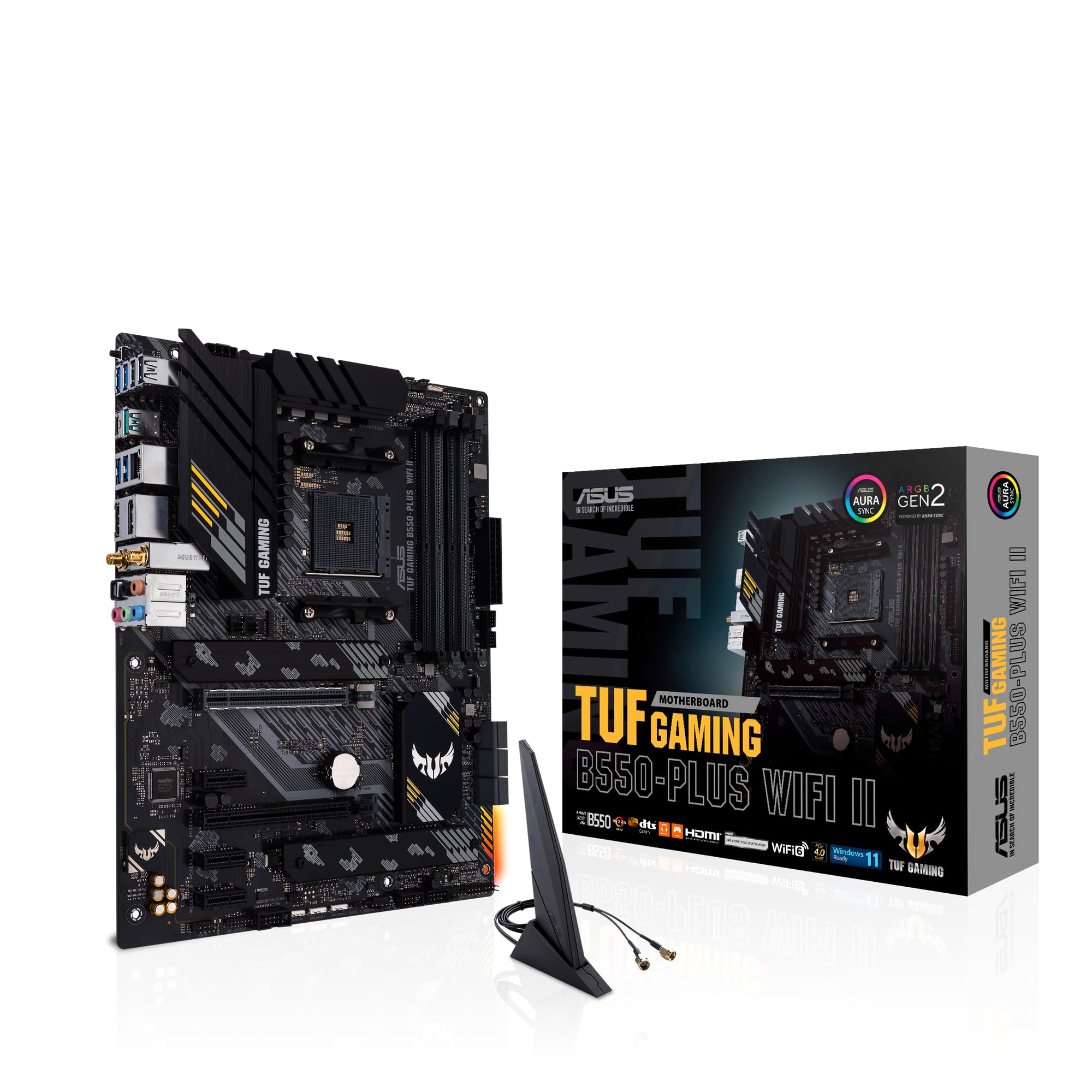
ASUS TUF Gaming B550-PLUS (WI-FI), AMD B550 (Ryzen AM4) ATX motherboard (PCIe 4.0, dual M.2, 10 DrMOS, DDR4 4400, Intel® WiFi 6, 2.5 Gb Ethernet, HDMI, DisplayPort, USB 3.2 Gen 2 Type-A and Type-C)
£118.99 · ASUS
Frequently asked
5 questions01Is the Gigabyte B550M AORUS Elite AX overkill for just gaming?+
Not really. For a gaming build, you're primarily using the PCIe 4.0 x16 slot for your GPU and the M.2 slot for your boot drive, and this board handles both well. The Wi-Fi 6 is a genuine bonus for wireless gaming. The only 'extra' you're paying for over a budget B550 board is the Wi-Fi module and slightly better VRM components, both of which are useful rather than wasteful. If you're building a gaming PC and want wireless connectivity, this board is appropriately specced rather than overkill.
02Will my existing CPU cooler work with the Gigabyte B550M AORUS Elite AX?+
The board uses the standard AM4 socket mounting pattern, which is compatible with the vast majority of coolers designed for AM4 (Ryzen). This includes most Noctua, be quiet!, Cooler Master, and Corsair coolers with AM4 brackets. If your cooler is older and was designed for AM3 or earlier sockets, you'll need an AM4 mounting kit, which most cooler manufacturers supply free of charge. Check your cooler manufacturer's compatibility list if you're unsure. The board does not include a backplate-free mounting option, so standard AM4 cooler installation applies.
03What happens if the Gigabyte B550M AORUS Elite AX doesn't work with my components?+
Amazon's standard 30-day return policy applies to most purchases, so if you have compatibility issues within that window, you can return it. For BIOS compatibility with specific CPUs, check Gigabyte's official CPU support list before buying. If you're using a Ryzen 5000 series processor, the board should be compatible out of the box with a recent BIOS version. Gigabyte's DualBIOS feature also means a failed BIOS update won't brick the board permanently. For component-level compatibility questions, Gigabyte's UK support line and online QVL lists are the best resources.
04Is there a cheaper motherboard I should consider instead?+
If you don't need Wi-Fi, the base Gigabyte B550M AORUS Elite (without the AX suffix) is the same board at a lower price. For a budget AM4 build without overclocking requirements, the ASRock B450M Pro4 on the older B450 chipset supports Ryzen 5000 series via BIOS update and costs less than most B550 options. The trade-off is no PCIe 4.0 support on B450. If Wi-Fi is essential and budget is tight, the B550M AORUS Elite AX is actually one of the more competitive Wi-Fi 6 options in the Micro-ATX B550 space.
05What warranty and returns apply to the Gigabyte B550M AORUS Elite AX?+
Amazon offers 30-day returns on most items, and Gigabyte typically provides a 3-year warranty on their motherboards in the UK. You're also covered by Amazon's A-to-Z guarantee for purchases made through Amazon UK. For warranty claims after the Amazon return window, contact Gigabyte UK support directly with your proof of purchase. The DualBIOS feature also provides a degree of self-recovery from BIOS corruption, which reduces the likelihood of needing a warranty claim for that specific failure mode.