You know what kills most budget PC builds? It's not picking the wrong GPU or skimping on RAM. It's the motherboard quietly throttling your CPU because the VRMs are running hot, or spending an entire Saturday fighting a BIOS that won't POST with your brand new Ryzen chip. Nobody puts that in the box. Nobody warns you at checkout. And yet it's the thing that separates a build that hums along happily for five years from one that becomes a weekend project in frustration.
The MSI B550M PRO-VDH WIFI sits right in that awkward budget bracket where the temptation to cut corners is highest and the consequences of getting it wrong are most painful. It's a Micro-ATX board targeting Ryzen 3rd gen builders who want PCIe 4.0 and Wi-Fi without paying premium prices. On paper, that sounds like a decent deal. But does it hold up when you actually look at what's under the hood?
With 1,384 owners rating it ★★★★☆ (4.4), there's clearly something right going on here. That's a big enough sample size to trust. So let's work out what that something is, where the compromises live, and whether this board deserves a spot in your next AM4 build.
Core Specifications
The B550M PRO-VDH WIFI is an AM4 socket board on the B550 chipset, built in Micro-ATX form factor. It supports AMD's 3rd generation Ryzen processors (the 5000 series also works with a BIOS update, but we'll get to that), with memory support up to 128GB of DDR4 running at up to 4400MHz in overclocked mode. That's actually a generous ceiling for a budget board. Most people won't push DDR4 that hard, but it's good to know the headroom exists.
You get dual M.2 slots, both running on PCIe 4.0 when paired with a 3rd gen Ryzen CPU. There's a full-length PCIe 4.0 x16 slot for your GPU, plus additional PCIe slots for expansion cards. The rear I/O includes USB 3.2 Gen 2 ports, which is genuinely impressive at this price point. Most boards in this bracket are still shipping with Gen 1 as their headline USB spec, so seeing Gen 2 here is a proper win.
The board also comes with pre-installed IO shielding, which sounds like a minor thing until you've spent ten minutes wrestling with a loose shield during a late-night build. MSI put it on the board at the factory. Small detail, appreciated nonetheless. Below is the full spec breakdown.
| Specification | Detail |
|---|---|
| Socket | AM4 |
| Chipset | AMD B550 |
| Form Factor | Micro-ATX |
| Memory Slots | 4 x DDR4 |
| Max Memory | 128GB |
| Max Memory Speed | 4400MHz (OC) |
| M.2 Slots | 2 x PCIe 4.0 |
| PCIe x16 Slot | 1 x PCIe 4.0 |
| USB (Rear) | USB 3.2 Gen 2 included |
| Wi-Fi | Yes (built-in) |
| RGB | Mystic Light (RGB + RAINBOW LED strip support) |
| Audio | Audio Boost (studio grade) |
| IO Shield | Pre-installed |
| Price | £89.99 |
Socket and CPU Compatibility
The AM4 socket has been one of AMD's greatest gifts to PC builders. The same socket ran from Bristol Ridge all the way through Zen 3, which means if you're upgrading from an older Ryzen chip, there's a solid chance your cooler will just bolt straight on. The B550M PRO-VDH WIFI is officially designed around 3rd generation Ryzen (Zen 2, the 3000 series), and that's where MSI has tuned the VRM and power delivery to perform best.
Ryzen 5000 series (Zen 3) compatibility is there too, but you'll need a BIOS update first. If you're buying this board with a Ryzen 5000 CPU and it's brand new out of the box, you might need an older CPU to boot it up and flash the BIOS, or you'll need to find a retailer who has pre-flashed it. This isn't unique to MSI, it's an AM4 platform thing, but it's worth knowing before you're staring at a blank screen wondering what went wrong. Check MSI's official support page for the latest BIOS versions before you buy if you're pairing this with a 5000 series chip.
What you won't get here is Ryzen 7000 support. That's AM5 territory, and no AM4 board will ever run those chips. So if you're planning a long-term platform upgrade path toward Ryzen 7000 and beyond, this isn't your board. But if you're building a solid AM4 rig now, possibly grabbing a Ryzen 5 5600 or Ryzen 7 5700X while prices are low, the B550M PRO-VDH WIFI makes a lot of sense as a foundation.
Chipset Features
The AMD B550 chipset is the sweet spot for most Ryzen builders who aren't chasing extreme overclocking. It sits between the entry-level A520 (which doesn't support PCIe 4.0 or CPU overclocking) and the enthusiast X570 (which costs more and runs hotter due to its active chipset cooling). B550 hits the middle ground well: you get PCIe 4.0 on the primary x16 slot and at least one M.2 slot, CPU overclocking support, and a reasonable USB lane allocation, all without the premium price or the chipset fan noise that plagued some early X570 boards.
In terms of what the B550 chipset actually unlocks on this board, the headline is those Lightning Gen 4 PCIe 4.0 lanes on both the primary PCIe slot and the M.2 slots. MSI calls this their Lightning Gen 4 solution, and what it means practically is that a PCIe 4.0 NVMe drive like a Samsung 980 Pro or a WD Black SN850X will run at full speed rather than being bottlenecked by older Gen 3 lanes. Same goes for a PCIe 4.0 capable GPU, though the real-world difference between Gen 3 and Gen 4 for graphics cards is minimal at current GPU bandwidth levels.
USB lane allocation at the chipset level is decent. The board brings USB 3.2 Gen 2 to the rear I/O, which is a genuine step up from what you'd normally expect in the budget bracket. The USB 3.2 Gen 2 standard delivers up to 10Gbps, double the speed of Gen 1. For anyone plugging in fast external SSDs or modern peripherals, that matters. SATA support is also present for traditional hard drives and SATA SSDs, giving you flexibility if you're migrating storage from an older build.
VRM and Power Delivery
Right, this is the section that actually matters for long-term reliability, and also the one where budget boards most often let you down. The VRM (voltage regulator module) is what feeds clean, stable power to your CPU. Cheap VRMs get hot, throttle under sustained load, and in worst cases shorten the life of your processor. So what's the B550M PRO-VDH WIFI actually working with here?
MSI's spec sheet mentions an enhanced thermal solution with an extended heatsink, 7 W/mK level thermal pads, choke pads, and a 2oz thickened copper PCB. That 2oz copper PCB is worth paying attention to. Standard budget boards often use 1oz copper, which has higher resistance and generates more heat under load. Going to 2oz copper improves heat dissipation across the board (literally) and helps the VRM components stay cooler during extended workloads. The extended heatsink over the VRM area is another positive sign. Some boards at this price point barely have a heatsink at all.
In practice, owner feedback suggests the board handles mainstream Ryzen chips like the Ryzen 5 5600 and Ryzen 7 5700X without any thermal issues. Where you'd want to be more cautious is pairing this with a Ryzen 9 5900X or 5950X. Those are high-TDP chips that demand serious VRM headroom, and a Micro-ATX budget board isn't where you want to be if you're planning to push a 16-core chip hard for hours. For the vast majority of builders in this price bracket, though, a Ryzen 5 or Ryzen 7 is the realistic CPU choice, and for those the power delivery here is perfectly adequate.
Memory Support
Four DDR4 slots with support for up to 128GB is genuinely good for a board in this bracket. You're unlikely to ever need 128GB in a gaming or everyday PC build, but the capacity ceiling matters less than the speed ceiling, and 4400MHz (OC) is a solid number. Most people will run DDR4-3200 or DDR4-3600, which is the sweet spot for Ryzen performance thanks to the CPU's Infinity Fabric clock relationship with memory speed.
AMD's Ryzen processors have a well-documented preference for fast memory. The Infinity Fabric, which connects the CPU cores to the memory controller, runs at half the memory speed up to 1800MHz (so DDR4-3600 is the magic number where fabric and memory stay in sync). Push beyond that and you're running the fabric asynchronously, which can actually hurt latency. The B550M PRO-VDH WIFI's 4400MHz ceiling means you can experiment with faster kits if you want, but DDR4-3600 is where most builders will land for best real-world performance.
XMP (Intel's Extreme Memory Profile) and AMD's EXPO equivalent both work here for enabling rated memory speeds beyond the JEDEC default of 2133MHz. If you buy a DDR4-3600 kit, you'll need to enable XMP in the BIOS to actually run it at 3600 rather than 2133. This is standard practice, not a quirk of this board. Owner reviews don't flag significant memory compatibility issues, which suggests MSI's QVL (qualified vendor list) is reasonably broad. That said, always check MSI's memory compatibility list if you're buying a specific kit, especially if you're going for 4x16GB or higher-speed configurations.
Storage Options
Two M.2 slots running PCIe 4.0 is the headline here, and it's a proper differentiator at this price point. PCIe 4.0 M.2 drives are now mainstream, with options like the Samsung 980 Pro delivering sequential reads north of 7,000 MB/s. On a Gen 3 M.2 slot, those drives are capped at around 3,500 MB/s. You're paying for Gen 4 performance with a Gen 4 drive, so having Gen 4 slots available matters if you're planning to buy fast NVMe storage now or in the future.
Both M.2 slots support NVMe drives, which covers the vast majority of modern SSDs. SATA M.2 drives (less common now but still around) should also be supported, though always worth checking MSI's spec sheet for the specific SATA/NVMe mode configuration per slot. The board also has SATA ports for traditional 2.5-inch SSDs and 3.5-inch hard drives, which is useful if you're migrating storage from an older system or want a large-capacity spinning disk for media storage alongside a fast NVMe boot drive.
RAID support is present via the AMD RAID stack, covering RAID 0, 1, and 10 configurations across SATA ports. Most home builders won't touch RAID, but if you're building a small workstation or NAS-adjacent machine, it's a useful option to have. The dual M.2 setup also means you can run an OS drive and a games/work drive separately without touching your SATA ports at all, which keeps cable management cleaner in a Micro-ATX case.
Expansion Slots and PCIe
The primary PCIe x16 slot runs at PCIe 4.0, direct from the CPU, and it's reinforced with MSI's steel armour. That steel reinforcement isn't just cosmetic. Heavy GPUs can physically stress the PCIe slot over time, especially in builds where the card isn't supported by a bracket. The steel armour also provides better contact between the card and slot, which can help with signal integrity. It's a detail that more expensive boards include as standard, so seeing it here is a positive.
Beyond the primary x16 slot, there are additional PCIe slots for expansion cards. These run at lower lane counts and are useful for things like dedicated sound cards, capture cards, or additional networking. For most gaming builds, the GPU goes in the x16 slot and everything else is handled by the rear I/O, so the additional slots are a nice-to-have rather than essential. But if you're building a content creation or streaming rig with multiple cards, the flexibility is there.
One thing to be aware of with B550 specifically is that the chipset-connected PCIe lanes run at Gen 3, not Gen 4. The Gen 4 lanes come directly from the CPU, so the primary x16 GPU slot and the first M.2 slot get the full Gen 4 bandwidth. Secondary slots and the second M.2 slot may be running on Gen 3 chipset lanes depending on the specific board configuration. For a GPU this doesn't matter (Gen 3 x16 is still massively more bandwidth than any current GPU can saturate), but for a second NVMe drive it's worth knowing. Check MSI's spec sheet for the exact lane allocation if this is critical to your build.
Connectivity and Rear I/O
The rear I/O is where the B550M PRO-VDH WIFI earns some genuine respect. USB 3.2 Gen 2 on a budget board is not something you should take for granted. Most competing boards at this price are still leading with USB 3.2 Gen 1 (5Gbps) as their fastest rear port, so having Gen 2 (10Gbps) available is a real practical advantage for anyone connecting fast external drives, modern docking stations, or high-bandwidth peripherals.
The pre-installed IO shield is worth mentioning again because it's one of those small quality-of-life things that matters during a build. Traditional IO shields are thin metal plates you press into the case before fitting the motherboard, and they have a habit of popping out at the worst moment or cutting your fingers. Having it pre-attached to the board means one less fiddly step during installation and better alignment every time. It's the kind of detail that suggests MSI actually thought about the build experience rather than just the spec sheet.
Audio is handled by MSI's Audio Boost solution, which the company describes as studio-grade quality. The reality for most users is that it's a meaningful step up from the bare-minimum Realtek implementation you'd find on the cheapest boards, with better capacitors and physical isolation from the rest of the PCB to reduce electrical interference. If you're using a decent headset or speakers plugged directly into the rear audio jacks, you'll likely notice cleaner output than you'd get from a bargain-basement board. For serious audio work you'd still want a dedicated DAC or sound card, but for gaming and everyday use it's more than adequate.
Wi-Fi and Networking
The WIFI in the board's name is the feature that justifies buying this over the non-Wi-Fi version for a lot of builders. Having built-in Wi-Fi removes the need for a separate PCIe Wi-Fi card or a USB dongle, both of which are extra cost and extra faff. The Wi-Fi module on the B550M PRO-VDH WIFI supports wireless connectivity out of the box, with antenna connectors on the rear I/O for attaching the included antennas.
MSI doesn't specify the exact Wi-Fi standard in the Amazon listing, which is a bit frustrating. Based on the board's release period and price bracket, it's likely Wi-Fi 5 (802.11ac) rather than Wi-Fi 6 (802.11ax). Wi-Fi 5 is perfectly fine for gaming and general use on most home networks, delivering real-world throughput that exceeds most broadband connections. If you're on a Wi-Fi 6 router and want to take advantage of the improved efficiency and lower latency, you might want to verify the exact standard before buying. But for the majority of users, the built-in Wi-Fi will just work without any additional hardware.
Ethernet is present via a dedicated LAN port. Again, the exact speed isn't specified in the Amazon listing, but at this price point and chipset tier, 1 Gigabit Ethernet is the standard expectation. That's more than enough for gaming, streaming, and general use. If you need 2.5G Ethernet for NAS transfers or future-proofing, you'd be looking at boards in a higher price bracket. For most home builders, 1GbE is perfectly fine and the addition of Wi-Fi makes this one of the more connectivity-complete options in the budget segment.

BIOS and Overclocking
MSI's BIOS has come a long way. The current Click BIOS 5 interface is genuinely one of the better BIOS experiences in the mainstream market, with a clean layout, proper fan curve controls, and an EZ mode that actually makes sense for beginners. If you've ever stared at an AMI BIOS from 2015 wondering what half the options mean, MSI's current interface is a relief. It's not perfect, but it's not the nightmare some cheaper boards ship with.
Overclocking support on B550 covers CPU multiplier adjustments for unlocked Ryzen chips (anything with an X suffix, or the non-X chips with the right BIOS settings). Memory overclocking via XMP is straightforward, and the BIOS gives you granular control over memory timings if you want to tune beyond just enabling the XMP profile. Fan curve control is present and flexible, letting you set temperature-based curves for each header independently. This matters for quiet builds where you want fans to ramp up gradually rather than jumping to full speed at the slightest temperature change.
Owner reviews are generally positive about BIOS stability on this board. The main complaint that crops up occasionally is around initial BIOS versions needing updates for full Ryzen 5000 compatibility, which is expected and well-documented. MSI has been reasonably consistent about releasing updates, and the process of flashing via USB is straightforward. One thing worth noting: if you're buying this board new in 2026, there's a good chance it's already shipping with a BIOS that supports Ryzen 5000 out of the box, but verify with the seller if this is critical to your build.
Build Quality and Aesthetics
The 2oz copper PCB is the build quality story here. It's not glamorous, but it's the kind of specification that actually affects real-world reliability. Thicker copper means better heat distribution across the board, lower resistance in the power delivery traces, and generally a more stable electrical environment for your components. Pair that with the extended VRM heatsink and the 7 W/mK thermal pads, and MSI has clearly put more thought into the thermal design than you'd typically expect at this price point.
Aesthetically, the B550M PRO-VDH WIFI supports MSI's Mystic Light RGB system. This gives you control over onboard RGB lighting and, more usefully, support for both standard RGB and RAINBOW (addressable) LED strips connected via the headers. The Mystic Light software lets you sync lighting across MSI components and control 16.8 million colours with 29 effects. Whether you care about any of that is entirely down to personal taste. If you're building in a case with a glass side panel and want a light show, the infrastructure is there. If you're building a plain black box under your desk, you can ignore it entirely.
The Micro-ATX form factor is worth thinking about in terms of case compatibility. mATX boards fit in full ATX cases with no issues, and they fit in mATX cases obviously. They won't fit in Mini-ITX cases. The smaller board size can actually be an advantage in compact builds, and it generally means a cleaner, less cluttered interior in smaller cases. Build quality reports from owners are solid overall. Nothing in the reviews suggests build defects or component failures at an unusual rate, which for a 1,384-review sample is a decent signal of consistent manufacturing quality.
How It Compares
The two boards you'd most likely be choosing between at this price point are the ASUS Prime B550M-A (Wi-Fi) and the Gigabyte B550M DS3H AC. Both are Micro-ATX B550 boards targeting similar budgets. Here's how they stack up on the features that actually matter.
The ASUS Prime B550M-A Wi-Fi is a strong alternative with solid BIOS support and ASUS's reputation for consistent memory compatibility. Where the MSI edges ahead is the USB 3.2 Gen 2 on the rear I/O and the 2oz copper PCB. The ASUS board is a fine choice, but the MSI's thermal design and faster USB implementation give it a slight edge for builders who care about those specifics. The Gigabyte B550M DS3H AC is generally the budget option of the three, with a more basic VRM setup and fewer premium features, but it's often slightly cheaper and works perfectly well with mainstream Ryzen chips.
The honest answer is that all three boards will run a Ryzen 5 5600 without drama. The differences show up in edge cases: sustained heavy workloads on higher-TDP chips, USB transfer speeds for external drives, and long-term thermal reliability. The MSI's combination of PCIe 4.0 dual M.2, USB 3.2 Gen 2, built-in Wi-Fi, and proper thermal design makes it the most feature-complete of the three at a comparable price. That's why it's the one with 1,419 and a 4.4 average.
| Feature | B550M PRO-VDH WIFI | ASUS Prime B550M-A Wi-Fi | Gigabyte B550M DS3H AC |
|---|---|---|---|
| Chipset | AMD B550 | AMD B550 | AMD B550 |
| Form Factor | Micro-ATX | Micro-ATX | Micro-ATX |
| PCIe 4.0 x16 | Yes | Yes | Yes |
| M.2 Slots (PCIe 4.0) | 2 x PCIe 4.0 | 2 (1x PCIe 4.0) | 2 (1x PCIe 4.0) |
| USB 3.2 Gen 2 | Yes | Yes | No |
| Built-in Wi-Fi | Yes | Yes | Yes (AC) |
| PCB Copper | 2oz thickened | Standard | Standard |
| Pre-installed IO Shield | Yes | No | No |
| RGB Support | Mystic Light (RGB + ARGB) | Aura Sync | Basic RGB |
| Max Memory | 128GB DDR4 4400MHz | 128GB DDR4 4600MHz | 128GB DDR4 4400MHz |
| Price | £89.99 | Similar bracket | Budget bracket |
What Buyers Actually Say
With 1,419 averaging ★★★★☆ (4.4), the owner feedback on the B550M PRO-VDH WIFI is genuinely positive. The most common praise centres on ease of installation, reliable boot behaviour, and good value for the feature set. Builders repeatedly mention that the board just works out of the box with mainstream Ryzen chips, which sounds like a low bar but is actually the most important thing a motherboard can do. Nobody wants drama at first boot.
The pre-installed IO shield gets specific mentions in reviews, which tells you that people notice and appreciate the small quality-of-life details. The Mystic Light RGB implementation also gets positive feedback from builders who want lighting control, with the software described as reasonably easy to use compared to some competitors. Audio quality from the onboard Audio Boost solution gets favourable comments from gaming headset users, with several noting it's noticeably cleaner than previous budget boards they've used.
On the negative side, a handful of reviews mention needing a BIOS update for Ryzen 5000 compatibility, which as discussed is expected rather than a flaw. A small number of reviews mention Wi-Fi signal strength being average rather than exceptional, which is fairly typical of integrated Wi-Fi solutions and can usually be improved with antenna positioning. The more meaningful criticism in the reviews relates to the BIOS occasionally requiring a clear-CMOS after certain failed overclocking attempts, which again is normal behaviour for any board when pushing memory or CPU settings beyond stable limits.
Value Analysis
At £89.99, the B550M PRO-VDH WIFI sits firmly in the budget motherboard bracket (under £120), and within that bracket it genuinely punches above its weight. The combination of dual PCIe 4.0 M.2 slots, USB 3.2 Gen 2, built-in Wi-Fi, a proper VRM heatsink, and 2oz copper PCB is a feature set you'd normally associate with mid-range boards. MSI has clearly prioritised the things that matter for long-term reliability and practical connectivity over cosmetic premium features.
The value proposition is strongest for builders pairing this with a Ryzen 5 5600, 5600X, or Ryzen 7 5700X. Those chips are now excellent value as the AM4 platform matures, and this board gives them a solid, feature-rich home without overspending on a platform that won't see new CPU releases. You're essentially getting a complete, future-resistant AM4 build foundation for a budget price. That's a good deal.
Where the value calculation shifts is if you're looking at Ryzen 9 chips or planning serious overclocking. The VRM setup here, while better than typical budget fare, isn't in the same league as a B550 Tomahawk or an X570 board. For high-TDP workloads, the extra money on a better board is genuinely worth it. But for the realistic use case of this board, which is a mainstream gaming or home office Ryzen build, the value is hard to argue with.
Pros and Cons
- Dual PCIe 4.0 M.2 slots at this price point is genuinely unusual and future-proofs your NVMe storage
- USB 3.2 Gen 2 on the rear I/O puts it ahead of most budget competition
- 2oz copper PCB and extended VRM heatsink for better thermal management than budget norms
- Built-in Wi-Fi saves you buying a separate adapter
- Pre-installed IO shield is a small but genuinely appreciated build quality detail
- 4.4 average from 1,384 owners is a trustworthy signal of consistent real-world performance
- Not suited for Ryzen 9 heavy workloads: the VRM is good for budget but not for 16-core sustained loads
- Ryzen 5000 may need BIOS update before first boot, which requires an older CPU if the board ships with an older BIOS
- Wi-Fi standard not clearly specified in the Amazon listing, likely Wi-Fi 5 rather than Wi-Fi 6
- Micro-ATX only: won't fit Mini-ITX cases, and some builders prefer full ATX for expansion room
Final Verdict
The B550M PRO-VDH WIFI is one of those budget boards that makes you do a double-take at the spec sheet. Dual PCIe 4.0 M.2, USB 3.2 Gen 2, built-in Wi-Fi, a proper thermal solution, and a 2oz copper PCB in the budget bracket is a genuinely strong combination. MSI hasn't just ticked boxes here; they've prioritised the specifications that affect real-world performance and long-term reliability over the ones that look good in marketing copy.
For a mainstream Ryzen 5 or Ryzen 7 AM4 build, this is a proper recommendation. It handles the chips it's designed for without thermal drama, it gives you fast storage and connectivity options that most competing boards reserve for higher price tiers, and the 1,384-strong owner base with a 4.4 average tells you it works reliably in real builds. That's not nothing. That's actually the most important thing.
The caveats are real but specific. Don't pair this with a Ryzen 9 5950X and expect it to hold up under sustained all-core loads. Do check your BIOS version if you're buying a Ryzen 5000 chip. And accept that the Wi-Fi is probably 802.11ac rather than Wi-Fi 6. Within those boundaries, this board delivers more than its price tag suggests it should. The MSI B550M PRO-VDH WIFI earns an 8 out of 10 in the budget bracket. It's not perfect, but it's the right choice for a lot of builds.
Not Right For You?
If you're building with a Ryzen 9 5900X or 5950X and planning sustained heavy workloads, look at the MSI B550 Tomahawk or the ASUS ROG Strix B550-F. Both have more robust VRM setups suited to high-TDP chips and are worth the extra spend if you're pushing the platform hard.
If you want Wi-Fi 6 rather than Wi-Fi 5, the ASUS Prime B550M-A Wi-Fi is worth comparing, though you'll want to check the exact Wi-Fi specification on both boards at time of purchase as these can vary by revision.
If you're going AM5 and Ryzen 7000, this board is simply the wrong platform. The AM5 ecosystem with B650 chipset boards is the current-generation choice, and while AM4 remains excellent value for existing builds and budget new builds, AM5 is where AMD's roadmap is heading. For a long-term platform investment, B650 Micro-ATX boards are worth considering despite their higher entry cost.
What works. What doesn’t.
5 + 3What we liked5 reasons
- Dual PCIe 4.0 M.2 slots at a budget price point
- USB 3.2 Gen 2 on rear I/O beats most budget competition
- 2oz copper PCB and extended VRM heatsink for better thermals
- Built-in Wi-Fi removes need for separate adapter
- Pre-installed IO shield is a genuine build quality win
Where it falls3 reasons
- VRM not suited to Ryzen 9 sustained heavy workloads
- Ryzen 5000 may need BIOS update before first boot
- Wi-Fi standard likely 802.11ac rather than Wi-Fi 6
Full specifications
12 attributes| Socket | AM4 |
|---|---|
| Chipset | B550 |
| Form factor | Micro-ATX |
| Bios flashback | true |
| M2 slots | 2 |
| MAX RAM | 128GB |
| MAX RAM GB | 128 |
| Network | 1GbE + Wi-Fi 5 |
| Pcie 5 slots | 0 |
| Pcie slots | 1x PCIe 4.0 x16, 2x PCIe 3.0 x1 |
| RAM slots | 4 |
| RAM type | DDR4 |
If this isn’t right for you
2 options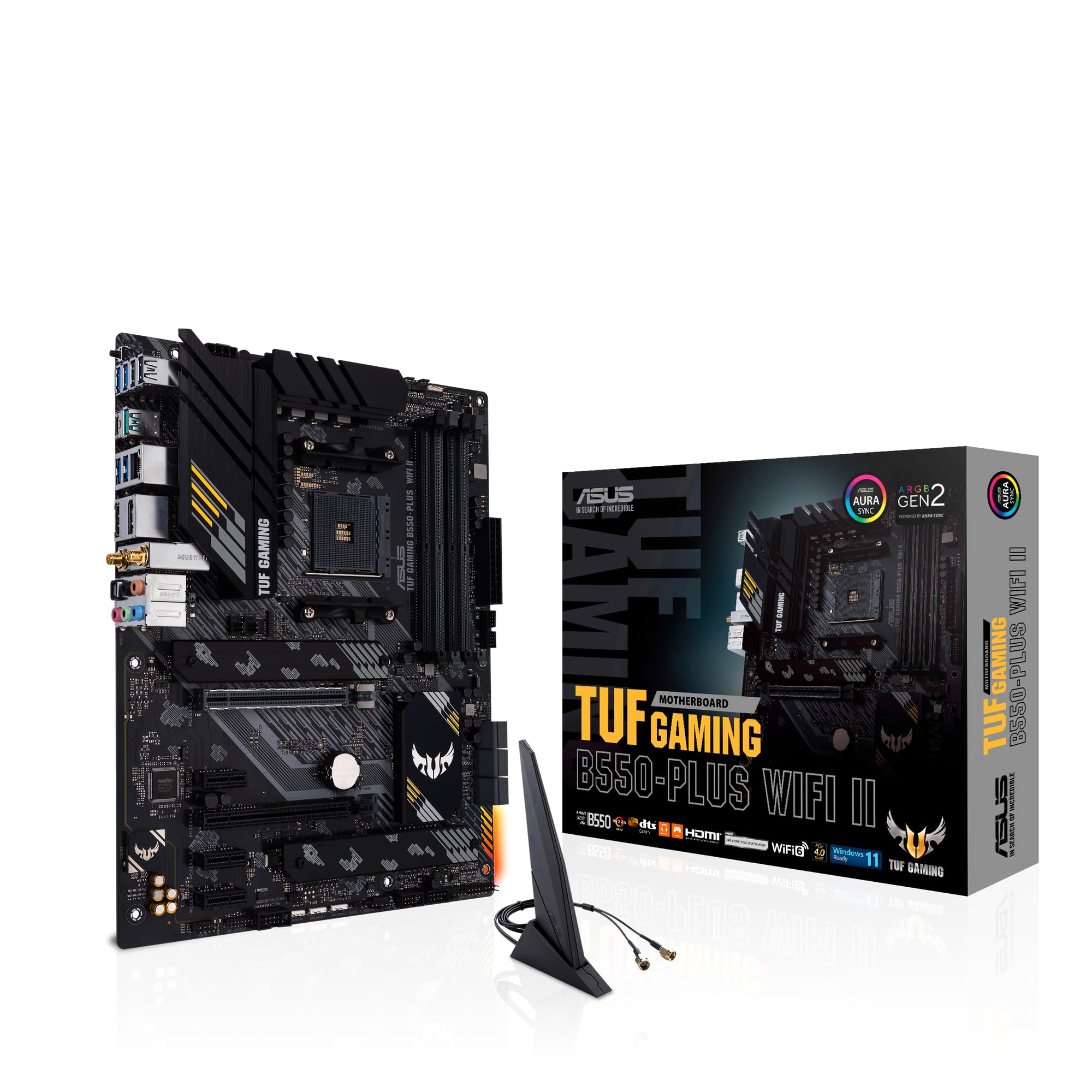 8.5 / 10
ASUS TUF Gaming B550-PLUS (WI-FI), AMD B550 (Ryzen AM4) ATX motherboard (PCIe 4.0, dual M.2, 10 DrMOS, DDR4 4400, Intel® WiFi 6, 2.5 Gb Ethernet, HDMI, DisplayPort, USB 3.2 Gen 2 Type-A and Type-C)
£118.99 · ASUS
 8.0 / 10
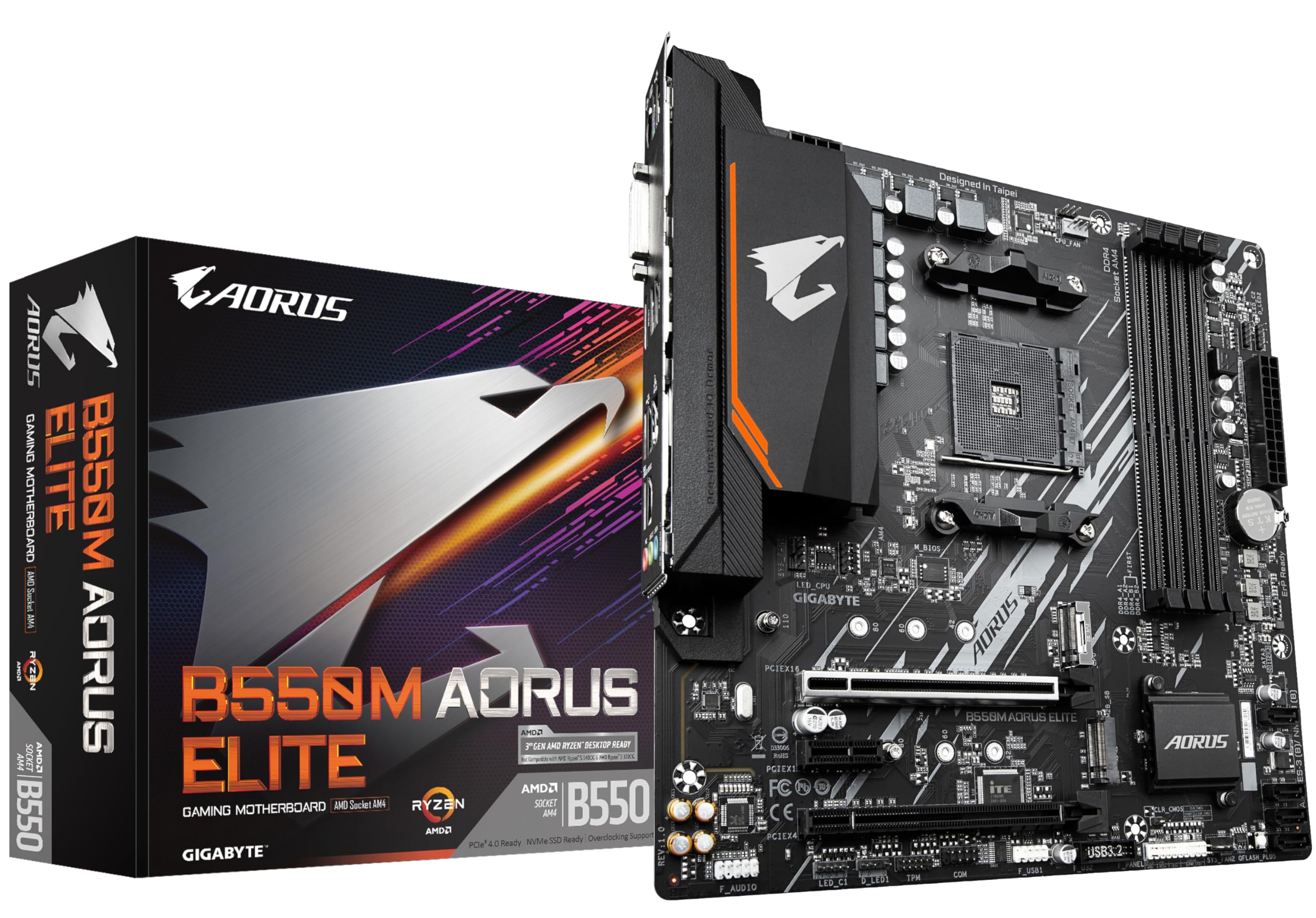
Gigabyte B550M AORUS ELITE Motherboard - Supports AMD Ryzen 5000 Series AM4 CPUs, 5+3 Phases Pure Digital VRM, up to 4733MHz DDR4 (OC), 2xPCIe 3.0 M.2, GbE LAN, USB 3.2 Gen1
£100.80 · Gigabyte
Frequently asked
5 questions01Is the B550M PRO-VDH WIFI overkill for just gaming?+
Not really. The dual PCIe 4.0 M.2 slots, USB 3.2 Gen 2, and built-in Wi-Fi are all features you'll actually use in a gaming build. PCIe 4.0 storage is mainstream now, fast USB is useful for external drives, and Wi-Fi saves you running a cable. You're not paying for features you won't touch.
02Will my existing CPU cooler work with the B550M PRO-VDH WIFI?+
If your cooler is designed for AMD AM4 socket, yes. The B550M PRO-VDH WIFI uses the standard AM4 mounting pattern, so any cooler with AM4 compatibility will fit. Intel coolers use different mounting hardware and won't work. Check your cooler's compatibility list if you're unsure.
03What happens if the B550M PRO-VDH WIFI doesn't work with my components?+
Amazon's standard 30-day return policy applies, so you're covered if there's a genuine compatibility issue. MSI also provides warranty support. That said, the board has a strong compatibility track record with mainstream AM4 components. Check MSI's memory QVL and CPU support list before buying if you have specific components in mind.
04Is there a cheaper motherboard I should consider instead?+
The Gigabyte B550M DS3H AC is typically a bit cheaper and handles mainstream Ryzen chips fine. But you lose the USB 3.2 Gen 2 and the 2oz copper PCB. For a basic build where you just want something that works, the Gigabyte is fine. If you want the extra connectivity and better thermal design, the MSI is worth the small price difference.
05What warranty and returns apply to the B550M PRO-VDH WIFI?+
Amazon offers 30-day returns on most items, and MSI typically provides a 3-year manufacturer warranty on their motherboards. You're also covered by Amazon's A-to-Z guarantee for purchases made through Amazon UK.