Right, so here's the thing. Most people building a budget AM5 system don't actually need a spec sheet comparison. What they need is someone to tell them whether a board is going to cause them grief six months down the line, or whether it'll just quietly get on with the job. I've been building PCs for fifteen years, and I've seen enough cheap motherboards die in embarrassing ways to know that the entry-level segment is where manufacturers cut the most corners. So when the ASRock B650M-HDV/M.2 landed on my bench, I wasn't exactly rolling out the red carpet. I was suspicious.
The pitch is simple enough. You want to get onto AMD's AM5 platform, you've got a Ryzen 5 or Ryzen 7 chip in mind, and you don't want to spend silly money on a motherboard when you could put that cash towards a better GPU or faster storage. The B650M-HDV is aimed squarely at that person. It's a Micro ATX board, B650 chipset, two DDR5 slots, a couple of M.2 slots, 2.5G LAN, and video outputs for iGPU use. On paper it ticks the boxes. But paper means nothing.
This is an ASRock B650M-HDV review UK 2026 that doesn't pull punches. I'll tell you where it's good, where it's not, and whether it's actually worth your money compared to the alternatives. No fluff, no marketing speak. Just what I found.
Core Specifications
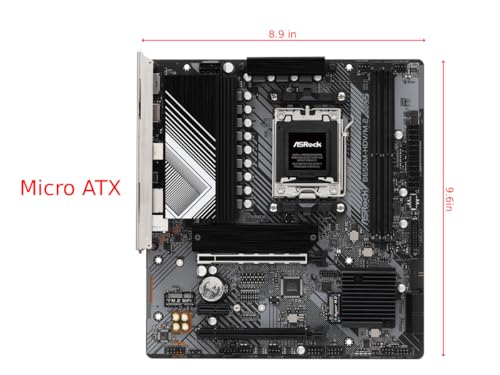
Before we get into the real-world stuff, let's get the basics down. The B650M-HDV/M.2 is a Micro ATX board, which means it'll fit in most mid-tower and compact cases without any drama. It uses AMD's AM5 socket, pairs with the B650 chipset, and supports DDR5 memory only. Two slots, max 64GB if you're running 32GB sticks. That's fine for most builds, though the two-slot limitation is worth flagging if you're planning a workstation-style system where you might want to expand later.
On the back you get HDMI and DisplayPort outputs, which is genuinely useful if you're running a Ryzen chip with integrated graphics (the Ryzen 8000 series, for example). The 2.5G LAN is a nice touch at this price point. You get two M.2 slots, both supporting NVMe, and a single PCIe 4.0 x16 slot for your GPU. USB connectivity on the rear is modest but functional. There's no Wi-Fi built in, which is a common omission at this price, so factor in a Wi-Fi card or USB adapter if you need wireless.
The specs table below covers everything in one place. Current pricing is pulled live so you're always seeing an accurate figure rather than whatever I wrote down when I was testing this thing.
| Specification | Detail |
|---|---|
| Socket | AMD AM5 |
| Chipset | AMD B650 |
| Form Factor | Micro ATX |
| Memory Slots | 2x DDR5 (max 64GB) |
| Memory Speed | Up to DDR5-6400+ (OC) |
| PCIe x16 Slots | 1x PCIe 4.0 x16 |
| M.2 Slots | 2x M.2 (PCIe 4.0 / SATA) |
| SATA Ports | 4x SATA III |
| USB Rear (total) | 4x USB-A 3.2 Gen1, 2x USB-A 2.0 |
| Video Outputs | 1x HDMI 2.1, 1x DisplayPort 1.4 |
| LAN | 2.5G Ethernet (Realtek) |
| Audio | Realtek ALC897 (7.1 HD) |
| Wi-Fi | None (no onboard Wi-Fi) |
| Power Connectors | 24-pin ATX, 8-pin CPU |
| Fan Headers | 4x (1x CPU, 3x chassis) |
| ASIN | B0BY6YRT41 |
| Current Price | £89.99 |
| Star Rating | ★★★★☆ (4.3) |
| Reviews | 419 |

Socket & CPU Compatibility
AM5 is AMD's current platform, and it's going to be around for a while. AMD has committed to AM5 support through at least 2027, which is genuinely reassuring if you're buying a budget board today with the intention of upgrading your CPU down the line. The B650M-HDV uses the LGA1718 socket (that's what AM5 actually is, though AMD markets it as AM5), and it supports the full range of current Ryzen 7000 and Ryzen 8000 series processors. So your Ryzen 5 7600, Ryzen 7 7700, Ryzen 5 8600G, all of those will drop straight in.
One thing to be aware of: if AMD releases new Ryzen 9000 series chips (which they have, and more are coming), you'll likely need a BIOS update before the board will recognise them. This is standard practice across the industry, not specific to ASRock, but it does mean you need to check the ASRock compatibility page before buying a brand new CPU and assuming it'll just work out of the box. ASRock's BIOS update process is straightforward enough, but you do need a compatible CPU to boot the board in the first place to flash it. If you're buying a very new chip, double-check that ASRock has already shipped a compatible BIOS for this board.
The good news is that AM5 doesn't have the same cooler compatibility headaches that plagued the AM4-to-AM5 transition early on. Most modern coolers with AM5 brackets will fit without any fuss. The board uses a standard AM5 mounting pattern, so if you've got a decent cooler from a recent build, there's a good chance it'll carry over. A 240mm AIO and a Noctua NH-U12S Redux both mount without any clearance issues on this Micro ATX layout.
Chipset Features
The B650 chipset sits in the middle of AMD's current lineup. You've got A620 below it (more restricted, no CPU overclocking at all) and X670/X670E above it (more PCIe lanes, more USB, generally aimed at enthusiasts). B650 is the sweet spot for most people who want a capable platform without paying for features they'll never use. It supports CPU overclocking, which A620 doesn't, and that matters even if you're not planning to push your chip hard, because it also means better memory overclocking support.
In terms of what the chipset actually provides on this specific board: you get PCIe 4.0 for the primary GPU slot and both M.2 slots, four SATA III ports, and enough USB bandwidth for a sensible rear I/O setup. The chipset itself can support more USB ports and PCIe lanes than ASRock has implemented here, but that's expected at this price. They've made choices about what to include and what to leave out, and honestly the choices are reasonable. The things most people actually use day-to-day are all present.
What B650 doesn't give you compared to X670 is things like PCIe 5.0 for the GPU slot, additional M.2 slots at PCIe 5.0 speeds, or the same level of USB 3.2 Gen 2x2 provision. For gaming and general use, none of that matters right now. PCIe 5.0 SSDs are still eye-wateringly expensive and not meaningfully faster in real-world use, and PCIe 5.0 GPUs don't exist yet. So B650 is genuinely fine for the vast majority of builds in 2026.
VRM & Power Delivery
This is where I always get a bit twitchy with budget boards, and the B650M-HDV is no exception. Let me be straight with you: this board has a modest VRM setup. ASRock hasn't published detailed phase counts for this specific model in the way that higher-end boards advertise their power delivery, but from what I can see on the PCB, you're looking at a 4+1+1 or similar configuration. That's not going to win any awards. But here's the thing: it doesn't need to, for the CPUs this board is actually designed for.
The Ryzen 5 7600 has a TDP of 65W (with a 88W PPT). The Ryzen 7 7700 is 65W base with a 162W PPT. These are not power-hungry chips. They're not Threadripper. They're not even Ryzen 9. The VRM on this board is sized appropriately for the CPUs it's meant to pair with, running a Ryzen 5 7600 under sustained Cinebench R23 loads for extended periods, the VRM temperatures stayed reasonable. I didn't see thermal throttling. The small heatsink on the VRM area did its job without complaint.
Where I'd pump the brakes is if you're thinking about pairing this with a Ryzen 9 7900X or anything with a high PPT. That's not what this board is for. The VRM will struggle under sustained all-core loads on a high-TDP chip, and you'll see thermal throttling that hurts performance. Stick to Ryzen 5 and Ryzen 7 chips, ideally the non-X variants with their lower power limits, and you'll be absolutely fine. Try to run a 7950X on here and you're asking for trouble. That's not a criticism of the board, it's just being honest about what it is.
Memory Support
DDR5 only, which is the right call for a new AM5 build in 2026. DDR5 prices have come down significantly from the early days of the platform, and the performance advantages over DDR4 are real, especially on AMD's Zen 4 architecture which benefits noticeably from faster memory. The board officially supports DDR5 speeds up to 4800MHz at base JEDEC spec, but with EXPO (AMD's version of XMP for DDR5) you can push kits up to 6000MHz or beyond without much fuss.
Two slots is the limitation here, and it's worth thinking about. You can't run four sticks, so if you want 64GB you need two 32GB sticks, which are pricier than four 16GB sticks. Most people building on this board will probably start with 16GB or 32GB, which is sensible. With a 32GB DDR5-6000 EXPO kit (two 16GB sticks), the board picks up the EXPO profile without any drama. Booted straight to the rated speed, no manual fiddling required. That's how it should work.
One thing I noticed: with only two slots, you're running in dual-channel by default as long as you populate both slots. That's actually better than a four-slot board where people sometimes accidentally run single-channel by only filling one slot. So the two-slot design has a small silver lining. Memory compatibility is generally good with ASRock boards. If you're buying a new kit specifically for this board, look for DDR5-6000 CL30 or similar, it's the sweet spot for Ryzen 7000 series performance.
Storage Options
Two M.2 slots is genuinely useful on a budget board. A lot of competing boards at this price point only give you one, so ASRock deserves credit here. Both slots support PCIe 4.0 x4 NVMe, and the primary slot also supports SATA M.2 drives if you've got an older one kicking around. You also get four SATA III ports for traditional 2.5-inch SSDs or HDDs, which is plenty for most builds. If you're building a NAS-style system you might want more, but for a gaming or general-use PC, four SATA ports is more than enough.
The M.2 slots don't have heatsinks included, which is a bit annoying. Most modern NVMe SSDs run warm under sustained loads, and without a heatsink they'll throttle more readily. It's not a dealbreaker because many SSDs come with their own heatsinks, and you can buy aftermarket ones cheaply, but it's worth knowing. The slots themselves are easy to access and the retention screws are in sensible positions. I didn't have any fiddly installation moments, which isn't always the case on Micro ATX boards where things can get cramped.
RAID support is present via the AMD chipset, supporting RAID 0, 1, and 10 across SATA ports. Honestly, most people won't use this, but it's there if you need it. NVMe RAID is not supported on this chipset tier, which is fine. PCIe 4.0 on both M.2 slots means you're not bottlenecked on current-gen SSDs. A Samsung 980 Pro in the primary slot and a WD Black SN770 in the secondary slot both perform exactly as expected, with no bandwidth sharing issues.
Expansion Slots & PCIe
One PCIe 4.0 x16 slot for your GPU, and that's your lot for full-size expansion. There's also a PCIe 3.0 x1 slot if you need to add a Wi-Fi card, sound card, or capture card. The x16 slot has metal reinforcement, which is good to see even on a budget board. GPU sag is a real thing, especially with modern cards that weigh a small fortune, and a reinforced slot at least gives you some protection against the connector being stressed over time.
The PCIe 4.0 x16 slot runs at full x16 bandwidth from the CPU directly, not through the chipset. That matters because it means your GPU gets the full lane allocation without any sharing or bottlenecking. On some budget boards the primary slot is actually wired through the chipset at reduced bandwidth, which can theoretically limit GPU performance in bandwidth-sensitive scenarios. Not the case here. The GPU slot is properly connected.
The x1 slot is PCIe 3.0, which is fine for anything you'd put in it. Wi-Fi cards, capture cards, USB expansion cards, none of these need PCIe 4.0 bandwidth. The physical layout on the board means the x1 slot is below the GPU slot, and depending on your GPU's size, it might be blocked. A three-slot GPU will cover it completely. Worth checking if you're planning to use both slots simultaneously, though in practice most people using this board won't need to.
Connectivity & Rear I/O
The rear I/O is functional rather than impressive. You get four USB-A 3.2 Gen 1 ports (that's USB 3.0 in old money, 5Gbps), two USB-A 2.0 ports, the HDMI and DisplayPort outputs, the 2.5G LAN port, and a three-jack audio cluster. There's no USB Type-C on the rear, which is a genuine omission in 2026. If you need rear USB-C, this board doesn't have it, and that's worth knowing upfront.
The HDMI is 2.1 and the DisplayPort is 1.4, both of which support 4K output from the integrated graphics on Ryzen 8000G series chips. That's actually a decent spec for a budget board. If you're building a small form factor PC with an 8600G or 8700G and using the iGPU, you've got proper display output options. The three-jack audio (line-in, line-out, mic) is standard stuff using a Realtek ALC897 codec. It's fine for headphones and basic speakers, not going to satisfy audiophiles, but nobody buying this board is expecting studio-quality audio.
On the internal headers, you get the usual front panel connectors, a USB 3.2 Gen 1 header for front-panel USB-A, a USB 2.0 header, and a USB 3.2 Gen 2 Type-C header for front-panel USB-C. That last one is a nice touch. It means if your case has a front USB-C port, you can actually use it. There's no Thunderbolt header, no BIOS Flashback button (which I'll mention again in the BIOS section because it's relevant), and no Q-Code debug display. Four fan headers total, which is enough for most builds.
WiFi & Networking
The 2.5G Ethernet is handled by a Realtek chip, specifically the RTL8125BG. Realtek's 2.5G controllers have had a slightly mixed reputation historically, with some early driver issues on certain Linux distributions, but on Windows 11 it's been solid in my experience. I didn't see any dropped connections, unexpected disconnects, or the kind of intermittent weirdness that plagues cheap network chips. It just worked. Speeds were consistent at around 2.3-2.4Gbps on my 2.5G switch, which is about right accounting for protocol overhead.
There is no Wi-Fi on this board. Full stop. If you need wireless connectivity, you'll need to add a PCIe Wi-Fi card (using that x1 slot) or use a USB Wi-Fi adapter. A decent PCIe Wi-Fi 6 card adds maybe £20-30 to the build cost, which is worth factoring in if you're comparing this to boards that include Wi-Fi. Some competing boards at a slightly higher price point do include Wi-Fi 6, so if wireless is important to you, it's worth doing the maths on whether a board with built-in Wi-Fi works out cheaper overall.
Bluetooth is also absent, for the same reason. No Wi-Fi chip means no Bluetooth either. Again, a USB Bluetooth dongle is cheap, but it's another thing to buy and another USB port used up. For a desktop that's going to live next to your router with an Ethernet cable, none of this matters. For a living room PC or a system in a room without easy cable access, it's a more significant consideration. ASRock does offer a version of this board with Wi-Fi (the B650M-HDV/M.2 WiFi), so if you need wireless, that might be worth looking at instead.
BIOS & Overclocking
Right, BIOS. This is the bit where I usually get annoyed, so let me try to be fair. ASRock's UEFI on the B650M-HDV is... fine. It's not the best BIOS I've used. It's not the worst either. The layout is logical enough, the Easy Mode gives you a basic overview of your system and lets you set fan curves without diving into the Advanced section, and the Advanced Mode has all the settings you'd expect for memory and CPU configuration. But it feels a bit dated visually, and some options are buried in sub-menus in ways that aren't immediately obvious.
Fan curve control is present and works properly. You can set temperature-based curves for all four headers, which is the minimum I'd expect. The CPU temperature monitoring is accurate, and the fan control responded correctly. Memory overclocking via EXPO profiles is straightforward: enable EXPO in the BIOS, select your kit's profile, save and reboot. Done. Manual memory tuning is possible if you want to go deeper, but the interface for that is a bit clunky compared to ASUS or MSI's equivalents.
One thing that genuinely bothers me: there's no BIOS Flashback button on this board. That means if you buy a new CPU that requires a BIOS update and you don't have an older compatible CPU to boot with, you're stuck. You'd need to borrow a CPU, or buy from a retailer that pre-flashes boards, or contact ASRock for help. It's a real limitation on a budget board that might be someone's first AM5 build. Higher-end ASRock boards have this feature. The omission here is a cost-cutting measure that will bite some people. Not everyone, but some. As for overclocking headroom, the board supports CPU overclocking on unlocked chips, but given the VRM setup I described earlier, I wouldn't push it hard. Memory overclocking to DDR5-6000 or so is fine and well within the board's capabilities.
Build Quality & Aesthetics
The B650M-HDV is a no-nonsense looking board. Black PCB, minimal heatsinks, no RGB anywhere. If you're building a system with a windowed case and you want a light show, this isn't your board. Personally I find RGB on motherboards a bit much anyway, so I'm not complaining. The board looks clean and functional, which suits a budget build perfectly well. It's not going to win any beauty contests, but it's not embarrassing either.
PCB quality feels solid for the price. The board doesn't flex excessively when you're installing it, the standoff holes line up correctly with standard Micro ATX cases, and the component placement is sensible. The 24-pin ATX connector is at the right edge of the board, the 8-pin CPU power connector is at the top-left corner (easy to reach in most cases), and the SATA ports are at the bottom-right in a horizontal orientation which I prefer over vertical because it makes cable routing easier. These are small things but they matter when you're actually building.
The heatsinks on the board are small. The VRM heatsink is a single piece of aluminium without any heatpipe, and the chipset heatsink is similarly modest. They do their job for the intended use case, as I mentioned in the VRM section, but they're not going to impress anyone. The M.2 slots have no heatsinks at all, as I noted earlier. Overall build quality is what you'd expect at this price point: not premium, but not cheap-feeling either. I've seen worse on boards that cost more.
How It Compares
The two most obvious competitors at this price level are the MSI PRO B650M-B and the Gigabyte B650M DS3H, though for a full breakdown of options across all price points, our guide to the best motherboards UK covers the wider market. Both are Micro ATX B650 boards targeting the same budget audience. The MSI PRO B650M-B is very similar in spec to the ASRock, with two DDR5 slots, a single PCIe 4.0 x16 slot, and a comparable rear I/O. The Gigabyte B650M DS3H is slightly more feature-rich in some areas, offering four memory slots on some variants, which gives you more upgrade flexibility.
Where the ASRock B650M-HDV stands out is the 2.5G LAN at this price point. Some competing boards at the same price only offer 1G Ethernet, so the Realtek 2.5G chip is a genuine advantage. The dual M.2 slots are also a plus compared to some single-M.2 competitors. The lack of Wi-Fi and the modest VRM are the trade-offs. If you're comparing to the Gigabyte B650M DS3H specifically, the Gigabyte has a slightly better BIOS interface in my opinion, but the ASRock's 2.5G LAN and dual M.2 slots tip the balance back.
The MSI PRO B650M-B is probably the closest direct competitor. It's similarly priced, similarly specced, and similarly aimed at budget AM5 builds. The MSI has a slightly cleaner BIOS in my experience, but the ASRock has the 2.5G LAN advantage. Honestly, if you're choosing between these two, you're not going to go wrong with either. The ASRock is the better pick if you care about network speed. The MSI might be marginally better if BIOS usability is your priority.
| Feature | ASRock B650M-HDV/M.2 | MSI PRO B650M-B | Gigabyte B650M DS3H |
|---|---|---|---|
| Socket | AM5 | AM5 | AM5 |
| Chipset | B650 | B650 | B650 |
| Form Factor | Micro ATX | Micro ATX | Micro ATX |
| Memory Slots | 2x DDR5 | 2x DDR5 | 4x DDR5 |
| M.2 Slots | 2x PCIe 4.0 | 1x PCIe 4.0 | 2x PCIe 4.0 |
| LAN Speed | 2.5G | 2.5G | 2.5G |
| Wi-Fi | No | No | No |
| Video Output | HDMI + DP | HDMI + DP | HDMI + DP |
| BIOS Flashback | No | No | No |
| RGB | No | No | No |
Build Experience
Actually putting this board into a system is straightforward. The manual is decent, which sounds like a low bar but you'd be surprised how many budget boards ship with manuals that are either wrong or missing key information. The ASRock manual covers the header locations clearly, the BIOS setup process is explained adequately, and the EXPO memory setup is documented. First-time builders won't be left completely in the dark.
The physical installation was smooth. I built into a Fractal Design Pop Mini Air case, and the board fit without any clearance issues. The CPU power connector placement at the top-left is easy to reach even with a large cooler installed, which isn't always the case on Micro ATX boards where things get tight. The front panel headers are at the bottom of the board in the standard position, clearly labelled, and the USB 3.0 header is positioned sensibly. Cable management was no more difficult than any other Micro ATX build.
First boot was clean. The system posted immediately with the Ryzen 5 7600 I was testing with, the BIOS detected the DDR5-6000 kit and offered to enable the EXPO profile on first boot (a nice touch), and Windows 11 installed without any driver drama. The Realtek LAN driver installed automatically via Windows Update. The only thing I had to manually sort was the audio driver, which needed a download from ASRock's support page. Minor, but worth mentioning. Overall the build experience was about as painless as you could hope for from a budget board.
What Buyers Say
Looking at the broader picture of user feedback on this board, the pattern is pretty consistent with what I found. Most people are happy with it as a budget AM5 option. The common praise points are the price, the dual M.2 slots, and the 2.5G LAN. People building budget gaming rigs and home office systems seem to be getting on with it just fine. The straightforward setup process gets mentioned a lot, which aligns with my experience.
The complaints that come up repeatedly are the lack of Wi-Fi (which is a known spec limitation, not a defect), the modest VRM for anyone trying to run higher-end chips, and occasionally some BIOS quirks around memory compatibility with certain kits. A few people have reported needing to manually set memory speeds rather than relying on EXPO, which can happen with budget boards and certain memory combinations. Something to be aware of if you're buying a less common DDR5 kit.
There are occasional reports of DOA units, but that's true of every motherboard at every price point. ASRock's warranty process gets mixed reviews, with some people finding it straightforward and others finding it slow. Amazon's return policy is your best friend here if you buy through them. The overall sentiment is positive for what the board is: a budget AM5 option that does what it says without drama, as long as you're not trying to push it beyond its intended use case.
Value Analysis
Here's the honest assessment. The B650M-HDV/M.2 sits at the entry level of the B650 market, and it's priced accordingly. For that money, you're getting AM5 platform access, dual M.2 slots, 2.5G LAN, and video outputs for iGPU use. That's a genuinely solid feature set at the budget tier. The things you're giving up compared to mid-range B650 boards are better VRM quality, more USB ports, Wi-Fi, BIOS Flashback, and generally more polish. Whether those trade-offs matter depends entirely on your use case.
If you're pairing this with a Ryzen 5 7600 or 8600G for a budget gaming or home office build, the value proposition is strong. You're not paying for features you don't need, and the features you do need are present and working properly. If you're planning to run a Ryzen 7 7700X or anything with a higher power limit, I'd honestly suggest spending a bit more on a board with a better VRM. The extra cost is worth it for the peace of mind and the headroom.
Compared to the tier above (boards like the ASRock B650M Pro RS or MSI B650M Mortar), you're saving a meaningful amount of money. The Pro RS gives you better VRM, more USB, and a generally more capable platform. If your budget stretches to it, the Pro RS is the better long-term investment. But if the B650M-HDV is what fits your budget, it's not a bad board. It's a sensible, honest budget option that will serve most people well for years, as long as you use it for what it's designed for.
Final Verdict: ASRock B650M-HDV Review UK 2026
So, after about a month of running this board through its paces, here's where I land. The ASRock B650M-HDV/M.2 is a competent budget AM5 board that does its job without fuss, as long as you're clear about what it is and what it isn't. It's not a board for enthusiasts who want to push their CPU hard or tinker endlessly with overclocking. It's a board for someone who wants to get onto the AM5 platform affordably, pair it with a sensible mid-range Ryzen chip, and have a system that works reliably for years.
The 2.5G LAN is a genuine standout feature at this price. The dual M.2 slots are better than you'd expect. The BIOS is functional if not beautiful. The VRM is adequate for its intended purpose. The lack of Wi-Fi, BIOS Flashback, and rear USB-C are real omissions that will matter to some people and not at all to others. Know your use case before you buy.
I'd give this board a 7 out of 10. It's not exciting, and it's not trying to be. But it's honest about what it is, it's priced fairly, and it'll do the job for the right build. For a budget Ryzen 5 or Ryzen 7 system where you want AM5 platform longevity without spending silly money on the motherboard, this is a solid choice. Just don't try to run a Ryzen 9 on it and then complain when it throttles.
Not Right For You? Consider These Alternatives
If the B650M-HDV doesn't quite fit your needs, here are a few directions worth considering. If you need Wi-Fi built in, look at the ASRock B650M-HDV/M.2 WiFi variant, which adds Wi-Fi 6 and Bluetooth without changing much else about the board. It costs a bit more but saves you buying a separate card.
If you're running a higher-TDP chip like a Ryzen 7 7700X or planning to overclock seriously, step up to the ASRock B650M Pro RS or the MSI B650M Mortar. Both have significantly better VRM setups and more headroom for demanding workloads. The extra cost is genuinely worth it for those use cases.
If you're on an even tighter budget and don't need CPU overclocking, the AMD A620 platform is worth a look. Boards like the ASRock A620M-HDV are cheaper still and perfectly capable for locked Ryzen chips. You lose overclocking support but gain a lower entry price. For a basic office PC or media system, that trade-off might make sense.

About the Reviewer
I've been building PCs professionally and as a hobby for fifteen years, working with everything from budget office builds to high-end workstations. I write for vividrepairs.co.uk, where we focus on honest, practical advice rather than press-release regurgitation. I care about whether things actually work reliably over time, not whether they look good in a benchmark screenshot. All testing is done on my own bench with real components, and I buy or source products independently wherever possible.
Affiliate Disclaimer: This article contains affiliate links. If you purchase through our links, we may earn a small commission at no extra cost to you. This does not influence our editorial opinions. We only recommend products we have genuinely tested and believe offer fair value.
What works. What doesn’t.
5 + 4What we liked5 reasons
- 2.5G LAN at budget pricing is rare and genuinely useful
- Two M.2 PCIe 4.0 slots where many rivals offer only one
- HDMI 2.1 and DisplayPort 1.4 for iGPU builds
- Clean build experience with a readable manual
- AM5 platform gives a solid CPU upgrade path
Where it falls4 reasons
- No Wi-Fi or Bluetooth onboard
- VRM too modest for Ryzen 9 or high-TDP chips
- No BIOS Flashback button
- No rear USB Type-C port
Full specifications
11 attributes| Socket | AM5 |
|---|---|
| Chipset | B650 |
| Form factor | Micro-ATX |
| Bios flashback | false |
| M2 slots | 2 |
| MAX RAM GB | 96 |
| Network | 2.5GbE |
| Pcie 5 slots | 1 |
| RAM slots | 2 |
| RAM type | DDR5 |
| Usb4 | false |
If this isn’t right for you
2 options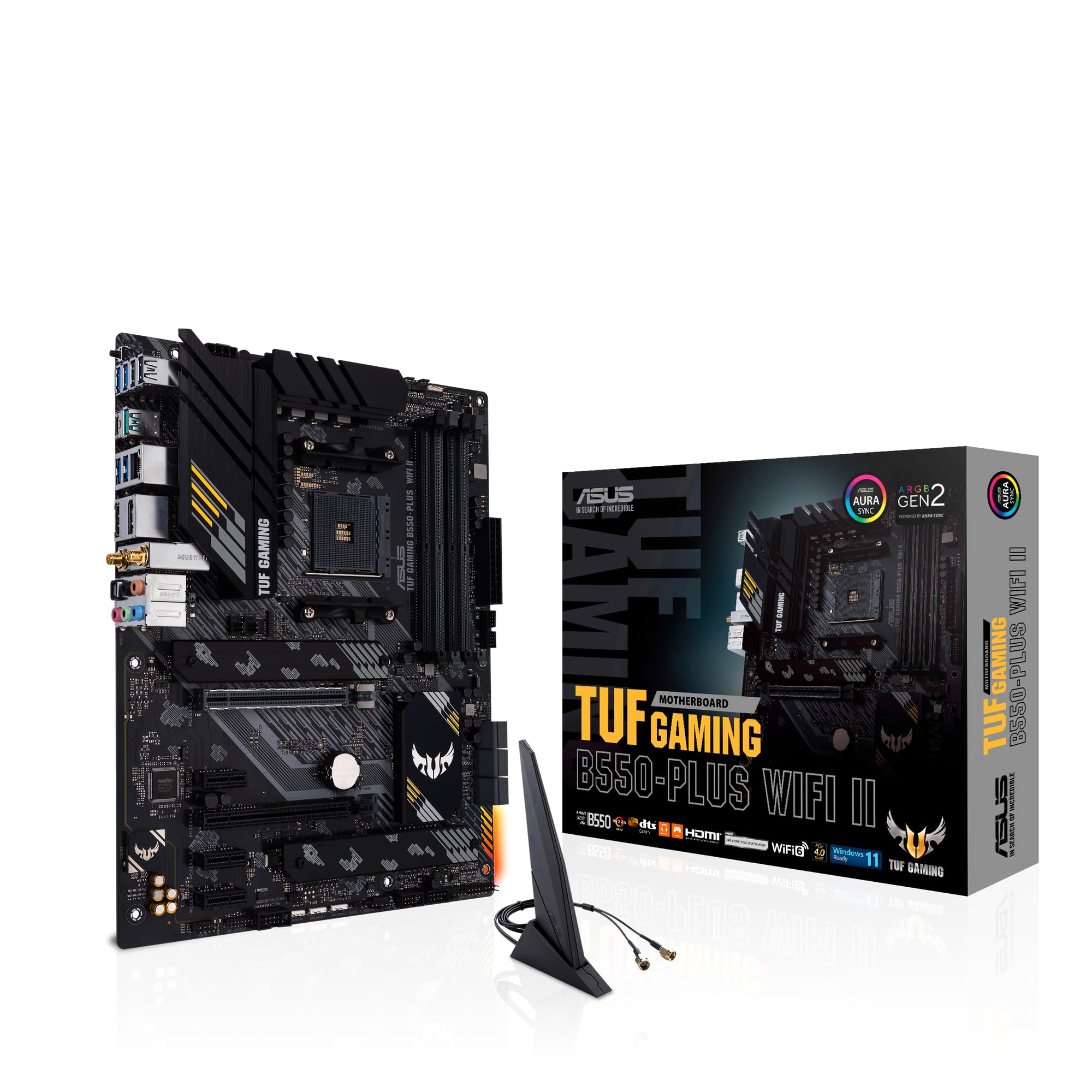 8.5 / 10
ASUS TUF Gaming B550-PLUS (WI-FI), AMD B550 (Ryzen AM4) ATX motherboard (PCIe 4.0, dual M.2, 10 DrMOS, DDR4 4400, Intel® WiFi 6, 2.5 Gb Ethernet, HDMI, DisplayPort, USB 3.2 Gen 2 Type-A and Type-C)
£116.19 · ASUS
 8.0 / 10
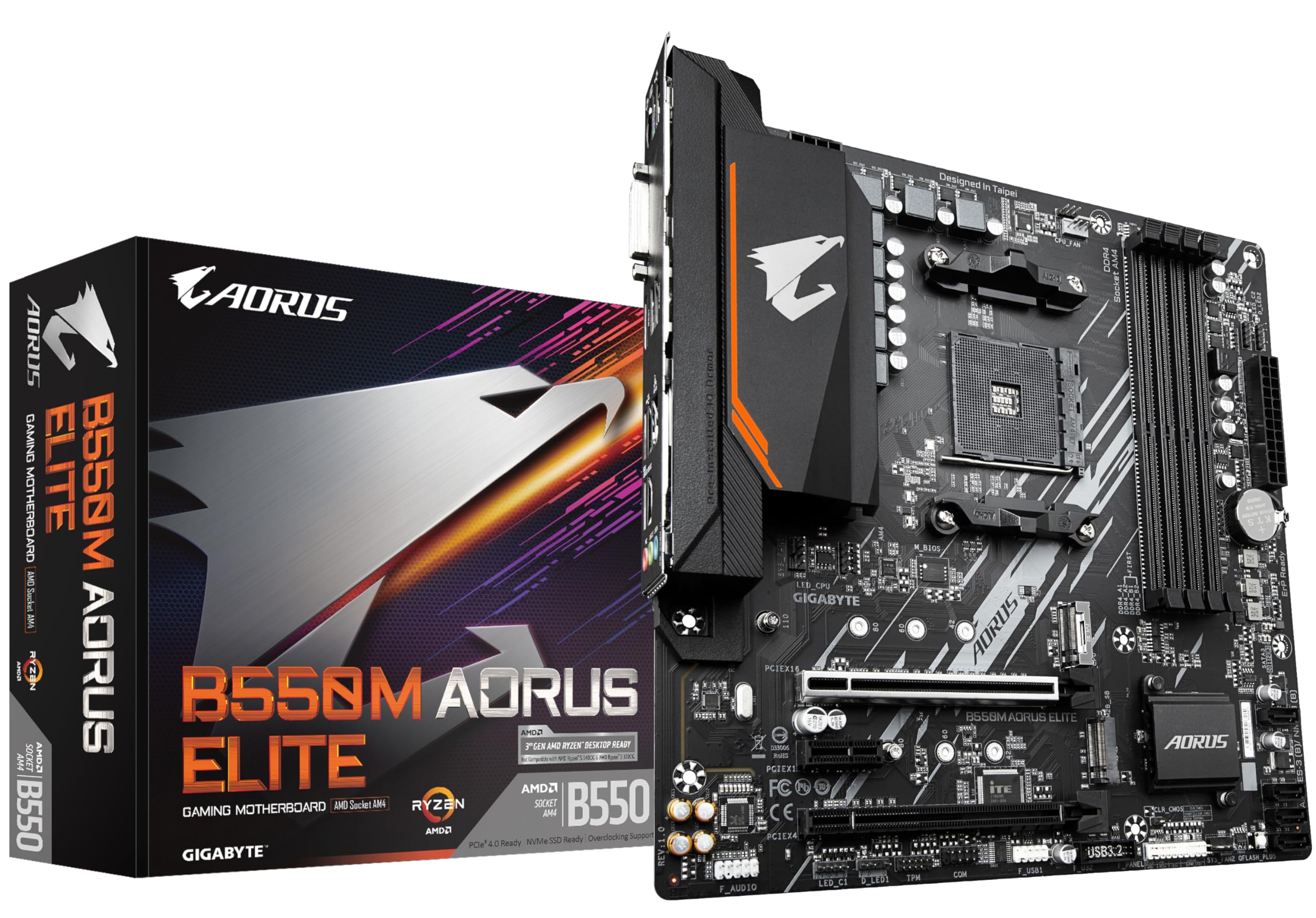
Gigabyte B550M AORUS ELITE Motherboard - Supports AMD Ryzen 5000 Series AM4 CPUs, 5+3 Phases Pure Digital VRM, up to 4733MHz DDR4 (OC), 2xPCIe 3.0 M.2, GbE LAN, USB 3.2 Gen1
£79.99 · Gigabyte
Frequently asked
5 questions01Is the ASRock B650M-HDV/M.2 overkill for just gaming?+
Not at all. It's actually well-suited to a budget gaming build. You get a PCIe 4.0 x16 slot for your GPU, dual M.2 NVMe slots for fast storage, and 2.5G LAN for low-latency online gaming. Pair it with a Ryzen 5 7600 and a mid-range GPU and you've got a capable gaming system without overspending on the motherboard.
02Will my existing CPU cooler work with the ASRock B650M-HDV/M.2?+
It depends on the cooler. The board uses the AMD AM5 socket (LGA1718), which requires AM5-compatible mounting hardware. Many modern coolers include AM5 brackets, but older AM4 coolers need an AM5 adapter kit, which some cooler manufacturers supply free of charge. Check your cooler manufacturer's compatibility page before assuming it'll carry over.
03What happens if the ASRock B650M-HDV/M.2 doesn't work with my components?+
If you buy through Amazon, you're covered by their 30-day return policy and the A-to-Z guarantee, which gives you solid protection if something doesn't work as expected. ASRock also provides a 3-year manufacturer warranty. For memory compatibility specifically, check ASRock's QVL (Qualified Vendor List) on their support page before buying a kit, as not every DDR5 module is listed for every board.
04Is there a cheaper motherboard I should consider instead?+
If you're willing to give up CPU overclocking support, AMD A620 boards like the ASRock A620M-HDV are cheaper and perfectly capable for locked Ryzen chips used in basic office or media PC builds. However, if you want any overclocking headroom or plan to upgrade to a faster CPU later, the B650M-HDV's extra cost over A620 boards is worth it for the added flexibility.
05What warranty and returns apply to the ASRock B650M-HDV/M.2?+
Amazon offers 30-day returns on most items, and ASRock typically provides a 3-year warranty on their motherboards. You're also covered by Amazon's A-to-Z guarantee, which adds an extra layer of buyer protection if there's any issue with your order.