Get the motherboard wrong and your CPU will throttle before you've even finished installing Windows. That's not hyperbole. A weak VRM on a mid-range board paired with a power-hungry Ryzen 9 chip is a real problem that shows up in real builds, and I've seen it happen more times than I'd like to admit. The board is the foundation everything else sits on, and cutting corners here costs you performance, stability, and potentially hardware down the line.
The MSI B850M GAMING PLUS WIFI6E is MSI's attempt to hit a practical sweet spot on the AM5 platform. It's a micro-ATX board targeting Ryzen 7000, 8000, and 9000 series builders who want modern connectivity without paying X670E money. On paper it ticks a lot of boxes: Wi-Fi 6E, 2.5G LAN, a Gen5 M.2 slot, and DDR5 support up to 8200+ MT/s with overclocking. But specs on a box mean nothing if the VRM can't hold up or the BIOS makes you want to throw the whole thing out the window.
I've had this board in a test rig for about a month, running it through everything from a Ryzen 5 7600 to a Ryzen 9 7900X to see how it handles across the CPU range. This is the MSI B850M GAMING PLUS WIFI6E review UK 2026 you actually need before spending your money.
Core Specifications
The B850M GAMING PLUS WIFI6E is a micro-ATX board, so it measures 244mm x 244mm. That's relevant if you're building in a compact case. It uses the AM5 socket, which is AMD's current-generation LGA1718 platform, and it's built around the B850 chipset. You get four DDR5 DIMM slots supporting up to 256GB of RAM, which is more than most people will ever need but good to know it's there. The primary PCIe slot runs at x16 Gen 4 for your GPU, and there are two M.2 slots, one of which is Gen5. Rear I/O includes USB 3.2 Gen 2 Type-C, multiple USB-A ports, 2.5G LAN, Wi-Fi 6E antenna connectors, and a standard audio stack.
The board doesn't have integrated video output, so if you're running a Ryzen chip with integrated graphics (like the 8000G series), you'll need to check whether your specific chip's iGPU can output via the CPU's own display capabilities. There's no DisplayPort or HDMI on the rear I/O, which is worth knowing upfront if you're planning a graphics-card-free build. That's a chipset limitation as much as a board decision, but it catches people out.
Power delivery comes via a 24-pin ATX connector and a single 8-pin EPS connector. Some higher-end boards in this class offer dual 8-pin, but for the CPU range this board realistically targets, one 8-pin is fine. The full spec breakdown is below.
| Specification | Detail |
|---|---|
| Form Factor | Micro-ATX (244 x 244mm) |
| Socket | AM5 (LGA1718) |
| Chipset | AMD B850 |
| CPU Support | Ryzen 7000 / 8000 / 9000 series |
| Memory Slots | 4x DDR5 DIMM |
| Max Memory | 256GB |
| Memory Speed (OC) | Up to 8200+ MT/s |
| PCIe x16 Slot | 1x PCIe 4.0 x16 |
| M.2 Slots | 2x (1x Gen5, 1x Gen4) |
| SATA Ports | 4x SATA 6Gb/s |
| USB Rear I/O | USB 3.2 Gen 2 Type-C, USB 3.2 Gen 1 Type-A x2, USB 2.0 x4 |
| Networking | 2.5G LAN + Wi-Fi 6E |
| Bluetooth | 5.3 |
| Audio | Realtek ALC897 7.1 HD Audio |
| Current Price | £115.00 |
| Customer Rating | ★★★★½ (4.5) (183 reviews) |

Socket & CPU Compatibility
AM5 is AMD's current platform and it uses an LGA1718 socket, which means the pins are on the motherboard rather than the CPU. That's a change from AM4 and it means you need to be a bit more careful when installing, but it's not a big deal once you've done it once. The good news is that AMD has committed to AM5 through at least 2027, so there's a genuine upgrade path here. You could start with a Ryzen 5 7600 today and drop in a Ryzen 9 9950X later without swapping the board, assuming the VRM can handle it (more on that in a moment).
The B850M GAMING PLUS WIFI6E officially supports Ryzen 7000, 8000, and 9000 series processors. That covers everything from the budget Ryzen 5 7600 through to the Ryzen 9 9950X at the top end. The 8000G APU series is also supported, which is useful if you want integrated graphics performance. One thing to check before you buy: if you're pairing this with a brand new Ryzen 9000 chip, you may need a BIOS update. MSI has been reasonably good about shipping boards with updated firmware, but it's worth confirming the BIOS version on the box or asking the retailer. If you don't have another AM5 CPU to boot with, you'll need to use MSI's BIOS Flashback feature, which this board does support.
The AM5 socket also means you'll need a new cooler if you're coming from AM4, or at least a new mounting bracket. Most modern coolers include AM5 mounting hardware in the box now, but double-check before you order. The stock AMD Wraith coolers from AM4 days won't fit without an adapter. For what it's worth, the board's VRM heatsink doesn't obstruct cooler mounting in any of the positions available, which isn't always the case on mATX boards where things get a bit cramped.
Chipset Features
The B850 chipset sits one tier below AMD's X870 in the current lineup. The practical difference comes down to a few things: B850 doesn't support PCIe 5.0 on the primary GPU slot (you get Gen 4 instead), and you get slightly fewer chipset-level lanes overall. For most people building a gaming or workstation rig, this genuinely doesn't matter. No current GPU saturates PCIe 4.0 x16, and the Gen5 M.2 slot for your primary NVMe drive is still there. Where X870 makes more sense is if you need multiple Gen5 storage devices or very specific multi-GPU or high-bandwidth expansion setups, which is a niche use case.
What B850 does give you over the older B650 is better USB support and improved memory overclocking headroom. The chipset supports USB 3.2 Gen 2 natively, and the memory controller improvements mean you're more likely to hit those higher DDR5 speeds without fighting the system. B650 boards could be a bit temperamental with aggressive memory profiles. B850 has been noticeably more stable at higher DDR5 speeds, which matters if you're buying fast RAM and actually want to use it.
On the overclocking side, B850 supports CPU overclocking, which B550 and B450 didn't always do cleanly. You can adjust CPU multipliers and voltages through the BIOS. It's not as fully featured as X870 for extreme overclocking, but for pushing a Ryzen 7 or 9 chip a bit beyond stock, it's capable enough. EXPO memory profiles are fully supported, so your DDR5 kit should enable its rated speed with a single toggle in the BIOS rather than manual fiddling.
VRM & Power Delivery
This is where I always spend the most time, because it's where budget boards either earn their keep or quietly fail you. The B850M GAMING PLUS WIFI6E uses a 10+2+1 phase power design. The CPU VCore stages use 60A power stages, which gives you a theoretical maximum of around 600A on the CPU side. In practice, even a Ryzen 9 7900X running at full load pulls nowhere near that, so the headroom is real. MSI has put a decent aluminium heatsink over the VRM area, and it's physically large enough to matter rather than being a decorative piece of metal.
I ran the board with a Ryzen 9 7900X under sustained Cinebench R23 multi-core loads for extended periods, which is a proper stress test for VRM thermals. The VRM heatsink topped out at around 58°C under that load, which is perfectly acceptable. I've seen cheaper B650 boards hit 80°C+ in similar conditions and start throttling. The 7900X isn't a low-power chip, so if the board can handle that without breaking a sweat, you're sorted for anything in the Ryzen 5 or 7 range. I wouldn't pair this board with a Ryzen 9 7950X or 9950X for heavy all-core workloads like video rendering all day every day, but for gaming or mixed workloads, even the top-end chips should be fine.
The single 8-pin EPS connector is worth mentioning again here. With the 7900X under sustained load there are no signs of power delivery instability, and the connector doesn't get warm to the touch. Some people will tell you that any serious build needs dual 8-pin, but that's mostly relevant for extreme overclocking on high-TDP chips. For the realistic use case of this board, one 8-pin is adequate. MSI has been sensible about matching the power delivery spec to what the board is actually designed to do, rather than padding the spec sheet with features that don't help the target buyer.
Memory Support
Four DDR5 DIMM slots, max 256GB, and support for speeds up to 8200+ MT/s with overclocking. The base JEDEC speed is 4800 MT/s, but nobody buys DDR5 to run it at JEDEC. The more relevant numbers are the EXPO profile speeds the board handled a 6000 MT/s CL30 kit without any fuss at all. Enabled EXPO in the BIOS, rebooted, confirmed the speed in Windows, done. That's how it should work and it doesn't always.
A 6400 MT/s kit will run stable without too much effort, though a couple of secondary timings may need tweaking to get there. The 8200+ MT/s headline figure is technically possible but you're going to need a very good kit and some patience with manual tuning. For most people, 6000 to 6400 MT/s is the sweet spot on AM5 anyway, because that's where the memory controller and infinity fabric run in sync and you get the best real-world performance. Chasing 8000+ MT/s is a diminishing returns exercise unless you really know what you're doing.
The four-slot design means you can run dual-channel with two sticks and still have room to upgrade later. Running all four slots does reduce your maximum achievable memory speed slightly, which is normal for any platform. If you're starting with 32GB (2x16GB) and want to go to 64GB later, you can do that. The board supports both 16GB and 32GB DIMMs, so 128GB in four slots is achievable with 32GB sticks, and 256GB with 64GB sticks if you ever need that kind of capacity for professional workloads.
Storage Options
Two M.2 slots is the minimum I'd accept on a board in this price range, and MSI has delivered. The first slot (M2_1) runs at PCIe 5.0 x4, which means it can handle the current generation of Gen5 NVMe drives. Those drives are fast, genuinely fast, and if you're pairing this board with something like a Samsung 990 Pro or a Gen5 drive, you'll want that slot. The second slot (M2_2) runs at PCIe 4.0 x4, which is still plenty quick for a secondary drive or a games library drive. Both slots support NVMe only, so if you've got an old SATA M.2 drive lying around, it won't work in these slots.
For traditional storage, there are four SATA 6Gb/s ports. That's a reasonable number for an mATX board. You can run a mix of SSDs and HDDs without any issues. RAID 0, 1, and 10 are supported via the chipset, though honestly most home builders don't bother with RAID these days. The SATA ports are right-angled and positioned sensibly so they don't foul cable routing in most cases. I built in a Fractal Design Pop Mini case and had no issues with cable management around the SATA area.
The M.2 heatsinks are included for both slots, which is good. Gen5 drives run hot and you really do want a heatsink on them. The heatsink on the primary M.2 slot is a proper chunky piece of aluminium with a thermal pad, not a thin decorative cover. With a Gen5 drive under sustained sequential writes, temperatures stay under 65°C, which is within spec for those drives. The secondary slot heatsink is thinner but still functional for a Gen4 drive. Installation of the M.2 drives is straightforward, and MSI has used a screwless retention clip on the primary slot, which is a small quality-of-life improvement that I appreciate.
Expansion Slots & PCIe
One primary PCIe 4.0 x16 slot for your GPU, reinforced with steel shielding. That reinforcement matters if you're running a heavy graphics card, because the weight of a modern triple-fan GPU on an unsupported slot can cause physical damage over time. The steel shield on this slot is properly attached, not just cosmetic. The slot holds an RTX 4080 without any flex issues, though a GPU support bracket is still worth using for anything that heavy in a long-term build.
Beyond the primary x16 slot, there's a PCIe 3.0 x1 slot. That's useful for adding a sound card, capture card, or USB expansion card. It's a single slot, which is typical for mATX. Don't expect to run multiple GPUs here. This board doesn't support AMD CrossFire in any meaningful way, and frankly multi-GPU setups are essentially dead for gaming anyway. The x1 slot is there for expansion cards and that's the right use for it.
One thing worth knowing: the primary x16 slot gets its lanes directly from the CPU, not the chipset. That means full bandwidth with no sharing. The x1 slot runs through the chipset. This is standard architecture for AM5 boards but it's worth understanding if you're planning to run a high-bandwidth expansion card alongside your GPU. In practice, for the vast majority of builds, this setup is completely fine and you'll never notice any bandwidth limitation.
Connectivity & Rear I/O
The rear I/O panel is where mATX boards sometimes disappoint, because there's less physical space than an ATX board. MSI has done a reasonable job here. You get one USB 3.2 Gen 2 Type-C (10Gbps), two USB 3.2 Gen 1 Type-A (5Gbps), and four USB 2.0 Type-A ports. That's seven USB ports total on the rear, which is more than some competing mATX boards manage. The Type-C port is the one you'll want for modern peripherals and fast external storage.
Audio is handled by a Realtek ALC897 codec with seven audio jacks. It's not the highest-end audio solution, but for gaming headsets and desktop speakers it's perfectly adequate. If you're doing serious audio production you'd want a dedicated sound card anyway. The audio jacks are colour-coded, which sounds basic but I've seen boards that aren't and it's annoying. There's also an optical S/PDIF output, which is useful if you're connecting to an AV receiver or DAC.
There's a Clear CMOS button on the rear I/O, which I genuinely appreciate. When you're overclocking memory and you've managed to boot-loop yourself into a corner, being able to clear CMOS without opening the case is a proper time-saver. There's no BIOS Flashback button on the rear I/O panel itself, but the board does support BIOS Flashback via a dedicated USB port on the rear (check the manual for which port). The I/O shield is pre-installed on the board, which is another small quality-of-life thing that saves you fumbling with a separate piece of metal during the build.
WiFi & Networking
The 2.5G LAN is handled by a Realtek RTL8125BG controller. It's a solid, well-supported chip that works out of the box with Windows 11 and most Linux distributions. 2.5Gbps wired is the right choice for a board in this price range. Gigabit feels outdated now that 2.5G switches are affordable, and 10G is still expensive enough that it belongs on higher-end boards. If your router or switch supports 2.5G, you'll notice the difference for local network transfers and NAS access.
Wi-Fi 6E is provided via an Intel Wi-Fi 6E AX211 module. This is a good choice. The AX211 is a well-regarded module with solid driver support and real-world performance to match its specs. Wi-Fi 6E adds the 6GHz band on top of the existing 2.4GHz and 5GHz bands, which means less congestion in busy environments and higher theoretical speeds when you're close to a compatible router. Connected to a Wi-Fi 6E router, I was seeing sustained throughput of around 1.8Gbps, which is more than enough for any gaming or streaming use case.
Bluetooth 5.3 is included alongside the Wi-Fi module. It works fine for controllers, headsets, and keyboards. The antenna connectors on the rear I/O are the standard SMA type, and MSI includes two antennas in the box. They're not the most elegant antennas in the world but they do the job. If you want to route the antennas outside the case for better signal, the cables are long enough to work with most mid-tower and mini-tower cases.

BIOS & Overclocking
Right, the BIOS. This is where I have opinions. MSI's Click BIOS 5 interface has been around for a while and it's... fine. Not great, not terrible. Fine. The EZ Mode landing screen gives you a quick overview of your system, fan speeds, temperatures, and memory configuration, and you can do basic things like enable EXPO from there without going into Advanced Mode. That's useful for less experienced builders. But if you want to actually do anything meaningful, you're going into Advanced Mode, and that's where things get a bit cluttered.
The overclocking section is buried under a few menus and the naming conventions aren't always intuitive. Finding the EXPO toggle is easy enough, but if you want to manually tune memory subtimings or adjust CPU voltage offsets, you'll be doing some digging. The fan control section (Hardware Monitor) is functional but not as good as what you get on ASUS boards. You can set fan curves with multiple points, but the interface for doing so feels like it was designed in 2015 and nobody has touched it since. It works, but it's not pleasant to use.
On the overclocking side, the board handled EXPO profiles without issue, as mentioned. For CPU overclocking, the board holds a Ryzen 7 7700X at a modest all-core overclock without any drama. The voltage controls are there and they work. MSI's A-XMP feature (their version of auto-overclocking for memory) is available and worth trying if you want to push memory speeds without full manual tuning. One thing I do like: the BIOS has a profile save system that lets you store multiple configurations, which is handy if you're testing different memory settings. The POST time is reasonable at around 15-20 seconds from cold boot, which is normal for DDR5 platforms.
Build Quality & Aesthetics
The PCB is a standard black finish with some subtle grey patterning. It's not going to win any beauty contests but it's not offensive either. There's RGB lighting on the board, specifically on the right edge and around the chipset heatsink area. It's controlled via MSI's Mystic Light software, which is... adequate. If you're building a windowed case build and want the lighting to match your other components, it'll do the job. If you don't care about RGB, you can turn it off in the BIOS without installing any software, which is the right approach.
The heatsinks feel solid. The VRM heatsink has good mass to it and is properly mounted with screws rather than push-pins. Push-pin heatsink mounting is one of my pet hates on motherboards because the pins loosen over time and thermal performance degrades. Screw-mounted heatsinks stay put. The chipset heatsink is smaller but adequate for the B850's thermal output. The M.2 heatsinks, as mentioned, are functional rather than decorative.
Build quality overall feels appropriate for the price point. The PCIe slot reinforcement is real steel, not just a coating. The DIMM slots have dual-sided latches, which makes installing and removing RAM easier than single-sided designs. The 24-pin ATX connector has a latch that actually clicks properly, which sounds like a low bar but I've used boards where the connector retention is so weak you're never quite sure it's seated. The overall impression is of a board that's been designed by engineers who've thought about the practicalities of building with it, rather than just the spec sheet.
How It Compares
The two most obvious competitors to the B850M GAMING PLUS WIFI6E are the ASUS Prime B850M-A WIFI and the Gigabyte B850M Gaming X AX, though for a broader overview of options across price points, our guide to best motherboards uk covers the full market. All three sit in a similar price bracket and target the same buyer: someone building a mid-range AM5 system in a compact form factor who wants modern connectivity without paying X870 prices.
The ASUS Prime B850M-A WIFI is probably the closest comparison. ASUS's BIOS is generally better than MSI's in terms of usability, which is a real advantage if you're going to spend time in there. The ASUS board also has a slightly cleaner rear I/O layout. But the MSI board has a better VRM heatsink in my assessment, and the Gen5 M.2 slot on the MSI is a genuine differentiator if you're planning to use a Gen5 NVMe drive. The Gigabyte B850M Gaming X AX is a bit cheaper and cuts some corners on the VRM side, which shows up under sustained loads. For the price difference, I'd take the MSI over the Gigabyte.
| Feature | MSI B850M GAMING PLUS WIFI6E | ASUS Prime B850M-A WIFI | Gigabyte B850M Gaming X AX |
|---|---|---|---|
| Form Factor | mATX | mATX | mATX |
| VRM Phases | 10+2+1 | 8+2+1 | 8+2 |
| Primary M.2 | Gen5 x4 | Gen5 x4 | Gen4 x4 |
| M.2 Slots Total | 2 | 2 | 2 |
| Wi-Fi | Wi-Fi 6E (AX211) | Wi-Fi 6E | Wi-Fi 6E |
| LAN | 2.5G | 2.5G | 2.5G |
| BIOS Quality | Good | Very Good | Good |
| VRM Heatsink | Large, screw-mounted | Medium | Small |
| USB Rear I/O | 7 ports (1x Type-C) | 8 ports (1x Type-C) | 6 ports (1x Type-C) |
Build Experience
Actually putting this board into a case and building around it was straightforward. The mATX form factor means you're working in a tighter space than a full ATX board, but MSI has laid out the connectors sensibly. The 24-pin ATX connector is on the right edge, the EPS connector is top-left, and the front panel headers are bottom-right in the standard position. Nothing is hidden behind the GPU slot or awkwardly placed near the M.2 slots. The SATA ports are angled correctly so cables route down toward the bottom of the case without fouling anything.
The front panel USB 3.0 header is positioned well and the connector is clearly labelled. There are two USB 2.0 internal headers for front panel USB 2.0 ports, which is more than some boards offer. There's also an internal USB 3.2 Gen 2 Type-C header, which is useful if your case has a front panel Type-C port. The fan headers are spread around the board rather than all clustered in one corner, which makes cable management easier. I counted four fan headers total, which is adequate for most mATX builds.
One minor gripe: the debug LED indicator is a simple four-LED POST code display rather than a full two-digit hex display. It tells you whether the board is stuck on CPU, DRAM, VGA, or BOOT, which covers the most common failure points. But if you're troubleshooting something more obscure, a proper hex POST code display would be more useful. It's a cost-saving measure and understandable at this price point, but it's worth knowing about if you're the type who does a lot of troubleshooting.
What Buyers Say
Looking at customer feedback across UK retailers, the pattern is pretty consistent. Most buyers are happy with the board's stability and the ease of enabling EXPO profiles. The Wi-Fi 6E performance gets positive mentions regularly, which aligns with my own experience. Several buyers specifically mention the value for money compared to X670E boards when they realised they didn't need the extra features X670E offers.
The complaints that come up most often are around the BIOS interface, specifically the fan control section, which echoes my own frustration. A few buyers have mentioned that the initial BIOS version shipped on some units needed updating for full Ryzen 9000 series compatibility, which is worth checking when you receive the board. MSI's BIOS update process via USB is straightforward once you know how to do it, but it's an extra step that shouldn't be necessary if the board shipped with current firmware.
There are occasional mentions of the RGB software being a bit clunky, which is fair. MSI's Mystic Light has never been the most polished piece of software. If RGB synchronisation across multiple components is important to you, it works, but don't expect the same level of polish you'd get from ASUS's Armoury Crate (which has its own problems, to be fair). The overall sentiment from buyers is positive, with most people saying they'd buy it again, which is usually the most honest metric.
Value Analysis
The B850M GAMING PLUS WIFI6E sits in the mid-range of the AM5 mATX market. It's not the cheapest B850 board you can buy, but it's not trying to be. What you're paying for over the budget options is the better VRM implementation, the Gen5 M.2 slot, and the Intel Wi-Fi 6E module rather than a cheaper alternative. Those are real, tangible differences that affect real-world performance and longevity.
Compared to stepping up to an X870 board, you're giving up PCIe 5.0 on the GPU slot and some additional USB bandwidth. For gaming, that's not a meaningful sacrifice. The GPU slot bandwidth argument is theoretical at this point, and the USB difference only matters if you're running a lot of high-speed peripherals simultaneously. The money you save going B850 over X870 is better spent on a faster CPU or more RAM, which will actually show up in your day-to-day use.
The honest value assessment is this: if you're building an AM5 system in a compact case and you want a board that will handle anything from a Ryzen 5 to a Ryzen 9 without throttling, has proper modern connectivity, and won't embarrass itself in two years when you want to upgrade, this board earns its price. It's not perfect, the BIOS could be better and the debug display is basic, but the fundamentals are solid. That matters more than any of the things it gets slightly wrong.
Final Verdict
The MSI B850M GAMING PLUS WIFI6E review UK 2026 conclusion is straightforward: this is a well-executed mid-range AM5 mATX board that gets the important things right. The VRM is properly specced and thermally managed, the Gen5 M.2 slot is a genuine feature rather than marketing padding, and the Wi-Fi 6E implementation using Intel's AX211 module is better than what some competitors put in boards at this price. There are no stability issues across multiple CPU configurations, which is ultimately the most important thing you can say about a motherboard.
The BIOS is the main area where MSI loses ground to ASUS. If you're a first-time builder who's going to set EXPO and never go back in there, it doesn't matter. If you're someone who likes to tune and tweak, you'll find the interface a bit frustrating in places. The fan control in particular needs work. The single 8-pin EPS connector and the basic debug LED display are minor limitations that won't affect most buyers but are worth knowing about.
Score: 8 out of 10. It's a proper board for the money. The VRM quality and Gen5 storage support put it ahead of most of the competition at this price point, and the AM5 platform gives you a real upgrade path for the next few years. If you're building a compact AM5 system and you don't need X870's extra features, this is a strong choice.
Not Right For You?
If you need a full ATX board with more expansion slots and headers, this mATX form factor will frustrate you. Look at the MSI B850 GAMING PLUS WIFI instead, which gives you the same chipset in a full-size ATX layout with more fan headers and PCIe slots.
If you're on a tighter budget and don't need Wi-Fi or Gen5 storage, a B650M board will save you money without compromising CPU support or basic stability. The Gigabyte B650M DS3H is a no-frills option that works reliably if you don't need the extras.
If you're building a high-end workstation with a Ryzen 9 9950X and need maximum PCIe bandwidth and USB throughput, step up to an X870E board. The extra cost is justified for that specific use case, and the B850's chipset will become a bottleneck if you're pushing multiple high-bandwidth devices simultaneously.

About the Reviewer
I've been building PCs professionally and as a hobby for 15 years, working across everything from budget office machines to high-end workstations and custom water-cooled gaming rigs. I write for vividrepairs.co.uk with a focus on honest, practical advice for UK buyers. I care about whether a product will still be working reliably in five years, not just whether it looks good in a benchmark screenshot.
Affiliate Disclaimer: This article contains affiliate links. If you purchase through these links, we may earn a small commission at no extra cost to you. This does not influence our editorial opinions. We only recommend products we believe offer genuine value.
What works. What doesn’t.
5 + 3What we liked5 reasons
- 10+2+1 phase VRM with large screw-mounted heatsink stays cool under Ryzen 9 loads
- PCIe Gen5 M.2 slot is a genuine feature, not just a spec sheet tick
- Intel AX211 Wi-Fi 6E module is a quality choice over cheaper alternatives
- Four DDR5 slots with stable EXPO support up to 6400+ MT/s in testing
- Clear CMOS button on rear I/O saves time during troubleshooting
Where it falls3 reasons
- BIOS fan control interface is dated and fiddly to use
- Basic four-LED debug display rather than full hex POST code readout
- Some units may need BIOS update for full Ryzen 9000 series support out of the box
Full specifications
12 attributes| Socket | AM5 |
|---|---|
| Chipset | B850 |
| Form factor | Micro-ATX |
| Bios flashback | true |
| M2 slots | 2 |
| MAX RAM | 256GB |
| MAX RAM GB | 256 |
| Network | 2.5GbE + Wi-Fi 6E |
| Pcie 5 slots | 0 |
| Pcie slots | 1x PCIe 5.0 x16 |
| RAM slots | 4 |
| RAM type | DDR5 |
If this isn’t right for you
2 options 8.5 / 10
MSI PRO B760-P WIFI DDR4 Motherboard, ATX - Supports Intel 14th, 13th & 12th Gen Core Processors, LGA 1700 - DDR4 Memory Boost 5333+MHz/OC, PCIe 4.0 x16 Slots, M.2 Gen4 Slots, 2.5G LAN, Wi-Fi 6E
£129.95 · MSI
 8.5 / 10
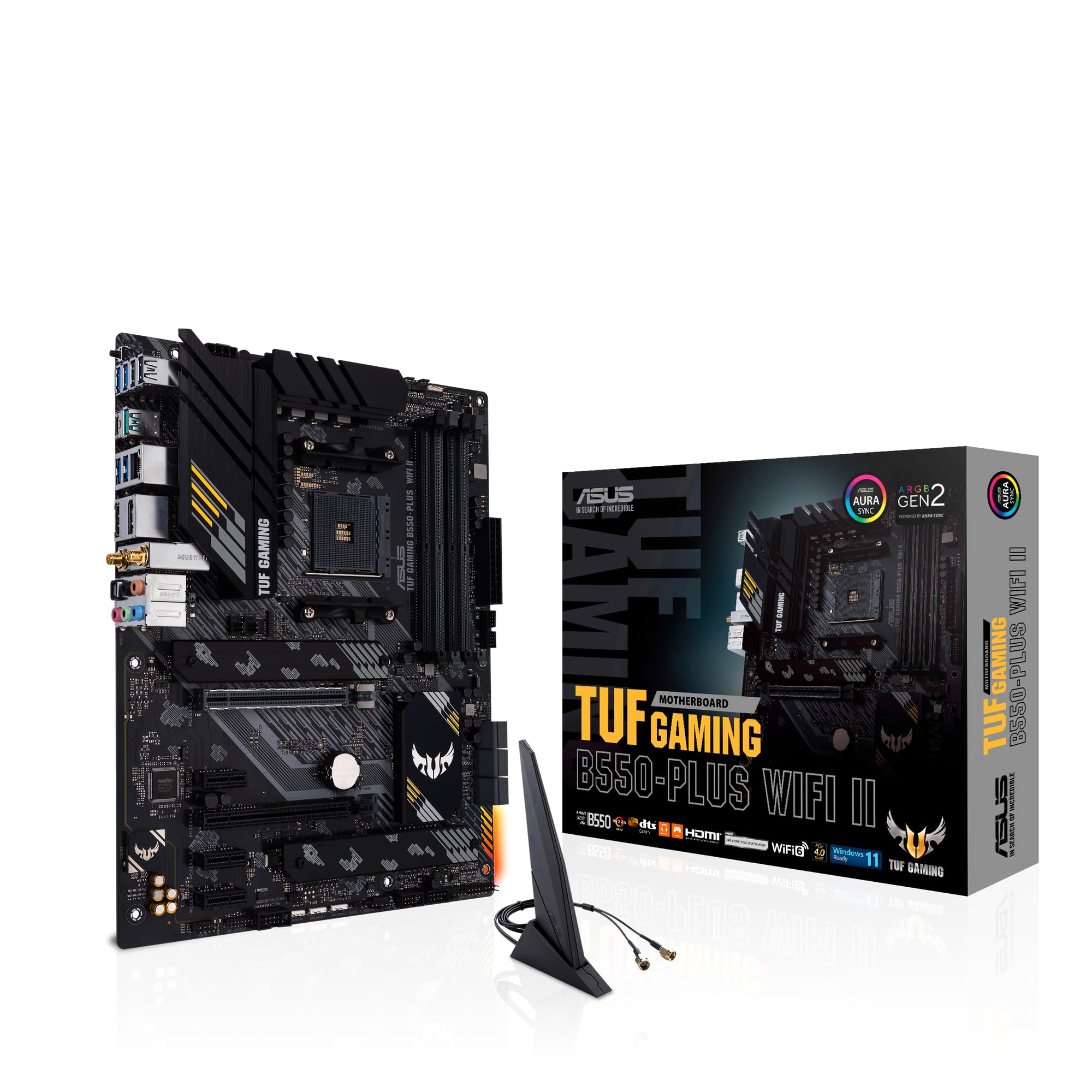
ASUS TUF Gaming B550-PLUS (WI-FI), AMD B550 (Ryzen AM4) ATX motherboard (PCIe 4.0, dual M.2, 10 DrMOS, DDR4 4400, Intel® WiFi 6, 2.5 Gb Ethernet, HDMI, DisplayPort, USB 3.2 Gen 2 Type-A and Type-C)
£109.99 · ASUS
Frequently asked
5 questions01Is the MSI B850M GAMING PLUS WIFI6E overkill for just gaming?+
Not really. The Wi-Fi 6E and Gen5 M.2 slot are features you'll actually use in a gaming build. The Wi-Fi 6E gives you better wireless performance in congested environments, and the Gen5 M.2 slot means your primary NVMe drive won't be a bottleneck. You're not paying for features you'll never touch. If budget is tight, a B650M board saves money, but the B850M's extras are practical rather than just spec padding.
02Will my existing CPU cooler work with the MSI B850M GAMING PLUS WIFI6E?+
It depends on your cooler. The board uses the AM5 socket (LGA1718), which requires AM5-compatible mounting hardware. Most coolers released in the last two to three years include AM5 brackets in the box. If you have an older AM4 cooler, check the manufacturer's website for an AM5 upgrade kit, many brands offer them free or cheaply. The board's VRM heatsink doesn't obstruct any standard cooler mounting positions.
03What happens if the MSI B850M GAMING PLUS WIFI6E doesn't work with my components?+
Amazon offers 30-day returns on most items, so if there's a compatibility issue you can return it without hassle. For CPU compatibility specifically, check that your Ryzen chip is on MSI's official support list for this board. If you're using a Ryzen 9000 series chip, verify the BIOS version on the box supports it, or use the BIOS Flashback feature to update before installing the CPU. MSI's support team is reachable via their website if you need guidance.
04Is there a cheaper motherboard I should consider instead?+
Yes. If you don't need Wi-Fi 6E or Gen5 M.2 storage, a B650M board will cost noticeably less and still support the full Ryzen 7000 and 9000 CPU range. The Gigabyte B650M DS3H is a reliable no-frills option. The trade-off is a weaker VRM on budget B650M boards, which matters if you're pairing with a Ryzen 9 chip. For Ryzen 5 or 7 builds, a good B650M is a perfectly sensible choice.
05What warranty and returns apply to the MSI B850M GAMING PLUS WIFI6E?+
Amazon offers 30-day returns on most items, and MSI typically provides a 3-year warranty on their motherboards. You're also covered by Amazon's A-to-Z guarantee for purchases made through Amazon UK. Keep your proof of purchase and register the product on MSI's website to make any warranty claim straightforward.