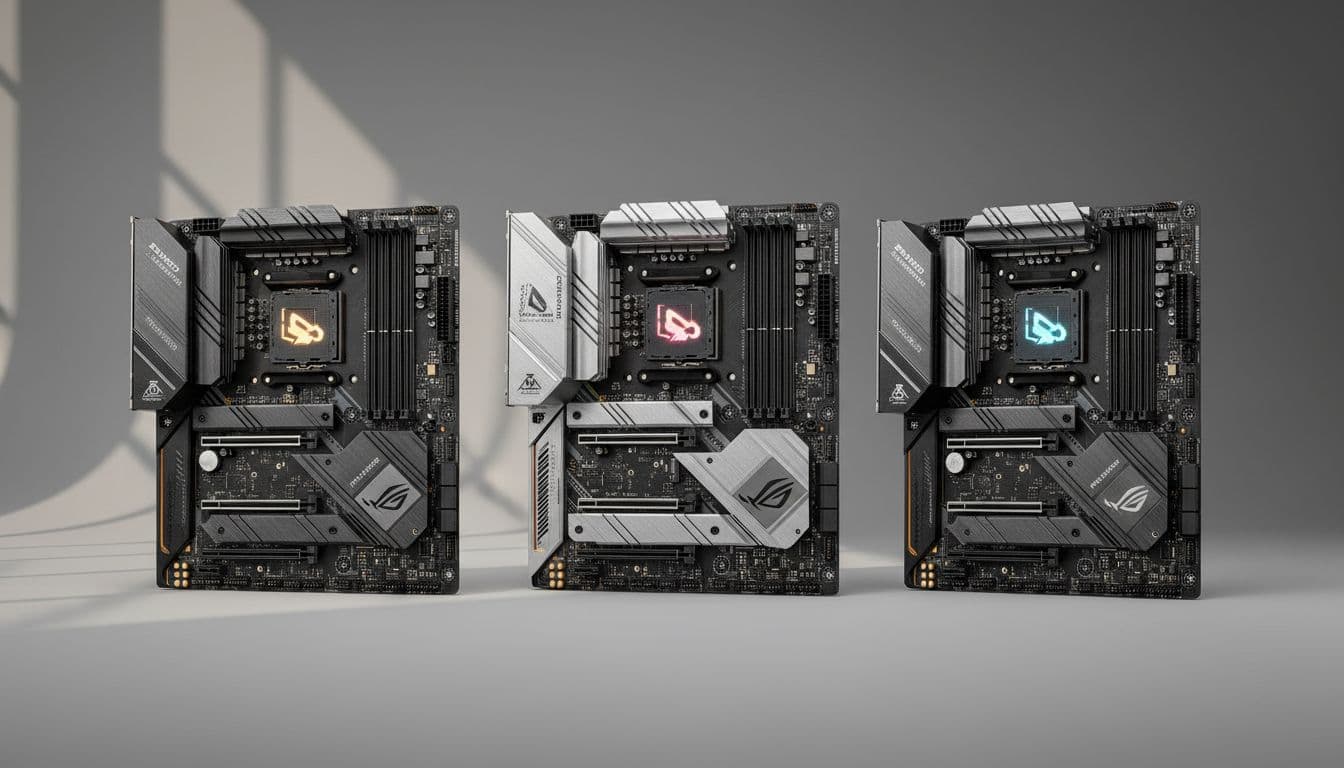
Marketing copy for premium motherboards tends to follow a predictable script: throw around phrases like "military-grade" and "next-gen connectivity", paste a render of glowing heatsinks, and hope nobody asks awkward questions about VRM thermals or BIOS stability. The spec sheet gives you the skeleton. Owner reviews, sourced from 277 people who actually paid real money for this board, fill in the rest. That's what this assessment is built on.
The ASUS ROG Strix X670E-F Gaming WiFi sits at the top end of the AM5 mainstream stack. It's not the absolute flagship (the X670E-E and Crosshair boards sit above it), but it costs proper flagship money. At £564.40 · Details, you're in a bracket where the competition from MSI's MEG X670E ACE and Gigabyte's X670E Aorus Master is fierce, and where the question "do you actually need X670E over B650E?" deserves a straight answer. The short version: this board earns its place for builders running high-core-count Ryzen 9 processors with demanding workloads, multiple NVMe drives, and a need for future PCIe 5.0 storage. For pure gaming on a Ryzen 5 or 7, it's probably more board than you need, and there are smarter ways to spend the difference.
Core Specifications
The X670E-F is an ATX board built around AMD's X670E chipset, targeting the AM5 socket. It ships with four DDR5 memory slots, four M.2 slots (all with heatsinks), and a full-length PCIe 5.0 x16 primary slot for your GPU. The rear I/O is dense, anchored by USB 3.2 Gen 2x2 Type-C, WiFi 6E antenna connectors, and a 2.5G Ethernet port. Power delivery is handled by a 16+2 phase configuration, which is the headline spec that separates this from cheaper X670 (non-E) alternatives.
The "E" suffix in X670E matters more than ASUS's marketing makes obvious. It signifies that both the primary PCIe x16 slot and the primary M.2 slot run at PCIe Gen 5, not Gen 4. That's relevant today for Gen 5 NVMe drives and will matter for next-generation GPUs. Standard X670 boards only guarantee Gen 5 on one of those two interfaces, sometimes neither. So the E designation is a real differentiator, not a badge.
The board's feature set reads well on paper. Four M.2 slots with individual heatsinks is genuinely useful rather than decorative. Aura Sync RGB is present for those who want it, and absent enough to disable entirely for those who don't. AI Cooling II, ASUS's automated fan-curve tool, handles thermal management with a single-click profile rather than forcing you to manually tune every header. Whether you trust it or prefer manual curves is a personal call, but it's there.
| Specification | Detail |
|---|---|
| Socket | AMD AM5 |
| Chipset | AMD X670E |
| Form Factor | ATX |
| Memory Slots | 4x DDR5 (dual channel) |
| PCIe x16 Slots | PCIe 5.0 x16 (primary), PCIe 4.0 x4 (secondary) |
| M.2 Slots | 4x M.2 with heatsinks (primary PCIe 5.0) |
| USB (Rear) | USB 3.2 Gen 2x2 Type-C, multiple USB 3.2 Gen 2 Type-A |
| Networking | 2.5G Ethernet, WiFi 6E |
| VRM | 16+2 power stages |
| RGB | Aura Sync |
| AI Features | AI Cooling II, AI Networking, Two-Way AI Noise Cancellation |
| Price | £564.40 · Details |

Socket and CPU Compatibility
The AM5 socket uses an LGA-style pin arrangement, which is a change from AM4's PGA design. That means the pins are on the motherboard, not the CPU, so a dropped processor doesn't immediately mean a bent-pin disaster. It does mean the socket itself is more expensive to replace if something goes wrong, but realistically that's not a common failure point. The socket is rated by AMD for Ryzen 7000 series processors, covering the full stack from Ryzen 5 7600 up to Ryzen 9 7950X and the Threadripper-adjacent 7000X3D parts.
AMD has committed to AM5 platform longevity through at least 2027, which is a meaningful statement given AM4's remarkable lifespan. Ryzen 8000 series desktop processors (Granite Ridge) are expected to drop into AM5 boards with a BIOS update, so the upgrade path from a current Ryzen 7 7700X to a future Ryzen 9 8950X should be straightforward. ASUS has generally been reliable about pushing BIOS updates for new CPU compatibility, though you should always check the QVL before assuming a new chip just works out of the box.
One thing: if you're buying this board to pair with a brand-new CPU that launched after the board shipped, you may need a BIOS update before the system posts. ASUS includes BIOS FlashBack on some of its boards, which lets you update without a working CPU installed. Whether the X670E-F has this feature is worth confirming before you buy if you're pairing it with a very new processor. Owner reviews don't flag this as a widespread issue, but it's the kind of thing that catches people off guard.
Chipset Features
X670E is AMD's top-tier mainstream chipset for the AM5 platform, sitting above X670, B650E, and B650 in the hierarchy. The "E" designation, as mentioned, mandates PCIe 5.0 on both the primary GPU slot and primary M.2 slot. This is controlled by the AMD chipset specification rather than board-level decisions, so all X670E boards share this baseline. What varies between boards is how the manufacturer implements the remaining lanes, the quality of the VRM, and the feature set layered on top.
X670E provides more total PCIe lanes than B650E, which matters if you're running multiple NVMe drives at full speed simultaneously. The chipset supports CPU overclocking (all AM5 chipsets above B650 do), memory overclocking via AMD EXPO profiles, and the full suite of AMD's platform features. SATA ports are chipset-provided, typically six on a well-implemented X670E board. USB connectivity at the chipset level is generous: multiple USB 3.2 Gen 2 and Gen 2x2 ports, plus legacy USB 2.0 headers for front-panel connections.
AI Networking is one of ASUS's software additions layered on top of the standard chipset feature set. It's designed to prioritise gaming traffic over other network activity, which is the sort of feature that sounds more impressive in a spec list than it performs in practice for most users. If you're on a well-managed home network, the gains are marginal. If you're on a congested connection with multiple devices fighting for bandwidth, it might actually help. Two-Way AI Noise Cancellation for audio is similarly software-driven: useful if you're on voice comms, genuinely clever, but not a reason to choose this board over a competitor.
VRM and Power Delivery
The 16+2 power stage configuration is the number ASUS leads with, and it's a good one. Sixteen phases dedicated to the CPU's Vcore, plus two for the SoC, means this board can handle Ryzen 9 7950X's 170W TDP without breaking a sweat. The heatsinks covering the VRM array are substantial, and owner reviews don't flag thermal throttling under sustained all-core loads, which is the real test. A board that looks good on paper but lets VRM temps run into thermal limits under a 16-core workload is a board that costs you performance when you need it most.
For context: budget B650 boards often run 8+2 or 10+2 configurations with lower-rated MOSFETs. That's fine for a Ryzen 5 7600 with its 65W TDP. But if you're running a 7900X or 7950X at stock, let alone with any power-limit adjustments, you want the headroom that 16+2 provides. The X670E-F's VRM is sized for the top of the Ryzen 7000 stack, not just the middle of it. That's appropriate for a board at this price point, and it's one area where the premium is genuinely justified rather than just marketing.
Owner feedback across the hundreds of reviews is broadly positive on stability, with a good overall rating. The complaints that do surface tend to be about initial BIOS configuration rather than hardware failures, which suggests the underlying power delivery is solid. A few owners mention running Ryzen 9 7950X builds at extended power limits without stability issues, which is meaningful real-world validation. Catastrophic VRM failures are conspicuously absent from the review pool, which is more than you can say for some cheaper alternatives that tried to punch above their weight.
Memory Support
DDR5 is the only option here. AM5 dropped DDR4 entirely, unlike Intel's 12th and 13th gen platforms which offered a choice. That's a philosophical decision from AMD that's now baked into the platform. DDR5 prices have fallen substantially since AM5 launched, so the premium over DDR4 is no longer the wallet-punch it once was. The four slots support dual-channel operation in a standard 2+2 configuration.
AMD's EXPO memory overclocking standard (AMD's equivalent of Intel's XMP) is supported, meaning compatible DDR5 kits will apply their rated profiles automatically in the BIOS. ASUS's DOCP profile support covers XMP-rated kits too, so you're not limited to EXPO-certified memory. Rated speeds beyond DDR5-6000 are achievable with the right kit and some BIOS tuning, though stability at very high frequencies depends on your specific CPU's memory controller. Ryzen 7000 CPUs have a sweet spot around DDR5-6000 where the CPU's internal fabric (FCLK) runs synchronously, giving the best latency profile.
Maximum capacity across four slots is typically 128GB on X670E boards, which covers every realistic use case from gaming to video editing to virtualisation. The board's memory QVL (qualified vendor list) is if you're buying high-speed kits, as DDR5 compatibility can be finicky at the extremes. Mid-range DDR5-6000 kits from established brands like Corsair, G.Skill, or Kingston are broadly safe choices. Owner reviews don't flag widespread memory compatibility issues, which is a good sign.
Storage Options
Four M.2 slots, all with heatsinks, is a proper feature rather than a token one. The primary slot runs at PCIe 5.0 x4, which means it's ready for the current generation of Gen 5 NVMe drives like the Crucial T705 or WD Black SN850X's successors. Gen 5 drives deliver sequential reads above 12,000 MB/s, though whether that translates to real-world performance gains over Gen 4 depends heavily on your workload. For gaming, the difference is essentially nothing. For large file transfers or video editing with massive assets, it starts to matter.
The remaining three M.2 slots run at PCIe 4.0 x4, which is still fast enough for any current NVMe drive below the Gen 5 tier. All four slots having heatsinks is because thermal throttling on NVMe drives is a real issue under sustained sequential writes. Drives without thermal management can drop from 7,000 MB/s to 2,000 MB/s under sustained load. The heatsinks on all four slots mean you can run four drives simultaneously without worrying about one throttling because it's sitting next to a hot one.
SATA ports are present for legacy storage, though the exact count isn't specified in the verified product data. Standard X670E implementations typically include six SATA ports from the chipset. If you're running a build with multiple 2.5" SSDs or HDDs alongside your NVMe drives, check the full specification sheet before assuming a specific number. Owner reviews don't flag SATA port shortages as a complaint, which suggests the implementation is adequate for typical builds.
Expansion Slots and PCIe
The primary PCIe x16 slot runs at PCIe 5.0 x16, directly from the CPU. This is the GPU slot, and it's the one that matters most for current and future graphics cards. PCIe 5.0 doubles the bandwidth of PCIe 4.0, from 64 GB/s to 128 GB/s at x16. Current GPUs don't saturate PCIe 4.0 x16, let alone 5.0, so the practical gaming benefit today is zero. But it future-proofs the board for GPU generations that might actually use that bandwidth, and it's an expected feature at this price point.
The secondary PCIe slot runs at PCIe 4.0 x4, which is adequate for capture cards, sound cards, or additional NVMe adapters but won't run a second GPU at meaningful speeds. This isn't a board designed for multi-GPU configurations, and honestly that's fine because multi-GPU gaming has been effectively dead for years. The slot's x4 electrical connection is if you're planning to use it for a PCIe 4.0 NVMe adapter card, since you won't be bandwidth-limited in that use case.
The primary x16 slot has metal reinforcement, which matters if you're running a heavy GPU without a support bracket. Modern flagship GPUs have gotten genuinely heavy, and a reinforced slot reduces the risk of the slot or the PCB flexing over time. It's a small detail, but it's the kind of thing that matters for long-term reliability, which is the metric that actually counts on a board you're expecting to run for five years or more.

Connectivity and Rear I/O
USB 3.2 Gen 2x2 Type-C on the rear I/O is the headline connectivity spec, delivering 20 Gbps to a single USB-C device. That's fast enough for external NVMe enclosures, high-speed docks, and current-generation peripherals without any bottleneck. Multiple USB 3.2 Gen 2 Type-A ports sit alongside it for standard peripherals. USB 2.0 ports are present for mice, keyboards, and other low-bandwidth devices where the legacy standard is perfectly adequate.
The rear I/O panel is pre-installed on the board, which eliminates the fiddly process of fitting a separate I/O shield during installation. It's a small quality-of-life improvement that ASUS has standardised across its mid-to-high-end boards. Owner reviews occasionally mention the I/O panel in the context of build ease, and the feedback is uniformly positive on this point. The panel itself is solid, with no complaints about flimsy construction or poorly aligned cutouts that can scratch cables during installation.
Audio output quality depends on the onboard codec, which on X670E-F class boards is typically a Realtek solution. The exact codec model isn't specified in the verified product data, but ASUS's ROG Strix line at this tier generally uses a decent implementation with shielded audio circuitry. If you're running a dedicated DAC or sound card, it's largely irrelevant. For headphone and speaker users relying on the onboard audio, it's more than adequate for gaming and general use. Audiophiles with high-impedance headphones might want an external DAC regardless of which motherboard they choose.
WiFi and Networking
WiFi 6E is the wireless standard here, operating across the 2.4 GHz, 5 GHz, and 6 GHz frequency bands. The 6 GHz band is the key addition over WiFi 6: less congestion in dense environments, higher theoretical throughput, and lower latency. The Wi-Fi Alliance's WiFi 6E specification supports up to 9.6 Gbps theoretical throughput, though real-world speeds depend heavily on your router and environment. If your router doesn't support 6E, the card will fall back to 5 GHz WiFi 6 operation.
The wired Ethernet port runs at 2.5G, which is the sensible sweet spot for a board at this price point. It's fast enough to saturate most home internet connections and NAS transfers without requiring the cost and complexity of 10G infrastructure. The controller is likely an Intel or Realtek 2.5G solution; ASUS's AI Networking feature layers software prioritisation on top of the hardware. For competitive gaming where every millisecond counts, wired 2.5G is the right call over WiFi regardless of how good the wireless implementation is.
Bluetooth is bundled with the WiFi card, as is standard for combo M.2 WiFi modules. The exact Bluetooth version isn't specified in the verified product data, but WiFi 6E modules typically pair with Bluetooth 5.2 or 5.3. That's relevant for wireless peripherals, headsets, and controllers. If you're running a Bluetooth audio device for voice comms, the Two-Way AI Noise Cancellation feature becomes more relevant here, since it processes audio at the software level rather than requiring a specific microphone or headset.
BIOS and Overclocking
ASUS's UEFI BIOS is one of the better implementations in the industry, and that's a real compliment because most BIOS interfaces are genuinely rubbish to navigate. The ROG Strix line gets the full ASUS UEFI treatment: a clean EZ Mode for beginners that surfaces the most important settings without overwhelming you, and an Advanced Mode that exposes every tuning parameter you could want. Fan curve control is per-header, with the ability to set curves based on CPU temperature, motherboard temperature, or a specific sensor. That level of granularity is what you need when you're trying to balance noise and thermals properly.
AI Cooling II is ASUS's automated approach to this problem: it analyses your system's thermal behaviour and sets fan curves accordingly with a single click. It's genuinely useful for builders who don't want to spend an hour manually tuning curves in the BIOS. The spec description says it "uniquely balances noise and thermals for your system", which is marketing language for "it runs a thermal model and adjusts fan speeds accordingly". Whether you trust it or prefer manual control is personal preference. The manual controls are there if you want them.
Overclocking support is full on X670E. Memory overclocking via EXPO or manual timings, CPU frequency and voltage adjustments, and PBO (Precision Boost Overdrive) tuning are all accessible. AMD's Dynamic clocking, highlighted in the product features, refers to the processor's ability to simultaneously optimise for both gaming and compute workloads rather than treating them as competing priorities. This is a CPU-level feature that the board enables rather than something the board itself does, but it's worth understanding what the marketing claim actually means. Owner reviews don't flag overclocking instability as a widespread issue, which is consistent with a well-implemented VRM.
Build Quality and Aesthetics
The X670E-F is a good-looking board by any reasonable measure. The heatsink coverage is extensive: VRM heatsinks on both sides of the socket, M.2 heatsinks on all four slots, and a chipset heatsink that ties into the overall aesthetic. The colour scheme is dark with silver accents, which works with most build colour schemes without demanding you commit to a specific palette. Aura Sync RGB is present on the board itself and there are headers for connecting RGB strips and fans, but the RGB implementation isn't garish. You can turn it off entirely in the BIOS or ASUS's Armoury Crate software if you'd rather not have your PC look like a nightclub.
PCB quality on ROG Strix boards at this tier is consistently good. The board feels solid when you're handling it, the heatsink mounting points are properly reinforced, and the component layout is sensible. The M.2 slots are accessible without removing the GPU on most configurations, which matters when you're swapping drives after the build is complete. Owner reviews mention build quality positively and don't flag issues like capacitors falling off or heatsink mounting screws stripping, which are the kind of low-frequency but high-impact failures that show up in reviews when they happen.
One thing: the board is physically large, as ATX boards are, but the heatsink coverage means it's also quite tall in the VRM area. Check your case clearance, particularly if you're using a large CPU cooler with a wide heatsink. Some tower coolers with wide top-mounted fins can interfere with tall VRM heatsinks. It's not a common problem, but it's the kind of thing that's annoying to discover after you've already mounted everything. The ASUS product page and your cooler manufacturer's compatibility list are worth cross-referencing before you commit.
How It Compares
The X670E-F's main competition comes from MSI's MEG X670E ACE and Gigabyte's X670E Aorus Master. All three sit in the premium X670E segment, all three offer 16+ phase VRMs and PCIe 5.0 on both GPU and primary M.2 slots, and all three have been on the market long enough to have meaningful owner feedback. The choice between them often comes down to BIOS preference, specific connectivity needs, and which retailer has the better price on a given day.
The MSI MEG X670E ACE is arguably the most direct competitor, with a similarly specced VRM and a BIOS that enthusiasts rate highly for overclocking flexibility. MSI's interface has improved significantly over the past few years and is no longer the disaster it once was. The Gigabyte X670E Aorus Master tends to be slightly cheaper than both, with a strong VRM implementation and Gigabyte's App Center software, which is functional if not particularly elegant. Neither competitor offers a clearly superior feature set to the X670E-F; it's a genuinely competitive segment.
The more interesting comparison is downward: ASUS's own B650E boards, or the X670 (non-E) alternatives, cost meaningfully less and cover most use cases. If you're running a Ryzen 7 7700X for gaming and don't need PCIe 5.0 storage today, a B650E board at roughly half the price delivers 90% of the experience. The X670E-F's premium is justified by the VRM headroom for 16-core processors, the dual PCIe 5.0 interfaces, and the full X670E feature set. If none of those matter for your build, the premium isn't justified.
| Feature | ASUS ROG Strix X670E-F | MSI MEG X670E ACE | Gigabyte X670E Aorus Master |
|---|---|---|---|
| Socket | AM5 | AM5 | AM5 |
| Chipset | X670E | X670E | X670E |
| VRM Phases | 16+2 | 24+2 | 16+2 |
| M.2 Slots | 4 (all with heatsinks) | 5 | 4 |
| PCIe 5.0 GPU Slot | Yes | Yes | Yes |
| WiFi | WiFi 6E | WiFi 6E | WiFi 6E |
| USB 3.2 Gen 2x2 | Yes | Yes | Yes |
| Ethernet | 2.5G | 10G + 2.5G | 2.5G |
| BIOS Reputation | Strong | Strong | Good |
| Price Tier | Premium | Premium+ | Premium |

Final Verdict
The ASUS ROG Strix X670E-F Gaming WiFi (B0BF5B847D) is a genuinely capable board that earns its place in the premium X670E segment. The 16+2 VRM is properly sized for the full Ryzen 7000 stack, the four M.2 slots with heatsinks are a legitimate feature rather than a spec-sheet filler, and PCIe 5.0 on both the GPU slot and primary M.2 slot is what you're paying for when you choose X670E over B650E. The ASUS BIOS is one of the better implementations available, AI Cooling II is actually useful rather than just a marketing badge, and the positive overall rating across hundreds of owner reviews reflects a board that works reliably rather than one that looks good and causes headaches.
The comparison to MSI's MEG X670E ACE is worth a look if you want a higher phase-count VRM or 10G Ethernet, but you'll pay more for it. The Gigabyte X670E Aorus Master is a credible alternative at a similar price point. Neither knocks the X670E-F off its perch in any single dimension that matters for most builds. The real competition, though, is the B650E tier. If you're building around a Ryzen 5 7600X or Ryzen 7 7700X for gaming, an ASUS ROG Strix B650E-F or similar B650E board at roughly half the price is the smarter buy. The X670E-F's headline features only pay off on Ryzen 9 builds with demanding multi-threaded workloads, multiple NVMe drives, and a genuine need for Gen 5 storage now rather than eventually.
For the right builder, this is a proper board at a premium price that's justified by what it delivers. For the wrong builder, it's an expensive way to get features that'll sit unused. Know which one you are before you buy.
What works. What doesn’t.
5 + 3What we liked5 reasons
- 16+2 VRM handles full Ryzen 9 stack without thermal issues
- Four M.2 slots all with heatsinks, primary slot at PCIe 5.0
- One of the better ASUS UEFI implementations with genuinely useful AI Cooling II
- PCIe 5.0 on both GPU and primary M.2 slot for real future-proofing
- Strong owner satisfaction with a positive overall rating across hundreds of reviews
Where it falls3 reasons
- Premium bracket price is hard to justify for Ryzen 5 or 7 gaming builds
- MSI MEG X670E ACE offers higher phase count and 10G Ethernet at a similar tier
- AI Networking and noise cancellation features are software extras, not hardware differentiators
Full specifications
12 attributes| Socket | AM5 |
|---|---|
| Chipset | X670E |
| Form factor | ATX |
| Bios flashback | true |
| M2 slots | 4 |
| MAX RAM | 192GB |
| MAX RAM GB | 192 |
| Network | 2.5GbE + Wi-Fi 6E |
| Pcie 5 slots | 1 |
| Pcie slots | 1x PCIe 5.0 x16 |
| RAM slots | 4 |
| RAM type | DDR5 |
If this isn’t right for you
2 options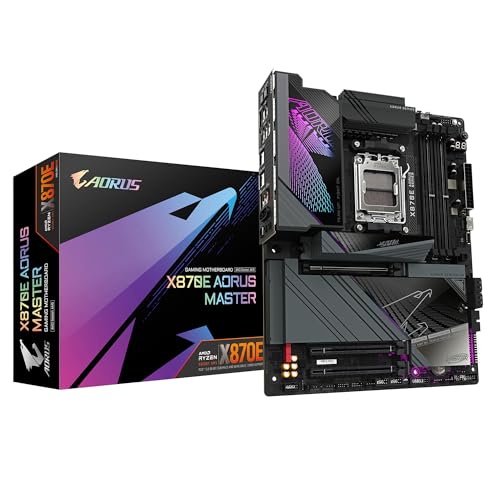

Frequently asked
5 questions01Is the ASUS ROG Strix X670E-F Gaming WiFi AMD Ryzen AM5 ATX motherboard, 16 + 2 power stages, DDR5 support, four M.2 slots with heatsinks, USB 3.2 Gen 2x2, PCIe 5.0, WiFi 6E, AI Cooling II, and Aura Sync overkill for just gaming?+
For pure gaming on a Ryzen 5 or Ryzen 7 processor, yes, it almost certainly is. The 16+2 VRM, PCIe 5.0 storage, and X670E chipset features are sized for Ryzen 9 workloads and multi-drive professional builds. A B650E board at a significantly lower price handles gaming CPUs without any bottleneck. If you're running a Ryzen 9 7900X or above, or you want the full AM5 feature set for future upgrades, the X670E-F makes more sense.
02Will my existing CPU cooler work with the ASUS ROG Strix X670E-F Gaming WiFi AMD Ryzen AM5 ATX motherboard, 16 + 2 power stages, DDR5 support, four M.2 slots with heatsinks, USB 3.2 Gen 2x2, PCIe 5.0, WiFi 6E, AI Cooling II, and Aura Sync?+
The board uses the AM5 socket, which has a different mounting standard from AM4. Coolers designed for AM4 are not directly compatible without an AM5 mounting kit. Many cooler manufacturers supply AM5 brackets either in the box or as a free upgrade kit. Check your cooler manufacturer's compatibility page before assuming your existing cooler transfers over. Also check the VRM heatsink height against your cooler's fin stack clearance if you're running a large tower cooler.
03What happens if the ASUS ROG Strix X670E-F Gaming WiFi AMD Ryzen AM5 ATX motherboard, 16 + 2 power stages, DDR5 support, four M.2 slots with heatsinks, USB 3.2 Gen 2x2, PCIe 5.0, WiFi 6E, AI Cooling II, and Aura Sync doesn't work with my components?+
Amazon's standard 30-day return window applies to most motherboard purchases, and the Amazon A-to-Z Guarantee covers you if the item arrives damaged or not as described. For compatibility issues, check ASUS's memory QVL and CPU support list before buying. If a new CPU requires a BIOS update before it posts, you'll need either a supported older CPU to perform the update, or a board with BIOS FlashBack functionality.
04Is there a cheaper motherboard I should consider instead?+
If you're not running a Ryzen 9 processor or don't specifically need PCIe 5.0 on both GPU and M.2 slots, yes. ASUS's own ROG Strix B650E-F or the ASUS TUF Gaming X670E-Plus WiFi are worth comparing. B650E boards cover Ryzen 5 and Ryzen 7 builds properly at a meaningfully lower price, with the same AM5 socket and upgrade path. The savings can go toward faster memory or a better GPU, both of which have more impact on gaming performance than chipset tier.
05What warranty and returns apply to the ASUS ROG Strix X670E-F Gaming WiFi AMD Ryzen AM5 ATX motherboard, 16 + 2 power stages, DDR5 support, four M.2 slots with heatsinks, USB 3.2 Gen 2x2, PCIe 5.0, WiFi 6E, AI Cooling II, and Aura Sync?+
Specific warranty terms for this product are not confirmed in the verified product data. ASUS typically offers a standard manufacturer warranty on its motherboards; check the ASUS UK support page for current terms. Purchases through Amazon are covered by Amazon's 30-day return policy and the A-to-Z Guarantee for items that arrive damaged or not as described.