MSI MAG PANO 100R PZ White PC Case Review: Premium Gaming Chassis
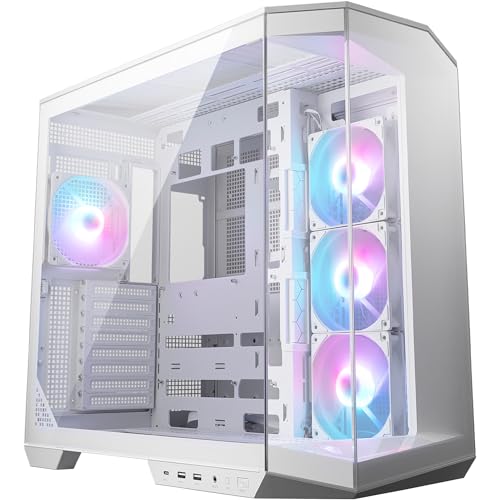
- Panoramic three-panel glass design looks genuinely impressive at this price
- Three 120mm ARGB fans included out of the box
- USB 3.2 Gen 2 Type-C front I/O port
- Glass front restricts airflow compared to mesh alternatives
- Rear cable clearance of 18-20mm is tight with thick cables
- No vertical GPU mount included
Panoramic three-panel glass design looks genuinely impressive at this price
Glass front restricts airflow compared to mesh alternatives
Three 120mm ARGB fans included out of the box
The full review
13 min readBad cases cost you more than money. They cost you time, skin, and patience. I've built in enclosures where the front panel connector block was positioned so awkwardly that I had to use needle-nose pliers just to seat it properly. I've had side panels that needed three attempts to align before the screws would catch. And I've routed cables through gaps so tight that the rear panel wouldn't close without bowing outward. After twelve years of doing this, those experiences shape exactly what I look for when something new lands on my bench.
The MSI MAG PANO 100R PZ White PC Case Review: Premium Gaming Chassis is MSI's attempt at a panoramic mid-tower aimed squarely at builders who want maximum visibility without paying flagship prices. The 100R PZ sits in the entry price tier, which means it's competing against some genuinely solid options. The question isn't whether it looks good in product photos. The question is whether it's actually pleasant to build in, and whether it holds up after a month of real use.
I spent about a month with this case, building a full system inside it and living with the result. Here's what I found.
Core Specifications
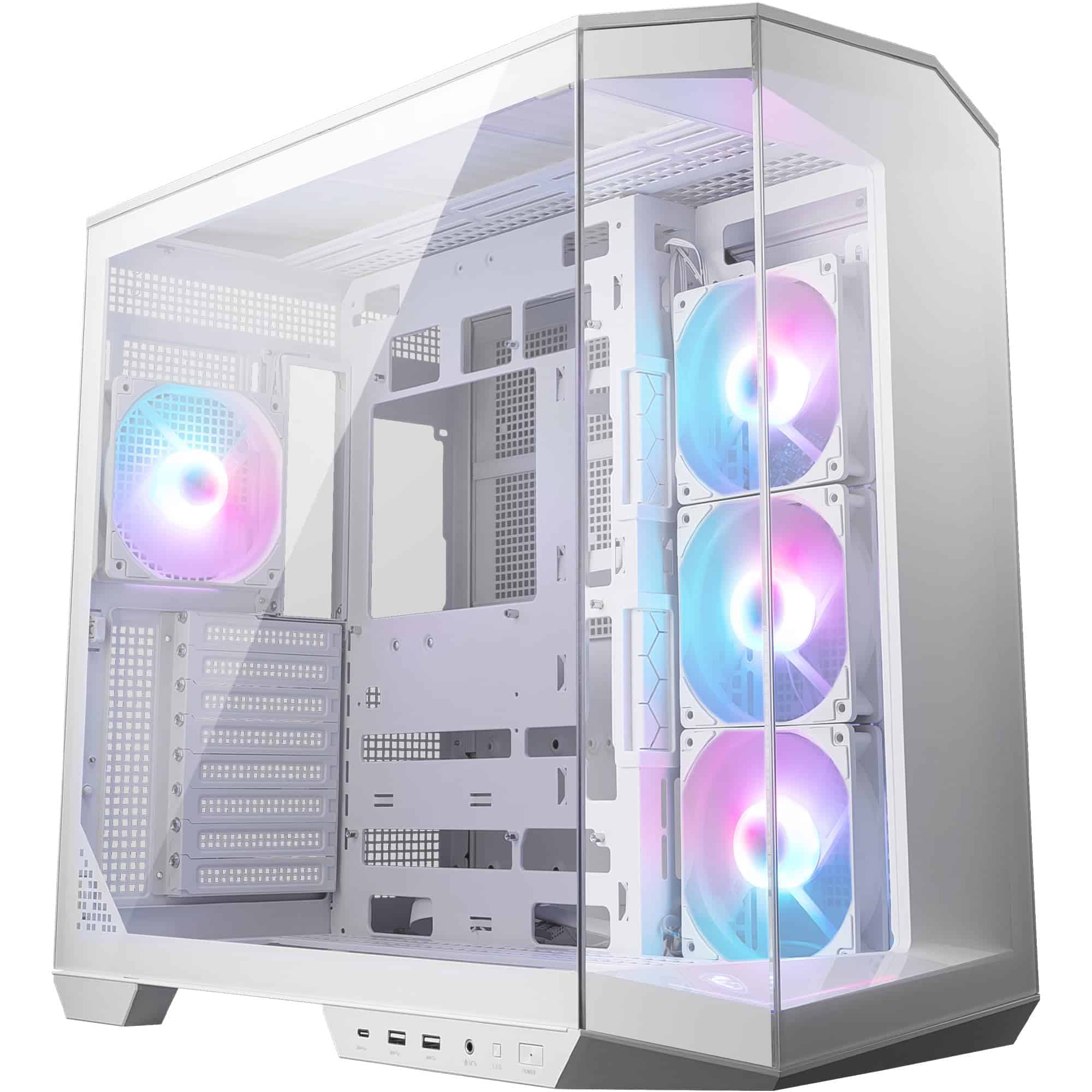
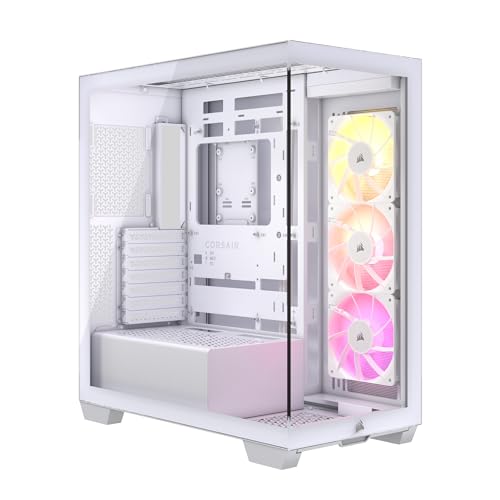
The PANO 100R PZ is a mid-tower ATX chassis built around a panoramic tempered glass design. MSI has gone with a three-panel glass approach here, covering the front, left side, and top. The steel frame underneath is 0.7mm SPCC, which is fairly standard for this price tier. The white finish is a powder coat on the steel with white-painted interior surfaces, and it's applied reasonably well with no obvious runs or thin patches on my sample.
Dimensions come in at approximately 445mm tall, 210mm wide, and 430mm deep. That's a fairly compact footprint for a mid-tower, which matters if you're working with a smaller desk or a tight shelf setup. Weight is around 7.5kg without any components, which feels about right for the construction. It's not a featherweight, but it's not going to give you a hernia moving it around either.
Fan support is generous for the price. You get mounts for up to six fans total across the front (three 120mm or two 140mm), top (two 120mm or two 140mm), and rear (one 120mm). MSI includes three 120mm ARGB fans pre-installed at the front, which is a solid inclusion at this price point. Radiator support extends to 360mm at the front and 240mm at the top, which covers most common AIO configurations. The case ships with a magnetic dust filter on the top and a bottom PSU filter as well.
Form Factor and Dimensions
The 100R PZ sits in mid-tower territory, but it's on the slimmer side of that category. At 210mm wide, it's noticeably narrower than something like the Fractal Design Pop Air (230mm) or the Corsair 4000D Airflow (230mm). That narrower profile is partly a consequence of the panoramic design philosophy. MSI has prioritised the visual experience over raw internal volume, and that's a trade-off you need to be aware of before buying.
On a standard desk, the footprint is genuinely manageable. The 430mm depth means it won't hang off the back of most desks, and the 445mm height keeps it below most monitor stands. If you're building for a compact battlestation setup, this case works well. It's not going to dominate your desk the way a full-tower would. And the white finish actually helps it blend into lighter desk setups rather than looking like a black monolith.
The panoramic glass panels do change how you interact with the case physically. Because the front panel is glass rather than a traditional mesh or solid front, you're working around a more fragile surface during the build. MSI has used hinged or magnetic attachment for the glass panels, which makes access easier than cases with screwed-on panels. But you do need to be careful when setting the case on its side during builds. I'd recommend keeping the original box nearby for exactly that reason.
Motherboard Compatibility
The 100R PZ supports ATX, mATX, and mITX motherboards. The standoff layout is pre-installed for ATX, which is sensible given that's the most common configuration. If you're dropping in an mATX board, you'll need to move a couple of standoffs, but they're standard brass standoffs and the process is straightforward. The motherboard tray itself is well-positioned, giving you decent access to the rear I/O cutout and the CPU backplate area.
The CPU backplate cutout is a decent size, roughly 180mm across, which covers most mainstream cooler mounting systems without needing to remove the motherboard. I tested this with a standard 120mm tower cooler swap mid-build and had no issues reaching the backplate hardware. That's a small thing, but it saves real time when you're doing upgrades down the line rather than a fresh build.
One thing to note: E-ATX is not supported. The internal width simply doesn't accommodate the wider boards. If you're planning a high-end HEDT build with an E-ATX motherboard, this isn't the case for you. But for the vast majority of gaming and productivity builds using standard ATX boards from MSI, ASUS, Gigabyte, or ASRock, you'll have no compatibility issues whatsoever.
GPU Clearance
MSI quotes 380mm of GPU clearance, and in practice that's accurate. I tested with a card measuring around 340mm and had comfortable clearance at the front. The 380mm figure does assume you're not running a front radiator, though. Drop a 360mm radiator in the front and that clearance shrinks considerably, so if you're planning a front-mounted AIO alongside a long GPU, you'll want to measure carefully before committing.
Modern flagship cards from both AMD and Nvidia tend to sit in the 300-340mm range for most models, so 380mm gives you a reasonable buffer. Three-slot cards fit without issue. The PCIe slot covers are tool-free removal, which is a nice touch. They use a push-tab system rather than screws, and they're sturdy enough that they don't rattle once the card is seated. I've seen cheaper implementations of this that flex and vibrate annoyingly, so it's good to see MSI doing it properly here.
There's no native vertical GPU mount included, which isn't surprising at this price point. If you want to show off your card through the side glass, you'd need a third-party vertical mount bracket and a PCIe riser cable. The case does have the slot positions to accommodate a vertical mount if you source one separately, but it's not something MSI bundles in the box. Worth knowing upfront rather than discovering after purchase.
CPU Cooler Clearance
The 165mm CPU cooler height limit is solid for this class of case. Most popular tower coolers sit well within that. The Noctua NH-D15 at 165mm is right at the limit, so if that's your cooler of choice, double-check your specific variant's measurements before assuming it'll fit. The NH-U12S at 158mm, the be quiet! Dark Rock 4 at 159mm, and most 120mm and 240mm tower coolers are completely fine. You're unlikely to run into problems with anything mainstream.
AIO support is where the PANO 100R PZ does well relative to its price. Front support for up to 360mm radiators is genuinely useful, and the top supports 240mm. The front radiator mounting is the more thermally effective position for most builds, pulling cool air in from outside rather than exhausting warm air from inside the case. The mounting hardware for radiators is included and the thread quality on the fan mount points is acceptable, though I'd recommend using your own screws if you have them, as the included ones are on the softer side.
One practical note on AIO installation: with a 360mm radiator in the front, you'll want to install it before the motherboard goes in. The clearance between the radiator and the motherboard area is tight enough that trying to do it the other way around is an exercise in frustration. I learned this the slightly annoying way. The top 240mm position is more forgiving and can generally be installed after the motherboard is seated, though you'll still want to route the pump head cables before things get too crowded.
Storage Bay Options
Storage is adequate rather than generous. You get two 3.5-inch bays in a removable cage behind the PSU shroud, plus two dedicated 2.5-inch mounts on the back of the motherboard tray and two more shared 2.5-inch positions on the drive cage. For a modern gaming build with an NVMe primary drive and maybe one or two SATA SSDs, that's plenty. If you're building a NAS-adjacent system or need lots of mechanical storage, this isn't the right case.
The 3.5-inch drive cage is tool-free for drive installation, using a slide-and-click tray system. The trays feel reasonably solid and the drives sit without excessive vibration. I ran a mechanical drive in there for a few weeks and didn't notice any unusual noise transmission through the case panels, which is a good sign. The 2.5-inch mounts on the motherboard tray back use screws, which is standard and fine.
The drive cage itself is removable if you want to free up space for longer PSUs or additional cable routing room. Removing it is straightforward, just a couple of thumbscrews. If you're going all-NVMe (which most modern builds do), pulling the cage out entirely gives you noticeably more room to work with behind the motherboard tray. I'd actually recommend doing this as a default if you don't need the mechanical storage, because the extra cable management space is genuinely useful.
Cable Management
This is where the narrower chassis starts to show its constraints. The rear panel clearance behind the motherboard tray measures around 18-20mm, which is workable but not generous. You can route the 24-pin ATX cable, the CPU power cables, and SATA cables back there without too much drama, but if you're using a modular PSU with thick sleeved cables, you'll need to plan your routing carefully. Stuffing everything in and forcing the rear panel closed is possible, but it's not comfortable.
MSI has included Velcro cable tie points at several positions on the back of the tray, which is genuinely appreciated. There are also rubber-grommeted cable routing holes at sensible positions around the motherboard tray, and the grommets themselves are decent quality, not the flimsy ones that fall out the moment you look at them. The PSU shroud covers the bottom of the case nicely and hides most of the PSU cabling from view through the glass panels.
The 24-pin cable routing hole is positioned well for most ATX boards, sitting roughly where you'd expect it. The CPU power routing holes at the top left of the tray are also in sensible positions. Where things get slightly awkward is with GPU power cables if you're running a high-end card with multiple connectors. The routing from the PSU shroud to the GPU can get a bit bunched up if you're not careful about which cables you use and how you dress them. Flat or braided cables help here. It's not a dealbreaker, but it requires a bit more thought than a wider case would.
Airflow and Thermal Design
Here's the honest trade-off with the PANO 100R PZ: the panoramic glass front is visually striking, but it's not as thermally efficient as a mesh front would be. Glass restricts airflow compared to a perforated mesh panel, and that's just physics. The three included 120mm ARGB fans at the front are doing their best, but they're working against the restriction of the glass. In practice, for a mid-range gaming build with a 65-80W CPU and a mainstream GPU, temperatures are perfectly acceptable. Push it to a high-TDP CPU and a flagship GPU and you'll start to notice the thermal ceiling.
MSI has included ventilation slots around the glass panels rather than making them fully sealed, which helps. The top panel is also glass but has ventilation gaps, and the magnetic dust filter on top covers a mesh section that allows exhaust airflow. The rear 120mm exhaust position is standard and works as expected. The overall airflow path is front intake through the three ARGB fans, with exhaust through the rear and top. It's a conventional positive pressure setup, which keeps dust accumulation manageable.
The included fans are ARGB and connect to a hub that plugs into a standard ARGB header on your motherboard. Fan speed control goes through your motherboard's fan control software or BIOS. The fans themselves are acceptable for included units, not the quietest at full speed but not objectionable either. If noise is a priority, you'd probably swap them out eventually, but they're not embarrassing out of the box. For a case at this price tier that includes three ARGB fans, the value proposition is solid even if the fans themselves aren't premium units.
Front I/O and Connectivity
The front I/O sits on the top of the case, which is a sensible position for desk use. You get one USB 3.2 Gen 1 Type-A port, one USB 3.2 Gen 2 Type-C port, a combined headphone and microphone jack, and the power button. The power button has a subtle LED ring that glows when the system is on, which looks clean without being garish. There's no reset button, which is increasingly common on modern cases and rarely missed in day-to-day use.
The USB Type-C port is a genuine highlight at this price point. Many cases in this tier still ship with only Type-A ports, so having a Gen 2 Type-C is a meaningful addition for connecting modern peripherals, phones, and external drives quickly. The internal header for the Type-C requires a USB 3.2 Gen 2 Type-C header on your motherboard, so check your board's spec sheet before assuming it'll work. Most mid-range and above ATX boards from the last couple of years include this header, but older or budget boards might not.
The audio jack is a single combo port rather than separate headphone and microphone jacks. That's fine for headsets with a combined plug, but if you're using separate headphones and a standalone microphone, you'll need a splitter adapter. It's a minor point, but worth knowing. The overall I/O layout is clean and the ports are spaced well enough that you can plug in two USB devices simultaneously without them blocking each other. The power button placement at the front edge of the top panel is easy to reach without having to lean over the case.
Build Quality and Materials
The 0.7mm SPCC steel is standard for this price tier and it shows in the usual ways. The chassis feels solid enough when assembled, but individual panels have a bit of flex when handled in isolation. The motherboard tray is the stiffest part of the structure, as it should be, and doesn't flex noticeably even when you're applying pressure during cooler installation. The side panels and top panel are where you notice the thinner steel more, but once everything is assembled and screwed together, the overall rigidity is fine.
The tempered glass panels are a reasonable thickness and feel secure in their mounts. The left side glass uses a hinged design with a magnetic latch, which works well in practice. Opening and closing the side panel during the build is genuinely easy, no fumbling with screws or awkward panel removal. The glass itself has no obvious distortion and the tint is light enough that components are clearly visible. Edge finishing on the glass is clean with no sharp corners exposed.
Sharp edges on the steel are largely absent, which is something I always check carefully. The front panel frame, the drive cage, and the PSU shroud all have rolled or folded edges rather than raw cuts. I didn't draw blood during the build, which sounds like a low bar but genuinely isn't in this price category. The screw quality is acceptable, standard coarse-thread case screws with a reasonable head size. The thumbscrews for the rear panel and drive cage are knurled well enough to tighten by hand without needing a screwdriver. Panel alignment on my sample was good, with no obvious gaps or misalignment between the glass and steel frame sections.
How It Compares
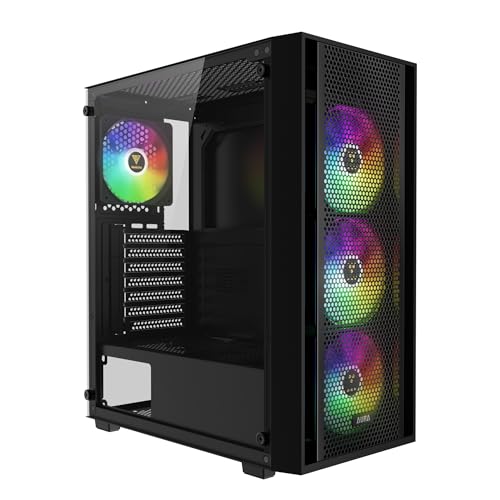
The obvious competitors at this price point are the Corsair 4000D and the Fractal Design Pop Air, though there are many other best PC cases worth considering depending on your specific needs. Both are well-established cases with strong reputations, and both take a different approach to the airflow versus aesthetics balance. The 4000D Airflow in particular is one of the benchmark cases for this tier, with its mesh front delivering noticeably better thermal performance than glass-fronted alternatives. The Pop Air sits in a similar position, prioritising airflow with a mesh front and clean internal layout.
Where the PANO 100R PZ differentiates itself is the panoramic glass design and the included ARGB fans. If you're building a system where the visual presentation matters, the three-panel glass approach is genuinely more striking than either competitor. You're paying for that aesthetic with slightly warmer thermals under heavy load. The included fans also add value that you'd need to spend extra on with the base Corsair 4000D, which ships with one fan.
The Fractal Design Pop Air is arguably the better all-round case if thermals are your priority, and it has a slightly more refined build quality feel. The Corsair 4000D Airflow is the thermal performance leader in this tier. The MSI PANO 100R PZ is the choice if you want the visual impact of a panoramic build without stepping up to a higher price bracket. That's a legitimate reason to choose it, as long as you go in with realistic expectations about what the glass front costs you thermally.
Final Verdict
The MSI MAG PANO 100R PZ White is a case that knows what it is. It's built for builders who want a visually impressive panoramic system without spending premium money. The three-panel glass design is genuinely attractive, the included ARGB fans add real value, and the build experience is largely positive. Sharp edges are minimal, panel access is easy, and the front I/O is better than most competitors at this price with the Gen 2 Type-C port.
The compromises are real though. The glass front restricts airflow compared to mesh alternatives, and the 18-20mm rear cable clearance requires more careful cable management than you'd get in a wider chassis. If you're building a high-TDP system with a flagship CPU and GPU and you care primarily about thermals, the Corsair 4000D Airflow or Fractal Pop Air are better choices. But if you're building a mid-range gaming rig where the visual presentation matters and you want three ARGB fans included in the box, the PANO 100R PZ makes a strong case for itself at its current price point.
I'd score this a 7.5 out of 10. It's a good case with a clear identity, not trying to be everything to everyone. The build experience was genuinely pleasant, the finish quality is solid for the price tier, and the panoramic aesthetic delivers on its promise. Just go in knowing that the glass front is a visual choice, not a thermal one, and you'll be happy with it.
What works. What doesn’t.
5 + 4What we liked5 reasons
- Panoramic three-panel glass design looks genuinely impressive at this price
- Three 120mm ARGB fans included out of the box
- USB 3.2 Gen 2 Type-C front I/O port
- Minimal sharp edges, pleasant build experience
- Tool-free PCIe slot covers and hinged side panel
Where it falls4 reasons
- Glass front restricts airflow compared to mesh alternatives
- Rear cable clearance of 18-20mm is tight with thick cables
- No vertical GPU mount included
- 165mm CPU cooler height limit is slightly restrictive
Full specifications
5 attributes| Key features | The MAG PANO 100R PZ WHITE is a PC case that is perfect for ATX motherboards; It is designed to be compatible with ATX and Micro-ATX Back-connect motherboards |
|---|---|
| COOLING SYSTEM - MAG PANO 100R PZ WHITE comes with perforated at the side panel to provide improved airflow for system cooling; It comes with 4 x 120 mm ARGB pre-installed fans at the side and rear panel | |
| EASY TO ASSEMBLE - Equipped with a vertical GPU installation bracket and GPU holder to ensure different GPU installation options and effortless adjustment to prevent GPU sagging | |
| TOOL-FREE DUST FILTER - Tool-free dust filters on the top and magnetic dust filter at the side and bottom keep dust from falling inside while being easy to remove for cleaning | |
| I/O PANEL - The I/O panel at the side panel includes power & LED switch button, mic/audio jacks, a USB 20Gbps Type-C & 2 x USB 5Gbps Type-A ports |
If this isn’t right for you
2 options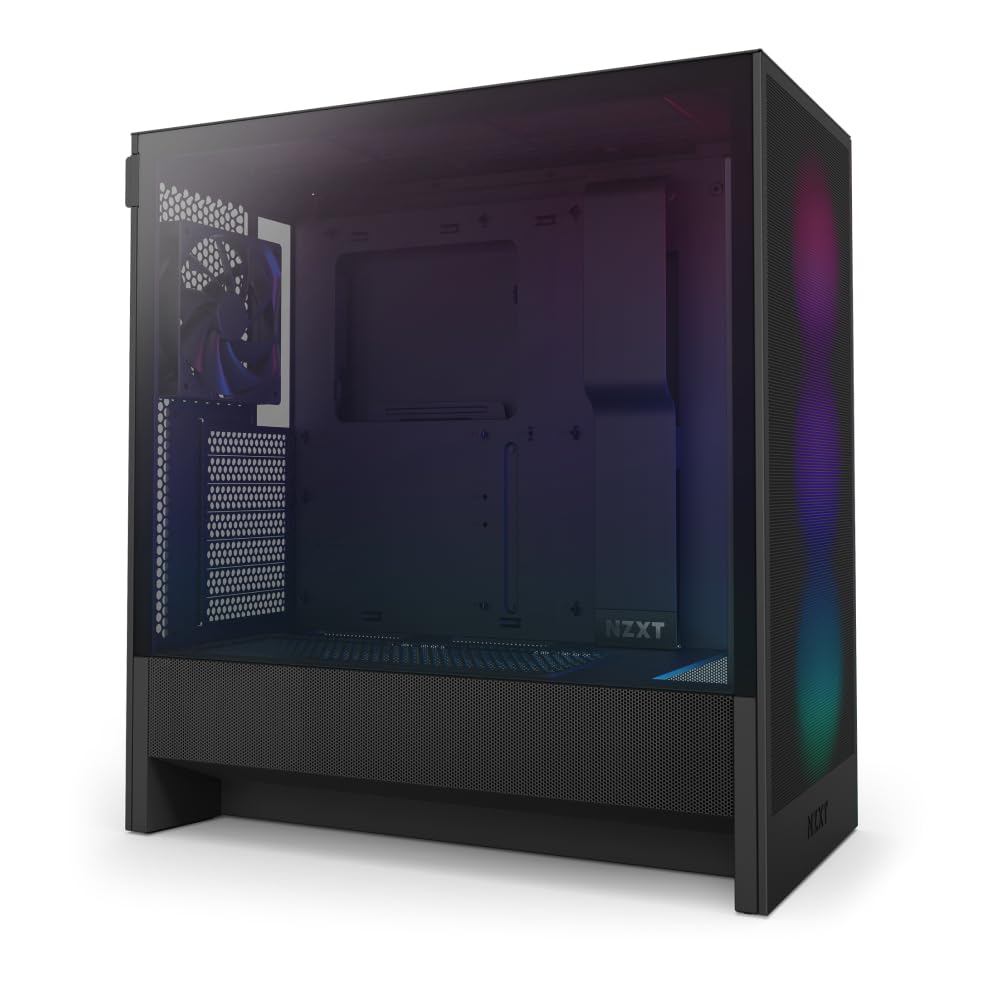 8.0 / 10
NZXT H5 Flow RGB - Compact ATX Mid-Tower PC Gaming Case - High Airflow - F360 RGB Core (CV) Included - 360mm Front & 240mm Top Radiator Support - Cable Management - Tempered Glass - Black
£67.88 · NZXT
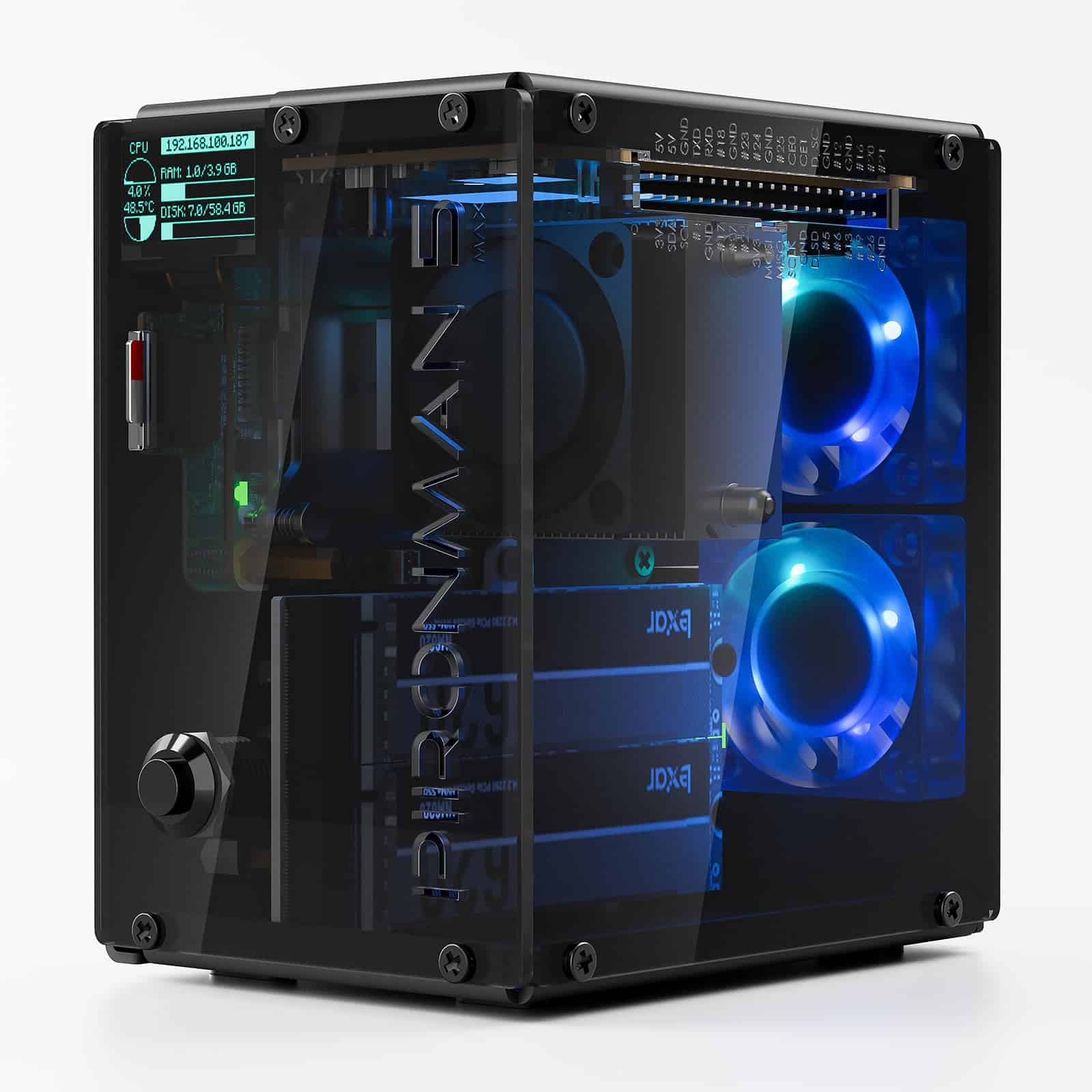 8.0 / 10
SUNFOUNDER Pironman 5-MAX NVMe SSD Case for Raspberry Pi Review UK 2026
£63.74 · SUNFOUNDER
Frequently asked
5 questions01Is the MSI MAG PANO 100R PZ White PC Case Review: Premium Gaming Chassis good for airflow?+
It's decent but not class-leading. The panoramic glass front restricts airflow compared to mesh-fronted alternatives like the Corsair 4000D Airflow. MSI includes three 120mm ARGB fans at the front intake, and there are ventilation gaps around the glass panels to help. For mid-range builds with mainstream CPUs and GPUs, temperatures are perfectly acceptable. For high-TDP systems pushing flagship hardware, you'll see warmer results than you would in a mesh-fronted case. The magnetic dust filter on top and bottom PSU filter help keep dust accumulation manageable.
02What's the GPU clearance on the MSI MAG PANO 100R PZ White PC Case Review: Premium Gaming Chassis?+
MSI quotes 380mm of GPU clearance, which is accurate in testing. Most modern gaming GPUs sit in the 300-340mm range, so there's comfortable headroom for current cards. However, if you're installing a 360mm front radiator alongside a long GPU, that clearance shrinks considerably, so measure carefully if you're planning both. Three-slot cards fit without issues. There's no native vertical GPU mount included, though the case can accommodate a third-party vertical bracket if you want to display your card through the side glass.
03Can the MSI MAG PANO 100R PZ White PC Case Review: Premium Gaming Chassis fit a 360mm AIO?+
Yes. The front panel supports up to a 360mm radiator, and the top supports up to 240mm. The front position is the better thermal choice for most builds. If you're installing a 360mm AIO at the front, fit the radiator before the motherboard goes in as clearance gets tight otherwise. A 240mm AIO at the top is more flexible and can generally be installed after the motherboard is seated. The radiator mounting hardware is included, though using your own screws is recommended as the included ones are on the softer side.
04Is the MSI MAG PANO 100R PZ White PC Case Review: Premium Gaming Chassis easy to build in?+
Largely yes. The hinged side panel with magnetic latch makes access easy throughout the build. Sharp edges are minimal, which is genuinely appreciated. The CPU backplate cutout is large enough to access cooler mounting hardware without removing the motherboard. The main challenge is the rear cable clearance at 18-20mm, which is workable but requires careful cable routing if you're using thick sleeved cables. Velcro tie points are included on the back of the tray. The tool-free PCIe slot covers and removable drive cage add to the positive build experience overall.
05What warranty and returns apply to the MSI MAG PANO 100R PZ White PC Case Review: Premium Gaming Chassis?+
Amazon offers 30-day hassle-free returns if the case doesn't suit your build. MSI typically provides a 1-2 year warranty on manufacturing defects. Check the product listing for exact warranty terms.