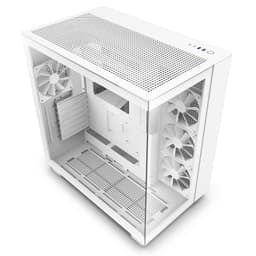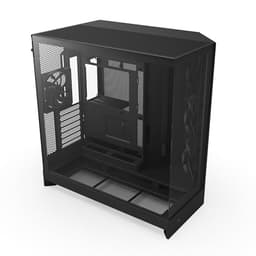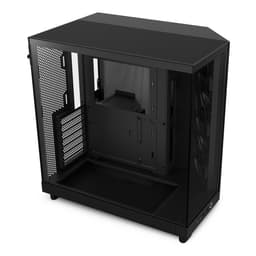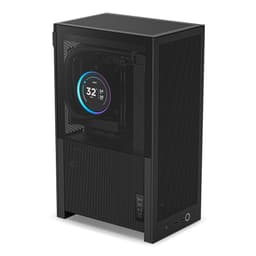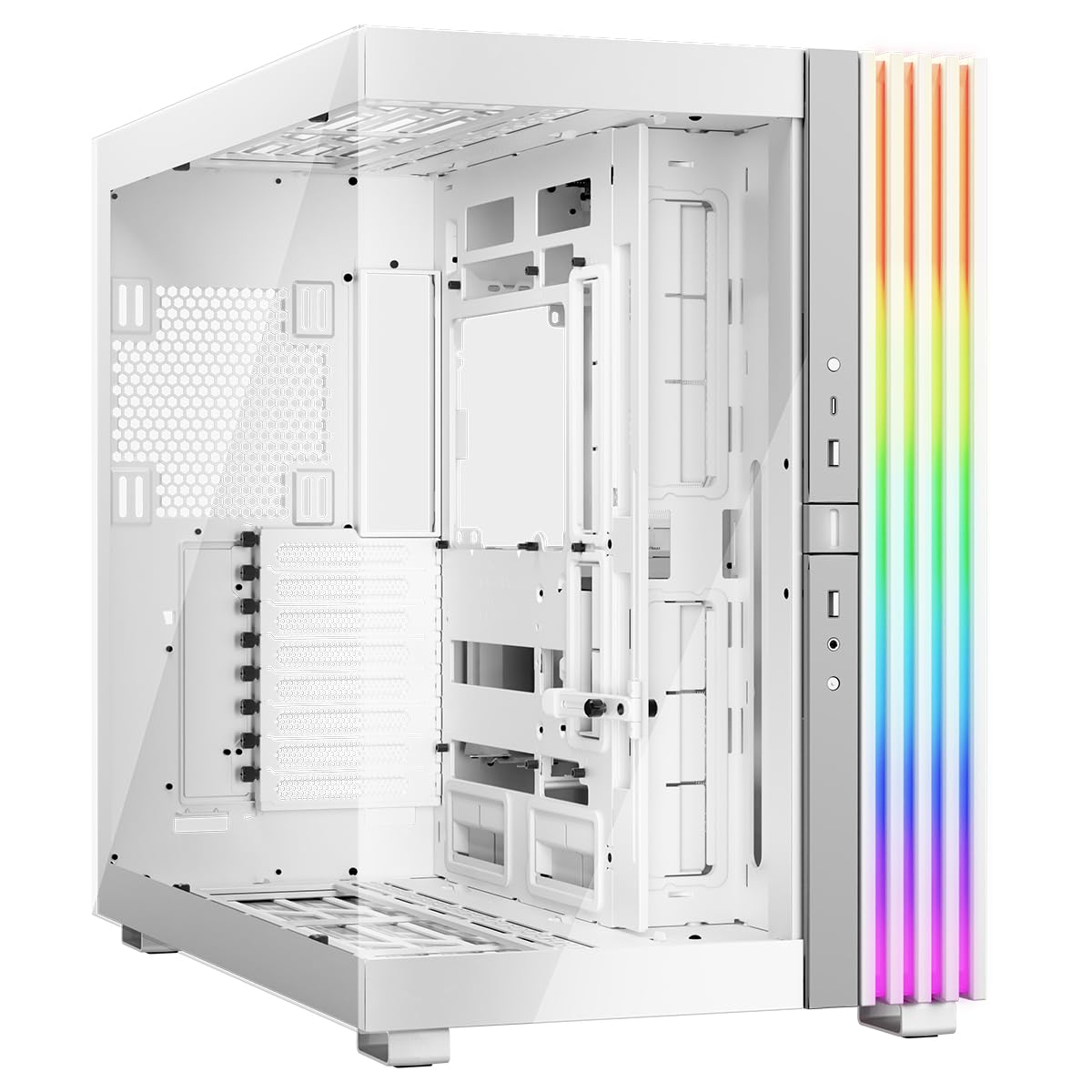

I've built in a lot of cases over the years, and honestly? The ones that stick in my memory are usually the ones that made me want to throw something across the room. You know the type: panels that don't align properly, cable routing holes in completely the wrong places, GPU clearance that's technically 300mm but only if you don't install a front radiator. I've got scars on my knuckles from cheap steel edges that weren't deburred properly. So when I sat down to do this NZXT H5 Elite Gaming Case Review UK 2025, I wasn't going in with rose-tinted glasses. I was going in with a full ATX build, a 280mm AIO, a chunky GPU, and three weeks to find out whether this thing is actually worth your money.
The H5 Elite sits in NZXT's mid-tower lineup as the premium option, sitting above the standard H5 Flow and the H5 Flow RGB. The big selling point here is the dual-tempered glass panels, a pre-installed RGB fan setup, and that clean, minimal NZXT aesthetic that's been popular since the H510 days. It's priced in the enthusiast tier, which means it's competing with some genuinely strong options from Corsair, Fractal, and Lian Li. That's a tough neighbourhood. Let's see how it holds up.
I built a complete system inside this case over three weeks, swapping components in and out to test clearances properly, running thermal benchmarks, and generally living with it on my desk. What follows is everything I found, good and bad, no fluff.
Core Specifications
The H5 Elite is a mid-tower ATX case, and NZXT has kept the footprint fairly compact for what it offers. The external dimensions come in at 464mm tall, 215mm wide, and 474mm deep. That's not tiny, but it's not one of those cases that dominates your entire desk either. It weighs around 8.4kg without any components, which feels solid without being ridiculous to move around. The main chassis is steel, with tempered glass on both the left side panel and the front panel, which is where the H5 Elite differs from the standard H5 Flow (that one uses a mesh front instead).
Fan support is generous. You get three 120mm fans pre-installed at the front as intake, and one 120mm at the rear as exhaust. All four are NZXT's own RGB fans, which connect to an included RGB and fan controller hub. The top of the case supports up to a 360mm radiator or three 120mm fans. The rear supports a single 120mm fan. So in total you could have seven 120mm fans running in this thing if you wanted to go absolutely mad with cooling. Radiator support is solid too: 360mm or 280mm at the front, 360mm at the top, and 120mm at the rear.
Drive support is where it gets a bit more modest. You get two 3.5-inch drive bays and two 2.5-inch drive mounts. For most modern builds that's absolutely fine since most people are running an NVMe boot drive and maybe one or two SSDs, but if you're building a NAS-style storage rig this isn't your case. The PSU shroud covers the bottom chamber nicely and there's a dedicated PSU mount with a 180mm clearance for the unit itself.
| Specification | Detail |
|---|---|
| Form Factor | Mid-Tower ATX |
| Dimensions (H x W x D) | 464mm x 215mm x 474mm |
| Weight | ~8.4kg |
| Motherboard Support | ATX, mATX, Mini-ITX |
| Max GPU Length | 400mm |
| Max CPU Cooler Height | 165mm |
| Front Fan Support | 3x 120mm or 2x 140mm |
| Top Fan Support | 3x 120mm or 2x 140mm |
| Rear Fan Support | 1x 120mm |
| Included Fans | 4x NZXT RGB 120mm |
| Front Radiator Support | Up to 360mm |
| Top Radiator Support | Up to 360mm |
| 3.5" Drive Bays | 2 |
| 2.5" Drive Bays | 2 |
| PSU Clearance | 180mm |
| Side Panel | Tempered Glass |
| Front Panel | Tempered Glass |
| Steel Thickness | 0.8mm SECC |
| Current Price | Check price |

Form Factor and Dimensions
At 215mm wide, the H5 Elite is on the slimmer side for a mid-tower. That's actually one of the things I like about it. A lot of enthusiast cases in this price range have started ballooning in width to accommodate vertical GPU mounts and massive cable management spaces, and while that's fine if you've got the desk space, plenty of people don't. The H5 Elite fits comfortably on a standard desk without hanging over the edge or blocking a monitor stand. I had it sitting next to a 27-inch monitor on a fairly average-sized desk and it didn't feel cramped at all.
The 474mm depth is worth paying attention to if you're putting this in a tight spot, say under a desk or in a corner. It's not a shallow case. But that depth is doing real work: it's what allows the 400mm GPU clearance and the generous cable management space behind the motherboard tray. So it's a fair trade. The 464mm height is pretty standard for the class, and it means most ATX towers will clear it without issue.
One thing I noticed is that the footprint feels more purposeful than some competitors at this price. There's no wasted space. The PSU shroud fills the bottom third cleanly, the motherboard area is well-proportioned, and the top of the case doesn't have that awkward dead zone you sometimes see where the manufacturer has left space for a radiator but the panel design makes it look unfinished. The H5 Elite looks like someone actually thought about how the internal volume maps to the external dimensions, which sounds obvious but isn't always the case (no pun intended).
Motherboard Compatibility
The H5 Elite supports ATX, mATX, and Mini-ITX motherboards. No E-ATX support here, which is worth knowing if you're running a high-end HEDT platform or a dual-socket workstation board. For the vast majority of gaming builds though, ATX is the sweet spot and the H5 Elite handles it well. The standoff layout is pre-installed for ATX, so if you're dropping in a standard ATX board you just line it up and go. For mATX you'll need to move a couple of standoffs, which takes about two minutes.
The motherboard tray itself has a large CPU cutout, which is important for installing aftermarket coolers without removing the board. With a 240mm AIO and a Noctua NH-D15 (more on that in the cooler clearance section), the backplate stays accessible without pulling the motherboard. That's a small thing that saves a lot of time, and it's something cheaper cases often skip. The cutout is roughly 170mm x 130mm, which covers most mainstream cooler mounting systems.
Cable routing holes around the motherboard tray are well-placed. There are grommeted holes on the right side for 24-pin ATX power, CPU power (both 8-pin and the secondary 8-pin for high-end boards), and GPU power routing. The grommets are a soft rubber, not the hard plastic type that cuts into cables over time. I've seen enough of those to appreciate the difference. The overall layout feels like it was designed by someone who actually builds PCs, not just someone who drew a box in CAD and called it a day.
GPU Clearance
NZXT quotes 400mm of GPU clearance that held up accurately. An RTX 4080 Super Founders Edition (336mm long) fits alongside a 360mm front radiator, leaving a comfortable gap between the radiator fans and the front of the GPU. No contact, no cable pinching, nothing sketchy. If you're running one of the absolute chonkers like a triple-slot 4090 reference card, you'll want to measure carefully, but for anything up to about 380mm with a front radiator you should be fine.
There's no vertical GPU mount option in the H5 Elite out of the box, which might disappoint some people. NZXT does sell a vertical GPU mounting kit separately, but it's an additional cost and it's worth factoring that in if showing off your card is important to you. Personally, I think the tempered glass side panel does a decent job of showing the build off even with a horizontal GPU, especially with the RGB fans running. But if vertical mounting is a must-have, that's worth knowing upfront.
PCIe slot covers are tool-free, which I always appreciate. They use a simple latch mechanism rather than screws, so swapping cards in and out during a build is much less fiddly. The covers themselves are solid steel, not the thin stamped type that bends the moment you look at it. The slot covers hold up fine to repeated GPU removal and reinstallation. Seven expansion slots in total, which is standard for ATX.
CPU Cooler Clearance
The 165mm CPU cooler height limit is genuinely useful. The Noctua NH-D15 comes in at 165mm exactly, so it's a tight fit but it does fit. I'd recommend measuring your specific cooler against the spec sheet before buying if you're going with a big air cooler, because some third-party specs vary slightly from the official numbers. The Be Quiet! Dark Rock Pro 4 at 162.8mm fits with a few millimetres to spare. The Thermalright Phantom Spirit 120 at 157mm has plenty of room. So you're not limited to low-profile coolers by any means.
AIO support is where this case really shines. Front mounting supports up to 360mm (three 120mm fans) or 280mm (two 140mm fans). Top mounting also supports up to 360mm. A 280mm AIO mounted at the top clears standard-height DIMMs without trouble. If you're running tall RAM with big heatspreaders (some of the Corsair Dominator Platinum sticks, for example), you might want to check the specific measurements, but with DDR5 at standard height there was no issue at all.
One thing I want to flag: when mounting a 360mm radiator at the front, you're eating into that GPU clearance. NZXT says you can run a 360mm front rad and still have GPU clearance, and technically that's true, but the practical clearance drops from 400mm to something closer to 320-330mm depending on the radiator thickness. Most modern AIOs use 27mm thick radiators, so the maths works out fine for cards up to about 300mm. Just don't plan on running a front 360mm rad and a 380mm GPU simultaneously and expecting everything to be comfortable.
Storage Bay Options
Two 3.5-inch bays and two 2.5-inch bays. That's the honest summary. For a gaming build in 2025 and 2026, this is probably fine. Most people are running an NVMe M.2 drive on the motherboard as their primary storage, maybe a secondary M.2 for games, and if they need bulk storage they'll add a single 3.5-inch HDD. The two 3.5-inch bays cover that use case. But if you're a content creator with a large media library, or you're building a secondary machine that doubles as a home server, you'll outgrow this quickly.
The 3.5-inch bays are located behind the PSU shroud, which keeps them hidden and maintains the clean aesthetic. Tool-free mounting for 3.5-inch drives uses a simple rail system, and it works well. I installed a 4TB Seagate Barracuda without any tools and it seated firmly with no rattling. The 2.5-inch mounts are on the back of the motherboard tray, which is a sensible place for SSDs since you're not going to be looking at them anyway.
What I do wish NZXT had included is at least one more 2.5-inch mount. With NVMe being so dominant now, a lot of builders are running two or three 2.5-inch SSDs for different purposes, and two mounts feels a bit stingy at this price point. It's not a dealbreaker, but it's a small frustration. You can always use double-sided tape or aftermarket mounts, but you shouldn't have to at this price.

Cable Management
This is genuinely one of the H5 Elite's strongest areas. The rear panel clearance is around 20-25mm, which is enough to bundle cables properly without fighting to get the side panel back on. There are Velcro straps pre-installed at several points along the cable routing channels, which is something I always check for because it tells you whether the manufacturer actually thought about cable management or just left a gap and called it done. NZXT has clearly thought about it here.
The PSU shroud has a large opening at the front for routing cables up to the motherboard, and there's a secondary opening at the rear for routing to the GPU power connectors. The 24-pin ATX cable routes cleanly through the main grommet hole on the right side of the motherboard tray. CPU power cables (I was running an 8+8 pin setup) route through the top-right grommet without any awkward bending. The whole thing felt like a proper cable management system rather than an afterthought.
I did have one minor gripe: the GPU power cable routing is slightly awkward if you're running a 4090 with a 16-pin (12VHPWR) connector. The routing hole for GPU power is positioned in a way that creates a slight bend in the cable before it reaches the connector. It's not dangerous, and the cable isn't kinked, but it's not as clean as I'd like. For standard 8-pin PCIe cables it's absolutely fine. This is a very specific complaint and most people won't encounter it, but I'm mentioning it because I noticed it and this is a review.
Airflow and Thermal Design
Here's where the H5 Elite gets a bit controversial, and I want to be straight with you about it. The front panel is tempered glass. Not mesh. That means the primary intake path for your three front fans is restricted compared to a mesh-front case like the H5 Flow or the Fractal Meshify C. NZXT has addressed this by adding ventilation slots along the bottom front edge and the sides of the front panel, but it's not the same as a full mesh front. If you're building a high-performance system with a hot GPU and a power-hungry CPU, the H5 Flow is probably the better thermal choice.
That said, with an RTX 4080 Super and an Intel Core i7-13700K, temperatures are perfectly acceptable. Under sustained gaming load, such as a two-hour session of a demanding title, the GPU sits around 72-74 degrees Celsius and the CPU hovers around 68-70 degrees with the 280mm AIO. Those aren't record-breaking numbers, but they're well within safe operating range and the system was stable throughout. The four included fans do a decent job, and the RGB controller hub means you can ramp them up if you need more airflow.
The included fans are NZXT's F120 RGB units. They're not the highest-performing fans on the market, but they're quiet at low speeds and move a reasonable amount of air when pushed. At full speed they do get audible, but the default fan curve in NZXT CAM software keeps them at a sensible speed for most workloads. The dust filters are worth mentioning too: there's a magnetic filter on the bottom for the PSU intake and a filter behind the front panel. They're easy to remove and clean, which matters because you'll actually use them. Filters you can't be bothered to clean are useless filters.
Front I/O and Connectivity
The front I/O panel is on the top of the case, towards the front edge. You get one USB 3.2 Gen 1 Type-A port, one USB 3.2 Gen 2 Type-C port, a combined headphone/microphone 3.5mm jack, and the power button. No reset button, which is a deliberate NZXT design choice that I know some people find annoying. Personally I rarely use a reset button during normal use, but if you're overclocking and need to hard reset frequently it's a mild inconvenience.
The USB Type-C port is a nice inclusion at this price point. It requires a USB 3.2 Gen 2 Type-C header on your motherboard, which most modern mid-range and high-end boards have. The Type-A port is USB 3.2 Gen 1 (5Gbps), which is fine for mice, keyboards, USB drives, and most peripherals. I'd have liked a second Type-A port, honestly. One Type-A and one Type-C feels a bit sparse when you're used to cases that give you three or four ports on the front. But it's a common complaint across the H5 range and NZXT seems committed to the minimal aesthetic over port count.
The power button has a subtle RGB ring around it that pulses when the system is on. It's a small detail but it looks good, especially in a dark room. The button itself has a satisfying click and feels properly built, not like the wobbly plastic buttons you get on budget cases. The overall front I/O layout is clean and easy to reach, positioned right where your hand naturally lands when you're sitting at a desk. No complaints about placement, just the port count.
Build Quality and Materials
The steel is 0.8mm SECC, which is standard for this price tier. It's not the thickest steel I've worked with (some Fractal cases use slightly heavier gauge), but it's solid enough that the chassis doesn't flex when you're working inside it. I didn't find any sharp edges during the build, which is genuinely impressive. I've cut myself on cases that cost twice as much. NZXT has clearly deburred the edges properly, and all the cable routing holes have smooth grommets. Small thing, big difference when you're elbow-deep in a build.
The tempered glass panels are 4mm thick on both the side and the front. They feel substantial and don't wobble when the case is on your desk. The side panel uses a tool-free latch mechanism: you press a button at the top rear of the panel and it swings open on a hinge. It's smooth, it's satisfying, and it means you're not hunting for a screwdriver every time you need to get inside. The front glass panel is held on with magnets, which makes it easy to remove for fan installation or cleaning. Both panels feel secure when closed with no rattling.
Panel alignment is good across the board. The top panel sits flush with the side panels, the front glass aligns properly with the chassis, and the rear panel closes without any gaps. I've reviewed cases at this price point where the panels were visibly misaligned out of the box, so this is worth calling out. The finish on the steel is a matte black that resists fingerprints reasonably well, though the glass panels will show smudges. That's just physics. The overall build quality feels appropriate for the price, and in some areas (the panel mechanisms, the cable management, the edge finishing) it punches slightly above its weight.
How It Compares
The two cases I'd put directly against the H5 Elite are the Corsair 4000D Airflow and the Fractal Design Pop Air RGB. For a broader look at the market, our guide to best PC cases covers more options across different price points and use cases. Both sit in a similar price range, both are popular mid-tower ATX cases, and both have strong reputations in the UK market. The 4000D Airflow is the obvious comparison because it's been the go-to recommendation for airflow-focused builds for a couple of years now. The Fractal Pop Air RGB is newer and offers a similar RGB-included package to the H5 Elite.
The biggest difference between the H5 Elite and the 4000D Airflow is the front panel. The 4000D uses a mesh front, which means significantly better airflow. Mesh-front cases consistently run 3-5 degrees cooler under load compared to glass-front cases with similar fan setups. If thermals are your priority, the 4000D wins. But the H5 Elite looks better, has a more premium feel, and comes with RGB fans included (the 4000D does not in its base configuration). So it depends what you're optimising for.
The Fractal Pop Air RGB is probably the closest direct competitor. It has a mesh front, included RGB fans, and a similar price point. It also has slightly better storage expansion with more 2.5-inch mounts. But the NZXT software ecosystem (CAM) is more polished than Fractal's lighting controls, and the H5 Elite's build quality and cable management feel slightly more refined. It's genuinely close between those two, and I wouldn't tell someone they were wrong for choosing either one.
| Feature | NZXT H5 Elite | Corsair 4000D Airflow | Fractal Pop Air RGB |
|---|---|---|---|
| Front Panel | Tempered Glass | Mesh | Mesh |
| Included Fans | 4x 120mm RGB | 2x 120mm (no RGB) | 3x 140mm RGB |
| Max GPU Length | 400mm | 360mm | 467mm |
| Max CPU Cooler Height | 165mm | 170mm | 185mm |
| Front Radiator Support | 360mm | 360mm | 360mm |
| Top Radiator Support | 360mm | 360mm | 280mm |
| USB Type-C Front I/O | Yes (Gen 2) | Yes (Gen 1) | Yes (Gen 2) |
| 2.5" Drive Bays | 2 | 2 | 3 |
| 3.5" Drive Bays | 2 | 2 | 2 |
| Vertical GPU Mount | Optional (extra cost) | Optional (extra cost) | No |
| RGB Controller Hub | Yes (NZXT) | No | Yes (Fractal) |
| Airflow Performance | Good | Excellent | Very Good |
| Aesthetics | Premium Glass | Functional | Modern |

Final Verdict
So where does the NZXT H5 Elite Gaming Case Review UK 2025 land after three weeks of actual use? It's a genuinely good case with one significant compromise, and whether that compromise matters to you depends entirely on what you're building and why. The glass front panel is the elephant in the room. It restricts airflow compared to mesh alternatives, and at this price point you're paying a premium partly for that aesthetic choice. If you're building a high-end system with a 250W+ GPU and a hot CPU, and you want the absolute best thermals, the H5 Elite is not the right call. Go mesh.
But if you want a case that looks genuinely premium on your desk, comes with a complete RGB fan setup out of the box, has excellent cable management, proper build quality, and a build experience that doesn't make you want to give up halfway through, the H5 Elite delivers. The 400mm GPU clearance is class-leading. The cable management is among the best I've used at this price. The panel mechanisms are satisfying and well-engineered. And the NZXT CAM software, while not perfect, gives you a unified place to control your fans and lighting without buying a separate controller.
I'd score this an 8 out of 10. It loses points for the glass front panel's thermal compromise, the limited 2.5-inch drive bays, and the single USB Type-A port on the front I/O. But it earns those points back with excellent build quality, a genuinely pleasant build experience, and an aesthetic that holds up against anything in the price range. For a mid-range to high-end gaming build where looks matter as much as performance, this is a strong choice. For a pure performance build where every degree counts, look at the H5 Flow instead.
For more information on the H5 Elite, you can check the official NZXT product page for full specifications and compatibility details.
What works. What doesn’t.
5 + 4What we liked5 reasons
- Excellent 400mm GPU clearance, best in class for this price tier
- Outstanding cable management with pre-installed Velcro straps and generous rear clearance
- Four RGB fans and a controller hub included out of the box
- Tool-free side panel with hinge mechanism is genuinely satisfying to use
- No sharp edges anywhere, properly deburred throughout
Where it falls4 reasons
- Glass front panel restricts airflow compared to mesh alternatives
- Only two 2.5-inch drive bays feels stingy at this price
- Single USB Type-A port on front I/O is limiting
- No vertical GPU mount included, sold separately at extra cost
Full specifications
12 attributes| Form factor | Mid-Tower |
|---|---|
| Airflow type | mesh |
| MAX GPU length | 410 |
| MAX cooler height | 170 |
| Radiator support | 360mm front, 240mm top |
| CPU cooler clearance MM | 170 |
| Dimensions MM | 465 x 225 x 430 |
| Drive bays | 3 |
| Fans included | 4 |
| GPU clearance MM | 425 |
| MAX FAN count | 8 |
| MAX radiator MM | 360 |
If this isn’t right for you
2 options
Frequently asked
5 questions01Is the NZXT H5 Elite Gaming Case Review UK 2025 good for airflow?+
The H5 Elite has decent but not exceptional airflow due to its tempered glass front panel. It comes with four 120mm RGB fans (three front intake, one rear exhaust) and ventilation slots along the bottom and sides of the front panel. With an RTX 4080 Super and i7-13700K, GPU temps sit around 72-74 degrees Celsius under sustained load, which is acceptable but around 3-5 degrees warmer than you'd expect from a mesh-front alternative. The dust filters are magnetic and easy to clean. If maximum airflow is your priority, consider the NZXT H5 Flow which uses a mesh front panel instead.
02What is the GPU clearance on the NZXT H5 Elite Gaming Case Review UK 2025?+
NZXT specifies 400mm of GPU clearance in the H5 Elite this proved accurate. An RTX 4080 Super Founders Edition (336mm) fits with a 360mm front radiator installed and comfortable clearance to spare. If you install a front radiator, practical GPU clearance drops to around 320-330mm depending on radiator thickness, so cards up to about 300mm will be fine with a front rad. Without a front radiator, cards up to 380mm should fit without issue. There is no vertical GPU mount included, though NZXT sells one separately.
03Can the NZXT H5 Elite Gaming Case Review UK 2025 fit a 360mm AIO?+
Yes, the H5 Elite supports a 360mm radiator at both the front and the top. A 280mm AIO mounted at the top poses no clearance issues with standard-height DDR5 RAM. If you mount a 360mm radiator at the front, be aware that this reduces GPU clearance to approximately 320-330mm depending on the radiator thickness. For top-mounted 360mm AIOs, check RAM clearance if you are using tall heatspreader DIMMs. A 280mm front or top mount is the most flexible option for most builds.
04Is the NZXT H5 Elite Gaming Case Review UK 2025 easy to build in?+
Yes, it is one of the more pleasant cases to build in at this price point. The tool-free hinged side panel makes access easy, the motherboard tray has a large CPU cutout for backplate access without removing the board, cable routing holes are well-placed with rubber grommets, and there are pre-installed Velcro straps for cable management. Rear panel clearance is around 20-25mm which is enough for tidy cable runs. We found no sharp edges anywhere during the build. The main frustration is the slightly awkward routing for 16-pin 12VHPWR GPU cables, but for standard 8-pin PCIe cables it is completely clean.
05What warranty and returns apply to the NZXT H5 Elite Gaming Case Review UK 2025?+
Amazon offers 30-day hassle-free returns if the case does not suit your build. NZXT typically provides a 1-2 year warranty on manufacturing defects. Check the product listing for exact warranty terms as these can vary.