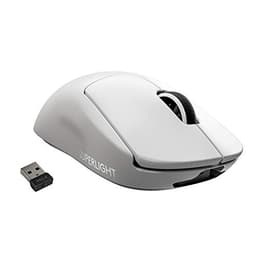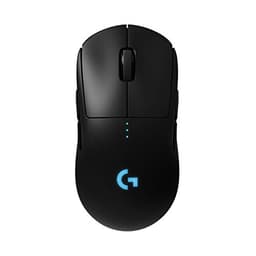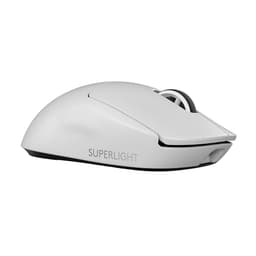
Most quick gaming mouse reviews fixate on the headline DPI number and whether the RGB looks good in a dark room. Neither of those things will affect whether you win or lose a gunfight. What actually matters is whether the tracking holds up when you flick fast, whether the main clicks feel crisp or like pressing a soggy biscuit, and whether the cable drags enough to throw off your aim at a critical moment. The Logitech G402 Hyperion Fury was built with at least some of that in mind, and the fact that it launched back in 2014 and still commands thousands of owner reviews with a positive overall rating says something real about its staying power.
The problem this mouse was designed to solve is straightforward: in 2014, most gaming mice were either cheap and unreliable or expensive and bloated with features nobody asked for. The G402 came in as a mid-range option with a clear pitch. Lightweight-ish, fast-tracking, eight programmable buttons, and a price that didn't require a second mortgage. Logitech paired it with their Fusion Engine hybrid sensor, which was a genuinely interesting piece of engineering at the time. Whether it still holds up against what's available now is a different question, and one worth answering properly.
The positive overall rating across thousands of reviews is not nothing. That's a lot of people who bought this mouse, used it, and came back to say it was worth their money. But averages can hide things, and a mouse from 2014 deserves honest scrutiny against the competition that's emerged since. So here's what the specs, the engineering decisions, and real owner feedback actually tell you about the G402.
Core Specifications
The G402 runs on Logitech's Fusion Engine hybrid sensor, which combines an optical sensor with an accelerometer to handle very fast movements without spin-out. Maximum DPI sits at 4,000, which is honestly plenty. The mouse ships with four DPI settings out of the box (240, 500, 1000, and 4000), though you can customise these through Logitech's G HUB software. Polling rate is 1000Hz, which is the standard for any gaming mouse worth considering. Weight comes in at 144 grams including the cable, which puts it in the medium-to-heavy category by today's standards, though it was considered lightweight when it launched.
There are eight programmable buttons total. You get the two main clicks, a clickable scroll wheel, a DPI shift button below the scroll wheel, and two sets of side buttons on the left. The shape is a right-handed ergonomic design with a pronounced thumb rest and a hump that sits towards the rear-centre of the shell. Connection is wired via a braided cable, and the mouse uses a USB-A connection. No wireless option exists here, which is a deliberate design choice for a mouse pitched at competitive gaming where latency was a concern (though modern 2.4GHz wireless has made that argument largely obsolete).
The feet are standard PTFE-style skates in a two-piece arrangement. Build material is a matte plastic shell with some textured grip on the sides. There's no onboard memory for profile storage without the software running, which is worth knowing if you plan to use this across multiple machines. The G402 is compatible with both PC and Mac, and Logitech's G HUB software is Windows and macOS compatible. No Linux support worth speaking of, which is a recurring theme with Logitech's software stack.
| Specification | Detail |
|---|---|
| Sensor | Logitech Fusion Engine (optical + accelerometer hybrid) |
| Max DPI | 4,000 |
| DPI Steps | 240 / 500 / 1,000 / 4,000 (customisable via software) |
| Polling Rate | 1,000Hz |
| Buttons | 8 programmable |
| Weight | 144g (with cable) |
| Connection | Wired USB-A, braided cable |
| Cable Length | 2.1m |
| Compatibility | PC / Mac |
| Software | Logitech G HUB |
| Onboard Memory | No |
| RGB | No |
| Current Price | £32.99 · Details |

Shape & Ergonomics
The G402 is a right-handed ergonomic shape, full stop. Left-handers need not apply. The hump sits towards the rear of the mouse, which naturally pushes your palm back and encourages either a palm grip or a relaxed claw grip. The thumb rest on the left side is reasonably deep, and the two side buttons sit in sensible positions where your thumb lands naturally without having to stretch. For a medium to large hand (roughly 18cm and above), this shape works well. Smaller hands will find the rear hump a bit far back and may end up gripping more towards the front, which isn't ideal for palm users.
Fingertip grip users should probably look elsewhere. The G402's shape doesn't lend itself to that style at all. The hump is too pronounced and the overall length too generous for fingertip control to feel natural. Claw grip works, but the best fit is definitely palm. The right side of the mouse has a subtle flare that helps anchor your ring and little finger, which is a nice touch that a lot of budget mice skip entirely. The overall dimensions are 139mm long, 73mm wide, and 40mm tall, putting it firmly in the large mouse category.
One thing owners consistently mention is that the shape feels immediately comfortable out of the box, with no real break-in period needed. That's partly because Logitech's ergonomic right-handed designs have been refined over many product generations, and the G402 benefits from that accumulated knowledge. The textured grip on the sides does its job during extended sessions without feeling sticky or wearing down quickly. Nothing revolutionary here, but the shape is genuinely well-considered for its intended palm and claw-grip audience.
Sensor Performance
The Fusion Engine sensor is the most interesting and most misunderstood thing about this mouse. Logitech combined a traditional optical sensor with a MEMS accelerometer to handle tracking at very high speeds, up to 500 inches per second according to Logitech's own claims. The idea was that at extreme flick speeds, the optical sensor alone would struggle, so the accelerometer kicks in to supplement tracking data. It's a clever engineering solution to a real problem, even if the implementation was always slightly controversial among sensor purists who prefer a clean optical or laser sensor without interpolation involved.
In practical terms, the Fusion Engine tracks accurately at the speeds most people actually play at. The 4,000 DPI maximum is more than enough. Most competitive FPS players sit somewhere between 400 and 1,600 DPI anyway, and the G402 handles those ranges without issue. Lift-off distance is acceptable rather than exceptional, and at very high sensitivity settings some owners have reported minor inconsistencies, but at sensible DPI settings the tracking is clean. The accelerometer-assisted tracking at extreme speeds does introduce a slight question mark that a modern PixArt PAW3395 or similar flawless optical sensor simply doesn't have.
To be fair about the context: when this mouse launched, the Fusion Engine was a legitimate technical achievement. By current standards, dedicated high-end optical sensors from PixArt have moved the goalposts considerably. The G402's sensor is perfectly functional for casual to intermediate competitive play, but anyone who wants the absolute cleanest tracking available will find better options in the current market. The positive overall rating across thousands of reviews suggests the vast majority of owners have no complaints about how it tracks, which is the most meaningful real-world data point available.
Weight & Glide
At 144 grams including the cable, the G402 is not a lightweight mouse by modern standards. When it launched, Logitech marketed it as lightweight, and relative to the chunky gaming mice of 2014, that was fair enough. Today, with mice like the Logitech G Pro X Superlight 2 sitting at 60 grams and even mid-range mice coming in under 90 grams, 144 grams feels noticeably hefty. Whether that's a problem depends entirely on what you're used to and what you play.
For slower-paced games, MOBAs, MMOs, or anyone who doesn't do aggressive low-sensitivity flick shooting, the weight is a non-issue. The mouse feels planted and stable, and some people genuinely prefer a heavier mouse because it feels more controlled. For high-sensitivity FPS play where you're making large, fast arm movements, 144 grams will tire your arm faster than a 70 to 90 gram alternative. Weight distribution is reasonably balanced front to back, which helps, but it can't change the raw number on the scales.
The PTFE skates are adequate. They cover enough surface area to give a smooth glide on most cloth and hard mousepads, and owners don't consistently report drag issues. The edges of the feet are reasonably clean from the factory, though replacement PTFE skates are cheap and easy to source if yours wear down over time. The 2.1m braided cable is long enough for any desk setup, and the braid is reasonably flexible. It's not a paracord-style cable, so there's some stiffness, and on a smaller mousepad you may feel the cable drag slightly during big movements. A cable clip or bungee would solve that if it bothers you.
Buttons & Switches
The main switches are mechanical, and the click feel is one of the things owners most consistently praise. The left and right main buttons have a crisp, tactile response with minimal pre-travel and a satisfying bottom-out. Logitech used their own switch design here rather than going with a named third-party like Omron, but the result is a click that feels decisive and doesn't go mushy after extended use. Multiple owners with high click counts report that the switches hold up well over time, which matters more than what they feel like new.
The scroll wheel is tactile with distinct steps, which is useful for weapon switching in FPS games where you want to know exactly where you are in the cycle. It's not as smooth as a free-spinning wheel, but for gaming that's generally the right call. The DPI button below the scroll wheel is small but accessible, and you can cycle through your four DPI settings quickly without breaking your grip. The two side buttons on the left are well positioned for a medium-to-large hand, though the lower of the two sits slightly further back than ideal and some users with smaller hands report having to shift their thumb to reach it reliably.
There's also a switch on the underside of the mouse that toggles between two button configurations, which is where the "Switch Button" in the product name comes from. This lets you reassign some of the button functions without going into software, which is a nice practical touch for people who switch between different game types. Eight programmable buttons total gives you plenty to work with for MMO players or anyone who likes to bind macros. The button wobble on the main clicks is minimal, and side button wobble is similarly tight. Nothing here to complain about on the button quality front.
Build Quality
The shell is matte plastic with a slightly rubberised texture on the side grips. It doesn't flex noticeably under normal grip pressure, and there's no creaking reported by the majority of owners. For a mouse at this price point, the build quality is genuinely solid. Logitech's manufacturing consistency is generally good, and the G402 doesn't have the kind of widespread quality control complaints you see with some cheaper alternatives where one unit is great and the next has a rattling scroll wheel or a loose side button.
The matte finish is practical. It doesn't show fingerprints badly, it doesn't get slippery when your hands warm up, and it doesn't develop that unpleasant shiny worn patch that glossy plastics get after a few months of use. The rubberised grip panels on the sides feel secure without being tacky. A small number of long-term owners mention the grip texture wearing smooth over time with heavy use, which is a fair criticism, but it takes a long time to get there and is not a common complaint in the first year or two of ownership.
The braided cable is attached firmly to the mouse body with no wobble at the connection point, which is worth mentioning because a loose cable joint is a common failure point on cheaper mice. The scroll wheel housing is solid with no lateral movement. Overall, the G402 feels like a mouse built to last, and the longevity of its popularity in the market backs that up. You're not going to be babying this thing or worrying about it falling apart on you.
Connectivity
The G402 is wired only, full stop. USB-A connector, 2.1 metre braided cable, plug in and it works. There's no wireless option, no Bluetooth, no receiver to lose. For competitive gaming in 2014, this was the right call. The argument was that wired connections eliminated any latency concern, and at the time that was a reasonable position. Modern 2.4GHz wireless mice from Logitech's own range (the G Pro X Superlight series, for example) have demonstrated that wireless latency is essentially a solved problem, but the G402 predates that era.
The braided cable is 2.1 metres long, which is generous enough for any desk setup. The braid itself is reasonably flexible but not as supple as a dedicated paracord aftermarket cable. On a large mousepad with big arm movements, you'll feel some resistance from the cable during sweeping motions. It's not a dealbreaker, but it's there. A cable bungee helps significantly if this bothers you, and they cost very little. The USB-A connector is gold-plated, which is standard practice and not worth getting excited about, but it means the connection is reliable.
Plug-and-play functionality works on both Windows and macOS without needing to install software first. Basic functions work immediately. You only need G HUB if you want to customise DPI settings beyond the defaults, remap buttons, or set up macros. The 1,000Hz polling rate is active by default, which means the mouse reports its position to the computer 1,000 times per second. That's the standard for gaming mice and is more than sufficient for any game you're playing. There's no option to increase polling rate beyond 1,000Hz, but that's not a real-world limitation for the vast majority of users.
Battery Life
The G402 is a wired mouse. There is no battery. There is no charging. You plug it in, it works, and you never think about battery life again. This is not a criticism or a compliment, it's just a fact about the product category. If you're coming from a wireless mouse and battery anxiety is a genuine concern for you, the G402 solves that problem entirely by not having a battery in the first place.
The practical upside of being wired is that you never have to interrupt a gaming session to charge, never have to remember to plug it in overnight, and never have to deal with the mouse dying mid-game because you forgot. For people who game in long sessions or who simply don't want another thing to manage, wired mice have a real practical advantage that gets undersold in the current enthusiasm for wireless everything. The G402 will work as long as the cable is intact and the USB port is functional.
There's also no RGB lighting on the G402, which means zero power draw beyond what the sensor and switches need. This is a non-issue from a power perspective, but it's worth mentioning because it's one less thing that can fail. No LEDs to burn out, no software conflicts around lighting profiles, no nonsense. The mouse does one job and does it without any of the decorative overhead that adds cost and complexity to mice that don't need it.
Software & Customisation
Logitech's G HUB software handles all customisation for the G402. You can adjust DPI settings across four configurable stages, remap any of the eight programmable buttons, create macros, and set up profiles for different games. The software is free to download from Logitech's official G HUB page and works on both Windows and macOS. G HUB has had a complicated history with stability, and a vocal minority of users across Logitech's product range have reported issues with it over the years, but for a mouse as simple as the G402 (no RGB, no wireless, no complex feature set), the software demands are minimal and most owners don't report problems.
The DPI customisation is genuinely useful. The default four settings (240, 500, 1000, 4000) cover a sensible range, but being able to set your own values means you can dial in exactly what works for your sensitivity preference and game type. The DPI shift button, which temporarily drops your DPI to a lower setting while held, is useful for sniping in FPS games and can be configured to whatever value you want. Button remapping is straightforward and the macro editor is functional without being complicated.
There is no onboard memory on the G402, which means your custom settings live in the software rather than on the mouse itself. If you plug this into a different computer without G HUB installed, the mouse reverts to its default settings. For most people using this on one PC, that's completely irrelevant. For anyone who moves between machines regularly, it's something to be aware of. The software also handles firmware updates, which Logitech has pushed over the years to address minor issues. Nothing dramatic in the update history, but it's good that support continued for a mouse of this age.

Gaming Experience
For FPS games, the G402 is a competent performer at sensible DPI settings. The sensor tracks cleanly during normal play, the main clicks are responsive and crisp, and the ergonomic shape means your hand stays comfortable during long sessions. The weight is the main limiting factor for aggressive low-sensitivity players who make large, fast arm movements. At 144 grams, your arm will know about it after a few hours in a way that a 70 gram ultralight simply wouldn't cause. If you play at higher sensitivity settings and make smaller wrist movements, the weight matters much less.
For MMO and MOBA players, the G402 is arguably a better fit. Eight programmable buttons is a solid count for ability binding, the shape is comfortable for long sessions, and the weight doesn't matter as much when you're not doing rapid sweeping movements. The side buttons are well placed for thumb access and the DPI shift button gives you an extra bindable input. The scroll wheel's tactile steps are useful for navigating action bars quickly. Owners who mention using this for World of Warcraft, Final Fantasy XIV, and similar titles are consistently positive.
In rapid-fire clicking scenarios, the main switches hold up well. There's no reported double-clicking issue in the owner reviews at scale, which is a common failure mode for cheaper mice and even some more expensive ones. The button wobble is minimal, which means your clicks go where you intend them to go without any lateral play making you second-guess your inputs. For a mouse that's been on the market since 2014, the consistency of positive feedback about click feel across thousands of reviews is a genuine quality indicator.
How It Compares
The two most sensible comparisons for the G402 are the Razer DeathAdder Essential and the SteelSeries Rival 3. Both are right-handed ergonomic wired gaming mice in a similar price bracket, both have been on the market long enough to have substantial owner review data, and both represent what the competition looks like at this end of the market.
The Razer DeathAdder Essential runs on a 6,200 DPI optical sensor, weighs around 96 grams, and uses Razer's own mechanical switches. It's lighter than the G402, which is a meaningful advantage for FPS play. The sensor is a more conventional optical design without the accelerometer hybrid approach. The shape is very similar in philosophy, right-handed ergonomic with a rear hump, and it suits the same palm and claw grip styles. Razer's software (Synapse) has its own history of being divisive, but the mouse itself is well regarded.
The SteelSeries Rival 3 is lighter still at 77 grams, uses a TrueMove Core optical sensor, and comes in at a lower price point than either the G402 or the DeathAdder Essential. The shape is more ambidextrous-leaning than the other two, the button count is lower at six, and the build quality is slightly less premium feeling. But 77 grams versus 144 grams is a significant difference in hand fatigue over a long session, and the TrueMove Core sensor is a clean optical design with no hybrid complications.
| Feature | Logitech G402 | Razer DeathAdder Essential | SteelSeries Rival 3 |
|---|---|---|---|
| Sensor | Fusion Engine (hybrid) | Razer 6,200 DPI optical | TrueMove Core optical |
| Max DPI | 4,000 | 6,200 | 8,500 |
| Weight | 144g | 96g | 77g |
| Buttons | 8 | 5 | 6 |
| Cable | Braided, 2.1m | Braided, 2.1m | Non-braided, 1.5m |
| Shape | Right-handed ergonomic | Right-handed ergonomic | Ambidextrous-leaning |
| RGB | No | Yes (green logo) | Yes (1-zone) |
| Grip Style | Palm / claw | Palm / claw | Claw / fingertip |
| Software | Logitech G HUB | Razer Synapse | SteelSeries GG |
What Buyers Say
With thousands of reviews and a positive overall rating, the G402 has one of the larger feedback pools in its category. The praise clusters around a few consistent themes. Comfort is mentioned constantly, particularly by palm grip users with medium to large hands who find the shape immediately natural. Click feel gets regular positive mentions, with owners describing the main buttons as crisp and satisfying. Durability comes up a lot too, with a notable number of reviewers mentioning they've owned the mouse for several years without issues, which is genuinely useful data.
The complaints are also consistent, which makes them worth taking seriously. Weight is the most common gripe, particularly from owners who came to the G402 from a lighter mouse or who upgraded to something lighter later and noticed the difference. A smaller but still notable group mentions the cable stiffness causing drag on larger mousepads. Some owners have reported scroll wheel issues developing over time, specifically the wheel becoming less tactile or developing some lateral wobble after extended use. This isn't a majority complaint, but it appears often enough to be a real pattern rather than isolated bad luck.
A few owners mention G HUB causing problems, specifically the software not recognising the mouse after updates or requiring reinstallation. This is a broader Logitech software issue that affects multiple products and isn't specific to the G402 hardware. The mouse itself doesn't seem to be the source of the problem in those cases. On balance, the review picture is of a mouse that does what it promises for most people, with weight being the most legitimate hardware criticism and software being an occasional headache that's separate from the physical product quality.
Value Analysis
The G402 launched at a price point that made sense in 2014, and it's been on the market long enough that you can often find it at a reduced price now. At its original launch price it was competitive. At a lower price, which is often where it sits today, it represents decent value for someone who wants a reliable, comfortable, right-handed ergonomic mouse with plenty of buttons and doesn't need the lightest possible weight. The build quality justifies the spend, and the longevity of the product in the market means you're not buying something that's about to be discontinued and lose software support.
Where the value calculation gets complicated is when you compare it to what's available at similar or slightly higher prices today. A modern mid-range mouse will get you a cleaner optical sensor, lower weight, and potentially better feet for the same money. The G402 wins on button count and ergonomic shape refinement, but it's competing with products that have benefited from a decade of sensor and materials development that it predates. If maximum button count for MMO play is your priority, the G402 is still a genuinely good option at its current price. If FPS performance and low weight are your priorities, the money is better spent on something newer.
The positive overall rating across such a large review pool does suggest that most buyers feel they got their money's worth, and that's not a trivial data point. People who feel ripped off tend to leave reviews. People who feel satisfied sometimes don't bother. A 4.6 at thousands of reviews means a lot of people actively went back to say this was worth buying. That's the most honest value signal available for a product you can't physically handle before purchasing.
Specifications
| Specification | Detail |
|---|---|
| Model | Logitech G G402 Hyperion Fury |
| Sensor | Fusion Engine (optical + MEMS accelerometer hybrid) |
| Max DPI / CPI | 4,000 |
| Default DPI Settings | 240 / 500 / 1,000 / 4,000 |
| Polling Rate | 1,000Hz |
| Max Tracking Speed | 500 IPS (claimed) |
| Max Acceleration | Up to 32G (claimed) |
| Programmable Buttons | 8 |
| Weight | 144g (with cable) |
| Dimensions (L x W x H) | 139 x 73 x 40mm |
| Cable | Braided, 2.1m, USB-A |
| Shape | Right-handed ergonomic |
| Grip Style | Palm / claw |
| Feet | PTFE skates (two-piece) |
| RGB Lighting | None |
| Onboard Memory | No |
| Software | Logitech G HUB (Windows / macOS) |
| Compatibility | PC / Mac |
| Colour | Black |
| Current Price | £32.99 · Details |
| Owner Rating | ★★★★½ (4.6) (18,676 reviews) |
Final Verdict
The Logitech G402 Hyperion Fury is a well-built, comfortable, right-handed gaming mouse that made a lot of sense in 2014 and still makes sense in specific use cases today. The ergonomic shape is genuinely good for palm and claw grip users with medium to large hands. The click feel is crisp and durable. Eight programmable buttons is a useful count for MMO players or anyone who likes to bind macros and abilities. The build quality is solid, and the positive overall rating across thousands of reviews tells you that most people who bought it were happy they did.
But you need to go in with clear eyes about what it isn't. It's not a lightweight mouse by modern standards. At 144 grams, it's noticeably heavier than most of its current competition, and that matters if you're a low-sensitivity FPS player making large arm movements for hours at a time. The Fusion Engine hybrid sensor is functional and most owners never notice any issues with it, but it's not the clean, flawless optical tracking you'd get from a current PixArt-based sensor. And the cable, while braided and long, has enough stiffness to remind you it's there during big movements.
Who should buy this? MMO and MOBA players who want a comfortable right-handed shape, plenty of buttons, and reliable build quality at a sensible price. Anyone upgrading from a truly cheap mouse who wants a meaningful step up without spending a lot. People who specifically want a no-RGB, no-wireless, plug-in-and-it-works option from a brand with good software support. Who should skip it? Competitive FPS players who want the lightest possible mouse for aggressive flick shooting. Left-handers. Anyone who wants the cleanest possible sensor performance and is willing to pay for it. The G402 is a good mouse. It's just not the right mouse for everyone, and knowing the difference is what matters.
Not Right For You? Consider These Instead
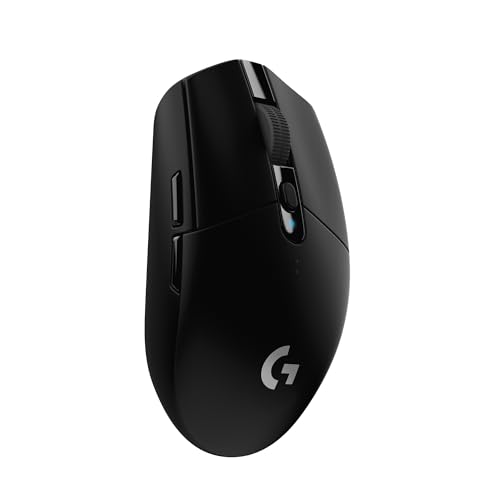
If the G402's weight is the sticking point, the Logitech G Pro Wired gives you Logitech's build quality and software ecosystem in a lighter, ambidextrous shell with a more modern sensor. It costs more, but the weight difference is substantial and the sensor is cleaner.
If you want to stay in a similar price bracket but get a lighter mouse with a more modern optical sensor, the SteelSeries Rival 3 is worth a look. It's lighter, cheaper, and the TrueMove Core sensor is a solid clean optical. You lose some buttons and the shape is less refined for palm grip, but the weight saving is real.
If you're an MMO player who specifically wants more buttons than the G402 offers, the Logitech G600 is the logical next step. It adds a full grid of thumb buttons for ability binding and is built for exactly that use case. Heavier still, but purpose-built for MMO play in a way the G402 isn't quite.
And if budget is genuinely the main constraint and you're choosing between the G402 at its current price and something cheaper, the G402 is almost certainly the better long-term buy. The build quality and switch durability mean it'll outlast most cheaper alternatives by a significant margin, and the owner review data backs that up.
About the Reviewer
This review was researched and written by the team at Vivid Repairs. We cover gaming peripherals, PC hardware, and consumer electronics with a focus on honest, practical advice. Our verdicts come from thorough spec analysis, manufacturer documentation, and real owner review patterns, not marketing materials. We don't claim to have personally tested every product we review, but we know what matters and we say it straight.

Affiliate Disclaimer
Some links in this article are affiliate links. If you buy through them, we may earn a small commission at no extra cost to you. This doesn't influence our verdicts. We'd tell you if a mouse was rubbish regardless of whether we earn anything from it.
What works. What doesn’t.
6 + 6What we liked6 reasons
- Ergonomic right-handed shape that suits palm and claw grip users with medium to large hands very well
- Eight programmable buttons make it a practical choice for MMO, MOBA, and macro-heavy play
- Main clicks are crisp, tactile, and hold up over extended use without going mushy
- Solid build quality with no notable flex, creak, or widespread quality control inconsistencies
- Braided 2.1m cable is long enough for any desk setup and attached firmly at the connector
- No RGB lighting means no extra cost, no software lighting conflicts, and one less thing to fail
Where it falls6 reasons
- At 144 grams including cable, the mouse is noticeably heavy by current standards and will fatigue the arm during long low-sensitivity FPS sessions
- The Fusion Engine hybrid sensor introduces slight uncertainty at extreme speeds that a modern dedicated optical sensor does not
- No onboard memory means custom settings revert to defaults without G HUB installed, limiting usefulness across multiple machines
- The braided cable has enough stiffness to cause perceptible drag during large sweeping movements on bigger mousepads
- Some long-term owners report scroll wheel tactility and structural integrity degrading after extended heavy use
- Right-handed only shape excludes left-handed users entirely
Full specifications
8 attributes| Buttons | 8 |
|---|---|
| Connectivity | USB wired |
| DPI MAX | 4000 |
| Polling rate HZ | 1000 |
| RGB | false |
| Sensor | Optical Delta Zero, AM010 |
| Switches | Omron 20M |
| Weight G | 108 |
If this isn’t right for you
2 options
Frequently asked
7 questions01Is the Logitech G402 Hyperion Fury still worth buying in 2024?+
It depends on your priorities. For MMO and MOBA players who want a comfortable right-handed shape, eight programmable buttons, and solid build quality at a reasonable price, it remains a good option. For competitive FPS players who prioritise low weight and a flawless modern optical sensor, the current market offers better alternatives at comparable prices.
02What grip styles does the G402 suit?+
The G402 is best suited to palm grip and relaxed claw grip users with medium to large hands. The rear hump and overall length of 139mm make it a poor fit for fingertip grip, and the pronounced ergonomic shaping means left-handed users cannot use it comfortably.
03Does the Logitech G402 work without installing G HUB software?+
Yes. The G402 is plug-and-play on both Windows and macOS. Basic functions, including the default DPI settings of 240, 500, 1000, and 4000, work immediately without software. G HUB is only required if you want to customise DPI values, remap buttons, or create macros. The mouse has no onboard memory, so any custom settings will not persist if you move to a machine without G HUB installed.
04How does the Fusion Engine sensor compare to modern optical sensors?+
The Fusion Engine combines a traditional optical sensor with a MEMS accelerometer to handle very high tracking speeds. It works reliably for most users at sensible DPI settings. However, modern dedicated optical sensors from PixArt, such as the PAW3395, offer cleaner tracking without the hybrid approach and its associated uncertainties at extreme speeds. For casual to intermediate play the difference is unlikely to be noticeable, but for those seeking the most precise tracking available, newer sensor designs have moved on considerably since 2014.
05Is 144 grams heavy for a gaming mouse?+
By current standards, yes. When the G402 launched in 2014, 144 grams was considered mid-range. Today, many gaming mice aimed at competitive play weigh between 60 and 90 grams. The weight difference matters most for low-sensitivity FPS players making large, fast arm movements over long sessions. For higher-sensitivity play with smaller wrist movements, or for MMO and MOBA genres where rapid sweeping motions are rare, the weight is much less of a practical concern.
06Does the G402 have RGB lighting?+
No. The G402 has no RGB lighting at all. There is a Logitech logo on the top of the mouse but it is not illuminated. For buyers who want to avoid the cost and software complexity of RGB, or who simply prefer a cleaner look, this is a straightforward advantage.
07What are the most common complaints about the Logitech G402 from long-term owners?+
The three most consistent complaints across the review pool are weight, cable stiffness, and scroll wheel longevity. At 144 grams the mouse is heavier than most current alternatives, which becomes noticeable during extended FPS sessions. The braided cable has some stiffness that causes drag during large movements on bigger mousepads. A smaller but recurring group of long-term owners reports the scroll wheel becoming less tactile or developing lateral wobble after extended heavy use.