Marketing hype is easy to spot in the gaming mouse world once you know what to look for. Manufacturers slap a 6,200 DPI figure on the box like it means something, when in reality the vast majority of competitive players run 800 to 1,600 DPI and never touch the upper ranges. The spec that actually tells you whether a mouse is worth your money is the sensor model, the switch quality, the shape, and what tens of thousands of real owners say once the honeymoon period is over. That last bit matters more than any press release.
The Razer DeathAdder Essential has been around long enough to have a proper track record. It's one of the best-selling gaming mice on Amazon UK, sitting on thousands of owner reviews with a positive overall rating. That's not a fluke. But it's also not the whole story. There are legitimate reasons to pick it, and legitimate reasons to look elsewhere, and you deserve to know both before you hand over your money.
So here's what the spec sheet says, what real owners consistently report, and how it stacks up against the competition. No waffle, no affiliate cheerleading. Just the honest picture.
Core Specifications
The DeathAdder Essential runs on Razer's own 6,400 DPI optical sensor. That's not a PixArt PAW3395 or a PAW3370. It's a proprietary sensor developed in-house, and the honest assessment is that it's competent without being class-leading. At the DPI ranges most people actually use (400 to 1,600), it tracks accurately, doesn't spin out under fast flicks, and lift-off distance is acceptable. It's not going to embarrass you in a game. But it's also not the reason to buy this mouse.
The mouse weighs in at 96 grams. That puts it in the medium category. Not heavy enough to feel like a brick, not light enough to impress anyone who's been following the ultralight trend. It's wired only, with a USB-A connection and a 2.1 metre braided cable. Polling rate tops out at 1,000Hz, which is standard for this price range and perfectly adequate for most gaming scenarios. You get five programmable buttons: left click, right click, scroll wheel click, and two side buttons on the left.
The shape is a right-handed ergonomic design, which is important to flag upfront. Left-handed players, this isn't for you. The hump sits towards the back-centre of the shell, which suits medium to large hands in a palm grip. Claw grip works too, though the hump position means smaller hands might find the back of the shell a bit empty. The dimensions are 127.6mm long, 73.7mm wide, and 42.7mm tall. That's a proper full-size mouse.
| Specification | Detail |
|---|---|
| Sensor | Razer 6,400 DPI Optical Sensor |
| Max DPI | 6,400 DPI |
| Polling Rate | 1,000Hz (1ms response) |
| Buttons | 5 (including scroll wheel click) |
| Weight | 96g (without cable) |
| Dimensions | 127.6 x 73.7 x 42.7mm |
| Connection | Wired USB-A |
| Cable Length | 2.1m braided |
| RGB Lighting | Yes (Razer Chroma, single zone) |
| Switch Type | Razer mechanical switches (rated 10 million clicks) |
| Compatibility | Windows, macOS |
| Current Price | £26.99 · Details |

Shape & Ergonomics: Built for the Razer DeathAdder Essential Gaming Mouse - Matte Black's Core Audience
The DeathAdder shape is one of the most copied ergonomic profiles in the industry, and that tells you something. The right-handed contour, the pronounced thumb shelf on the left side, the high rear hump that fills your palm. It's a shape that's been iterated on since the original DeathAdder in 2006, and the Essential keeps the fundamentals that made it popular. If you've got medium to large hands (roughly 18cm or longer), palm grip is where this mouse shines. Your hand just sits on it naturally, the hump meets your palm at the right point, and the side buttons fall under your thumb without you having to hunt for them.
Claw grip users with medium hands will also get on fine. The front of the mouse is low enough that your fingers can arch comfortably, and the main buttons have enough length to accommodate the shortened contact point of a claw grip. Where it gets trickier is with smaller hands in claw or fingertip grip. The mouse is simply too long and too wide for smaller hands to control precisely in those grip styles. Fingertip grip is effectively off the table for anyone with hands under about 17cm. The shell is too large and too heavy to flick around with just your fingertips without your wrist doing most of the work.
The matte black finish on this version is worth a mention. It's a rubberised coating on the sides and a smooth matte plastic on the top shell. The side grip areas feel secure even with sweaty hands, which is more than can be said for some glossy-finish competitors. A handful of owners in the review pool mention the side coating wearing over time with heavy daily use, which is a fair warning. But for most people, it holds up well. The overall shape hasn't changed dramatically from older DeathAdder versions, and that's actually a compliment. When something works, you don't mess with it.
Sensor Performance
The optical sensor in the DeathAdder Essential is Razer's own 6,400 DPI unit, and this is where the honest conversation needs to happen. Razer doesn't publish the underlying sensor architecture the way some manufacturers do, so you can't cross-reference it against a known PixArt datasheet. What you can do is look at the real-world tracking behaviour that owners consistently report, and the picture is largely positive at sensible DPI settings.
At 800 DPI, which is where most FPS players operate, tracking is accurate and consistent. No reported spin-outs at normal flick speeds. Lift-off distance is on the moderate side, not as tight as a PAW3395-equipped mouse, but not so high that it causes problems during repositioning. The 1,000Hz polling rate means the sensor is reporting position to your PC every millisecond, which is the standard for wired gaming mice at this price point and more than sufficient for anything up to high-level competitive play. The 125Hz, 500Hz, and 1,000Hz options are selectable through Razer Synapse software.
Here's the thing about the 6,400 DPI ceiling: it's irrelevant for almost every use case. Competitive FPS players run 400 to 1,600 DPI. Even in titles where higher sensitivity makes sense, like some MMOs or RTS games, you're unlikely to push past 3,200 DPI with any precision. The max DPI figure is a marketing number. What matters is how the sensor behaves at the ranges you'll actually use, and at those ranges it's solid. Not flawless in the way a PAW3395 or the PixArt PMW3389 is flawless, but very much good enough for the vast majority of players, including a lot of people who'd consider themselves serious about their game.
Weight & Glide
At 96 grams, the DeathAdder Essential sits comfortably in the medium weight category. For context, ultralight mice like the Logitech G Pro X Superlight 2 come in under 60 grams. The Razer Viper V2 Pro is around 58 grams. The DeathAdder Essential is nearly 40 grams heavier than those, which you will notice if you're switching from an ultralight. Whether that matters depends entirely on how you play.
For palm grip players who use lower sensitivity settings and make large arm movements, 96 grams is genuinely fine. The weight is distributed reasonably well, slightly front-heavy, which suits arm-aiming. It doesn't feel sluggish. But if you're a high-sensitivity claw or fingertip player who relies on wrist flicks, that extra weight starts to add up over a long session. Fatigue is a real thing, and mouse weight is a real contributor to it. Owner reviews don't flag fatigue as a major complaint, which suggests the palm-grip target audience is getting what they need.
The PTFE feet (skates) on the Essential are functional rather than exceptional. They glide adequately on most cloth mousepads, and on hard surfaces they're fine. But they're not the thick, rounded-edge PTFE you get on premium mice. A few owners mention the feet wearing faster than expected, particularly on rough cloth pads. Replacement skates are easy to find and cheap, so it's not a deal-breaker, but it's worth knowing. If you're running a high-speed hard pad, the glide out of the box might feel slightly rougher than you'd expect compared to a mouse that ships with premium skates.
Buttons & Switches
The main switches are Razer's own mechanical switches, rated to 10 million clicks. They're not Omron D2FC-F-7N switches, which you find in plenty of budget gaming mice, and they're not Razer's optical switches either (those are reserved for the higher-end Viper and DeathAdder V3 lines). The click feel is crisp with a clear tactile response and a satisfying audible click. Pre-travel is minimal. This is one of the areas where the Essential consistently earns praise in owner reviews. People like the click feel. It's not mushy, it's not rattly, and it doesn't feel cheap.
The two side buttons sit on the left flank of the mouse, positioned for easy thumb access without accidentally triggering them during normal grip. They're slightly raised and textured, which helps with feel-based identification without looking down. The click force on the side buttons is a touch heavier than the mains, which some people prefer (less chance of accidental activation) and others find slightly stiff. It's a minor thing. The scroll wheel has a rubber grip coating and a notched encoder with clear tactile steps. It's not the smoothest wheel in the world, but it's precise and consistent, which is what matters for gaming.
One thing worth flagging: the left and right main buttons are part of the top shell rather than separate pieces. This is a common design choice that can lead to button wobble developing over time as the shell ages. Some owners in the longer-term reviews mention a slight rattle developing in the main buttons after extended use. It's not universal, and it's not a structural failure, but it's a pattern in the review data worth being aware of. For the price point, the switch quality is genuinely above average. But if you want optical switches with zero debounce delay and effectively unlimited click life, you'll need to step up to the DeathAdder V3 or the Viper line.
Build Quality
The shell is matte plastic on the top with rubberised side grips. It doesn't flex noticeably under a firm grip, which is a basic requirement that some cheaper mice fail. There's no significant creak when you squeeze the sides. The construction feels solid for the price point, and the overall finish is clean. Razer's build quality on the Essential is better than the brand's budget-tier reputation sometimes suggests, and the 15,000-plus owner reviews back that up. Major structural complaints are rare.
The braided cable is 2.1 metres long, which is plenty for most desk setups. It's a standard braided nylon weave, not a paracord-style ultra-flexible cable. That means there's some drag and stiffness compared to the best aftermarket cables. It's not a deal-breaker, but if you're using a small mousepad and doing big arm sweeps, you might notice the cable catching occasionally. A bungee solves this entirely and costs a few quid. The USB-A connector is gold-plated, which is a nice touch at this price.
Durability over time is where the Essential's reviews tell an interesting story. The vast majority of owners report it holding up well over months of regular use. The main complaints around build quality tend to be the side grip coating wearing on the left thumb rest with very heavy daily use, and the occasional button rattle mentioned earlier. Neither of these is a fatal flaw. For a mouse at this price, the build quality is genuinely decent. It doesn't feel like a disposable product, which is more than you can say for everything at this end of the market.
Connectivity
The DeathAdder Essential is a wired mouse. Full stop. There's no wireless version of the Essential. If you want a wireless DeathAdder, you're looking at the DeathAdder V3 HyperSpeed or the DeathAdder V3 Pro, both of which cost considerably more. For a lot of people, wired is absolutely fine. Wired mice have zero latency concerns, no battery to charge, and no wireless interference to worry about. The 2.1 metre cable gives you enough reach for virtually any desk setup.
The USB-A connection is plug-and-play on Windows and macOS. No driver installation required for basic use. You only need Razer Synapse if you want to customise DPI stages, polling rate, or button assignments. The cable itself is braided, which helps with durability and reduces tangling, but as mentioned it's not the most flexible cable you'll ever use. For competitive players who've been spoiled by paracord cables or ultralight wireless mice, the cable drag will be noticeable. For everyone else, it's a non-issue.
One thing that's worth saying plainly: at this price point, the choice between wired and wireless doesn't carry the performance implications it once did. Modern 2.4GHz wireless mice like the Logitech G305 or the G Pro X Superlight 2 have effectively solved wireless latency. But the Essential isn't competing on wireless features because it doesn't have any. It competes on shape, switch feel, and price, and on those terms the wired connection is perfectly adequate. If wireless is a hard requirement for you, this mouse simply isn't the right choice, and no amount of other positives changes that.
Battery Life
The DeathAdder Essential is a wired mouse, so battery life isn't a relevant metric. There's no battery. You plug it in and it works. This is actually one of the practical advantages of a wired mouse at this price: you never have to think about charging, you never get mid-game warnings about low battery, and you never have to decide whether to disable RGB to squeeze out a few more hours.
The Razer Chroma RGB lighting on the Essential is powered entirely through the USB connection, so it has zero impact on any kind of battery consideration. The single-zone lighting sits in the Razer logo on the back of the mouse and cycles through colours by default. You can customise it through Synapse or turn it off entirely if you want to minimise any potential USB power draw, though in practice the power draw from a single RGB zone is negligible.
If you're coming from a wireless mouse and considering the Essential as a budget option, the permanent tether is the main trade-off you're accepting. For desk setups where the mouse stays in one place, this is a non-issue. For people who move their setup around frequently or use their mouse across multiple devices, it's a genuine limitation. But for the core use case this mouse is designed for, a dedicated gaming desk setup, the lack of a battery is a feature, not a bug.

Software & Customisation
Razer Synapse is the software that runs the show here. It's a cloud-based platform, which means it requires an account to unlock the full feature set. That's a genuine annoyance. You shouldn't need to create an account to change your DPI settings, and Razer knows this, but they've kept the account requirement because it feeds their ecosystem data. Basic plug-and-play functionality works without Synapse, with the mouse defaulting to 1,800 DPI if you don't configure it. To set custom DPI stages, you need the software.
Within Synapse, you can set up to five DPI stages between 200 and 6,400 DPI in 100 DPI increments. Polling rate is adjustable between 125Hz, 500Hz, and 1,000Hz. You can remap all five buttons, assign macros, and configure the Chroma lighting. There's no on-board profile storage on the Essential, which means your settings live in the cloud and on your PC. Take the mouse to a friend's house without installing Synapse and it'll run at default settings. For a mouse aimed at home desktop use, this is rarely a problem. For a mouse you'd want to use at LAN events or on multiple machines, it's a limitation worth knowing about.
The Razer Synapse 3 software itself is functional but heavier than it needs to be. It installs background processes and can slow down on lower-spec systems. The interface is clean enough, and finding the settings you need isn't difficult. Firmware updates are handled through Synapse, which is straightforward. Overall, the software does what it needs to do. It's not the best mouse software on the market (Logitech G Hub has its own issues, but the underlying functionality is broader), but it's not broken either. For a mouse at this price, it's adequate.
Gaming Experience
For FPS gaming, the DeathAdder Essential is a solid choice if the shape fits your hand. The sensor tracks accurately at competitive DPI settings, the 1,000Hz polling rate keeps latency minimal, and the main switch feel is good enough that rapid clicks in titles like CS2 or Valorant feel responsive and consistent. The ergonomic shape means your hand stays comfortable during long sessions, which matters more than most people admit. Fatigue affects aim. A mouse that fits your hand reduces fatigue. It's that simple.
The side buttons are well-placed for push-to-talk, grenade throws, or ability bindings in hero shooters. The scroll wheel is precise enough for weapon switching. What the Essential doesn't offer is the kind of featherlight flick-ability that ultralight mice provide. At 96 grams, fast 180-degree flicks require more effort than on a 60-gram mouse. If you're a low-sensitivity player who relies on big arm movements, this isn't a problem. If you're a high-sensitivity wrist-flicker, you might find the weight working against you in fast-paced scenarios.
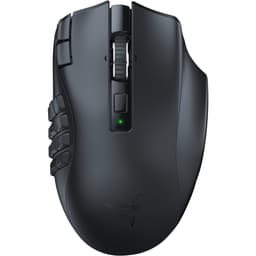
For MMO and MOBA players, the five-button layout is the limiting factor. Dedicated MMO mice like the Razer Naga or Logitech G600 carry 12 or more side buttons. The Essential's two side buttons cover the basics but won't satisfy anyone who wants to bind a full ability bar to their mouse. For casual MOBA play it's fine. For serious MMO raiding where every button binding matters, you'll want something with more thumb real estate. The Essential knows what it is: a clean, comfortable FPS and general gaming mouse, not a specialist MMO tool.
How It Compares
The two most sensible comparisons at this price range are the Logitech G203 and the SteelSeries Rival 3. Both are wired, both are similarly priced, and both target the same budget-conscious gaming audience. The differences are meaningful though.
The Logitech G203 is lighter at around 85 grams, uses a symmetrical ambidextrous shape (so left-handers can use it), and runs on the HERO 25K sensor, which is frankly a better sensor than the Razer Essential's proprietary unit. The G203 also has a tighter lift-off distance. Where the DeathAdder Essential wins is on ergonomics for right-handed palm-grip players. The G203's symmetrical shape is less comfortable for extended palm-grip sessions if you have medium or large hands. It's a genuine trade-off, not a clear winner either way.
The SteelSeries Rival 3 comes in at a similar price, weighs around 77 grams, and uses the TrueMove Core optical sensor. It's lighter, which some players will prefer, but the shape is less distinctive and the build quality feels a step below the Essential. Owner reviews for the Rival 3 are positive but not as enthusiastic as the Essential's, particularly around switch feel and long-term durability. The Essential's positive overall rating across 15,000-plus reviews is genuinely impressive and hard to argue with.
| Feature | Razer DeathAdder Essential | Logitech G203 | SteelSeries Rival 3 |
|---|---|---|---|
| Sensor | Razer Optical 6,400 DPI | HERO 25K | TrueMove Core |
| Weight | 96g | 85g | 77g |
| Shape | Right-handed ergonomic | Symmetrical / ambidextrous | Symmetrical / ambidextrous |
| Polling Rate | 1,000Hz | 1,000Hz | 1,000Hz |
| Main Switches | Razer Mechanical (10M clicks) | Omron (10M clicks) | SteelSeries Mechanical |
| Side Buttons | 2 | 2 | 2 |
| RGB | Yes (single zone) | Yes (3 zone) | Yes (single zone) |
| Cable | 2.1m braided | 2.1m rubber | 1.5m braided |
| Left-hand friendly | No | Yes | Yes |
| On-board storage | No | Yes (1 profile) | No |
What Buyers Say
With thousands of reviews and a positive overall rating, the pattern in what owners praise is pretty consistent. The shape is the number one positive. Specifically, right-handed palm-grip users with medium to large hands keep saying the same thing: it just fits. The ergonomic contour, the thumb shelf, the rear hump. People who've tried multiple mice and kept coming back to the DeathAdder shape know exactly what they're buying. The switch feel also gets consistent praise. Owners describe the clicks as satisfying and crisp, which aligns with the spec (Razer mechanical switches rated to 10 million clicks).
The other recurring positive is value. At its current price point, buyers feel they're getting a premium-feeling mouse without the premium price tag. The Razer branding carries weight, the build feels solid, and the overall package lands well with people who want something that looks and feels good without spending big on a DeathAdder V3 or a Viper Ultimate.
On the complaint side, the main recurring themes are the Synapse software requirement (specifically the account requirement), cable stiffness compared to more expensive options, and for a minority of owners, button rattle developing after extended use. A small number of owners report the rubber side coating degrading over time with very heavy use. None of these are deal-breakers, but they're real patterns in the data rather than isolated one-star reviews. The Synapse complaint in particular comes up enough that it's worth taking seriously if software overhead bothers you.
Value Analysis
At its typical street price, the DeathAdder Essential sits in a competitive part of the market. You're not paying flagship money. You're paying for a well-established ergonomic shape, a decent sensor, good switch feel, and a brand with a long track record in gaming peripherals. The question is whether those things are worth more to you than the lighter weight and better sensor you'd get from the Logitech G203 at a similar price.
For right-handed palm-grip players with medium to large hands, the answer is probably yes. The ergonomic shape advantage is real, and thousands of owner reviews don't lie about comfort. For ambidextrous players, smaller-handed players, or anyone who prioritises sensor performance above all else, the G203 is a better technical package at a similar or lower price. The DeathAdder Essential's value proposition is specifically tied to the shape. If the shape is right for you, it's good value. If the shape isn't right for you, there are better options at the same money.
The lack of wireless, the absence of on-board storage, and the proprietary sensor rather than a top-tier PixArt unit are all genuine compromises. But they're compromises that keep the price accessible, and for a mouse that's primarily going to live on one desk connected to one PC, they're compromises that most buyers won't care about day to day. The Essential earns its price honestly. It's not trying to be something it isn't, and that straightforwardness is actually quite refreshing in a market full of spec-sheet inflation.
Specifications
| Specification | Detail |
|---|---|
| Model | Razer DeathAdder Essential |
| Colour / Finish | Matte Black |
| Sensor Type | Optical |
| Max DPI | 6,400 DPI |
| DPI Stages | Up to 5 (configurable via Synapse) |
| Polling Rate | 125Hz / 500Hz / 1,000Hz |
| Main Switch Rating | 10 million clicks |
| Total Buttons | 5 |
| Side Buttons | 2 (left side only) |
| Scroll Wheel | Rubber grip, notched encoder |
| Weight | 96g |
| Length | 127.6mm |
| Width | 73.7mm |
| Height | 42.7mm |
| Cable | 2.1m braided USB-A |
| RGB | Razer Chroma, single zone (logo) |
| On-board Storage | No |
| Software | Razer Synapse 3 |
| OS Compatibility | Windows 7 or later, macOS 10.11 or later |
| Wireless | No |
| Grip Style | Palm (primary), Claw (secondary) |
| Handed | Right-handed only |
| Warranty | 2 years (Razer standard) |
| Current Price | £26.99 · Details |
| Owner Rating | ★★★★½ (4.5) (15,314 reviews) |
Final Verdict: Razer DeathAdder Essential Gaming Mouse - Matte Black
The DeathAdder Essential is a mouse that knows its audience and delivers for them. Right-handed palm-grip players with medium to large hands, who want a comfortable, well-built wired mouse with good switch feel and a trusted ergonomic shape, at a price that doesn't hurt. That's a big audience, and for those people this is a genuinely good buy. The positive overall rating across 15,000-plus real owner reviews isn't marketing spin. It's the shape working for the people it's designed for.
The honest limitations are real but specific. The sensor is competent, not class-leading. The weight at 96 grams rules it out for players who prioritise ultralight flick performance. The Synapse software account requirement is annoying. There's no wireless option at this price point in the Essential range. And if you have small hands, or you grip in fingertip style, or you're left-handed, this mouse simply isn't for you regardless of how good the reviews are. Shape fit is non-negotiable, and the Essential's shape has a clear target user.
Against the Logitech G203, the Essential wins on ergonomics for right-handed palm-grip users and loses on sensor quality and weight. Against the SteelSeries Rival 3, it wins on build quality and switch feel. Neither comparison produces a clear universal winner because the right choice depends on your hand size, grip style, and what you value most. But for the specific person this mouse is built for, the Razer DeathAdder Essential Gaming Mouse in Matte Black earns a confident recommendation. It's not perfect. It is, however, very good at being exactly what it's supposed to be.
Our score: 8/10. Excellent shape and switch feel for the target user. Sensor and weight hold it back from a higher mark.

Not Right For You? Consider These Alternatives
If the DeathAdder Essential doesn't tick all your boxes, here's where to look instead. The Logitech G203 is the first place to go if you want a better sensor, a lighter mouse, or ambidextrous compatibility at a similar price. The HERO 25K sensor in the G203 is genuinely excellent, the lift-off distance is tighter, and the symmetrical shape works for both hands. The trade-off is a less ergonomic profile for right-handed palm-grip users.
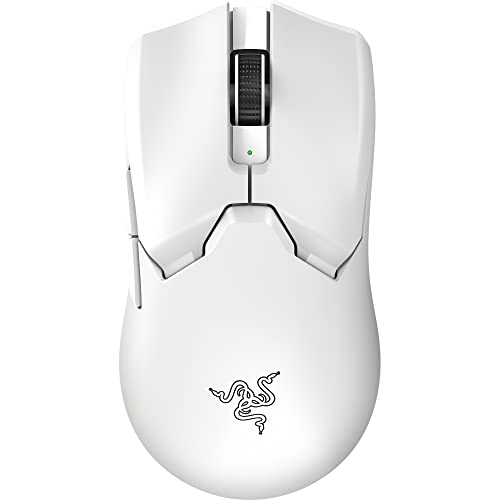
If you want to stay in the Razer ecosystem but need wireless, the Razer DeathAdder V3 HyperSpeed is the obvious step up. It's lighter, runs on the Focus X sensor, and uses Razer's HyperSpeed 2.4GHz wireless technology. It costs more, but if the DeathAdder shape is the reason you're here and wireless matters to you, it's the right upgrade path.
For players who want the absolute best sensor performance at a budget price, the Logitech G305 is worth a look. It's wireless, uses the HERO sensor, weighs around 99 grams, and runs on a single AA battery for months. The shape is symmetrical and less ergonomic than the DeathAdder, but the sensor and wireless performance at its price point are hard to beat. Different mouse, different strengths, but a genuine alternative if your priorities differ from what the Essential offers.
Always check current pricing before buying. Vivid Repairs participates in affiliate programmes; we may earn a commission on qualifying purchases at no extra cost to you.
What works. What doesn’t.
5 + 5What we liked5 reasons
- Ergonomic right-handed shape widely praised by palm-grip users with medium to large hands
- Razer mechanical switches feel crisp and tactile with a 10 million click rating
- Solid build quality with rubberised side grips that hold up well under normal daily use
- 2.1 metre braided cable provides plenty of reach for most desk setups
- A positive overall rating across thousands of owner reviews reflects genuine satisfaction with comfort and value
Where it falls5 reasons
- Proprietary 6,400 DPI sensor is competent but not class-leading compared to PixArt alternatives in the same price bracket
- At 96 grams it is noticeably heavier than ultralight competitors, which can contribute to fatigue for high-sensitivity wrist-flickers
- Razer Synapse requires an account to unlock full customisation, which is an unnecessary friction point
- No on-board profile storage means the mouse reverts to default settings on machines without Synapse installed
- Wired only with no wireless option in the Essential range, and the cable is stiffer than aftermarket paracord alternatives
Full specifications
5 attributes| Buttons | 5 |
|---|---|
| Connectivity | USB wired |
| DPI MAX | 6400 |
| RGB | false |
| Sensor | PixArt PAW3328 |
If this isn’t right for you
2 options

Frequently asked
7 questions01Is the Razer DeathAdder Essential suitable for left-handed players?+
No. The DeathAdder Essential has a right-handed ergonomic shell with a thumb shelf and contoured left side specifically designed for right-hand use. Left-handed players should look at ambidextrous options such as the Logitech G203 or SteelSeries Rival 3 instead.
02What grip styles work best with the DeathAdder Essential?+
Palm grip is the primary design target, particularly for medium to large hands measuring roughly 18cm or more in length. Claw grip works reasonably well for medium hands. Fingertip grip is generally impractical because the mouse is too long and too heavy to control effectively with just the fingertips, especially for hands under approximately 17cm.
03Do you need to install Razer Synapse to use the mouse?+
Basic plug-and-play functionality works without Synapse on both Windows and macOS, with the mouse defaulting to 1,800 DPI. However, to set custom DPI stages, adjust polling rate, remap buttons, or configure the RGB lighting, you will need to install Razer Synapse 3, which requires creating a Razer account.
04How does the DeathAdder Essential compare to the Logitech G203?+
The Logitech G203 is lighter at around 85 grams, uses the technically superior HERO 25K sensor with a tighter lift-off distance, and offers an ambidextrous shape that works for left-handed players. The DeathAdder Essential counters with a more ergonomic right-handed palm-grip shape that many medium and large-handed users find more comfortable for extended sessions, along with a longer cable. Neither is a universal winner; the right choice depends on hand size, grip style, and whether sensor performance or ergonomic fit is the higher priority.
05Is there a wireless version of the DeathAdder Essential?+
No. The DeathAdder Essential is a wired-only mouse. If you want a wireless mouse with the DeathAdder shape, Razer offers the DeathAdder V3 HyperSpeed and the DeathAdder V3 Pro, both of which cost considerably more and include upgraded sensors alongside wireless connectivity.
06How does the 96-gram weight affect gaming performance?+
For palm-grip players using low to medium sensitivity settings and large arm movements, 96 grams is unlikely to cause problems during normal sessions. For high-sensitivity wrist-flickers or players accustomed to ultralight mice under 60 grams, the additional mass requires more effort during fast flicks and may contribute to fatigue over long sessions. Owner reviews do not flag fatigue as a widespread complaint, which suggests the palm-grip target audience is well served by the weight.
07Does the DeathAdder Essential have on-board memory for profiles?+
No. There is no on-board storage on the DeathAdder Essential. All custom settings, including DPI stages, button assignments, and lighting configurations, are stored in the Razer Synapse cloud and on the local PC. If you take the mouse to another machine without Synapse installed, it will revert to its default 1,800 DPI configuration.