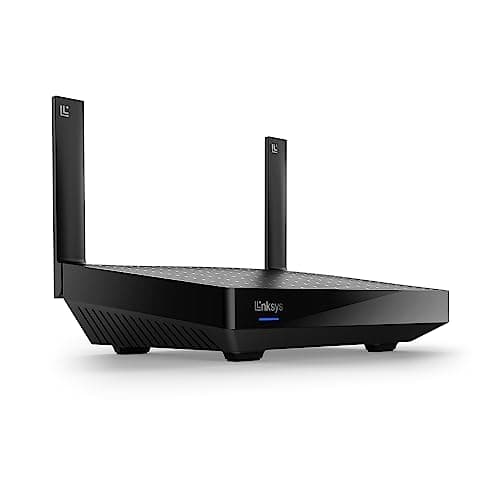
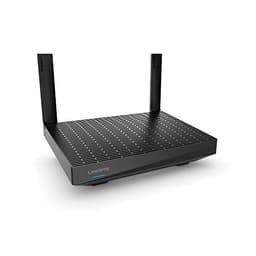
The Linksys EA7200 MAX-STREAM AC1750 WiFi 5 Router is the kind of kit that sits in an awkward spot in 2026. It's a capable, solid dual-band Wi-Fi 5 router at a mid-range price, and the hundred-plus owners who've reviewed it rate it positively, which is genuinely good for a router. But here's the honest verdict up front: if you're shopping new at this price point, you should be buying Wi-Fi 6. Not because Wi-Fi 6 is magic, but because the price gap has basically closed, and there's no good reason to buy a previous-generation standard when equivalently priced alternatives offer better headroom for the devices you'll own in three years.
That said, the EA7200 isn't rubbish. Far from it. Owners consistently praise the range, the setup simplicity, and the stability. If you're replacing a genuinely terrible ISP router in a small-to-medium home and you find this at the right price, it'll do the job. But "does the job" and "best value for money" are different things, and this review is going to be clear about which one applies here.
Core Specifications: Linksys EA7200 MAX-STREAM AC1750 WiFi 5 Router
The EA7200 runs Wi-Fi 5 (802.11ac), dual-band, with a 2.4GHz band rated at 450Mbps and a 5GHz band rated at 1,300Mbps. That 1,750Mbps headline figure is the sum of both bands simultaneously, measured at close range under ideal conditions. Nobody's laptop will see 1,750Mbps. That's not how any of this works. What matters is that the 5GHz band is the workhorse for your phones, laptops, and streaming devices, and 1,300Mbps theoretical gives you decent real-world headroom on a typical broadband connection.
Antenna configuration is three external antennas arranged for spatial stream coverage, supporting 3x3 MU-MIMO (Multi-User, Multiple Input, Multiple Output, which means the router can talk to multiple devices at once rather than queuing them). That's a step up from budget 2x2 routers and it does make a difference in a busier home. Ports are four Gigabit Ethernet LAN ports plus one Gigabit WAN, which is fine for most UK broadband connections but becomes a bottleneck if you're on a multi-gig fibre line. There's also a USB 3.0 port for network storage or printer sharing.
Linksys rates the coverage at up to 185 square metres (around 2,000 square feet), which is optimistic in the way all manufacturer coverage figures are optimistic. Real homes have walls, floors, microwaves, and neighbours' Wi-Fi. The actual usable range in a typical UK semi-detached or terraced house is something owners speak positively about, but we'll get into that properly in the coverage section.
| Specification | Detail |
|---|---|
| Wi-Fi Standard | Wi-Fi 5 (802.11ac) |
| Bands | Dual-band: 2.4GHz + 5GHz |
| Maximum Theoretical Speed | AC1750 (450Mbps + 1,300Mbps) |
| Antennas | 3 external antennas, 3x3 MU-MIMO |
| LAN Ports | 4x Gigabit Ethernet |
| WAN Port | 1x Gigabit Ethernet |
| USB | 1x USB 3.0 |
| Manufacturer Coverage Rating | Up to 185 sq m |
| Security | WPA2 |
| App | Linksys app (iOS / Android) |
| Price | £113.04 · Details |

Real-World Coverage and the Linksys EA7200 MAX-STREAM AC1750 WiFi 5 Router in a Typical UK Home
Linksys's 185 square metre claim is the number you'd see in a large open-plan space with no obstructions. A typical UK home is not that. It's got plasterboard, brick, concrete floors between levels, a kitchen full of interference, and probably a neighbour's router on the same channel. So strip the headline figure away and look at what owners actually say. The pattern across the reviews is consistent: the EA7200 handles a two-storey UK semi-detached well, reaches most of a three-bedroom house without a fight, and starts to show its limits in larger detached properties or homes with thick stone walls.
The three-antenna 3x3 configuration helps here. More spatial streams mean the signal has more paths to find its way around obstacles, and owners in average-sized homes report solid coverage upstairs and in garden areas. A few reviews specifically mention it replacing an ISP-supplied router and being noticeably better for range, which isn't a surprise since most ISP routers are built to a cost that doesn't prioritise antenna quality. The 5GHz band, as always, is the fast one but the shorter-range one. You'll get full speed in the same room and the adjacent room. Two floors up through a concrete ceiling, you'll be leaning on the 2.4GHz band more, which is slower but travels further.
Where the EA7200 will genuinely struggle is in a large detached house, a flat with awkward layout, or anywhere with solid stone or brick internal walls. If that's your situation, a single router of any kind probably isn't the answer, and you'd be better served by a mesh system. The EA7200 isn't mesh-capable on its own, so you can't just buy a second one and have them work together intelligently. That's a real limitation before you buy.
Sustained Speed Under Load
AC1750 is the theoretical peak, and the gap between that number and what your devices actually see is significant. The 5GHz band's 1,300Mbps theoretical assumes you're sat next to the router with a device that has a 3x3 Wi-Fi 5 radio. Most phones and laptops have 2x2 radios, which immediately drops the ceiling. Add distance, walls, and other devices competing for airtime and you're looking at a fraction of the headline figure. That's not a criticism specific to the EA7200, it's true of every router ever made.
What the spec and owner feedback together suggest is that the EA7200 handles typical household loads without drama. Streaming 4K on a couple of TVs, a few phones browsing, someone on a video call: that's well within its comfort zone. The 3x3 MU-MIMO means it can serve multiple devices simultaneously rather than round-robining them, which keeps things feeling responsive when several people are online at once. Owners don't report the kind of congestion-related slowdowns you'd expect from a cheaper 2x2 router under similar load.
The Gigabit WAN port is here. If you're on standard FTTC or FTTP up to 1Gbps, you're fine. If you're on a multi-gig connection (some Openreach and Virgin Media packages now offer this), the WAN port becomes the bottleneck before the Wi-Fi does. That's a spec limitation that's increasingly relevant as faster broadband rolls out across the UK. For most people right now it won't matter, but it matters if you're planning to upgrade your broadband in the next couple of years.
Mesh and Backhaul: What the EA7200 Is and Isn't
The EA7200 is a single router, not a mesh networking system. That distinction matters a lot. A mesh system uses multiple nodes that communicate with each other intelligently, handing your devices off between nodes as you move around and maintaining consistent coverage throughout the home. A single router radiates outward from one point, and when the signal gets weak, it gets weak. There's no second node to pick up the slack.
You can extend the EA7200's coverage with a separate Wi-Fi extender or a powerline adapter, but those solutions come with real trade-offs. A standard Wi-Fi extender creates a second network (or a poorly implemented extension of the first one) and typically halves your throughput because it's using the same radio to receive and retransmit. It's not backhaul in the proper sense. A powerline adapter is more reliable because it uses your home's electrical wiring as the backhaul, but performance depends heavily on the quality of your wiring and which circuit the adapters are on.
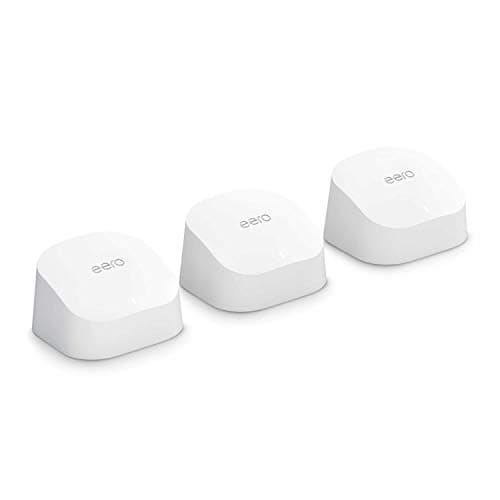
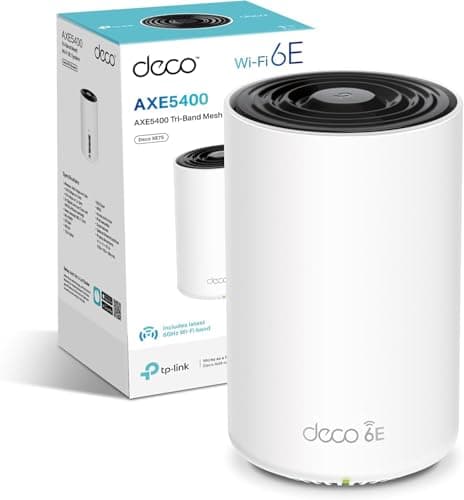
If you need whole-home coverage and the EA7200 alone won't cut it, the honest answer is that you should probably be looking at a proper mesh system rather than trying to extend this one. Linksys's own Velop range does mesh properly, with dedicated backhaul bands on the tri-band models. Alternatively, TP-Link's Deco range or Amazon's Eero offer mesh at various price points. The EA7200 is a good single router. It's just not a mesh system, and no amount of extenders will make it one.
Device Capacity: How Many Devices Can It Handle?
Modern UK homes have a lot of connected devices. Phones, laptops, tablets, smart TVs, games consoles, streaming sticks, smart speakers, robot hoovers, security cameras, smart plugs, bulbs, thermostats. Thirty to forty connected devices is not unusual in a family home in 2026. The question for any router is how gracefully it handles that load rather than how it performs with two devices in a demo environment.
The EA7200's 3x3 MU-MIMO helps here. MU-MIMO allows the router to communicate with multiple devices at the same time across different spatial streams, rather than serving them one at a time. On a 2x2 router, a busy network feels more chaotic because everything's queuing. The EA7200 handles that better. What it doesn't have is OFDMA (Orthogonal Frequency Division Multiple Access), which is a Wi-Fi 6 feature that subdivides channels to serve many small devices (your IoT stuff, your smart plugs) much more efficiently. For a home with thirty-plus devices, OFDMA makes a noticeable difference to how snappy the network feels under load.
In practice, owner reviews don't flag device capacity as a problem for typical family use. The EA7200 seems to handle the usual mix of streaming, browsing, and gaming without obvious choking. Where it would start to show strain is in a genuinely dense environment, say a home office with multiple high-bandwidth workstations plus a full smart home stack all active simultaneously. For most families, that scenario isn't realistic. But if you're running a home that's closer to a small office in terms of device count and usage intensity, a Wi-Fi 6 router with OFDMA would serve you better.
Wi-Fi Standard and Future-Proofing: Is Wi-Fi 5 Still Good Enough?
Wi-Fi 5 (802.11ac) is not dead. The vast majority of devices in most UK homes are Wi-Fi 5 compatible, and a good Wi-Fi 5 router is perfectly capable of saturating most broadband connections. The question isn't whether Wi-Fi 5 works. It's whether buying Wi-Fi 5 new in 2026 makes sense when Wi-Fi 6 routers are available at similar prices.
Wi-Fi 6 (802.11ax) adds OFDMA, better MU-MIMO, improved performance in dense environments, and Target Wake Time for IoT devices (which helps battery life on smart home kit). Crucially, it's backwards compatible with Wi-Fi 5 devices, so upgrading to Wi-Fi 6 doesn't break anything you own. The practical upshot is that a Wi-Fi 6 router will handle your current devices just as well as a Wi-Fi 5 router, and will handle your future devices better. Wi-Fi 6E and Wi-Fi 7 add the 6GHz band and further efficiency improvements, but those standards are genuinely overkill for most households right now, and the price premium is harder to justify.
The EA7200 is a good router running a standard that's one generation behind. If you find it at a genuinely lower price than comparable Wi-Fi 6 options, that changes the calculation. But if the prices are close, the Wi-Fi 6 alternative wins on future-proofing alone. That's not a knock on the EA7200's engineering. It's just where the market has moved.
Features and QoS: What's Actually Useful
The EA7200 ships with Linksys's Smart Wi-Fi software, which gives you QoS (Quality of Service) controls, a guest network, parental controls via device prioritisation, and remote management through the Linksys app. QoS matters more than people realise until someone's Netflix starts killing their video call, or a teenager's gaming session starts eating everyone else's bandwidth. Being able to prioritise traffic types or specific devices is genuinely useful in a busy household, and the EA7200 does offer this.
The guest network feature is worth having. It keeps visitors on a separate network from your main devices, which is both a security measure and a sensible way to stop someone's dodgy laptop causing problems on your home network. The parental controls are basic compared to dedicated solutions like Circle or OpenDNS, but for simple time-based restrictions or blocking specific devices, they're functional. Don't expect content filtering that keeps up with a determined teenager, though. That's not what router-level parental controls are built for.
Buffer bloat is here. This is the latency spike that happens when your router's buffers fill up under heavy load, making everything feel sluggish even when throughput is technically fine. It's a known issue with many consumer routers and it's particularly noticeable when someone's downloading something large while you're trying to game or video call. The EA7200 doesn't have explicit SQM (Smart Queue Management) like you'd find on routers running OpenWrt or DD-WRT, but the QoS implementation does help manage this in practice. Owner reviews don't flag buffer bloat as a major complaint, which is a decent sign.
Firmware, App and Security Updates
This is where things get a bit uncomfortable. The EA7200 is not a new product, and Linksys's firmware update track record for older models has been inconsistent. The broader context here is that Linksys was acquired by Foxconn in 2021 after being spun out of Belkin, and the firmware support picture for older models has been patchy since. That's not unique to Linksys, plenty of networking brands quietly abandon older hardware, but it's something you should know before buying a router that's already a few years into its product life.
The Linksys app gets reasonably positive marks from owners for ease of use and setup, though a small number of reviews mention occasional connectivity issues with the app itself or needing to use the web interface as a fallback. The web interface (accessed via the router's IP address directly) is functional and more complete than the app for advanced settings, which is a sensible design choice even if it's not the most modern approach. Setup through the app is straightforward enough that non-technical buyers consistently report getting it running without drama.
Security updates are the bigger concern. WPA2 is the security standard on this router, which is fine for most home use, but WPA3 (the current standard, offering stronger encryption and better protection against brute-force attacks) isn't supported. As more devices move to WPA3, a router that only offers WPA2 starts to look dated. If you're buying a router in 2026 and planning to keep it for four or five years, WPA3 support is worth paying for. The EA7200 doesn't have it. That's a genuine gap.
Setup and Management
Setup is one of the EA7200's genuine strengths. The Linksys app walks you through the process step by step, and owners consistently report getting from box to connected in under fifteen minutes. You plug in the router, download the app, follow the prompts. That's it. No command lines, no arcane configuration screens, no need to know what a subnet mask is. For someone who's been putting off replacing their ISP router because they're worried about the technical faff, this is the right kind of router. Once it's up and running, pairing it with a good VPN adds a privacy and security layer on top of the network this builds and keeps you covered on public Wi-Fi when you're away from home.
Ongoing management through the app covers the basics: seeing connected devices, setting up the guest network, applying parental controls, and running a speed test. It's not the most feature-rich management interface in the market, but it covers what most people actually need without burying them in options they'll never touch. The web interface at 192.168.1.1 (or whatever the router assigns) gives you more granular control if you want it, including more detailed QoS settings and port forwarding for gaming or hosting services.
One thing from the owner reviews: a small number of people mention occasional app glitches or needing to reboot the router to reconnect after a firmware update. This isn't a majority complaint, and the overall stability picture from reviews is positive. But it's not the perfectly frictionless experience that some newer routers with more actively maintained firmware offer. If you're the kind of person who wants to set it and forget it completely, the EA7200 is mostly that, with the occasional caveat.
Ports and Connectivity
Four Gigabit Ethernet LAN ports is a solid provision for a home router. You can wire up a smart TV, a games console, a desktop PC, and still have a port spare for a network switch if you need more. Wired connections are always preferable to wireless for anything that needs consistent throughput and low latency, so having four ports rather than the two you get on some budget routers is a genuine practical advantage.
The WAN port is also Gigabit, which handles every standard UK broadband package currently available. If you're on Virgin Media's top-tier packages or the handful of multi-gig FTTP providers that are starting to appear in the UK, you'll hit the Gigabit ceiling. But for the vast majority of UK households on FTTC or standard FTTP, a Gigabit WAN port is perfectly adequate. This is worth revisiting in a couple of years as multi-gig broadband becomes more mainstream, but it's not a problem today for most buyers.
The USB 3.0 port is a nice extra. You can plug in a USB drive and use it as basic network-attached storage, accessible from devices on your network. It's not going to replace a proper NAS, the speeds and functionality are limited, but for sharing files or backing up photos across the home network it's genuinely useful. Some routers at this price have dropped USB entirely, so keeping it here is a point in the EA7200's favour. You can also use it for a USB printer, making it accessible to everyone on the network without needing a print server.
How It Compares to the Competition
The EA7200's main competition at this price point comes from Wi-Fi 6 routers that have come down significantly in price since launch. The TP-Link Archer AX55 and the ASUS RT-AX58U are both dual-band Wi-Fi 6 routers that regularly appear at similar or only slightly higher prices. Both offer OFDMA, WPA3, and better future-proofing. The Archer AX55 in particular has built a strong reputation for stable firmware and good range, with TP-Link's Tether app being one of the more polished router management apps available.
The other comparison worth making is the TP-Link Deco M5 two-pack, a mesh system that can often be found at a comparable price. If your problem is coverage rather than raw speed, a two-node mesh system will solve it more elegantly than a single router of any kind. The Deco M5 is Wi-Fi 5 like the EA7200, but the two-node setup means you can place nodes at opposite ends of the house and get consistent coverage throughout, which a single router simply can't match in a larger home.
| Feature | Linksys EA7200 | TP-Link Archer AX55 | TP-Link Deco M5 (2-pack) |
|---|---|---|---|
| Wi-Fi Standard | Wi-Fi 5 (AC1750) | Wi-Fi 6 (AX3000) | Wi-Fi 5 (AC1300) |
| Bands | Dual-band | Dual-band | Dual-band |
| OFDMA | No | Yes | No |
| WPA3 | No | Yes | No |
| MU-MIMO | 3x3 | 4x4 | 2x2 |
| Mesh | No | No (single router) | Yes (2-node) |
| USB Port | USB 3.0 | USB 3.0 | No |
| LAN Ports | 4x Gigabit | 4x Gigabit | 2x Gigabit per node |
| Price | £113.04 · Details | Check Amazon | Check Amazon |

Final Verdict: Who Should Buy the Linksys EA7200 MAX-STREAM AC1750 WiFi 5 Router?
The EA7200 is a solidly built, well-reviewed Wi-Fi 5 router that does what it says. Coverage is good for a typical UK home, setup is genuinely painless, the four Gigabit LAN ports are useful, and the USB 3.0 port is a nice bonus. The positive overall rating across over a hundred reviews isn't an accident. Real owners are happy with it. That counts for something.
But the honest assessment in 2026 is that Wi-Fi 5 is the previous generation, and the price gap between Wi-Fi 5 and Wi-Fi 6 routers has largely closed. The EA7200 lacks OFDMA, lacks WPA3, and has no mesh capability. Those aren't theoretical gaps. OFDMA makes a real difference in homes with lots of devices. WPA3 is increasingly the expected security baseline. And if you need coverage beyond what a single router can provide, you'll need to look elsewhere anyway.
So who should buy this? If you find it at a noticeably lower price than comparable Wi-Fi 6 routers, and you have a small-to-medium home where a single router will cover it, and you're replacing something genuinely terrible like an ISP-supplied router that's been causing you grief, the EA7200 will be a real improvement. It's reliable, it's easy to use, and it's backed by a decent owner satisfaction rate. That's not nothing. But if the prices are close, the TP-Link Archer AX55 is the smarter buy. Wi-Fi 6, OFDMA, WPA3, similar price. The EA7200 doesn't beat it on any meaningful spec.
If coverage is your actual problem rather than speed, skip single routers entirely and look at a mesh system. The TP-Link Deco M5 two-pack or the Linksys Velop range will solve a coverage problem in a way no single router can, regardless of how many antennas it has. The EA7200 is a good router. It's just not always the right one.
Our editorial score: 6.5 out of 10. Solid hardware, genuine owner satisfaction, let down by a standard that's one generation behind and a price point where Wi-Fi 6 alternatives are now fully competitive. Worth buying if the price is right. Not worth stretching for.
What works. What doesn’t.
5 + 4What we liked5 reasons
- Genuine 4.3-star owner satisfaction across over a hundred reviews
- 3x3 MU-MIMO handles multi-device households better than budget 2x2 routers
- Four Gigabit LAN ports plus USB 3.0 is a generous port provision
- App-based setup is genuinely painless for non-technical buyers
- Good coverage for a typical UK semi-detached or three-bedroom home
Where it falls4 reasons
- Wi-Fi 5 only: no OFDMA, no WPA3, one generation behind
- No mesh capability, can't extend intelligently with a second unit
- Gigabit WAN port will bottleneck multi-gig broadband connections
- Firmware update track record for older Linksys models is inconsistent
Full specifications
7 attributes| Antennas | 3 |
|---|---|
| Coverage SQM | 139 |
| Mesh capable | false |
| Ports | 1x 1GbE WAN, 4x 1GbE LAN, 1x USB 3.0 Type-A |
| TOP speed mbps | 1750 |
| Type | router |
| Wifi standard | Wi-Fi 5 |
If this isn’t right for you
2 options

Frequently asked
5 questions01Will the Linksys EA7200 MAX-STREAM AC1750 WiFi 5 Router, Black, 2.4 GHz / 5 GHz cover my whole house?+
For a typical UK two or three-bedroom semi-detached or terraced house, owners consistently report solid coverage throughout. The manufacturer rates it at up to 185 square metres, which is optimistic in a real home with walls and floors, but the three-antenna 3x3 configuration does give it better range than budget routers. Larger detached homes, properties with thick stone walls, or homes with awkward layouts will likely find a single router of any kind insufficient, and a mesh system would be a better choice.
02Do I really need Wi-Fi 6E or Wi-Fi 7 for the Linksys EA7200 MAX-STREAM AC1750 WiFi 5 Router, Black, 2.4 GHz / 5 GHz?+
No, and the question is slightly the wrong way around: the EA7200 is Wi-Fi 5, not Wi-Fi 6E or 7. For most households, Wi-Fi 5 is perfectly functional for current broadband speeds. Wi-Fi 6 adds OFDMA and WPA3 which are genuinely useful, but Wi-Fi 6E and Wi-Fi 7 are overkill for the vast majority of UK homes right now. The more relevant question is whether Wi-Fi 6 is worth the small price premium over this router, and in most cases the answer is yes.
03Is the Linksys EA7200 MAX-STREAM AC1750 WiFi 5 Router, Black, 2.4 GHz / 5 GHz mesh worth it over a single router or extender?+
The EA7200 is a single router, not a mesh system, so this question doesn't quite apply to it directly. It cannot form a mesh network with a second unit. If your coverage problem is real, a mesh system like the TP-Link Deco range or Linksys Velop will solve it far more effectively than the EA7200 plus an extender. Wi-Fi extenders typically halve throughput and create network handoff issues. If a single router covers your home, the EA7200 is fine. If it doesn't, look at proper mesh.
04Is the Linksys EA7200 MAX-STREAM AC1750 WiFi 5 Router, Black, 2.4 GHz / 5 GHz easy to set up and reliable?+
Setup is one of the EA7200's genuine strengths. The Linksys app guides you through the process and owners consistently report getting connected in under fifteen minutes without any technical knowledge required. Reliability is generally good, with the positive overall rating across over a hundred reviews reflecting a stable day-to-day experience. A small number of owners mention occasional app glitches or a reboot needed after firmware updates, but this is not a majority complaint.
05What warranty and returns apply to the Linksys EA7200 MAX-STREAM AC1750 WiFi 5 Router, Black, 2.4 GHz / 5 GHz?+
Specific warranty terms are not confirmed in the product listing data we have available. When buying through Amazon UK, you are covered by Amazon's standard 30-day returns policy and the Amazon A-to-Z Guarantee, which provides a baseline of buyer protection. For manufacturer warranty details, check the Linksys support pages directly or confirm with the seller before purchasing.