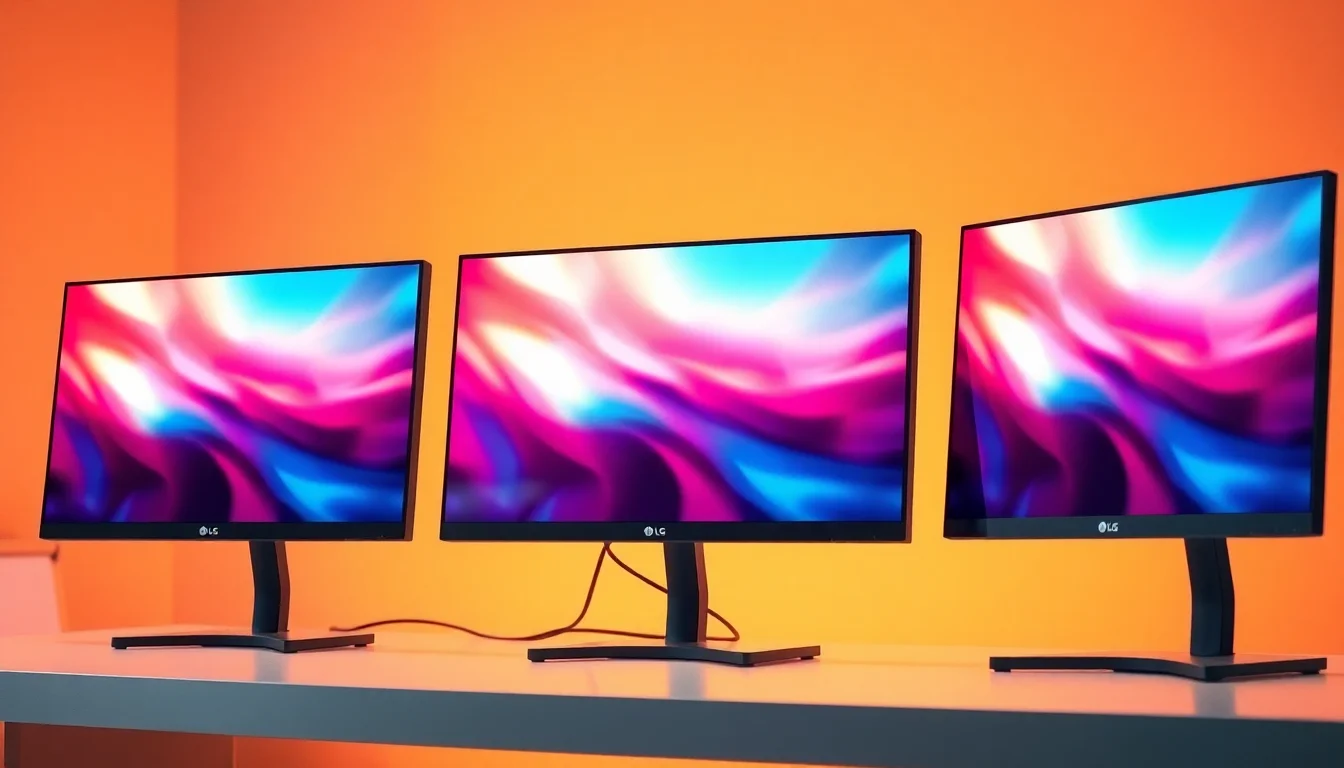
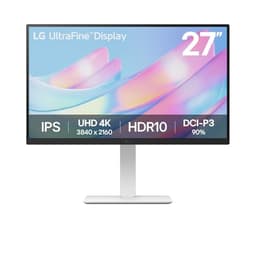
There's something genuinely exciting about a monitor that doesn't just sit there waiting for a PC to tell it what to do. The LG SMART Monitor 27U731SA-W is a 4K IPS panel with webOS baked right in, built-in streaming apps, AirPlay 2, Bluetooth, and a 65W USB-C port that'll charge your laptop while it drives the display. That's a proper feature list for the mid-range bracket. But specs on paper and real-world results are two different conversations, and the numbers that matter most here aren't always the ones LG puts in the headline.
Display tech is one of those areas where the marketing and the reality can drift apart pretty fast. A "5ms GtG" claim sounds fine until you understand what it actually means for motion clarity. "HDR10" looks great on a box until you dig into whether the panel has the brightness to back it up. And "60Hz" is a number that will either be completely fine for you or an instant dealbreaker, depending entirely on what you plan to use this thing for. So rather than just repeating the spec sheet back at you, this review cuts through to what actually matters: panel quality, colour performance, the smart platform, connectivity, and whether the mid-range price tag is justified.
With 12 owner reviews averaging ★★★★☆ (4.1) at the time of writing, there's clearly something here that people like. The question is whether the LG SMART Monitor 27U731SA-W is the right monitor for you, or whether you'd be better served spending similarly elsewhere. Here's the honest breakdown.
Core Specifications
The fundamentals first. This is a 27-inch IPS panel running at 3840x2160 (4K UHD), with a native refresh rate of 60Hz and a quoted GtG response time of 5ms. Those numbers tell you a lot about who this monitor is aimed at. It's not a gaming-first display. 60Hz is the standard refresh rate you'd find on a TV or a basic office monitor, and at 4K resolution on a 27-inch screen, you're looking at a pixel density of roughly 163 PPI. That's sharp. Very sharp, actually. Text rendering at that density is excellent, and fine detail in photos or video is genuinely impressive.
The connectivity story is one of the stronger points here. You get two HDMI ports, a USB-C port with 65W Power Delivery (which means it'll charge most modern laptops while acting as the display connection), a USB-A port, an RJ45 LAN port for wired network access, and a 3.5mm headphone output. The RJ45 is worth highlighting specifically because it's not something you see on every monitor in this class, and for a device running webOS with built-in streaming, having a wired Ethernet option is genuinely useful for stability. Wi-Fi and Bluetooth are also built in, handled through the webOS platform.
On the smart features side, LG has equipped this with webOS (the same operating system found on LG's TV range), which brings Netflix, Prime Video, Disney+, YouTube, and Apple TV as built-in apps. AirPlay 2 support means you can mirror or stream from Apple devices without any cables. There's also Screen Share for Android devices, and Bluetooth pairing for speakers or headphones. The monitor ships with a remote control, which makes the smart TV functionality actually usable rather than just a checkbox feature.
| Specification | Detail |
|---|---|
| Screen Size | 27 inches |
| Resolution | 3840x2160 (4K UHD) |
| Panel Type | IPS |
| Refresh Rate | 60Hz |
| Response Time | 5ms GtG |
| HDR | HDR10 |
| Connectivity | 2x HDMI, 1x USB-C (65W PD), 1x USB-A, 1x RJ45 LAN, 1x headphone out |
| Smart Platform | webOS |
| Wireless | Wi-Fi, Bluetooth |
| AirPlay | AirPlay 2 |
| Speakers | Built-in |
| Stand Adjustment | Tilt only |
| Colour | White |
| Current Price | £297.98 |

Panel Technology
IPS panels have a well-earned reputation, and for good reason. The core advantage of In-Plane Switching technology is wide viewing angles with minimal colour shift. Where a TN (Twisted Nematic) panel will look washed out if you glance at it from the side, and a VA panel can show noticeable colour distortion off-axis, IPS maintains consistency across a wide cone. For a monitor like this one, which might sit on a home office desk where you're not always perfectly centred, or which might be used as a shared screen for showing content to someone sitting alongside you, that matters.
The trade-off with IPS is contrast. Native contrast ratios on IPS panels typically sit around 1000:1, which is noticeably lower than VA panels that can hit 3000:1 or higher. What this means in practice is that blacks on an IPS display look more like very dark grey when you're in a dim room. You'll also encounter IPS glow, which is that faint luminous bloom you see in the corners of the panel when displaying dark content. It's an inherent characteristic of the technology rather than a defect, but it's worth knowing about before you buy. If you're planning to use this monitor in a very dark room for film watching, the black levels won't be as punchy as you'd get from a good VA panel, and they're nowhere near what an OLED would deliver.
That said, for the primary use cases this monitor is clearly designed for, IPS is the right call. Colour accuracy on IPS panels is generally strong, and the wide viewing angles suit both the home office work mode and the smart TV streaming mode equally well. The LG 27U731SA-W's IPS panel should deliver the kind of consistent, accurate image that makes it comfortable to use for hours at a stretch, whether you're in a spreadsheet, on a video call, or watching a film through Netflix. IPS also tends to handle mixed ambient lighting better than VA, which can show off-axis colour casts in bright rooms.
Display Quality
At 3840x2160 on a 27-inch screen, the pixel density lands at approximately 163 pixels per inch. That's meaningfully sharper than a 1080p 27-inch panel (which sits around 82 PPI) and noticeably crisper than 1440p at the same size (around 109 PPI). In practical terms, text looks genuinely clean and crisp at this density, icons have smooth edges, and fine detail in photos and video is rendered with real precision. If you're coming from a 1080p monitor, the jump to 4K at 27 inches is immediately noticeable in a good way.
The anti-glare coating on IPS panels in this class is typically a matte finish, which diffuses reflections rather than eliminating them. This is the sensible choice for a monitor that might be used in a home office with windows nearby. A glossy coating would give slightly more perceived contrast and vibrancy (think MacBook display territory), but it would also turn bright windows into a nightmare. The matte approach keeps things usable in variable lighting conditions, which aligns with the all-day-use positioning of this monitor.
Brightness uniformity is worth mentioning. IPS panels can show some variation across the panel, with edges sometimes appearing slightly brighter or dimmer than the centre. This is generally more noticeable on paper than in everyday use, but it's something to be aware of. Owner reviews for the 27U731SA-W are broadly positive about the image quality out of the box, with the 4K sharpness and colour presentation drawing specific praise. No significant complaints about uniformity issues have surfaced in the early owner feedback, which is encouraging for a display that's been on sale for a relatively short time.
Refresh Rate and Adaptive Sync
60Hz. That's the number, and there's no point dancing around it. For competitive gaming, 60Hz is limiting. If you play fast-paced shooters, racing games, or anything where high frame rates translate directly into a smoother, more responsive experience, this monitor is not optimised for that use case. The difference between 60Hz and 144Hz is genuinely visible in motion-heavy content, and once you've gamed on a high-refresh panel, going back to 60Hz feels sluggish in ways that are hard to ignore.
But here's the thing: 60Hz is absolutely fine for a large chunk of what this monitor is designed to do. Productivity work, creative applications, video editing, streaming content, casual gaming, and everyday computing all work perfectly well at 60Hz. The webOS smart platform doesn't need 120Hz. Netflix doesn't need 120Hz. A video call doesn't need 120Hz. For the home office and smart display use cases that LG is clearly targeting with the 27U731SA-W, 60Hz is a non-issue.
On adaptive sync, the spec sheet doesn't confirm FreeSync or G-Sync compatibility for this model. Given the 60Hz cap and the smart monitor positioning, this isn't a surprise. Adaptive sync matters most when you're pushing variable frame rates in games, which isn't really the primary use case here. If you do connect a gaming PC and play less demanding titles that sit comfortably at 60fps, you'll get a perfectly smooth experience without needing VRR. Just don't expect this to keep pace with a dedicated gaming monitor in that department.
Response Time and Motion
LG quotes 5ms GtG (grey-to-grey) for the 27U731SA-W. In the context of IPS panels at 60Hz, that's a reasonable number. But it's worth unpacking what GtG actually means and why it doesn't tell the whole story. GtG measures the time for a pixel to transition between two specific grey values. It's a useful benchmark, but manufacturers often measure it under the most favourable conditions, and the real-world average across all pixel transitions is typically higher.
At 60Hz, each frame lasts approximately 16.7 milliseconds. A 5ms GtG response time means the pixel transition is theoretically complete well within a single frame, which sounds great. In practice, IPS panels at this response time spec tend to show minimal ghosting in everyday content. You're not going to see obvious smearing on a spreadsheet or during a film. Where things get more interesting is in fast-paced gaming content, where rapid camera pans and quick movements can reveal slight trailing behind moving objects. It's not catastrophic, but it's there if you're looking for it, and it's more noticeable than on a high-refresh gaming IPS panel with overdrive tuning.
For the target audience of this monitor, the 5ms GtG response time is genuinely fine. Casual gaming, streaming, productivity work, none of these will stress the panel's response time in any meaningful way. If you're a serious gamer who cares about pixel response, you already know you need a 144Hz or faster panel with a properly tuned overdrive mode. The 27U731SA-W isn't that monitor, and it doesn't pretend to be. It's honest about what it is: a sharp, smart, versatile display built for work and content consumption first.
Colour Accuracy and Gamut
This is where IPS technology earns its reputation, and where the LG 27U731SA-W should genuinely shine. LG's IPS panels have a strong track record for colour accuracy, and the 27U731SA-W is positioned as a premium home office and content display rather than a budget panel. IPS panels in this class typically cover 99% of the sRGB colour space, which is the standard for web content, office work, and most consumer video. That level of coverage means colours look accurate and consistent across the kinds of content most users will throw at it.
For content creators who work in wider colour spaces, the picture is more nuanced. DCI-P3 coverage on IPS panels at this price point typically lands somewhere in the 90 to 95% range, which is decent for colour-critical work but not at the level of a professionally calibrated display or a high-end panel with quantum dot enhancement. Adobe RGB coverage will be lower still. If you're a photographer or video editor who needs precise colour matching across wide gamut workflows, you'd want to verify the specific DCI-P3 coverage figures for this panel before committing, and consider whether a factory-calibrated option might be worth the extra outlay.
Factory calibration quality varies between units, and without access to published colorimeter measurements for this specific model (it's a relatively new release), it's hard to give precise Delta-E figures. What the owner feedback suggests is that the image looks good out of the box to most users, with colour presentation described as natural and pleasing. That aligns with what you'd expect from a quality LG IPS panel. For everyday use, content consumption, and general creative work, the colour accuracy here should be more than adequate. For professional colour-critical workflows, independent verification of the specific panel's measurements would be wise before relying on it.
HDR Performance
HDR10 support is listed as a feature of the 27U731SA-W. And here's where some honesty is required, because "HDR10" on a monitor spec sheet doesn't automatically mean good HDR. HDR10 is the baseline HDR standard, and it describes a colour and metadata format rather than a brightness capability. The actual HDR experience you get depends almost entirely on the panel's peak brightness and whether it has any form of local dimming. A monitor with HDR10 support but a peak brightness of 350 nits and no local dimming will produce HDR content that looks noticeably flat compared to what the same content looks like on a proper HDR display.
The 27U731SA-W doesn't carry a VESA DisplayHDR certification badge in the available spec data, which is telling. DisplayHDR 400 is the entry-level certification, requiring 400 nits peak brightness. Without a confirmed certification, it's reasonable to treat the HDR10 support here as a compatibility feature rather than a headline capability. What this means in practice is that HDR content will display correctly in terms of colour volume and tone mapping, but the impact won't be dramatic. You won't get the specular highlights that make HDR genuinely impressive on a high-brightness display.
For streaming content through the built-in webOS apps, this matters less than you might think. Netflix and other services deliver HDR content, and the monitor will handle it without issues. The tone mapping will compress the HDR signal into the panel's actual brightness range, and the result will look fine. It won't look like it does on a 1000-nit OLED TV, but it'll be a perfectly watchable, good-looking image. Managing expectations here is the honest approach: this is checkbox HDR that handles the format correctly, not a panel that will transform your HDR viewing experience.

Contrast and Brightness
IPS contrast ratios sit around 1000:1 as a general rule, and there's no reason to expect the 27U731SA-W to deviate significantly from that. In a bright room, 1000:1 contrast is perfectly fine and most users won't notice any issue. In a dark room, blacks will appear as a deep grey rather than true black, and IPS glow will be visible in the corners when displaying dark scenes. This is the classic IPS trade-off, and it's been the case for years. It's not a flaw specific to this monitor; it's just the nature of the technology.
Peak SDR brightness figures aren't confirmed in the available spec data for this model. LG's IPS panels in this class typically offer somewhere in the range of 300 to 400 nits peak brightness, which is adequate for use in normally lit rooms. In a very bright environment with strong sunlight hitting the screen, you might find yourself wanting more headroom, but for the majority of home office and living room setups, it should be sufficient. The matte anti-glare coating helps manage reflections, so the effective perceived brightness in real conditions is better than a raw nit figure might suggest.
For the smart TV use case, brightness adequacy depends heavily on your room setup. Watching Netflix or YouTube in a moderately lit room will look great. In a very bright room with windows behind you, you might find the image looking a bit washed out during the day. The RJ45 LAN port and the overall build quality suggest this is a monitor designed for a home office or desk environment rather than a living room TV replacement, and in that context the brightness levels should work well for most people.
Ergonomics and Build
The stand on the 27U731SA-W offers tilt adjustment only. That means you can angle the screen forward and backward to find a comfortable viewing position, but there's no height adjustment, no swivel, and no pivot to portrait mode. For a monitor in the mid-range bracket, tilt-only stands are common but not universal, and it's a genuine limitation if you're setting up a proper ergonomic workstation. If you're tall, or if your desk puts the monitor at an awkward height, you'll need a monitor arm or a stand riser to get the screen at the right eye level.
VESA mount compatibility isn't confirmed in the available spec data, which is worth checking before you buy if you're planning to use an arm. Most monitors in this class support the standard 100x100mm VESA pattern, but it's worth verifying for this specific model. A monitor arm would solve the ergonomic limitations of the tilt-only stand and free up desk space, so if that's your plan, make sure the mount option is available. The white finish is a deliberate aesthetic choice that will suit certain desk setups very well, particularly the increasingly popular all-white or minimal desk builds. It's a clean look.
Build quality impressions from owner reviews are generally positive, with the monitor described as feeling solid and well-made. The white plastic finish looks premium in photos and appears to hold up well in use. The inclusion of a remote control for the webOS functionality is a nice touch that elevates the smart platform experience considerably. Using webOS with just the monitor's OSD buttons would be frustrating. With a proper remote, the built-in streaming apps become genuinely convenient rather than a gimmick. The overall physical package is described by owners as attractive and well-suited to a home office or bedroom desk environment.
Connectivity and Ports
The port selection on the 27U731SA-W is genuinely good for a monitor in this class. Two HDMI ports means you can have two devices connected simultaneously and switch between them without unplugging anything. A laptop and a games console, for example, or a desktop PC and a streaming device. The USB-C port with 65W Power Delivery is a standout feature. This means a modern laptop can connect to the monitor with a single USB-C cable and get both display output and charging simultaneously. For MacBook users, Dell XPS owners, or anyone with a USB-C laptop, this is a significant quality-of-life improvement over monitors that require separate cables for display and charging.
- 2x HDMI (for dual-device connectivity)
- 1x USB-C with 65W Power Delivery (display, data, and charging over one cable)
- 1x USB-A
- 1x RJ45 LAN (wired Ethernet for webOS streaming)
- 1x 3.5mm headphone output
- Wi-Fi (built-in, for webOS)
- Bluetooth (for audio pairing)
The RJ45 LAN port deserves a specific mention because it's genuinely useful for the smart platform functionality. Streaming 4K content over Wi-Fi can be inconsistent depending on your router and the distance from it. Having the option to run a wired Ethernet connection to the monitor for stable, low-latency streaming is a thoughtful addition. The headphone output is straightforward but welcome, particularly given the built-in speakers. Speaking of which, the built-in speakers will handle casual use and video calls adequately, but they're not going to replace a proper audio setup for serious music or film watching. Bluetooth pairing to external speakers or headphones is the better option for audio quality.
The USB-A port rounds out the connectivity picture. It's useful for connecting a keyboard or mouse when using the webOS platform without a PC, or for plugging in a USB drive. The overall connectivity package is well-thought-out for the monitor's dual identity as a PC display and a standalone smart screen. LG has clearly considered the different ways people will use this monitor and equipped it accordingly. The 65W USB-C PD in particular is a feature that punches above the price point of this monitor and would be a genuine selling point for laptop users.
How It Compares
The LG SMART Monitor 27U731SA-W sits in an interesting position in the market. It's competing against both traditional 4K monitors that offer better pure display performance (higher refresh rates, better HDR certification) and against smart monitors that prioritise the platform features. The two most relevant comparisons at this price point are the Samsung Smart Monitor M7 and a more gaming-focused option like the LG 27UP850N-W, which is LG's own 4K IPS USB-C monitor without the smart platform.
The Samsung Smart Monitor M7 is the most direct competitor. It runs Tizen OS rather than webOS, offers similar smart platform features including Netflix and streaming apps, and comes in at a comparable price point. Samsung's Tizen platform has a broader app selection in some regions, while LG's webOS is arguably more polished and familiar to anyone who owns an LG TV. The M7 also offers a 60Hz IPS panel at 4K, so the core display specs are similar. The LG edges ahead on the USB-C Power Delivery spec (65W is generous) and the inclusion of AirPlay 2, which is a meaningful advantage for Apple device users.
Against a pure-display 4K monitor like the LG 27UP850N-W, the 27U731SA-W offers the smart platform as a genuine differentiator. If you never plan to use the monitor without a PC attached, the smart features are largely irrelevant and you'd be better served by a monitor with better ergonomics or a higher refresh rate for the same money. But if the idea of a monitor that works as a standalone streaming device, a remote desktop terminal, and a USB-C docking station for your laptop all in one appeals to you, the smart platform justifies the package.
| Feature | LG 27U731SA-W | Samsung Smart Monitor M7 (27") | LG 27UP850N-W |
|---|---|---|---|
| Resolution | 3840x2160 (4K) | 3840x2160 (4K) | 3840x2160 (4K) |
| Panel Type | IPS | IPS | IPS |
| Refresh Rate | 60Hz | 60Hz | 60Hz |
| USB-C PD | 65W | 65W | 96W |
| Smart Platform | webOS | Tizen | None |
| AirPlay 2 | Yes | No | No |
| RJ45 LAN | Yes | Yes | Yes |
| Stand | Tilt only | Tilt only | Tilt, height, pivot |
| Price | £297.98 | Similar bracket | Similar bracket |
What Buyers Actually Say
With 12 reviews averaging ★★★★☆ (4.1), the early owner feedback for the LG SMART Monitor 27U731SA-W is genuinely positive. The most consistent praise centres on the image quality, with owners highlighting the sharpness of the 4K panel and the quality of the colour presentation. Several reviewers specifically mention using the monitor as a combined work and streaming display, which is exactly the use case LG is targeting. The webOS platform draws positive comments for being intuitive and responsive, particularly from owners who already use LG smart TVs and find the interface familiar.
The USB-C single-cable connection for laptops comes up repeatedly as a highlight. Owners with MacBooks and Windows laptops both comment on how convenient it is to have one cable handling display, charging, and data. This is the kind of quality-of-life feature that sounds like a small thing until you've lived with it, and the positive feedback suggests it's working as advertised. The 65W charging rate is sufficient for most ultrabooks and mid-range laptops, though owners of power-hungry 15-inch gaming laptops might find it a bit slow for charging under load.
The main complaints in the owner reviews relate to the stand limitations and, for some users, the 60Hz refresh rate. A few owners mention wishing the stand offered height adjustment, which is a fair criticism for a monitor at this price point. The 60Hz cap is mentioned by a small number of reviewers who tried to use the monitor for gaming and found it limiting compared to their previous higher-refresh displays. These are predictable criticisms given the spec sheet, and they don't undermine the core value proposition for the target audience. Nobody buying a smart monitor with webOS and AirPlay 2 should be surprised that it's not a gaming display.
Value Analysis
In the mid-range monitor bracket, the LG SMART Monitor 27U731SA-W is making a specific argument: that the combination of a quality 4K IPS panel, a fully featured smart platform, and genuinely useful connectivity (especially that 65W USB-C) adds up to more value than a comparable pure-display monitor at the same price. Whether that argument holds up depends entirely on whether you'll actually use the smart features.
If you're buying this primarily as a PC monitor and you'll always have a computer attached to it, the webOS platform is largely redundant. In that scenario, you'd be paying a premium for features you won't use, and you'd be better served by a monitor with a more adjustable stand, a higher refresh rate, or better HDR certification. The LG 27UP850N-W, for example, offers a similar 4K IPS panel with height and pivot adjustment and a higher USB-C charging wattage, without the smart platform cost overhead.
But if you're setting up a home office where you want a monitor that can double as a standalone streaming display when the laptop is away, or if you're an Apple household that will use AirPlay 2 regularly, or if you want the flexibility of webOS's remote desktop and cloud PC access without a full PC setup, then the value equation shifts considerably in the 27U731SA-W's favour. The mid-range price for a 4K IPS panel with webOS, AirPlay 2, 65W USB-C, and a proper remote is genuinely competitive. This is a monitor with a clear identity, and if that identity matches your needs, it represents solid value.

Final Verdict
The LG SMART Monitor 27U731SA-W is a well-executed product with a clear purpose. It's not trying to be a gaming monitor. It's not trying to compete with professional colour-critical displays. It's a 4K smart display for people who want a sharp, versatile screen that works brilliantly as both a PC monitor and a standalone smart TV, with the connectivity to make a modern laptop setup genuinely tidy. On those terms, it largely delivers.
The 4K IPS panel at 27 inches produces a sharp, accurate image that's well-suited to productivity work, content creation, and streaming. The webOS platform is polished and genuinely useful, particularly with the included remote. AirPlay 2 is a real differentiator for Apple users. The 65W USB-C port is a standout feature that simplifies laptop setups considerably. The RJ45 LAN port for wired streaming is a thoughtful addition. These aren't checkbox features; they're things that improve the daily experience of using this monitor.
The limitations are real but mostly predictable. 60Hz means this isn't a serious gaming display. The tilt-only stand is a genuine ergonomic compromise. HDR10 support is present but shouldn't be expected to deliver dramatic HDR impact. IPS contrast means blacks aren't deep in dark rooms. None of these are surprises given the spec sheet and the price point, and none of them undermine the core proposition for the right buyer. For a home office worker who wants a sharp 4K display with smart platform flexibility and clean single-cable laptop connectivity, the LG SMART Monitor 27U731SA-W earns a solid recommendation.
Editorial Score: 7.5/10. A genuinely smart monitor in both senses, let down only by the stand and the 60Hz cap.
What works. What doesn’t.
5 + 4What we liked5 reasons
- Sharp 4K IPS panel at 163 PPI delivers excellent text and image clarity
- 65W USB-C PD allows single-cable laptop connection for display and charging
- webOS platform with Netflix, Disney+, YouTube and AirPlay 2 is genuinely polished
- RJ45 LAN port enables stable wired streaming without relying on Wi-Fi
- Competitive mid-range pricing for the feature set on offer
Where it falls4 reasons
- 60Hz refresh rate rules out serious gaming use
- Tilt-only stand is a real ergonomic limitation at this price
- HDR10 support is checkbox-level, not a genuine HDR experience
- IPS contrast means blacks look grey in dark room viewing
Full specifications
12 attributes| Refresh rate | 60 |
|---|---|
| Screen size | 27 |
| Panel type | IPS |
| Aspect ratio | 16:9 |
| Curvature | flat |
| HDR | HDR10 |
| Launch year | 2023 |
| Ports | 2x HDMI, 1x USB-C (65W PD), 1x USB-A, 1x RJ45 LAN, 1x headphone out |
| Refresh rate HZ | 60 |
| Resolution | 3840x2160 |
| Response time | 5ms |
| Response time MS | 5 |
If this isn’t right for you
2 options
Frequently asked
5 questions01Is the LG SMART Monitor 27U731SA-W, 4K UHD IPS 27 inch, 60Hz, 5ms GtG, HDR10, Wi-Fi, Bluetooth, Home office - Remote Desktop, Airplay, webOS smart apps with remote, Speakers, HDMI, USB-C, White good for gaming?+
For casual gaming it's perfectly adequate, but the 60Hz refresh rate is a hard ceiling that makes it unsuitable for competitive or fast-paced gaming. The 5ms GtG response time means minimal ghosting in everyday use, but once you've experienced 144Hz gaming, 60Hz feels noticeably less fluid. If gaming is your primary use case, look at a dedicated 144Hz or faster gaming monitor instead. For occasional gaming alongside productivity and streaming use, the 27U731SA-W handles it fine.
02Does the LG SMART Monitor 27U731SA-W, 4K UHD IPS 27 inch, 60Hz, 5ms GtG, HDR10, Wi-Fi, Bluetooth, Home office - Remote Desktop, Airplay, webOS smart apps with remote, Speakers, HDMI, USB-C, White have good HDR?+
The monitor supports HDR10, which means it handles HDR-formatted content correctly. However, HDR10 is the baseline standard and without a confirmed DisplayHDR certification, the actual HDR impact will be modest. IPS panels at this price point typically don't have the peak brightness or local dimming to deliver dramatic HDR highlights. Treat the HDR10 support as compatibility rather than a premium HDR feature, and you won't be disappointed.
03Is the LG SMART Monitor 27U731SA-W, 4K UHD IPS 27 inch, 60Hz, 5ms GtG, HDR10, Wi-Fi, Bluetooth, Home office - Remote Desktop, Airplay, webOS smart apps with remote, Speakers, HDMI, USB-C, White good for content creation?+
For general content creation, photo editing, and video work, the 4K IPS panel should deliver good colour accuracy with wide sRGB coverage and reasonable DCI-P3 performance typical of quality LG IPS panels. The 163 PPI pixel density means fine detail is rendered crisply. For professional colour-critical work requiring verified wide-gamut accuracy and low Delta-E, you'd want to check published measurements for this specific panel before relying on it, or consider a factory-calibrated professional display.
04What graphics card do I need for the LG SMART Monitor 27U731SA-W, 4K UHD IPS 27 inch, 60Hz, 5ms GtG, HDR10, Wi-Fi, Bluetooth, Home office - Remote Desktop, Airplay, webOS smart apps with remote, Speakers, HDMI, USB-C, White?+
For driving 4K at 60Hz for productivity and everyday use, a mid-range GPU like an Nvidia RTX 3060 or AMD RX 6600 XT is more than sufficient. For 4K gaming at 60fps in demanding titles, you'd want something more powerful like an RTX 4070 or RX 7800 XT. The monitor's 60Hz cap means you don't need to chase high frame rates, which actually makes the GPU requirement more manageable than a high-refresh 4K gaming monitor would demand. The USB-C connection is also compatible with laptops that support DisplayPort Alt Mode over USB-C.
05What warranty and returns apply to the LG SMART Monitor 27U731SA-W, 4K UHD IPS 27 inch, 60Hz, 5ms GtG, HDR10, Wi-Fi, Bluetooth, Home office - Remote Desktop, Airplay, webOS smart apps with remote, Speakers, HDMI, USB-C, White?+
Amazon offers 30-day returns on most items - helpful for checking for dead pixels. The manufacturer typically provides a 3-year warranty on monitors. You're also covered by Amazon's A-to-Z guarantee.