VIVID·REPAIRS/THE FIELD GUIDE/MONITORUpdated 4 October 2026Prices live from Amazon UK
Best of · UK · Field of 8
Best 4K Monitors Under £500
By the Vivid Repairs deskUpdated 4 October 20268 ranked picks2,204 owner ratings read
As an Amazon Associate we may earn from qualifying purchases. We have not handled these products. Everything below is judged on published specifications, the owner ratings on the UK listings and our own product reviews, and the ranking stays independent of what any of them pay.
As an Amazon Associate, we may earn from qualifying purchases. Our ranking is independent.
Amazon confirms the live price, seller, stock and delivery. Prices here are read from the live listing through the day; a pick Amazon cannot supply is marked as such, and where the list has one in stock it is offered.
vividrepairs.co.uk / best-4k-monitors-under-500Updated 4 October 2026 · Prices from the live Amazon UK listing
§ The field
Eight picks, on one page
Ranked on fit for the job in the title, not on raw specification. Tap any one to jump to the argument for it. Prices are the live Amazon UK figure, read today; a pick with no figure is out of stock and says so in its entry.
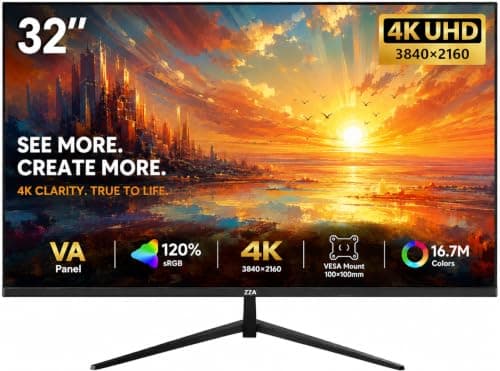
32-inch 4K VA panel delivers genuine sharpness at 138 PPI with strong native contrast
Built-in Samsung Tizen smart platform for Netflix, Disney+ and YouTube without a PC
VA panel contrast advantage makes dark content look dramatically better than IPS rivals
Where it gives up
VA panel narrower viewing angles are a real limitation for shared or off-axis viewing. HDR10 support is entry-level; peak brightness and local dimming not confirmed in specs.
Rated 4.8 by 22 owners, which is thin. Our review scores it 8.0.
True 4K resolution at 27 inches delivers 163 PPI sharpness that is noticeably crisper than 1440p for both gaming and everyday use
160Hz refresh rate combined with FreeSync Premium and G-Sync Compatible support provides smooth, tear-free gaming on AMD and Nvidia systems alike
IPS panel offers strong colour accuracy, good brightness uniformity, and wide viewing angles that suit mixed work and gaming use
Where it gives up
IPS panel contrast of roughly 1000:1 to 1200:1 means blacks appear dark grey rather than true black, with characteristic corner glow during dark scenes. Running 4K at 160Hz demands a high-end GPU such as an RTX 4070 or RX 7800 XT, which may not suit buyers with mid-range graphics cards.
Rated 4.4 by 446 owners. Our review scores it 7.5.
Genuine 4K sharpness at 163 PPI makes text and images noticeably crisper than 1440p
99% sRGB coverage with good out-of-box colour accuracy for design and photo work
Always-on ComfortView Plus blue light reduction without sacrificing colour accuracy
Where it gives up60Hz refresh rate rules it out for serious gaming or anyone used to 144Hz smoothness. HDR support is checkbox-level only, with no meaningful visual improvement over SDR.
The rules this ranking ran under, in plain sight: what we read, what we weighed and what no merchant can move.
How we picked
Our editors evaluated 8 Monitor options against the criteria readers actually weigh up: price, real-world performance, build quality, warranty, and UK availability. Picks lean toward what we'd recommend to a friend buying today, not specs-on-paper winners.
Editorial contextEditor notes from individual reviews, not press releases.
Live UK pricingRefreshed from Amazon UK twice daily.
No paid placementsAffiliate commission doesn't change what wins.
The full guideEverything behind the shortlist above: the spec sheet, the write-ups in full, our method and the verdict.
§ Editorial · The full guide · five proofs, nothing hidden
The Doubt Index.
The shortlist told you what we picked; this zone shows the working. Come in through whichever doubt you’re carrying, or read straight down; we’d rather you checked us than trusted us.
Here’s the sheet the desk works from, kept deliberately factual. Every row is written to be checked against the retailer’s current listing, and you should check. The table scrolls sideways inside its own frame; the page underneath stays still.
Scroll sideways →8 rows · 5 columns · Prices swap to the live figure at render
You can, and you should. What follows is the part a sheet can’t do: the working between what these products have and what your desk actually needs, kept word for word.
Here's the good news: finding the Best 4K Monitors Under £500 is easier than it's ever been. A few years back, UHD meant spending serious money. Now you can get a sharp, colour-accurate 4K panel for less than a mid-range phone. We've pulled together eight monitors that all clear the 3840x2160 bar, from a 27-inch AOC IPS display to fast 160Hz gaming panels and smart monitors that double as a telly. Some are aimed at gamers, some at home workers, and a couple try to be everything at once. This guide ranks all eight on specs, price and what owners actually say once the box is open, so you can spend wisely.
Buying Guide: What to Look For in the Best 4K Monitors Under £500
So how do you actually pick? Let's break down the numbers that matter, because a spec sheet can hide as much as it reveals.
Screen size and scaling. On a 27-inch panel, 4K is incredibly sharp but tiny at 100% scaling, so you'll run Windows or macOS scaling at 150% or so to make text readable. A 32-inch spreads the same pixels out, giving a more natural desktop and a more immersive feel for films and games. Neither is wrong; it's about your desk and how close you sit.
Refresh rate. This is the big divide. Smart monitors and office panels here run at 60Hz, which is perfectly fine for work, streaming and casual play. Gaming panels push 144Hz or 160Hz for fluid motion, but running 4K at those rates needs a powerful graphics card. That's where dual-mode features shine, dropping to 1080p at high refresh so you can match the panel to your hardware.
HDMI 2.1. If you game on a PS5 or Xbox Series X, look for HDMI 2.1. It's what allows 4K at high frame rates from a console. Cheaper panels with only HDMI 2.0 will cap you lower. Several picks here, including both MSI models and the Gawfolk, include it.
Colour and HDR. For photo or design work, 99% sRGB coverage (like the Dell) means accurate colour. HDR on budget monitors is usually DisplayHDR 400 or basic HDR10, which brightens highlights but won't deliver the deep local dimming of a proper HDR telly. Treat it as a mild bonus, not a headline.
Extras. USB-C is worth chasing if you use a laptop, since it drives the display and charges over one cable. A smart hub turns the monitor into a TV. And a warranty matters: Dell's 3-year cover buys peace of mind that a no-name brand can't.
The common mistake? Overspending on refresh rate you can't feed, or on HDR that budget panels can't really deliver. Match the monitor to what you actually do. You can read more about panel technology on RTINGS, and check MSI's own monitor range for the latest specs.
Eight write-ups, none folded away. We don’t lab-test, so every line below sticks to what can be defended: the published sheet, the owner ratings on the UK listings and our own reviews.
If you want one monitor that does nearly everything, this is our pick of the Best 4K Monitors Under £500. You get a big 32-inch UHD panel that's sharp for spreadsheets and gorgeous for films, plus Samsung's Tizen smart hub built in. That means Netflix, Prime Video and Disney+ run straight off the monitor with the bundled remote, no PC or streaming stick needed. For a bedroom or a small flat where a monitor doubles as a telly, that's genuinely useful.
The 3840x2160 resolution on a 32-inch screen provides room for documents and media. Samsung lists Smart TV apps, Gaming Hub and AirPlay, together with USB-C, HDMI and USB-A ports. The current price is £293.59 · Details; check that figure against your budget before buying.
It's not a gaming monitor, mind. You're looking at a standard 60Hz refresh, so competitive players will want something faster. And the built-in speakers are thin, as always. For work and streaming on one screen, consider its size and smart apps alongside the live price. For the full rundown, see our full Samsung 32-inch 4K Smart Monitor review.
The MSI MAG 322URDF E16 is a 32-inch 4K Rapid IPS monitor priced at £334.97 · Details. MSI lists dual-mode operation: up to 160Hz at UHD or 320Hz at Full HD. Choose the mode around the detail and frame rate you want, then compare its current price with your budget.
The Rapid IPS panel has height and tilt adjustment. Dual-mode operation lets you choose UHD at up to 160Hz or Full HD at up to 320Hz. Check the supported modes for your computer or console, cable and chosen input.
The DisplayHDR 400 badge does not by itself establish HDR picture quality. The listed 0.5ms response time is a manufacturer figure, too, rather than a measurement from our own testing. Its HDMI 2.1 and DisplayPort 1.4a connections are useful details to check against your setup.
Looking for a 27-inch 4K gaming screen? The Philips Evnia pairs a sharp 27-inch 4K IPS panel with a 160Hz refresh rate, and it does it for £249.00 · Details. That's a lot of speed for the money. Among the Best 4K Monitors Under £500, this is the one to eye if frame rate matters most.
The 160Hz ceiling means fast-paced shooters and racers look genuinely fluid, and the IPS panel keeps colours vibrant with wide viewing angles. At 27 inches the 4K resolution gives you a very high pixel density, so games look razor sharp, and you'll likely run desktop scaling to keep menus readable. Philips' Evnia line has a good reputation for gaming features, and owners rate the out-of-box picture quality.
To hit 160Hz at 4K, though, you need a serious graphics card. On a modest rig you'll be dropping settings or resolution. It's also a gaming-first design, so there's no smart hub or fancy TV apps here. But if you've got the GPU to feed it, this is a proper decent fast 4K panel at a keen price. Have a look at our Philips Evnia 27-inch review for more.
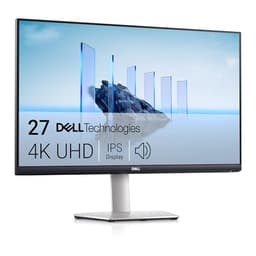
Dell's S2721QSA is the sensible, grown-up choice among the Best 4K Monitors Under £500. It won't wow you with gaming speed or smart apps, but it nails the fundamentals: a clean 27-inch 4K IPS panel, 99% sRGB coverage for accurate colour, and Dell's reassuring 3-year warranty. That warranty alone puts it ahead of the cheaper no-name options for peace of mind.
The 99% sRGB coverage makes this a solid pick for photo editing and design work where colour accuracy counts. It's a 60Hz panel with FreeSync, so light gaming is fine even if it's not built for esports. Connectivity is generous with two HDMI ports and DisplayPort, and there are built-in speakers for calls and background audio. Owners tend to highlight the build quality and the tidy silver design.
The catch is price. At £294.00 · Details, it's one of the dearer 27-inch options here, and you're partly paying for the Dell name and support. If you don't need the warranty or the colour accuracy, cheaper panels do the basics. But for a reliable work-focused 4K screen that'll last, it earns its keep. More detail in our Dell S2721QSA review.
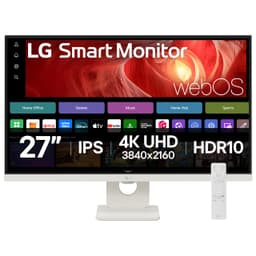
LG's smart monitor takes a different route with webOS instead of Tizen, and crucially it supports AirPlay. If you live in the Apple ecosystem, that makes mirroring your iPhone, iPad or Mac to this 27-inch 4K panel dead simple. Among the Best 4K Monitors Under £500, it's the natural pick for Apple households, landing at Check price.
The 27-inch 4K IPS panel is sharp and clean, and the white finish matches Apple kit nicely. USB-C handles single-cable laptop connection and charging, while webOS brings streaming apps and a remote for TV duties. There's Remote Desktop support too, handy for a home office setup where you dip between machines. Owners rate it as a tidy, quiet all-rounder for a desk.
Like the other smart monitors, it's a 60Hz panel, so gaming is casual only. And webOS, while polished, can feel a little sluggish compared to a dedicated streaming box. But for a smart, AirPlay-friendly 4K screen that looks the part in a home office, it's a strong shout. See our full LG 27-inch smart monitor review for the details.
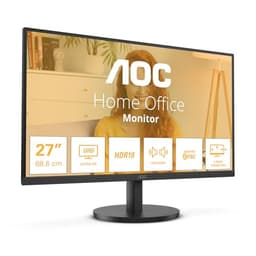
The AOC U27B3A is a 27-inch 4K IPS option for home and office use, currently £178.97 · Details. Compare that live price with the rest of this shortlist before choosing.
You get a 27-inch 4K IPS panel with a 3-side frameless design, HDR10, and eye-care features like LowBlue Light and FlickerFree for long working days. It's a no-frills screen aimed at home and office use, and for browsing, documents, spreadsheets and streaming it does the job cleanly. Owners are generally happy given the price, with sharp text and decent colours the usual highlights.
Set your expectations, though. It's 60Hz with a basic HDR implementation, the 350 cd/m2 brightness is modest, and there's no USB-C or smart hub. The stand is simple with limited adjustment. For a first 4K monitor or a secondary display, weigh those limits against the current price.
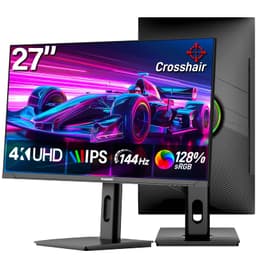
The Gawfolk is the wildcard here. It's a lesser-known brand offering a spec that reads well above its price: a 27-inch 4K IPS panel at 144Hz with HDMI 2.1, all for Check price. On paper it's a strong contender among the Best 4K Monitors Under £500 for anyone wanting high-refresh 4K on the cheap.
The 144Hz refresh and HDMI 2.1 port make it a tempting budget gaming option, especially for console players who want smooth frames at 4K. The IPS panel keeps colours reasonable, and Gawfolk pitches it for home and office as well as gaming, so it's a flexible all-rounder. Owner feedback that exists is broadly positive on picture quality for the money.
Here's the honest bit, though. Buying from a smaller brand is a gamble on after-sales support and long-term reliability. You don't get the warranty reassurance of a Dell or the polish of an MSI. Panel quality control can be more variable too. If you're comfortable with that trade-off for the spec-per-pound, it's worth a look. See our Gawfolk 27-inch review for the full picture.
At £499.99, this is the priciest monitor in the roundup, nudging closest to our £500 ceiling. But it's also the most premium. MSI's MPG line sits above the MAG models, and this white 27-inch 4K gaming panel brings sharper build quality, faster performance and a more upmarket feel. If your budget stretches, it's the enthusiast pick of the Best 4K Monitors Under £500.
The white design offers a different look from the other gaming monitors here. Compare its panel, ports and refresh modes with the MAG 322URDF E16 before deciding whether the extra cost is worthwhile.
Compare the two MSI models on the features you need and their current prices. A higher price alone does not establish better image quality or build quality.
This page carries affiliate links; they never set the order. We don’t lab-test: rankings come from published specifications, the owner ratings on the UK listings and our own reviews.
How We Compared These
We didn't get hands-on with these monitors ourselves. Instead, this ranking is built from published manufacturer specifications, listed features, price data and a wide read of verified owner reviews across UK retailers. We weighed each panel on resolution sharpness, refresh rate, connectivity (HDMI 2.1, USB-C, DisplayPort), colour coverage, HDR support, build quality and warranty, then set that against the current price to judge value. Where owner feedback flagged recurring issues, like weak speakers or flimsy stands, we've called them out honestly. The goal is a fair, spec-led comparison that reflects what buyers actually get for their money.
A crown that can’t be argued with isn’t proof of quality; it’s proof nobody checked. So rather than restate the winner’s virtues, we defend the crown against the strongest cases to take it.
Samsung 32-inch 4K Smart Monitor
Cross-examination · Three challengers, taken seriously
It’s £334.97 on the live listing today. Owners rate it 3.6 from 8 ratings. Our review scores it 7.5 against the winner’s 8.0. The crown holds on the ranking rules: the order above was set before any link was attached, and its case is argued in full in the write-up above.
The £45 argumentPhilips Evnia 27-inch 4K 160Hz Gaming Monitor
At £249.00 today against the winner’s £293.59, its strongest case is the £45 it hands back. Owners rate it 4.4 from 446 ratings. Our review scores it 7.5 against the winner’s 8.0. If the cheaper pick covers the job you actually do, take the saving with a clear conscience. The crown stays where it is because rank follows fit for the job in the title, not the receipt, and its full argument is in the write-up above.
Prices checked (this pick) and (the winner) · Details
The owners’ argumentDell S2721QSA 27 Inch 4K UHD (3840x2160) Monitor
It’s £294.00 on the live listing today. Owners rate it 4.4 from 376 ratings. Our review scores it 7.5 against the winner’s 8.0. The crown holds on the ranking rules: the order above was set before any link was attached, and its case is argued in full in the write-up above.
After weighing specs, prices and owner feedback, the Samsung 32-inch 4K Smart Monitor takes our Best Overall spot for its blend of a big, sharp panel, genuinely useful smart hub and USB-C connectivity; compare its live price with the alternatives. The MSI MAG 322URDF E16 offers 32-inch 4K and dual-mode gaming at £334.97 · Details; weigh that against the screen size and refresh rate you need. Gamers with a strong GPU should look hard at the Philips Evnia for its 160Hz speed, while Apple users will love the AirPlay-friendly LG. Whatever your budget within the Best 4K Monitors Under £500, there's a sharp UHD panel here to suit it.
Asked just before checkout · 4k monitors under £500
Reader questions, answered
All 5 answered in full, nothing folded away.
01 / 05
Are there actually any 4K monitors under £500?
Yes. The AOC U27B3A and Samsung LS32FM703UUXXU are 3840x2160 models included here. Compare their live prices above with your budget before buying.
02 / 05
What's the difference between 1440p and 4K resolution?
1440p (QHD) runs at 2560x1440 pixels, while 4K (UHD) is 3840x2160. That's roughly 3.7 million pixels versus 8.3 million. You'll notice sharper text and more detail with 4K, but it demands significantly more GPU power for gaming. For most users at 27 inches, 1440p offers the sweet spot between clarity and performance.
03 / 05
Do I need a special graphics card for high refresh rate monitors?
It depends on what you're doing. For competitive gaming at 180Hz or higher, you'll want at least an RTX 3060 or RX 6600 XT for 1080p, or an RTX 4060 Ti for 1440p. But if you're just doing office work or casual browsing, even integrated graphics can drive these displays at their maximum refresh rates without breaking a sweat.
04 / 05
Is a curved monitor better for gaming?
A curve is a matter of preference and viewing distance. It can feel more immersive, while a flat screen is often easier to use for work involving straight lines. Compare the panel shape of the exact model before buying.
05 / 05
What refresh rate do I actually need?
For office work and media, 60Hz can be sufficient. Higher refresh rates can make gaming look smoother, but the benefit depends on the frame rate your graphics card can deliver. Choose for the games and work you actually do.
No sponsored placements, ever
Continue reading · A different question, the same desk
More monitor guides
A different question from the same desk, in the same category.