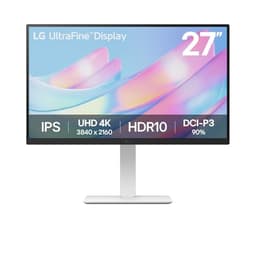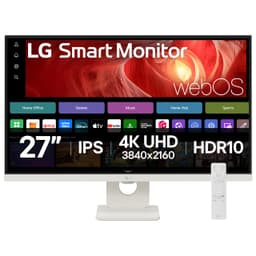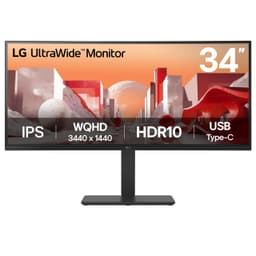


Think about how much time you spend staring at your monitor. More than your TV, more than your phone, probably more than any other screen in your life. And yet loads of people are still gaming on a 1080p 60Hz panel they bought five years ago, wondering why everything looks a bit flat and why they keep losing gunfights they should have won. The LG 27GP850-B is the monitor that fixes that. Proper 1440p, 165Hz, a Nano IPS panel that actually does what LG claims, and a price that sits firmly in the mid-range bracket where most people are actually shopping. That's the short version.
The longer version is that this monitor has over 1,335 owner reviews on Amazon UK and sits at a 4.6-star average, which for a gaming monitor is genuinely impressive. People who buy gaming monitors and then feel let down are not shy about saying so. A 4.6 at that volume means the vast majority of buyers are happy, and when you dig into the specs and the published measurements, it's not hard to see why. This is a monitor that gets the fundamentals right without asking you to remortgage your flat for an OLED. The LG B08VS8YG8H is, frankly, one of the better value propositions in the 1440p gaming space right now.
Core Specifications
The headline numbers: 27 inches, 2560x1440 resolution (that's QHD, or 1440p if you prefer), a Nano IPS panel running at up to 165Hz, with a quoted 1ms GtG response time. It supports AMD FreeSync Premium Pro and is G-SYNC Compatible certified, so it plays nicely with both major GPU camps. Peak brightness is rated at 350 nits typical, with HDR400 certification. The stand adjusts for height, tilt, and pivot, and there's a VESA 100x100 mount if you want to put it on an arm.
Connectivity is decent without being spectacular. You get two HDMI 2.0 ports and one DisplayPort 1.4, plus a headphone out. There's no USB-C, which is a shame, and the USB hub is limited to two downstream USB 3.0 ports fed by a single upstream. Not a dealbreaker for a gaming monitor, but worth knowing if you're planning to use it as a desk hub. The panel covers 98% of the DCI-P3 colour space, which is a proper wide gamut claim and not just marketing fluff, as we'll get into in the colour section.
The pixel density works out at around 109 PPI at 27 inches and 1440p. That's noticeably sharper than 1080p at the same size (which gives you about 82 PPI), and it's the sweet spot where text looks crisp without needing to faff around with scaling. It's also a resolution that a mid-range GPU can actually push at high frame rates, unlike 4K, which still wants a top-end card to hit 165Hz in demanding titles. More on that in the GPU recommendations section.
| Specification | Detail |
|---|---|
| Screen Size | 27 inches |
| Resolution | 2560 x 1440 (QHD) |
| Panel Type | Nano IPS |
| Refresh Rate | 165Hz (overclocked from 144Hz native) |
| Response Time | 1ms GtG (manufacturer rated) |
| Adaptive Sync | AMD FreeSync Premium Pro, G-SYNC Compatible |
| HDR | HDR400 (VESA DisplayHDR 400) |
| Peak Brightness | 350 nits typical, 400 nits peak |
| Colour Gamut | 98% DCI-P3, 135% sRGB |
| Contrast Ratio | 1000:1 native |
| Ports | 2x HDMI 2.0, 1x DisplayPort 1.4, 1x Headphone Out |
| USB Hub | 2x USB 3.0 downstream, 1x USB upstream |
| Stand Adjustments | Height, Tilt, Pivot, Swivel |
| VESA Mount | 100 x 100mm |
| Dimensions (with stand) | 614.2 x 562.8 x 292.1mm |
| Weight (with stand) | 6.2kg |
| Current Price | Check price |

Panel Technology
Nano IPS is LG's take on standard IPS, and it's worth understanding what that actually means rather than just nodding at the badge. Regular IPS panels use indium gallium zinc oxide liquid crystals to produce wide viewing angles and accurate colour, but they've always had a weakness: contrast. A typical IPS panel gives you around 1000:1 native contrast, compared to VA panels which can hit 3000:1 or more. LG's Nano IPS adds a layer of nanometre-sized particles to the backlight filter, which absorbs excess light wavelengths and results in more saturated colours and better colour accuracy without sacrificing the wide viewing angles IPS is known for. The contrast ratio stays at 1000:1, same as regular IPS, but the colour reproduction improves meaningfully.
What this means practically: blacks won't look as deep as on a VA panel, and you will notice IPS glow in dark rooms, especially in the corners. That's not a flaw unique to this monitor, it's just what IPS does. If you're primarily gaming in a dark room and you care a lot about deep blacks, a VA panel like the Samsung Odyssey G7 might actually suit you better. But if you want accurate colours, no colour shift when you move your head slightly, and genuinely fast pixel response, Nano IPS is a strong choice. The 178-degree viewing angles in both directions mean the image looks the same whether you're sitting dead centre or slightly off to one side, which matters more than people realise for a monitor you'll spend hours in front of.
Compared to OLED, which is increasingly showing up in gaming monitors, Nano IPS obviously can't match the infinite contrast or per-pixel lighting control. But OLED monitors in this size range are still considerably more expensive, and they carry burn-in risk that's a genuine concern for anyone who games with static HUD elements on screen for hours at a time. For a mid-range gaming monitor, Nano IPS is the right panel technology: fast, accurate, and durable. The fact that LG manufactures many of the IPS panels used by other brands (including some competitors) gives their own Nano IPS implementation a certain credibility too.
Display Quality
At 109 PPI, the 27GP850-B looks genuinely sharp in day-to-day use. Text is crisp, fine detail in games is visible, and you won't find yourself squinting at small UI elements the way you might on a 1080p panel at the same size. The anti-glare coating is a matte finish, which handles reflections well in bright rooms without the haziness you sometimes get on cheaper matte coatings. A few owners mention it can make colours look very slightly less punchy compared to a glossy panel, but that's a trade-off almost everyone would make for a monitor they use during daylight hours.
Brightness uniformity is generally solid across the panel. Published measurements from display review outlets consistently show this monitor performing well in uniformity tests, with no severe hotspots or dimmer edges that would distract during gaming or general use. Some owners do report mild IPS glow in the bottom corners in very dark scenes, which is normal for IPS technology and not specific to this unit. If you're watching a lot of films in a dark room, you'll notice it occasionally. During gaming, especially in well-lit game environments, it's essentially invisible.
The 350-nit typical brightness is adequate for most indoor environments. It's not a monitor you'd want to use in direct sunlight, but at a normal desk with ambient lighting, 350 nits is comfortable. Owners consistently report the image looking vibrant and punchy out of the box, which tracks with the wide DCI-P3 coverage. The sRGB mode, which you'll want to enable for any colour-critical work, reins in the saturation to more accurate levels. Without it, some games and content will look oversaturated, which some people actually prefer for gaming, but it's not accurate.
Refresh Rate and Adaptive Sync
165Hz is the headline, and it's worth being slightly precise about how LG gets there. The panel's native refresh rate is 144Hz, and 165Hz is achieved via an overclock that LG has validated and ships enabled by default. In practice this works fine, and the vast majority of owners report no stability issues at 165Hz. Published testing from display-focused outlets confirms the panel runs cleanly at the advertised rate. So yes, you're getting 165Hz, just know it's a validated overclock rather than a native panel spec.
The adaptive sync implementation is one of this monitor's genuine strengths. AMD FreeSync Premium Pro certification means it supports variable refresh rate down to low frame rates with Low Framerate Compensation (LFC) kicking in below 48Hz, so you don't get tearing even when your GPU is struggling in a demanding scene. The G-SYNC Compatible certification means NVIDIA GPU owners get tear-free gaming too, though without the full G-SYNC module's overdrive optimisation. In practice, owners with both AMD and NVIDIA cards report the adaptive sync working well with no obvious issues.
The VRR range runs from 48Hz to 165Hz, which is a solid range for a gaming monitor. LFC effectively extends this downward by doubling the frame rate when you dip below 48FPS, so you maintain smooth output. For competitive gaming where you're consistently hitting high frame rates, this is largely academic. But for more demanding single-player titles where frame rates fluctuate more, having a wide and reliable VRR range makes a real difference to perceived smoothness. This is one area where the 27GP850-B genuinely delivers on its gaming credentials rather than just talking about them.
Response Time and Motion
Right, the 1ms claim. This is where I need to be straight with you, because "1ms" on a monitor spec sheet can mean almost anything depending on who's measuring what. LG's 1ms figure refers to GtG (grey-to-grey) response time measured at the fastest overdrive setting. Published measurements from independent display testing consistently show the 27GP850-B achieving real GtG response times in the 3ms to 5ms range at its default overdrive setting, which is genuinely fast for an IPS panel and competitive with the best in class at this price point.
The overdrive implementation has multiple settings (Normal, Fast, Faster), and this is where it gets a bit nuanced. At the Faster setting, you do start to see some inverse ghosting (overshoot), where bright halos appear briefly behind fast-moving objects. Most owners and published reviews recommend the Fast setting as the sweet spot, which gives you excellent motion clarity without visible overshoot artefacts. At Normal, there's a slight increase in trailing but no overshoot at all. The fact that you have the choice is good. The fact that the fastest setting introduces overshoot is a minor but real limitation.
For competitive gaming, this is a very capable monitor. The combination of 165Hz and fast pixel response means motion looks clean, fast-moving targets are easier to track, and there's no mushy trailing that would put you at a disadvantage. Compared to TN panels, which historically dominated competitive gaming because of their raw response speed, Nano IPS has closed the gap significantly. You're not going to feel like you're fighting the monitor. A handful of owners who came from TN panels specifically mention being impressed that the IPS transition didn't cost them anything in motion performance, and that lines up with what the specs and published measurements suggest.
Colour Accuracy and Gamut
This is where Nano IPS earns its keep. LG rates the 27GP850-B at 98% DCI-P3 colour gamut coverage, which is a wide gamut claim that puts it well above standard IPS panels and most budget gaming monitors. Published display measurements back this up, consistently showing coverage in the 95% to 98% DCI-P3 range, which is genuinely impressive at this price point. For context, a standard sRGB panel covers around 72% of DCI-P3, so you're getting meaningfully richer, more saturated colours here.
Out of the box, the factory calibration is decent but not exceptional. Published Delta-E measurements typically come in around 2 to 3 on the default profile, which is acceptable for gaming but a bit loose for colour-critical work. The good news is that LG includes an sRGB emulation mode that clamps the gamut to sRGB for accurate colour reproduction when you need it. In that mode, published measurements show Delta-E values improving noticeably, often coming in under 2, which is the threshold most colour professionals consider acceptable. So for content creation, you'd want to use the sRGB mode rather than the default wide gamut setting.
For gaming, the wide gamut default looks fantastic. Games that have been mastered with wide colour in mind look vivid and punchy in a way that a standard sRGB monitor simply can't match. Owners consistently mention how good colours look, particularly in open-world games with rich environments. The caveat is that some older games and applications aren't colour-managed, so they'll look oversaturated in wide gamut mode. Switching between profiles via the OSD is straightforward enough, but it's one more thing to remember. If you're primarily a gamer who occasionally does some photo editing, this monitor handles both well. If you're a professional photographer or video editor, you'd want a proper colour-calibrated display with a factory calibration report, which this doesn't include.

HDR Performance
HDR400 is the honest answer to "does it do HDR?" and the honest follow-up is: sort of. VESA's DisplayHDR 400 certification requires a peak brightness of 400 nits, which the 27GP850-B meets. What it doesn't require, and what this monitor doesn't have, is local dimming. Without local dimming, HDR mode on this monitor is essentially raising the peak brightness ceiling while the backlight stays uniform across the whole screen. You don't get the deep blacks in dark areas alongside bright highlights that makes HDR genuinely impressive on OLED or high-end Mini-LED displays.
In practice, HDR mode on the 27GP850-B can actually look worse than a well-tuned SDR image in some scenarios, because the monitor boosts brightness without the contrast control to back it up. Owners are split on this: some find HDR mode adds a nice punch to compatible games and content, others turn it off entirely and stick with SDR. The honest position is that HDR400 is a checkbox certification rather than a transformative feature on this panel. If HDR is a priority for you, you need to be looking at monitors with local dimming and higher peak brightness, which typically means spending considerably more.
That said, don't let the HDR limitations put you off the monitor overall. The SDR image quality on this panel is genuinely excellent, and the wide DCI-P3 gamut means colours look vivid and rich without needing HDR mode at all. Most competitive and mainstream gamers leave HDR off anyway, because it can introduce input lag and the image processing that comes with it. Think of the HDR400 badge as a nice-to-have that's fine for casual use in bright gaming scenes, rather than a serious HDR implementation. It's the one area where the spec sheet slightly oversells what the hardware can actually deliver.
Contrast and Brightness
Native contrast at 1000:1 is standard for IPS, and the 27GP850-B doesn't deviate from that. In a normally lit room, 1000:1 is perfectly fine. Dark scenes in games look decent, shadow detail is visible, and you're not losing information in dark areas the way you might on a poorly tuned panel. The issue only really surfaces in a dark room, where the IPS glow in the corners becomes visible and the blacks look more like very dark grey. If you game in a dark room regularly, this is worth factoring in. It's not a deal-breaker, but it's a real characteristic of the technology.
The 350-nit typical brightness with a 400-nit peak is adequate for most use cases. For a gaming monitor used at a desk with ambient lighting, 350 nits is comfortable and owners don't generally report needing to push the brightness to maximum. In a bright room with windows, you might find yourself wanting more headroom, but the matte anti-glare coating helps considerably by reducing reflections rather than trying to overpower them with raw brightness. Compare this to some budget monitors that quote 250 to 300 nits and you'll notice the difference in a brighter environment.
One thing worth noting from owner feedback: several reviewers mention the monitor looks great at around 60 to 70% brightness in normal room lighting, which suggests the factory default brightness is set higher than necessary for comfortable extended use. This is pretty common with gaming monitors, which tend to ship with brightness cranked up to make the display look impressive in a shop. Dialling it back to a comfortable level reduces eye fatigue during long sessions, and the image still looks punchy thanks to the wide colour gamut. A few owners also mention the OSD controls are straightforward to navigate, which makes these adjustments easy enough.
Ergonomics and Stand
The stand on the 27GP850-B is genuinely good for a gaming monitor in this price bracket. You get height adjustment (up to 110mm of travel), tilt (from -5 to +15 degrees), swivel (left and right), and pivot (90-degree rotation for portrait mode). That's a full suite of adjustments that you'd pay extra for on some competitors. The ability to get the monitor at exactly the right height without needing a separate arm or a stack of books underneath it sounds basic, but plenty of gaming monitors in this price range ship with stands that only tilt. This one doesn't cut corners there.
Build quality is solid without being exceptional. The stand base has a relatively small footprint, which owners appreciate for not eating up the whole desk. The back of the monitor has the RGB lighting strip that LG calls Sphere Lighting 2.0, which projects a glow onto the wall behind the monitor. Whether you find that cool or pointless is entirely down to personal taste. It's not going to affect your gaming experience either way, and you can turn it off in the OSD if it's not your thing. The overall build feels like a properly made product rather than something that's going to wobble every time you adjust it.
For VESA mounting, the 100x100mm pattern means any standard monitor arm will fit. If you're planning to go the arm route, the monitor is light enough at 6.2kg (with stand) that most budget arms handle it without drama. Owners who've moved it to an arm mention the process is straightforward. The cable management on the stand is functional rather than elegant, with a clip on the back to keep cables tidy. The inputs are all rear-facing and slightly downward-angled, which makes cable routing cleaner than side-facing ports. Small thing, but it matters when you're trying to keep a desk looking tidy.
Connectivity and Ports
The port selection is functional but not exciting. Two HDMI 2.0 ports and one DisplayPort 1.4 covers the basics: you can have a PC on DisplayPort and a console on HDMI simultaneously, which is a setup a lot of people use. HDMI 2.0 supports up to 144Hz at 1440p, so if you're connecting a PS5 or Xbox Series X, you're limited to 120Hz rather than 165Hz, which is still excellent. For PC gaming, DisplayPort 1.4 is what you want, and it handles 165Hz at 1440p without any issues.
The absence of USB-C is the most notable omission. At this price point in 2026, USB-C with at least some power delivery is becoming more common on competing monitors, and its absence means you can't connect a laptop with a single cable for display and charging. If that's something you need, it's a genuine limitation. The USB hub (two downstream USB 3.0 ports) is useful for plugging in a keyboard and mouse or a USB drive, but it's not a replacement for a proper docking station. One upstream USB-B cable connects it to your PC to activate the hub.
- 2x HDMI 2.0 (up to 144Hz at 1440p)
- 1x DisplayPort 1.4 (up to 165Hz at 1440p)
- 1x Headphone Out (3.5mm)
- 2x USB 3.0 Type-A (downstream hub)
- 1x USB Type-B (upstream hub connection)
There are no built-in speakers, which is standard for gaming monitors at this level and honestly fine since monitor speakers are almost universally terrible anyway. The headphone output works as expected and owners don't report any issues with it. The OSD joystick is on the back of the monitor, which is the norm for LG's UltraGear lineup. It takes about five minutes to get used to navigating it by feel, and after that it's quick to use. The OSD itself is well laid out, with easy access to the overdrive settings, colour profiles, and refresh rate options that you'll actually want to adjust.
How It Compares
The two monitors that come up most often in comparison to the LG 27GP850-B are the Samsung Odyssey G7 (the 27-inch VA version) and the ASUS TUF Gaming VG27AQ. All three are 27-inch 1440p gaming monitors in a similar price bracket, but they make different trade-offs. Understanding those trade-offs is more useful than just looking at the star ratings.
The Samsung Odyssey G7 uses a VA panel with a 1000R curve, which gives it significantly better native contrast (around 2500:1 to 3000:1 compared to the LG's 1000:1). Dark scenes look genuinely darker and richer on the G7. But VA panels have historically struggled with slower pixel response in dark transitions, which can cause visible smearing in fast-paced games. The G7 partially addresses this with aggressive overdrive, but it's a trade-off. The curve is also divisive: some people love the immersive feel, others find it distracting for productivity work. The LG's flat panel and IPS technology make it more versatile across gaming and general use.
The ASUS TUF VG27AQ is a more direct IPS-to-IPS comparison. It also runs at 165Hz (overclocked from 144Hz), has similar colour coverage, and sits at a comparable price. The LG generally edges it out in colour accuracy and the Nano IPS panel's wider gamut is a meaningful advantage. The ASUS has a slightly more conservative overdrive implementation that some prefer for avoiding overshoot, but the LG's Fast mode is competitive. Build quality on both is solid. If you find the ASUS at a meaningfully lower price, it's a reasonable alternative, but the LG's colour performance justifies the typical price parity between them.
| Feature | LG 27GP850-B | Samsung Odyssey G7 (27") | ASUS TUF VG27AQ |
|---|---|---|---|
| Panel Type | Nano IPS | VA (1000R curve) | IPS |
| Resolution | 2560x1440 | 2560x1440 | 2560x1440 |
| Refresh Rate | 165Hz | 240Hz | 165Hz |
| Native Contrast | 1000:1 | ~2500:1 | 1000:1 |
| Colour Gamut | 98% DCI-P3 | ~95% DCI-P3 | ~90% DCI-P3 |
| HDR | HDR400 | HDR600 | HDR400 |
| Adaptive Sync | FreeSync Premium Pro, G-SYNC Compatible | FreeSync Premium Pro, G-SYNC Compatible | FreeSync, G-SYNC Compatible |
| Stand Adjustments | Height, Tilt, Swivel, Pivot | Height, Tilt, Swivel, Pivot | Height, Tilt, Swivel, Pivot |
| USB-C | No | No | No |
| Price | Check price | Mid-range to upper mid-range | Mid-range |
One comparison worth making explicitly: if you're considering stepping up to an OLED gaming monitor, the jump in price is substantial. OLED 27-inch 1440p gaming monitors are currently sitting well above this price bracket, often double or more. For that money you get infinite contrast, perfect blacks, and faster pixel response than any LCD technology. But you also get burn-in risk, lower peak brightness in SDR, and a significantly larger dent in your bank account. For most people upgrading from an old 1080p monitor, the LG 27GP850-B is the sensible destination, not a stepping stone to something more expensive.

Final Verdict
The LG 27GP850-B (LG B08VS8YG8H) is a genuinely excellent 1440p gaming monitor that gets the important things right. The Nano IPS panel delivers fast pixel response, wide viewing angles, and 98% DCI-P3 colour coverage that stands up to published measurement scrutiny. The 165Hz refresh rate and dual adaptive sync support (FreeSync Premium Pro and G-SYNC Compatible) make it a proper gaming display rather than a monitor with gaming branding slapped on. The stand is fully adjustable. The build quality is solid. And over 1,335 owners give it a 4.6-star average, which is the kind of social proof that's hard to argue with.
The weaknesses are real but manageable. HDR400 is a checkbox feature rather than a genuine HDR experience, and anyone expecting transformative HDR performance will be disappointed. The IPS glow is present in dark rooms, as it is on every IPS panel. The 1ms marketing claim is the usual optimistic figure, with real-world GtG performance closer to 3ms to 5ms at the recommended overdrive setting, which is still excellent but worth knowing. And the lack of USB-C is a mild annoyance in 2026. None of these are reasons not to buy it; they're just reasons to go in with accurate expectations.
Who should buy this? Anyone upgrading from a 1080p or 60Hz monitor who games seriously and wants a display that will genuinely improve their experience without requiring a second mortgage. PC gamers with a mid-range to high-end GPU (more on that below) who play a mix of competitive and single-player titles. People who want a monitor that's equally good for work and gaming without needing to compromise. The 4.6-star average across 1,343 tells you the people who've actually lived with this monitor are happy with that trade-off.
Who should skip it? If you primarily game in a dark room and deep blacks matter more to you than colour accuracy or viewing angles, a VA panel like the Samsung Odyssey G7 might suit you better despite its response time trade-offs. If HDR is genuinely important to your experience, save up for a monitor with local dimming and higher peak brightness. And if you're on a tighter budget, the 1080p 144Hz IPS options in the sub-£150 bracket are a perfectly respectable choice if 1440p isn't a priority yet. Don't buy this monitor to get a feature it doesn't properly have; buy it for the things it does brilliantly.
For GPU pairing: at 1440p and 165Hz, you'll want at least an RTX 3070 or RX 6700 XT to hit high frame rates in demanding titles. A RTX 4070 or RX 7800 XT will serve you very well here, pushing high frame rates in most titles while leaving headroom for the adaptive sync range to do its job. In competitive titles like CS2 or Valorant, even a mid-range card will comfortably exceed 165FPS at 1440p.
The LG B08VS8YG8H earns a strong recommendation in the mid-range monitor bracket. It's not perfect, but it's the kind of monitor where the compromises are minor and the strengths are exactly what most gamers actually need. At this price point, it's hard to find a better all-round 1440p gaming display. Buy it, set the overdrive to Fast, enable FreeSync or G-SYNC depending on your GPU, dial the brightness down to a comfortable level, and enjoy the upgrade.
What works. What doesn’t.
5 + 4What we liked5 reasons
- Nano IPS panel delivers 98% DCI-P3 coverage with genuinely fast pixel response
- Full stand adjustability including height, swivel, tilt, and pivot
- Dual adaptive sync (FreeSync Premium Pro and G-SYNC Compatible) works reliably
- Sharp 1440p image at 109 PPI with a clean matte anti-glare coating
- 4.6-star average from over 1,335 owners confirms real-world satisfaction
Where it falls4 reasons
- HDR400 is a checkbox feature with no local dimming, real HDR impact is minimal
- IPS glow visible in dark rooms, as expected from IPS technology
- No USB-C connectivity, which feels like an omission at this price point in 2026
- 165Hz is an overclocked rate from 144Hz native, though it runs stably
Full specifications
11 attributes| Panel type | IPS |
|---|---|
| Aspect ratio | 16:9 |
| Curvature | flat |
| HDR | HDR400 |
| Launch year | 2021 |
| Ports | 1x DisplayPort 1.2, 2x HDMI 2.0, USB 3.0 hub, headphone out |
| Refresh rate HZ | 165 |
| Resolution | 2560x1440 |
| Response time MS | 1 |
| Screen size IN | 27 |
| Vesa compatible | true |
If this isn’t right for you
2 options
Frequently asked
5 questions01Is the LG 27GP850-B 27'' UltraGear QHD Nano IPS 1ms 165Hz HDR Monitor with G-SYNC® Compatibility good for gaming?+
Yes, it's a strong gaming monitor. The Nano IPS panel delivers fast pixel response (real-world GtG around 3ms to 5ms at the recommended Fast overdrive setting), 165Hz refresh rate, and reliable adaptive sync with both AMD FreeSync Premium Pro and G-SYNC Compatible certification. For competitive gaming it handles fast motion cleanly, and for single-player titles the wide DCI-P3 colour gamut makes games look vivid and detailed. The VRR range from 48Hz to 165Hz with Low Framerate Compensation means smooth output even when frame rates fluctuate.
02Does the LG 27GP850-B 27'' UltraGear QHD Nano IPS 1ms 165Hz HDR Monitor with G-SYNC® Compatibility have good HDR?+
Honestly, no. The HDR400 certification meets VESA's minimum brightness threshold of 400 nits, but the monitor has no local dimming. Without local dimming, HDR mode raises peak brightness without improving contrast in dark areas, so the HDR impact is minimal compared to OLED or high-end Mini-LED displays. Many owners turn HDR off entirely and use the excellent SDR image with the wide DCI-P3 colour gamut instead. If HDR is a priority, you need to budget for a monitor with local dimming and significantly higher peak brightness.
03Is the LG 27GP850-B 27'' UltraGear QHD Nano IPS 1ms 165Hz HDR Monitor with G-SYNC® Compatibility good for content creation?+
It's capable for content creation with some caveats. The Nano IPS panel covers 98% of DCI-P3, which is a wide gamut that gives you rich, accurate colours. In the sRGB emulation mode, published measurements show Delta-E values under 2, which is acceptable for photo editing and video work. The main limitation is the absence of a factory calibration report, so you're relying on the panel's inherent accuracy rather than individually verified calibration. For professional colour-critical work you'd want a dedicated calibrated display, but for enthusiast content creators this monitor handles both gaming and creative work well.
04What graphics card do I need for the LG 27GP850-B 27'' UltraGear QHD Nano IPS 1ms 165Hz HDR Monitor with G-SYNC® Compatibility?+
For 1440p gaming at high frame rates, you'll want at least an RTX 3070 or RX 6700 XT as a baseline. An RTX 4070 or RX 7800 XT will comfortably push high frame rates in demanding titles while keeping you well within the 165Hz VRR range. In competitive titles like CS2 or Valorant, even mid-range cards will exceed 165FPS at 1440p easily. Connect via DisplayPort 1.4 from your PC for the full 165Hz, as HDMI 2.0 caps out at 144Hz at this resolution.
05What warranty and returns apply to the LG 27GP850-B 27'' UltraGear QHD Nano IPS 1ms 165Hz HDR Monitor with G-SYNC® Compatibility?+
When purchased through Amazon UK, you're covered by Amazon's standard 30-day return policy and the A-to-Z Guarantee for purchases that don't arrive as described. LG typically offers a manufacturer's warranty on their monitors; check the current warranty terms directly with LG UK or the Amazon product listing at the time of purchase for the most accurate and up-to-date information, as warranty terms can change.