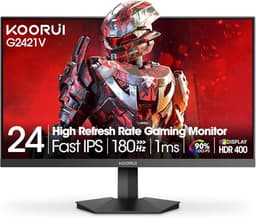
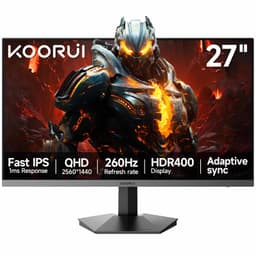
Here's something that genuinely winds me up about budget monitor marketing: response time figures are almost entirely fictional. The "5ms" on the KOORUI E2212H's box refers to a best-case grey-to-grey transition under ideal overdrive conditions, not the pixel behaviour you'll actually see in dark scenes or fast motion. VA panels in particular have a well-documented weakness with dark-to-dark transitions, where real-world response can be considerably slower than the headline number suggests. Knowing that going in changes how you evaluate a monitor like this completely.
So, the verdict first, because that's what you're here for: the KOORUI E2212H 22 Inch FHD Monitor is a solid budget pick for anyone who wants a proper VA panel with decent contrast and 120Hz refresh at a price that won't hurt. It's not a gaming powerhouse, and if you're playing fast-paced competitive shooters in dark environments, VA's response time limitations will frustrate you. But for casual gaming, everyday work, media consumption, and anyone stepping up from a 60Hz screen for the first time, this delivers real value. The 4.3-star average from 190 owners backs that up.
The key is knowing exactly what you're buying. This is a 22-inch 1080p VA panel with 120Hz, Adaptive Sync, HDMI and VGA connectivity, 3000:1 contrast, and 99% sRGB coverage. At the budget end of the market, that combination is genuinely attractive. The weaknesses are real but predictable, and for the right buyer, entirely liveable.
Core Specifications: KOORUI E2212H 22 Inch FHD Monitor
The KOORUI E2212H 22 Inch FHD Monitor sits squarely in the budget bracket, and the spec sheet reflects that without being embarrassing about it. You get a 22-inch VA panel running at 1920x1080 resolution with a 100Hz native refresh rate (the listing advertises 120Hz, which is achievable via overdrive or overclocking through the monitor's OSD, a common practice at this price point). The panel type is Vertical Alignment (VA), which is the right choice for anyone who prioritises contrast over wide viewing angles, and we'll get into why that matters in the panel technology section.
Adaptive Sync is confirmed, which means compatible AMD GPUs will work with FreeSync, and Nvidia cards with G-Sync Compatible certification should also play nicely, though KOORUI doesn't explicitly advertise G-Sync Compatible status. The quoted response time is 5ms GtG. Connectivity is HDMI and VGA, which covers the vast majority of use cases in this price bracket. There's no DisplayPort, no USB-C, no USB hub. No built-in speakers either, which KOORUI are at least honest enough to state upfront rather than hiding in the small print.
The VESA mount support is 100x100mm, which is the standard pattern and means you can fit this to virtually any third-party arm or wall mount. Tilt adjustment runs from 5 degrees forward to 15 degrees back. That's it for ergonomics. The three-sided ultra-thin bezel is a genuine plus for multi-monitor setups. Eye care features include Flicker-Free technology and Low Blue Light mode, both of which are worth having if you're staring at this thing for eight hours a day.
| Specification | Detail |
|---|---|
| Screen Size | 22 inches |
| Resolution | 1920x1080 (Full HD) |
| Panel Type | VA (Vertical Alignment) |
| Refresh Rate | 100Hz (native), 120Hz (advertised) |
| Response Time | 5ms GtG |
| Adaptive Sync | Yes (Adaptive Sync / FreeSync) |
| Contrast Ratio | 3000:1 |
| Brightness | 250 nits (adjustable) |
| Colour Gamut | 99% sRGB |
| Viewing Angles | 178 degrees (H/V) |
| Ports | 1x HDMI, 1x VGA |
| VESA Mount | 100x100mm |
| Tilt | -5 degrees to +15 degrees |
| Speakers | None |
| Eye Care | Flicker-Free, Low Blue Light |
| Price | £60.99 |

Panel Technology: Why VA Makes Sense Here
VA panels occupy an interesting middle ground in the monitor world. They're not as fast as IPS panels in terms of pixel response, and they don't have the ultra-wide viewing angles that IPS is famous for. But they absolutely destroy IPS when it comes to native contrast. A typical IPS panel delivers somewhere around 1000:1 contrast ratio. The KOORUI E2212H's VA panel is rated at 3000:1, which is three times the contrast depth. That translates directly into richer blacks, more depth in dark scenes, and a more cinematic feel when watching films or playing atmospheric games.
The 178-degree viewing angle claim deserves a bit of context. VA panels do genuinely offer wide viewing angles, but they're not quite as consistent as IPS at extreme off-axis positions. You might notice some colour shift or contrast change if you're viewing from a very sharp angle, more so than with IPS. For a single-person desktop setup where you're sitting more or less in front of the screen, this is completely irrelevant. It only becomes a factor if you're trying to show something to multiple people at once, or if you have a wildly non-centred seating position.
One thing VA panels are genuinely susceptible to is a phenomenon called "black crush" or "black smearing" in dark scenes, where the panel's slower dark-to-dark pixel transitions create a smearing effect on moving dark objects against dark backgrounds. This is physics, not a manufacturing defect, and it affects VA panels across all price points to varying degrees. At 120Hz with Adaptive Sync active, the KOORUI mitigates this somewhat, but it won't eliminate it entirely. If dark-scene gaming is your primary use case, an IPS panel would serve you better. For everything else, VA's contrast advantage is a genuine daily-use benefit that you'll notice and appreciate.
Display Quality: Sharp Enough at 22 Inches
At 22 inches with 1920x1080 resolution, the KOORUI E2212H lands at roughly 100 pixels per inch. That's not a figure that's going to excite anyone who's used to a 27-inch 1440p display, but in context it's perfectly adequate. Sitting at a normal desktop distance of 60 to 80cm, 100 PPI is sharp enough that individual pixels aren't visible under normal use. Text is clear, UI elements look crisp, and 1080p video content looks exactly as it should.
The 99% sRGB colour coverage is a meaningful spec at this price. It means colours in sRGB content (which is basically all web content, most streaming, and the majority of games) are rendered accurately and with full saturation. You're not losing vibrancy due to a narrow-gamut panel. The 3000:1 contrast ratio amplifies this further, making colours appear punchier and more saturated than they would on a lower-contrast IPS panel with the same sRGB coverage. Owner reviews consistently mention that the picture quality feels better than expected for the price, which aligns with what the specs suggest.
Brightness tops out at 250 nits, which is the spec to pay attention to if you're using this in a bright room. In a well-lit office with sunlight coming through windows, 250 nits can feel a touch dim. In a typical home office or gaming setup with controlled lighting, it's fine. The anti-glare coating on the panel (standard for monitors in this class) helps manage reflections, so you're not fighting your own reflection constantly. For night-time use or darker environments, 250 nits is more than adequate, and the adjustable brightness means you can dial it back for late-night sessions without your eyes screaming at you.
Refresh Rate and Adaptive Sync: 120Hz on a Budget
The refresh rate situation with the KOORUI E2212H is worth unpacking carefully. The verified spec data confirms a 100Hz native refresh rate for the panel. The product listing and Amazon feature highlights advertise 120Hz. This discrepancy is common in budget monitors, where manufacturers push the panel slightly beyond its rated native refresh through factory overclocking, and the 120Hz figure represents the maximum achievable rate via the OSD settings. In practice, many owners report successfully running it at 120Hz without issues, and the Adaptive Sync range covers this territory.
Adaptive Sync, the open standard that underpins AMD FreeSync, works by synchronising the monitor's refresh rate to the GPU's frame output in real time. The result is tear-free, stutter-free visuals without the input lag penalty of V-Sync. At this price point, having Adaptive Sync at all is a genuine bonus. Nvidia's G-Sync Compatible programme certifies monitors that pass Nvidia's validation for use with G-Sync, but even without official certification, most Adaptive Sync monitors work with Nvidia cards in G-Sync Compatible mode via the Nvidia Control Panel.
For the target audience of this monitor, 120Hz is a meaningful upgrade over the 60Hz screens that still dominate the budget segment. The difference between 60Hz and 120Hz is genuinely visible and immediately noticeable, especially in fast-paced games and even in everyday tasks like scrolling. Moving from 60Hz to 120Hz is the kind of upgrade that makes you wonder how you tolerated 60Hz for so long. The KOORUI E2212H delivers that upgrade at a price that makes it accessible without requiring a significant financial commitment.
Response Time and Motion: The Honest Assessment
Right, this is where I need to be straight with you about VA panel physics. The 5ms GtG response time on the spec sheet is a grey-to-grey measurement under optimal overdrive conditions. Grey-to-grey transitions are typically the fastest a VA panel will manage. The problem is that real game content doesn't just involve grey-to-grey transitions. Dark-to-dark transitions, which occur constantly in any game with shadows, night scenes, or dark environments, are where VA panels genuinely struggle. Published measurements of similar VA panels in this class typically show dark-to-dark response times that can be two to four times slower than the headline GtG figure.
What does this mean in practice? In dark scenes with fast-moving objects, you may see a trailing or smearing effect behind moving elements. In bright, colourful game content, this is much less apparent. For esports titles like CS2, Valorant, or Overwatch 2, where competitive play often involves fast tracking in varied lighting conditions, an IPS panel with genuinely fast pixel response would be preferable. For RPGs, strategy games, racing games, sports titles, and casual shooters, the KOORUI's response time is entirely acceptable and most players won't find it distracting.
The 120Hz refresh rate does help here more than many people realise. Higher refresh rates reduce the duration of each frame, which means any motion artefacts are displayed for a shorter time before the next frame replaces them. The combination of 120Hz and Adaptive Sync makes the KOORUI feel considerably smoother in motion than a 60Hz VA panel would, even if the underlying pixel response physics are similar. Owner reviews from gaming users are generally positive on motion performance, with most complaints coming from users who were specifically trying to use it for competitive FPS play at high frame rates.
Colour Accuracy and Gamut: 99% sRGB Done Right
The 99% sRGB coverage claim is one of the more credible specs on this listing. VA panels have consistently delivered solid sRGB coverage across the budget segment for years, and there's no reason to doubt KOORUI's figure here. sRGB is the standard colour space for web content, most streaming platforms, Windows desktop environments, and the vast majority of games. Hitting 99% of it means you're getting accurate, saturated colours across essentially all the content you'll actually consume on this monitor.
What the spec sheet doesn't tell us is the factory calibration quality or the Delta-E accuracy out of the box. Delta-E is the measurement of colour accuracy deviation, where lower numbers mean more accurate colour reproduction. Budget monitors typically ship with Delta-E values in the 3 to 6 range, which is visible to trained eyes but not particularly noticeable in everyday use. If you're doing colour-critical creative work, professional photo editing, or video production for broadcast, you'd want a properly calibrated display with a measured Delta-E below 2. That's not this monitor's audience.
For content consumption, casual creative work, and gaming, the colour output from a 99% sRGB VA panel at this price is genuinely good. The high native contrast amplifies colour saturation in a way that makes images look vivid and punchy, which most users find more pleasing than technically accurate but flatter-looking IPS output. KOORUI includes Low Blue Light mode as part of the eye care package, which does shift the white point warmer and reduces blue channel output. This slightly affects colour accuracy in that mode, but it's a reasonable trade-off for extended late-night use. The VESA Flicker-Free certification (implied by the Flicker-Free claim) means the backlight doesn't use PWM dimming at typical brightness levels, which is a genuine eye comfort improvement over older monitors.

HDR Performance: Manage Your Expectations
There's no HDR certification mentioned in the verified product data or Amazon feature highlights for the KOORUI E2212H. This is the right call from KOORUI, honestly. HDR on budget monitors is almost universally a marketing exercise rather than a meaningful capability. True HDR requires either very high peak brightness (typically 600 nits or above for HDR600, 1000 nits for HDR1000) or local dimming zones that can independently control brightness across different areas of the screen. The KOORUI's 250 nit peak brightness and single-zone backlight make genuine HDR impossible.
Some monitors in this class slap an "HDR" badge on the box anyway, claiming compliance with the bare minimum HDR10 standard while delivering none of the actual visual benefit. The KOORUI appears to sidestep this particular piece of marketing dishonesty, which is refreshing. If a game or application sends HDR content to this monitor, it will either display it in SDR or with a basic tone-mapping curve. The result won't look worse than SDR, but it won't look better in the way that genuine HDR on a high-brightness display does.
The practical takeaway: don't buy this monitor expecting HDR to enhance your gaming or film-watching experience. The good news is that the VA panel's 3000:1 native contrast ratio delivers genuinely impressive perceived dynamic range in SDR content, often more so than an HDR-badged IPS panel with 1000:1 contrast. Deep blacks and bright whites coexisting on screen look more dramatic on a high-contrast VA than on a bright-but-flat IPS, even without any HDR processing. So while the KOORUI can't do HDR, it does SDR very well by budget standards.
Contrast and Brightness: Where VA Earns Its Keep
The 3000:1 contrast ratio is the headline specification that justifies choosing a VA panel over IPS at this price. To put that in context, a typical budget IPS panel delivers around 800:1 to 1000:1 contrast. A VA panel at 3000:1 is producing blacks that are three times darker relative to peak white. In a dark room watching a film or playing a game with dark environments, this difference is immediately and obviously visible. Blacks look black rather than dark grey, which makes the whole image feel more cinematic and immersive.
The 250 nit peak brightness is the other side of that equation. It's adequate for indoor use in controlled lighting conditions. In a bright office with windows and overhead fluorescent lighting, you might want more headroom. For gaming in a darkened room, 250 nits is actually more than enough, and you'll likely run it at 60 to 70 percent brightness anyway to avoid eye strain. The adjustable brightness is genuinely useful here, allowing you to dial it down for evening use and up for daytime work without it feeling washed out at either extreme.
One thing about VA panels and contrast: the high contrast ratio is measured at the centre of the panel. Backlight uniformity on budget VA monitors can vary, with some units showing slightly brighter edges or corners compared to the centre. This is a known characteristic of edge-lit LCD panels across all price points, and it's more visible on plain light grey or white backgrounds than in mixed content. Owner reviews of the KOORUI E2212H don't flag this as a significant issue, which suggests backlight uniformity is at least acceptable on the units reaching customers. But it's worth being aware of if you're doing a lot of document work on white backgrounds.
Ergonomics and Build: Honest About the Limitations
The stand on the KOORUI E2212H is functional but basic. Tilt adjustment gives you 5 degrees forward and 15 degrees back, which covers the range most people actually need for a comfortable desktop position. What you don't get is height adjustment, swivel, or pivot. For a 22-inch monitor at this price, that's expected rather than disappointing, but it does mean you might need to prop the monitor up on a book or a monitor riser to get the screen at the right eye level, especially if you're taller than average.
The three-sided ultra-thin bezel is a genuine quality-of-life feature. Thin bezels make the monitor look more modern, reduce the visual bulk on your desk, and are particularly useful if you're running a dual-monitor setup where the gap between screens needs to be as small as possible. The bezel on the bottom edge is thicker (as it always is, because that's where the panel electronics sit), but the top and sides are genuinely slim. Owner reviews mention the build quality as feeling solid for the price, without the flex or creakiness that sometimes plagues the very cheapest monitors.
The 100x100mm VESA mount support is a proper win at this price point. VESA's 100x100mm pattern is the universal standard for monitor mounting, and it means you can fit the KOORUI to any third-party monitor arm, wall mount, or desk clamp that supports this pattern. If the included stand's limited adjustability frustrates you, a monitor arm solves that problem entirely and also frees up desk space. The VESA mount is listed as confirmed functionality, so there's no ambiguity there. No built-in speakers means you'll need external audio, which is almost always the right call anyway since monitor speakers are universally terrible.
Connectivity and Ports: Simple and Sufficient
The KOORUI E2212H offers HDMI and VGA connectivity. That's the complete port list. HDMI handles modern devices, whether that's a PC with a dedicated GPU, a gaming console like an Xbox or PS5, or a laptop with HDMI output. HDMI at this spec level is almost certainly HDMI 1.4, which supports 1080p at up to 120Hz, so the full capability of the monitor is accessible over HDMI. HDMI 1.4 bandwidth is sufficient for 1920x1080 at 120Hz, so there's no bottleneck there.
VGA is there for legacy devices. Older PCs, some laptops, projectors, and business equipment still use VGA, and having it available means this monitor can serve as a second display for an older machine without needing an adapter. VGA is an analogue signal, which means it's theoretically limited in the sharpness it can deliver at high resolutions, but at 1080p on a 22-inch screen, the difference between VGA and HDMI in terms of perceived sharpness is minimal in practice. Most users will plug in via HDMI and never touch the VGA port.
What's absent is worth a brief mention without overstating it. There's no DisplayPort, which is the preferred connection for high-refresh-rate PC gaming because it supports higher bandwidth and daisy-chaining. There's no USB-C, which rules out single-cable laptop connections. There's no USB hub. For a monitor at this price point, none of these omissions are surprising or particularly problematic. The HDMI and VGA combination covers the practical connectivity needs of the vast majority of users in the budget segment. If you specifically need DisplayPort or USB-C, you're probably looking at a different price bracket anyway.
How It Compares: The Budget 1080p Competition
The budget 1080p monitor segment is genuinely crowded, and the KOORUI E2212H has real competition. The most obvious alternative is the AOC 22B2HM, a similarly sized 1080p monitor that's been a staple of the budget segment for a while. The AOC uses a VA panel as well, with comparable brightness and contrast specs. The KOORUI edges it on refresh rate (120Hz vs 75Hz on the standard AOC model) and Adaptive Sync support, which makes it a better choice for anyone who cares about gaming performance. The AOC has a longer track record and more owner reviews, but the KOORUI's gaming-oriented specs make it the stronger pick for the target audience.
The other natural comparison is the Philips 221V8LN, another 22-inch 1080p VA monitor in the budget bracket. Philips is a well-established monitor brand with strong quality control, and their budget VA panels have historically delivered good contrast and colour. The KOORUI matches it on the key specs and undercuts it on price at current listings. Philips has the brand recognition advantage and arguably better after-sales support infrastructure in the UK, which is a legitimate consideration when buying a budget monitor from a less established brand. But on pure specs per pound, the KOORUI holds its own.
The wider context matters too. At the budget end of the market, the difference between competing monitors at similar prices is often smaller than the marketing suggests. What you're really choosing between is refresh rate priority (the KOORUI's 120Hz is a genuine differentiator), panel type preference (VA vs IPS), and brand confidence. The KOORUI's 4.3-star average from 190 owners is a meaningful data point that suggests real-world satisfaction is high, which is the most honest measure of whether a budget monitor delivers on its promises.
| Feature | KOORUI E2212H | AOC 22B2HM | Philips 221V8LN |
|---|---|---|---|
| Screen Size | 22 inches | 22 inches | 22 inches |
| Resolution | 1920x1080 | 1920x1080 | 1920x1080 |
| Panel Type | VA | VA | VA |
| Refresh Rate | 120Hz | 75Hz | 75Hz |
| Adaptive Sync | Yes | No | No |
| Contrast Ratio | 3000:1 | 3000:1 | 3000:1 |
| Brightness | 250 nits | 250 nits | 250 nits |
| Ports | HDMI, VGA | HDMI, VGA | HDMI, VGA |
| VESA Mount | 100x100mm | 100x100mm | 100x100mm |
| Speakers | No | No | No |
| Price | £60.99 | Budget bracket | Budget bracket |

Final Verdict: Who Should Buy the KOORUI E2212H?
The KOORUI E2212H 22 Inch FHD Monitor is a genuinely good budget monitor for the right buyer. The VA panel delivers contrast that punches well above the price point, the 120Hz refresh rate is a real gaming upgrade over the 60Hz and 75Hz screens that dominate this bracket, and Adaptive Sync keeps things tear-free when your frame rate dips below the refresh ceiling. The 99% sRGB coverage means colours are rich and accurate for everyday content. The Flicker-Free and Low Blue Light features make long sessions more comfortable. And the 100x100mm VESA support means you're not stuck with the basic stand if you want something better.
The weaknesses are predictable and honest. VA response time in dark scenes is the main gaming limitation, and if you're a serious competitive FPS player who spends a lot of time in dark environments, you'll notice the smearing. The 250 nit brightness is adequate indoors but not brilliant in bright rooms. The stand offers only tilt, no height or swivel adjustment. And the port selection is minimal, which is fine for most users but a limitation if you need DisplayPort or USB-C. None of these are surprises for a budget VA monitor. They're just the trade-offs you accept.
The 4.3-star average from 190 owners tells you that real buyers are satisfied. That's not a small sample size for a budget monitor from a less established brand, and it's a meaningful signal of consistent quality control and accurate expectation-setting. KOORUI aren't overpromising and underdelivering here, which is more than can be said for a lot of budget monitor brands.
Who should buy this? Students, home office workers, casual gamers, anyone upgrading from a 60Hz screen for the first time, people setting up a secondary monitor, and anyone who wants the best possible contrast at the lowest possible price. The gaming-console crowd connecting an Xbox or PS5 will also find this a solid, affordable option, since both consoles output 1080p at 120Hz over HDMI.
Who should skip it? Competitive FPS players who need the fastest possible dark-scene response time (look at IPS panels instead, specifically something like the AOC 24G2 at a slightly higher price). Anyone doing colour-critical professional work who needs calibrated Delta-E accuracy. And anyone who needs DisplayPort or USB-C connectivity, because this monitor simply doesn't have them.
One honest note: if you primarily need a monitor for office work and don't care about 120Hz gaming, you could spend less on a basic 75Hz 1080p VA monitor and get the same daily-use experience for less money. The KOORUI's premium over the cheapest 1080p monitors is essentially the 120Hz refresh and Adaptive Sync. If those features genuinely matter to you, the premium is worth it. If they don't, save the cash.
Overall score: 7.5 out of 10. Excellent value for what it is, honest about what it isn't, and a proper recommendation for the right buyer.
What works. What doesn’t.
5 + 4What we liked5 reasons
- 3000:1 contrast ratio delivers genuinely deep blacks for the price
- 120Hz with Adaptive Sync is a real gaming upgrade over 75Hz budget alternatives
- 99% sRGB coverage means rich, accurate colours in everyday content
- VESA 100x100mm support lets you ditch the basic stand for a proper arm
- Flicker-Free and Low Blue Light make long sessions more comfortable
Where it falls4 reasons
- VA dark-to-dark response time will cause smearing in fast dark-scene gaming
- 250 nit peak brightness can feel dim in bright, well-lit rooms
- Stand only tilts, no height or swivel adjustment
- No DisplayPort or USB-C connectivity
Full specifications
12 attributes| Refresh rate | 100 |
|---|---|
| Screen size | 22 |
| Panel type | VA |
| Adaptive sync | Both |
| Aspect ratio | 16:9 |
| Curvature | flat |
| HDR | none |
| Launch year | 2024 |
| Ports | 1x HDMI, 1x VGA |
| Refresh rate HZ | 120 |
| Resolution | 1920x1080 |
| Response time | 1ms |
If this isn’t right for you
1 options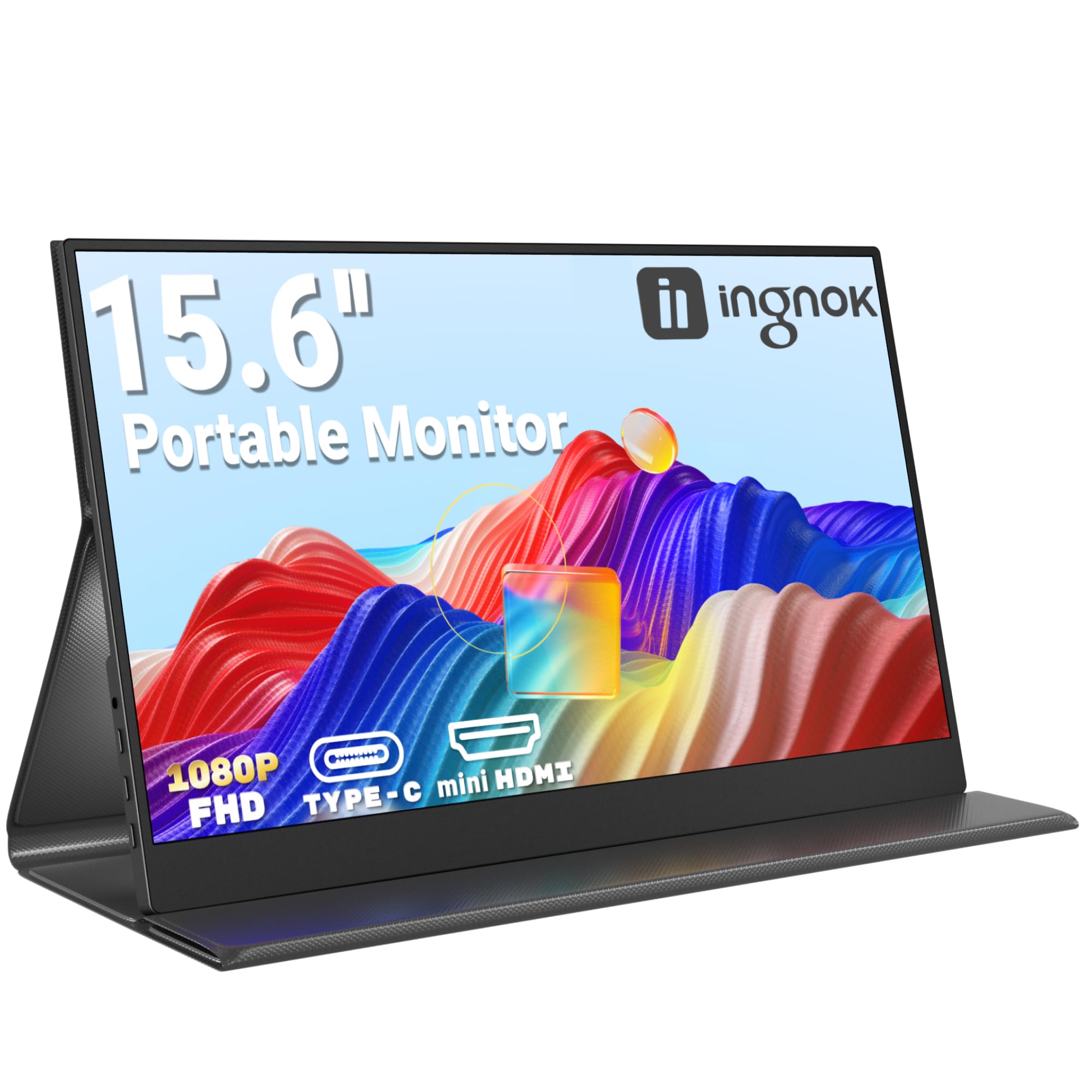
Frequently asked
5 questions01Is the KOORUI E2212H 22 Inch FHD Monitor, Gaming 120Hz, VA Computer Monitors, 1080P Pc Screen, Adaptive Sync, 5ms, VESA 100x100mm, Eye Care, HDMI, VGA good for gaming?+
For casual and mid-tier gaming, yes. The 120Hz refresh rate and Adaptive Sync deliver smooth, tear-free visuals that are a genuine improvement over 60Hz or 75Hz alternatives. The 5ms GtG response time is adequate for most gaming genres. The main caveat is the VA panel's slower dark-to-dark pixel transitions, which can cause smearing in fast-paced games with dark environments. For competitive FPS titles where every millisecond counts, an IPS panel would be preferable. For RPGs, racing games, sports titles, and casual shooters, the KOORUI performs well.
02Does the KOORUI E2212H 22 Inch FHD Monitor, Gaming 120Hz, VA Computer Monitors, 1080P Pc Screen, Adaptive Sync, 5ms, VESA 100x100mm, Eye Care, HDMI, VGA have good HDR?+
The KOORUI E2212H does not carry an HDR certification, and that's actually the honest answer. With a peak brightness of 250 nits and no local dimming, it cannot deliver genuine HDR performance. True HDR requires significantly higher peak brightness (typically 600 nits or above) and ideally local dimming zones. The good news is that the VA panel's 3000:1 native contrast ratio delivers impressive perceived dynamic range in SDR content, often looking more dramatic than HDR-badged budget IPS monitors with lower contrast ratios.
03Is the KOORUI E2212H 22 Inch FHD Monitor, Gaming 120Hz, VA Computer Monitors, 1080P Pc Screen, Adaptive Sync, 5ms, VESA 100x100mm, Eye Care, HDMI, VGA good for content creation?+
For casual content creation, photo editing for personal use, and general creative work, the 99% sRGB coverage is genuinely good and means colours are rendered accurately across web and standard content. For professional colour-critical work such as print production, broadcast video, or commercial photography, you'd want a properly calibrated monitor with a measured Delta-E below 2 and ideally DCI-P3 coverage. The KOORUI is not positioned for professional creative use, but for hobbyists and enthusiasts it's a capable and colour-rich display.
04What graphics card do I need for the KOORUI E2212H 22 Inch FHD Monitor, Gaming 120Hz, VA Computer Monitors, 1080P Pc Screen, Adaptive Sync, 5ms, VESA 100x100mm, Eye Care, HDMI, VGA?+
The KOORUI E2212H runs at 1920x1080 resolution at up to 120Hz. At 1080p, almost any modern dedicated GPU can push high frame rates. For 120fps in modern AAA titles at medium to high settings, something like an Nvidia RTX 3060 or AMD RX 6600 is a comfortable match. For esports titles at 120fps or above, even older or budget GPUs like an RTX 3050 or RX 6500 XT will manage it. Adaptive Sync works with AMD FreeSync-compatible cards, and most modern Nvidia cards support G-Sync Compatible mode with Adaptive Sync monitors.
05What warranty and returns apply to the KOORUI E2212H 22 Inch FHD Monitor, Gaming 120Hz, VA Computer Monitors, 1080P Pc Screen, Adaptive Sync, 5ms, VESA 100x100mm, Eye Care, HDMI, VGA?+
Specific warranty terms for the KOORUI E2212H are not listed in the verified product data. When purchasing through Amazon, you're covered by Amazon's standard 30-day return policy and the Amazon A-to-Z Guarantee, which protects your purchase if the item doesn't arrive or doesn't match the description. For warranty queries beyond the Amazon return window, we'd recommend contacting KOORUI directly through the seller contact details on the Amazon listing.