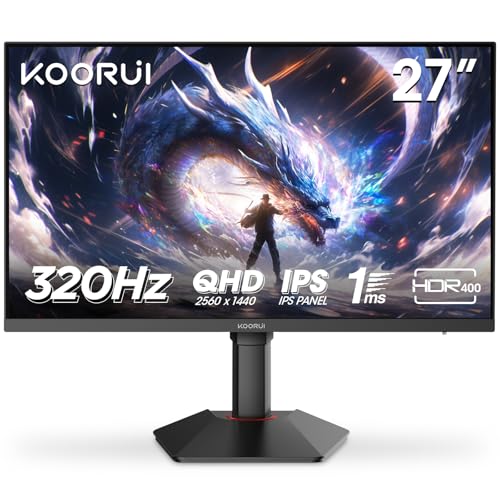
Budget gaming monitors are a minefield. You'll find panels with backlight bleed bad enough to ruin dark scenes, dead pixels fresh out of the box, and overshoot so aggressive that ghostly halos follow every moving object. So when something like the KOORUI 24 inch 1440p 180Hz lands in the budget bracket, the real question isn't whether it looks good on paper (it does) but whether the actual panel holds up where cheaper monitors usually fall apart.
Here's the short version: for the money, this is a genuinely strong pick. It solves the most common frustration people have when upgrading from an old 1080p 60Hz screen, which is that nagging feeling you're leaving performance on the table. QHD at 24 inches gives you a sharp, dense image. 180Hz gives you motion that actually feels responsive. And a Fast IPS panel means you're not trading colour quality for speed. That combination, at this price point, is harder to find than you'd think. The owners who've reviewed it seem to agree, with a positive overall rating.
But there are real caveats, and the HDR400 badge on the box deserves a proper reality check before you get excited. So here's what the specs and owner feedback actually tell us.
Core Specifications
The headline numbers are 24 inches, QHD (2560x1440), 180Hz, and a Fast IPS panel with a claimed 1ms response time. Those four things together are the reason this monitor exists as a product. In the budget tier, you usually have to pick two or three of them. Getting all four at once, under £150, is genuinely unusual.
The panel covers 99% sRGB and 90% DCI-P3 according to KOORUI's published specifications, which is solid for a budget IPS. Brightness is rated at 250 nits typical, with a peak of 400 nits for HDR content. It supports VESA DisplayHDR 400 certification, FreeSync Premium, and G-Sync compatibility. Connectivity is two HDMI 2.0 ports and one DisplayPort 1.4. There's a 3.5mm audio out. No USB hub, which is upfront.
The stand offers tilt adjustment only, which is a limitation we'll come back to. VESA 100x100mm mount is supported, so you're not stuck with the stock stand if you want a monitor arm. The pixel density at 24 inches and 1440p works out to roughly 122 PPI, which is noticeably sharper than a 1080p 24 inch panel sitting at around 92 PPI. That difference is real and visible in everyday use.
| Specification | Detail |
|---|---|
| Screen Size | 24 inches |
| Resolution | 2560x1440 (QHD / 1440p) |
| Panel Type | Fast IPS |
| Refresh Rate | 180Hz |
| Response Time (claimed) | 1ms GtG |
| Brightness (typical) | 250 nits |
| Peak Brightness (HDR) | 400 nits |
| Contrast Ratio | 1000:1 (typical IPS) |
| Colour Coverage | 99% sRGB, 90% DCI-P3 |
| HDR | HDR400 (VESA DisplayHDR 400) |
| Adaptive Sync | FreeSync Premium, G-Sync Compatible |
| Ports | 2x HDMI 2.0, 1x DisplayPort 1.4 |
| Audio | 3.5mm headphone out |
| VESA Mount | 100x100mm |
| Stand Adjustment | Tilt only |
| Pixel Density | ~122 PPI |

Panel Technology
Fast IPS is worth explaining because the marketing around it is a bit slippery. Standard IPS panels have traditionally had response times in the 4ms to 8ms GtG range. Fast IPS panels use a modified overdrive approach to push that down, targeting 1ms GtG. The trade-off is that aggressive overdrive can introduce overshoot, where pixels transition too quickly and produce a bright halo or inverse ghosting effect around moving objects. Whether that's visible in practice depends heavily on how the manufacturer has tuned the overdrive settings.
IPS as a panel type brings the things you'd expect: wide viewing angles (178 degrees horizontal and vertical), good colour accuracy out of the box, and consistent brightness across the screen. The downside compared to VA panels is contrast. IPS panels typically land around 1000:1 native contrast, while VA panels can hit 3000:1 or more. That means blacks on an IPS panel look more like a very dark grey in a dim room, and IPS glow (a faint cloudy brightness near the corners of the screen) is a known characteristic of the technology. It's not a defect, it's just how IPS works. Owner reviews on this monitor don't flag it as a significant problem, which suggests KOORUI has picked a decent panel here, but it's going in.
The alternative at this price would be a VA panel, which would give you better contrast but slower pixel response. For gaming at 180Hz, Fast IPS is the right call. VA panels at high refresh rates can suffer from what's called black smearing, where dark pixels are slow to transition and leave a visible trail. Fast IPS avoids that problem entirely. If you were primarily using this for watching films in a dark room, a VA panel's deeper blacks might appeal more. But for gaming, especially competitive or fast-paced titles, Fast IPS wins. OLED is in a completely different price bracket and not a realistic comparison here.
Display Quality
At 122 PPI, 1440p on a 24 inch screen looks genuinely sharp. Text is crisp, fine detail in games renders cleanly, and you're not squinting to read small UI elements the way you might on a 27 inch 1440p panel (which drops to around 109 PPI). This is actually one of the underappreciated arguments for a 24 inch 1440p monitor: the pixel density is meaningfully higher than the same resolution on a larger screen, and you get that without needing to sit further back or scale the OS.
The anti-glare matte coating is standard for monitors in this category. It does its job of cutting reflections in bright rooms, though matte coatings can add a slight haze to the image compared to glossy panels. Owner reviews don't flag the coating as particularly aggressive or problematic, which is a good sign. Some budget monitors use coatings that make the image look grainy or sparkly, and that's genuinely annoying when you're trying to enjoy a game.
Brightness uniformity is where budget IPS panels can be inconsistent. At 250 nits typical, you're not getting a screen that'll fight bright sunlight streaming in from the side, and some owners have noted the brightness feels a touch low for very bright room conditions. For a typical UK living room or bedroom setup, 250 nits is adequate. The 400 nit peak is relevant only for HDR content, which we'll cover in its own section. On the whole, the display quality for the price is well above what you'd have expected from a budget panel a couple of years ago. The combination of IPS colour consistency and high pixel density makes this a genuinely pleasant screen to look at day to day.
Refresh Rate and Adaptive Sync
180Hz is the headline number and it's a real differentiator at this price. Most budget monitors top out at 144Hz, and while the jump from 144Hz to 180Hz isn't as dramatic as the jump from 60Hz to 144Hz, it's still a meaningful upgrade. Competitive FPS players in particular will notice the extra headroom, especially if your GPU can push frame rates above 144fps. Games like CS2, Valorant, and Fortnite are designed to run at very high frame rates, and having a panel that can keep up removes one potential bottleneck.
FreeSync Premium is the adaptive sync standard supported here. This is AMD's mid-tier FreeSync certification, sitting above basic FreeSync and requiring a minimum 120Hz at the native resolution, low framerate compensation (LFC) support, and low flicker. AMD's FreeSync Premium certification means the VRR range is guaranteed to be at least 2.5x the minimum refresh rate, so LFC kicks in and doubles frames when you drop below the minimum sync range. That matters for GPU-intensive games where you might dip below 60fps occasionally.
The monitor is also listed as G-Sync Compatible, meaning NVIDIA has validated that it works with G-Sync over DisplayPort without significant artefacts. This isn't the same as a full G-Sync module (which adds significant cost), but for most users it's functionally equivalent. If you're on an NVIDIA GPU, you can enable G-Sync in the NVIDIA control panel and get tear-free gaming across the VRR range. Owner reviews back this up with no widespread complaints about sync issues or tearing, which is reassuring. The combination of FreeSync Premium and G-Sync compatibility means this monitor plays nicely with whatever GPU you're running.
Response Time and Motion
The claimed 1ms GtG response time needs some context. GtG (grey-to-grey) response times are measured at the optimal overdrive setting, often under conditions that don't reflect how the panel behaves across all pixel transitions. Real-world response times on Fast IPS panels typically land somewhere between 2ms and 5ms GtG depending on the transition, which is still very good. The 1ms figure is best understood as a marketing ceiling rather than a guaranteed average. That said, Fast IPS panels genuinely are faster than standard IPS, and at 180Hz you're refreshing the frame every 5.5ms anyway, so the panel response time isn't the bottleneck it would be at 60Hz.
The more relevant concern with Fast IPS and aggressive overdrive is overshoot. This shows up as a bright halo or ghosting artefact around fast-moving objects, particularly noticeable in dark scenes. Owner feedback on this monitor doesn't flag widespread overshoot complaints, which suggests KOORUI has tuned the overdrive reasonably well. A few owners mention the monitor offers multiple overdrive settings in the OSD, which lets you dial it back if the default setting produces artefacts on your specific content. That's a sensible implementation.
For the types of games where this monitor makes sense, the motion performance is genuinely solid. At 180Hz with a well-tuned Fast IPS panel, fast-paced shooters and racing games feel responsive and clear. You're not going to get the pixel-perfect motion clarity of an OLED panel, and if you're coming from a high-end 240Hz monitor you might notice a difference in the most demanding scenarios. But for someone upgrading from a 60Hz or 75Hz 1080p screen, the step up in motion clarity is substantial. It's one of the first things people comment on when they make this kind of jump.
Color Accuracy and Gamut
KOORUI rates this panel at 99% sRGB and 90% DCI-P3. Those are strong numbers for a budget monitor. DCI-P3 is the colour space used for cinema content and increasingly for HDR gaming, and 90% coverage means you're getting most of the wider gamut without the oversaturation that can happen when a panel claims 100%+ DCI-P3 but isn't properly calibrated. The sRGB figure of 99% means web content, SDR games, and general desktop use should look accurate and well-saturated without looking overdone.
Factory calibration on budget monitors is always a question mark. KOORUI doesn't ship individual calibration reports with this monitor, which is standard at this price point. Monitors in the £200 to £400 range from brands like BenQ or ViewSonic sometimes include factory calibration data per unit. Here, you're getting a panel that's likely set up for visual appeal out of the box rather than strict accuracy. Owner reviews generally describe the colours as vivid and pleasing, which tracks with a panel that's tuned slightly warm or saturated from the factory. For gaming and general use, that's fine. For colour-critical work like photo editing or video grading, you'd want to run a calibration tool against it, and even then the lack of local dimming means HDR colour accuracy has a ceiling.
Delta-E (the measure of how close displayed colours are to the reference values) isn't published by KOORUI for this model. Budget IPS panels typically land in the Delta-E 2 to 4 range out of the box, with some units being better and some worse. A Delta-E below 2 is considered accurate enough for most professional work. Below 1 is what you'd expect from a properly calibrated professional display. For gaming, Delta-E accuracy matters less than gamut coverage and consistency, and on both those fronts this panel looks competitive. The 90% DCI-P3 coverage in particular is better than several monitors at similar prices that only quote sRGB figures.
HDR Performance
HDR400 is the entry-level VESA DisplayHDR certification, and it's important to understand what that actually means before you get excited. DisplayHDR 400 requires a peak brightness of 400 nits and support for the HDR10 signal format. It does not require local dimming. Without local dimming, the monitor can't independently control brightness in different zones of the screen, which means you can't get a bright highlight next to a dark shadow without compromising one or the other. The contrast ratio stays at the panel's native 1000:1 regardless of whether HDR is enabled.
In practice, HDR on this monitor is what the industry sometimes calls "checkbox HDR." It accepts the HDR signal and applies a tone mapping curve to it, but the result often looks similar to a well-tuned SDR image rather than the dramatic HDR experience you'd get from a DisplayHDR 1000 panel with proper local dimming. Some owners actually prefer to leave HDR off and run the monitor in SDR with a good custom colour profile, which is a completely valid approach. The monitor's SDR performance is its actual strength.
If you're hoping for a transformative HDR experience in games like Cyberpunk 2077 or Horizon Forbidden West, this isn't the monitor for that. You'd need to be looking at panels with DisplayHDR 600 or above, ideally with local dimming or Mini-LED backlighting, which puts you firmly in the mid-range to premium bracket. That's not a criticism specific to KOORUI. It's the reality of the physics and the price. HDR400 is a feature that's present but not transformative, and being honest about that is more useful than pretending otherwise.
Contrast and Brightness
Native contrast at 1000:1 is standard IPS territory. It's not a weakness exactly, but it is a known limitation of the technology. In a normally lit room during the day, 1000:1 contrast looks perfectly fine. Whites are white, blacks look dark, and the image is punchy and clear. Where it becomes more noticeable is in a very dark room at night, particularly during games or films with a lot of dark scenes. The blacks take on a slightly grey quality, and IPS glow in the corners can become more visible. This is the trade-off you accept with IPS versus VA.
The 250 nit typical brightness is on the lower end for 2026. Many monitors in this category are pushing 300 to 350 nits typical. 250 nits is fine for indoor use in a UK home where you're not sitting in direct sunlight, but if your desk is near a window and you game during the day, you might find yourself pushing the brightness slider to maximum and still wishing for a bit more. Owner reviews occasionally mention this, particularly from users with south-facing rooms. It's not a dealbreaker, but it's worth factoring in if your setup is particularly bright.
The 400 nit peak is only relevant when the monitor is displaying HDR content and the signal tells it to boost brightness for highlights. Given the lack of local dimming discussed above, this peak brightness applies to the whole screen rather than specific zones, which limits its practical impact on HDR quality. In SDR, you're working with the 250 nit typical figure. For most gaming setups in the UK, that's workable, but it's an area where spending a bit more on a monitor with higher typical brightness would pay dividends if your room conditions demand it.
Ergonomics and Stand
The stand is the most significant physical compromise on this monitor. Tilt adjustment only means you can angle the screen towards or away from you, but you can't raise or lower it, rotate it to portrait mode, or swivel it left or right. For a lot of people, especially those who sit at a fixed desk height, tilt-only is fine. But if you're taller than average, or if your desk is unusually high or low, you might find yourself propping the monitor up on a book or a monitor riser to get the screen at eye level. That's not a great look for a gaming setup.
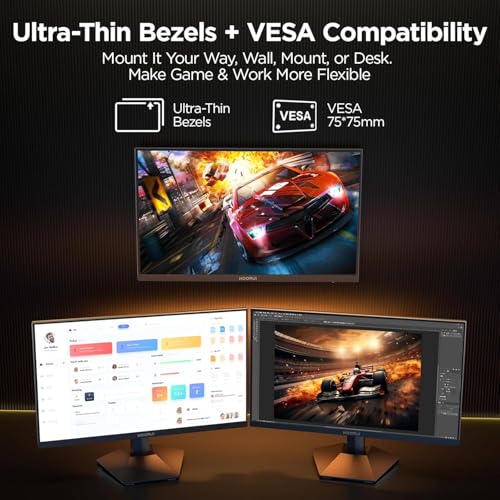
The good news is the VESA 100x100mm mount is there. If ergonomics matter to you (and they should, especially for long gaming sessions), budget for a monitor arm alongside this screen. Several owners have done exactly this and report it transforms the experience. The arm also clears your desk space by removing the stand's footprint, which is a nice bonus in smaller setups.
Build quality for a budget monitor is generally acceptable based on owner feedback. The plastics feel like what you'd expect at this price, not premium but not flimsy either. The stand is stable enough that it doesn't wobble when you're typing nearby, which is a low bar but one that some cheap monitors fail. The OSD (on-screen display) buttons are physical buttons on the back of the panel, which is a slightly awkward arrangement but perfectly functional once you learn where they are. A few owners mention the OSD navigation is a bit fiddly at first. The bezels are slim on three sides, which is good if you're thinking about a dual-monitor setup.
Connectivity and Ports
Two HDMI 2.0 ports and one DisplayPort 1.4. That's a clean and practical setup for most gamers. HDMI 2.0 supports 1440p at up to 144Hz, so if you want to run at the full 180Hz you'll need to use DisplayPort 1.4, which handles 1440p at 180Hz without any bandwidth issues. This is if you're plugging in via HDMI and wondering why you can't select 180Hz in your display settings. The answer is HDMI 2.0's bandwidth ceiling. Switch to DisplayPort and the option appears.
The two HDMI ports are useful if you're connecting a console alongside a PC. A PlayStation 5 or Xbox Series X outputs 1440p at up to 120Hz over HDMI 2.1, but HDMI 2.0 will still handle 1440p at 60Hz or 120Hz depending on the console's output settings. It's not the ideal setup for console gaming at maximum frame rates (you'd want HDMI 2.1 for that), but it works. The 3.5mm audio output is there for headphones, which is a useful addition if your desktop speakers or headset connects via 3.5mm rather than USB.
There's no USB hub, which means no USB-A passthrough ports on the monitor itself. That's a common omission at this price and not a surprise, but it does mean you're relying entirely on your PC's own USB ports for peripherals. No USB-C either, so if you're hoping to connect a laptop via a single cable for both display and charging, this isn't the monitor for that. For a dedicated gaming monitor connected to a desktop PC, the port selection is perfectly adequate. It's only if you're looking for a versatile work-from-home screen that the lack of USB-C and a hub starts to feel like a gap.
How It Compares
The two most relevant competitors in the same general bracket are the AOC 24G2SP and the Pixio PX248 Prime. The AOC 24G2SP is a well-established budget IPS gaming monitor at 24 inches and 1080p with 165Hz. It's cheaper, widely available in the UK, and has a massive number of owner reviews backing it up. The Pixio PX248 Prime is a 1080p 165Hz IPS monitor popular in the US market. Comparing these three gives a clear picture of what you're actually trading when you choose the KOORUI.
The KOORUI's key advantage over both is the resolution. 1440p versus 1080p at 24 inches is a meaningful visual upgrade. The pixel density difference is immediately visible in fine text, detailed game environments, and UI elements. If you have a GPU capable of pushing 1440p at decent frame rates (more on that in the FAQs), the KOORUI's resolution advantage is real and worth paying for. The 180Hz refresh rate also beats both competitors, which top out at 165Hz. Again, the difference between 165Hz and 180Hz is subtle, but it's there.
Where the AOC 24G2SP has an edge is in the sheer volume of owner feedback and the established reputation. With thousands of reviews, you know exactly what you're getting. The KOORUI has some reviews with a positive overall rating, which is a strong start but a smaller sample. Some buyers will reasonably prefer the known quantity. The AOC also tends to be slightly cheaper, making it the smarter buy if you genuinely don't need 1440p or the extra Hz. But if your GPU can handle 1440p and you want the sharper image, the KOORUI makes a compelling case.
| Feature | KOORUI 24 QHD 180Hz | AOC 24G2SP | Pixio PX248 Prime |
|---|---|---|---|
| Resolution | 2560x1440 (QHD) | 1920x1080 (FHD) | 1920x1080 (FHD) |
| Refresh Rate | 180Hz | 165Hz | 165Hz |
| Panel Type | Fast IPS | IPS | IPS |
| Response Time (claimed) | 1ms GtG | 1ms GtG | 1ms GtG |
| HDR | HDR400 | No HDR | HDR400 |
| Adaptive Sync | FreeSync Premium, G-Sync Compatible | FreeSync Premium, G-Sync Compatible | FreeSync Premium |
| VESA Mount | 100x100mm | 100x100mm | 100x100mm |
| Stand Adjustment | Tilt only | Tilt, Height, Pivot, Swivel | Tilt only |
| USB Hub | No | No | No |
One thing from that comparison: the AOC 24G2SP has height, pivot, and swivel adjustment on its stand, which the KOORUI doesn't. If ergonomics are a priority and you don't want to buy a separate monitor arm, the AOC's stand flexibility is a genuine advantage. The KOORUI beats it on resolution and refresh rate, but the AOC wins on stand quality. That's a real trade-off and.

Final Verdict
The KOORUI 24 inch 180Hz QHD gaming monitor is one of the more honest value propositions in the budget gaming monitor space right now. It delivers a sharp 1440p image on a Fast IPS panel with genuine 180Hz capability and solid colour coverage, and it does all of that at a price that would have felt impossible a few years ago. The owner reviews with a positive overall rating suggest the real-world experience matches the spec sheet more often than not, which isn't always the case with budget brands.
The limitations are real but predictable for the price. The stand is tilt-only, which is genuinely restrictive for taller users or awkward desk setups. Budget for a monitor arm if that matters to you. The HDR400 implementation is checkbox HDR rather than transformative HDR, and the 250 nit typical brightness is on the lower side for bright rooms. The 1ms response time claim should be taken as a marketing figure rather than a guarantee, though Fast IPS panels are genuinely fast and owner feedback doesn't flag significant ghosting issues.
Who is this for? Someone upgrading from a 1080p 60Hz or 75Hz monitor who has a mid-range GPU (RTX 3060, RX 6600, or better) and wants a meaningful step up in both resolution and refresh rate without spending mid-range money. It's also a solid choice for someone building their first proper gaming PC who wants to start with a 1440p panel and grow into it as they upgrade their GPU over time.
Who should skip it? If you're primarily gaming on a console and need HDMI 2.1 for 120Hz at 1440p, look elsewhere. If you game in a very dark room and care deeply about black levels, a VA panel monitor would serve you better despite the slower response times. And if your GPU is a GTX 1060 or RX 580 vintage, you'll struggle to push 1440p at meaningful frame rates, which means a 1080p 144Hz monitor is the smarter buy. Speaking of which: if 1440p genuinely isn't a priority for you, the AOC 24G2SP at 1080p 165Hz costs less and has a better stand. Don't spend more than you need to.
For the right buyer, though, this is a properly good monitor at a price that makes it easy to recommend. The combination of QHD resolution, 180Hz, and Fast IPS in the budget bracket is exactly the kind of value that makes upgrading feel worthwhile. We'd score it 7.5 out of 10. The missing points are mostly the stand limitations, the modest brightness, and the checkbox HDR, none of which are dealbreakers but all of which are real. The core display performance is where it counts.
What works. What doesn’t.
5 + 4What we liked5 reasons
- QHD 1440p at 24 inches gives genuinely sharp 122 PPI pixel density
- 180Hz Fast IPS panel is rare at this price point
- 99% sRGB and 90% DCI-P3 coverage is strong for a budget IPS
- FreeSync Premium and G-Sync Compatible for both AMD and NVIDIA GPUs
- VESA 100x100mm mount allows monitor arm upgrade
Where it falls4 reasons
- Tilt-only stand with no height, swivel, or pivot adjustment
- HDR400 is checkbox HDR with no local dimming
- 250 nit typical brightness is low for bright rooms
- No USB hub or USB-C connectivity
Full specifications
10 attributes| Panel type | IPS |
|---|---|
| Aspect ratio | 16:9 |
| Curvature | flat |
| HDR | HDR400 |
| Ports | 2x HDMI, 1x DisplayPort |
| Refresh rate HZ | 180 |
| Resolution | 2560x1440 |
| Response time MS | 1 |
| Screen size IN | 24 |
| Vesa compatible | true |
Frequently asked
5 questions01Is the KOORUI 24 inch 180Hz QHD gaming monitor good for gaming?+
Yes, it's a solid gaming monitor for the budget tier. The 180Hz refresh rate means smooth, responsive motion in fast-paced games, and the Fast IPS panel keeps pixel response times low enough to avoid significant ghosting at that refresh rate. FreeSync Premium and G-Sync compatibility mean you get tear-free gaming with both AMD and NVIDIA graphics cards. The 1440p resolution at 24 inches gives you noticeably sharper visuals than a 1080p screen at the same size. For competitive shooters, racing games, and action titles, this is a genuinely capable panel.
02Does the KOORUI 24 inch 180Hz monitor have good HDR?+
Honestly, no. HDR400 is the entry-level VESA DisplayHDR certification and it requires only 400 nits peak brightness with no local dimming. Without local dimming, the monitor can't independently control brightness in different parts of the screen, so the contrast ratio stays at the panel's native 1000:1 whether HDR is on or off. The HDR mode accepts the signal and applies tone mapping, but the result is not the dramatic HDR experience you'd get from a DisplayHDR 600 or 1000 panel. Many owners prefer to disable HDR and use a well-tuned SDR profile instead. The monitor's real strength is its SDR performance.
03Is the KOORUI 24 inch 180Hz monitor good for content creation?+
It's usable for content creation, particularly for work that's primarily web-focused or for gaming content where sRGB accuracy matters most. The 99% sRGB coverage is good, and the 90% DCI-P3 coverage means you're getting a wide gamut that covers most video content colour spaces. The limitation is that KOORUI doesn't publish factory calibration data or Delta-E figures for this monitor, so colour accuracy out of the box may vary between units. For casual photo editing, video editing for YouTube, or graphic design where you're not doing colour-critical professional work, it's a reasonable choice. For professional colour grading or print-accurate photo editing, you'd want a monitor with published calibration data and a higher typical Delta-E specification.
04What graphics card do I need for the KOORUI 24 inch 1440p 180Hz monitor?+
To get the most from 1440p at 180Hz, you want a GPU that can push frame rates above 100fps in your most-played games at 1440p settings. On the NVIDIA side, an RTX 3060 is a solid minimum, with an RTX 3070 or RTX 4060 giving you more comfortable headroom. On the AMD side, an RX 6600 XT or RX 6700 XT are good starting points. In less demanding games like Valorant or CS2, even a mid-range GPU will hit 180fps at 1440p without breaking a sweat. In demanding titles like Cyberpunk 2077 at high settings, you'll need a more capable card to stay above 100fps. If you're running an older GPU like a GTX 1060 or RX 580, you'd likely be better served by a 1080p 144Hz monitor until you upgrade the GPU.
05What warranty and returns apply to the KOORUI 24 inch 180Hz gaming monitor?+
KOORUI typically offers a manufacturer warranty on their monitors, but the specific terms for this model are not confirmed in the verified product listing data. When purchasing through Amazon UK, you're covered by Amazon's standard 30-day return policy and the Amazon A-to-Z Guarantee, which protects you if the item arrives damaged or not as described. For warranty specifics beyond the Amazon return window, check the documentation included with the monitor or contact KOORUI directly through their official support channels.