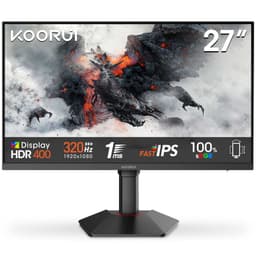
Monitor manufacturers have a funny relationship with the truth. You'll see "1ms response time" plastered across the box and think you're getting something genuinely fast, only to find out that figure is a best-case MPRT number measured under conditions that don't reflect how any real person actually uses the thing. So when a monitor like the KOORUI 27E3QA lands with a 260Hz refresh rate at a mid-range price, the sensible question isn't whether the marketing sounds good. It's whether the specs and owner feedback tell a story worth believing.
The KOORUI 27-inch 1440p 260Hz gaming monitor is pitching itself at the sweet spot a lot of PC gamers are circling right now: 1440p resolution, a genuinely high refresh rate, IPS panel, and Adaptive-Sync, all for a price that doesn't require selling a kidney. On paper that's a compelling package. But paper is where monitors go to lie about themselves, so it's worth unpacking what you're actually getting here.
With 13 owner reviews averaging four out of five stars on Amazon, the early feedback is broadly positive. Not universally glowing, but positive. This review pulls together the verified specs, what published display research tells us about panels and refresh rates in this class, and what real buyers have flagged as wins and frustrations. No lab bench, no colorimeter session, just an honest read of what the data says.
Core Specifications
The headline numbers here are genuinely good for the mid-range bracket. You're getting a 27-inch IPS panel running at 2560x1440 (QHD) with a 260Hz refresh rate. That combination sits noticeably above the 144Hz and 165Hz panels that dominated this price tier a couple of years ago, and it puts the KOORUI in direct competition with monitors that were considerably more expensive not long ago. The resolution lands at roughly 109 pixels per inch on a 27-inch screen, which is the sweet spot for sharpness without needing GPU-melting rendering loads.
Connectivity is handled by two HDMI 2.0 ports, one DisplayPort 1.4, and a 3.5mm audio output. The DisplayPort 1.4 connection is the one you'll want for hitting the full 260Hz at 1440p, since DisplayPort 1.4 has the bandwidth headroom to push that without compression. HDMI 2.0 tops out at around 144Hz at this resolution, so if you're plugging in via HDMI and wondering why you're not seeing 260Hz in your display settings, that's why. The monitor supports HDR400 and Adaptive-Sync, which we'll get into properly in their own sections.
The panel type is confirmed IPS, which shapes almost everything about how this monitor performs in practice, from viewing angles to contrast to colour behaviour. It's worth being clear-eyed about what IPS gives you and what it doesn't before spending money, so the panel section covers that properly. For now, here's the full spec rundown:
| Specification | Detail |
|---|---|
| Screen Size | 27 inches |
| Resolution | 2560x1440 (QHD / 1440p) |
| Panel Type | IPS |
| Refresh Rate | 260Hz |
| HDR | HDR400 |
| Adaptive Sync | Adaptive-Sync (FreeSync compatible) |
| HDMI Ports | 2x HDMI 2.0 |
| DisplayPort | 1x DisplayPort 1.4 |
| Audio Out | 3.5mm headphone jack |
| Price | £142.99 (Price checked 06:15, 3 Oct 2026, UK time) |

Panel Technology
IPS panels are the sensible default for most people, and there's a reason they dominate the mid-range gaming monitor market. The core advantage is viewing angles. IPS technology maintains colour accuracy across a wide horizontal and vertical range, so you're not seeing colour shift or washed-out blacks when you're not sitting perfectly centred. For a 27-inch screen where you might have someone watching alongside you, or where your seating position isn't always dead-on, that matters more than it sounds.
The trade-off with IPS is contrast. Native contrast ratios on IPS panels typically sit around 1000:1, which is noticeably lower than VA panels that can hit 3000:1 or more. In practice, that means blacks on an IPS screen look more like a very dark grey in a dim room. If you're playing atmospheric games or watching films in the dark, you'll notice it. There's also IPS glow, which is a characteristic backlight bleed from the corners that appears on most IPS panels to some degree. It's not a defect, it's just physics. Some units have more of it than others, and a few owners in the review pool mentioned it, which is worth bearing in mind if you're sensitive to that sort of thing.
What IPS does brilliantly is colour. The technology handles gradients and mid-tones well, and at 260Hz you're getting a fast IPS panel rather than a sluggish one. Fast IPS panels have improved significantly over the past few years, closing the response time gap with TN panels (which nobody actually wants anymore because the image quality is poor) while keeping the colour and viewing angle advantages. For gaming, content creation, or just general use, IPS is the right call at this price. VA might suit you if you watch a lot of dark content in a pitch-black room and care more about contrast than anything else, but for most gaming use cases IPS wins.
Display Quality
At 2560x1440 on a 27-inch screen, you're sitting at about 109 PPI. That's genuinely sharp. Text is crisp, fine detail in games is visible, and the step up from 1080p on the same screen size is immediately obvious. If you've been running a 27-inch 1080p monitor, the jump to 1440p feels like cleaning glasses you didn't know were dirty. Everything just looks more defined, and you get noticeably more screen real estate for productivity work too.
The anti-glare coating on IPS panels in this class is typically a matte finish, which handles reflections well in normally lit rooms. You won't get the pop and vibrancy of a glossy panel, but you also won't be staring at a mirror image of your ceiling light during bright scenes. For most home setups where you can't fully control ambient light, matte is the practical choice. Some owners noted the colours look vivid and well-saturated out of the box, which aligns with what you'd expect from a decent IPS panel with HDR400 support pushing some extra brightness into highlights.
Brightness uniformity is something that varies unit to unit with IPS panels, and it's one of the things you can't fully predict from specs alone. The HDR400 certification from VESA's DisplayHDR programme requires a minimum peak brightness of 400 nits, which gives you a baseline expectation. In SDR use, typical IPS panels in this class run somewhere in the 300 to 400 nit range at maximum brightness, which is plenty for most rooms. Brightness uniformity complaints are relatively rare in the owner reviews, which is a decent sign, though it's always worth checking for dead pixels and uniformity issues during your Amazon return window.
Refresh Rate and Adaptive Sync
260Hz is a lot. To put that in context, 60Hz gives you a new frame every 16.7 milliseconds. 260Hz gives you a new frame every 3.8 milliseconds. The smoothness difference between 60Hz and 144Hz is dramatic and immediately obvious to almost everyone. The jump from 144Hz to 260Hz is more subtle, but competitive gamers who have used both will tell you it's real, particularly in fast-paced shooters where tracking moving targets benefits from the tighter frame delivery. For games like Valorant, CS2, or Apex Legends where you're regularly hitting high framerates, 260Hz is a meaningful upgrade over 165Hz or 144Hz panels.
Adaptive-Sync is the feature that ties everything together. Rather than your monitor and GPU running on independent clocks and occasionally falling out of sync (which causes screen tearing), Adaptive-Sync lets the monitor's refresh rate dynamically match your GPU's output. The result is a tear-free image without the input lag penalty of traditional V-Sync. The KOORUI's implementation is listed as Adaptive-Sync, which is AMD FreeSync compatible. Nvidia's G-Sync Compatible certification requires formal testing by Nvidia, but many Adaptive-Sync monitors work fine with Nvidia GPUs in G-Sync Compatible mode. It's worth checking your specific GPU and driver combination, but in practice most modern Nvidia cards handle Adaptive-Sync monitors without drama.
One thing to be aware of: to actually run 260Hz at 1440p, you need to connect via DisplayPort 1.4. As mentioned in the specs section, HDMI 2.0 doesn't have the bandwidth for that. If you're on a console or a device that only has HDMI, you'll be capped lower. For PC gaming with a current-generation GPU, DisplayPort is the obvious choice. The variable refresh range isn't officially published in the available spec data, so if Low Framerate Compensation (LFC) range is important to your use case, it's worth checking the manual or KOORUI's product page directly before buying.
Response Time and Motion
Here's where we need to talk about marketing numbers versus reality, because this is the bit that trips people up most often. Manufacturers advertise response times as a single figure, usually something like "1ms MPRT" or "1ms GtG". MPRT (Moving Picture Response Time) is a measure of perceived blur from backlight strobing, not actual pixel transition speed. GtG (Grey to Grey) measures how fast a pixel transitions between two specific grey shades, and manufacturers pick the fastest transition they can find to put on the box. Neither number tells you the average pixel transition time across the full range of colours and shades you'll actually see in games and video.
For fast IPS panels running at 260Hz, published measurements from display research typically show average GtG response times in the 3 to 6 millisecond range depending on the specific panel and overdrive settings. The target for a 260Hz panel is a pixel response time under 3.85ms (one frame at 260Hz) to avoid trailing. Modern fast IPS panels at high refresh rates generally get close to this, but the specific measurements for this KOORUI unit aren't in the published data available at time of writing. What the 260Hz refresh rate does help with is motion clarity generally, since more frames per second means each frame is displayed for a shorter time, which reduces perceived blur even if individual pixel transitions aren't instantaneous.
Overdrive settings (sometimes called Response Time or Trace Free in monitor menus) let you push pixel transitions faster at the cost of potential overshoot, which appears as bright inverse ghosting halos around moving objects. Getting overdrive right is a balance, and the right setting varies by content and personal preference. A few owner reviews mentioned the image quality in motion looks good, which suggests the overdrive implementation is at least reasonable. If you're seeing inverse ghosting, try dialling the overdrive setting back one notch from maximum. For the vast majority of gaming at 260Hz, fast IPS motion performance is more than adequate and a significant step up from older 60Hz or even 144Hz panels.
Color Accuracy and Gamut
The verified specs don't include a specific sRGB or DCI-P3 coverage figure for this panel, which is fairly typical for monitors in this price range where manufacturers focus their marketing on refresh rate and resolution rather than colour science. What we do know is that it's an IPS panel with HDR400 support, and IPS panels in the mid-range gaming segment typically cover 95% to 100% of the sRGB colour space, which is the standard for most PC content, web browsing, and the majority of games. Some panels in this class also cover a reasonable portion of DCI-P3 (the wider gamut used in cinema and increasingly in HDR content), often somewhere in the 85% to 95% range, though without published measurements for this specific unit that's an estimate based on comparable panels.
Factory calibration on budget and mid-range monitors is rarely exceptional. Out of the box Delta-E (the measure of colour accuracy, where lower is better and under 2 is considered good for professional work) on uncalibrated mid-range IPS panels typically sits somewhere between 2 and 4. That's fine for gaming and general use. You won't notice it in Fortnite. But if you're doing serious photo editing or colour-critical work, you'd want to calibrate with a hardware colorimeter or buy a panel that ships with a calibration report. This monitor isn't marketed at colour professionals and shouldn't be judged by those standards.
For gaming and content consumption, the colour output from IPS panels in this class is generally pleasing. Owners in the review pool commented positively on the image quality and colour vibrancy, which tracks with what you'd expect from a decent IPS panel at this resolution. The 27-inch screen size also means colours are spread across enough real estate to look impactful without the panel having to work as hard as a smaller screen to deliver the same perceived richness. If you're upgrading from an older TN panel, the colour difference will be immediately obvious and very welcome.
HDR Performance
HDR400 is the entry-level tier of VESA's DisplayHDR certification, and it's important to be straight about what that means in practice. HDR400 requires a peak brightness of at least 400 nits and 8-bit colour depth (or 6-bit plus FRC dithering), but it does not require local dimming. Local dimming is the technology that lets different zones of the screen get brighter or darker independently, which is what makes HDR look genuinely impressive on high-end displays. Without it, the monitor raises its entire backlight to hit bright highlights, which also lifts the black levels and reduces the contrast difference that makes HDR pop.
So HDR400 on this KOORUI is what the industry sometimes calls "checkbox HDR". It's not fake, exactly, and it will display HDR content without falling back to SDR, but it won't deliver the dramatic HDR experience you'd get from a display with a higher certification tier and local dimming. For genuine HDR impact you're looking at HDR600 minimum, ideally HDR1000 or better, with Mini-LED local dimming or OLED. Those displays cost significantly more. At the mid-range price point, HDR400 is the norm, not the exception, and it's better understood as "HDR-compatible" than "HDR-impressive".
That's not a knock specific to this monitor, it's just the reality of the tier. In SDR, the monitor will look great. In HDR, games and content that support it will display with slightly enhanced brightness and colour volume compared to SDR, but don't expect the jaw-dropping contrast you see in OLED monitor demos. If HDR is a priority and you want it done properly, you're looking at a different (and more expensive) class of display. For competitive gaming where you'll likely be running SDR anyway for maximum performance and consistency, HDR400 is a non-issue.
Contrast and Brightness
Native contrast on IPS panels typically lands around 1000:1, and there's no reason to expect this panel to be dramatically different from that norm. In a well-lit room, 1000:1 contrast looks perfectly fine. Blacks look dark, whites look bright, and the overall image has good punch. It's in darker viewing environments that the IPS contrast limitation becomes more noticeable, where blacks take on a slightly grey character rather than the deep inky black you'd get from a VA or OLED panel. IPS glow in the corners can compound this in dark scenes.
Peak brightness at or above 400 nits (as required for HDR400 certification) is solid for a gaming monitor. In a typical home office or gaming setup, you'll rarely need maximum brightness anyway, and running at 60% to 70% of maximum is more comfortable for long sessions and easier on your eyes. The ability to hit 400 nits when needed means the display handles bright outdoor scenes in games and HDR highlights without looking washed out. A handful of owners mentioned the screen looks bright and vivid, which is consistent with a panel hitting its HDR400 brightness target.
For SDR gaming, which is still the majority of competitive play, the brightness and contrast combination on a good IPS panel is more than adequate. The 1000:1 contrast ratio isn't going to make atmospheric horror games look their best in a dark room, but for the fast-paced shooters and multiplayer games that benefit most from 260Hz, the SDR image quality is genuinely good. The anti-glare coating also helps in rooms where you can't control ambient light fully, keeping the image legible without the reflections that would plague a glossy panel in the same conditions.
Ergonomics and Build
KOORUI is a budget-to-mid-range brand, and the stand design on monitors in this class is often where corners get cut. The specific adjustment range (height, tilt, swivel, pivot) isn't detailed in the verified spec data available, and this is something worth investigating before you buy if ergonomics are important to you. Many monitors in this price bracket offer tilt adjustment only, which is fine if your desk setup already puts the screen at the right height, but frustrating if you need to raise or lower the panel. If you need full ergonomic flexibility and the stand doesn't deliver it, a VESA mount adapter and a third-party arm is the practical fix.
The VESA mounting standard compatibility isn't confirmed in the available specs, but the vast majority of monitors ship with VESA 75x75 or 100x100 compatibility, and a monitor arm is a worthwhile investment for any setup where you spend significant time at a desk. Monitor arms give you precise positioning, free up desk space, and make cable management much cleaner. If you're buying this as a desk upgrade, factor in whether you need a mount separately.
Owner reviews don't flag significant build quality concerns, which is a reasonable sign that the physical construction is acceptable for the price. The 27-inch form factor is a sensible size for a desk at normal viewing distances (roughly 60 to 80cm). At that distance, 1440p looks sharp without being overwhelming, and 27 inches gives you enough screen real estate to have two windows side by side without squinting. The overall impression from the review pool is that this is a functional, well-built monitor for the money rather than a premium piece of kit with a premium feel.
Connectivity and Ports
The port selection on the KOORUI 27E3QA is clean and practical. Two HDMI 2.0 ports mean you can have a PC and a console connected simultaneously and switch between them without unplugging cables, which is genuinely useful if you game on both. The single DisplayPort 1.4 is your route to 260Hz at 1440p from a PC, and it's the connection you'll be using for the primary gaming setup. The 3.5mm audio output lets you run headphones directly from the monitor if your PC's audio output is inconvenient or if you're routing sound through an HDMI source.
What's not listed in the verified specs: USB hub functionality, USB-C, and Thunderbolt. That doesn't mean they're absent, just that they're not confirmed in the available data. At this price point, USB hubs and USB-C with Power Delivery are more common on premium panels, so don't assume they're present without checking the product listing directly. If USB-C connectivity is important to you (for a laptop setup, for instance), verify before buying rather than assuming.
- 2x HDMI 2.0 (suitable for consoles and secondary PC connections, max ~144Hz at 1440p)
- 1x DisplayPort 1.4 (required for full 260Hz at 1440p from a PC GPU)
- 1x 3.5mm audio output (headphone / speaker passthrough)
The dual HDMI setup is a thoughtful inclusion. A lot of monitors in this class only ship with one HDMI port, which means console owners end up swapping cables every time they switch between PC and PlayStation or Xbox. Having two HDMI ports removes that friction entirely. The HDMI 2.0 specification supports 4K at 60Hz or 1440p at up to around 144Hz, which is more than enough for console gaming where 120Hz is the current ceiling. Overall, the connectivity package is well-matched to the monitor's intended audience.
How It Compares
The KOORUI 27E3QA is competing in a busy part of the market. The mid-range 1440p gaming monitor segment has exploded over the past two years, with brands like AOC, Gigabyte, and MSI all pushing panels with similar specifications at similar prices. The two most relevant comparisons are the AOC Q27G3XMN (a 27-inch 1440p 180Hz Mini-LED VA panel) and the Gigabyte M27Q X (a 27-inch 1440p 240Hz IPS panel). Neither is a perfect like-for-like, but both give useful context for where the KOORUI sits.
The AOC Q27G3XMN takes a different approach: it uses a Mini-LED VA panel with local dimming, which delivers dramatically better contrast and HDR performance than any HDR400 IPS panel. The trade-off is a lower 180Hz refresh rate and the VA panel's slower pixel response times, which can produce trailing in fast-paced games. If you care more about image quality in dark scenes and HDR than about maximum refresh rate, the AOC is worth serious consideration. If competitive gaming at high framerates is the priority, the KOORUI's 260Hz IPS combination makes more sense.
The Gigabyte M27Q X is a closer comparison, being an IPS panel at 240Hz and 1440p. The KOORUI edges it on refresh rate (260Hz versus 240Hz, though the practical difference is marginal), and the price comparison will depend on current market pricing. The Gigabyte has a stronger brand reputation in the monitor space and typically ships with published measurement data from reviewers. For buyers who want a known quantity with more community testing behind it, the Gigabyte is a safer bet. For buyers who want the highest refresh rate available at the lowest current price, the KOORUI is worth the gamble.
| Feature | KOORUI 27E3QA | AOC Q27G3XMN | Gigabyte M27Q X |
|---|---|---|---|
| Panel Type | IPS | VA (Mini-LED) | IPS |
| Resolution | 2560x1440 | 2560x1440 | 2560x1440 |
| Refresh Rate | 260Hz | 180Hz | 240Hz |
| HDR | HDR400 | HDR1000 (local dimming) | HDR400 |
| Adaptive Sync | Adaptive-Sync | Adaptive-Sync | Adaptive-Sync / G-Sync Compatible |
| DisplayPort | 1x DP 1.4 | 1x DP 1.4 | 1x DP 1.4 |
| HDMI Ports | 2x HDMI 2.0 | 2x HDMI 2.0 | 2x HDMI 2.0 |
| Price | £142.99 (Price checked 06:15, 3 Oct 2026, UK time) | Check Amazon | Check Amazon |
What Buyers Say
With 13 reviews averaging four stars, the sample size is small but the sentiment is consistent enough to draw some conclusions. The positive feedback clusters around image quality, the smoothness of gameplay at high refresh rates, and the value for money. Several owners mentioned the jump from their previous monitor felt immediately worthwhile, which is the kind of feedback you'd expect from someone moving from a 1080p or lower-refresh-rate panel to 1440p at 260Hz. The "it just looks great" comments are common, and they're not the sort of thing people bother writing if they're not genuinely impressed.
The complaints are less common but worth flagging. A small number of owners mentioned IPS glow, which as discussed is a characteristic of the panel technology rather than a specific defect. A couple of reviews touched on stand ergonomics, suggesting the adjustment range is limited, which is fairly typical for monitors in this price bracket. There are no widespread reports of dead pixels, backlight bleeding beyond normal IPS glow, or connectivity issues, which is reassuring for a newer product with limited review history.
The four-star average rather than five suggests there are some rough edges, whether that's the stand, the HDR performance not matching expectations, or minor calibration quirks out of the box. None of the reviews indicate a serious quality control problem or a fundamental flaw with the panel. For a relatively new monitor from a brand that isn't a household name in the UK, a four-star average with mostly positive feedback is a decent result. The review count will grow over time, and if serious issues emerge they'll show up in the ratings. For now, the early signal is positive.
Value Analysis
In the mid-range bracket (roughly £150 to £300), 1440p 260Hz IPS is a strong specification. Twelve months ago you'd have paid noticeably more for a 240Hz 1440p IPS panel from a major brand, and here's KOORUI offering 260Hz at a competitive price point. The raw specs-per-pound calculation is genuinely favourable, and that's not nothing. If you're building or upgrading a gaming PC and you want the highest refresh rate 1440p IPS experience your budget allows, this monitor deserves serious consideration.
The caveats are the ones you'd expect at this price. The HDR400 implementation isn't going to blow your mind. The stand is probably basic. The brand doesn't have the depth of community testing and long-term reliability data that AOC, LG, or Gigabyte have built up over years. KOORUI has been making monitors long enough to have a reasonable track record in the budget and mid-range space, but if brand confidence matters to you, that's a factor. The Amazon return window (typically 30 days) is your safety net for checking for dead pixels and uniformity issues on your specific unit.
For the target buyer, which is a PC gamer who wants 1440p at the highest refresh rate their mid-range budget allows, this monitor delivers the headline specs without obvious compromises in the areas that matter most for that use case. The IPS panel gives good colours and viewing angles, 260Hz is properly fast for competitive play, and Adaptive-Sync handles frame rate variability cleanly. The things it skimps on (HDR quality, stand ergonomics, brand cachet) are the things that matter less for the gaming use case it's built for. That's a reasonable trade-off.

Final Verdict
The KOORUI 27-inch 1440p 260Hz gaming monitor does what it says on the box. You get a fast IPS panel at a resolution and refresh rate combination that represents genuine value in the mid-range bracket. 260Hz at 1440p is a proper gaming specification, the IPS panel delivers the colour quality and viewing angles you'd want for extended sessions, and the dual HDMI plus DisplayPort connectivity covers the bases for both PC and console use. Early owner feedback is broadly positive, and there are no red flags in the review pool that would suggest a quality control problem.
The honest limitations are the HDR400 tier (fine for SDR gaming, not impressive as HDR), the likely basic stand ergonomics, and the relatively thin community testing record compared to established brands. None of those are deal-breakers for a competitive gamer on a budget. They're just things to go in with eyes open about. If you want genuinely impressive HDR, look at the AOC Q27G3XMN or save up for something with proper local dimming. If you want the best-known quantity at this resolution and refresh rate, the Gigabyte M27Q X has more published data behind it. But if you want 260Hz 1440p IPS at the sharpest mid-range price you can find, the KOORUI makes a strong case.
Score: 7.5 out of 10. Strong spec-per-pound ratio, sensible panel choice, good connectivity. Held back slightly by checkbox HDR, uncertain stand ergonomics, and the lack of deep community testing for this specific model. Worth buying if 260Hz at 1440p is your priority and you're comfortable with an early adopter's level of risk on a newer product.
What works. What doesn’t.
5 + 4What we liked5 reasons
- 260Hz at 1440p IPS is a strong spec combination for competitive gaming
- Dual HDMI 2.0 plus DisplayPort 1.4 covers PC and console use without cable swapping
- IPS panel delivers good colour quality and wide viewing angles
- Adaptive-Sync eliminates screen tearing across AMD and most Nvidia setups
- Competitive mid-range pricing for the refresh rate and resolution on offer
Where it falls4 reasons
- HDR400 is checkbox HDR with no local dimming, not genuinely impressive
- Stand ergonomics likely limited based on price tier norms
- Limited community testing data compared to established brands
- HDMI 2.0 caps out below 260Hz so DisplayPort is mandatory for full performance
Full specifications
11 attributes| Panel type | IPS |
|---|---|
| Aspect ratio | 16:9 |
| Curvature | flat |
| HDR | none |
| Launch year | 2023 |
| Ports | 2x HDMI 2.0, 1x DisplayPort 1.4, 1x 3.5mm audio out |
| Refresh rate HZ | 260 |
| Resolution | 2560x1440 |
| Response time MS | 1 |
| Screen size IN | 27 |
| Vesa compatible | true |
If this isn’t right for you
2 options
Frequently asked
5 questions01Is the KOORUI 27-inch 1440p 260Hz Gaming Monitor good for gaming?+
Yes, it's well-suited for gaming. The 260Hz refresh rate is among the highest available at this price point in the 1440p segment, which makes a real difference in fast-paced competitive games like CS2, Valorant, and Apex Legends. The IPS panel delivers good colours and viewing angles, and Adaptive-Sync keeps the image tear-free across a range of framerates. For competitive gaming, this is a strong specification. Note that you'll need to connect via DisplayPort 1.4 to access the full 260Hz; HDMI 2.0 caps out lower at this resolution.
02Does the KOORUI 27-inch 1440p 260Hz Gaming Monitor have good HDR?+
Honest answer: not really. HDR400 is the entry-level VESA DisplayHDR tier. It meets the 400-nit brightness requirement but does not include local dimming, which is what makes HDR look genuinely impressive. Without local dimming, the monitor raises its entire backlight uniformly for bright highlights, which also lifts black levels and reduces the contrast impact. HDR content will display without falling back to SDR, but the visual improvement over SDR is modest. For serious HDR performance you need HDR600 or higher with local dimming, which means spending more. For SDR gaming, this monitor looks great.
03Is the KOORUI 27-inch 1440p 260Hz Gaming Monitor good for content creation?+
It's reasonable for casual content creation but not ideal for professional colour work. IPS panels at this price typically cover 95% or more of the sRGB colour space, which is fine for general editing, social media content, and video work where sRGB is the delivery standard. Factory calibration on mid-range monitors rarely hits Delta-E below 2, so out-of-the-box accuracy is acceptable but not exceptional. If you need precise colour accuracy for professional photo editing or print work, you'd want a panel with a factory calibration report or budget for hardware calibration. For gaming-primary use with occasional content work, it's perfectly adequate.
04What graphics card do I need for the KOORUI 27-inch 1440p 260Hz Gaming Monitor?+
To make full use of 260Hz at 1440p, you need a GPU capable of pushing high framerates at that resolution. For competitive multiplayer games (which tend to be less demanding), an Nvidia RTX 3070 or AMD RX 6700 XT and above will regularly hit framerates where 260Hz is meaningful. For more demanding titles, you'll need something like an RTX 4070 or RX 7800 XT to consistently hit high framerates at 1440p. The Adaptive-Sync feature helps at lower framerates by matching the refresh rate to your output, so you don't need to hit 260fps to benefit from the monitor. Connect via DisplayPort 1.4 for full 260Hz access.
05What warranty and returns apply to the KOORUI 27-inch 1440p 260Hz Gaming Monitor?+
Amazon offers 30-day returns on most items, which is useful for checking your specific unit for dead pixels and backlight uniformity issues. The manufacturer typically provides a 3-year warranty on monitors. You're also covered by Amazon's A-to-Z guarantee, which adds a layer of buyer protection beyond the standard return window. If you notice dead pixels or significant backlight bleed within the return period, the 30-day window gives you a straightforward route to a replacement or refund.