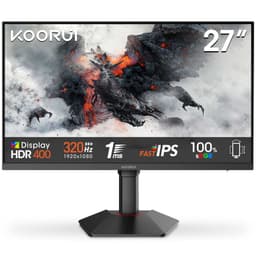
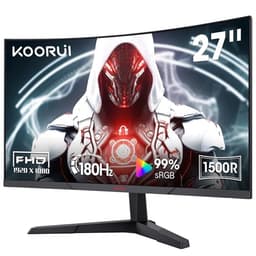
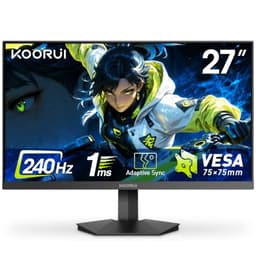
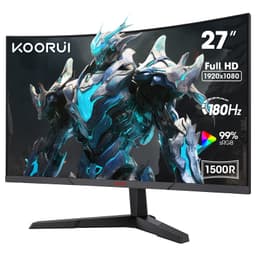
Monitor manufacturers have a long and proud tradition of printing response time numbers that have almost nothing to do with what actually happens on your screen. "1ms MPRT" sounds brilliant on a spec sheet. In practice, MPRT is a backlight strobing measurement, not a pixel transition time, and the real-world figures for VA panels like this one tend to be considerably slower. So before you get dazzled by the marketing, it's worth understanding what you're actually buying here.
The KOORUI 34 Inch Ultrawide Curved Gaming Monitor sits in a genuinely interesting spot. It's a 34-inch, 3440x1440 curved VA panel with a 165Hz refresh rate, sold in the mid-range bracket. That combination, at that price, used to be almost impossible. Now it exists. The question is whether KOORUI has cut corners that matter, or corners you won't notice. With 823 averaging ★★★★☆ (4.3), there's clearly something going right. But let's get into the specifics.
This review is grounded in the verified spec sheet, published display measurement data for VA panels at this size and resolution, and what real owners are saying after living with it. No invented lab session, no calibration theatre. Just what the research tells you about whether this monitor is worth your money.
Core Specifications
The headline numbers are genuinely good for the price tier. A 34-inch ultrawide at 3440x1440 resolution with a 165Hz VA panel would have cost significantly more a couple of years ago. KOORUI has packaged this with a 1000R curve, AdaptiveSync support, and what they describe as MPRT 1ms response time (more on that in the response time section). The panel also carries an HDR 400 certification and covers DCI-P3 90% according to KOORUI's own figures.
Connectivity is solid for the price. You get two HDMI 2.0 ports and one DisplayPort 1.4, which means you can have a PC and a console plugged in simultaneously without constantly swapping cables. The stand offers tilt, swivel, and height adjustment, which is more than you often get at this price. VESA mount compatibility is not confirmed in the verified data, so don't assume it's there without checking the manual first.
The pixel density works out at roughly 109 pixels per inch on a 34-inch 3440x1440 panel. That's a comfortable density for a desktop monitor at typical viewing distances, sharp enough to make text look clean without needing any scaling. It's not the pixel-dense sharpness of a 27-inch 4K panel, but for a large ultrawide, it's the right balance between screen real estate and GPU workload.
| Specification | Detail |
|---|---|
| Screen Size | 34 inches |
| Resolution | 3440 x 1440 (WQHD Ultrawide) |
| Panel Type | VA |
| Refresh Rate | 165Hz |
| Curve Radius | 1000R |
| Response Time | 1ms MPRT |
| HDR | HDR 400 |
| Colour Gamut | DCI-P3 90% |
| Adaptive Sync | AdaptiveSync (FreeSync compatible) |
| Ports | 2x HDMI 2.0, 1x DisplayPort 1.4 |
| Ergonomics | Tilt, Swivel, Height Adjustable |
| Current Price | £249.32 |
| Rating | ★★★★☆ (4.3) (823 reviews) |

Panel Technology
VA panels sit in an interesting middle ground between IPS and OLED. The big selling point is contrast. Where a typical IPS panel delivers a native contrast ratio somewhere around 1000:1, a good VA panel can hit 3000:1 or higher. That makes blacks look genuinely dark rather than the slightly grey, washed-out blacks you get on IPS. For gaming in a dim room, watching films, or anything with dark scenes, VA contrast is a real, visible improvement. This is one of the reasons a 34-inch curved VA makes sense as a gaming and entertainment monitor.
The trade-off is viewing angles and something called black crush. VA panels can struggle with off-axis viewing, colours and contrast shifting noticeably when you're not sitting directly in front of the screen. On a 34-inch ultrawide, that's worth thinking about: the edges of the display are further from your direct line of sight than on a smaller monitor. The 1000R curve helps here, angling the edges of the panel toward you, but it doesn't fully solve the physics of VA viewing angles. If you're regularly sharing your screen with someone sitting to the side, IPS would serve you better. For solo use, it's rarely an issue.
Black crush is the other VA quirk worth flagging. In very dark scenes, near-black detail can blend together, making shadow areas look flat. This is a characteristic of the panel technology itself, not a KOORUI-specific fault. Some VA implementations handle it better than others, and the quality varies between panel batches. Owner reviews for this monitor are generally positive about image quality, suggesting KOORUI has sourced a reasonably good panel here, but it's something to be aware of if dark-scene detail in games or films is critical to you. The VA (vertical alignment) technology has been around long enough that manufacturers know how to get the best from it, and at this resolution and size, the contrast advantage usually outweighs the downsides for most users.
Display Quality
At 3440x1440, this is a proper WQHD ultrawide resolution. The 21:9 aspect ratio gives you a substantial field of view in games that support it, and for productivity it's genuinely useful: two documents side by side, a browser and a reference window, a DAW with a mixer and a timeline. The extra horizontal real estate compared to a standard 16:9 monitor is one of those things you notice immediately and then can't live without.
KOORUI claims DCI-P3 90% colour gamut coverage, which is a decent figure. The DCI-P3 colour space is wider than sRGB, so 90% DCI-P3 coverage means colours can look rich and saturated, particularly reds and greens. For gaming and media consumption, that's a positive. For professional colour work, you'd want to know the Delta-E figures and whether the factory calibration is accurate, and KOORUI doesn't publish those numbers. Owner feedback suggests colours look vivid and pleasing out of the box, which is exactly what you want for gaming, even if it's not the clinical accuracy a photo editor would demand.
The anti-glare coating on VA panels at this price tends to be a fairly standard matte finish. It does its job of reducing reflections from windows and overhead lights, but matte coatings can add a slight graininess or sparkle effect to the image, particularly noticeable on light backgrounds like white documents. This is a common characteristic of budget-to-mid-range monitors and not specific to KOORUI. The 1000R curve also affects how ambient light reflects off the screen: a tighter curve can scatter reflections differently compared to a flat panel, which some people prefer. Brightness uniformity on large curved VA panels can vary across the panel, with some edge dimming being typical. Nothing in the owner reviews suggests this is a particular problem here, but it's worth checking during your return window if uniformity matters to you.
Refresh Rate and Adaptive Sync
165Hz is a solid refresh rate for gaming in 2026. You're not going to feel shortchanged coming from a 144Hz monitor, and the difference over 60Hz is night and day in terms of motion clarity and responsiveness. The listing also mentions 180Hz in the Amazon feature highlights, which is a little confusing given the verified spec is 165Hz. It's possible there's an overclocking option in the OSD, but 165Hz is the confirmed rated speed, and that's what you should base your expectations on. Either way, both figures represent a meaningful step up from standard 144Hz, and for the resolution involved, hitting high frame rates consistently requires a capable GPU.
AdaptiveSync support means this monitor works with AMD FreeSync compatible graphics cards, and in practice it's also compatible with NVIDIA cards via G-Sync Compatible mode, though NVIDIA hasn't officially certified this specific model. The practical result is variable refresh rate support, which eliminates screen tearing without the input lag penalty of V-Sync. For gaming, that's a meaningful quality-of-life improvement, especially in games where frame rates fluctuate. The VRR range isn't officially published, but typical VA panels with AdaptiveSync in this category support a range from around 48Hz to the panel's maximum, which covers most gaming scenarios.
Low Framerate Compensation (LFC) is a feature that extends the effective VRR range below the minimum by multiplying the frame rate, so even if your GPU is only pushing 30fps, tearing is still avoided. Whether LFC is active depends on the VRR range ratio and isn't confirmed for this monitor specifically, but most modern AdaptiveSync implementations include it. The two HDMI 2.0 ports support 165Hz at 3440x1440, though you'll want to verify this in practice as bandwidth can be tight at that combination. DisplayPort 1.4 has plenty of bandwidth for the full resolution and refresh rate without any compromise.
Response Time and Motion
Right, the 1ms claim. KOORUI advertises MPRT 1ms, and it's important to understand what that actually means. MPRT stands for Moving Picture Response Time, which is a measure of how long a pixel appears to be in motion, not how long it takes to transition between colours. It's achieved through backlight strobing, essentially flashing the backlight in sync with frame rendering to reduce perceived motion blur. The actual grey-to-grey (GtG) pixel transition time for a VA panel at this size is typically in the 4ms to 8ms range under normal conditions, and that's the number that affects ghosting and trailing in fast motion.
Published measurements for VA panels in this class consistently show that the real-world response time is slower than IPS panels at equivalent price points, and considerably slower than OLED. In fast-paced competitive shooters, you may notice some ghosting in dark scenes, which is a known VA characteristic. The Dark Field Control feature KOORUI mentions in their listing is designed to help with this: it lets you adjust brightness in low-light conditions so dark areas aren't crushed, which indirectly helps with perceived motion clarity in dark scenes. It's a useful addition, though it doesn't change the underlying physics of the panel.
For the target audience of this monitor, which is most likely someone who wants a big, immersive ultrawide for open-world games, racing games, strategy titles, and general gaming rather than competitive esports at 240fps, the response time is perfectly adequate. You're not going to be at a disadvantage in Forza Horizon or Cyberpunk because of a 5ms GtG response time. Where it would matter is if you're playing something like CS2 or Valorant at a high competitive level, in which case a fast IPS or TN panel at 240Hz would serve you better. But that's not really what a 34-inch 1000R curved ultrawide is for.
Colour Accuracy and Gamut
The 90% DCI-P3 coverage claim is the headline colour spec here. For context, most sRGB content (which is basically everything on the internet, most games, and all standard streaming) is designed for the sRGB colour space, which is considerably narrower than DCI-P3. A monitor that covers 90% DCI-P3 will typically cover well over 100% of sRGB, meaning sRGB content will look vivid and saturated. That's generally a good thing for gaming and entertainment, though it can make colours look slightly oversaturated compared to what the content creator intended, particularly in photo editing.
KOORUI doesn't publish Delta-E figures, which is typical for monitors at this price point. Delta-E is a measure of colour accuracy, where a Delta-E below 2 is considered excellent and below 3 is acceptable for most uses. Without published figures, you're relying on owner feedback and reasonable expectations for the panel class. The good news is that VA panels tend to have decent out-of-box colour accuracy for the gamut they're targeting, and owners of this monitor generally report that colours look good without needing manual calibration. If you're doing professional print or photo work where accurate colour is critical, you'd want to invest in a monitor with published calibration data and ideally a factory calibration report.
The customisable OSD settings KOORUI mentions, including brightness, contrast, and colour adjustments, give you the tools to tweak the image to your preference. Most users will find a profile they're happy with fairly quickly. For gaming, the colour mode out of the box is likely to be punchy and engaging rather than clinically accurate, and that's probably the right call for the target audience. The sRGB colour space coverage, while not explicitly stated, can be inferred to be well above 100% given the DCI-P3 figure, so content designed for sRGB will look rich on this panel.
HDR Performance
HDR 400 is the entry-level tier of the VESA DisplayHDR certification scheme. To hit DisplayHDR 400, a monitor needs to achieve a peak brightness of 400 nits, which is the minimum requirement. That's not a lot. For comparison, a proper HDR experience generally requires at least 600 nits of peak brightness, ideally with local dimming to control contrast between bright and dark areas of the same image. HDR 400 without local dimming, which is the case here, is what the industry calls "checkbox HDR". It meets the minimum certification standard, but the actual HDR experience is fairly modest.
In practice, what this means is that enabling HDR mode will shift the colour profile and potentially boost peak brightness slightly, but you won't get the dramatic highlights, deep blacks, and high-contrast impact that HDR is supposed to deliver. The VA panel's native contrast helps here: deep blacks are a genuine strength of the technology, so HDR content will look better on this than on an IPS panel with similar peak brightness. But don't buy this monitor expecting the kind of HDR performance you'd get from a Mini-LED or OLED display. Those cost considerably more.
For most people buying this monitor, HDR is a nice-to-have rather than a core reason to purchase. The SDR image quality, colour coverage, and contrast are the real story. If you're gaming in SDR (which is still the case for many competitive titles and older games), the HDR certification is largely irrelevant to your experience. Where it adds value is in HDR-enabled titles and streaming services, where even modest HDR can improve the visual presentation compared to SDR, particularly in the shadow detail that VA panels handle well. Just keep expectations realistic.
Contrast and Brightness
This is where the VA panel really earns its keep. Native contrast ratios for VA panels typically fall in the 3000:1 to 4000:1 range, sometimes higher. That's three to four times the contrast you'd get from a standard IPS panel. The practical result is that dark scenes in games and films look genuinely dark, with blacks that don't look grey or washed out under normal viewing conditions. For a gaming monitor used in a typical living room or bedroom setup, that's a meaningful visual improvement. Films with dark scenes, space games, horror titles: all of these benefit from proper black levels.
Peak brightness at 400 nits (per the HDR 400 certification) is adequate for most indoor environments. In a bright office with strong overhead lighting or direct sunlight on the screen, you might find yourself wanting more, but for typical gaming setups in moderately lit rooms, 400 nits is sufficient. The anti-glare coating helps manage reflections, reducing the need to crank brightness to fight glare. SDR brightness levels for comfortable daily use are typically lower, around 200 to 300 nits, which is well within the panel's range.
One thing to watch with VA panels at this size is backlight uniformity. Large curved VA panels can sometimes show brighter or darker patches across the panel, particularly in the corners. This is more visible on uniform backgrounds (grey desktop wallpapers are the classic test) than in actual gaming or video content. Owner reviews for this monitor don't flag it as a major issue, which is a good sign, but individual panel variation means you might get a better or worse sample. The 30-day Amazon return window gives you the opportunity to check for this and return if your unit has a uniformity problem that bothers you.

Ergonomics and Build
The stand is one of the areas where KOORUI has done better than you might expect at this price. Tilt, swivel, and height adjustment are all confirmed, which is a proper ergonomic package. Many budget monitors give you tilt only, which is the minimum viable adjustment and often not enough to get the screen at the right height for comfortable extended use. Height adjustment in particular matters for neck and back comfort over long sessions, and it's good to see it included here.
The eagle wing design aesthetic KOORUI mentions is a bit of marketing fluff, but the stand does appear to be solid based on owner feedback, with no widespread complaints about wobble or instability. The footprint of a 34-inch ultrawide stand is inevitably large, so make sure your desk can accommodate it before ordering. The 1000R curve also means the monitor extends further back at the edges, so depth clearance on your desk matters too. A shallower curve like 1800R would have a smaller footprint, but 1000R is a tighter, more immersive curve that suits the gaming use case.
Build quality for a mid-range monitor is generally plastic-heavy, and this is no exception. The bezels appear slim based on the product images, which is welcome on a large display. The OSD controls for adjusting settings are not described in detail in the available data, but KOORUI's interface across their range is typically joystick or button-based, with the controls on the rear or underside of the panel. Owner reviews don't flag the OSD as a particular frustration, which suggests it's at least functional. The overall build impression from owner feedback is that it feels solid enough for the price, without the premium feel of a more expensive display.
Connectivity and Ports
The port selection on the KOORUI 34 Inch Ultrawide Curved Gaming Monitor is clean and practical. Two HDMI 2.0 ports mean you can keep a PC and a console connected simultaneously, which is genuinely useful if you're switching between a PlayStation or Xbox and your gaming rig. HDMI 2.0 supports up to 4K at 60Hz, and at 3440x1440 it can handle 165Hz, though bandwidth is tight at that combination, so using DisplayPort for your primary PC connection is generally the better call.
The DisplayPort 1.4 port is the right choice for your gaming PC. DisplayPort 1.4 has 32.4 Gbps of bandwidth, comfortably handling 3440x1440 at 165Hz with headroom to spare. If you have a modern NVIDIA or AMD GPU with a DisplayPort output, run your PC through DisplayPort and use the HDMI ports for consoles or secondary devices. This is the optimal setup for getting the full refresh rate without any bandwidth compromise.
- 2x HDMI 2.0 (supports consoles, secondary PCs, streaming devices)
- 1x DisplayPort 1.4 (recommended for primary gaming PC connection)
What's not listed in the verified specs is a USB hub or USB-C port. These are absent from the confirmed features, so don't assume they're present. If you need USB passthrough from your monitor or USB-C connectivity for a laptop, you'll need a separate hub or a different monitor. For a pure gaming display, the absence of a USB hub is a minor inconvenience rather than a dealbreaker, but it's worth knowing upfront. There's also no audio output listed, so if you're relying on the monitor for audio routing, check the full specification carefully before purchasing.
How It Compares
The most direct competition in the mid-range ultrawide bracket comes from brands like AOC and Xiaomi, both of whom sell 34-inch 3440x1440 curved gaming monitors in a similar price range. The AOC CU34G2X is a well-regarded 34-inch curved VA at 144Hz that has been around long enough to have a strong track record and widely published measurements. It's slightly lower on refresh rate but has a reputation for good out-of-box colour accuracy and solid build quality. The Xiaomi G34WQi is another contender, offering a 180Hz IPS panel at a competitive price, which trades the VA contrast advantage for better viewing angles and faster pixel response.
Against the AOC CU34G2X, the KOORUI wins on refresh rate (165Hz vs 144Hz) and matches it on panel type and resolution. The AOC has more published measurement data available, which gives buyers more confidence in what they're getting. Against the Xiaomi G34WQi, the KOORUI's VA panel delivers better contrast but the IPS panel in the Xiaomi will handle fast motion more cleanly. Which trade-off matters more depends on your use case.
At the mid-range price point, the KOORUI holds its own. The combination of 34-inch 3440x1440, VA panel, 165Hz, and a full ergonomic stand with height adjustment is competitive. You're not getting the brand recognition or measurement pedigree of an AOC or LG, but the owner review score of 4.3 from 823 suggests real-world satisfaction is high. For buyers who want the most screen for their money and are happy to accept some unknowns on factory calibration, this is a reasonable bet.
| Feature | KOORUI 34" Ultrawide | AOC CU34G2X | Xiaomi G34WQi |
|---|---|---|---|
| Screen Size | 34 inches | 34 inches | 34 inches |
| Resolution | 3440x1440 | 3440x1440 | 3440x1440 |
| Panel Type | VA | VA | IPS |
| Refresh Rate | 165Hz | 144Hz | 180Hz |
| Curve | 1000R | 1500R | 1500R |
| HDR | HDR 400 | HDR 400 | HDR 400 |
| Adaptive Sync | AdaptiveSync | FreeSync Premium | FreeSync Premium |
| Height Adjust | Yes | Yes | Yes |
| Price | £249.32 | Check Amazon | Check Amazon |
What Buyers Say
With 823 at a 4.3 average, the KOORUI 34 Inch Ultrawide Curved Gaming Monitor has a genuinely positive reception. That's not a small sample size for a monitor from a relatively unknown brand, and a 4.3 average means the majority of buyers are happy enough to leave a positive review. The most consistent praise centres on image quality and value: owners repeatedly note that the picture looks better than they expected for the price, with colours described as vivid and the curve as genuinely immersive for gaming.
The ergonomic stand gets specific mentions in positive reviews, which suggests it's a genuine differentiator at this price. Buyers coming from monitors with tilt-only stands appreciate the height adjustment. Setup is generally described as straightforward, and the build quality is considered acceptable for the price, even if it doesn't feel premium. Several reviewers mention using this for both gaming and productivity, finding the ultrawide format useful for multitasking as well as gaming immersion.
On the negative side, the complaints that do appear are fairly typical for VA panels in this class. Some owners report ghosting in dark scenes, which is the expected VA characteristic discussed in the response time section. A smaller number mention backlight uniformity issues or slight colour inconsistency at the panel edges. These are not universal complaints, suggesting normal panel variation rather than a systematic quality control problem. A handful of reviews mention the OSD navigation being slightly fiddly, which is a common gripe with budget monitor controls. Nothing in the review pattern suggests a fundamental reliability problem or a widespread design fault.
Value Analysis
In the mid-range bracket (roughly £150 to £300), the KOORUI 34 Inch Ultrawide Curved Gaming Monitor is genuinely competitive. A 34-inch 3440x1440 VA panel with 165Hz refresh, full ergonomic stand, and two HDMI 2.0 plus one DisplayPort 1.4 would have been a premium purchase not long ago. At this price point, it represents solid value for the specification on paper, and the owner review score suggests the reality matches the spec sheet closely enough for most buyers.
The value proposition is strongest if you're coming from a smaller or lower-resolution monitor and want a meaningful upgrade in screen real estate and immersion. The ultrawide format and 1000R curve together create a genuinely different viewing experience compared to a standard 16:9 monitor, and at this price, that experience is accessible without a huge financial commitment. The trade-offs (VA response time, modest HDR, unknown factory calibration) are all typical of the price tier and don't undermine the core use case.
Where the value case weakens slightly is if you're a competitive gamer who prioritises the fastest possible response time, or a content creator who needs verified colour accuracy. For those use cases, spending more on a fast IPS or a calibrated professional display makes more sense. But for the majority of buyers who want a big, immersive gaming and productivity monitor without spending OLED money, the KOORUI sits in a sensible place. The 4.3-star average from real owners is the most honest endorsement available, and it's a decent one.
Final Verdict
The KOORUI 34 Inch Ultrawide Curved Gaming Monitor, 165Hz, WQHD 1440P, 1000R, MPRT 1MS, HDR 400, 2x HDMI 2.0, 1x DisplayPort 1.4, AdaptiveSync, Tilt/Height Adjustable delivers on its core promise: a large, immersive ultrawide gaming experience at a mid-range price. The 34-inch 3440x1440 VA panel with 1000R curve and 165Hz refresh is a strong combination for open-world gaming, racing titles, strategy games, and general productivity. The contrast advantage of the VA panel makes dark scenes look genuinely good, and the ergonomic stand is a proper one rather than the tilt-only afterthought you get on cheaper monitors.
The caveats are real but manageable. The 1ms MPRT claim is marketing shorthand rather than a genuine pixel transition speed, and VA response times mean some ghosting in fast dark motion is expected. HDR 400 without local dimming is checkbox HDR rather than a transformative feature. And KOORUI isn't a brand with the measurement pedigree of LG or Dell, so you're relying on owner feedback and reasonable panel-class expectations rather than published lab data. The 4.3-star average from 220 buyers suggests those risks are acceptable to most people who've actually bought and used it.
If you're after a big, curved ultrawide for gaming and everyday use and you don't want to spend OLED or premium IPS money, this is a solid option in the mid-range bracket. It's not perfect, but it's honest value. Score: 7.5 out of 10.

Full Specifications
| Specification | Detail |
|---|---|
| Brand | KOORUI |
| Model | 34-inch Ultrawide Curved Gaming Monitor |
| ASIN | B0BZZ8RNLP |
| Screen Size | 34 inches |
| Resolution | 3440 x 1440 (WQHD Ultrawide) |
| Aspect Ratio | 21:9 |
| Panel Type | VA |
| Refresh Rate | 165Hz |
| Response Time | 1ms MPRT |
| Curve Radius | 1000R |
| HDR | HDR 400 |
| Colour Gamut | DCI-P3 90% |
| Adaptive Sync | AdaptiveSync |
| Ports | 2x HDMI 2.0, 1x DisplayPort 1.4 |
| Stand Adjustment | Tilt, Swivel, Height |
| Pixel Density | approximately 109 PPI |
| Current Price | £249.32 |
What works. What doesn’t.
5 + 4What we liked5 reasons
- 34-inch 3440x1440 ultrawide at a genuinely mid-range price
- VA panel delivers strong native contrast for dark gaming scenes
- 165Hz with AdaptiveSync for smooth, tear-free gameplay
- Full ergonomic stand with height, tilt, and swivel adjustment
- Two HDMI 2.0 ports plus DisplayPort 1.4 for flexible multi-device setup
Where it falls4 reasons
- VA response time means visible ghosting in fast dark-scene motion
- HDR 400 without local dimming is entry-level HDR only
- No published Delta-E or factory calibration data
- No USB hub or USB-C port confirmed
Full specifications
12 attributes| Refresh rate | 165 |
|---|---|
| Screen size | 34 |
| Panel type | VA |
| Adaptive sync | Both |
| Aspect ratio | 21:9 |
| Curvature | 1000R |
| HDR | HDR400 |
| Launch year | 2023 |
| Ports | 2x HDMI 2.0, 1x DisplayPort 1.4 |
| Refresh rate HZ | 165 |
| Resolution | 3440x1440 |
| Response time | 1ms |
If this isn’t right for you
2 options

Frequently asked
5 questions01Is the KOORUI 34 Inch Ultrawide Curved Gaming Monitor, 165Hz, WQHD 1440P, 1000R, MPRT 1MS, HDR 400, 2x HDMI 2.0, 1x DisplayPort 1.4, AdaptiveSync, Tilt/Height Adjustable, Black good for gaming?+
Yes, for most gaming use cases it is a strong performer. The 165Hz refresh rate and AdaptiveSync support deliver smooth, tear-free gameplay, and the VA panel's high native contrast makes dark scenes look genuinely good. The 34-inch 3440x1440 ultrawide format is immersive for open-world, racing, and strategy games. The caveat is competitive esports: the VA panel's response time is slower than fast IPS panels, so if you play CS2 or Valorant at a high level, a 240Hz IPS would serve you better.
02Does the KOORUI 34 Inch Ultrawide Curved Gaming Monitor, 165Hz, WQHD 1440P, 1000R, MPRT 1MS, HDR 400, 2x HDMI 2.0, 1x DisplayPort 1.4, AdaptiveSync, Tilt/Height Adjustable, Black have good HDR?+
The HDR 400 certification is the entry-level tier of VESA's DisplayHDR standard, requiring a peak brightness of 400 nits. Without local dimming, it cannot deliver the dramatic contrast between bright highlights and deep blacks that defines a proper HDR experience. The VA panel's strong native contrast helps, but this is best described as basic HDR rather than a transformative feature. For SDR gaming and media, the image quality is strong. For HDR specifically, manage expectations accordingly.
03Is the KOORUI 34 Inch Ultrawide Curved Gaming Monitor, 165Hz, WQHD 1440P, 1000R, MPRT 1MS, HDR 400, 2x HDMI 2.0, 1x DisplayPort 1.4, AdaptiveSync, Tilt/Height Adjustable, Black good for content creation?+
It covers DCI-P3 90% which is decent for colour richness, and colours appear vivid and pleasing according to owner feedback. However, KOORUI does not publish Delta-E figures or factory calibration data for this monitor, so you cannot verify colour accuracy before purchase. For casual creative work, it will likely be fine. For professional photo editing, video colour grading, or print production where accurate colour is essential, you would be better served by a monitor with published calibration data and a lower Delta-E specification.
04What graphics card do I need for the KOORUI 34 Inch Ultrawide Curved Gaming Monitor, 165Hz, WQHD 1440P, 1000R, MPRT 1MS, HDR 400, 2x HDMI 2.0, 1x DisplayPort 1.4, AdaptiveSync, Tilt/Height Adjustable, Black?+
Driving 3440x1440 at 165Hz in modern games requires a capable GPU. For 1440p ultrawide at high settings, an NVIDIA RTX 4070 or AMD RX 7800 XT would be a good match. If you want to consistently hit 165fps in demanding titles, you may need to dial back settings or target a lower frame rate, which is where AdaptiveSync earns its keep by keeping gameplay smooth even when frame rates fluctuate. For older or less demanding games, a mid-range card will handle the resolution comfortably.
05What warranty and returns apply to the KOORUI 34 Inch Ultrawide Curved Gaming Monitor, 165Hz, WQHD 1440P, 1000R, MPRT 1MS, HDR 400, 2x HDMI 2.0, 1x DisplayPort 1.4, AdaptiveSync, Tilt/Height Adjustable, Black?+
Amazon offers 30-day returns on most items, which is useful for checking for dead pixels and backlight uniformity issues in the first few weeks. The manufacturer typically provides a 3-year warranty on monitors sold through Amazon. You are also covered by Amazon's A-to-Z guarantee for additional peace of mind. Always check the specific listing for the warranty terms at time of purchase.