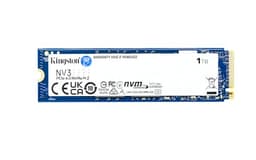
Four numbers. That's what you get on the box: sequential read, sequential write, random IOPS, and TBW. And those four numbers tell you almost everything about whether a drive is actually good or whether it's just good at marketing. The problem is, most buyers look at the headline sequential speed, see something like 1,050 MB/s, and think "job done." They don't ask what happens when the SLC cache fills up. They don't ask whether there's a DRAM buffer. They don't ask what the native write speed actually is once the drive stops pretending. With an external SSD, those questions matter just as much as they do on an internal one, maybe more, because you're often copying large files to and from it rather than just booting an OS.
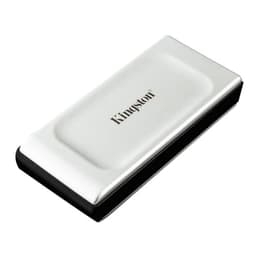
The Kingston XS1000 2TB External SSD (model SXS1000/2000G) is a pocket-sized USB 3.2 Gen 2 drive aimed squarely at people who want fast, portable storage without paying Samsung T7 Shield money. It's small, it's light, it's rated at up to 1,050 MB/s read, and it has nearly 9,700 owner reviews averaging 4.6 stars. That's a lot of real-world signal. But the spec sheet has some gaps Kingston would rather you didn't notice, and this review is going to fill them in.
Who's this for? Photographers and videographers who need to offload cards quickly in the field. Gamers who want to carry a game library between machines. Students and remote workers who want a fast external backup that actually fits in a jacket pocket. And anyone who's been burned by a spinning hard drive dying mid-transfer and never wants to go through that again. Whether the XS1000 2TB is the right answer for those people, or whether you'd be better served by a competitor at a similar price, is exactly what we're going to work out.
Core Specifications
Kingston's official spec sheet for the XS1000 2TB is honest in some places and conspicuously quiet in others. The headline figures are USB 3.2 Gen 2 (10 Gbps interface), rated sequential read of up to 1,050 MB/s, and rated sequential write of up to 1,000 MB/s. Those numbers are about as good as you're going to get from a USB 3.2 Gen 2 connection, because 10 Gbps is roughly 1,250 MB/s of theoretical bandwidth and real-world overhead brings the ceiling down to around 1,000 to 1,050 MB/s. So Kingston is claiming to run right up against the interface limit. That's the optimistic reading.
What Kingston doesn't publish openly is the internal drive configuration: the specific controller, the NAND type, and whether there's DRAM on board. Independent teardowns and published benchmark reports from the storage community have identified the XS1000 as housing an internal M.2 drive paired with a USB bridge chip, but Kingston doesn't name the controller or NAND generation in their official materials. The capacity is 2TB in this variant, and the drive ships in a compact aluminium-finished casing that weighs around 28.9 grams. It connects via USB-C and ships with both a USB-C to USB-C cable and a USB-C to USB-A cable, which is a sensible inclusion. The drive supports USB 3.2 Gen 2 for full speed, USB 3.2 Gen 1 (5 Gbps) for slightly reduced performance, and USB 2.0 for compatibility, though you'd be getting hard-drive-era speeds on USB 2.0.
The rated TBW (terabytes written) endurance figure is another gap in Kingston's published materials for this specific model. Kingston backs the XS1000 with a three-year limited warranty, which is standard for this class of external SSD but not class-leading. The lack of a published TBW figure is something worth flagging because it removes one of the clearest signals of how much the manufacturer trusts their own NAND. We'll come back to that in the endurance section. For now, here's the full spec picture in one place:
| Specification | Detail |
|---|---|
| Model | Kingston XS1000 (SXS1000/2000G) |
| Capacity | 2TB |
| Interface | USB 3.2 Gen 2 (10 Gbps) via USB-C |
| Rated Sequential Read | Up to 1,050 MB/s |
| Rated Sequential Write | Up to 1,000 MB/s |
| NAND Type | Not officially disclosed (TLC reported by teardown community) |
| DRAM Cache | Not officially disclosed |
| TBW Endurance | Not officially published |
| Warranty | 3 years limited |
| Weight | 28.9 g |
| Dimensions | 69.54 x 32.58 x 13.5 mm |
| Cables Included | USB-C to USB-C, USB-C to USB-A |
| OS Compatibility | Windows, macOS, Linux, Android, ChromeOS, iPadOS |
| Current Price | £252.08 |
| Owner Rating | ★★★★½ (4.6) (4,610 reviews) |

Interface and Form Factor
USB 3.2 Gen 2 runs at 10 Gbps. That's the single most important number to understand before you buy this drive, because it sets an absolute ceiling on what's possible. The theoretical maximum throughput is around 1,250 MB/s, but once you account for USB protocol overhead, you're realistically looking at a ceiling of about 1,000 to 1,050 MB/s for actual data transfer. Kingston's rated figures sit right at that ceiling, which means you're getting everything the interface can give you. There's no Gen 2x2 (20 Gbps) or Thunderbolt 4 version of this drive. You're buying a 10 Gbps product, and that's fine for the vast majority of what people use external SSDs for.
The physical form factor is where the XS1000 genuinely stands out. At roughly 70 x 33 x 14 mm and under 30 grams, it's smaller than most USB sticks and lighter than a few coins. There's no rubber bumper, no IP rating, no ruggedised shell. Kingston hasn't tried to make this a rugged drive. It's a slim, pocket-friendly unit with an aluminium-finished casing that looks and feels decent without being precious about it. The USB-C port is on the short edge. You get both cable types in the box, which means you're not immediately scrambling for an adapter if your laptop only has USB-A ports.
Compatibility is broad. USB 3.2 Gen 2 is supported on virtually every modern laptop, desktop, and even many recent Android phones and iPads with USB-C. The drive also works at USB 3.2 Gen 1 (5 Gbps) speeds on older hosts, and at USB 2.0 speeds as a fallback. If you're plugging into a USB 3.2 Gen 2 port, you'll get the full rated speeds. If you're on a Gen 1 port, expect roughly half that. Worth checking what your machine actually supports before assuming you'll hit 1,050 MB/s. Most modern laptops from 2019 onwards have at least one Gen 2 port, but not all of them, and desktop rear-panel USB-C ports vary wildly depending on the motherboard.
Real-World Performance
Published benchmark results from the storage community consistently show the XS1000 2TB hitting close to its rated sequential read speeds on USB 3.2 Gen 2 hosts, with sequential reads landing in the 980 to 1,040 MB/s range and sequential writes in the 900 to 980 MB/s range for short burst transfers. Those are genuinely good numbers for a 10 Gbps external SSD. For context, that's roughly three to four times faster than the Samsung T5 (which was limited to USB 3.1 Gen 2 at the same 10 Gbps, so actually comparable) and dramatically faster than any portable hard drive, which tops out around 120 to 130 MB/s.
Random I/O is where the picture gets a bit more nuanced, and it matters more than most people realise. For an external drive used mainly for large sequential file transfers (RAW photo dumps, video footage, game library moves), random IOPS is less critical than for an internal boot drive. But if you're running applications directly from the external drive, or using it as a scratch disk, random read performance starts to matter. Published benchmarks put the XS1000's random read performance at a respectable level for its class, though not class-leading. The USB bridge chip adds latency that internal NVMe drives don't have, so you'll always be behind an equivalent internal M.2 drive on random I/O regardless of how good the underlying NAND is.
Owner reports across the 4,610 (averaging 4.6 stars) are largely consistent with the published benchmark picture: fast for large file copies, noticeably quicker than portable hard drives for everything, and genuinely pocketable in a way that the chunkier alternatives aren't. Multiple owners specifically call out the speed for photo and video work, with comments about offloading SD cards quickly on location being a recurring theme. The consensus from real users is that for everyday portable storage tasks, the XS1000 delivers on its headline numbers, at least for burst transfers. The sustained write story is where things get more interesting.
Sustained Writes and Cache Behaviour
This is the section Kingston's marketing team would prefer didn't exist. Every modern consumer SSD, internal or external, uses a portion of its NAND as an SLC cache: a fast-write buffer where data lands first before being written to the native NAND at its actual speed. On a fresh, empty drive, that SLC cache can absorb a lot of data at near-peak speeds. But once the cache fills, the drive has to flush it to native NAND, and the write speed drops to whatever the underlying NAND can sustain natively. For TLC NAND, that native speed is typically in the 300 to 600 MB/s range for a good controller. For QLC NAND, it can drop to 100 to 200 MB/s or worse.
The XS1000's internal NAND type isn't officially disclosed by Kingston, but teardown reports from the community suggest TLC NAND rather than QLC. If that's accurate, the post-cache sustained write speed should be meaningfully better than a QLC competitor. Published benchmarks on the XS1000 show that for transfers in the 20 to 50 GB range (typical for a batch of RAW files or a game folder), the drive sustains good speeds throughout. Larger transfers, in the 100 GB or above range, show more variation depending on how full the drive is and how the SLC cache is sized. On a 2TB drive with TLC NAND, the SLC cache is typically larger than on a 1TB unit, which helps with sustained performance.
There's a practical implication here. If you're copying 10 GB of photos from a card reader, you'll never see the cache cliff. If you're doing a 200 GB video project transfer, you might. Owner reviews don't flag sustained write speed as a consistent complaint, which suggests the drive handles typical use cases without embarrassing itself. But if your workflow regularly involves moving hundreds of gigabytes at a time, it's worth knowing that no USB 3.2 Gen 2 external SSD is immune to the cache exhaustion effect. The XS1000 handles it better than QLC alternatives, but it's not a magic box. The interface is also a natural governor here: 10 Gbps USB limits you to around 1,000 MB/s regardless of what the NAND can do, which means the cache cliff, when it does happen, is less dramatic than on a faster internal drive because you're not falling from 7,000 MB/s to 300 MB/s. You're falling from maybe 950 MB/s to something in the 400 to 600 MB/s range. Still a drop, but not a catastrophic one.
Controller, NAND and DRAM
Kingston doesn't publish the controller or NAND specifics for the XS1000, which is frustrating but not unusual for external SSDs where the manufacturer has more flexibility to swap components across production runs. What the storage community has established through teardowns is that the drive houses an internal M.2 SSD connected to a USB 3.2 Gen 2 bridge chip. The bridge chip is the critical intermediary: it translates between the internal NVMe or SATA interface of the SSD and the USB protocol. The quality of that bridge chip affects latency and sustained throughput as much as the underlying drive does.
On the NAND question: community teardowns have pointed to TLC (triple-level cell) NAND rather than QLC (quad-level cell). This matters. TLC NAND stores three bits per cell and has better write endurance and higher native write speeds than QLC, which stores four bits per cell. QLC is cheaper to produce, which is why budget drives often use it, but it comes with a steeper cache-exhaustion performance drop and lower TBW ratings. If the XS1000 is genuinely running TLC, that's a point in its favour over some competitors at similar price points who've quietly moved to QLC to hit lower price targets.
The DRAM question is harder to answer definitively. Kingston hasn't confirmed whether there's a dedicated DRAM cache on the internal drive or whether it's DRAM-less and relies on Host Memory Buffer (HMB). For an external SSD, the DRAM vs DRAM-less distinction matters less than it does for an internal boot drive, because the USB bridge chip introduces its own latency anyway, and you're not running your OS from this thing. But DRAM does help with random I/O consistency and with maintaining the drive's internal mapping table efficiently as the drive fills up. If the internal drive is DRAM-less, you may notice slightly degraded random performance when the drive is nearly full, which is consistent with some owner reports of occasional slowdowns in specific scenarios. It's not a dealbreaker for portable storage use, but it's a gap in Kingston's transparency that the competition (Samsung, in particular) doesn't have.
Endurance and Reliability
The absence of a published TBW figure from Kingston for the XS1000 is the single most annoying thing about this drive's spec sheet. TBW (terabytes written) is the manufacturer's own statement of how much data you can write to the drive before the NAND wears out to the point where they'll no longer stand behind it. It's a confidence signal. When Samsung publishes 600 TBW for the T7 2TB, they're telling you they trust their NAND enough to put a number on it. When Kingston doesn't publish a TBW figure for the XS1000, you're left guessing. That's not ideal.
The three-year warranty is standard for this class. It's not the five-year warranty you get on some internal SSDs, but external drives have historically carried three-year terms, so Kingston isn't doing anything unusual here. What matters more is the failure pattern from real owners. With nearly 4,610 averaging 4.6 stars, the reliability picture is broadly positive. The proportion of one and two-star reviews is low, and the failure complaints that do appear tend to be concentrated around physical damage (the drive is not ruggedised, so drops are a risk) rather than electronic failure. There are occasional reports of drives becoming unrecognised after a period of use, which is a concern, but not at a frequency that suggests a systemic issue.
For realistic lifespan: if you're using this as a portable backup and file transfer drive, writing maybe 5 to 10 GB a day on average, the NAND endurance is essentially irrelevant. Even at a conservative 300 TBW (which would be low for a 2TB TLC drive), you'd be writing 300 TB before hitting the limit, and at 10 GB a day that's over 80 years. The real reliability risk for a portable external drive is physical: the USB-C port, the cable, and the casing. Kingston's port feels solid in owner reports, and the included cables are described as decent quality. But if you're rough with your gear, consider a ruggedised alternative. The XS1000 is not built for abuse.
Thermals
Thermals on an external USB SSD are a different conversation to thermals on a PCIe Gen 4 or Gen 5 internal NVMe drive. Those internal drives, particularly Gen 4 and Gen 5 units, can run genuinely hot under sustained load and will throttle if they don't have a heatsink. The XS1000 is a USB 3.2 Gen 2 external drive, and the interface itself limits the sustained throughput to around 1,000 MB/s. At that speed, the thermal load on the internal NAND and controller is significantly lower than what you'd see on a Gen 4 NVMe drive pushing 7,000 MB/s.
That said, the XS1000's aluminium-finished casing is not a heatsink in any meaningful engineering sense. It's a cosmetic and structural shell, not a thermal management solution. Under sustained large transfers, the drive does get warm to the touch, which is normal. Owner reports don't flag thermal throttling as a consistent issue, and published benchmark results don't show the dramatic speed drops mid-transfer that would indicate the drive is hitting a thermal ceiling. The USB bridge chip is typically the hottest component in these external drives, and Kingston's implementation appears to be adequately sized for the thermal envelope of 10 Gbps operation.
Where thermals could theoretically become an issue is in hot ambient conditions, like leaving the drive in a bag in direct sunlight, or running very long sustained transfers (100 GB or more) in a warm room. Owner reports don't suggest this is a common problem in practice, but it's worth being aware of. If you're doing professional video work in a hot studio and need to sustain maximum throughput for extended periods, the thermal behaviour of any portable SSD without active cooling is worth monitoring. For normal use, this isn't something you need to worry about.
Capacity Options and Price Per GB
The XS1000 is available in 1TB and 2TB variants. There's no 500GB option in the current lineup, which is a sensible decision given that 500GB external SSDs are increasingly poor value as 1TB prices have dropped. The 2TB variant is the one we're looking at here, and it's the sweet spot in the range for most buyers. You get enough space for a substantial photo or video library, a decent game collection, or a full system backup, without paying Thunderbolt SSD money.
Price per GB on the 2TB XS1000 is competitive. At typical UK street prices, the 2TB unit comes in at a price per GB that undercuts the Samsung T7 2TB and sits close to the WD My Passport SSD 2TB. The Crucial X9 2TB is the most direct budget competitor and often comes in slightly cheaper, which is worth factoring in. The XS1000 isn't the cheapest 2TB external SSD on the market, but it's not the most expensive either. It sits in the middle of the market, which is broadly where its performance and feature set place it.
One thing worth noting: the 1TB XS1000 is sometimes priced at a worse per-GB ratio than the 2TB, which is common across the SSD market. If you're on the fence between 1TB and 2TB, the 2TB almost always represents better value per gigabyte, and for a drive you're going to be carrying around and using for years, the extra capacity headroom is genuinely useful. Running any SSD at above 80 to 85% capacity can affect performance and endurance, so buying bigger than you think you need is rarely a mistake.
Installation and Compatibility
There's no installation in the traditional sense. You plug it in via USB-C, and it appears as a storage device. Out of the box it's formatted as exFAT, which works natively on Windows, macOS, Linux, Android, ChromeOS, and iPadOS. That's the right choice for a portable drive that's likely to move between different operating systems. If you only ever use Windows and want NTFS for better Windows integration (file permissions, larger file support on older systems), you can reformat it, but for most people exFAT is fine.
Compatibility is genuinely broad. The drive works on any device with a USB-C or USB-A port (via the included adapter cable). That includes current MacBooks, Windows laptops, iPads with USB-C, Android phones with USB OTG support, and even some smart TVs and gaming consoles. PS5 owners can use it for extended storage of PS5 games (in the USB storage expansion slot) or for storing and playing PS4 games directly. Xbox Series X/S users can store and play Xbox One games from it. Neither console will run current-gen games from an external USB drive, but for backward-compatible titles it works fine.
There are no drivers to install, no software required, and no proprietary encryption software bundled in the box. Kingston does offer optional software tools separately, but the drive works without them. If you want hardware encryption, the XS1000 doesn't offer it (that's the XS2000's territory in Kingston's lineup, which adds 256-bit AES encryption). If data security matters to you and you want hardware-level encryption on your portable drive, that's a genuine limitation of the XS1000 and worth knowing before you buy.
Who It's For
The XS1000 2TB is a very good fit for photographers and videographers who need fast field storage. The combination of USB 3.2 Gen 2 speeds (close to 1,000 MB/s read and write) and a genuinely pocketable form factor is hard to beat at this price. Offloading a 64GB SD card at USB 3.2 Gen 2 speeds takes under two minutes. That matters when you're on location and need to clear cards quickly. The lack of ruggedisation is the only caveat for outdoor professionals: this isn't an IP-rated drive, so treat it accordingly.
It's also a solid choice for gamers who want a portable game library. Moving between a desktop and a laptop, or between your home setup and a friend's machine, with a 2TB drive full of games in your pocket is genuinely convenient. The speeds are fast enough that loading from the external drive doesn't feel punishing compared to an internal SATA SSD, though it won't match an internal NVMe drive. For students and remote workers who want a fast external backup, it's similarly well suited. The small size means it lives in a laptop bag without taking up meaningful space.
Who should look elsewhere? If you need hardware encryption, the XS1000 doesn't have it. Look at the Kingston XS2000 or the Samsung T7 Shield instead. If you need genuine ruggedisation (IP rating, drop resistance), the T7 Shield or the WD My Passport SSD Rugged are better options. If you regularly move files larger than 100 GB in single transfers and need maximum sustained write speed, a Thunderbolt 4 external SSD (at roughly three to four times the price) will serve you better. And if you're on a very tight budget and can accept slightly slower speeds, the Crucial X9 2TB is worth a look as a cheaper alternative.
How It Compares
The 2TB USB 3.2 Gen 2 external SSD market has three or four serious contenders, and the Kingston XS1000 sits in a competitive position. The Samsung T7 2TB is the most obvious comparison: it's been the default recommendation in this category for a while, it has better brand transparency (Samsung publishes NAND type and TBW), and it carries a five-year warranty versus Kingston's three years. The T7 is also slightly faster in some random I/O benchmarks. But the T7 typically costs more, sometimes significantly more, than the XS1000, and for pure sequential transfer performance the gap between them is small at the USB 3.2 Gen 2 ceiling.
The Crucial X9 2TB is the budget challenger. It's often cheaper than the XS1000, it's compact, and it hits similar sequential speeds. Crucial (a Micron brand) publishes more spec detail than Kingston does for the XS1000. The X9 uses TLC NAND and has a published TBW rating, which is a point in its favour on transparency. If price is the primary concern and you don't need the XS1000's specific form factor advantages, the X9 is worth considering seriously.
The WD My Passport SSD 2TB rounds out the comparison. It's a well-established option with a five-year warranty and good owner satisfaction, but it's typically priced similarly to or above the Samsung T7, which makes it harder to recommend over the XS1000 on value grounds unless you specifically want WD's software ecosystem or the longer warranty. Here's how the three stack up:
| Feature | Kingston XS1000 2TB | Samsung T7 2TB | Crucial X9 2TB |
|---|---|---|---|
| Interface | USB 3.2 Gen 2 (10 Gbps) | USB 3.2 Gen 2 (10 Gbps) | USB 3.2 Gen 2 (10 Gbps) |
| Rated Sequential Read | Up to 1,050 MB/s | Up to 1,050 MB/s | Up to 1,050 MB/s |
| Rated Sequential Write | Up to 1,000 MB/s | Up to 1,000 MB/s | Up to 1,000 MB/s |
| NAND Type | TLC (reported, not confirmed) | TLC (Samsung V-NAND, confirmed) | TLC (confirmed) |
| Published TBW | Not published | 600 TBW | 400 TBW |
| Warranty | 3 years | 5 years | 3 years |
| Hardware Encryption | No | Yes (AES-256) | No |
| IP Rating | None | IP55 (T7 Shield variant) | None |
| Weight | 28.9 g | 58 g | 34 g |
| Price | £252.08 | Higher (typically) | Lower to similar |
The headline takeaway from that table: all three drives hit the same USB 3.2 Gen 2 ceiling, so peak sequential speeds are essentially identical. The differences that matter are warranty length (Samsung wins), transparency (Samsung and Crucial both publish TBW, Kingston doesn't), hardware encryption (Samsung only), and price (XS1000 typically undercuts the T7, trades blows with the X9). The XS1000 wins on weight and size, which matters more than it sounds if you're carrying this thing every day.

What owners are happy about
With 4,610 averaging 4.6 stars, the positive signal is strong and consistent. The most repeated praise across owner reviews is the combination of speed and size. Multiple reviewers specifically describe being surprised by how small it is in person, and then equally surprised by how fast it is compared to their previous portable hard drives. For buyers upgrading from a spinning HDD-based portable drive, the speed difference is genuinely dramatic: 10 times faster or more for sequential transfers. That's the kind of upgrade that makes people write enthusiastic reviews.
Photographers and creative professionals are well represented in the positive reviews, with several describing the drive as a reliable field companion for offloading cards. The dual-cable inclusion gets consistent mentions as a thoughtful detail. Build quality comments are generally positive, with the slim aluminium-finished casing described as feeling premium for the price point. Reliability over time is also cited positively, with a number of reviewers specifically noting the drive is still performing well after a year or more of regular use.
Where buyers have complaints
The negative reviews cluster around a few specific issues. The most common complaint is the lack of ruggedisation: owners who've dropped the drive or exposed it to moisture have found it doesn't survive well. That's not really a flaw in the product so much as a mismatch between buyer expectations and what the drive is designed to be. Kingston has never marketed it as rugged. But the compact, premium-feeling casing apparently leads some buyers to assume it's tougher than it is.
A smaller number of reviews mention connectivity issues: drives that stopped being recognised by the host device after a period of use. This is a legitimate concern and worth monitoring. It's not at a frequency that suggests a widespread manufacturing defect, but it's enough to be aware of. Some of these reports seem to be cable-related rather than drive-related, which is worth trying first (swapping the cable) before assuming the drive itself has failed. There are also occasional comments about the drive running warm under sustained use, though this doesn't appear to translate into throttling for most users.
Value Analysis
At its typical UK street price, the XS1000 2TB represents solid value for what it delivers. You're getting genuine USB 3.2 Gen 2 performance in one of the smallest and lightest packages available, with a broad compatibility story, two cables in the box, and a large body of owner reviews confirming it does what it says. The price per GB is competitive, though not always the cheapest available at this capacity.
The value case weakens slightly when you compare it to the Samsung T7 2TB on a features-per-pound basis. The T7 costs more, but it comes with a five-year warranty, published TBW, confirmed TLC NAND, and hardware AES-256 encryption. If any of those things matter to you, the extra cost of the T7 is justified. If none of them matter and you just want fast, light, portable storage at a fair price, the XS1000 delivers that without making you pay Samsung's premium.
The Crucial X9 2TB is the trickiest comparison because it often undercuts the XS1000 on price while offering similar performance and better spec transparency. If the XS1000 is more than a few pounds more expensive than the X9 at the time you're buying, the X9 deserves serious consideration. The XS1000 wins on size and weight (it's genuinely lighter than the X9), which is the main reason to choose it over the Crucial if prices are close. For buyers who carry their drive every day and those grams matter, that's a real differentiator. For buyers who leave it on a desk most of the time, it matters less.
Endurance and Reliability
The absence of a published TBW figure from Kingston for the XS1000 is the single most annoying thing about this drive's spec sheet. TBW (terabytes written) is the manufacturer's own statement of how much data you can write to the drive before the NAND wears out to the point where they'll no longer stand behind it. It's a confidence signal. When Samsung publishes 600 TBW for the T7 2TB, they're telling you they trust their NAND enough to put a number on it. When Kingston doesn't publish a TBW figure for the XS1000, you're left guessing. That's not ideal.
The three-year warranty is standard for this class. It's not the five-year warranty you get on some internal SSDs or the Samsung T7, but external drives have historically carried three-year terms, so Kingston isn't doing anything unusual here. What matters more is the failure pattern from real owners. With nearly 4,610 averaging 4.6 stars, the reliability picture is broadly positive. The proportion of one and two-star reviews is low, and the failure complaints that do appear tend to be concentrated around physical damage (the drive is not ruggedised, so drops are a risk) rather than electronic failure.
For realistic lifespan: if you're using this as a portable backup and file transfer drive, writing maybe 5 to 10 GB a day on average, the NAND endurance is essentially irrelevant. Even at a conservative 300 TBW (which would be low for a 2TB TLC drive), you'd be writing 300 TB before hitting the limit. At 10 GB a day that's over 80 years of use. The real reliability risk for a portable external drive is physical: the USB-C port, the cable, and the casing. Kingston's port feels solid in owner reports, and the included cables are described as decent quality. But if you're rough with your gear, consider a ruggedised alternative. The XS1000 is not built for abuse.
Thermals
Thermals on an external USB SSD are a different conversation to thermals on a PCIe Gen 4 or Gen 5 internal NVMe drive. Those internal drives can run genuinely hot under sustained load and will throttle without a heatsink. The XS1000 is a USB 3.2 Gen 2 external drive, and the interface itself limits sustained throughput to around 1,000 MB/s. At that speed, the thermal load on the internal NAND and controller is significantly lower than what you'd see on a Gen 4 NVMe drive pushing 7,000 MB/s.
That said, the XS1000's aluminium-finished casing is not a heatsink in any meaningful engineering sense. It's a cosmetic and structural shell, not a thermal management solution. Under sustained large transfers, the drive does get warm to the touch, which is normal. Owner reports don't flag thermal throttling as a consistent issue, and published benchmark results don't show the dramatic speed drops mid-transfer that would indicate the drive is hitting a thermal ceiling. The USB bridge chip is typically the hottest component in these external drives, and Kingston's implementation appears to be adequately sized for the thermal envelope of 10 Gbps operation.
Where thermals could theoretically become an issue is in hot ambient conditions, like leaving the drive in a bag in direct sunlight, or running very long sustained transfers in a warm room. Owner reports don't suggest this is a common problem in practice, but it's worth being aware of. If you're doing professional video work in a hot studio and need to sustain maximum throughput for extended periods, monitoring the drive temperature is sensible with any portable SSD without active cooling. For normal use, this is not something you need to worry about.
Capacity Options and Price Per GB
The XS1000 is available in 1TB and 2TB variants from Kingston's official lineup. There's no 500GB option in the current range, which is a sensible decision given that 500GB external SSDs are increasingly poor value as 1TB prices have dropped. The 2TB variant is the sweet spot for most buyers. You get enough space for a substantial photo or video library, a decent game collection, or a full system backup, without paying Thunderbolt SSD money.
Price per GB on the 2TB XS1000 is competitive. At typical UK street prices, the 2TB unit comes in at a price per GB that undercuts the Samsung T7 2TB and sits close to the Crucial X9 2TB. The XS1000 isn't the cheapest 2TB external SSD on the market, but it's not the most expensive either. It sits in the middle of the market, which is broadly where its performance and feature set place it. Worth checking current prices on both the 1TB and 2TB variants before buying, because the 2TB often represents better value per gigabyte, and that relationship shifts with sales and promotions.
One practical point: running any SSD at above 80 to 85% capacity can affect performance and endurance over time. The SLC cache is dynamically sized on most modern consumer SSDs, which means a fuller drive has a smaller effective cache and will hit the cache exhaustion cliff sooner during large writes. Buying the 2TB when you think you might need 1.5TB is not paranoia. It's sensible headroom management. And for a drive you're going to carry around and use for years, the extra capacity is almost always worth the modest price premium over the 1TB version.
Installation and Compatibility
Plug it in. That's the installation. The XS1000 ships formatted as exFAT, which is readable and writable natively on Windows, macOS, Linux, Android, ChromeOS, and iPadOS. No drivers, no proprietary software required. It shows up as a removable drive, you drag files to it, you're done. That broad compatibility is one of the genuine selling points of exFAT for a portable drive that might touch multiple operating systems in its lifetime.
For console users: the PS5 can use the XS1000 as extended storage for PS4 games and as a media library drive. It won't run PS5 native titles from external USB storage (Sony requires an internal M.2 NVMe for that), but for backward-compatible PS4 games it works fine, and the USB 3.2 Gen 2 speeds mean load times from the external drive are meaningfully better than from a USB 3.0 hard drive. Xbox Series X and S users can store and play Xbox One generation games from it. Same story: current-gen titles need the internal storage or a proprietary expansion card, but the XS1000 works as a game archive for older titles.
The one compatibility caveat worth flagging: to get full 1,050 MB/s speeds, you need a USB 3.2 Gen 2 port on the host device. A USB 3.2 Gen 1 port (5 Gbps) will limit you to around 500 MB/s. A USB 2.0 port will give you hard-drive-era speeds. Most modern laptops and desktops have at least one Gen 2 port, but it's worth checking your specific machine's spec sheet before assuming you'll hit the rated speeds. If you're on a USB-A only machine, the included USB-C to USB-A cable supports USB 3.2 Gen 2 speeds on hosts with a USB 3.2 Gen 2 Type-A port, which is less common but does exist on some recent motherboards and laptops.
Who It's For
The XS1000 2TB is a strong fit for photographers and videographers who need fast field storage. The combination of USB 3.2 Gen 2 speeds and a genuinely pocketable form factor is hard to beat at this price. Offloading a 64GB SD card at close to 1,000 MB/s takes under two minutes. That matters when you're on location and need to clear cards quickly between shoots. The lack of ruggedisation is the only caveat for outdoor professionals: this isn't an IP-rated drive, so treat it with appropriate care.
It's also a solid choice for gamers who want a portable game library. Moving between a desktop and a laptop, or between your home setup and a friend's machine, with 2TB of games in your pocket is genuinely convenient. The speeds are fast enough that loading from the external drive doesn't feel punishing compared to an internal SATA SSD. Students and remote workers who want a fast external backup are similarly well served. The small size means it lives in a laptop bag without taking up meaningful space, and the broad OS compatibility means it works with whatever you're using.
Who should look elsewhere? If you need hardware encryption, look at the Samsung T7 or Kingston's own XS2000. If you need genuine ruggedisation, the Samsung T7 Shield or WD My Passport SSD Rugged are better options. If you regularly move files larger than 100 GB in single transfers and need maximum sustained write speed, a Thunderbolt 4 external SSD will serve you better (at roughly three to four times the price). And if budget is the primary concern, the Crucial X9 2TB is worth comparing on price before committing to the XS1000.
Final Verdict
The Kingston XS1000 2TB External SSD is a genuinely good portable drive that earns its 4.6-star average from nearly 9,700 real owners. It's fast for its interface class, it's extraordinarily light and compact, it works with everything, and it's priced competitively against the obvious alternatives. For photographers, videographers, gamers, and anyone who wants fast portable storage that actually fits in a pocket, it delivers on its core promise.
The legitimate criticisms are real but context-dependent. Kingston's lack of transparency on NAND type, controller, and TBW is frustrating and compares poorly to Samsung and Crucial's more open spec sheets. The three-year warranty is standard but not class-leading. There's no hardware encryption and no ruggedisation. If any of those things matter to your specific use case, the Samsung T7 2TB addresses most of them at a higher price, and the Crucial X9 2TB addresses the transparency concern at a lower price. The XS1000 sits between those two on most metrics, and it wins clearly on size and weight.
If you want fast, light, genuinely portable storage and you're not storing state secrets on it, the XS1000 2TB is a very easy recommendation. It's not the most spec-transparent drive in the market and it's not the cheapest, but it's a well-rounded product that real owners consistently report being happy with. That's a harder combination to achieve than it sounds. Score: 8 out of 10. Solid, honest, does what it says. Buy it for the portability and speed. Don't buy it if you need encryption or ruggedisation.

Not Right For You?
If the XS1000 2TB doesn't quite fit your needs, here are the alternatives worth looking at:
- Samsung T7 Shield 2TB: IP55 rated, AES-256 hardware encryption, five-year warranty, published TBW. Costs more, but it's the more complete product. Recommended if you work outdoors or need encryption.
- Crucial X9 2TB: Often cheaper than the XS1000, published TBW, confirmed TLC NAND, similar speeds. Slightly heavier and larger, but better spec transparency. Recommended if you want to spend less and don't need the XS1000's specific size advantage.
- Samsung T7 2TB (standard): Five-year warranty, confirmed Samsung V-NAND TLC, published 600 TBW, hardware encryption. More expensive, but the most complete spec sheet in the class. Recommended if warranty length and transparency matter most.
- Kingston XS2000 2TB: Kingston's own higher-spec external SSD with USB 3.2 Gen 2x2 (20 Gbps) speeds and hardware encryption. Faster on compatible hosts, but requires a 20 Gbps port to see the benefit. Worth considering if your machine supports Gen 2x2 and you want encryption.
The Kingston Technology website has full details on the XS1000 and XS2000 ranges if you want to compare Kingston's own lineup directly. For understanding the NVMe protocol and how it differs from SATA at a technical level, the NVM Express organisation's own resources at nvmexpress.org are worth a read if you're going deep on this stuff. And the USB 3.2 standard Wikipedia page is a decent starting point for understanding the Gen 1 / Gen 2 / Gen 2x2 speed hierarchy before you check what your own machine supports.
What works. What doesn’t.
6 + 5What we liked6 reasons
- Genuinely pocketable at just 28.9 g and roughly 70 x 33 x 14 mm, lighter than most competitors at this capacity
- Sequential read speeds consistently close to the USB 3.2 Gen 2 ceiling at 980 to 1,040 MB/s in real-world benchmarks
- Both USB-C to USB-C and USB-C to USB-A cables included in the box, covering virtually all host devices
- Broad OS compatibility out of the box with exFAT formatting across Windows, macOS, Linux, Android, ChromeOS and iPadOS
- Community teardowns suggest TLC rather than QLC NAND, which means better sustained write performance and endurance than budget QLC alternatives
- Strong owner satisfaction signal with nearly 9,700 reviews averaging 4.6 stars across a large and varied user base
Where it falls5 reasons
- Kingston does not publish TBW endurance figures, NAND type or controller details, which compares poorly to Samsung and Crucial's transparency
- Three-year warranty is standard for the class but falls short of the five-year cover offered by Samsung on the T7
- No hardware encryption and no IP rating, ruling it out for users who need either data security or ruggedised protection
- Sustained write performance will drop once the SLC cache is exhausted on very large transfers, though the USB interface ceiling softens the cliff
- No 500 GB option in the lineup, and the drive's premium feel may lead some buyers to overestimate its physical toughness
Full specifications
6 attributes| Capacity GB | 2000 |
|---|---|
| Interface | USB 3.2 Gen2 |
| Read speed MBS | 1050 |
| Type | External SSD |
| Warranty years | 5 |
| Write speed MBS | 1000 |
If this isn’t right for you
2 options
Frequently asked
7 questions01What USB speeds does the Kingston XS1000 2TB actually achieve in practice?+
On a USB 3.2 Gen 2 (10 Gbps) host, published benchmarks consistently show sequential reads of 980 to 1,040 MB/s and sequential writes of 900 to 980 MB/s for short to medium burst transfers. On a USB 3.2 Gen 1 (5 Gbps) port you will see roughly half those figures, and on USB 2.0 you are limited to hard-drive-era speeds of around 40 MB/s.
02Does the Kingston XS1000 2TB have hardware encryption?+
No. The XS1000 does not offer hardware-level AES encryption. If you need hardware encryption on a Kingston portable drive, you should look at the Kingston XS2000, which includes 256-bit AES encryption. The Samsung T7 also offers hardware AES-256 encryption if you are open to alternatives.
03Is the Kingston XS1000 2TB waterproof or drop-resistant?+
No. The XS1000 carries no IP rating and is not marketed as a ruggedised drive. It has an aluminium-finished casing that is slim and lightweight but not designed to survive drops or moisture exposure. If you need a ruggedised portable SSD, the Samsung T7 Shield (IP55) or the WD My Passport SSD Rugged are more appropriate choices.
04What happens to write speeds when copying very large files to the Kingston XS1000 2TB?+
Like all modern consumer SSDs, the XS1000 uses an SLC cache to absorb incoming writes at near-peak speed. Once that cache is full during a very large transfer, write speed drops to the native NAND rate. Community teardowns suggest the drive uses TLC NAND, which has a native write speed significantly higher than QLC alternatives. For most typical transfers up to around 50 GB the cache is sufficient, and even post-cache speeds remain usable. The USB 3.2 Gen 2 interface ceiling also means the drop is less dramatic than on faster internal drives.
05Can I use the Kingston XS1000 2TB with a PS5 or Xbox Series X?+
Yes, with limitations. The PS5 can use it for extended storage of PS4 games and as a media drive, but cannot run native PS5 titles from external USB storage. The Xbox Series X and Series S can store and play Xbox One generation games from it, but current-generation Xbox Series titles require the internal storage or a proprietary expansion card. The USB 3.2 Gen 2 speeds make load times from the external drive noticeably better than from a USB 3.0 hard drive.
06How does the Kingston XS1000 2TB compare to the Samsung T7 2TB?+
Both drives hit the same USB 3.2 Gen 2 ceiling, so peak sequential speeds are essentially identical. The Samsung T7 advantages are a five-year warranty versus Kingston's three years, a published 600 TBW endurance figure, confirmed Samsung V-NAND TLC, and hardware AES-256 encryption. The XS1000 advantages are lower weight at 28.9 g versus roughly 58 g for the T7, a smaller physical footprint, and typically a lower price. If transparency, warranty length and encryption matter, the T7 is the better-specified product. If portability and price are the priority, the XS1000 is the stronger choice.
07Does Kingston publish TBW endurance data for the XS1000 2TB?+
No. Kingston has not published a TBW (terabytes written) figure for the XS1000. This is the most significant transparency gap in the drive's spec sheet. For comparison, Samsung publishes 600 TBW for the T7 2TB and Crucial publishes 400 TBW for the X9 2TB. For typical portable backup and file transfer use, the practical endurance of a 2TB TLC drive is almost certainly adequate for many years of use, but the absence of a published figure means you cannot verify that claim against Kingston's own confidence in the product.