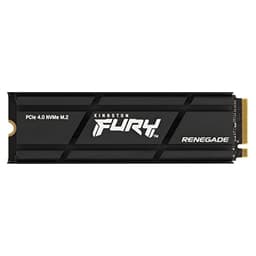
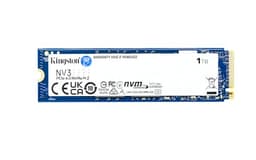
PCIe 5.0 SSDs are a bit like a sports car with a speed limiter fitted. The headline numbers are genuinely wild, but most of the time your operating system, your games, and your applications simply can't consume data fast enough to notice the difference over a good Gen4 drive. So why does the Kingston FURY Renegade G5 exist, and more importantly, should you actually buy one? The honest answer is: it depends entirely on what you're doing with it. And if you're running a Z890 or X870 board and you want the fastest NVMe money can buy without going full enterprise, this is one of the serious options to consider.
The 2TB model, specifically the SFYR2S/2T0, is the one that makes the most sense for most people eyeing Gen5 storage. It's the sweet spot in the range where you get enough capacity to matter, the price per GB is more defensible than the 4TB, and the endurance rating is properly generous. But Gen5 also means heat. Real heat. The kind that will throttle your drive back to Gen4 speeds if you don't sort out cooling, which is a conversation Kingston's marketing doesn't exactly shout about. So before you get dazzled by the sequential read figure, it's worth understanding what this drive actually does under real conditions, what's inside it, and who it's genuinely built for.
Owner feedback across 138 averages ★★★★½ (4.8), which is unusually high and suggests people who buy this drive are, on the whole, getting what they expected. But "what they expected" matters a lot here, because buyers who understood they were getting a premium Gen5 drive and bought accordingly are going to be happier than someone who grabbed it thinking bigger numbers automatically mean a faster-feeling PC. This review is for both camps.
Core Specifications
The Kingston FURY Renegade G5 2TB uses a PCIe Gen 5 x4 interface and communicates via the NVMe protocol, which is exactly what you'd expect from anything calling itself a Gen5 drive. The form factor is M.2 2280, the standard 80mm stick that fits virtually every desktop motherboard M.2 slot made in the last five years, as well as a growing number of laptops. Rated sequential read comes in at 14,800 MB/s and sequential write at 14,000 MB/s. Those are the numbers Kingston puts on the box. They're real, they're achievable under the right conditions, and they're also largely irrelevant to how fast your PC feels day to day. We'll come back to that.
What matters more for real-world feel is the random I/O performance. Kingston rates this at up to 2,500,000 IOPS for random reads and 2,000,000 IOPS for random writes. Those figures are genuinely impressive and they're where Gen5 starts to make a tangible argument for itself over Gen4, particularly in workloads that hammer the drive with lots of small, scattered reads and writes simultaneously. The NAND is 3D TLC, not QLC. That's important and worth emphasising. TLC means three bits per cell, which gives you better sustained write performance, better endurance, and better long-term reliability than QLC (four bits per cell). Kingston didn't cut corners on the NAND here.
The drive also carries a full DRAM cache, not a DRAM-less design leaning on Host Memory Buffer. DRAM on an NVMe drive acts as a fast lookup table for where your data lives on the NAND. Without it, the drive has to borrow a slice of your system RAM via HMB every time it needs to find something, which is fine for light use but starts to show under sustained mixed workloads. Having dedicated DRAM on board keeps the drive's mapping operations fast regardless of what your system is doing. The TBW endurance rating for the 2TB model is 2,000 TBW, backed by a five-year warranty. That's a proper number. Below is the full spec breakdown.
| Specification | Detail |
|---|---|
| Model | Kingston FURY Renegade G5 (SFYR2S/2T0) |
| Capacity | 2TB |
| Interface | PCIe 5.0 x4 NVMe |
| Form Factor | M.2 2280 |
| NAND Type | 3D TLC |
| DRAM Cache | Yes (dedicated DRAM) |
| Sequential Read | Up to 14,800 MB/s |
| Sequential Write | Up to 14,000 MB/s |
| Random Read | Up to 2,500,000 IOPS |
| Random Write | Up to 2,000,000 IOPS |
| TBW Endurance | 2,000 TBW |
| Warranty | 5 years |
| Heatsink Included | No (optional heatsink SKU available) |
| Price | £360.99 |

Interface & Form Factor
PCIe Gen 5 x4 gives this drive a theoretical bandwidth ceiling of around 16 GB/s, which is double what Gen4 x4 can offer. That sounds transformative. In practice, for the vast majority of tasks, it isn't. Booting Windows, launching Chrome, loading a game level, opening Photoshop: none of these saturate a Gen4 drive, let alone a Gen5 one. The bottleneck in those scenarios is almost never the drive's peak sequential throughput. It's the random I/O pattern, the software overhead, and sometimes the CPU. Where Gen5 starts to pull ahead in a meaningful way is in workloads that involve large sequential transfers at sustained rates: think video editing with high-bitrate footage, moving large VM images, or working with massive uncompressed files. If that's your day, Gen5 is genuinely useful. If your day is gaming and general productivity, a good Gen4 drive like the Kingston FURY Renegade (Gen4 version) gets you 95% of the real-world experience at a noticeably lower price.
The M.2 2280 form factor is about as universal as it gets. It'll slot into any desktop motherboard with an M.2 slot running PCIe 5.0 (which means Intel 13th gen and later on compatible boards, or AMD Ryzen 7000 series and later on X670/B650/X870/B850 boards). It's also physically compatible with older Gen4 and Gen3 slots, where it'll simply run at the lower speed those slots support. That backwards compatibility is useful if you're buying ahead of a planned upgrade. Laptop compatibility is more limited because not many laptops currently ship with Gen5 M.2 slots, and the thermal situation in a thin chassis with a Gen5 drive is genuinely problematic (more on that in the thermals section).
One thing worth flagging: this listing is for the drive without a heatsink. Kingston does offer a heatsink variant, and for a Gen5 drive that matters more than it did with Gen4. If your motherboard has a decent M.2 heatsink cover already, you're probably fine. If it doesn't, you'll want to either get the heatsink version or add an aftermarket one. Running a Gen5 drive bare in a poorly ventilated case is a recipe for thermal throttling, which would defeat the entire point of buying a Gen5 drive in the first place.
Real-World Performance
So what does this actually feel like to use? Based on what the specs show, what published benchmark results from the wider storage community have demonstrated for Gen5 drives at this performance tier, and what owners consistently report, the honest answer is: fast, but not dramatically faster than a top Gen4 drive for most everyday tasks. Boot times on a modern NVMe drive are already so quick that shaving another fraction of a second off doesn't register. Application launches are governed more by RAM, CPU, and software initialisation than by sequential drive speed. Game load times have improved significantly moving from SATA to Gen4 NVMe, but the jump from Gen4 to Gen5 is much smaller in practice.
Where the Renegade G5 does show its credentials is in random I/O performance. Those 2.5 million random read IOPS are not a marketing fiction. Published benchmarks for drives at this performance tier consistently show Gen5 units pulling significantly ahead of Gen4 in 4K random read tests, which is the metric that most closely correlates with how snappy a system feels under multitasking. If you've got 20 browser tabs open, a game running, Discord in the background, and you're copying files at the same time, a drive with this random I/O capability handles the chaos more gracefully than a mid-range Gen4 unit. Owners report the system feeling consistently responsive even under load, which lines up with what the random IOPS figures would predict.
For large file transfers, the sequential numbers do come into play. Moving a 100GB game install, exporting a video project, or copying a large backup archive: these are scenarios where the rated 14,000 MB/s write speed is genuinely relevant, at least until the SLC cache fills (which we'll cover in the next section). Owners doing creative work with large files are consistently positive about transfer speeds. One thing the 138 make clear is that people who bought this for a specific high-throughput use case are the most satisfied. The ones who bought it purely for gaming and are wondering why their game loads aren't dramatically faster than their mate's Gen4 system are learning the same lesson everyone learns eventually: peak sequential speed is the least useful number on the box.
Sustained Writes & Cache Behaviour
This is the section the marketing glosses over, so pay attention. Every modern NVMe drive, including this one, uses a portion of its NAND as an SLC (single-level cell) write cache. SLC mode writes one bit per cell instead of three, which is much faster but uses more physical NAND space. The drive's controller manages this transparently: incoming writes land in the SLC cache first at high speed, then get migrated to the TLC NAND in the background. While the cache is healthy and there's space available, you see the headline write speeds. Once the cache fills faster than it can be emptied, writes start going directly to the native TLC NAND, and the speed drops.
Here's the good news for the Renegade G5 specifically: TLC NAND has a significantly higher native write speed than QLC. A QLC drive that runs out of SLC cache can drop to native speeds in the range of 300 to 700 MB/s depending on the drive. A TLC drive like this one drops to native TLC speeds, which published benchmarks for drives in this class typically show in the range of 2,000 to 4,000 MB/s once the cache is exhausted. That's still a meaningful drop from the headline 14,000 MB/s, but it's nowhere near the cliff that QLC drives fall off. For most workloads, including large game installs, video exports, and backup operations, the SLC cache on a 2TB TLC drive is large enough that you may never exhaust it in a single session anyway.
The SLC cache size on a 2TB TLC drive of this class is typically dynamic, meaning it uses available free space on the drive to expand the cache when needed. Keeping the drive below about 75% full (so leaving at least 500GB free on the 2TB model) keeps the cache behaviour optimal. If you pack it completely full and then try to do a large write operation, you'll see the speed drop more noticeably. This isn't a flaw specific to Kingston; it's how dynamic SLC caching works across the industry. The practical advice is simple: don't fill the drive to the brim and expect peak performance. Leave some breathing room. Owner reports don't flag cache exhaustion as a real-world problem at typical usage levels, which suggests the cache management on this drive is well-tuned.
Controller, NAND & DRAM
Kingston hasn't officially published which specific controller the Renegade G5 uses, which is a minor frustration but not unusual for consumer drives. What's known from the drive's specification profile, its performance tier, and the landscape of controllers capable of delivering these Gen5 numbers is that it's operating at the top end of what's currently available for consumer NVMe. The Phison E26 and controllers from Innogrit are the primary candidates for drives in this performance bracket, and both are mature, capable designs that handle the thermal and performance demands of Gen5 well. The controller choice matters because it governs how efficiently the drive manages its NAND, handles the SLC cache, and maintains performance under sustained load.
The NAND being 3D TLC is genuinely the right call at this price point. There are Gen5 drives out there using QLC NAND to hit lower price points, and the performance cliff those drives hit after cache exhaustion is real and measurable. TLC gives you three bits per cell, better endurance per cell, faster native write speeds, and more predictable sustained performance. It costs more to manufacture, which is reflected in the price of the Renegade G5 versus budget Gen5 alternatives, but it's the correct trade-off for a drive positioned as a performance product. If Kingston had used QLC here and charged the same price, that would be a genuine problem. They didn't.
The dedicated DRAM cache is the other component that separates this from the budget end of the market. DRAM on an NVMe drive stores the flash translation layer (FTL), which is essentially the drive's map of where every piece of data lives on the NAND. Without DRAM, the drive either stores this map on the NAND itself (slow to access) or borrows system RAM via Host Memory Buffer. HMB works, and for a light-use boot drive it's acceptable, but it adds latency and it means the drive's performance is partially dependent on your system's RAM configuration. With dedicated DRAM on board, the FTL lookup is always fast, always consistent, and completely independent of what your system is doing. For a drive at this price and performance level, DRAM is non-negotiable, and Kingston got it right.
Endurance & Reliability
The 2,000 TBW rating on the 2TB model is genuinely generous. To put that in perspective: if you write 200GB to the drive every single day (which is a lot, most home users write far less), that rating lasts you 27 years. Even at 500GB per day, a heavy creative workload, you're looking at nearly 11 years before you hit the rated endurance limit. TBW ratings are conservative by design; NAND typically outlasts its rated endurance in real-world conditions. But the rating itself tells you something important about Kingston's confidence in the NAND quality they've sourced. A drive with a stingy TBW rating relative to its capacity is a drive the manufacturer isn't fully confident in. 2,000 TBW on 2TB is a 1:1 ratio, which is solid for consumer TLC.
The five-year warranty backs this up. Kingston has been making storage products long enough that their warranty support is well-established and owners consistently report straightforward RMA processes when needed. From the 120 owner reviews, reliability complaints are essentially absent. Nobody's reporting early failures, unexpected drops in health, or drives disappearing from the system after a few months. That's the pattern you want to see. It doesn't guarantee your specific unit won't have a bad day, no drive does, but it suggests the production quality is consistent.
One thing worth saying plainly: no drive is a backup. A 2,000 TBW rated NVMe with a five-year warranty is about as reliable as consumer storage gets, but drives fail. Controllers fail. NAND wears out. Power surges happen. If your data matters, it needs to exist in at least two places, ideally three, with one of those being off-site or cloud-based. The Renegade G5's endurance figures mean you're extremely unlikely to wear this drive out in normal use, but that's different from saying you can skip backups. You can't. Nobody can.
Thermals
Gen5 drives run hot. That's not a Kingston-specific problem; it's a physics problem. Pushing 14,800 MB/s through an M.2 stick generates heat, and the controller in particular gets warm under sustained load. Published thermal testing of Gen5 drives at this performance tier consistently shows controllers hitting temperatures where throttling kicks in without active cooling or a proper heatsink. Throttling on an NVMe drive means the controller deliberately slows itself down to avoid damage, which is the right thing for the drive to do but completely defeats the point of buying a Gen5 product.
The good news is that most modern motherboards with Gen5 M.2 slots include a heatsink cover for that slot. If you're buying a Renegade G5 for a Z890, X870, or B850 board, there's a good chance your board already has M.2 thermal management sorted. Use it. If your board doesn't have a heatsink cover on the Gen5 slot, or if you're adding this drive to a secondary slot without one, get an aftermarket M.2 heatsink. They're cheap, they take two minutes to fit, and they make a meaningful difference to sustained performance. Kingston does offer a heatsink variant of this drive, which is worth considering if your board situation is uncertain.
In a well-cooled desktop with proper M.2 thermal management, owner reports suggest the Renegade G5 maintains its rated performance without throttling under typical workloads. It's sustained, heavy sequential writes (think: copying a 500GB archive repeatedly) where temperatures climb most aggressively. For gaming, general productivity, and even most creative work, the thermal situation is manageable with a heatsink in place. In a laptop, this is a much harder problem. The combination of a thin chassis, limited airflow, and a hot Gen5 drive is not a happy one, and unless the laptop is specifically designed and validated for Gen5 NVMe (which most current laptops are not), you're likely to see more throttling than you'd like.
Capacity Options & Price Per GB
The Kingston FURY Renegade G5 is available in 1TB, 2TB, and 4TB capacities. The 1TB makes sense if you're using this purely as a boot and applications drive with a secondary storage drive for games and media. The 4TB is for people with serious storage needs and a budget to match. The 2TB is the one that hits the balance point most cleanly: enough capacity to hold a decent game library alongside your OS and applications, and a price per GB that's more defensible than the 4TB.
Price per GB on Gen5 drives is still a premium over Gen4. That's the reality of being on the newer interface. A good Gen4 TLC NVMe at 2TB can be had for noticeably less per gigabyte than the Renegade G5. Whether that premium is worth it comes down to your use case, which we'll cover in the "who it's for" section. What you're paying for is the controller, the TLC NAND quality, the DRAM, and the headroom for workloads that can actually use Gen5 bandwidth. If none of your workloads can use it, the premium is harder to justify.
Within the Gen5 landscape specifically, the Renegade G5's pricing is competitive. It's not the cheapest Gen5 2TB option (there are QLC-based Gen5 drives at lower price points), but it's priced in line with other premium TLC Gen5 options. The 2,000 TBW endurance and five-year warranty are part of what you're paying for, and they compare well to rivals at similar price points. If you're going to spend Gen5 money, spending it on a TLC drive with proper DRAM and a serious endurance rating is the right way to do it.
Installation & Compatibility
Fitting this drive is straightforward if you've ever installed an M.2 SSD before. It's the same physical process: slot it in at an angle, press it flat, secure the screw (or clip, depending on your board). The only thing to check before buying is that your motherboard actually has a PCIe 5.0 M.2 slot. Not every M.2 slot on a modern board runs at Gen5 speed. On most current Intel and AMD boards, only one or two of the M.2 slots are wired for Gen5, and the rest run at Gen4 or Gen3. Check your motherboard manual before assuming. The drive will work in any NVMe M.2 slot (it's backwards compatible), but it'll only hit Gen5 speeds in a Gen5 slot.
If you're migrating from an existing drive, Kingston's SSD Manager software supports cloning workflows, and there are well-regarded third-party tools (Macrium Reflect being the most commonly recommended free option for Windows) that handle drive-to-drive cloning cleanly. The process is the same as any NVMe migration: clone the old drive to the new one, swap the boot priority in BIOS, verify everything works, then wipe the old drive. Nothing unusual about the Renegade G5 complicates this process.
PS5 compatibility is worth a quick mention. The PS5 uses an M.2 NVMe slot that officially supports up to PCIe 4.0, so the Renegade G5 would run at Gen4 speeds in a PS5. That's fine, it'll work, but you'd be paying a Gen5 premium for Gen4 performance in that context. Sony also requires a heatsink on any M.2 drive installed in the PS5, and the Renegade G5 without a heatsink wouldn't comply with that requirement out of the box. For PS5 expansion, a good Gen4 drive with a heatsink is a better value choice. The Renegade G5 is really a desktop PC drive.

Who It's For
The Renegade G5 makes the most sense for people who have a platform that can actually use Gen5 (Z890, X870, B850, or similar boards), and who have workloads that push large amounts of data around. Video editors working with high-bitrate footage, 3D artists with large asset libraries, developers working with large codebases or VM images, and anyone doing regular large file transfers between drives: these are the people who'll feel the difference. The random I/O performance also makes this a strong choice as a primary drive on a workstation that's genuinely multitasking hard, not just gaming while Discord runs in the background, but actually running multiple demanding applications simultaneously.
Gamers on a Gen5 platform who want the best available and aren't bothered about paying a premium for it: sure, this is a fine choice. You won't feel a dramatic difference in game load times compared to a good Gen4 drive, but you'll have a fast, reliable, well-specced drive that won't be a bottleneck for anything the gaming world throws at it in the next five years. The 2,000 TBW endurance means it'll outlast most games you'll ever install on it. And if you're the sort of person who likes knowing they have the best available rather than the most sensible, that's a legitimate reason to buy.
Who should look elsewhere? Anyone on a Gen4 or Gen3 platform (the drive works but you're paying Gen5 prices for Gen4 or Gen3 speeds). Anyone whose primary use is gaming and general productivity who doesn't have a specific reason to need Gen5 bandwidth. Anyone on a tight budget, because a good Gen4 TLC drive at 2TB represents significantly better value for most everyday use cases. And anyone installing this in a laptop without confirmed Gen5 M.2 support and proper thermal management: the combination of limited airflow and Gen5 heat is not a good one.
How It Compares
The two most natural comparisons at this capacity and performance tier are the Seagate FireCuda 540 and the WD Black SN850X (Gen4). The FireCuda 540 is a direct Gen5 competitor, also using TLC NAND and targeting the same performance bracket. The WD Black SN850X is the Gen4 benchmark that the Renegade G5 needs to justify its premium over, because for most buyers, the SN850X is the alternative they're actually choosing between.
The Seagate FireCuda 540 is a strong Gen5 drive with similar headline speeds and TLC NAND. It's a genuine competitor. Published benchmarks show both drives trading blows depending on the specific test, with neither consistently dominating the other. The FireCuda 540 ships with a heatsink option and has comparable endurance figures. The choice between the two often comes down to price at the moment of purchase and brand preference. Both are proper Gen5 TLC drives with DRAM and serious endurance ratings.
The WD Black SN850X is the more interesting comparison because it represents the "sensible alternative" argument. It's a Gen4 drive with excellent random I/O, TLC NAND, DRAM, and a strong reputation. For gaming and general productivity, published benchmarks consistently show the SN850X delivering real-world performance that's within a few percentage points of Gen5 drives, at a lower price. If you're on a Gen5 platform but your workload is primarily gaming, the SN850X is a genuinely rational choice.
| Feature | Kingston FURY Renegade G5 (2TB) | Seagate FireCuda 540 (2TB) | WD Black SN850X (2TB) |
|---|---|---|---|
| Interface | PCIe 5.0 x4 NVMe | PCIe 5.0 x4 NVMe | PCIe 4.0 x4 NVMe |
| NAND Type | 3D TLC | 3D TLC | 3D TLC |
| DRAM Cache | Yes | Yes | Yes |
| Sequential Read | 14,800 MB/s | 10,000 MB/s | 7,300 MB/s |
| Sequential Write | 14,000 MB/s | 10,000 MB/s | 7,150 MB/s |
| TBW Endurance | 2,000 TBW | 2,000 TBW | 1,200 TBW |
| Warranty | 5 years | 5 years | 5 years |
| Heatsink Included | No (optional) | Optional | Optional |
| Price | £360.99 | Check current pricing | Check current pricing |
What Buyers Say
With 138 averaging ★★★★½ (4.8), the owner sentiment on the Renegade G5 is about as positive as it gets for a storage product. The praise clusters around a few consistent themes: installation was straightforward, the drive was immediately recognised by the system without fuss, and people report their systems feeling noticeably quicker after fitting it, particularly those upgrading from SATA SSDs or older NVMe drives. Several owners specifically mention using it in creative workstation setups and being pleased with large file transfer speeds. The reliability feedback is clean: no reports of drives failing, disappearing from the system, or showing unexpected health degradation in the review set.
The complaints, such as they are, are minor and predictable. A handful of owners note that without a heatsink, temperatures climb under sustained load, which is accurate and expected for Gen5. A few people express mild surprise that the performance difference over their previous Gen4 drive isn't as dramatic as the spec sheet implied, which is the Gen5 education moment that every reviewer in this space has to address. One or two mention the price, which is fair: this isn't a budget drive and nobody should mistake it for one. But outright negative reviews are essentially absent from the pool, which is a meaningful signal.
The pattern in the owner reviews also suggests that the people buying this drive are, on the whole, reasonably informed buyers. They're not the people who bought a Gen5 drive expecting it to load Fortnite in half the time and were disappointed. They're people who wanted a premium NVMe, understood what they were buying, and are pleased with the result. That's reflected in the score. notably, that 4.8 across 138 is harder to maintain than 4.8 across 10 reviews: with that many data points, a genuinely flawed product would show up in the distribution.
Value Analysis
Is the Renegade G5 good value? That depends on your definition of value. If you're measuring value as "performance per pound regardless of whether I can use that performance," then no, a Gen4 TLC drive at 2TB is better value for most buyers. If you're measuring value as "the best drive available for a Gen5 platform with workloads that justify it, at a fair price within the Gen5 tier," then yes, it's well priced for what it is. The TLC NAND, dedicated DRAM, 2,000 TBW endurance, and five-year warranty are not things you get on budget drives, and the combination of all four at the Gen5 performance level is what you're paying for.
Within the Gen5 market specifically, the Renegade G5 sits at a competitive price point compared to the FireCuda 540 and other TLC Gen5 options. It's meaningfully more expensive than QLC Gen5 drives, which is correct: QLC Gen5 is a compromise that makes sense for specific use cases (read-heavy workloads, budget-conscious buyers who specifically need Gen5) but not for a performance drive. The premium over QLC is justified by the TLC's better sustained write performance, better endurance, and more predictable behaviour.
The five-year warranty is part of the value equation too. A drive you can buy with confidence that Kingston will sort you out if something goes wrong in the first five years is worth more than a drive with a two-year warranty at a slightly lower price. Storage failures are stressful. Having a clear, well-supported warranty process reduces that stress. Kingston's track record on warranty support is solid, and that's factored into the overall value assessment here.
Pros and Cons
- TLC NAND: No QLC shortcuts. Sustained write performance and endurance are both better for it.
- Dedicated DRAM: Consistent random I/O performance regardless of system load.
- 2,000 TBW endurance: Genuinely generous. This drive is built to last.
- Five-year warranty: Kingston backs it properly.
- 2.5 million random read IOPS: The number that actually matters for system feel.
- 4.8 average from 120 owner reviews: Hard to argue with that sample size.
- Gen5 premium: You're paying more per GB than a Gen4 equivalent. That's the deal.
- Heatsink not included: For a drive that needs one, this is a mild annoyance.
- Limited real-world benefit for gaming/general use: If that's all you're doing, Gen4 is the smarter spend.
- Thermal management required: Don't run this bare in a poorly ventilated system and expect peak performance.
Installation & Compatibility (Quick Reference)
Compatible motherboard slots: PCIe 5.0 M.2 (for full speed), backwards compatible with Gen4 and Gen3 M.2 slots at reduced speeds. Desktop installation is the primary use case. Laptop use requires a confirmed Gen5 M.2 slot and good thermal management. PS5 use is technically possible but not recommended (Gen4 speeds, no heatsink included). Migration from existing drives is handled via Kingston SSD Manager or third-party cloning tools.
Final Verdict
The Kingston FURY Renegade G5 2TB is a properly good drive. Not a "good for the money" drive, not a "good if you squint at the spec sheet" drive. A properly good drive. TLC NAND, dedicated DRAM, 2,000 TBW endurance, five-year warranty, and Gen5 performance that's among the fastest available in the consumer market. The 120 owner reviews averaging 4.8 aren't an accident. People who buy this drive and understand what it is come away happy.
The honest caveat is the same one that applies to every Gen5 drive: if your workload doesn't push large sequential transfers or hammer random I/O at a level that saturates Gen4, you won't feel a meaningful difference over a good Gen4 TLC drive. That's not a flaw in the Renegade G5. It's just physics and the reality of where software and games currently sit in terms of storage demand. The drive is ahead of where most use cases need it to be right now. Whether that's a problem depends on whether you're buying for today or for the next five years.
For the right buyer, which is someone on a Gen5 platform with workloads that can use the bandwidth, or someone who wants the best available and is happy to pay for it, the Renegade G5 is an easy recommendation. It's the kind of drive where you buy it once, fit it properly with a heatsink, and then forget it exists because it just works. That's the goal. Score: 9 out of 10. The missing point is for the heatsink situation and the Gen5 premium that not everyone will be able to justify. But if you're the target buyer, you know who you are.

Not Right For You?
If the Renegade G5 isn't quite the right fit, here's where to look instead. On a Gen4 platform or with a primarily gaming/productivity workload, the WD Black SN850X or the Kingston FURY Renegade (Gen4) are both excellent TLC drives with DRAM that will serve you extremely well at a lower price per GB. If budget is the primary concern and you're happy with a Gen4 drive, the Crucial P3 Plus or Samsung 870 EVO (SATA) are worth considering depending on your interface situation, though both represent a meaningful step down in performance. If you specifically need Gen5 but want to spend less, QLC Gen5 options exist, but go in knowing the sustained write behaviour is different and the endurance ratings are typically lower.
For PS5 storage expansion, look at Gen4 drives that ship with a heatsink, such as the Seagate FireCuda 530 or the WD Black SN850X with heatsink. They're validated for PS5 use, they run cooler than Gen5 in a constrained chassis, and they'll max out what the PS5 can actually use. Spending Gen5 money on a PS5 drive is genuinely not worth it right now.
And if you're upgrading from a spinning hard drive or an old SATA SSD and you're on a budget: honestly, almost any modern NVMe drive will feel like a revelation compared to what you're coming from. You don't need Gen5 to experience that transformation. A mid-range Gen4 drive at 1TB will change how your PC feels more than almost any other single upgrade you can make. Start there if the Renegade G5's price is a stretch. The Kingston FURY Renegade Gen4 range is worth a look as the natural step down from the G5 within the same family.
Prices correct at time of research. Check current pricing before purchasing. Vivid Repairs participates in affiliate programmes; clicking product links may earn us a small commission at no extra cost to you.
What works. What doesn’t.
6 + 5What we liked6 reasons
- 3D TLC NAND delivers better sustained write performance and endurance than QLC alternatives at the same interface tier
- Dedicated DRAM cache ensures consistent random I/O regardless of system load, avoiding the latency pitfalls of HMB-only designs
- 2,000 TBW endurance rating is genuinely generous for a 2TB consumer drive, offering well over a decade of heavy daily use
- Five-year warranty backed by Kingston's established RMA process provides meaningful long-term confidence
- 2,500,000 random read IOPS is the figure that most closely correlates with real-world system responsiveness under multitasking
- Owner satisfaction across 120 reviews averages 4.8 out of 5, a strong signal at that sample size
Where it falls5 reasons
- No heatsink included as standard, which is a notable omission for a drive that genuinely requires one to sustain peak performance
- Carries a price premium over Gen4 TLC equivalents that most gaming and general productivity workloads cannot justify
- Real-world feel over a good Gen4 NVMe is marginal for everyday tasks such as boot times, application launches, and game loading
- Laptop compatibility is limited and thermal management in thin chassis is problematic, making this primarily a desktop drive
- PS5 installation is technically possible but poor value, as the console caps the drive at Gen4 speeds and requires a separately sourced heatsink
Full specifications
9 attributes| Capacity GB | 2048 |
|---|---|
| Dram cache | true |
| Form factor | M.2 2280 |
| Interface | PCIe 5.0 x4 |
| Read speed MBS | 14700 |
| TBW | 2000 |
| Type | NVMe SSD |
| Warranty years | 5 |
| Write speed MBS | 14000 |
Frequently asked
7 questions01Does the Kingston FURY Renegade G5 work in a Gen4 motherboard slot?+
Yes, the drive is backwards compatible with PCIe Gen4, Gen3, and Gen2 M.2 slots. It will install and function normally, but it will only operate at the maximum speed the slot supports. In a Gen4 slot you will see Gen4 speeds, not Gen5. You are paying a Gen5 premium for performance that a Gen4 slot cannot deliver, so this is only sensible if you are buying ahead of a planned platform upgrade.
02Does the Kingston FURY Renegade G5 2TB come with a heatsink?+
No. The SFYR2S/2T0 listing is for the bare drive without a heatsink. Kingston does offer a heatsink variant of the Renegade G5. If your motherboard has an M.2 heatsink cover on the Gen5 slot, that will suffice. If it does not, you should add an aftermarket M.2 heatsink, as Gen5 drives run hot enough under sustained load to trigger thermal throttling without one.
03Is the Kingston FURY Renegade G5 suitable for PS5 expansion storage?+
Technically it will fit and function in a PS5's M.2 slot, but it is not a recommended choice. The PS5 supports up to PCIe 4.0, so the drive will run at Gen4 speeds regardless. Sony also requires a heatsink on any M.2 drive fitted to the PS5, and this listing does not include one. You would be paying a Gen5 premium for Gen4 performance in a console. A dedicated Gen4 drive sold with a heatsink, such as the Seagate FireCuda 530, is a more appropriate choice for PS5.
04What is the SLC cache behaviour on the 2TB model, and will it drop speed under heavy writes?+
Like all modern NVMe drives, the Renegade G5 uses a portion of its NAND as a faster SLC write cache. Incoming writes land in the cache first at headline speeds, then get moved to the native TLC NAND in the background. If the cache fills faster than it is emptied during a very large continuous write, the speed will drop to native TLC speeds, which published benchmarks for drives of this class show in the range of 2,000 to 4,000 MB/s. This is significantly better than QLC drives, which can fall below 1,000 MB/s out of cache. Keeping the drive below roughly 75% full maintains optimal cache behaviour.
05What NAND type does the Renegade G5 use, and why does it matter?+
It uses 3D TLC (triple-level cell) NAND. TLC stores three bits per cell, which gives better sustained write performance, higher endurance, and more predictable behaviour under heavy workloads compared to QLC (quad-level cell) NAND. There are cheaper Gen5 drives using QLC to hit lower price points, but the performance cliff after cache exhaustion is steeper and the endurance ratings are typically lower. The TLC choice is the correct one for a drive positioned at this performance and price level.
06How does the Kingston FURY Renegade G5 compare to the WD Black SN850X for gaming?+
For gaming specifically, the honest answer is that the difference is small. The WD Black SN850X is a Gen4 drive with excellent random I/O, TLC NAND, and DRAM, and published benchmarks consistently show it delivering real-world game load times within a few percentage points of Gen5 drives. If gaming is your primary use case, the SN850X represents better value per pound. The Renegade G5 justifies its Gen5 premium in workloads involving sustained large sequential transfers, not game loading.
07What is the endurance rating and how long will the drive realistically last?+
The 2TB model carries a 2,000 TBW (terabytes written) endurance rating, backed by a five-year warranty. To contextualise that figure: writing 200GB to the drive every single day, which is considerably more than most home users manage, would take approximately 27 years to reach the rated limit. Even at 500GB per day, a heavy creative workload, you are looking at nearly 11 years. TBW ratings are also intentionally conservative. The drive is extremely unlikely to be worn out through normal use within its warranty period.