You know that moment when you've just finished a build, everything's plugged in, you hit power, enable XMP in the BIOS, save and reboot... and nothing. Black screen. The RAM didn't post at its rated speed, and now you're spending your Saturday afternoon googling "DDR5 no post fix" instead of actually using the machine you just built. It's one of the most common and most avoidable headaches in PC building, and it's almost always a memory story. So when someone asks whether the Kingston FURY Beast DDR5 is worth buying, that's the first question I want to answer: does it actually work at its rated speed without a fight?
The second question, honestly more important for most people, is how much do you actually need? The Kingston FURY Beast DDR5 comes in a range of capacities and speeds, and the version we're looking at here sits in the kind of territory where the spec sheet looks impressive but the real-world justification depends entirely on what you're doing with the machine. Gaming? Content creation? Running virtual machines? The answer changes. And I'll be straight about where fast DDR5 genuinely helps versus where it's just a number on a box that sounds good at a LAN party.
With 283 owner reviews averaging ★★★★½ (4.7) on Amazon, the crowd has largely spoken. But averages hide the outliers, and the outliers in RAM reviews are almost always the compatibility nightmares. So here's the full picture, grounded in the spec sheet, what Kingston says it does, and what real owners report after living with it.
Core Specifications
The Kingston FURY Beast DDR5 kit we're looking at is a DDR5 module designed for next-generation Intel and AMD platforms. It runs on the DDR5 standard, which means it's only compatible with motherboards that support DDR5 memory slots. You cannot drop this into a DDR4 board, full stop. The kit ships as a 2x16GB dual-channel configuration for a total of 32GB, which is the sweet spot for most builds right now. Rated speed is 6000MT/s (which you'll see written as 6000MHz colloquially, though the correct term is megatransfers per second).
The primary timings on this kit are CL40-40-40-80. Voltage sits at 1.35V under the XMP/EXPO profile. Kingston supports both Intel XMP 3.0 and AMD EXPO overclock profiles, meaning you get one-click overclocking on both major platforms without manually dialling in timings. The JEDEC base speed is 4800MT/s at lower voltage, so if your board doesn't support XMP or EXPO (or you're on an older BIOS), it'll just run at the slower default. The form factor is standard DIMM for desktop motherboards.
The kit also includes some of the architectural improvements that make DDR5 genuinely different from DDR4, not just faster. On-die ECC (ODECC) is baked in for improved stability at high speeds, dual 32-bit subchannels replace the single 64-bit channel of DDR4 for better efficiency, and there's an on-module power management integrated circuit (PMIC) that handles voltage regulation at the module level rather than relying solely on the motherboard. Banks have doubled from 16 to 32, and burst length has doubled from 8 to 16. These aren't marketing numbers; they're real architectural changes that contribute to why DDR5 behaves differently under load.
| Specification | Detail |
|---|---|
| Memory Type | DDR5 |
| Kit Configuration | 2x16GB (32GB total) |
| Rated Speed | 6000MT/s |
| CAS Latency | CL40 |
| Primary Timings | 40-40-40-80 |
| Voltage (XMP/EXPO) | 1.35V |
| XMP/EXPO Support | Intel XMP 3.0 and AMD EXPO |
| JEDEC Base Speed | 4800MT/s |
| On-Die ECC | Yes (ODECC) |
| PMIC | Yes (on-module) |
| Form Factor | DIMM (desktop) |
| Price | £602.24 |

Speed, Timings and Real Latency in the Kingston FURY Beast DDR5 Review UK
This is where a lot of buyers get tripped up. They see 6000MT/s and assume that's the whole story. It isn't. CAS latency is the other half of the equation, and you need both numbers to understand how a kit actually performs. The formula for true latency in nanoseconds is: (CAS latency / (speed in MT/s / 2)) x 1000. For this kit at 6000MT/s CL40, that works out to roughly 13.3 nanoseconds. Compare that to a 6000MT/s CL30 kit, which would be around 10 nanoseconds. That's a real difference, not a rounding error.
So is CL40 at 6000MT/s bad? Not really. It's competitive for this price tier and for DDR5 generally. DDR5 as a standard trades tighter timings for higher bandwidth compared to DDR4, and CL40 at 6000MT/s is a pretty normal pairing. You'd need to spend more to get CL30 at the same speed, and for most workloads the bandwidth advantage of DDR5 matters more than shaving a few nanoseconds off latency. That said, if you're specifically chasing the tightest possible latency for latency-sensitive applications, there are kits out there with better timings at the same speed. They cost more. Whether that's worth it depends on what you're doing.
For gaming, the honest answer is that the difference between CL30 and CL40 at 6000MT/s is marginal in practice. We're talking single-digit frame rate differences in the most RAM-sensitive titles, and nothing measurable in most games. Where tighter timings start to matter more is in CPU-intensive workloads, simulations, and applications that hammer the memory subsystem repeatedly. For a gaming-primary build, 6000MT/s CL40 is genuinely fine. Don't let anyone tell you otherwise while trying to upsell you on a more expensive kit.
The JEDEC baseline of 4800MT/s is worth mentioning too. If you install this kit and forget to enable XMP or EXPO in your BIOS, or if your board doesn't support the profile, it'll run at 4800MT/s with looser timings. That's not broken, it's just slower than what you paid for. Always enable the profile. It's the first thing to check if performance feels off.
XMP / EXPO Stability and Compatibility
This is the section that actually matters for build day. Kingston FURY Beast DDR5 supports both Intel XMP 3.0 and AMD EXPO, which covers the two main overclock profile standards used by current-gen platforms. XMP 3.0 is Intel's spec, used on 12th, 13th, and 14th gen Intel Core platforms (LGA1700) as well as the newer Intel Core Ultra (LGA1851) boards. EXPO is AMD's equivalent for AM5 platforms running Ryzen 7000, 8000, and 9000 series processors. Having both on the same kit is genuinely useful if you're not sure which platform you're building on, or if you want flexibility.
Owner reports across the 313 are largely positive on stability. The majority of buyers report the kit posting at 6000MT/s on the first attempt after enabling the XMP or EXPO profile, with no manual tweaking required. That's the experience you want. There are some outliers, as there always are with high-speed DDR5, particularly on AM5 boards with older BIOS versions. AMD's memory controller on AM5 can be picky about 6000MT/s, and some users report needing a BIOS update before the EXPO profile posts cleanly. The fix is usually straightforward: update the BIOS, try again. Kingston's QVL (qualified vendor list) covers a solid range of popular boards, and the on-module PMIC helps with voltage stability that would otherwise fall to the motherboard's power delivery.
One thing worth knowing about DDR5 stability generally: because voltage regulation has moved onto the module itself via the PMIC, the motherboard has less direct control over power delivery to the RAM. This is mostly a good thing for stability at high speeds, but it means that when something does go wrong, the troubleshooting path is slightly different than it was with DDR4. The 1.35V XMP/EXPO voltage is not aggressive; it's well within safe limits for DDR5, and there are no widespread reports of this kit running hot or causing board issues at rated voltage. The on-die ECC also helps here, catching and correcting single-bit errors that can cause instability at extreme speeds before they cause a crash.
Capacity and Use Case
32GB in a 2x16GB configuration is the right amount for most people building a serious PC in 2025 and 2026. Let me be specific about that. If you're gaming and nothing else, 16GB is technically sufficient for the majority of current titles, but the headroom is shrinking fast. Games like Hogwarts Legacy, The Last of Us Part I, and a handful of others already push 16GB in the background with a browser open. 32GB means you're not thinking about it for the next three to four years. It's the sensible choice.
If you're doing content creation alongside gaming, 32GB stops being optional and becomes the minimum. Video editing in DaVinci Resolve or Premiere with 4K footage, working with large Photoshop files, or running a couple of applications simultaneously will chew through 16GB faster than you'd expect. 32GB gives you comfortable headroom. 64GB is only really necessary if you're running virtual machines, doing heavy 3D rendering with complex scenes, or working with very large datasets. Kingston's product page specifically calls out 4K livestreaming and animation and 3D rendering as target workloads, and for those, 32GB is a reasonable starting point, though 64GB is better if the budget allows.
The 2x16GB dual-channel configuration is the right way to do 32GB. Two sticks in dual channel gives you double the memory bandwidth compared to a single 32GB stick in single channel. On DDR5, with its dual 32-bit subchannels per module, you're effectively running four 32-bit channels when both sticks are populated, which is a meaningful bandwidth advantage. Some builders go with 4x8GB for quad-channel on platforms that support it, but on most consumer Intel and AMD boards, you're running dual-channel regardless of stick count, so 2x16GB is cleaner, leaves two slots free for future expansion to 64GB, and typically has better compatibility than mixing four sticks.
DDR5 vs DDR4 Value
If you're on an older Intel 11th gen or earlier platform, or an AMD AM4 board (Ryzen 5000 and below), this kit is not for you. Those platforms use DDR4 and are physically incompatible with DDR5 modules. The slot notch is in a different position; you can't accidentally install it wrong. DDR5 is for Intel 12th gen and newer (LGA1700, LGA1851) and AMD AM5 (Ryzen 7000 series and newer). If you're building new on either of those platforms, DDR5 is the standard and DDR4 is the legacy option.
The DDR5 premium over DDR4 has shrunk considerably since DDR5 launched. At this point in the product cycle, DDR5 at 6000MT/s is priced competitively with fast DDR4 kits on a per-GB basis, and the architectural improvements are real. The doubled bank count, longer burst length, on-die ECC, and on-module PMIC are not just marketing. They contribute to better performance under sustained workloads, particularly in content creation and productivity tasks. For gaming alone, the honest answer is that fast DDR4 and fast DDR5 produce very similar frame rates. The DDR5 advantage shows up more clearly in CPU-bound workloads and bandwidth-hungry applications.
So is it worth the DDR5 premium? If you're building on a DDR5 platform, yes, because you're already committed to the ecosystem and the price gap has largely closed. If you're trying to decide between upgrading an AM4 system with fast DDR4 versus building new on AM5 with DDR5, that's a broader platform decision that goes beyond just the RAM. The RAM cost shouldn't be the deciding factor there. On a new DDR5 build, 6000MT/s is the sweet spot that AMD and Intel both recommend for their current platforms, and this kit hits that target.
Build Quality and Heat Spreaders
The Kingston FURY Beast DDR5 uses a low-profile aluminium heat spreader. It's a clean, no-nonsense design with a brushed metal finish. The heatspreader height is kept reasonable, which matters a lot if you're running a large air cooler with a wide heatsink base. Some of the more dramatic RGB kits on the market have heatspreaders tall enough to conflict with coolers like the Noctua NH-D15 or be-quiet! Dark Rock Pro 4. The FURY Beast is less likely to cause clearance issues, though you should still check your specific cooler's clearance spec against the module height before buying.
The PCB quality on Kingston's FURY line has a good reputation. Kingston has been making memory for a long time, and the FURY sub-brand is their enthusiast tier with tighter binning than their value Value RAM line. The on-module PMIC is a DDR5 requirement, but Kingston's implementation is solid, and the on-die ECC adds a layer of error correction that contributes to long-term stability. There are no widespread reports of the physical build failing or heat spreaders delaminating, which is more than you can say for some cheaper kits.
One practical note: DDR5 modules run slightly warmer than DDR4 partly because of the PMIC and partly because of the higher speeds. The heatspreader on the FURY Beast handles this adequately for a 6000MT/s kit. You're not going to need active cooling or a dedicated RAM fan at these speeds. If you were pushing extreme overclocks beyond the XMP profile, that calculation might change, but at rated 6000MT/s with the stock XMP/EXPO settings, thermal performance is a non-issue.
RGB and Aesthetics
The version covered by ASIN B0CYHC58P6 is the non-RGB variant of the FURY Beast DDR5. So if you're expecting a light show, this isn't it. The heatspreader is a clean brushed aluminium finish, which honestly looks better than a lot of RGB kits in a build with a tempered glass side panel. It doesn't scream "gamer" in the way some kits do, and it doesn't clash with a more understated build aesthetic. Sometimes less is more.
Kingston does make RGB versions of the FURY Beast DDR5 (the FURY Beast RGB line), so if lighting matters to you, that option exists. But you'll pay a small premium for the RGB tax, and you'll need to decide whether syncing another RGB component through Kingston's software (or your motherboard's RGB software) is something you want to deal with. RGB RAM software compatibility is one of those things that works perfectly for some people and is a constant minor annoyance for others, depending on which motherboard ecosystem you're in.
For the non-RGB version here, there's nothing to configure, nothing to sync, and no software to install. It just sits in your build looking clean. If your case has a solid side panel or you simply don't care about RGB, this is the smarter buy. You're not paying the RGB tax, and you're getting the same memory performance underneath. The heatspreader design is identical in terms of thermal performance; the only difference is the lighting strip on the RGB version.
How It Compares to the Competition
The Kingston FURY Beast DDR5 at 6000MT/s CL40 sits in a competitive part of the market. The two most obvious alternatives at a similar price and capacity point are the Corsair Vengeance DDR5 6000MT/s and the G.Skill Ripjaws S5 DDR5 6000MT/s. Both target the same use case: a 32GB dual-channel kit for Intel or AMD DDR5 platforms with XMP/EXPO support.
The Corsair Vengeance DDR5 is a well-regarded kit with broad QVL coverage and generally good stability reports. It's often priced similarly to the FURY Beast, and the choice between them often comes down to which is cheaper on the day you're buying. G.Skill's Ripjaws S5 is the no-frills option from a brand known for tight binning; their Trident Z5 line offers tighter timings at higher cost, but the Ripjaws S5 at 6000MT/s is a direct competitor to the FURY Beast in the budget-conscious DDR5 space. Kingston's advantage is the combination of EXPO and XMP 3.0 on the same kit, which gives it broader platform coverage than some competitors that only certify one or the other.
| Feature | Kingston FURY Beast DDR5 | Corsair Vengeance DDR5 | G.Skill Ripjaws S5 DDR5 |
|---|---|---|---|
| Speed | 6000MT/s | 6000MT/s | 6000MT/s |
| CAS Latency | CL40 | CL40 | CL30 (higher cost tier) |
| Capacity (kit) | 32GB (2x16GB) | 32GB (2x16GB) | 32GB (2x16GB) |
| XMP 3.0 | Yes | Yes | Yes |
| AMD EXPO | Yes | Select SKUs | Select SKUs |
| On-Die ECC | Yes | Yes (DDR5 standard) | Yes (DDR5 standard) |
| RGB Option | Separate SKU | Yes (included) | No |
| Heatspreader | Low-profile aluminium | Standard aluminium | Low-profile aluminium |
| Warranty | Lifetime | Lifetime | Lifetime |
| Price | £602.24 | Similar tier | Similar tier (CL30 costs more) |

The Praise
The consistent theme across positive reviews is straightforward installation and stable operation at rated speed. Owners on both AM5 and Intel LGA1700 platforms report enabling XMP or EXPO in the BIOS and having the kit post at 6000MT/s on the first attempt. That's what you want from any RAM kit, and it's not as universal as it should be at this speed tier. Several reviewers specifically mention upgrading from slower DDR5 kits and noticing improved system responsiveness in everyday use, particularly with multiple applications open simultaneously.
Build quality gets positive mentions too. The heatspreader finish is consistently described as looking good in a build without being over the top, and nobody's reporting physical defects or DOA sticks at any meaningful rate. Kingston's lifetime warranty is mentioned as a confidence factor by multiple buyers, particularly those who've had to use it in the past and found the RMA process painless. For a component you're hoping to forget about for years, that matters.
The Complaints
The minority of negative reviews break down into two categories: compatibility issues and dead-on-arrival sticks. The compatibility issues are almost entirely BIOS-version related on AM5 boards, which is a known quirk of the platform rather than a fault of the kit itself. A small number of users report needing to update their BIOS before the EXPO profile would post cleanly. The fix is documented and not complicated, but it's worth knowing about before build day, especially if you're on a freshly purchased AM5 board that shipped with an older BIOS.
DOA reports exist but are low frequency, consistent with what you'd expect from any memory kit at scale. Kingston's RMA process is generally described as smooth in the reviews that mention it. The lifetime warranty means that if a stick does fail years down the line, you're covered. That's genuinely reassuring for a component that's expected to last the life of the build.
Reliability and Warranty
Kingston backs the FURY Beast DDR5 with a lifetime limited warranty, which is the standard for enthusiast memory and what you should expect at this price point. A lifetime warranty on RAM is meaningful because memory can fail gradually over years, not just immediately out of the box. Capacitors degrade, solder joints can develop micro-fractures from thermal cycling, and while DDR5 with on-die ECC is more resilient than DDR4 at high speeds, nothing is immune to the passage of time and heat cycles.
Owner reports over time suggest Kingston's warranty support is handled reasonably well. The brand has been in the memory business long enough that their RMA process is well-established, and there aren't widespread horror stories about warranty claims being rejected on technicalities. That's not nothing. Some memory brands have lifetime warranties that are technically lifetime but practically difficult to claim. Kingston's reputation here is solid.
Long-term stability reports from owners who've been running the kit for six months or more are positive. No widespread reports of kits that posted fine initially but developed instability over time. The on-die ECC is doing its job quietly in the background, catching single-bit errors before they become system crashes. This is one of the genuine reliability improvements DDR5 brings over DDR4, and it's baked into the architecture of this kit by default, not an optional extra.
Value and Price Per GB
The Kingston FURY Beast DDR5 32GB kit sits in what you'd call the mid-to-upper tier of the DDR5 market. It's not the cheapest 32GB DDR5 kit you can find, but it's not flagship pricing either. On a per-GB basis, you're paying for the 6000MT/s speed, the dual XMP 3.0 and EXPO certification, and Kingston's brand reliability. Whether that's good value depends on what you're comparing it to.
If you're comparing it to a 32GB DDR5 kit running at 4800MT/s JEDEC speeds, the FURY Beast costs more but delivers meaningfully better performance in bandwidth-sensitive workloads. If you're comparing it to a 6000MT/s CL30 kit from G.Skill or Corsair, the FURY Beast is cheaper but has looser timings. The CL30 kits are better on paper, but the real-world difference for most users is small enough that it doesn't justify the price gap for anything other than enthusiast benchmarking.
For a gaming-primary build, the sweet spot argument is straightforward: 6000MT/s with CL40 timings is plenty fast, the kit is stable on both major platforms, and you're not paying for a premium you won't use. For content creation workloads where bandwidth matters more, the same argument holds. If you genuinely need the absolute tightest timings for professional workloads, you'll be looking at higher-cost kits and you'll know it. For the vast majority of buyers, the FURY Beast DDR5 at this speed tier represents fair value per GB.
Platform Compatibility
DDR5 is only compatible with platforms that have DDR5 memory controllers. On the Intel side, that means 12th gen Alder Lake (LGA1700) and newer, including 13th gen Raptor Lake, 14th gen Raptor Lake Refresh, and the newer Intel Core Ultra (Meteor Lake and Arrow Lake, LGA1851). On the AMD side, it means AM5 exclusively: Ryzen 7000, 8000, and 9000 series. If you're on AM4, LGA1200, or anything older, stop here. This kit is not compatible.
For AM5 specifically, AMD's Ryzen 7000 and 9000 series have a well-documented sweet spot around 6000MT/s for the EXPO profile, where the memory controller runs in a 1:1 ratio with the memory fabric (FCLK). Running above 6000MT/s often requires the memory controller to run in a 1:2 ratio, which can actually increase latency. So 6000MT/s is not just a marketing number for AM5 builds; it's genuinely the right speed to target on that platform. This kit is well-matched to AM5 for that reason.
For Intel platforms, XMP 3.0 support is broad across Z690, Z790, Z890, and B-series boards that support overclocking. The QVL situation on Intel is generally less fraught than AM5, partly because Intel's memory controller is more tolerant of high-speed DDR5 profiles. That said, always check Kingston's QVL page for your specific motherboard before buying. Mixing this kit with a second kit of different speed or brand is not recommended and can cause instability that's frustrating to diagnose. Two sticks of the same kit, in the correct slots as specified by your motherboard manual, is the right approach.
Final Verdict: Kingston FURY Beast DDR5 Review UK
The Kingston FURY Beast DDR5 32GB kit at 6000MT/s is a well-executed, no-drama memory kit for DDR5 platforms. It does what it says: posts at rated speed on both AM5 (EXPO) and Intel (XMP 3.0) with minimal fuss, delivers solid bandwidth for gaming and content creation workloads, and backs it all with a lifetime warranty from a brand that actually honours it. The 4.7-star average across 313 isn't an accident; it reflects a kit that works correctly for the overwhelming majority of buyers.
The CL40 timings are the main thing to have eyes open about. This is not the tightest DDR5 kit at 6000MT/s. If you're chasing the absolute lowest nanosecond latency and you're willing to pay for CL30 kits, there are options. But for gaming, everyday use, and most content creation, CL40 at 6000MT/s is genuinely sufficient and the real-world difference versus CL30 is marginal. The on-die ECC, dual 32-bit subchannels, on-module PMIC, and doubled bank count are real DDR5 architectural advantages that contribute to stability and efficiency in ways the headline timing number doesn't capture.
Who should buy this? Anyone building on AM5 or Intel 12th gen and newer who wants a reliable 32GB DDR5 kit at the sweet-spot speed for their platform, without paying a premium for RGB they don't need or timings that won't make a practical difference. Who should skip it? Anyone on a DDR4 platform (obviously), anyone who specifically needs 64GB and should be looking at a 2x32GB kit instead, and anyone who genuinely needs the tightest possible timings for professional memory-bandwidth-sensitive work. For everyone else, this is a proper, sorted DDR5 kit at a fair price.

Not Right For You? Consider These Alternatives
If you need tighter timings at the same speed, the G.Skill Trident Z5 DDR5 6000MT/s CL30 is worth the extra spend for latency-critical workloads. If you're on a DDR4 platform and not planning to upgrade, the Kingston FURY Beast DDR4 line offers the same brand reliability at a much lower price point. And if you need 64GB rather than 32GB, Kingston's own FURY Beast DDR5 is available in 2x32GB configurations, which is the cleaner route than buying two 2x16GB kits and hoping they play nicely together.
For AM5 builders specifically who want to squeeze every frame from their Ryzen 9000 series CPU, the Corsair Dominator Titanium DDR5 offers tighter timings with premium build quality, but at a price that only makes sense if you're also running a high-end GPU and CPU where memory bandwidth is genuinely the bottleneck. For most AM5 gaming builds, the FURY Beast at 6000MT/s is the sensible choice and the money saved is better spent on GPU or storage.
What works. What doesn’t.
5 + 3What we liked5 reasons
- Posts at 6000MT/s on first attempt on both AM5 (EXPO) and Intel (XMP 3.0) for most users
- On-die ECC and on-module PMIC are genuine DDR5 reliability improvements, not marketing
- Clean low-profile heatspreader with good cooler clearance
- Lifetime warranty with a brand that actually honours it
- 6000MT/s hits the AM5 sweet spot for memory controller efficiency
Where it falls3 reasons
- CL40 timings are not the tightest at this speed; CL30 kits exist at higher cost
- Some AM5 boards need a BIOS update before EXPO posts cleanly
- No RGB on this SKU (separate RGB version available but costs more)
Full specifications
9 attributes| Capacity GB | 32 |
|---|---|
| CAS latency | 36 |
| ECC | false |
| Form factor | DIMM |
| Module count | 2 |
| RGB | true |
| Speed MHZ | 6000 |
| Type | DDR5 |
| Voltage V | 1.35 |
If this isn’t right for you
2 options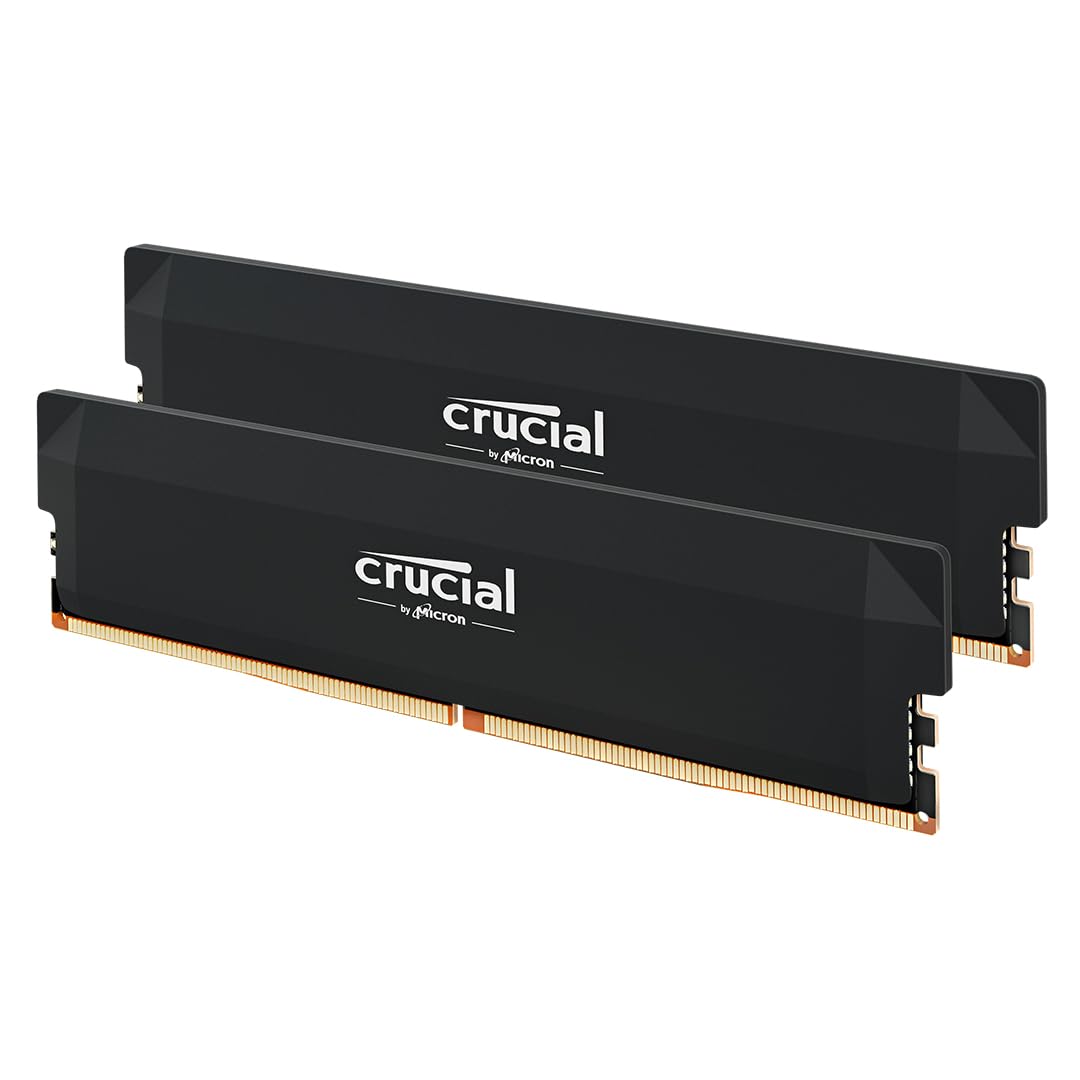 8.5 / 10
Crucial Pro DDR5 RAM 32GB Kit (2x16GB) 6000MHz CL36, Overclocking Gaming, Intel XMP 3.0 / AMD EXPO, Computer Memory (PC), Black - CP2K16G60C36U5B
£419.99 · Crucial
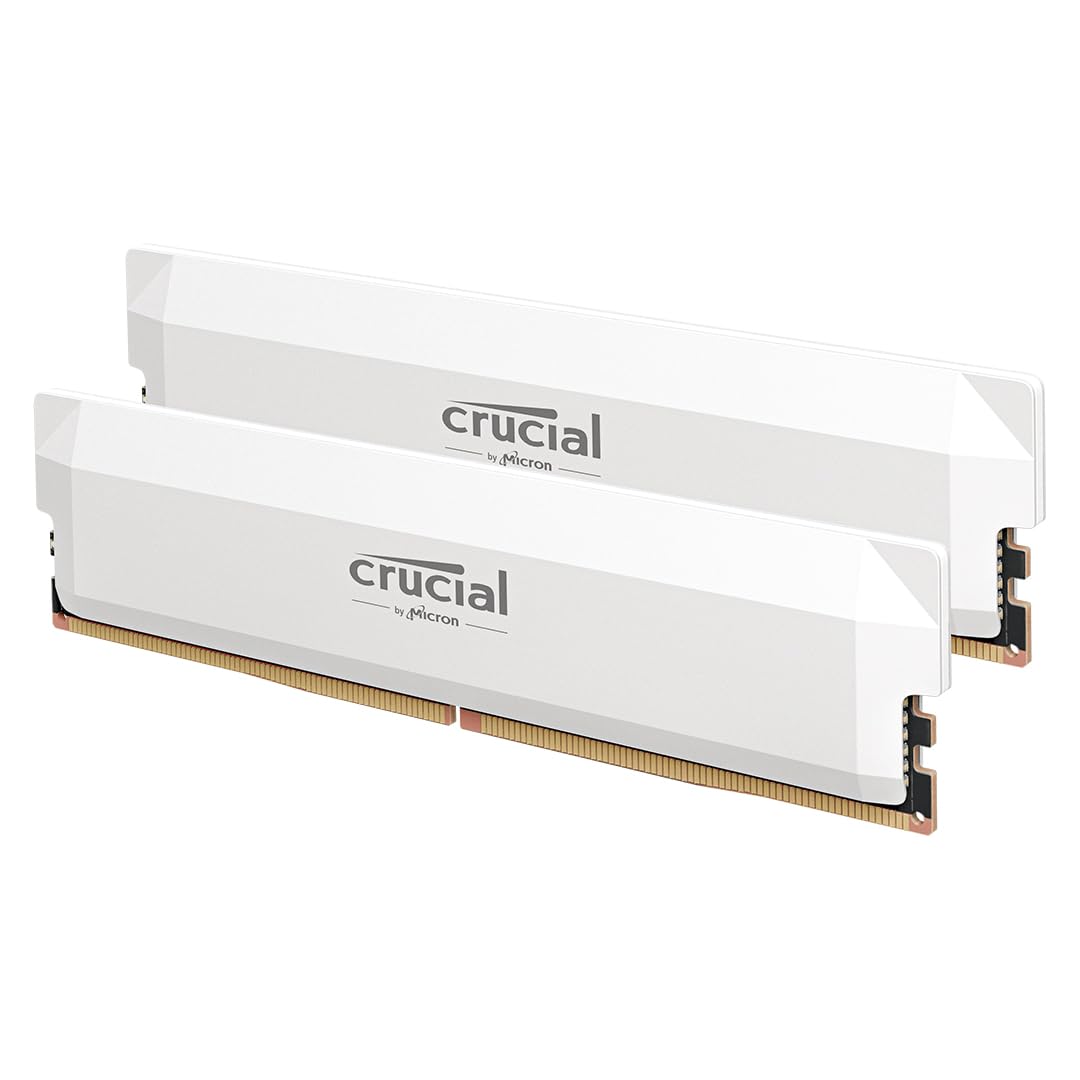 8.0 / 10
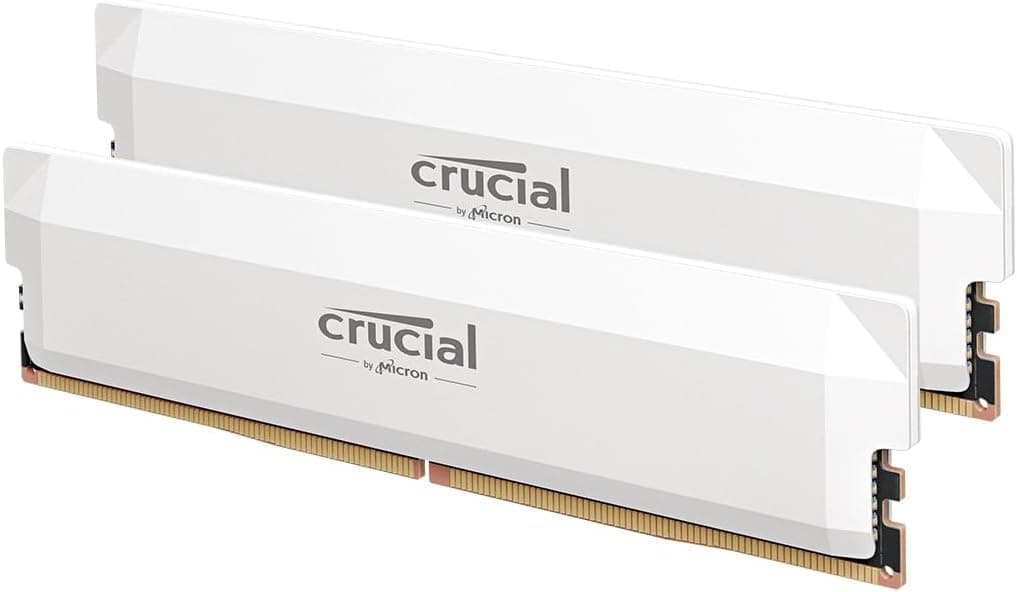
Crucial Pro DDR5 RAM 64GB Kit (2x32GB) 6000MHz CL40, Overclocking Gaming, Intel XMP 3.0 / AMD EXPO, Computer Memory (PC), White - CP2K32G60C40U5W
£739.99 · Crucial
Frequently asked
5 questions01How much RAM do I actually need for gaming and content creation in 2026?+
For gaming only, 16GB is technically sufficient for most current titles but headroom is shrinking. 32GB is the sensible choice for gaming builds in 2026, giving you comfortable overhead with a browser and background apps open. For content creation (4K video editing, 3D rendering, animation), 32GB is the minimum and 64GB is better if your budget allows. Running virtual machines or large datasets? 64GB. The Kingston FURY Beast DDR5 32GB kit in a 2x16GB configuration is the right call for most gaming and mixed-use builds.
02Will the Kingston FURY Beast DDR5 run at 6000MT/s with XMP or EXPO enabled?+
For most users, yes. The majority of the 283 owner reviews report the kit posting at 6000MT/s on the first attempt after enabling XMP 3.0 (Intel) or EXPO (AMD AM5) in the BIOS. A minority of AM5 users report needing a BIOS update before the EXPO profile posts cleanly, which is a known quirk of AM5 boards rather than a fault of the kit. Always update your motherboard BIOS to the latest version before installing new DDR5 memory, especially on AM5.
03Is the Kingston FURY Beast DDR5 compatible with my motherboard?+
This kit requires a DDR5-compatible motherboard. On Intel, that means 12th gen Alder Lake (LGA1700) and newer, including 13th gen, 14th gen, and Intel Core Ultra (LGA1851). On AMD, it means AM5 only: Ryzen 7000, 8000, and 9000 series. It is not compatible with AM4, LGA1200, or any older platform. Check Kingston's QVL page for your specific motherboard model. Do not mix this kit with sticks of a different brand or speed, as this commonly causes instability.
04Does faster DDR5 RAM actually improve gaming performance?+
Marginally, and honestly less than the marketing suggests. Moving from very slow DDR5 (4800MT/s) to 6000MT/s does produce measurable improvements in CPU-bound scenarios and bandwidth-sensitive workloads. But the difference between 6000MT/s CL40 and 6000MT/s CL30 in gaming frame rates is typically single digits in the most RAM-sensitive titles and undetectable in most games. Real latency depends on both speed and CAS latency together, not just the MHz number. For gaming, 6000MT/s CL40 is genuinely sufficient. The bigger gains come from GPU and CPU upgrades, not chasing tighter RAM timings.
05What warranty and returns apply to the Kingston FURY Beast DDR5?+
Amazon offers 30-day returns on most items, and you're covered by Amazon's A-to-Z guarantee for purchase protection. Kingston backs the FURY Beast DDR5 with a lifetime limited warranty, which is the standard for enthusiast memory. Owner reports suggest Kingston's RMA process is straightforward. The lifetime warranty is meaningful for a component expected to last the life of your build, covering failures that might occur years after purchase.