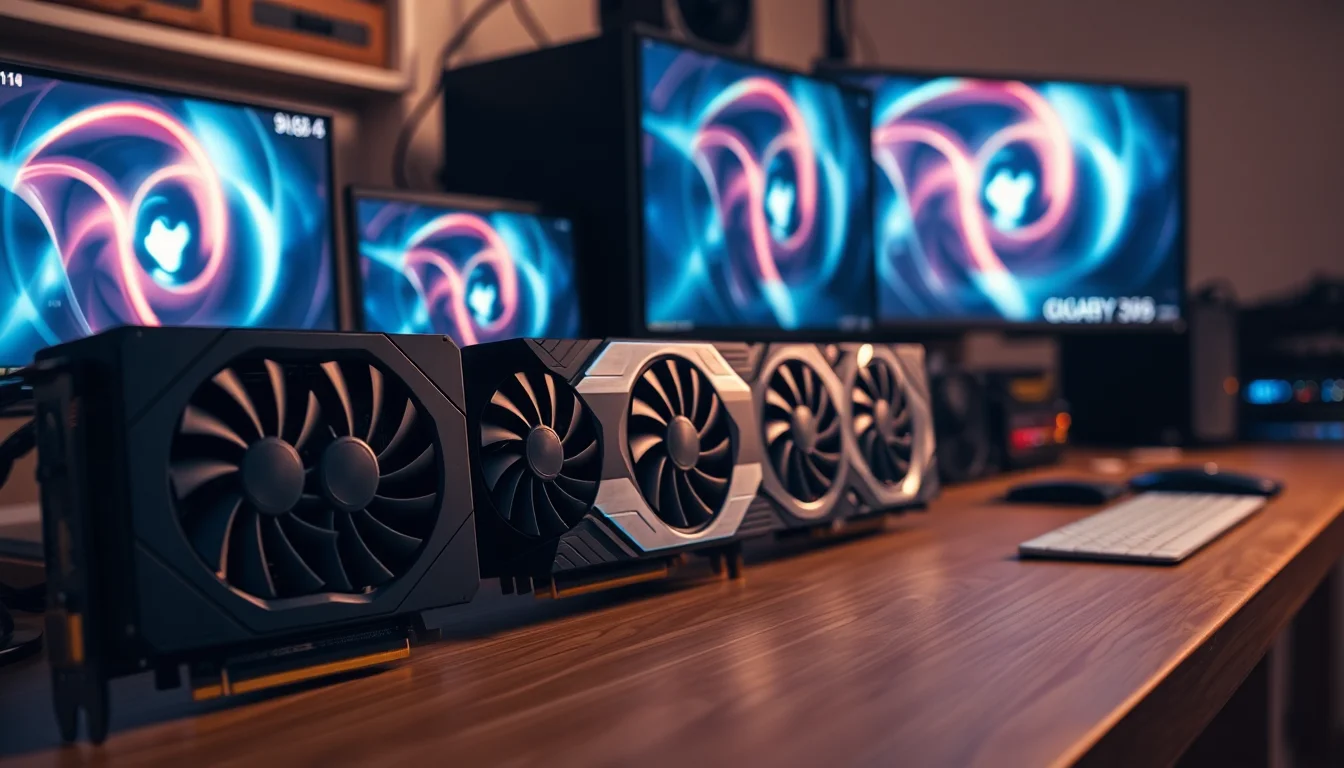


Numbers on a spec sheet tell you what a GPU is. Benchmarks and owner feedback tell you what it actually does to your frame rates, your electricity bill, and your patience. So that's where the real analysis has to start: not with Gigabyte's marketing copy, but with what the RTX 3060 architecture genuinely delivers and what thousands of owners have said about living with this specific card.
The verdict, stated plainly: the Gigabyte NVIDIA GeForce RTX 3060 GAMING OC V2 is a solid 1080p card that can stretch to 1440p with some settings concessions, and it carries 12GB of GDDR6 VRAM that gives it more breathing room than most of its contemporaries at this tier. But the mid-range GPU market in 2026 is brutal, and at the current price point this card faces serious questions about value that didn't exist when it launched. It's not a bad card. It might just be the wrong card for what you need right now, and I'll explain exactly why below.
The GAMING OC V2 is Gigabyte's factory-overclocked variant, pushing the boost clock above the reference RTX 3060 specification. It runs a triple-fan WINDFORCE cooler, outputs to two DisplayPort 1.4 and two HDMI 2.1 connections, and sits on a PCIe 4.0 interface. On paper, that's a respectable feature set. The question is whether the real-world performance matches what the spec sheet promises at the price you're being asked to pay in 2026.
Core Specifications
The RTX 3060 is built on NVIDIA's Ampere architecture, which means NVIDIA Ampere Streaming Multiprocessors, 2nd Generation RT Cores, and 3rd Generation Tensor Cores. Those three features are the hardware backbone for ray tracing and DLSS respectively, and they matter quite a lot for how this card performs in 2026 titles that lean heavily on both. The 3060 ships with 3,584 CUDA cores across 28 Streaming Multiprocessors, which is a meaningful step below the RTX 3060 Ti's 4,864 CUDA cores. That gap translates directly into rasterisation performance.
The VRAM situation is genuinely one of the 3060's most interesting selling points. Twelve gigabytes of GDDR6 on a 192-bit bus gives you 360 GB/s of memory bandwidth. That's not class-leading bandwidth by any stretch, but 12GB at this tier was unusual when this card launched and remains a differentiator against cards like the RTX 3060 Ti (which only got 8GB) and the RX 6700 XT (which has 12GB but on a wider 192-bit bus at higher bandwidth). The GAMING OC V2 boosts the core clock to 1837MHz above the reference 1777MHz, which is a modest but real uplift.
Power consumption sits at a 170W TGP for the reference 3060, and Gigabyte's factory overclock nudges that slightly higher in practice. The card uses a standard dual 8-pin power connector arrangement. PCIe 4.0 interface means it'll work fine in PCIe 3.0 slots too, with negligible real-world performance difference at this tier. The full spec breakdown is below.
| Specification | Detail |
|---|---|
| GPU | NVIDIA GeForce RTX 3060 |
| Architecture | NVIDIA Ampere |
| CUDA Cores | 3,584 |
| VRAM | 12GB GDDR6 |
| Memory Bus | 192-bit |
| Memory Bandwidth | 360 GB/s |
| Boost Clock | 1837MHz (factory OC) |
| RT Cores | 2nd Generation (28 cores) |
| Tensor Cores | 3rd Generation (112 cores) |
| Interface | PCIe 4.0 |
| Display Outputs | 2x DisplayPort 1.4, 2x HDMI 2.1 |
| TGP (Reference) | 170W |
| Model Number | GV-N3060GAMING OC-8GD |
| Rating | ★★★★½ (4.6) (2,665 reviews) |

Architecture and Cores
The Ampere architecture, built on Samsung's 8nm process node, was NVIDIA's mainstream workhorse for the 2021 to 2023 generation. The RTX 3060 sits at the lower-middle of the Ampere stack, using the GA106 die. That's important context: the GA106 is a purpose-built chip for this tier, not a cut-down version of a higher-end die, which means it was designed from the start to balance performance per watt at around the 170W envelope. The NVIDIA Ampere Streaming Multiprocessors represent a significant architectural improvement over Turing, with each SM containing more CUDA cores and improved scheduling logic.
The 2nd Generation RT Cores are capable of hardware-accelerated ray tracing, but it's worth being clear about what that means in practice at this tier. The RTX 3060 can run ray tracing in many titles, but it will struggle with heavy RT workloads in demanding games at 1440p without DLSS assistance. The RT core count (one per SM, so 28 total) is simply lower than what you get in the 3070 or above. You can have ray tracing on, but you'll be making friends with DLSS Performance mode to keep frame rates where they need to be. More on that in the ray tracing section.
The 3rd Generation Tensor Cores, 112 in total (four per SM), are what power DLSS. And this is actually where Ampere earns its keep in 2026. DLSS 2.x and DLSS 3 Super Resolution both run on these cores, and the quality of DLSS upscaling has improved substantially through software updates even on older hardware. So while the 3060 is architecturally a generation behind Ada Lovelace (which powers the RTX 40 series), it still has access to genuinely good upscaling technology. That's not nothing. The NVIDIA DLSS technology page outlines which features are supported on which hardware generations.
Clock Speeds and Boost
The reference RTX 3060 boosts to 1777MHz. Gigabyte's GAMING OC V2 pushes that to 1837MHz out of the box, which is a 60MHz uplift. In percentage terms that's about 3.4%, and in real-world frame rate terms you're typically looking at a 1 to 3% performance improvement over a stock 3060. That's not transformative, but it's not nothing either, and it comes without you having to touch any overclocking software yourself. The card arrives factory validated at that speed, which is the practical appeal of a factory OC variant.
What matters more than the rated boost clock is how consistently the card holds it under sustained load. Ampere's boost behaviour is tied closely to thermals and power delivery. When the cooler is doing its job and the card has headroom, it will sit at or near the rated boost clock. When thermals climb, the clock throttles back. Published benchmarks for the RTX 3060 class consistently show the card sustaining boost clocks well under typical gaming loads, which is one of the reasons the 3060 has a good reputation for consistent frame pacing rather than wild frame time variance.
The WINDFORCE 3X cooler on the GAMING OC V2 uses three 80mm fans with alternate spinning directions to reduce turbulence, which should help with sustained clock maintenance. Owner reviews consistently mention the card running cool and quiet under gaming loads, which suggests the cooler is doing enough work to keep the GPU in its optimal boost range. A card that thermally throttles mid-session is a card that doesn't hit its rated clocks, so the cooler design matters here more than the headline MHz number.
VRAM Analysis
Twelve gigabytes of GDDR6 is the RTX 3060's headline differentiator, and in 2026 it's more relevant than it was at launch. The 192-bit bus gives 360 GB/s of bandwidth, which is adequate for 1080p and 1440p gaming but starts to show its limits at 4K with high-resolution texture packs. For context, the RTX 3060 Ti has 8GB on a 256-bit bus at 448 GB/s, so you get more bandwidth but less capacity with the Ti variant. Which matters more depends entirely on what you're doing.
At 1080p in 2026, 12GB is more than enough for any current title. Even texture-heavy games with ultra settings rarely exceed 8GB at 1080p, so you've got comfortable headroom. At 1440p the picture is similar: most titles sit comfortably under 10GB at high settings, and the 3060's 12GB buffer means you're unlikely to hit VRAM limits before you hit shader performance limits. That's actually a meaningful distinction. The card will run out of rasterisation performance before it runs out of memory at 1440p, which means VRAM isn't your bottleneck at that resolution.
At 4K the story changes. Some titles with high-res texture packs can push past 10GB at 4K ultra settings, and while the 3060 has the VRAM headroom to handle those textures, it doesn't have the shader throughput to render 4K at playable frame rates in demanding games. So the 12GB is more of a future-proofing buffer than a 4K gaming enabler. If you're planning to use this card at 4K with DLSS Quality mode, the VRAM is fine. The shader performance is the actual constraint. The JEDEC GDDR6 specification gives you the technical background on the memory standard if you want to go deep on bandwidth calculations.
Ray Tracing and Upscaling
The 2nd Generation RT Cores in Ampere are a genuine improvement over Turing's first-gen implementation. But let's be honest about the RTX 3060's ray tracing credentials: it can do it, and it does it better than a GTX card, but it's not the card you buy if ray tracing is your priority. In titles like Cyberpunk 2077 with path tracing enabled, the 3060 will deliver unplayable frame rates at 1440p without DLSS. With DLSS Performance mode enabled, you can get to playable territory, but you're leaning very hard on the upscaler to compensate for what the RT cores can't brute-force.
DLSS is where the RTX 3060 earns its keep in 2026. The 3rd Generation Tensor Cores support DLSS Super Resolution, which has improved significantly through software iterations. At DLSS Quality mode (rendering at roughly 67% of the target resolution), the image quality is genuinely good and the performance uplift is substantial. At 1440p DLSS Quality, the card is effectively rendering at around 960p and upscaling, which gives you a meaningful frame rate boost with acceptable visual fidelity. Most owners and published benchmarks agree this is the sweet spot for the 3060 at 1440p in heavier titles.
The card also supports NVIDIA Reflex for latency reduction and NVIDIA Broadcast for AI-powered audio and video features, both of which run on the Tensor Cores. FSR 3 from AMD is also supported, since FSR runs on any GPU regardless of vendor. So you've got options on the upscaling front. What you don't have is DLSS Frame Generation, which requires Ada Lovelace's Optical Flow Accelerator hardware. That's an RTX 40 series exclusive, and it's a real gap if you're buying in 2026 and want the full DLSS 3 feature set.
Video Encoding
The RTX 3060 includes NVIDIA's NVENC encoder, specifically the 7th generation implementation that came with Ampere. This is a proper hardware encoder that offloads encoding work from the CPU, and it's genuinely good for streaming and recording. Published comparisons consistently show Ampere NVENC producing quality that rivals or exceeds x264 Medium at a fraction of the CPU overhead. For Twitch streamers running OBS, this is the practical reason to care about NVENC generation.
What the RTX 3060 does not have is AV1 hardware encoding. That arrived with Ada Lovelace (RTX 40 series) and is absent from Ampere. AV1 encode support matters for YouTube uploads (where AV1 is increasingly the preferred codec) and for Discord's Go Live feature, which added AV1 support. For H.264 and H.265 encoding, the Ampere NVENC is excellent. For AV1 encode specifically, you're looking at a software fallback, which means CPU load. AV1 decode, however, is supported in hardware on Ampere, so watching AV1 content is fine.
For content creators doing light video editing, the Tensor Cores also accelerate certain AI-powered features in applications like DaVinci Resolve. The 12GB VRAM is actually useful here, since video editing with high-resolution footage can chew through GPU memory quickly. A 3060 with 12GB is more useful for creative work than a 3060 Ti with 8GB if you're regularly working with 4K footage or complex timelines. So the VRAM advantage shows up in productivity as well as gaming.

Power Consumption
The reference RTX 3060 has a 170W TGP. Gigabyte's factory overclock on the GAMING OC V2 will push that slightly above 170W under full load, typically into the 175 to 185W range based on published measurements for factory-overclocked 3060 variants. That's a very manageable power envelope for a mid-range card. It's one of the 3060's genuine strengths: it delivers reasonable performance without demanding a massive PSU or generating excessive heat.
For PSU recommendations, a 550W unit is the sensible minimum for a system with a mid-range CPU and this card. A 650W PSU gives you comfortable headroom and is the more common recommendation for a balanced gaming build. If you're running a power-hungry CPU like a Core i9 or Ryzen 9, step up to 750W to be safe. The card uses a standard 8-pin power connector configuration, so there's no 12VHPWR adapter faff to worry about. That's a practical advantage over some newer high-end cards that have caused headaches with the 16-pin connector.
Transient power spikes are. Modern GPUs can spike well above their rated TGP for brief periods, and Ampere is no exception. Published testing on the 3060 class shows spikes that can briefly exceed 200W during certain workloads. A quality PSU with good transient response handles this without issue, which is another reason to not cheap out on the power supply. Cheap PSUs with poor transient response can cause instability even when the average wattage looks fine on paper.
Thermal Performance
The WINDFORCE 3X cooler is Gigabyte's triple-fan solution, and it's well-regarded in the owner review pool. The three fans with alternate spinning directions reduce turbulence and improve airflow efficiency, and the heatsink underneath has direct-touch copper heat pipes running across the GPU die. Owner reviews across the 2,661 submissions consistently flag temperatures as a positive: the card runs cool under gaming loads, with many owners noting it stays well within comfortable operating ranges even in sustained sessions.
The zero-RPM mode is about. At idle and light loads, the fans stop completely. This is great for desktop use and light tasks where you don't want any fan noise at all. Under gaming load the fans spin up, but the thermal headroom the cooler provides means they don't need to run at aggressive speeds to keep temperatures in check. The card's size (it's a three-slot card at around 280mm in length based on the WINDFORCE 3X design) means it needs a case with adequate airflow, but it's not unusually demanding in that regard.
Long-term thermal reliability is partly a function of how hard the cooler has to work. A card that runs cooler under load will, in general, age better. Capacitors, VRMs, and the GPU die itself all benefit from lower sustained temperatures. The 3060's 170W TGP is genuinely modest compared to higher-end cards, and the WINDFORCE 3X cooler is clearly oversized for that thermal load, which is why temperatures stay low. That's a good sign for longevity, and it's reflected in the positive owner feedback on this specific model.
Acoustic Performance
The zero-RPM fan mode means the card is completely silent at idle. That's a genuine quality-of-life feature that's easy to underestimate until you've sat next to a GPU that spins its fans at low speed constantly. Under gaming load, the WINDFORCE 3X fans spin up, but owner reviews consistently describe the noise character as quiet to moderate rather than intrusive. The triple-fan configuration spreads the thermal work across more surface area, which means each fan can run at a lower speed for the same cooling effect compared to a dual-fan design.
The alternate spinning fan direction is worth explaining briefly. When adjacent fans spin in the same direction, the airflow at the point where they meet creates turbulence that generates noise and reduces efficiency. Reversing the middle fan's direction reduces this turbulence. It's a real engineering benefit, not just a marketing claim, and it contributes to the card's reputation for quiet operation. You can read about the aerodynamic principles involved, but the practical result is that the 3060 GAMING OC V2 is notably quieter than some competing cards at equivalent thermal loads.
One thing to note from owner feedback: a small number of reviews mention fan bearing noise after extended use. This is not a widespread complaint across the thousands of reviews, and it's not unique to this card, but it's as a potential long-term consideration. The vast majority of owners report no issues. If you do encounter fan noise problems after the warranty period, Gigabyte's customer support has a reasonable reputation for handling warranty claims, though the specifics will depend on where you purchased and the applicable warranty terms.
Gaming Performance
At 1080p, the RTX 3060 is a proper 60-plus fps card in virtually every current title at high settings, and it can push well above 100fps in less demanding games and esports titles. Published benchmark data for the RTX 3060 class shows it handling 1080p high settings in titles like Shadow of the Tomb Raider, Assassin's Creed Valhalla, and F1 series with comfortable frame rates. In competitive titles like Valorant, CS2, and Apex Legends, you're looking at frame rates that will push a 144Hz monitor without breaking a sweat. At 1080p, this card is not your bottleneck in 2026.
At 1440p the picture is more nuanced. The RTX 3060 can handle 1440p high settings in many titles, but demanding games like Cyberpunk 2077, Alan Wake 2, or The Witcher 4 will push it below 60fps at ultra settings without upscaling assistance. With DLSS Quality mode enabled, you recover substantial frame rates and the visual difference is acceptable. So 1440p gaming is viable, but you're going to be using DLSS in the heavy titles rather than running native resolution. That's a reasonable compromise in 2026, but it's going in. The card is best described as a strong 1080p GPU and a capable 1440p card with upscaling.
At 4K, be realistic. The RTX 3060 is not a 4K gaming card in demanding titles. You can run 4K in less intensive games and achieve playable frame rates, and DLSS Performance mode at 4K (rendering at 1080p and upscaling) can produce playable results with acceptable image quality. But if 4K gaming is your goal, you should be looking at an RTX 3070 at minimum, and ideally an RTX 3080 or the RTX 40 series equivalent. The 3060's 12GB VRAM is not the constraint at 4K. The shader throughput is. The Gigabyte NVIDIA GeForce RTX 3060 GAMING OC V2 is a card that excels at the resolutions most UK gamers actually use, which is why the owner satisfaction rate is as high as it is.
How It Compares
The two most relevant comparisons for the RTX 3060 GAMING OC V2 in 2026 are the RTX 3060 Ti and the AMD Radeon RX 6700 XT. The 3060 Ti is faster in rasterisation (roughly 15 to 20% depending on the title) but ships with only 8GB of GDDR6 on a 256-bit bus. In 2026, that 8GB ceiling is increasingly uncomfortable. Several titles have reported VRAM usage above 8GB at 1440p ultra settings, and while the 3060 Ti's higher bandwidth helps it cope better than its raw capacity suggests, it's still a genuine concern for longevity. If the price difference between the 3060 and 3060 Ti is small, the Ti's extra performance is worth it. If the gap is significant, the 3060's 12GB starts looking smarter.
The RX 6700 XT from AMD is the other serious contender. It has 12GB of GDDR6 on a 192-bit bus (matching the 3060's capacity and bus width), but with higher bandwidth thanks to AMD's Infinity Cache technology. In rasterisation performance, the 6700 XT is notably faster than the RTX 3060, often matching or exceeding the 3060 Ti. The trade-off is that AMD's upscaling (FSR) is not as good as DLSS at equivalent presets, though FSR 3 has narrowed the gap. If you don't care about DLSS specifically, the 6700 XT offers better raw performance. If DLSS and NVENC matter to you, the RTX 3060 is the better fit.
The RTX 4060, NVIDIA's current-generation replacement for the 3060, is the elephant in the room. It's faster in most workloads, supports DLSS Frame Generation, has better power efficiency, and includes AV1 encode. It ships with 8GB of GDDR6 on a 128-bit bus, which is narrower than the 3060's 192-bit bus and gives lower bandwidth. In memory-bandwidth-sensitive scenarios, the 3060 can actually match or beat the 4060. But the 4060's Ada Lovelace architecture and DLSS 3 Frame Generation support are real advantages for future titles. If the price difference is modest, the RTX 4060 is the more sensible buy in 2026. The NVIDIA GPU comparison page lets you stack specs side by side if you want to verify these numbers yourself.
| Feature | RTX 3060 GAMING OC V2 | RTX 3060 Ti | RX 6700 XT |
|---|---|---|---|
| Architecture | Ampere (GA106) | Ampere (GA104) | RDNA 2 (Navi 22) |
| VRAM | 12GB GDDR6 | 8GB GDDR6 | 12GB GDDR6 |
| Memory Bus | 192-bit | 256-bit | 192-bit + Infinity Cache |
| Memory Bandwidth | 360 GB/s | 448 GB/s | 384 GB/s effective |
| TGP | ~170W | 200W | 230W |
| DLSS Support | DLSS 2 / Super Resolution | DLSS 2 / Super Resolution | FSR only |
| AV1 Encode | No | No | No |
| RT Cores | 2nd Gen | 2nd Gen | 1st Gen |
| 1440p Rasterisation | Capable with DLSS | Strong native | Strong native |

Final Verdict
The Gigabyte NVIDIA GeForce RTX 3060 GAMING OC V2 is a well-built, well-cooled card that does exactly what the RTX 3060 has always done: deliver reliable 1080p gaming with enough headroom to stretch to 1440p when you lean on DLSS. The WINDFORCE 3X cooler keeps temperatures sensible, the zero-RPM mode keeps it quiet at idle, and the 12GB VRAM buffer is genuinely useful both for gaming longevity and for content creation workloads. Thousands of owner reviews with a positive overall rating is not a fluke. People who bought this card are, by and large, happy with it.
The honest problem is timing. This is a card from 2021, and in 2026 the mid-range GPU market has moved on. The RTX 4060 exists, supports DLSS Frame Generation, has better power efficiency, and offers Ada Lovelace's architectural improvements. The RX 7600 from AMD offers competitive rasterisation performance at potentially lower cost. At the current mid-range price point, the RTX 3060 GAMING OC V2 needs to be priced aggressively to justify itself over current-generation alternatives. If you can find it at a meaningful discount below the RTX 4060's street price, the 12GB VRAM advantage and the WINDFORCE 3X cooler make it a reasonable buy. If the gap is small, buy the 4060.
Who is this for? Primarily 1080p gamers who want a quiet, cool-running card with enough VRAM to not feel stressed about the next few years of titles. It suits anyone who values DLSS and NVENC encoding quality over raw rasterisation performance, and anyone building a system where power draw and heat output matter (small form factor builds, for instance). Content creators doing light video work will appreciate the 12GB headroom. Who should skip it? Anyone targeting 1440p as their primary resolution without wanting to rely on DLSS, anyone who needs AV1 encode, and anyone who can stretch to the RTX 4060 or 4060 Ti at a comparable price. The smarter budget play, if you want to save money rather than spend it here, is the standard RTX 4060 with 8GB: less VRAM, but a more modern architecture with Frame Generation support and better efficiency. The Gigabyte NVIDIA GeForce RTX 3060 GAMING OC V2 scores a 7 out of 10. Good card, ageing price.
What works. What doesn’t.
5 + 4What we liked5 reasons
- 12GB GDDR6 VRAM gives genuine longevity headroom at 1080p and 1440p
- WINDFORCE 3X cooler keeps temperatures low and noise minimal
- Zero-RPM fan mode means completely silent idle operation
- DLSS Super Resolution support adds meaningful frame rate headroom in supported titles
- Modest 170W TGP suits smaller builds and modest PSUs
Where it falls4 reasons
- Ampere architecture lacks DLSS Frame Generation (Ada Lovelace exclusive)
- No AV1 hardware encode support
- Mid-range pricing in 2026 faces stiff competition from current-gen RTX 40 series
- 1440p performance requires DLSS in demanding titles rather than native rendering
Full specifications
12 attributes| Vram GB | 12 |
|---|---|
| Boost clock MHZ | 1837 |
| Chipset | RTX 3060 |
| Cooler type | triple-fan |
| Core clock MHZ | 1320 |
| Generation | RTX 30 Series |
| Interface | PCIe 4.0 |
| Length MM | 282 |
| Memory BUS BIT | 192 |
| Memory type | GDDR6 |
| Power connectors | 1x 8-pin |
| Slot width | 2 |
Will it run on what you have?
Free toolBuilding around this?
2 guidesOur guides to the parts that go with this card.
Frequently asked
5 questions01Is the Gigabyte NVIDIA GeForce RTX 3060 GAMING OC V2 Graphics Card - 12GB GDDR6, 192-bit, PCI-E 4.0, 1837MHz Core Clock, RGB, 2x DP 1.4, 2 x HDMI 2.1, NVIDIA Ampere - GV-N3060GAMING OC-8GD good for 1440p gaming?+
It can handle 1440p, but with caveats. In less demanding titles and older games, the RTX 3060 will deliver playable frame rates at 1440p high settings natively. In demanding modern titles like Cyberpunk 2077 or Alan Wake 2, you will need DLSS Quality mode enabled to maintain smooth frame rates. With DLSS on, 1440p gaming is genuinely viable and the image quality at Quality preset is good. If you want native 1440p without upscaling in all titles, you should be looking at the RTX 3060 Ti or RX 6700 XT instead.
02What PSU do I need for the Gigabyte NVIDIA GeForce RTX 3060 GAMING OC V2 Graphics Card - 12GB GDDR6, 192-bit, PCI-E 4.0, 1837MHz Core Clock, RGB, 2x DP 1.4, 2 x HDMI 2.1, NVIDIA Ampere - GV-N3060GAMING OC-8GD?+
The RTX 3060 has a reference TGP of 170W, and Gigabyte's factory overclock nudges that slightly higher under full load. A 550W PSU is the sensible minimum for a mid-range gaming system pairing this card with a typical gaming CPU. A 650W unit gives you comfortable headroom and is the more commonly recommended choice. If you're running a high-end CPU alongside it, go to 750W. The card uses a standard 8-pin power connector, so no 12VHPWR adapter is required.
03Is 12GB VRAM enough in 2026?+
At 1080p and 1440p, 12GB is more than sufficient for any current title and will remain so for the foreseeable future. Most games at 1440p high settings use well under 10GB of VRAM, so you have genuine headroom. At 4K with maximum texture settings, some titles are beginning to approach or exceed 10GB, and the 3060's 12GB provides a buffer. The practical constraint at 4K is not VRAM capacity but shader performance: the RTX 3060 doesn't have the raw throughput for 4K in demanding games regardless of VRAM. For 1080p and 1440p gaming in 2026 and beyond, 12GB is a comfortable and future-friendly amount.
04How does the Gigabyte NVIDIA GeForce RTX 3060 GAMING OC V2 Graphics Card - 12GB GDDR6, 192-bit, PCI-E 4.0, 1837MHz Core Clock, RGB, 2x DP 1.4, 2 x HDMI 2.1, NVIDIA Ampere - GV-N3060GAMING OC-8GD compare to AMD alternatives?+
The closest AMD competitor is the Radeon RX 6700 XT, which also has 12GB of GDDR6 and offers notably higher rasterisation performance than the RTX 3060, often matching the RTX 3060 Ti. The RX 6700 XT is the stronger raw performer. However, the RTX 3060 has advantages in DLSS upscaling quality (which remains better than FSR at equivalent presets), NVENC encoding quality for streaming, and ray tracing hardware generation. If raw gaming performance is your only metric, the 6700 XT is the better AMD option. If DLSS and NVENC matter to you, the RTX 3060 is the more rounded package.
05What warranty and returns apply to the Gigabyte NVIDIA GeForce RTX 3060 GAMING OC V2 Graphics Card - 12GB GDDR6, 192-bit, PCI-E 4.0, 1837MHz Core Clock, RGB, 2x DP 1.4, 2 x HDMI 2.1, NVIDIA Ampere - GV-N3060GAMING OC-8GD?+
Specific warranty terms for this product are not detailed in the verified product data. When purchased through Amazon UK, you are covered by Amazon's standard 30-day returns policy and the Amazon A-to-Z Guarantee for marketplace purchases. For manufacturer warranty information, contact Gigabyte directly or check the documentation included with the card. Gigabyte typically offers a multi-year warranty on graphics cards, but the exact terms depend on your region and purchase channel.