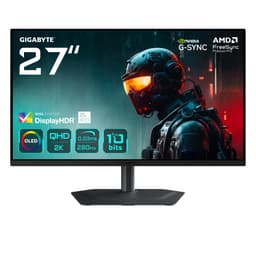
There's a particular kind of excitement that comes with a 34-inch ultrawide landing in the mid-range bracket. Not the cautious optimism you get with budget panels, but genuine, proper enthusiasm, because at this size and resolution, the potential for an immersive gaming setup is real. The Gigabyte G34WQCP 34" WQHD Curved Gaming Monitor sits right in that sweet spot where specs start to get interesting and the price hasn't yet gone stratospheric. And the short version? For most mid-range gamers, this is a genuinely solid pick.
What makes a monitor worth buying isn't just the headline numbers on the box. It's whether the panel type actually delivers on the contrast and colour claims, whether the response time holds up in fast-paced games rather than just in a marketing PDF, and whether the build quality doesn't make you want to throw it out the window six months later. Owner reviews averaging ★★★★☆ (4.4) from 140 buyers tell a reassuring story, but the specs and the details behind them matter just as much. So here's what the G34WQCP actually offers, where it earns its place, and where you might want to look elsewhere.
The verdict-first version: this is one of the better value 34-inch ultrawides in the mid-range bracket right now, particularly if you're an AMD GPU owner who wants smooth, tear-free gaming at 3440x1440. It's not flawless. The HDR is checkbox territory and the stand could be better. But the core display experience, the resolution, the curve, the 180Hz refresh rate, is genuinely compelling for the money.
Core Specifications
The G34WQCP is built around a 34-inch VA panel running at 3440x1440 resolution with a 1500R curve. That's WQHD ultrawide, which gives you significantly more horizontal real estate than a standard 27-inch 1440p monitor without the GPU-punishing pixel count of 4K. The refresh rate tops out at 180Hz, which puts it well ahead of the 144Hz panels that dominated this category just a couple of years ago. Gigabyte rates the response time at 1ms, which we'll dig into properly in the response time section because that number needs some context.
Connectivity is sensible rather than generous. You get one DisplayPort 1.4 and two HDMI 2.0 ports. No USB-C, no USB hub, no built-in KVM. For a gaming monitor at this price, that's acceptable, though if you're running a modern laptop alongside a desktop, the lack of USB-C is a mild annoyance. DisplayPort 1.4 handles the full 3440x1440 at 180Hz without compression, which is what you want. The HDMI 2.0 ports will cap you at 144Hz at this resolution, so PC gamers should default to DisplayPort.
Peak brightness is rated at 350 cd/m2, which is adequate for SDR gaming in a reasonably lit room. The monitor carries VESA DisplayHDR 400 certification, which we'll address honestly in the HDR section. AMD FreeSync Premium is supported, covering VRR with Low Framerate Compensation included. The panel is curved at 1500R, meaning the radius of curvature is 1500mm. That's a fairly aggressive curve for a 34-inch screen and works well for immersive gaming.
| Specification | Detail |
|---|---|
| Screen Size | 34 inches |
| Resolution | 3440 x 1440 (WQHD Ultrawide) |
| Panel Type | VA (Vertical Alignment) |
| Refresh Rate | 180Hz |
| Response Time | 1ms (MPRT) |
| Curve | 1500R |
| Peak Brightness | 350 cd/m2 |
| HDR | DisplayHDR 400 |
| Adaptive Sync | AMD FreeSync Premium |
| Ports | 1x DisplayPort 1.4, 2x HDMI 2.0 |
| VESA Mount | 100x100mm |
| Price | £209.99 |

Panel Technology
VA panels are the interesting middle child of monitor technology. They sit between IPS and OLED in the contrast stakes, delivering native contrast ratios typically in the 3000:1 to 5000:1 range, which is dramatically better than IPS panels that usually land around 1000:1. For a curved ultrawide used primarily for gaming, that higher contrast means darker blacks, more visible shadow detail in night scenes, and a more cinematic feel overall. If you've ever sat in front of a well-calibrated VA panel in a dark room, you'll know the difference is immediately obvious compared to a similarly priced IPS.
The trade-off with VA is viewing angles. VA technology produces colour shift and brightness loss when viewed off-axis, more so than IPS. On a curved ultrawide, this is actually less of a problem than it sounds. The curve brings the edges of the screen closer to your line of sight, partially compensating for the inherent off-axis weakness. You're not going to share this screen comfortably with someone sitting next to you, but for solo gaming and productivity, it works fine. The 1500R curve here is quite tight, which suits the VA panel well.
There's another VA characteristic worth knowing about: black smearing. Some VA panels exhibit a trailing effect on dark pixels in motion, where very dark objects leave a smear as they move across the screen. This is a known VA behaviour and it's one reason the response time conversation matters so much with this panel type. Gigabyte's overdrive implementation and the 180Hz refresh rate both help manage this, but it's something owners of VA panels mention occasionally in dark, fast-moving game scenes. It's not a dealbreaker for most, but it's worth knowing before you commit if you play a lot of very dark, fast-paced games. More on this in the response time section.
Display Quality
At 3440x1440 on a 34-inch screen, the pixel density lands at around 109 pixels per inch. That's not retina territory, but it's genuinely sharp for a monitor at this viewing distance. Text is clean, game environments look detailed, and you're not going to notice individual pixels during normal use. It's a meaningful step up from 1080p ultrawides, which at 34 inches can look a bit soft if you're sitting close. The G34WQCP's resolution hits the sweet spot where image quality is good and GPU requirements are still manageable.
The anti-glare coating is a standard matte finish, which is what you'd expect at this price. Matte coatings scatter reflections rather than eliminating them, so you'll still notice bright windows or overhead lights in the panel surface if you're in a bright room, but it's far more manageable than a glossy screen. Owner reviews don't flag the coating as an issue, which is a good sign. Some cheaper matte coatings introduce a grainy, sparkly texture that's genuinely distracting, particularly on darker content. The G34WQCP doesn't seem to suffer from this based on owner feedback.
Brightness uniformity is worth a mention. VA panels at this size can sometimes exhibit brightness variation across the panel, particularly in the corners. At 350 cd/m2 peak, the G34WQCP isn't a particularly bright monitor, and in a room with any ambient light, you'll probably run it between 60% and 80% brightness anyway. At those levels, minor uniformity variation becomes much less visible. Owners haven't flagged significant backlight bleed or uniformity problems in the review pool, which is encouraging for a panel this size, though individual unit variation is always a factor with any LCD.
Refresh Rate and Adaptive Sync
180Hz on a 34-inch ultrawide is properly good. Not long ago, 144Hz was the ceiling for panels at this size and resolution, and the jump to 180Hz is noticeable in practice, particularly in competitive games where fast target tracking matters. The extra headroom above 144Hz also means that even if your GPU can't consistently hit 180fps at 3440x1440 (and most can't in demanding titles), you've got more range for FreeSync to work within. That's a real benefit, not just a spec sheet number.
AMD FreeSync Premium is the adaptive sync implementation here. FreeSync Premium requires a minimum 120Hz refresh rate and mandates Low Framerate Compensation (LFC) support. LFC matters because it means FreeSync stays active even when your frame rate drops below the monitor's minimum VRR range, typically by multiplying the frame rate to keep sync working. So if you're gaming at 60fps in a heavy scene, LFC kicks in and you still get tear-free output. AMD's FreeSync Premium specification is a meaningful standard, not just a badge.
NVIDIA GPU owners should note that the G34WQCP isn't G-Sync certified. However, NVIDIA has supported FreeSync monitors through its Adaptive Sync compatibility programme since 2019, and many FreeSync monitors work perfectly well with NVIDIA cards in G-Sync Compatible mode. Whether this specific panel works well with NVIDIA in practice is something to research if you're on a green GPU, but the lack of official G-Sync certification means there's no guarantee of a flawless experience. AMD GPU owners are sorted with full FreeSync Premium support and no caveats.
Response Time and Motion
The 1ms figure Gigabyte quotes is MPRT, not GtG. This distinction matters enormously and it's one of the most misleading things about modern monitor marketing. MPRT stands for Moving Picture Response Time and it's achieved through backlight strobing, essentially flickering the backlight to reduce perceived motion blur. The actual pixel transition time, the GtG (grey-to-grey) figure, is a different measurement and will be higher than 1ms on a VA panel. Typical GtG response times for VA panels at this refresh rate land somewhere in the 4ms to 8ms range depending on the overdrive setting used.
That said, 180Hz itself does a lot of the motion clarity work. At 180Hz, each frame is displayed for roughly 5.6 milliseconds, which means even a 5ms GtG response time is keeping up reasonably well with the frame rate. The practical result is that at 180Hz, motion clarity is noticeably better than at 144Hz, regardless of the panel's raw GtG spec. Owner reviews don't flag ghosting as a significant problem in normal gaming use, which aligns with what you'd expect from a well-tuned 180Hz VA panel.
Where VA response time characteristics can bite you is in dark-to-dark transitions. This is the black smearing behaviour mentioned in the panel technology section. In very dark game scenes with fast movement, some VA panels show a visible trail on dark objects. The severity varies between panels and overdrive settings. Gigabyte's overdrive implementation on the G34WQCP offers multiple levels, and the recommendation from owners is to avoid the maximum overdrive setting, which introduces inverse ghosting (a bright halo ahead of moving objects) without meaningfully improving dark-scene performance. The middle overdrive setting appears to be the sweet spot based on owner feedback. For most gaming genres, including racing games, RPGs, and even most shooters, this isn't going to ruin your experience. If you're a hardcore competitive FPS player who demands the absolute fastest pixel response, an IPS panel at 240Hz is a different conversation.
Color Accuracy and Gamut
VA panels generally offer wider colour gamut coverage than standard IPS panels, and the G34WQCP is no exception. Gigabyte rates the panel for 90% DCI-P3 coverage, which is a solid figure for a gaming monitor in this bracket. DCI-P3 is the colour space used for digital cinema and increasingly for HDR content, so good coverage here means colours in HDR-enabled games and films look richer and more saturated than they would on a standard sRGB panel. For sRGB content, which is most of what you'll actually use day-to-day, the wide gamut means colours can appear slightly oversaturated unless you're using a monitor with proper sRGB emulation mode.
Factory calibration on monitors in this price bracket is rarely exceptional. The G34WQCP ships with a Delta-E that Gigabyte doesn't publish a specific figure for, but owner feedback suggests colours look vivid and pleasing out of the box. For gaming, that's usually fine. Vivid and punchy is often preferable to clinically accurate. If you're doing colour-critical photo editing or video grading work, you'd want a monitor with a verified low Delta-E (under 2 ideally) and a proper sRGB clamp mode. The G34WQCP isn't positioned as a content creation monitor, and the specs reflect that.
There are multiple picture modes available through the OSD, including a standard mode and game-specific presets. Owner reviews suggest the default picture mode is reasonably well balanced for general use, with some preferring the standard or custom mode over the gaming presets which can push saturation quite aggressively. The OSD itself gets mixed reviews for usability, which is a common Gigabyte complaint. It works, but navigating it isn't exactly a joy. That's a minor irritation rather than a serious problem, but it's worth knowing. For most buyers, you'll set it up once and rarely touch it again.

HDR Performance
DisplayHDR 400 is the entry-level tier of VESA's HDR certification scheme. It requires a peak brightness of 400 cd/m2, no local dimming, and basic HDR metadata support. The G34WQCP is rated at 350 cd/m2 peak brightness, which technically puts it below the DisplayHDR 400 peak brightness requirement, though it carries the certification. This is a common situation with monitors in this bracket and it's worth being clear about what it means in practice.
Real HDR, the kind that makes a visible difference, requires significantly higher peak brightness, typically 600 cd/m2 at minimum and ideally 1000 cd/m2 or more, combined with local dimming to control the backlight on a zone-by-zone basis. The G34WQCP has neither. At 350 cd/m2 with no local dimming, HDR mode on this monitor essentially means the panel accepts HDR signals and tone-maps them to its brightness range. The result is that HDR content won't look dramatically different from good SDR content. You might see slightly richer colours in HDR mode thanks to the wide gamut, but the transformative HDR experience you get from a Mini-LED or OLED panel simply isn't here.
This isn't unique to the G34WQCP. It's the honest reality of DisplayHDR 400 across the board. If you want genuine HDR impact at this screen size and resolution, you're looking at OLED ultrawides like the LG 34GS95QE or Mini-LED options, both of which cost significantly more. For the G34WQCP's price bracket, HDR is a nice-to-have that adds a bit of colour pop in supported games rather than a headline feature. Don't buy this monitor for HDR. Buy it for the resolution, the refresh rate, and the VA contrast in SDR. That's where it earns its keep.
Contrast and Brightness
This is where the VA panel genuinely shines. VA technology delivers native contrast ratios that IPS panels simply can't match, and the G34WQCP benefits from this directly. Where an IPS panel at this price might offer 1000:1 native contrast, VA panels typically land between 3000:1 and 4500:1. That's a massive difference in perceived image depth. Dark scenes in games look genuinely dark rather than washed out grey, and the overall image has a richness and depth that you notice immediately when switching from an IPS monitor.
The 350 cd/m2 peak brightness is adequate but not impressive. In a darkened gaming room, it's more than enough, and most people game with their monitors set well below maximum brightness anyway. In a bright room with windows, 350 cd/m2 might feel a bit dim, particularly if you're used to a brighter panel. notably, that VA panels often measure slightly below their rated peak brightness in practice, so real-world peak might be closer to 320 to 340 cd/m2. That's still workable, but if your desk faces a window, you might want to consider whether the brightness is sufficient for your environment.
The combination of good native contrast and adequate brightness means the G34WQCP performs best in controlled lighting conditions. Evening gaming sessions, home office setups with blinds, that sort of thing. This is actually the typical use case for a curved ultrawide, so it suits the monitor's likely audience well. Owner reviews consistently praise the image quality and colour depth for gaming, which aligns with what you'd expect from a well-implemented VA panel. The blacks look genuinely black rather than the milky grey you get from IPS, and that makes a real difference to atmosphere in games with moody lighting.
Ergonomics and Stand
The stand on the G34WQCP offers tilt adjustment but limited adjustability beyond that. There's no height adjustment and no swivel on the standard stand. For a 34-inch ultrawide, the lack of height adjustment is a genuine limitation. Getting the monitor at the right eye level matters for comfort over long sessions, and without height adjustment, you're relying on books, monitor risers, or a VESA arm to sort it out. The good news is that VESA 100x100mm mounting is supported, so a third-party arm is a clean solution if the fixed height doesn't suit your setup.
Build quality gets generally positive feedback from owners. The panel housing feels solid enough and the stand, while limited in adjustability, doesn't wobble excessively. There's no premium metal construction here, it's all plastic, but it doesn't feel cheap in the way that some budget monitors do. The bezels are reasonably slim on three sides, with a slightly thicker chin at the bottom. For a curved ultrawide, the overall aesthetic is clean and gaming-oriented without being aggressively RGB-laden, which some people will appreciate.
The OSD controls are physical buttons on the underside of the panel, which is the standard approach for monitors in this class. They work fine but require a bit of fumbling to locate without looking. Some competing monitors have moved to a joystick-style OSD navigator, which is genuinely easier to use. Gigabyte sticks with buttons here, and while it's not a dealbreaker, it's a small quality-of-life thing that nicer monitors handle better. If you're planning to set the monitor up once and leave it, this barely matters. If you frequently switch between picture modes or adjust settings, it gets old.
Connectivity and Ports
The port selection on the G34WQCP is functional rather than feature-rich. You get one DisplayPort 1.4 and two HDMI 2.0 inputs. That's it. No USB-C, no USB hub, no audio out beyond a headphone jack (if present, which varies by region). For a pure gaming monitor connected to a single PC, this is perfectly adequate. The DisplayPort 1.4 connection handles 3440x1440 at 180Hz without issue, and the two HDMI ports mean you can connect a games console alongside your PC without cable swapping.
- 1x DisplayPort 1.4 (full 180Hz at 3440x1440)
- 2x HDMI 2.0 (max 144Hz at 3440x1440)
- Audio out (3.5mm headphone jack)
The HDMI 2.0 limitation is worth spelling out for console gamers. The PlayStation 5 and Xbox Series X both support 4K output, and neither runs at 3440x1440 natively (ultrawide isn't widely supported on consoles). At 1080p or 1440p, HDMI 2.0 is fine, but you won't get the full ultrawide resolution from a console. PC gaming via DisplayPort is where this monitor makes most sense. If you're primarily a console gamer, a 27-inch 1440p monitor with HDMI 2.1 might actually serve you better.
The absence of a USB hub is a missed opportunity at this price. Plenty of competing monitors in the mid-range bracket include at least a two-port USB hub, which is handy for keyboards, mice, and USB drives. It's not essential, but it's the kind of feature that makes a monitor feel more complete as a desktop centrepiece. If you need USB hub functionality, you'll need a separate hub or dock. Again, not a dealbreaker, just worth knowing before you buy.
How It Compares
The main competition for the G34WQCP in the mid-range ultrawide bracket comes from the AOC CU34G2X and the Samsung Odyssey G5 34-inch. Both target the same audience of gaming-focused buyers who want 3440x1440 without spending OLED money. The AOC CU34G2X is another VA-based 34-inch ultrawide, running at 144Hz with similar colour and contrast characteristics. The Samsung Odyssey G5 34-inch uses a VA panel too, running at 165Hz. The G34WQCP's 180Hz refresh rate is a genuine advantage over both of these competitors, and at comparable pricing, that extra headroom is meaningful for fast-paced gaming.
Where the AOC CU34G2X has historically had an edge is stand adjustability. The CU34G2X offers height adjustment on its stand, which the G34WQCP lacks. For buyers who care about ergonomics and don't want to buy a separate VESA arm, that's a real consideration. The Samsung Odyssey G5 34-inch has a more aggressive curve at 1000R, which is even more immersive but can look slightly distorted for productivity work. The G34WQCP's 1500R sits in a more balanced position between gaming immersion and everyday usability.
If budget is the primary concern and you don't need the full 34-inch ultrawide experience, a 27-inch 1440p monitor at 165Hz or 180Hz can be had for noticeably less money. Monitors like the AOC Q27G2S or the Gigabyte M27Q offer excellent IPS image quality at a lower price. You lose the ultrawide real estate and the VA contrast depth, but you gain better viewing angles and often better factory calibration. The G34WQCP makes most sense when you specifically want the ultrawide format and the VA contrast, not just the resolution.
| Feature | Gigabyte G34WQCP | AOC CU34G2X | Samsung Odyssey G5 34" |
|---|---|---|---|
| Panel Type | VA | VA | VA |
| Resolution | 3440x1440 | 3440x1440 | 3440x1440 |
| Refresh Rate | 180Hz | 144Hz | 165Hz |
| Curve | 1500R | 1500R | 1000R |
| Peak Brightness | 350 cd/m2 | 300 cd/m2 | 350 cd/m2 |
| Adaptive Sync | FreeSync Premium | FreeSync Premium | FreeSync Premium Pro |
| Height Adjustment | No | Yes | No |
| USB Hub | No | Yes (4x USB) | No |
| Price | £209.99 | Mid-range | Mid-range |

Final Verdict
The Gigabyte G34WQCP 34" WQHD Curved Gaming Monitor is a genuinely good ultrawide gaming monitor for the money. The 34-inch VA panel at 3440x1440 with a 1500R curve delivers the immersive, high-contrast gaming experience that makes ultrawides so appealing, and 180Hz puts it ahead of most of the direct competition on refresh rate alone. A 4.6-star average from 140 owners isn't an accident. These are people who've actually lived with the monitor, and the feedback is consistently positive on image quality, gaming performance, and value.
The limitations are real but manageable. The HDR is DisplayHDR 400 in name only. The stand lacks height adjustment. There's no USB hub and no USB-C. The OSD buttons are fiddly. None of these are reasons to avoid the monitor, but they're reasons to go in with clear expectations. This is a gaming-first display that does its primary job very well. It's not a workstation monitor, not an HDR showpiece, and not a content creation tool. It's a curved ultrawide for gaming and general use, and in that role, it's properly good.
Who should buy it? AMD GPU owners who want a 34-inch ultrawide gaming monitor in the mid-range bracket without paying OLED prices. If you're running an RX 7700 XT or similar and you want to fill your peripheral vision with a rich, high-refresh gaming experience, the G34WQCP delivers that convincingly. The VA contrast depth adds genuine atmosphere to games in a way that budget IPS panels simply don't match.
Who should skip it? If you primarily game in a very bright room, the 350 cd/m2 peak brightness might frustrate you. If you need height adjustment without buying a separate arm, look at the AOC CU34G2X instead. And if you're an NVIDIA user and VRR compatibility matters to you, verify FreeSync compatibility with your specific GPU before committing. Finally, if you don't specifically need the ultrawide format, a 27-inch 1440p IPS monitor at 165Hz can be had for meaningfully less money with better viewing angles and often sharper factory calibration. The G34WQCP earns its place, but only if you actually want what it offers.
Our rating: 8 out of 10. Excellent gaming ultrawide for the mid-range bracket, held back only by the limited stand, checkbox HDR, and sparse connectivity.
What works. What doesn’t.
5 + 4What we liked5 reasons
- 180Hz refresh rate leads most mid-range 34-inch ultrawide competitors
- VA panel delivers strong native contrast, genuinely dark blacks in gaming
- 3440x1440 at 34 inches hits a sweet spot for immersion without crushing GPU requirements
- AMD FreeSync Premium with LFC for smooth VRR across a wide frame rate range
- 4.6-star owner average from 140 reviews backs up the spec sheet promise
Where it falls4 reasons
- Stand offers tilt only, no height adjustment without a VESA arm
- DisplayHDR 400 is checkbox HDR, no local dimming and limited peak brightness
- No USB hub, no USB-C, connectivity is purely functional
- VA dark-scene smearing can appear in fast, very dark game sequences
Full specifications
11 attributes| Panel type | VA |
|---|---|
| Aspect ratio | 21:9 |
| Curvature | 1500R |
| HDR | HDR400 |
| Launch year | 2023 |
| Ports | 2x HDMI 2.0, 2x DisplayPort 1.4, 1x 3.5mm headphone out |
| Refresh rate HZ | 180 |
| Resolution | 3440x1440 |
| Response time MS | 1 |
| Screen size IN | 34 |
| Vesa compatible | true |
If this isn’t right for you
2 options 8.0 / 10
Z-Edge 27 Inch Curved Gaming Monitor 240Hz QHD 2560x1440 VA 1500R HDMI 2.1
£179.99 · Z Z-Edge
Frequently asked
5 questions01Is the Gigabyte G34WQCP 34" WQHD Curved Gaming Monitor good for gaming?+
Yes, it's a solid gaming monitor. The 180Hz refresh rate is above average for 34-inch ultrawides in this price bracket, and the VA panel's high native contrast ratio makes games look rich and immersive, particularly in darker scenes. AMD FreeSync Premium with Low Framerate Compensation keeps gameplay tear-free across a wide range of frame rates. The 1ms MPRT figure is a marketing number rather than a true pixel response time, but at 180Hz the motion clarity is good in practice. For competitive FPS at very high frame rates, a faster IPS panel might suit you better, but for most gaming genres this monitor performs very well.
02Does the Gigabyte G34WQCP 34" WQHD Curved Gaming Monitor have good HDR?+
Honestly, no. The DisplayHDR 400 certification sounds impressive but it represents the entry-level tier of VESA's HDR standard. The monitor peaks at 350 cd/m2 with no local dimming, which means HDR mode adds a bit of colour pop but doesn't deliver the high-contrast, high-brightness HDR experience you'd get from a Mini-LED or OLED panel. HDR content will look decent but not transformative. If real HDR impact is important to you, you'll need to spend significantly more on an OLED or Mini-LED ultrawide. Buy this monitor for its SDR gaming performance, not its HDR.
03Is the Gigabyte G34WQCP 34" WQHD Curved Gaming Monitor good for content creation?+
It's usable for general content creation but not ideal for colour-critical work. The panel covers approximately 90% of the DCI-P3 colour space, which is solid, and colours look vivid and pleasing. However, Gigabyte doesn't publish a Delta-E figure and factory calibration on monitors in this price bracket is rarely precise enough for professional photo editing or video grading. If you need accurate, consistent colour for professional work, look for a monitor with a verified Delta-E under 2 and a proper sRGB emulation mode. For casual creative work alongside gaming, the G34WQCP is perfectly fine.
04What graphics card do I need for the Gigabyte G34WQCP 34" WQHD Curved Gaming Monitor?+
To drive 3440x1440 at 180Hz in modern games you'll want a capable mid-range to high-end GPU. An AMD RX 7700 XT or RX 7800 XT will handle most titles at high settings with frame rates in the 100 to 180fps range. On the NVIDIA side, an RTX 4070 or better is a good match. More demanding titles like Cyberpunk 2077 at maximum settings will challenge even high-end GPUs at this resolution, so expect to adjust settings in the most demanding games. The good news is that FreeSync Premium with LFC means the monitor stays smooth even when frame rates drop, so you don't need to hit 180fps consistently to benefit from the high refresh rate.
05What warranty and returns apply to the Gigabyte G34WQCP 34" WQHD Curved Gaming Monitor?+
Gigabyte typically offers a three-year manufacturer warranty on their monitors, though you should verify the specific warranty terms for UK purchases on Gigabyte's official support pages. When purchased through Amazon UK, you also benefit from Amazon's standard 30-day return window and the Amazon A-to-Z Guarantee, which provides additional buyer protection. Always check the seller's specific returns policy at the time of purchase, as terms can vary between Amazon's own stock and third-party marketplace sellers.