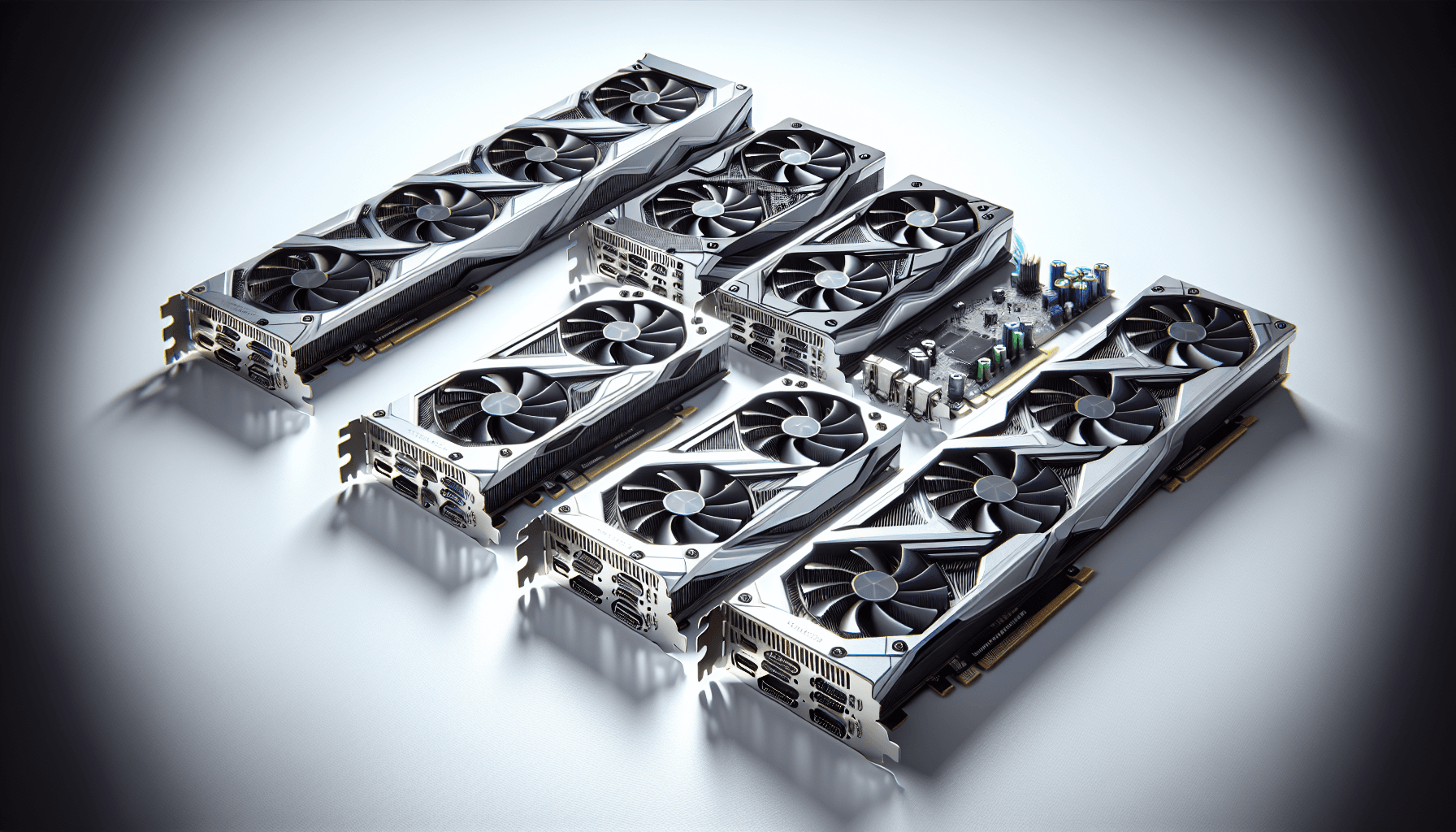


Numbers on a spec sheet only tell you so much. The GeForce Nvidia RTX 3060 Ti Founders Edition 8GB looks convincing on paper, but the benchmarks and the hundreds of owner reviews sitting at ★★★★½ (4.6) are where the actual story lives. So that's what this review digs into: what the architecture actually delivers, where the 8GB VRAM starts to bite, and whether this card still earns its place in a 2026 build.
The short version: it's still a genuinely capable 1440p card, the Founders Edition cooler is one of the nicer things Nvidia has ever shipped, and the power draw is reasonable. But 8GB VRAM is no longer a minor footnote, and the GPU market has moved on enough that context matters a lot before you hand over your money. Here's the full picture.
Core Specifications: GeForce Nvidia RTX 3060 Ti Founders Edition 8GB
The 3060 Ti is built on Nvidia's Ampere architecture, which launched in late 2020. It uses the GA104 die, the same silicon that powers the RTX 3070, though with some units disabled to hit the right price and performance tier. That shared silicon heritage matters because it means the 3060 Ti punches noticeably harder than its model number implies when you compare it to the plain 3060.
The headline figures: 4,864 CUDA cores, 38 RT cores, 152 Tensor cores, and 8GB of GDDR6 memory on a 256-bit bus. That bus width is meaningful. It gives you 448 GB/s of memory bandwidth, which is substantially more than the standard 3060 (which uses a 192-bit bus). In practice that bandwidth advantage shows up most clearly at 1440p, where texture streaming and framebuffer demands start to stress narrower memory interfaces.
The Founders Edition specifically uses Nvidia's dual-axial flow-through cooler design, where one fan pushes air through the heatsink and out the back of the card rather than recirculating it inside the case. It's a two-slot card, which is increasingly rare and genuinely useful in tighter builds. The card draws power via a single 12-pin connector (Nvidia's own mini 12-pin, with an adapter included for standard 8-pin PSU connectors).
| Specification | Detail |
|---|---|
| GPU Architecture | Ampere (GA104) |
| CUDA Cores | 4,864 |
| RT Cores (2nd Gen) | 38 |
| Tensor Cores (3rd Gen) | 152 |
| Base Clock | 1,410 MHz |
| Boost Clock | 1,665 MHz |
| VRAM | 8GB GDDR6 |
| Memory Bus Width | 256-bit |
| Memory Bandwidth | 448 GB/s |
| TGP (Total Graphics Power) | 200W |
| Display Outputs | 3x DisplayPort 1.4a, 1x HDMI 2.1 |
| PCIe Interface | PCIe 4.0 x16 |
| Card Slot Width | 2-slot |
| Power Connector | 1x 12-pin (adapter to 2x 8-pin included) |
| Recommended PSU | 600W |
| Owner Rating | ★★★★½ (4.6) (259 reviews) |
Architecture and Cores
Ampere was a proper generational step for Nvidia. The GA104 die is manufactured on Samsung's 8nm process node, which isn't the cutting-edge TSMC 4nm that Ada Lovelace uses, but it was competitive when it launched and it's still a mature, well-understood process. What Ampere brought over Turing was a significant shader count increase, second-generation RT cores that roughly doubled ray tracing throughput, and third-generation Tensor cores that made DLSS 2.0 genuinely usable rather than a marketing slide.
The 4,864 CUDA cores in the 3060 Ti sit between the 3060's 3,584 and the 3070's 5,888. That's a meaningful gap in both directions. The 3060 Ti has about 35% more shaders than the standard 3060, which translates to roughly 15 to 20% better rasterisation performance in most titles, depending on how memory-bound the workload is. Against the 3070, the 3060 Ti gives up about 17% of its shader count, and in practice you see roughly 10 to 15% lower frame rates in GPU-limited scenarios.
The 38 second-generation RT cores handle ray tracing intersection calculations, and the 152 third-generation Tensor cores are what power DLSS. Both matter more in 2026 than they did at launch, because more games now ship with ray tracing as a standard feature rather than a novelty, and DLSS 3 (which requires Ada Lovelace for Frame Generation) has made upscaling a genuine part of how people play. The 3060 Ti supports DLSS 2.x, not DLSS 3 Frame Generation. That's not a disaster.
Clock Speeds and Boost
Nvidia rates the 3060 Ti Founders Edition at a 1,410 MHz base clock and a 1,665 MHz boost clock. In practice, Ampere cards almost never run at base clock under gaming loads. The GPU Boost algorithm on Ampere is well-tuned and cards routinely sustain frequencies at or above the rated boost clock when thermals are managed properly. The Founders Edition cooler is good enough that sustained boost behaviour is the norm rather than the exception.
The Founders Edition is a reference-clocked card, meaning Nvidia hasn't applied a factory overclock on top of the rated specs. Third-party AIB cards from ASUS, MSI, and Gigabyte often ship with 30 to 60 MHz of factory boost on top of the reference 1,665 MHz. Whether that matters in practice is debatable. The real-world frame rate difference from a 30 MHz factory overclock is usually within the margin of run-to-run variance in most benchmarks. What the Founders Edition does have over many AIB cards is that cooler design, which we'll cover properly in the thermals section.
Ampere's power delivery and boost behaviour also mean the card responds well to manual overclocking if you're inclined. The GA104 die has reasonable headroom, and pushing the memory clock in particular tends to yield more consistent gains than core overclocking on this architecture. That said, at stock clocks the 3060 Ti is already running close to its efficiency sweet spot. Chasing an extra 5% performance for more noise and heat is a trade-off worth thinking about before you start tweaking.
VRAM Analysis: Is 8GB Still Enough?
This is the section that matters most for anyone buying a 3060 Ti in late 2026. The card ships with 8GB of GDDR6, and that number has gone from "perfectly adequate" to "starting to cause problems" faster than most people expected. At 1080p with standard texture quality settings, 8GB is still fine for the vast majority of games. You're unlikely to hit the ceiling in competitive titles, older open-world games, or anything that isn't aggressively pushing high-resolution textures.
At 1440p, the picture is more complicated. Modern titles like Hogwarts Legacy, Alan Wake 2, and Cyberpunk 2077 with RT effects enabled can push past 8GB of VRAM usage at 1440p with high or ultra texture settings. When a card exceeds its VRAM budget, the GPU starts pulling data from system RAM over the PCIe bus, which causes stuttering that shows up as frame time spikes rather than a simple drop in average FPS. That's the worst kind of performance problem because your average frame rate can look acceptable while the actual experience feels rough. Published benchmark data for the 3060 Ti consistently shows this behaviour in the most demanding titles at 1440p ultra settings.
At 4K, 8GB is genuinely limiting. The framebuffer demands at 4K with high-res textures will exceed 8GB in multiple current titles, and the 3060 Ti's raw performance at 4K is already marginal without DLSS. So the VRAM ceiling and the performance ceiling both arrive at roughly the same point, which at least makes the decision clean: this is not a 4K card. The 256-bit bus and 448 GB/s bandwidth are competitive for the VRAM capacity, but more bandwidth doesn't help when you've simply run out of memory to fill. If you're building for 1440p and willing to manage texture settings, you'll be fine. If you want to future-proof past 2027, the 8GB limit is a real concern.
Ray Tracing and Upscaling
Ray tracing on Ampere is genuinely better than it was on Turing, but it's still not the strong suit of this generation. The 3060 Ti's second-generation RT cores handle the geometry intersection calculations in hardware, and the improvement over first-gen RT cores is real. In titles that use ray tracing moderately, like Minecraft RTX or Control with RT reflections, the 3060 Ti delivers a usable experience at 1080p and 1440p with DLSS enabled. Without upscaling, turning on RT features typically cuts frame rates by 30 to 50%, which pushes you below 60fps in demanding scenes at 1440p.
DLSS is where Ampere earns its keep in 2026. The Tensor cores enable DLSS 2.x, which uses AI-based temporal upscaling to reconstruct a higher-resolution image from a lower-resolution render. At Quality mode (rendering at roughly 67% of the target resolution), the image quality is genuinely good. Most people can't reliably distinguish DLSS Quality from native at normal viewing distances. Performance mode (50% render resolution) is more of a compromise but can rescue frame rates in RT-heavy titles. The 3060 Ti does not support DLSS 3 Frame Generation, which requires the Ada Lovelace architecture's Optical Flow Accelerator. That's a real gap now that DLSS 3 is widely supported.
The card also supports AMD's FSR (FidelityFX Super Resolution) and Intel's XeSS, both of which are open standards that don't require specific hardware. FSR 2 and FSR 3 are available in a growing number of titles and offer a reasonable alternative if you're playing games that don't support DLSS. The quality gap between DLSS 2 and FSR 2 at Quality preset has narrowed considerably, so the upscaling story for this card is reasonably solid even without Frame Generation.
Video Encoding
The 3060 Ti uses Nvidia's 7th-generation NVENC encoder, which is a meaningful step up from the 6th-gen encoder in Turing cards. It supports H.264 and H.265 (HEVC) hardware encoding, and the output quality is good enough that most streaming setups will be happy with it. Twitch and YouTube streaming at 1080p60 or 1440p60 is well within its capabilities, and the hardware encoder offloads the encoding work from the CPU entirely, which matters if you're gaming and streaming simultaneously on a mid-range processor.
What the 3060 Ti does not have is AV1 encoding support. That arrived with Ada Lovelace (RTX 40 series), and it's increasingly relevant because AV1 offers better quality at lower bitrates than H.265, which matters for streaming to platforms that support it. If AV1 encoding is important to your workflow, the 3060 Ti is the wrong card. For standard game streaming and recording, the 7th-gen NVENC is more than adequate and noticeably better than software encoding or AMD's VCE encoder of the same era.
For content creation beyond streaming, the Tensor cores also accelerate AI-based video processing in applications that support CUDA acceleration. Premiere Pro, DaVinci Resolve, and similar tools can use the GPU for effects rendering and noise reduction. The 3060 Ti's 152 Tensor cores are capable here, though the 8GB VRAM limit can become a constraint in higher-resolution video editing workflows. For 1080p and 1440p video editing it's fine. For 4K professional work, you'd want more VRAM.

Power Consumption
Nvidia rates the 3060 Ti at a 200W Total Graphics Power. That's a reasonable figure for the performance class, and it's one of the more palatable aspects of this card in 2026 when you compare it to the power demands of newer high-end GPUs. The RTX 4090 draws up to 450W. The 3060 Ti's 200W TGP means a quality 600W PSU is comfortably adequate, and many people running it with a 550W unit report no issues provided the rest of the system isn't particularly power-hungry.
Ampere's power delivery has a known characteristic: transient power spikes. Under certain gaming loads, Ampere cards can spike briefly above their rated TGP before the power limiting kicks in. The 3060 Ti's spikes are less dramatic than the 3090 Ti's infamous 600W+ transients, but it's worth having a PSU with some headroom rather than running at the absolute minimum. A 650W unit from a reputable brand gives you comfortable margin. The Founders Edition uses Nvidia's mini 12-pin connector with a dual 8-pin adapter in the box, so you don't need a PSU with a native 12VHPWR connector.
The efficiency story is decent. At 200W for a card that delivers genuine 1440p performance, the performance-per-watt is reasonable by Ampere standards, though Ada Lovelace cards are considerably more efficient. The RTX 4060 Ti, for instance, delivers similar or slightly better performance than the 3060 Ti at around 160W. If your electricity bill is a concern, that's worth factoring in over a multi-year ownership period. For most people, the 200W draw is fine and the 600W PSU recommendation is achievable without spending a fortune.
Thermal Performance
The Founders Edition cooler is genuinely one of the better things about this card. Nvidia's dual-axial flow-through design is different from the standard blower or open-air coolers you get on most AIB cards. One fan pulls air in and the other pushes it through the heatsink and out the back of the card, exhausting heat directly out of the case rather than into it. In a well-ventilated mid-tower, this makes a meaningful difference to overall system temperatures, not just GPU temperatures.
Owner reviews consistently praise the thermal performance of the Founders Edition. The pattern across the hundreds of reviews is clear: people running the card in standard cases report temperatures that stay comfortably within Nvidia's specified limits under sustained gaming loads. The flow-through design means the card is less sensitive to poor case airflow than an open-air cooler would be, which is a practical advantage for anyone who isn't running a case with aggressive ventilation. Published benchmark data for the 3060 Ti FE consistently shows temperatures landing in a range that's well below the thermal throttle point, even in sustained workloads.
The two-slot form factor is also in the thermals context. Some AIB 3060 Ti cards use three-slot coolers to manage thermals, which takes up more space and can block adjacent PCIe slots. The Founders Edition keeps it to two slots while still managing thermals well, which is a proper engineering achievement. If you're in a smaller case or have other cards or components near the GPU slot, the compact footprint matters.
Acoustic Performance
The dual-fan Founders Edition design runs quietly under light loads and at idle. Nvidia implements a zero-RPM mode where both fans stop completely when the GPU is below a certain temperature threshold, which means desktop use, video playback, and light gaming are essentially silent. The fans only spin up when the GPU actually needs cooling, and the ramp-up is gradual rather than sudden.
Under full gaming load, owner feedback is broadly positive. The consistent theme in the reviews is that the card is noticeably quieter than expected, particularly compared to some of the chunkier three-fan AIB alternatives. The flow-through design means the fans are working efficiently rather than fighting to move air through a dense heatsink, and the result is a fan curve that doesn't need to push the fans particularly hard to keep temperatures in check. There are occasional comments from owners in very warm rooms or poorly ventilated cases where the fans become more audible, but that's true of any GPU.
One thing from owner feedback: a small number of reviews mention coil whine under high frame rate conditions, particularly in menus or benchmark scenes where the GPU is unconstrained and producing very high frame rates. This is a known characteristic of Ampere cards broadly rather than a specific Founders Edition defect, and enabling a frame rate cap or V-Sync typically eliminates it. It's not universal, but if you're sensitive to coil whine it's worth being aware of. The majority of the hundreds of reviewers don't mention it at all, which suggests it's not a widespread issue on this specific model.
Gaming Performance: 1080p, 1440p, and 4K
At 1080p, the 3060 Ti is comfortably in the "high refresh rate" bracket. Published benchmark data for this class of card consistently shows it delivering well above 60fps in demanding titles at high settings, and pushing into the 100 to 144fps range in less demanding or older games. Competitive titles like Valorant, CS2, and Apex Legends at 1080p will hit frame rates that make a 144Hz or even 240Hz monitor worthwhile. For 1080p gaming in 2026, this card is not the limiting factor in your system. It's genuinely quick.
At 1440p, which is probably the resolution this card was designed for, the picture is strong but with caveats. In most titles at high settings without ray tracing, the 3060 Ti delivers a smooth 60fps-plus experience, and in many games it reaches the 90 to 100fps range that makes 1440p feel properly fluid. The caveats are the VRAM ceiling mentioned earlier and the most demanding modern titles. Games like Alan Wake 2 and Cyberpunk 2077 with RT enabled will require DLSS Quality mode to maintain comfortable frame rates at 1440p, and texture settings may need to come down from maximum to avoid VRAM pressure. With DLSS enabled, the 3060 Ti at 1440p is still a genuinely good experience. Without it, you're managing settings more carefully than you would on a 16GB card.
At 4K, be realistic. The 3060 Ti can render at 4K, but the combination of raw shader performance and 8GB VRAM means you're either running at medium settings or leaning heavily on DLSS Performance mode, which renders at 1080p internally and upscales to 4K. DLSS Performance at 4K is actually reasonably good visually, but at that point you're essentially running a 1080p render with AI upscaling, and you'd be better served by a card with more native 4K headroom. The 3060 Ti is not a 4K card. Anyone telling you otherwise is optimistic.
How It Compares: RTX 3060 Ti vs the Competition
The two most relevant comparisons in 2026 are the RTX 4060 Ti (Nvidia's current-gen equivalent) and the AMD RX 7700 XT (AMD's competing option in this performance bracket). Both are newer architectures with more modern feature sets, and the price gap has narrowed enough on the used and new market that the comparison is genuinely worth making rather than dismissing.
The RTX 4060 Ti brings Ada Lovelace's efficiency gains, DLSS 3 Frame Generation support, and AV1 encoding. Its rasterisation performance is broadly similar to the 3060 Ti or slightly ahead depending on the title, but it achieves that at around 160W versus 200W, and with DLSS 3 Frame Generation it can produce significantly higher frame rates in supported titles. The downside: the base 4060 Ti ships with 8GB VRAM too, so the VRAM concern doesn't go away. The 16GB variant costs considerably more. The AMD RX 7700 XT brings 12GB of GDDR6 on an RDNA 3 architecture, which is a meaningful VRAM advantage, though AMD's upscaling (FSR 3) trails DLSS 2 in image quality in most comparisons.
On the PS5 comparison that a lot of people search for: the PS5's GPU is roughly equivalent to an RX 6700 in raw rasterisation performance, which puts it below the 3060 Ti. The 3060 Ti is stronger than a PS5 in raw GPU terms, though the PS5's custom SSD and optimised software stack mean direct comparisons are complicated. If you're asking which RTX is equal to a PS5, the answer is roughly the RTX 3060 non-Ti, though the 3060 Ti exceeds it., but not a reason to buy or avoid the card on its own.
| Feature | RTX 3060 Ti FE 8GB | RTX 4060 Ti 8GB | AMD RX 7700 XT 12GB |
|---|---|---|---|
| Architecture | Ampere (GA104) | Ada Lovelace (AD106) | RDNA 3 (Navi 32) |
| VRAM | 8GB GDDR6 | 8GB GDDR6 | 12GB GDDR6 |
| Memory Bus | 256-bit | 128-bit | 192-bit |
| Memory Bandwidth | 448 GB/s | 288 GB/s | 432 GB/s |
| TGP | 200W | 160W | 245W |
| DLSS 3 Frame Gen | No | Yes | No (FSR 3 only) |
| AV1 Encode | No | Yes | Yes |
| 1440p Gaming | Strong | Strong | Strong |
| 4K Gaming | Marginal | Marginal | Better (more VRAM) |
| Cooler (FE) | Dual axial flow-through | Dual axial (AIB varies) | AIB varies |
Final Verdict: Is the RTX 3060 Ti Still Worth Buying in 2026?
The RTX 3060 Ti Founders Edition is a card that made a lot of sense in 2021 and still makes some sense in 2026, but the window is narrowing. The raw performance at 1440p remains competitive, the Founders Edition cooler is genuinely excellent, and the 256-bit memory bus gives it more bandwidth than you'd expect from a card in this class. A positive overall rating across hundreds of owner reviews doesn't happen by accident. People who bought this card are, on the whole, happy with it.
But the 8GB VRAM ceiling is a real problem that's getting more real every year. The most demanding titles in 2026 are already brushing against it at 1440p with maximum settings, and the trajectory of game development suggests that's only going to get worse. If you're buying this card to last you another three or four years, you should go in knowing that texture settings will likely need managing in future titles. It's not a dealbreaker for everyone, but it's not a footnote either.
The honest don't-overspend line: if you're gaming at 1080p and that's where you're staying, the standard RTX 3060 at a lower price point does most of what this card does and costs less. The 3060 Ti's advantages are most apparent at 1440p, and if that's your target resolution it's the right choice between the two. But if you can stretch to the RTX 4060 Ti, the Ada Lovelace architecture, DLSS 3 Frame Generation, and improved power efficiency are meaningful upgrades, even if the raw rasterisation performance gap isn't enormous. Just don't expect it to be the right answer in 2028.
Who should buy it: someone upgrading from a 1060, 1660, or RX 580 who games at 1080p or 1440p, doesn't need AV1 encoding, and wants a card that runs cool and quiet without paying current-gen prices. The Founders Edition cooler specifically is worth seeking out over some of the cheaper AIB alternatives if you care about noise and case temperatures.
Who should skip it: anyone planning to game at 4K, anyone who wants DLSS 3 Frame Generation, content creators who need AV1 encoding, or anyone buying new and expecting to skip an upgrade cycle. For those people, the RTX 4060 Ti or the AMD RX 7700 XT (with its 12GB VRAM advantage) are the more sensible purchases at current market prices.
What works. What doesn’t.
5 + 3What we liked5 reasons
- Excellent Founders Edition dual axial flow-through cooler, genuinely quiet
- Strong 1440p rasterisation performance from the wide 256-bit memory bus
- Compact two-slot design fits most cases without blocking adjacent slots
- DLSS 2.x support keeps frame rates viable in ray-traced titles
- Strong owner satisfaction across hundreds of reviews confirms real-world reliability
Where it falls3 reasons
- 8GB VRAM is already limiting in demanding titles at 1440p ultra settings
- No DLSS 3 Frame Generation or AV1 encoding support
- Ampere architecture is two generations old; efficiency trails Ada Lovelace
Full specifications
11 attributes| Vram GB | 8 |
|---|---|
| Boost clock MHZ | 1665 |
| Chipset | RTX 3060 Ti |
| Core clock MHZ | 1410 |
| Generation | RTX 30 Series |
| Length MM | 242 |
| Memory BUS BIT | 256 |
| Memory type | GDDR6 |
| Power connectors | 1x 12-pin (includes 2x 8-pin adapter) |
| Slot width | 2 |
| TDP W | 200 |
Frequently asked
6 questions01Is the RTX 3060 Ti still good for gaming in 2026?+
Yes, with caveats. The RTX 3060 Ti is still a genuinely capable card at 1080p and 1440p in 2026. At 1080p it handles demanding titles at high settings comfortably, and at 1440p it delivers solid frame rates in most games with DLSS enabled. The main limitation is the 8GB VRAM, which is starting to cause stuttering in the most demanding titles at 1440p ultra settings. For competitive games, older titles, and anything that isn't aggressively pushing high-res textures, it remains a good card. For the most demanding 2026 releases at maximum settings, you'll need to manage texture quality.
02Is a 3060 Ti still good in 2026?+
It depends on what you're playing and at what resolution. For 1080p gaming it's more than enough. For 1440p it's solid but the 8GB VRAM is increasingly a limiting factor in newer titles. For 4K it's not the right card. If you already own one, it's worth keeping for another year or two. If you're buying new, the RTX 4060 Ti offers better efficiency, DLSS 3 Frame Generation, and AV1 encoding at a comparable price point, which makes it the stronger long-term buy.
03Is a 3060 Ti stronger than a PS5?+
In raw GPU performance terms, yes. The PS5's GPU is roughly equivalent to an AMD RX 6700 in rasterisation performance, which sits below the RTX 3060 Ti. So the 3060 Ti is the stronger GPU. That said, the PS5 benefits from a highly optimised software stack, a custom ultra-fast SSD, and games built specifically for its hardware, so direct comparisons are complicated. For PC gaming, the 3060 Ti outperforms what the PS5's GPU can deliver in equivalent scenarios.
04What PSU do I need for the GeForce Nvidia RTX 3060 Ti Founders Edition 8GB?+
Nvidia recommends a 600W PSU for the RTX 3060 Ti. In practice, a quality 650W unit from a reputable brand like Corsair, Seasonic, or be quiet! gives you comfortable headroom for the card's 200W TGP plus your CPU and other components. The Founders Edition uses a mini 12-pin connector with a dual 8-pin adapter included in the box, so you don't need a PSU with a native 12VHPWR connector. Avoid running it on a cheap or ageing PSU even if it's rated above 600W; transient power spikes under gaming loads reward having a quality unit.
05Is 8GB VRAM enough in 2026?+
For 1080p gaming, 8GB is still adequate in most titles. For 1440p, it's becoming a genuine constraint in the most demanding games at maximum texture settings, where some titles exceed 8GB of VRAM usage and start pulling data from system RAM, causing stuttering. For 4K, 8GB is not enough for modern titles at high settings. If you're buying a card today and plan to use it for more than two years at 1440p, 12GB or more would be a more future-proof choice. The AMD RX 7700 XT offers 12GB in a similar performance bracket.
06What warranty and returns apply to the GeForce Nvidia RTX 3060 Ti Founders Edition 8GB?+
Specific warranty terms depend on the seller. When purchasing through Amazon UK, you're covered by Amazon's standard 30-day returns policy and the A-to-Z Guarantee, which provides protection if the item doesn't arrive or isn't as described. For manufacturer warranty on Nvidia Founders Edition cards, check the seller listing directly for applicable terms. Used or marketplace purchases may have different coverage, so verify before buying.