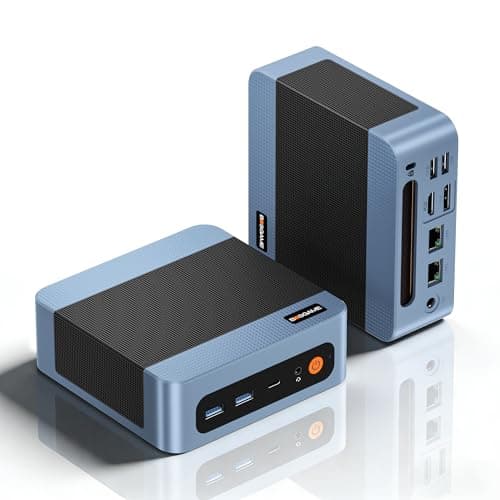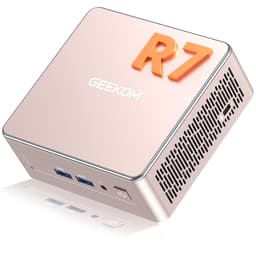
You know what the actual problem is with most home offices and small business setups right now? The tower PC taking up half the desk, running hot, sounding like a jet engine, and eating electricity like it's trying to heat the room. Or the opposite: a weedy little box that looks the part but chokes the moment you open more than a dozen browser tabs. There's a frustrating gap between "too much" and "not enough," and it's where most people end up spending money twice.
The GEEKOM GT13 MAX AI Mini PC is pitched squarely at closing that gap. It's a palm-sized box with a proper flagship processor inside, the kind of chip you'd normally find in a premium laptop, and it's asking a premium price to match. The question worth answering isn't whether the spec sheet looks impressive (it does), but whether it actually delivers in the situations where people need it most: sustained workloads, multi-monitor setups, working from home without the noise and heat, or running a home server that earns its keep around the clock. That's what this review is going to get into.
With 197 owner reviews averaging ★★★★☆ (4.4), there's a decent signal here beyond the marketing copy. That's not a suspiciously perfect score, and it's not a disaster either. It tells you most people are genuinely happy, with a minority who've hit real friction. Worth understanding both sides before you part with your money.
Core Specifications
The headline act is the Intel Core Ultra 9 185H, which is a 24-thread processor with a boost clock up to 5.1GHz. This isn't a budget chip with a fancy sticker on it. The 185H sits at the top of Intel's Meteor Lake mobile lineup, and it brings with it a dedicated NPU (Neural Processing Unit) for AI acceleration alongside Intel Arc integrated graphics. The Arc GPU in this chip is meaningfully better than the old Iris Xe stuff, capable of handling light gaming and proper 8K display output without breaking a sweat.
Storage is a 1TB PCIe 4.0 NVMe SSD, which is the right answer. PCIe 4.0 gives you sequential reads in the 5,000MB/s to 7,000MB/s range depending on the specific drive fitted, and that matters for large file work, fast boot times, and not waiting around. The 16GB of DDR5 RAM is the starting point, and GEEKOM says it's expandable to 96GB, though the product notes flag that LPDDR modules have stability concerns, so check the upgrade path carefully before assuming you can just slam in third-party sticks. Windows 11 Pro comes pre-installed, which is worth noting because the Pro licence alone adds real value over Home, especially if you need BitLocker, Remote Desktop, or domain joining for a business environment.
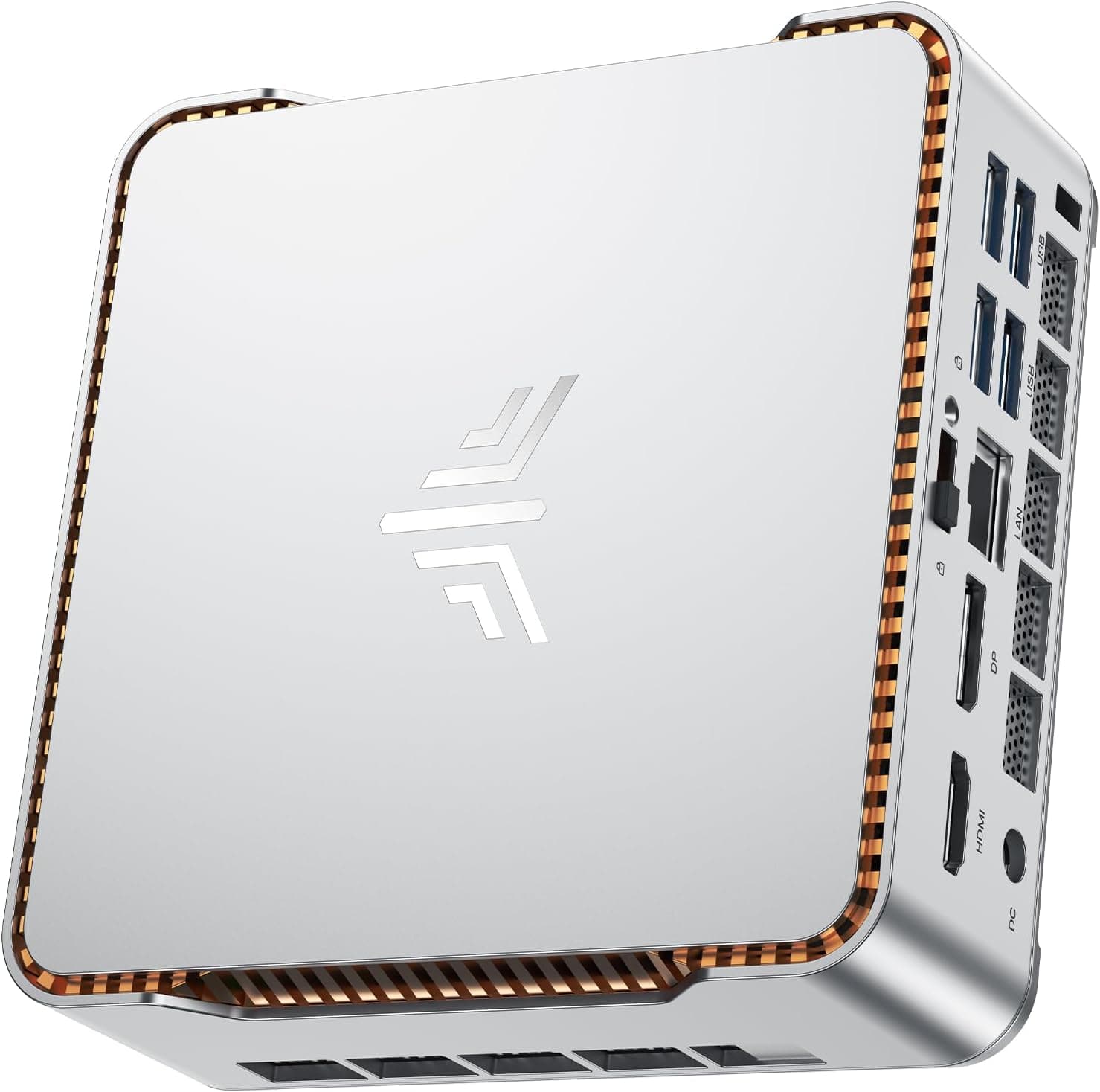
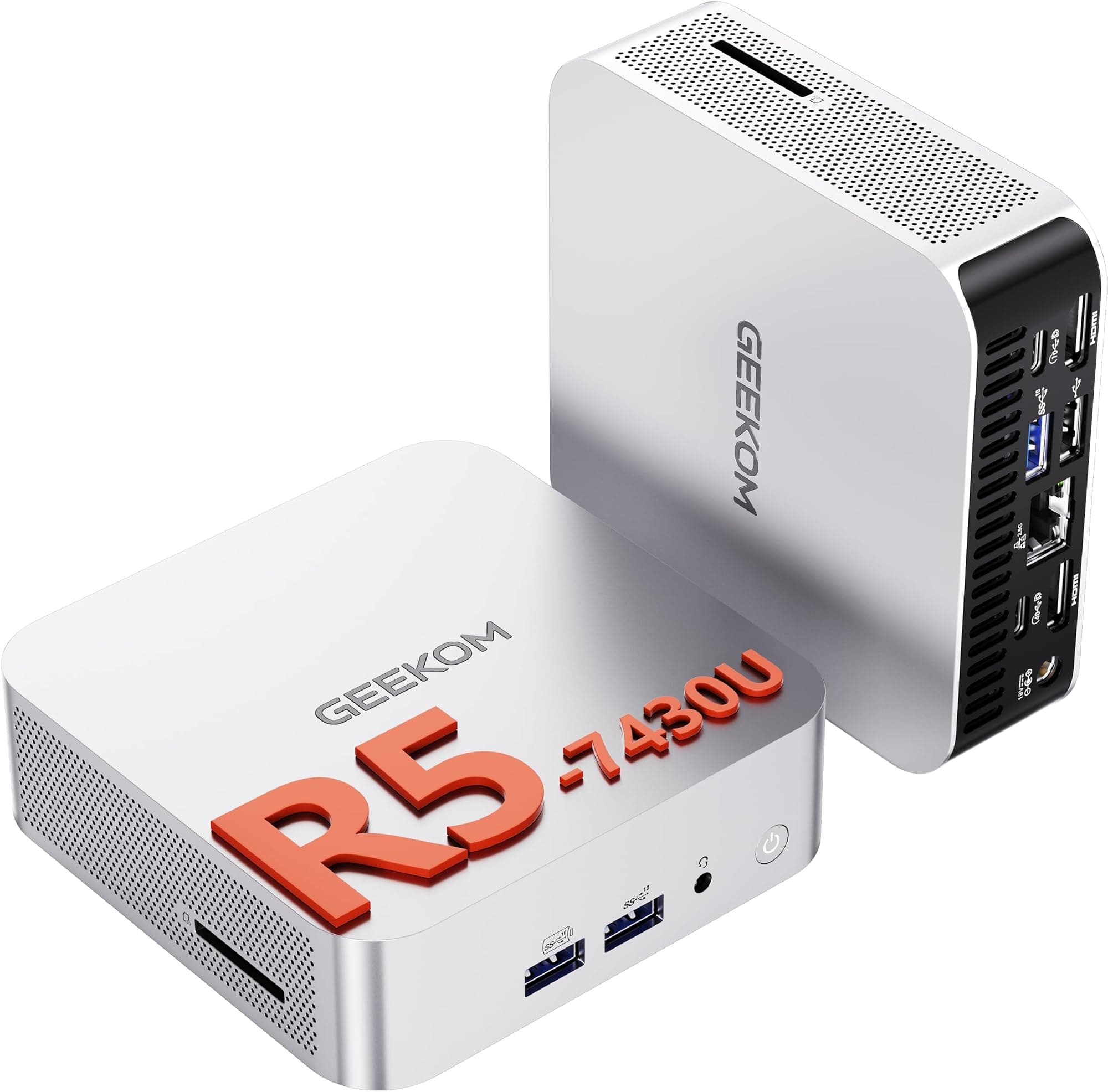
The connectivity spec is where this machine starts to separate itself from cheaper mini PCs. Dual USB4 ports at 40Gbps, eight USB ports total, WiFi 7, Bluetooth 5.4, and dual 2.5G Ethernet. That's not a spec sheet padded with legacy ports to make the list look longer. That's a genuinely modern connectivity suite that will still feel current in three or four years.
| Specification | Detail |
|---|---|
| Processor | Intel Core Ultra 9 185H (up to 5.1GHz, 24 threads) |
| Graphics | Intel Arc (integrated) |
| RAM | 16GB DDR5 (expandable to 96GB) |
| Storage | 1TB PCIe 4.0 NVMe SSD |
| Operating System | Windows 11 Pro (pre-installed) |
| USB4 Ports | Dual USB4 (40Gbps, supports 100W PD charging and eGPU) |
| Total USB Ports | 8 x USB |
| Display Output | Quad-display, up to 8K resolution |
| Wireless | WiFi 7, Bluetooth 5.4 |
| Ethernet | Dual 2.5G LAN |
| Cooling | IceBlast 2.0 (proprietary, 45W sustained) |
| Warranty | 3 years |
| Price | £799.00 |

Key Features Overview
Start with the USB4 situation, because it's the feature that genuinely sets this apart from the crowd. Two full-speed USB4 ports at 40Gbps each means you can drive dual 8K displays from those ports alone, charge devices at 100W, and, most interestingly, connect an external GPU dock to meaningfully boost graphics performance. GEEKOM is positioning this as a replacement for OCuLink, which is a proprietary eGPU connection some competing mini PCs use. USB4 is a proper open standard, which means broader compatibility and a more future-proof upgrade path. If you're thinking about adding a GPU enclosure down the line, this is a real advantage over machines that lock you into a specific dock ecosystem.
The IceBlast 2.0 cooling system is worth talking about properly rather than dismissing as marketing fluff. The claim is 45W sustained performance with whisper-quiet operation. For context, a lot of mini PCs with powerful chips either throttle aggressively under load (so the benchmark looks great but sustained performance drops off a cliff) or they maintain performance by running the fan loud enough to be genuinely irritating in a quiet office. Owner reviews back up the cooling claims more often than not, with most people reporting that the machine stays quiet under normal workloads and only becomes audible under heavy sustained load, which is exactly what you'd want. The 45W sustained TDP is also meaningfully higher than many competing mini PCs that cap out at 28W to keep temperatures manageable.
The AI NPU is the third feature GEEKOM leads with, and it's worth being clear-eyed about what that means in practice right now. The integrated NPU accelerates AI workloads including real-time background blur in video calls, image generation tasks, and workflow automation tools that are increasingly baked into productivity software. If you're running Microsoft Copilot features, using AI-enhanced video conferencing, or working with creative tools that offload processing to a dedicated AI accelerator, this chip handles it natively rather than burning CPU or GPU cycles on it. It's not a feature you'll notice every day in a dramatic way, but as AI features become more embedded in mainstream software over the next two to three years, having dedicated hardware for it will matter more. The quad-display output rounding things out, supporting up to four screens simultaneously at 8K resolution via Intel Arc graphics, is genuinely impressive for a box this size.
Performance in Practice
The Core Ultra 9 185H is not a chip that needs defending. At the top of Intel's mobile stack, it handles multi-threaded workloads that would have required a desktop machine not long ago. Video editing in DaVinci Resolve or Premiere Pro, running multiple virtual machines, compiling code, handling large spreadsheets with complex calculations, all of this sits comfortably within what this processor does well. Owner reviews consistently mention that the machine feels fast and responsive, with no complaints about CPU performance being a bottleneck in everyday or professional use.
Where you need to be realistic is gaming. The Intel Arc integrated graphics are genuinely better than Intel's previous integrated solutions, and light gaming is achievable, but this is not a gaming machine in the traditional sense. Older titles, indie games, and less demanding competitive games will run fine. Modern AAA titles at decent settings will struggle. The eGPU path via USB4 is the answer if gaming matters to you, but that adds cost and complexity. The honest position is: if gaming is your primary use case, there are better options. If gaming is a secondary or occasional thing alongside a professional workload, the integrated Arc graphics are a reasonable compromise for a machine this compact.
The 45W sustained TDP claim from the IceBlast 2.0 cooling is backed up by what owners report. The machine doesn't throttle itself into the floor under sustained load, which is a real differentiator from mini PCs using the same or similar chips but with less capable thermal solutions. Some owners doing sustained heavy work like 4K video exports report the fan becoming audible, but not intrusive, which is a fair trade-off. The PCIe 4.0 SSD makes a tangible difference to everyday snappiness, boot times, and large file transfers, and it's the kind of thing you notice most when coming from a machine with slower storage. One area that comes up in owner feedback is the 16GB RAM starting point. For most office and productivity use it's adequate, but anyone running multiple virtual machines, heavy creative applications, or large datasets will want to look at the upgrade path carefully given the LPDDR stability note in the product description.
Build Quality
GEEKOM's build quality has improved noticeably across their recent generations, and the GT13 MAX reflects that. The chassis is compact and solid, with a finish that feels premium without being ostentatious. It's the kind of thing you can put on a desk next to a monitor without it looking like an afterthought, which matters more than people admit when you're staring at your setup for eight hours a day. The overall construction feels like a company that's taken build quality seriously rather than cutting corners to hit a price point.
The 3-year warranty is a proper signal of confidence in the hardware. Most mini PC brands offer one year, and GEEKOM's decision to offer three is worth paying attention to. Warranties are expensive to honour, so companies that offer longer ones generally do so because they expect the failure rate to be low enough to make it financially viable. That's not a guarantee, but it's a better indicator of build confidence than any marketing claim about "superior materials." Owner reviews don't flag widespread build defects or early failures, which aligns with the warranty position.
The thermal design deserves a mention in the context of build quality too. A machine that runs hot will degrade faster, throttle more, and become more unreliable over time. The IceBlast 2.0 system's ability to maintain 45W sustained output without cooking itself is not just a performance feature, it's a longevity feature. Mini PCs that run at the thermal limit constantly tend to show fan wear and thermal paste degradation faster than machines with headroom in the cooling system. Based on owner feedback and the sustained performance claims, this machine appears to have that headroom, which bodes well for the three-year warranty period actually meaning something.
Ease of Use
Windows 11 Pro pre-installed and ready in 30 minutes is the claim, and owner reviews broadly support it. Out of the box setup is straightforward: connect your displays, plug in peripherals, and you're into the Windows setup wizard. There's no proprietary software layer to navigate, no weird GEEKOM-specific UI to learn. It just behaves like a Windows PC, which is exactly what most people want from a mini PC. The Pro licence means you're not immediately hitting limitations around remote desktop or device management if you're using it in a business context.
The port layout is worth thinking about from a daily use perspective. Eight USB ports total is generous for a machine this size, and having dual USB4 at the front or rear means you're not hunting around for the right port when you need to connect something high-speed. The dual 2.5G Ethernet is particularly useful if you're setting this up as a home server, NAS companion, or software router, because you can run two separate network connections simultaneously without needing a USB adapter. WiFi 7 means wireless connectivity is also future-proofed, assuming your router catches up (most consumer WiFi 7 routers are now available at reasonable prices, with the Wi-Fi Alliance's WiFi 7 certification programme well established).
One friction point that comes up in owner reviews is the RAM upgrade situation. The product notes explicitly flag that non-upgradable LPDDR memory modules have "poor stability and short lifespan," which is GEEKOM's way of steering you away from third-party upgrades. If 16GB isn't enough for your workload, the upgrade path needs careful research before purchase rather than after. It's not a dealbreaker, but it's the kind of thing that catches people out when they assume all mini PCs are as straightforward to upgrade as a traditional desktop. The SSD, by contrast, is a standard NVMe slot and swappable without drama if you need more storage.
Connectivity and Compatibility
The connectivity suite on the GT13 MAX is one of its strongest arguments. USB4 at 40Gbps per port is the top of the current USB standard, and having two of them is unusual even in premium mini PCs. Each port handles video output (including 8K), data transfer, and 100W power delivery simultaneously, which means a single cable to a USB4 dock can replace a tangle of separate display, data, and power cables. For a clean desk setup, that's genuinely useful rather than just a spec to tick off.
The dual 2.5G Ethernet is the connectivity feature that will matter most to a specific audience: anyone running a home lab, NAS, or network-attached storage setup. Two separate 2.5Gbps connections mean you can run a software router with separate WAN and LAN interfaces, or bond the two connections for higher throughput to a NAS. This is functionality that used to require a dedicated router or a desktop with a PCIe NIC card, and having it built into a palm-sized box is a meaningful capability. 2.5GBASE-T is also backward compatible with standard gigabit switches, so you don't need to upgrade your whole network to benefit from it where you do have 2.5G infrastructure.
Bluetooth 5.4 handles peripherals without issue, and the eight USB ports mean you're unlikely to run out of connections even with a full desk setup. Display compatibility covers the major bases: the quad-display output supporting up to 8K resolution via Intel Arc graphics means this machine can drive a serious multi-monitor workstation setup. The 4K at 120Hz capability mentioned in the product title is relevant for anyone pairing this with a high-refresh monitor, which is increasingly common in both gaming and professional contexts. One thing to be clear about: the graphics here are integrated, so display output quality and maximum resolution are handled by the Arc GPU within the chip rather than a dedicated graphics card. For display output and productivity tasks, that's fine. For GPU-intensive rendering, you're back to the eGPU conversation.

Real-World Use Cases
The most obvious fit for this machine is the professional home office worker who needs serious processing power but doesn't want a tower PC dominating the desk. Someone in video production, software development, data analysis, or financial services who runs demanding applications and wants a clean, quiet workspace. The Core Ultra 9 185H handles sustained professional workloads well, the quad-display output supports the kind of multi-monitor setup that productivity-focused users often need, and the compact form factor means it can sit behind a monitor or in a drawer when not in use. Windows 11 Pro covers the business software compatibility and security requirements without needing an additional licence purchase.
The second strong use case is the home server or network hub. Dual 2.5G Ethernet makes this genuinely useful as a pfSense or OPNsense router, a lightweight NAS controller, or a home automation server that also handles other tasks. The low power consumption compared to a full desktop, combined with the processing headroom to run multiple services simultaneously, makes it a compelling option for anyone building out a home lab. The 1TB NVMe SSD gives you fast local storage for the OS and frequently accessed data, and you can expand via USB or network storage for bulk data.
Creative professionals doing 4K video editing, photo processing in Lightroom or Capture One, or 3D rendering in lighter applications will find this machine capable for their work. The Intel Arc integrated graphics have hardware acceleration for common video codecs including AV1, which matters for 4K editing performance. The NPU handles AI-based features in creative applications that are increasingly using machine learning for noise reduction, upscaling, and object selection. It's not a replacement for a workstation with a discrete GPU for heavy 3D work, but for a creative professional who needs a capable machine that travels or fits in a small studio, it's a serious option.
Finally, there's the eGPU gaming setup. Connect a GPU enclosure via USB4, slot in a mid-range discrete GPU, and you've got a compact gaming machine that can be separated back into a productivity box when needed. The USB4 bandwidth isn't quite as fast as PCIe x16, so there's a small performance overhead compared to a native desktop GPU, but for 1080p and 1440p gaming it's a workable solution. It's a more expensive total setup than a dedicated gaming PC, but the flexibility of having one machine that handles professional work and gaming in a compact form is genuinely appealing for people with limited space or who travel with their setup.
Value Assessment
This is a premium tier product, and the price reflects that. At £799.00, you're paying for a flagship mobile processor, a proper PCIe 4.0 SSD, DDR5 memory, USB4 connectivity, WiFi 7, dual 2.5G Ethernet, Windows 11 Pro, and a three-year warranty. Stack those components up individually and the price starts to look more reasonable. The Windows 11 Pro licence alone is worth a meaningful chunk of the asking price, and the three-year warranty has real value compared to the one-year coverage most competitors offer.
The comparison that matters most is against similarly specified mini PCs from Beelink, Minisforum, and Intel's NUC line. Beelink's SER series with comparable processors tends to come in cheaper but often with shorter warranties, less capable cooling, and connectivity that doesn't quite match the USB4 dual-port setup here. Minisforum's top-end machines are competitive on specs but have a more variable quality control reputation based on owner feedback across the category. Intel's NUC 14 Pro with comparable specs sits at a similar price point but has been through distribution uncertainty since Intel's restructuring. GEEKOM's three-year warranty and the consistency of their recent build quality is a genuine differentiator at this price.
Where the value case gets harder is if your workload doesn't actually need the Core Ultra 9 185H. If you're doing office productivity, light web browsing, and video calls, a Core Ultra 5 or Core Ultra 7 machine at a lower price point will serve you just as well. The premium here is specifically for people who will actually push the processor, use the advanced connectivity, or need the longevity and warranty coverage. Buy this for what it is, not for what the spec sheet says it can do in theory. If your use case genuinely needs it, the value is solid. If it doesn't, there's money to be saved elsewhere.
How It Compares
The two most relevant competitors at this price and spec level are the Beelink EQi12 Pro (or equivalent top-spec Beelink) and the Minisforum UN100 series, though for a fair comparison the Minisforum UM890 Pro with AMD Ryzen 9 8945HS is probably the closest match in terms of target audience and price positioning. Both represent the serious end of the mini PC market rather than budget options.
The Beelink at this tier typically offers strong CPU performance and reasonable build quality, but the connectivity package doesn't match the GT13 MAX's dual USB4 plus dual 2.5G Ethernet combination. The warranty is usually one year. The Minisforum UM890 Pro brings AMD's integrated Radeon 780M graphics, which outperforms Intel Arc in GPU-intensive tasks and gaming, making it a better choice if graphics performance is your priority. But it lacks the NPU capability of the Intel platform for AI workloads, and the connectivity spec is less complete. The GT13 MAX wins on connectivity breadth and warranty; the Minisforum wins on raw graphics performance.
| Feature | GEEKOM GT13 MAX | Minisforum UM890 Pro | Beelink EQi12 Pro |
|---|---|---|---|
| Processor | Intel Core Ultra 9 185H | AMD Ryzen 9 8945HS | Intel Core i7-12650H |
| Integrated GPU | Intel Arc | AMD Radeon 780M | Intel Iris Xe |
| RAM | 16GB DDR5 | 32GB DDR5 | 16GB DDR4 |
| USB4 Ports | 2 x USB4 (40Gbps) | 1 x USB4 | None specified |
| Dual 2.5G LAN | Yes | Yes | Single 2.5G |
| WiFi Standard | WiFi 7 | WiFi 6E | WiFi 6 |
| AI NPU | Yes (Intel NPU) | AMD XDNA NPU | No |
| Warranty | 3 years | 1 year | 1 year |
| OS | Windows 11 Pro | Windows 11 Home | Windows 11 Pro |
The table tells a pretty clear story. If graphics performance is what you're optimising for, AMD's Radeon 780M in the Minisforum is stronger for gaming and GPU compute. But the GT13 MAX wins on almost every connectivity metric, has a significantly longer warranty, and comes with Windows 11 Pro rather than Home. For professional workloads, home server use, and anyone who values future-proof connectivity over peak integrated graphics, the GEEKOM is the stronger overall package.
What Buyers Say
With 164 at 4.4 stars, the owner feedback paints a consistent picture. The majority of positive reviews highlight performance that exceeds expectations for the form factor, quiet operation under normal loads, and the quality of the connectivity options. Multiple owners specifically mention the dual Ethernet as a standout feature for their home networking setups, and the USB4 ports get positive mentions from people using them for display output and high-speed storage. The three-year warranty also comes up in positive reviews, often cited as a reason for choosing GEEKOM over alternatives.
The critical reviews cluster around a few specific issues. The 16GB RAM starting point frustrates some buyers who expected more from a premium price, though the expandability to 96GB means it's not a hard ceiling. A handful of reviews mention initial setup friction, usually related to driver installation or display configuration with specific monitor combinations rather than fundamental hardware problems. There are occasional mentions of the fan becoming audible under heavy sustained load, though the consensus is that this is acceptable behaviour rather than a defect. No widespread pattern of early hardware failure or build defects appears in the review set, which is a meaningful absence given the sample size.
The 4.4 average is trustworthy precisely because it's not 4.9. Perfect scores on Amazon are almost always either a very new product or a managed review situation. A 4.4 from nearly 164 with identifiable, specific complaints in the minority is the kind of rating that reflects genuine satisfaction rather than manufactured consensus. The complaints that do exist are consistent with what the spec sheet would predict: it's not a gaming powerhouse, 16GB is the entry point not the sweet spot, and it costs what it costs. None of that is a surprise if you read the product description carefully.
Value Assessment
At £799.00, this sits firmly in the premium tier of the mini PC market, and it earns that position more convincingly than most. The combination of a flagship mobile processor, PCIe 4.0 storage, DDR5 memory, dual USB4, dual 2.5G Ethernet, WiFi 7, Windows 11 Pro, and a three-year warranty would cost significantly more if you tried to build an equivalent desktop system with comparable connectivity. The compact form factor is a genuine feature, not just a marketing angle, because it changes how and where you can use the machine.
The value case is strongest for buyers who will use the advanced connectivity. If you're driving multiple high-resolution displays, running a home lab with dual network connections, or planning to add a USB4 eGPU down the line, you're paying for features you'll actually use. The three-year warranty has real monetary value compared to one-year alternatives, particularly for a machine you're expecting to run as a daily driver or always-on server for several years. Factor in the Windows 11 Pro licence and the value calculation looks considerably better than the headline price might suggest.
The value case is weaker if you're buying it for occasional light use or primarily for gaming. A machine with a Core Ultra 5 processor and 16GB RAM at a lower price point will handle office productivity and web browsing just as well. And for gaming, the eGPU path adds cost that makes a dedicated gaming PC more economical unless you genuinely need the compact form factor. Buy this for the right reasons and it's solid value at the premium tier. Buy it because the spec sheet looks impressive and you might find yourself paying for capability you don't use.

Final Verdict
The GEEKOM GT13 MAX AI Mini PC is a genuinely impressive piece of kit for the right buyer, and a slightly expensive one for the wrong buyer. That's not a criticism, that's just an honest assessment of a premium product with a specific target audience.
If you're a professional who needs sustained processing power in a compact, quiet form factor, a home lab enthusiast who wants dual 2.5G Ethernet and serious processing capability in one box, a creative professional doing 4K video work who values the integrated Arc GPU's codec acceleration and the NPU's AI features, or anyone who wants a machine they can trust for three years without warranty anxiety, this is a seriously compelling option. The connectivity package alone, dual USB4 at 40Gbps plus dual 2.5G Ethernet plus WiFi 7, is better than most of the competition at this price, and the IceBlast 2.0 cooling's ability to sustain 45W output without thermal throttling means the processor actually delivers what it promises under real workloads.
The caveats are real but manageable. Gaming is limited without an eGPU. The 16GB RAM starting point is adequate but not generous for heavy multi-tasking. The LPDDR memory upgrade situation needs research before you commit. And you're paying a premium that requires you to actually need what you're paying for. But if the use case fits, and for a lot of people it will, the GT13 MAX delivers on its promises in a way that justifies the premium tier asking price. The 4.4-star average from nearly 200 real owners isn't an accident. It's a machine that does what it says, built to last longer than most of the competition, and backed by a warranty that means it.
Score: 8.5 out of 10. Loses half a point for the 16GB RAM starting point at this price, and another for integrated-only graphics limiting the gaming audience. Gains it back in connectivity, cooling, and the three-year warranty that genuinely sets it apart from the one-year pack.
Buy if: You need flagship mobile processing power in a compact, quiet form factor for professional or home lab use, value dual USB4 and dual 2.5G Ethernet, or want a three-year warranty on a machine you'll run daily.
Skip if: Gaming is your primary use case and you don't want to invest in a USB4 eGPU, your workload is light enough that a mid-range chip would serve you equally well, or the premium tier price point isn't justified by your actual usage patterns.
Pricing correct at time of research. Always check current pricing before purchasing. This article contains affiliate links; purchasing via our links supports vividrepairs.co.uk at no extra cost to you.
What works. What doesn’t.
6 + 5What we liked6 reasons
- Dual USB4 ports at 40Gbps each support 8K display output, 100W power delivery, and eGPU connectivity simultaneously, a combination rare even among premium mini PCs
- IceBlast 2.0 cooling sustains a genuine 45W TDP without aggressive throttling, meaning the Core Ultra 9 185H delivers on its performance promise under real sustained workloads
- Three-year warranty is a meaningful differentiator in a category where one year is standard, and owner feedback shows no widespread pattern of early hardware failure
- Dual 2.5G Ethernet opens genuine home lab and software router use cases without needing additional networking hardware
- WiFi 7 and Bluetooth 5.4 ensure wireless connectivity remains current for the foreseeable future
- Windows 11 Pro pre-installed adds real monetary and practical value, covering BitLocker, Remote Desktop, and domain joining without an additional licence cost
Where it falls5 reasons
- 16GB RAM is an adequate but ungenerous starting point for a flagship-tier machine, and the LPDDR upgrade path requires careful research due to flagged stability concerns with non-approved modules
- Integrated Intel Arc graphics, while improved over previous Intel solutions, cannot match AMD Radeon 780M in competing mini PCs for gaming or GPU-intensive compute workloads
- Premium pricing is only justified if you genuinely use the advanced connectivity and processing headroom; lighter workloads are served equally well by less expensive alternatives
- Fan becomes audible under heavy sustained load such as 4K video exports, which may be noticeable in very quiet environments even if it is not excessive
- eGPU gaming via USB4 adds cost and complexity, making the total outlay for a gaming-capable setup higher than a dedicated gaming PC at a similar price point
Full specifications
8 attributes| Case size | mini-ITX |
|---|---|
| CPU | Intel Core Ultra 9 185H |
| GPU | integrated |
| Launch year | 2024 |
| OS | Windows 11 Pro |
| RAM GB | 16 |
| Storage GB | 1000 |
| Storage type | PCIe 4.0 NVMe SSD |
If this isn’t right for you
2 options 8.5 / 10
Beelink SER8 Mini PC, AMD Ryzen 7 8845HS(8C/16T up to 5.1GHz), 24GB DDR5 RAM 1TB M.2 PCIe4.0 SSD Mini Gaming Computer, 4K Triple Display HDMI2.1/DP1.4/USB4, 2.5G RJ45/WiFi 6/BT5.2
£639.00 · Beelink
 8.5 / 10
GMKtec AMD Ryzen 7 Mini Gaming PC 8845HS(8C/16T, up to 5.1GHz) K8 Plus 32GB DDR5 RAM 1TB PCIE NVME SSD, Desktop PC Oculink/Dual NIC 2.5G/WIFI 6/BT5.2/HDMI 2.1/USB4/USB3.2*2*+USB2.0*2.Mini Computer
£939.96 · GMKtec
Frequently asked
7 questions01Can the GEEKOM GT13 MAX AI Mini PC drive four monitors simultaneously?+
Yes. The machine supports quad-display output at up to 8K resolution via Intel Arc integrated graphics. The two USB4 ports each support display output including 8K, and additional display connections are available via the other ports. For a four-monitor professional workstation setup, this machine has the output capability to support it natively.
02Is the RAM in the GEEKOM GT13 MAX upgradeable?+
The machine ships with 16GB DDR5 and GEEKOM states it is expandable to 96GB. However, the product notes explicitly flag that non-approved LPDDR memory modules can have poor stability and a shorter lifespan. If you are planning to upgrade the RAM, research compatible modules carefully before purchasing and do not assume standard third-party DDR5 sticks will work reliably. The 1TB NVMe SSD is a standard slot and straightforward to replace or supplement.
03How loud is the GEEKOM GT13 MAX under load?+
Owner feedback consistently reports that the machine is quiet during normal office and productivity workloads. Under heavy sustained load, such as 4K video exports or extended multi-threaded processing tasks, the fan becomes audible but is not described as intrusive by the majority of reviewers. The IceBlast 2.0 cooling system is designed to sustain 45W output while keeping noise levels acceptable, and that claim appears to hold up in practice based on the 197-review sample.
04Can the GEEKOM GT13 MAX be used as a home server or pfSense router?+
Yes, and this is one of its strongest use cases. The dual 2.5G Ethernet ports allow you to run separate WAN and LAN interfaces natively, which is exactly what a software router running pfSense or OPNsense requires. The Core Ultra 9 185H has more than enough processing power to handle routing, firewalling, and additional server tasks simultaneously. The low power consumption compared to a full desktop makes it practical for always-on operation.
05What is the eGPU situation with the GEEKOM GT13 MAX?+
The machine has two USB4 ports running at 40Gbps each, and USB4 supports external GPU enclosures. This means you can connect a compatible GPU dock and add a discrete graphics card to the system, which meaningfully boosts gaming and GPU compute performance. GEEKOM positions USB4 as a replacement for OCuLink, the proprietary eGPU connector used by some competing mini PCs. USB4 is an open standard with broader dock compatibility, though the bandwidth is not quite equivalent to a native PCIe x16 slot, so there is a small performance overhead compared to a desktop GPU installation. For 1080p and 1440p gaming it is a workable solution.
06How does the GEEKOM GT13 MAX compare to the Minisforum UM890 Pro?+
The Minisforum UM890 Pro uses an AMD Ryzen 9 8945HS with Radeon 780M integrated graphics, which outperforms Intel Arc in gaming and GPU-intensive tasks, making it the better choice if graphics performance is the priority. The GT13 MAX counters with dual USB4 ports versus one on the Minisforum, a three-year warranty versus one year, WiFi 7 versus WiFi 6E, an Intel NPU for AI workloads, and Windows 11 Pro rather than Home. For professional workloads, home lab use, and anyone prioritising connectivity breadth and warranty coverage, the GT13 MAX is the stronger package. For gaming without an eGPU, the Minisforum holds an advantage.
07Does the GEEKOM GT13 MAX support Windows 11 Pro out of the box?+
Yes. Windows 11 Pro comes pre-installed and activated. This includes BitLocker encryption, Remote Desktop, and the ability to join a Windows domain, which are features absent from the Home edition. The Pro licence has real monetary value and is worth factoring into the overall price comparison against competitors that ship with Windows 11 Home.