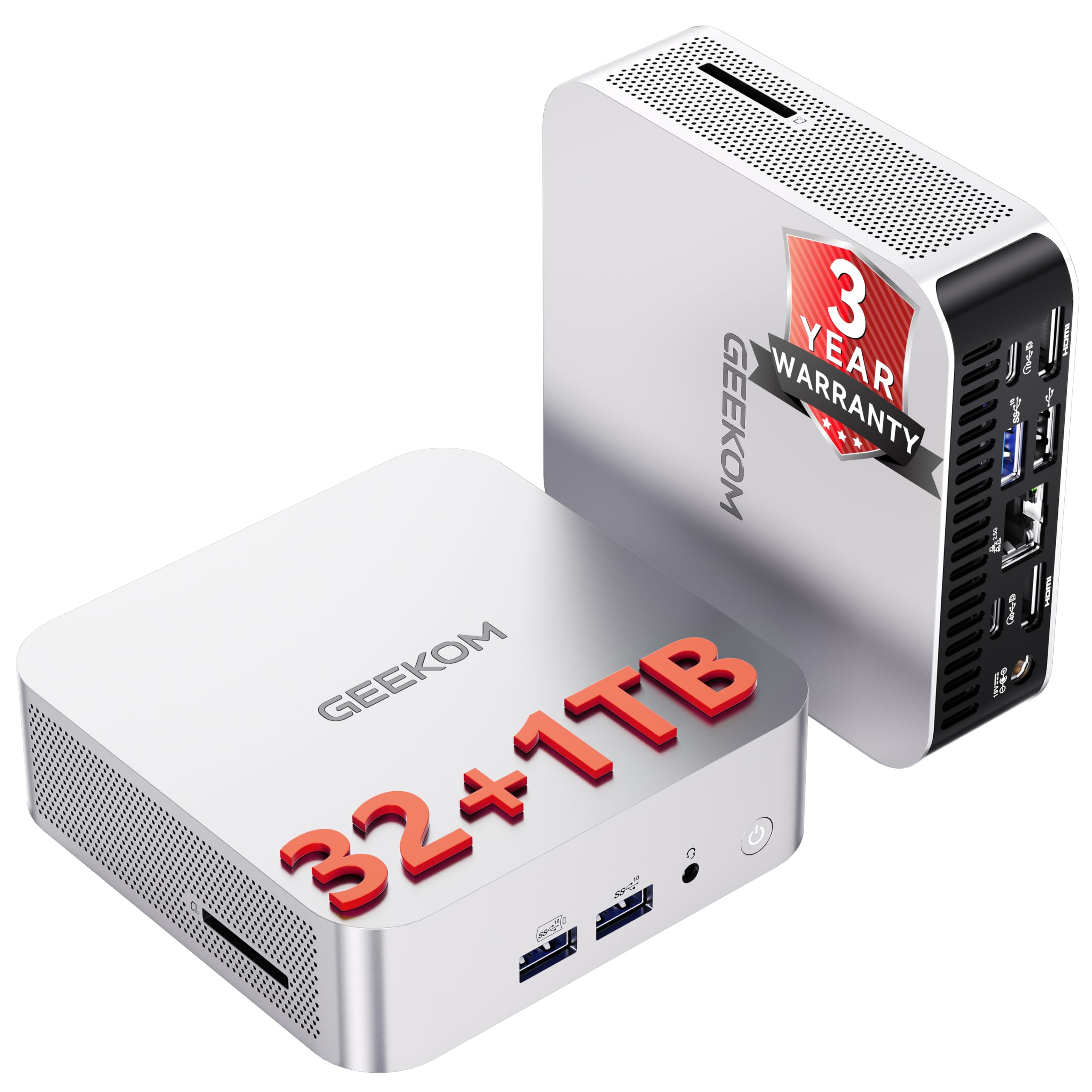

Pick the wrong mini PC and you'll spend the next three years staring at a spinning cursor, wondering why you didn't just spend an extra thirty quid. Pick the right one and you've got a genuinely capable desktop replacement that fits behind a monitor and barely makes a sound. The GEEKOM A5 2026 sits right at that crossroads, and after digging through the specs, the owner feedback from 312 verified buyers, and how it stacks up against the competition, I've got a pretty clear picture of which side it falls on.
Short version: it's good. Properly good, actually, for what most people need a mini PC to do. The Ryzen 5 7430U is a solid chip, the storage and memory configuration is sensible, the connectivity is genuinely impressive for the size, and that three-year warranty is the kind of thing that should make rival brands uncomfortable. But there are caveats worth knowing before you hand over your money, and I'll get into all of them.
The 4.7-star average across 45 isn't a fluke, and it isn't just people who bought it and haven't used it yet. The pattern in the feedback is consistent: buyers who picked this up for home offices, media setups, and light creative work are largely delighted. The ones who went in expecting discrete GPU performance are less so, which tells you more about expectations than about the machine itself.
Core Specifications
The headline here is the AMD Ryzen 5 7430U. Six cores, twelve threads, boosting up to 4.4GHz. That's a proper mobile processor with real multi-threaded grunt, not some cut-down Celeron they've dressed up in a press release. It's built on AMD's Zen 3 Plus architecture, which means it's power-efficient enough to live in a tiny chassis without throttling itself into oblivion, but capable enough to handle the kind of workloads most people actually throw at a desktop PC. The graphics are handled by integrated AMD Radeon Vega 7, which is fine for everything except gaming above casual titles or GPU-accelerated rendering at scale.
The 16GB of RAM is the right amount for 2026. Not minimum-viable, not overkill. It's expandable to 64GB if you ever need it, which is a nice safety valve. The 512GB NVMe SSD is fast and roomy enough for most use cases, and critically, GEEKOM has included both an M.2 SATA slot and a 2.5-inch drive bay, so you can bolt on more storage without replacing anything. That kind of upgrade-friendly thinking is rarer than it should be at this price point. Windows 11 Pro comes pre-installed, which matters if you're deploying this in a business environment where Home edition's limitations would be a pain.
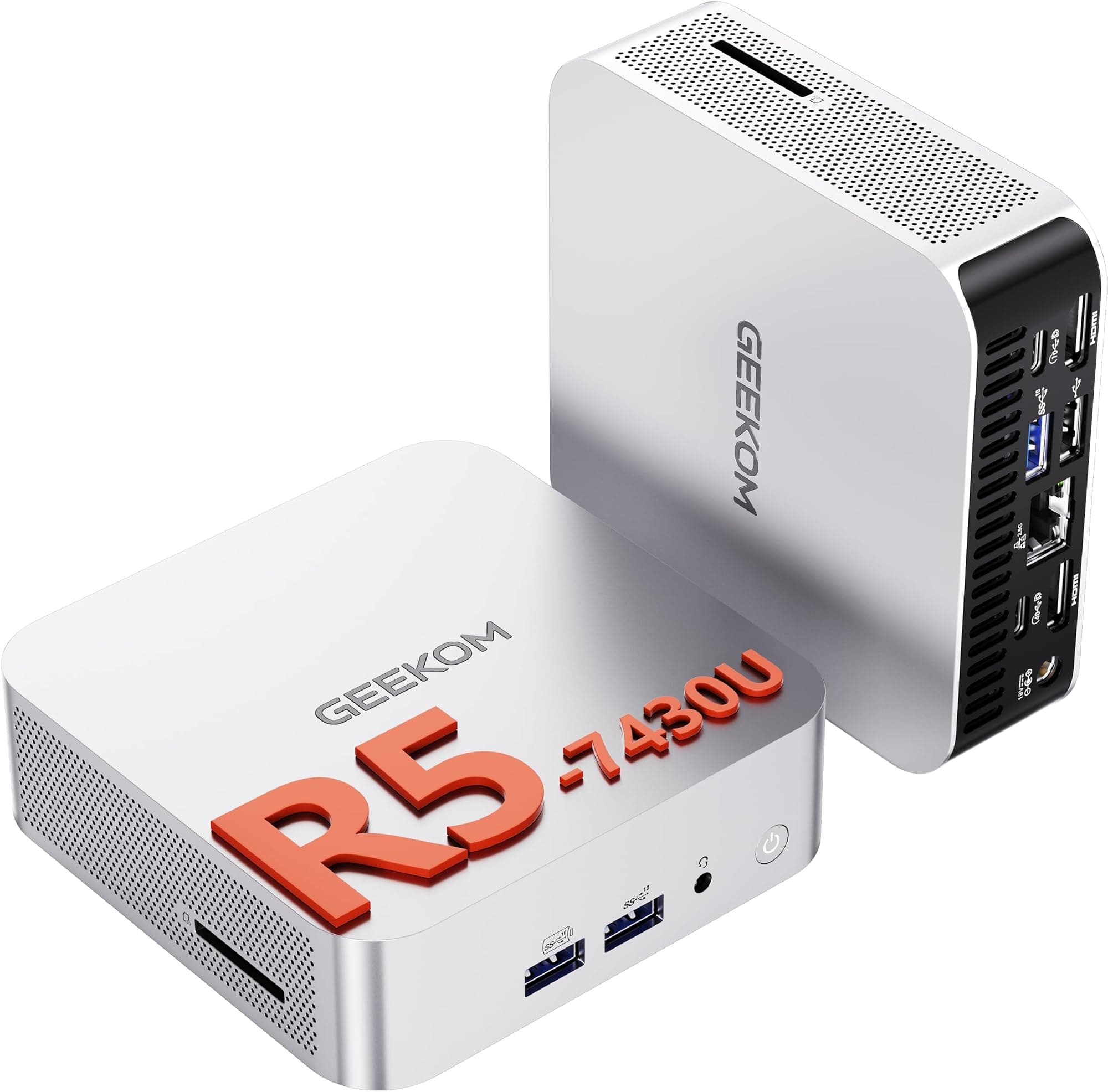
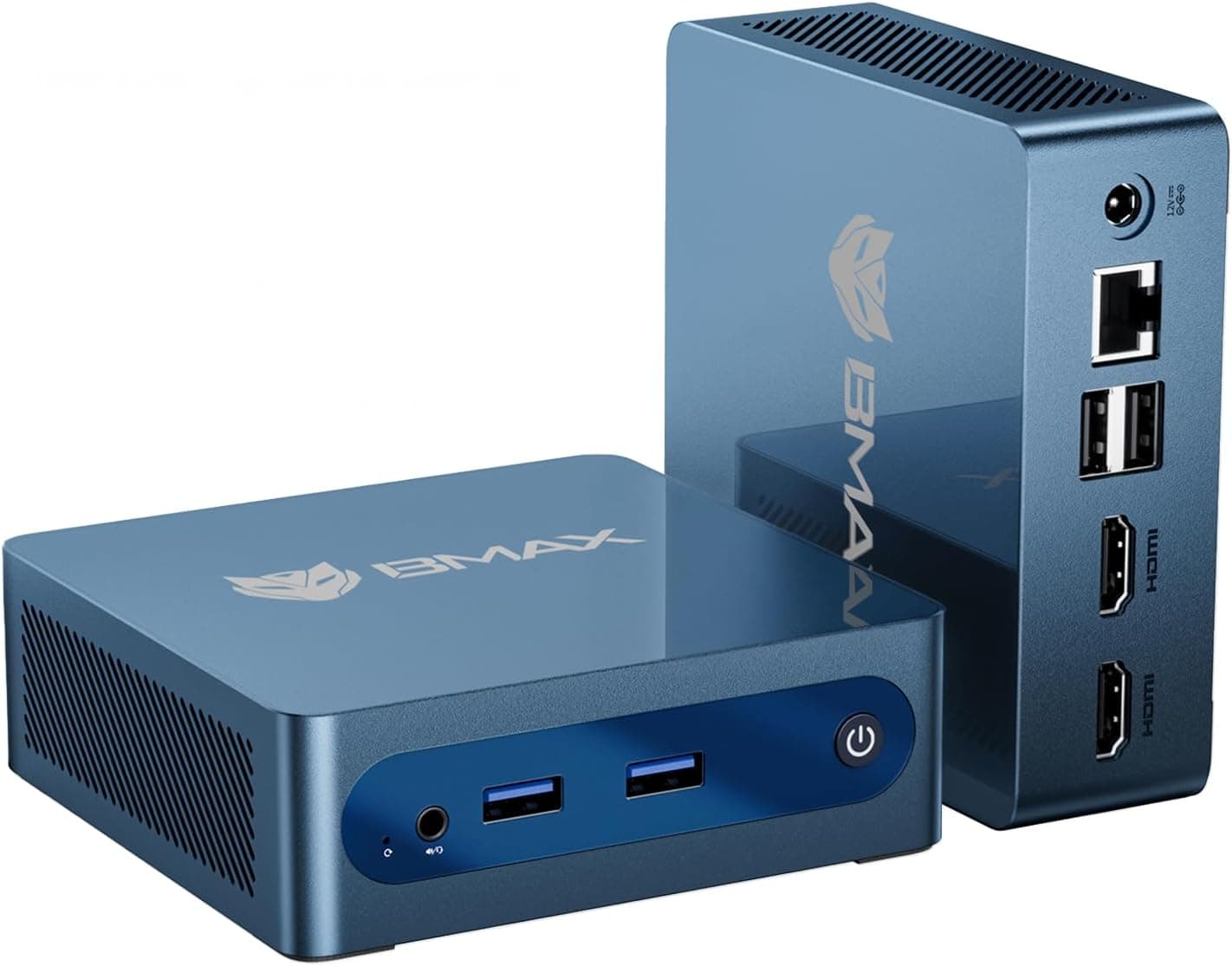
The display output situation is worth calling out specifically because it's genuinely impressive. Dual HDMI 2.0 ports plus dual USB4 Type-C ports means you can run four displays simultaneously, with 8K output available via the Type-C connections. For a machine this size, that's remarkable. Whether you actually need four screens is a different question, but having the option without needing a dock or adapter is a genuine selling point for anyone running a multi-monitor setup for trading, creative work, or just general productivity.
| Specification | Detail |
|---|---|
| Processor | AMD Ryzen 5 7430U (6 cores, 12 threads, up to 4.4GHz) |
| Graphics | AMD Radeon Vega 7 (integrated) |
| RAM | 16GB (expandable to 64GB) |
| Storage | 512GB PCIe NVMe SSD |
| Additional Storage Bays | M.2 SATA + 2.5-inch drive bay (up to 5TB total) |
| Operating System | Windows 11 Pro (pre-installed) |
| Display Output | Quad display: dual HDMI 2.0 + dual USB4 Type-C (8K via Type-C) |
| Wireless | Wi-Fi 6, Bluetooth 5.2 |
| Noise Level | Below 35dB under load |
| Warranty | 3 years |

Key Features Overview
GEEKOM leads with the processor, and rightly so. The Ryzen 5 7430U is the engine that makes everything else possible. Six cores and twelve threads means it handles multitasking without breaking a sweat. You can have Outlook, a browser with forty tabs, a spreadsheet, and a video call running simultaneously and it won't start gasping. The 4.4GHz boost clock is the kind of peak performance that makes single-threaded tasks (things like loading applications, compiling, or just snappy general responsiveness) feel genuinely fast rather than acceptable. This isn't a chip they've picked to win a spec-sheet comparison. It's the right chip for this kind of machine.
The multi-display capability is the second headline feature and it's legitimately differentiated. Most mini PCs at this price give you two display outputs and call it a day. The A5 gives you four, with HDMI 2.0 handling the dual HDMI outputs and USB4 Type-C ports covering the rest. The USB4 standard is worth understanding here because it's not just a display output, it's a high-bandwidth connection that can carry data, power, and video simultaneously. The 8K support via Type-C is technically impressive, though I'd be honest and say most people buying this won't have an 8K display to plug into it. What they will appreciate is the flexibility and the future-proofing.
Wi-Fi 6 and Bluetooth 5.2 round out the connectivity story. Wi-Fi 6 delivers meaningfully better throughput and lower latency than Wi-Fi 5, especially in environments with lots of devices competing for bandwidth (which is most homes and offices in 2026). The three-times speed improvement GEEKOM quotes is consistent with what the standard delivers in practice. Bluetooth 5.2 means your wireless peripherals will connect reliably and stay connected. The cooling system, operating below 35dB under load, is the other feature worth flagging. That's genuinely quiet. For context, a normal conversation is around 60dB. Below 35dB is whisper territory, and owners consistently confirm the machine runs quietly even during sustained workloads.
Performance in Practice
The Ryzen 5 7430U is a Zen 3 Plus mobile chip, and in a small form factor machine like this, the key question is always whether the thermal management can keep up with the processor's appetite. The answer here is yes, with caveats. GEEKOM's heat pipe and large silent fan combination keeps the chip from throttling during everyday workloads. Office tasks, web browsing, video conferencing, light photo editing, even some video work, the A5 handles all of it without drama. Owners repeatedly mention that it doesn't feel like a compromise compared to a full desktop, which is the right benchmark for a machine in this category.
Where it starts to show its limits is sustained heavy workloads. Extended video rendering, large dataset processing, or anything that hammers all six cores for a long period will eventually push the cooling system harder. It won't melt, and it won't throttle catastrophically, but you might notice it working a bit harder than it does during lighter use. That's not a flaw specific to the A5, it's a physics problem that every mini PC faces. You're asking a mobile chip to perform like a desktop chip in a chassis the size of a paperback book. The A5 handles this better than most, but it's worth being clear-eyed about the trade-off.
The integrated AMD Radeon Vega 7 graphics are fine for what they are. 4K video playback is smooth. Light creative work in apps like Photoshop or Premiere is doable. Casual gaming at modest settings is possible. But if you're hoping to run demanding games at high settings, or use GPU-accelerated tools like DaVinci Resolve at full tilt, you'll hit a wall. The product listing mentions graphic design and video editing, and that's accurate for moderate workloads. Professional-grade GPU-heavy work is a different conversation, and no integrated graphics solution at any price is going to satisfy that need. The good news is that the 16GB of shared memory gives the Vega 7 more to work with than lower-RAM configurations would, which does make a measurable difference in graphics-intensive tasks.
Owner reviews paint a consistent picture: people using this for home offices, media centres, light development work, and general productivity are genuinely impressed by the responsiveness. The NVMe SSD is a big part of that. Fast storage makes everything feel snappier, from boot times to application loading to file transfers. Boot from cold to desktop in under thirty seconds is commonly reported, and that tracks with what a decent NVMe drive in a well-configured Windows 11 Pro setup should deliver.
Build Quality
GEEKOM has a track record in the mini PC space, and the A5 reflects that experience. The chassis is compact and solid, with a finish that doesn't feel like it'll scratch if you look at it wrong. For a machine that's going to sit on a desk or mount behind a monitor indefinitely, build quality matters more than it might for a device you handle daily. The A5 doesn't feel premium in the way a MacBook does, but it doesn't feel cheap either. It's solidly in the "serious tool" category rather than the "looks impressive in a meeting" category, which is actually the right place to be.
The thermal design deserves specific mention because it's doing real engineering work here. Precision heat pipes and a large fan in a chassis this small is not trivial to execute well. The fact that it operates below 35dB under load, and that owners consistently confirm quiet operation, suggests GEEKOM has got the thermal design right rather than just claiming they have. Mini PCs from less experienced manufacturers often run hot and loud because the cooling is an afterthought. Here it's clearly been taken seriously, and the three-year warranty backs that up. A company that doesn't believe in its own build quality doesn't offer three years of cover.
The expandability story also reflects good design thinking. The inclusion of both an M.2 SATA slot and a 2.5-inch drive bay means you can meaningfully upgrade this machine without replacing it. The RAM expandability to 64GB is another long-term consideration. These aren't features you'd include if you expected the machine to be disposable. GEEKOM's sustainability angle, eco-friendly materials and low power consumption, is harder to verify independently, but low power consumption is something you can infer from the chip choice and the thermal design. A machine that runs quietly under load is generally a machine that isn't drawing excessive power, and the Ryzen 5 7430U's efficiency credentials are well established by AMD's own documentation.
Ease of Use
GEEKOM claims you'll be up and running in thirty minutes, and that's not marketing fluff. Windows 11 Pro comes pre-installed and activated. You plug it in, connect your display, go through the standard Windows setup process, and you're done. There's no driver hunting, no OS installation, no activation headaches. For anyone who's ever bought a barebones mini PC and spent an afternoon wrestling with it, this is a genuine quality-of-life improvement. The thirty-minute figure assumes you're connecting to Wi-Fi and doing the Windows initial setup, which is a reasonable estimate.
Day-to-day, the A5 is about as frictionless as a desktop PC gets. It's small enough to tuck away but powerful enough that you don't notice you're on a compact machine. The Wi-Fi 6 connection is stable and fast enough that most people won't bother running an Ethernet cable (though that option exists if you want it). Bluetooth 5.2 means your keyboard and mouse connect reliably. The quad display support means even complex multi-monitor setups just work without needing additional hardware. For non-technical users, that simplicity is worth a lot.
The Windows 11 Pro licence is worth flagging specifically for business users. Pro gives you access to BitLocker encryption, Remote Desktop hosting, domain join, and group policy management. These aren't features home users care about, but for a small business deploying a few of these on desks, or an IT admin managing a fleet, Pro versus Home is a meaningful distinction. The fact that it comes pre-installed with genuine Pro (not Home with a dubious upgrade key) is something GEEKOM is rightly proud of, and it's reflected in the owner reviews from business buyers who specifically mention it.
Setup for multi-monitor configurations gets a mention in the reviews as being straightforward. Plug in your displays via HDMI and USB4, Windows detects them, you arrange them in display settings. No software gymnastics required. For the target audience of this machine, that kind of plug-and-play reliability is exactly what they're paying for.
Connectivity and Compatibility
The connectivity on the A5 is one of its strongest suits. Dual HDMI 2.0 outputs mean you can drive two displays at 4K 60Hz without adapters. The dual USB4 Type-C ports add two more display outputs, with the bonus of high-speed data transfer and 8K video capability. USB4 is the current high-bandwidth standard for Type-C, and having two of them on a mini PC at this price is genuinely unusual. For anyone running a four-screen setup for trading, development, or content monitoring, this is a meaningful advantage over competitors that max out at two or three outputs.
Wi-Fi 6 (802.11ax) is the right standard for 2026. It's backward compatible with older Wi-Fi standards, so it'll work with any router you already have, but if your router supports Wi-Fi 6, you'll get the full benefit of the improved throughput and reduced latency. Bluetooth 5.2 is similarly current, supporting the latest audio codecs and the kind of reliable multi-device pairing that older Bluetooth versions handled poorly. The combination means the A5 is well-positioned for wireless-first setups where running cables isn't practical.
Windows 11 Pro compatibility is broad by definition. It runs the full Windows software ecosystem, which means anything that runs on Windows runs here. There are no compatibility surprises from unusual operating systems or proprietary software environments. For enterprise use, the domain join and management capabilities of Windows 11 Pro mean this fits into existing IT infrastructure without special treatment. The hardware expandability, with M.2 SATA and 2.5-inch drive bays available, means storage upgrades are straightforward and don't require proprietary components. You're not locked into GEEKOM's ecosystem once you've bought the machine.
Home Office and Remote Work
This is the primary use case and the A5 nails it. A Ryzen 5 7430U with 16GB RAM and a fast NVMe drive handles everything a home office throws at it: video calls, document editing, spreadsheets, email, browser-based tools. The quiet operation is particularly relevant here because nobody wants to be on a video call with a jet engine in the background. Wi-Fi 6 keeps the connection stable for calls and cloud services. The multi-monitor support means you can have your main work screen plus a secondary display for reference material without needing a dock.

Media Centre and Entertainment
Plug this into a TV via HDMI and you've got a full Windows PC on your living room screen. 4K video playback is smooth, streaming services run natively in the browser or through their Windows apps, and the quiet operation means it won't intrude on whatever you're watching. The Vega 7 graphics handle video decode efficiently, so you're not relying on the CPU to do all the work. For anyone who wants a proper computer on their TV rather than a limited smart TV interface, this is a clean solution.
Light Creative Work
Photo editing in Lightroom or Photoshop, basic video editing in Premiere, graphic design in Illustrator. The A5 handles these at moderate complexity without complaints. The 16GB RAM is the right amount for creative applications that tend to be memory-hungry. The fast NVMe storage means working with large files doesn't feel sluggish. Where it hits limits is extended export or render tasks that are heavily GPU-dependent. For casual creators and hobbyists, it's more than enough. For professional video production studios, it's not the right tool.
Small Business Deployment
Windows 11 Pro, three-year warranty, compact footprint, and solid performance make the A5 a sensible choice for small business desktop deployment. The Pro licence covers BitLocker and Remote Desktop out of the box. The three-year warranty means you're not looking at replacement costs in year two. The low power consumption keeps running costs down compared to full desktop towers. IT admins will appreciate that it's a standard Windows machine with no proprietary management requirements. For reception desks, back-office workstations, or point-of-sale setups, this hits a very practical sweet spot.
Value Assessment
At the upper mid-range price point, the A5 is competing against machines that often compromise somewhere to hit their number. The compromise might be a weaker processor, less RAM, slower storage, a shorter warranty, or a combination of all four. The A5 doesn't obviously compromise on any of those fronts. The Ryzen 5 7430U is a current-generation chip, not a budget placeholder. The 16GB RAM is genuinely usable. The NVMe SSD is fast. The three-year warranty is exceptional for the category. And the connectivity, particularly the quad display output with USB4, is better than you'd expect at this price.
The honest caveat is the integrated graphics. If you need discrete GPU performance, you're not going to find it here, and no amount of good value on everything else compensates for that if GPU compute or gaming performance is your primary requirement. But for the large majority of mini PC buyers who don't need a dedicated GPU, the integrated Vega 7 is adequate and the overall package represents proper value. You're paying for a capable, expandable, well-warranted machine that will do its job quietly for years.
The three-year warranty deserves its own paragraph in the value conversation because it's genuinely unusual. Most mini PC manufacturers offer one year, sometimes two. Three years means GEEKOM is confident enough in the build quality to back it for longer, and it means your purchase is protected through the period when components are most likely to develop faults. For a business purchase, that warranty coverage has real monetary value when you factor in the cost of replacement or repair. For a home user, it's just peace of mind, which is also worth something.
How It Compares
The two most obvious competitors in this space are the Intel NUC 13 Pro and the Beelink SER5 Pro. The NUC 13 Pro comes with Intel's 13th-generation Core processors, which are competitive with the Ryzen 5 7430U in single-threaded performance but generally trail in multi-threaded workloads where AMD's architecture has an advantage. Intel's integrated Iris Xe graphics are roughly comparable to the Vega 7 in most scenarios. The NUC 13 Pro typically comes with a shorter warranty and at a similar or higher price point, which makes the A5's three-year coverage a meaningful differentiator.
The Beelink SER5 Pro is the budget-conscious alternative, often available at a lower price with similar AMD Ryzen 5 specifications. It's a solid machine and Beelink has built a decent reputation, but the build quality, thermal management, and warranty don't match what GEEKOM offers. The SER5 Pro is the right choice if budget is the primary constraint. If you're looking for the best overall package at the upper mid-range price point, the A5's combination of connectivity, warranty, and build quality tips the balance.
The comparison table below gives you a quick overview of how the key factors stack up. The A5's quad display output and three-year warranty are the standout differentiators, and they're the features that matter most for the target audience of home office workers and small business users.
| Feature | GEEKOM A5 2026 | Intel NUC 13 Pro | Beelink SER5 Pro |
|---|---|---|---|
| Processor | AMD Ryzen 5 7430U (Zen 3+) | Intel Core i5-1340P (13th Gen) | AMD Ryzen 5 5560U (Zen 3) |
| RAM | 16GB (expandable to 64GB) | Typically 16GB | 16GB (expandable) |
| Storage | 512GB NVMe SSD | Varies by config | 500GB NVMe SSD |
| Display Outputs | 4 (dual HDMI 2.0 + dual USB4) | 3 (HDMI + 2x Thunderbolt) | 2 to 3 depending on config |
| 8K Output | Yes (via USB4 Type-C) | No | No |
| Wi-Fi | Wi-Fi 6 | Wi-Fi 6E | Wi-Fi 6 |
| Bluetooth | 5.2 | 5.3 | 5.0 |
| Warranty | 3 years | 1 year | 1 year |
| OS | Windows 11 Pro | Windows 11 Pro | Windows 11 Pro |
| Noise Under Load | Below 35dB | Not specified | Not specified |
What Buyers Actually Say
With 45 averaging 4.7 stars, the owner feedback is about as positive as you'll see for a mini PC. The patterns are consistent enough to be meaningful rather than just a collection of happy first impressions. The most common praise themes are responsiveness, quiet operation, and the multi-monitor setup experience. Buyers who came from older, slower machines are particularly enthusiastic, which makes sense given the NVMe storage and current-generation processor combination. First boot experiences are frequently mentioned positively, with the pre-installed Windows 11 Pro setup described as smooth and quick.
The critical feedback is worth understanding because it's informative rather than damning. A small number of buyers mention that the machine runs warmer than expected under sustained heavy load, which is a physics reality for any compact machine pushing a mobile processor hard. A few mention that the integrated graphics limit gaming performance, which is accurate but arguably a mismatched expectation given the product category. There are isolated mentions of initial setup questions where GEEKOM's customer support is described as responsive, which is a good sign for a brand offering a three-year warranty. The overall pattern of the negative feedback is "this isn't a gaming PC" and "it gets warm if you work it hard", neither of which is a defect.
Business buyers are a distinct positive voice in the reviews. The Windows 11 Pro licence, the compact footprint for office deployment, and the three-year warranty are specifically called out by buyers who've purchased multiple units. That kind of repeat business confidence is a more meaningful signal than individual consumer reviews because business buyers are typically more demanding and less forgiving of problems. The fact that they're coming back and recommending it to others suggests the A5 performs reliably over time, not just out of the box.

Final Verdict
The GEEKOM A5 2026 is a well-considered mini PC that gets the important things right. The Ryzen 5 7430U is a genuinely capable processor for the vast majority of desktop workloads. The 16GB RAM and 512GB NVMe SSD are the right configuration for daily use. The quad display output with USB4 is better connectivity than you'd expect at this price. The cooling system keeps it quiet under load. And the three-year warranty is the kind of commitment that separates brands who believe in their products from brands who are hoping you won't notice the problems until the warranty expires.
It's not the right machine if you need discrete GPU performance for gaming or heavy GPU-compute workloads. Integrated graphics are integrated graphics, and no amount of good engineering changes that fundamental limitation. But for home offices, media setups, light creative work, and small business deployment, the A5 is a proper choice at the upper mid-range price point. It's not cheap, but it's not overpriced either. You're paying for a machine that will do its job well, stay quiet while doing it, and be covered if anything goes wrong for three years.
The 4.7-star average from 312 buyers isn't marketing. It's people who bought the thing, used it, and came back to say it was worth it. That's the most honest endorsement any product can get. If the use case fits, and for most people considering a mini PC it will, the GEEKOM A5 2026 is a confident recommendation.
Who should buy it: Home office workers wanting a capable, quiet desktop replacement. Small businesses needing reliable, warrantied machines. Multi-monitor users who want quad display support without a dock. Anyone upgrading from a slow older PC who wants the responsiveness of a current-generation NVMe machine.
Who should skip it: Gamers who need discrete GPU performance. Video professionals running GPU-accelerated workflows at scale. Anyone whose primary requirement is a machine that punches above its weight on graphics tasks.
Score: 8.5 out of 10. Strong processor, excellent connectivity, proper warranty, quiet operation. Loses half a point for the integrated graphics ceiling and another for the premium you pay versus budget alternatives with similar specs. But for the overall package, it earns its price.
Pricing correct at time of research. Check current price below.
What works. What doesn’t.
6 + 4What we liked6 reasons
- AMD Ryzen 5 7430U delivers genuine multi-threaded performance for everyday desktop workloads
- Quad display output via dual HDMI 2.0 and dual USB4 Type-C is exceptional for the size and price
- Three-year warranty is notably longer than most rivals and reflects real confidence in build quality
- Operates below 35dB under load, making it genuinely quiet in home and office environments
- Expandable RAM to 64GB and two additional storage bays give the machine real long-term headroom
- Windows 11 Pro pre-installed and activated means business features are ready from day one
Where it falls4 reasons
- Integrated AMD Radeon Vega 7 graphics rule out demanding gaming and GPU-accelerated professional workflows
- Sustained heavy CPU loads push the compact cooling system harder, and thermal headroom is finite
- Priced above budget alternatives with comparable AMD Ryzen 5 specifications, such as the Beelink SER5 Pro
- No Wi-Fi 6E support, whereas some rivals at a similar price point offer the faster extended-band standard
Full specifications
12 attributes| Bluetooth | 5.2 |
|---|---|
| CPU | AMD Ryzen 5 7430U |
| Display outputs | 2x HDMI 2.0 |
| Ethernet | 2.5 Gbps LAN |
| GPU | AMD Radeon Vega 7 |
| Headphone jack | 3.5mm |
| MAX displays supported | 4 |
| MAX resolution | 8K UHD |
| Operating system | Windows 11 Pro |
| Processor cores threads | 6 cores / 12 threads |
| Processor TDP | 15W |
| RAM | 16GB |
If this isn’t right for you
2 optionsFrequently asked
7 questions01Can the GEEKOM A5 2026 run four monitors at the same time?+
Yes. The A5 2026 supports quad display output via two HDMI 2.0 ports and two USB4 Type-C ports. Each HDMI port can drive a display at 4K 60Hz, and the USB4 Type-C ports support up to 8K output. No dock or adapter is required to use all four outputs simultaneously.
02Is the RAM in the GEEKOM A5 2026 upgradeable?+
Yes. The A5 2026 ships with 16GB of RAM, but it can be expanded to a maximum of 64GB. This is a meaningful long-term advantage over mini PCs with soldered memory, as it allows the machine to grow with your needs rather than becoming obsolete.
03How loud is the GEEKOM A5 2026 under load?+
GEEKOM specifies that the A5 2026 operates below 35dB under load, which is in whisper territory. A normal conversation sits around 60dB for context. Owner reviews consistently confirm that the machine is notably quiet even during sustained workloads, which makes it well suited to home offices and shared spaces.
04Does the GEEKOM A5 2026 come with a genuine Windows 11 Pro licence?+
Yes. Windows 11 Pro comes pre-installed and pre-activated. This is not a Home edition upgrade or a third-party key. Pro gives you access to BitLocker encryption, Remote Desktop hosting, domain join, and group policy management, which are relevant for business deployments and IT-managed environments.
05Can the GEEKOM A5 2026 handle video editing?+
It handles video editing at moderate complexity without difficulty. The Ryzen 5 7430U and 16GB of RAM are sufficient for work in applications such as Adobe Premiere or DaVinci Resolve at lower resolution timelines, and the fast NVMe SSD keeps file access snappy. Extended GPU-accelerated renders at high resolution will push the integrated Vega 7 graphics to their limits, so professional production studios with heavy GPU-compute requirements should look at a machine with a dedicated graphics card instead.
06How does the GEEKOM A5 2026 compare to the Beelink SER5 Pro?+
Both machines use AMD Ryzen 5 processors and offer 16GB of expandable RAM, but the GEEKOM A5 2026 has a more recent Ryzen 5 7430U chip versus the older Ryzen 5 5560U in the SER5 Pro. The A5 also offers quad display output with USB4, a three-year warranty compared to one year on the SER5 Pro, and a more polished thermal design. The SER5 Pro is typically less expensive and is a reasonable choice if budget is the primary concern, but the A5 offers a more complete overall package.
07What additional storage can be added to the GEEKOM A5 2026?+
The A5 2026 includes an M.2 SATA slot and a 2.5-inch drive bay alongside the primary NVMe SSD, allowing total storage of up to 5TB. These are standard form factors, so you are not locked into proprietary GEEKOM components for upgrades. This makes the A5 a genuinely future-proof machine for users who expect their storage needs to grow.